2014 SUBARU TRIBECA warning light
[x] Cancel search: warning lightPage 160 of 426
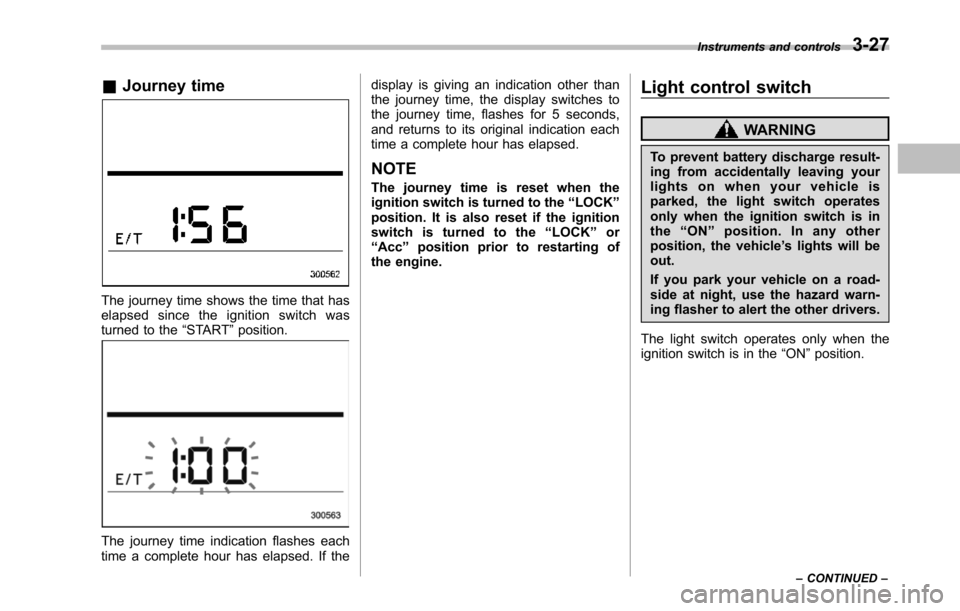
&Journey time
The journey time shows the time that haselapsed since the ignition switch wasturned to the“START”position.
The journey time indication flashes eachtime a complete hour has elapsed. If the
display is giving an indication other thanthe journey time, the display switches tothe journey time, flashes for 5 seconds,and returns to its original indication eachtime a complete hour has elapsed.
NOTE
The journey time is reset when theignition switch is turned to the“LOCK”position. It is also reset if the ignitionswitch is turned to the“LOCK”or“Acc”position prior to restarting ofthe engine.
Light control switch
WARNING
To prevent battery discharge result-ing from accidentally leaving yourlights on when your vehicle isparked, the light switch operatesonly when the ignition switch is inthe“ON”position. In any otherposition, the vehicle’s lights will beout.
If you park your vehicle on a road-side at night, use the hazard warn-ing flasher to alert the other drivers.
The light switch operates only when theignition switch is in the“ON”position.
Instruments and controls3-27
–CONTINUED–
Page 162 of 426
&Daytime running light system
WARNING
The brightness of the illumination ofthe high beam headlights is reducedby the daytime running light system.The light switch must always beturned to the“”position when itis dark outside.
The high beam headlights will automati-cally illuminate at reduced brightnesswhen the engine has started, under thefollowing conditions.
.The select lever is in a position otherthan the“P”position.
.The parkingbrake is fully released.
.The light switch is in the“OFF”or“”position.
NOTE
When the light switch is in the“”position,the front side marker lights,parking lights and license plate lightsare also illuminated.
Turn signal lever
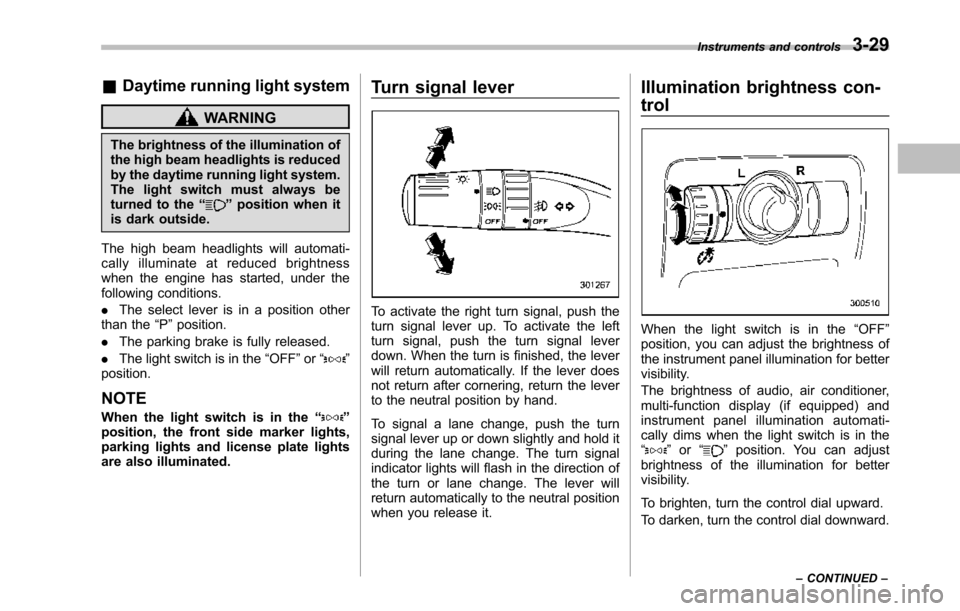
To activate the right turn signal, push theturn signal lever up. To activate the leftturn signal, push the turn signal leverdown. When the turn is finished, the leverwill return automatically. If the lever doesnot return after cornering, return the leverto the neutral position by hand.
To signal a lane change, push the turnsignal lever up or down slightly and hold itduring the lane change. The turn signalindicator lights will flash in the direction ofthe turn or lane change. The lever willreturn automatically to the neutral positionwhen you release it.
Illumination brightness con-
trol
When the light switch is in the“OFF”position, you can adjust the brightness ofthe instrument panel illumination for bettervisibility.
The brightnessof audio, air conditioner,multi-function display (if equipped) andinstrument panel illumination automati-cally dims when the light switch is in the“”or“”position. You can adjustbrightness of the illumination for bettervisibility.
To brighten, turn the control dial upward.
To darken, turn the control dial downward.
Instruments and controls3-29
–CONTINUED–
Page 168 of 426
When the wiper switch is in the“”position, turn the dial to adjust the operat-ing interval of the wiper.
The operating interval can be adjusted innine steps.
The intermittent operation interval variesdepending on the vehicle speed in any ofthe adjustment steps (longer when thevehicle speed is low; shorter when thevehicle speed is high).
!Washer
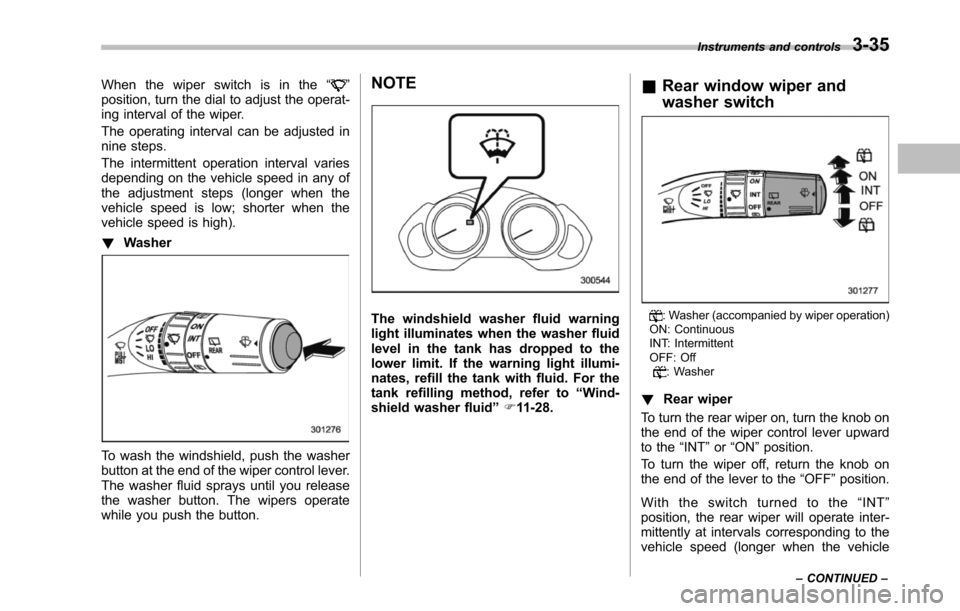
To wash the windshield, push the washerbutton at the end of the wiper control lever.The washer fluid sprays until you releasethe washer button. The wipers operatewhile you push the button.
NOTE
The windshield washer fluid warninglightilluminates when the washer fluidlevel in the tank has dropped to thelower limit. If the warning light illumi-nates, refill the tank with fluid. For thetank refilling method, refer to“Wind-shield washerfluid”F11-28.
&Rear window wiper and
washer switch
: Washer (accompanied by wiper operation)ON: ContinuousINT: IntermittentOFF: Off: Washer
!Rear wiper
To turn the rear wiper on, turn the knob onthe end of the wiper control lever upwardto the“INT”or“ON”position.
To turn the wiper off, return the knob onthe end of the lever to the“OFF”position.
With the switch turned to the“INT”position, the rear wiper will operate inter-mittently at intervals corresponding to thevehicle speed (longer when the vehicle
Instruments and controls3-35
–CONTINUED–
Page 185 of 426
4-8Climate control
NOTE
For efficient defogging or dehumidify-ing in cold weather, turn on the airconditioner. However, if the ambienttemperature decreases to approxi-mately 328F(08C), the air conditionercompressor may stop operating.
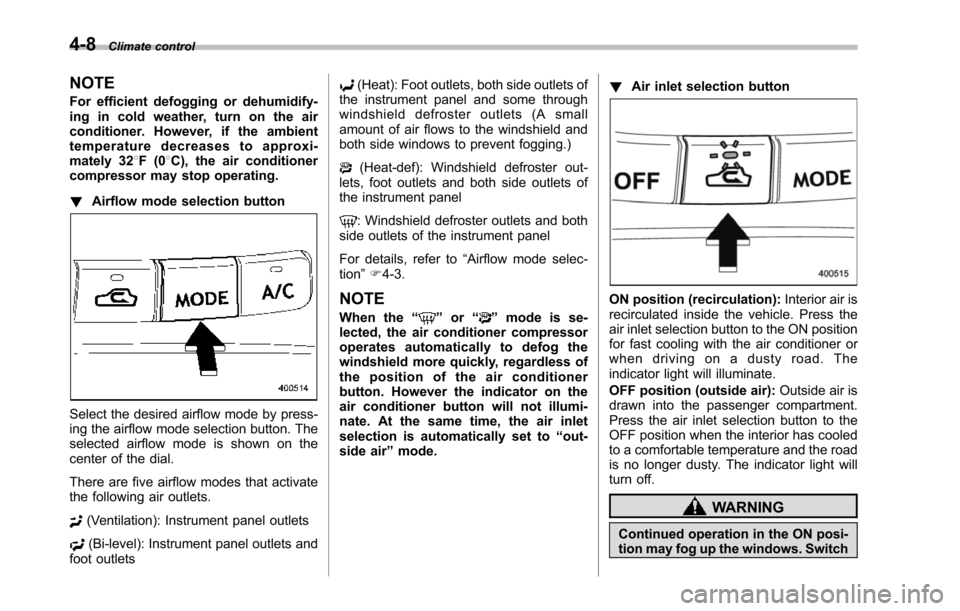
!Airflow mode selection button
Select the desired airflow mode by press-ing the airflow mode selection button. Theselected airflow mode is shown on thecenter of the dial.
There are five airflow modes that activatethe following air outlets.
(Ventilation): Instrument panel outlets
(Bi-level): Instrument panel outlets andfoot outlets
(Heat): Foot outlets, both side outlets ofthe instrument panel and some throughwindshield defroster outlets (A smallamount of air flows to the windshield andboth side windows to prevent fogging.)
(Heat-def): Windshield defroster out-lets, foot outlets and both side outlets ofthe instrument panel
: Windshield defroster outlets and bothside outletsof the instrument panel
For details, refer to“Airflow mode selec-tion”F4-3.
NOTE
When the“”or“”mode is se-lected, the air conditioner compressoroperates automatically to defog thewindshield more quickly, regardless ofthe position of the air conditionerbutton. However the indicator on theair conditioner button will not illumi-nate. At the same time, the air inletselection is automatically set to“out-side air”mode.
!Air inlet selection button
ON position (recirculation):Interior air isrecirculated inside the vehicle. Press theair inlet selection button to the ON positionfor fast cooling with the air conditioner orwhen driving on a dusty road. Theindicator light will illuminate.
OFF position (outside air):Outside air isdrawninto the passenger compartment.Press the air inlet selection button to theOFF position when the interior has cooledto a comfortable temperature and the roadis no longer dusty. The indicator light willturn off.
WARNING
Continued operation in the ON posi-tion may fog up the windows. Switch
Page 235 of 426
6-14Interior equipment
.Do not use more than one floormat.Cargo area cover (if
equipped)
The cargo area cover is provided forcovering the cargo area and to protect itscontents from direct sunlight. This cover isdetachable to make room for additionalcargo.
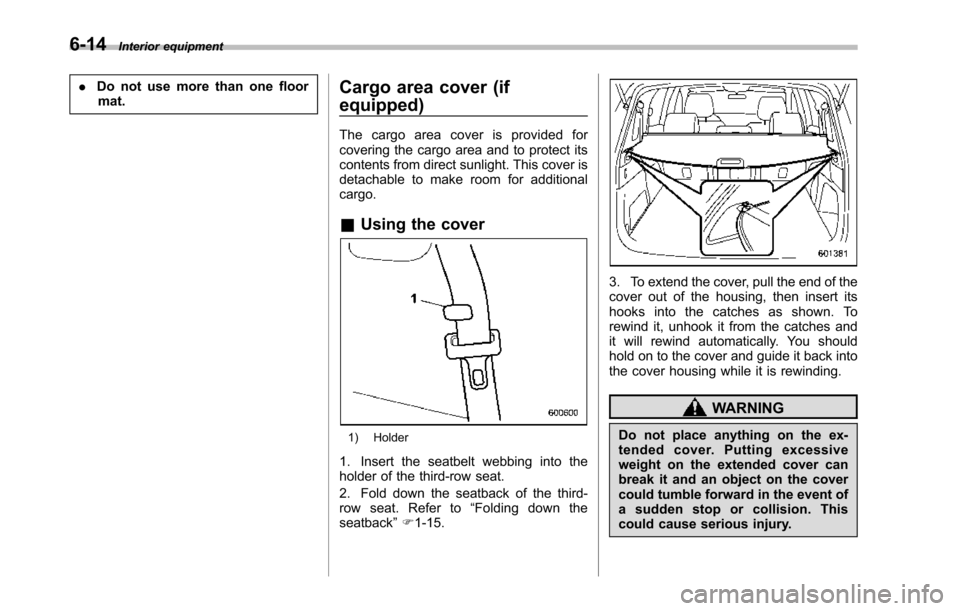
&Using the cover
1) Holder
1. Insert the seatbelt webbing into theholder of the third-row seat.
2. Fold down the seatback of the third-row seat. Refer to“Folding down theseatback”F1-15.
3. To extend the cover, pull the end of thecover out of the housing, then insert itshooks into the catches as shown. Torewind it, unhook it from the catches andit will rewind automatically. You shouldhold on to the cover and guide it back intothe cover housing while it is rewinding.
WARNING
Do not place anything on the ex-tended cover. Putting excessiveweight on the extended cover canbreak it and an object on the covercould tumble forward in the event ofasuddenstoporcollision.Thiscould cause serious injury.
Page 238 of 426
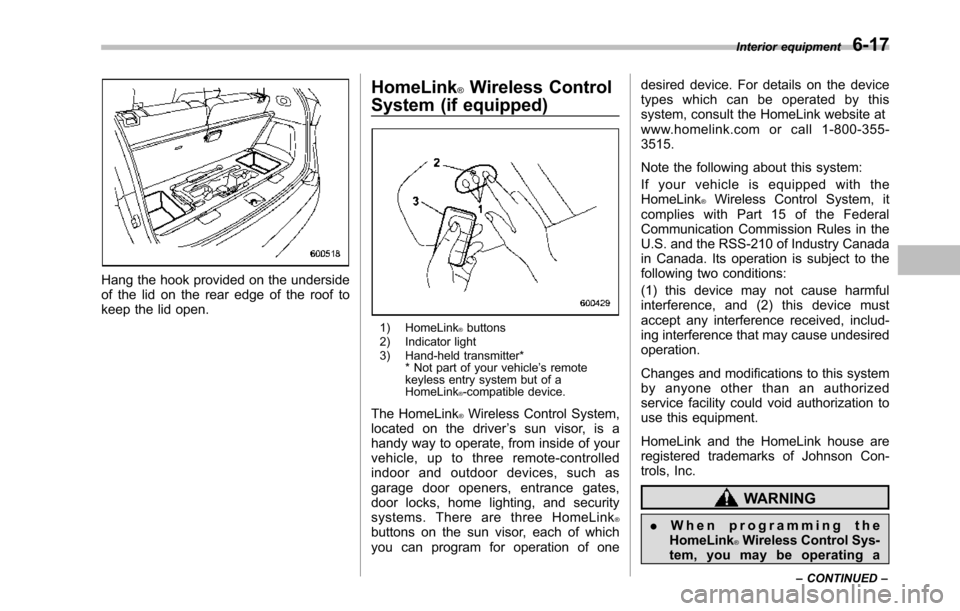
Hang the hook provided on the undersideof the lid on the rear edge of the roof tokeepthe lid open.
HomeLink®Wireless Control
System (if equipped)
1) HomeLink®buttons2) Indicator light3) Hand-held transmitter** Not part of your vehicle’s remotekeyless entry system but of aHomeLink®-compatible device.
The HomeLink®Wireless Control System,located on the driver’s sun visor, is ahandy way to operate, from inside of yourvehicle, up to three remote-controlledindoor and outdoor devices, such asgarage door openers, entrance gates,door locks, home lighting, and securitysystems. There are three HomeLink®buttons on the sun visor, each of whichyou can program for operation of one
desired device. For details on the devicetypes which can be operated by thissystem, consult the HomeLink website atwww.homelink.com or call 1-800-355-3515.
Note the following about this system:
If your vehicle is equipped with theHomeLink®Wireless Control System, itcomplies with Part 15 of the FederalCommunication Commission Rules in theU.S. and the RSS-210 of Industry Canadain Canada. Its operation is subject to thefollowing two conditions:
(1) this device may not cause harmfulinterference, and (2) this device mustaccept any interference received, includ-ing interference that may cause undesiredoperation.
Changes and modifications to this systemby anyone other than an authorizedservice facility could void authorization touse this equipment.
HomeLink and the HomeLink house areregistered trademarks of Johnson Con-trols, Inc.
WARNING
.When programming theHomeLink®Wireless Control Sys-tem, you may be operating a
Interior equipment6-17
–CONTINUED–
Page 242 of 426
opener by pressing the programmedHomeLink®button.
&Programming other devices
To program other devices such as doorlocks, home lighting and security systems,contact HomeLink at www.homelink.comor call 1-800-355-3515.
&Operating the HomeLink®
Wireless Control System
Once programmed, the HomeLink®Wire-less Control System can be used toremote-controlthe devices to which itsbuttons are programmed. To activate adevice, simply press the appropriate but-ton.The indicator light illuminates, indicat-ing that the signal is being transmitted.
&Erasing HomeLink®button
memory
NOTE
.Performing this procedure erasesthe memory of all the preprogrammedbuttons simultaneously. The memoryof individual buttons cannot be erased..It is recommended that upon thesale of the vehicle, the memory of allprogrammed HomeLink®buttons beerased for security purposes.
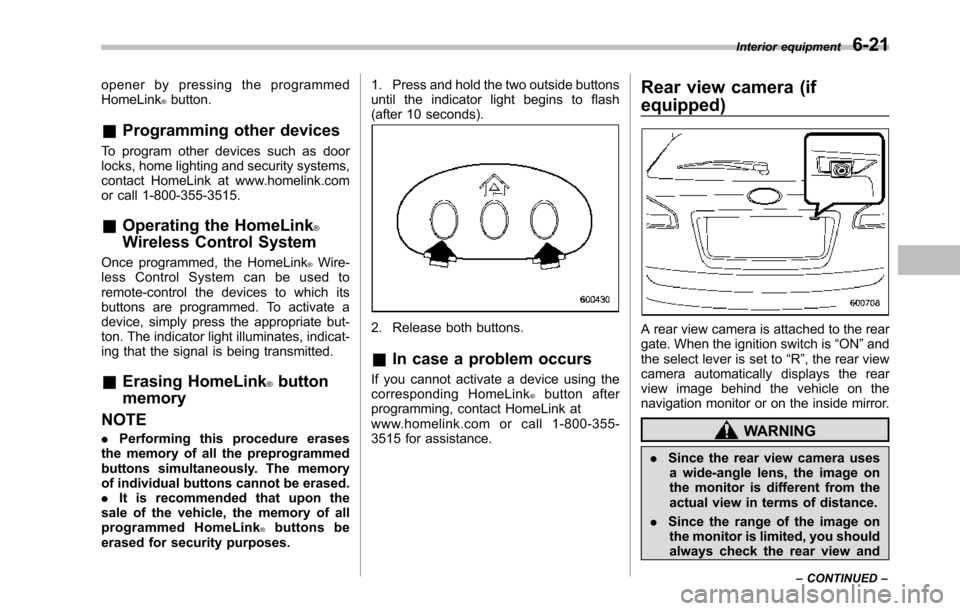
1. Press and hold the two outside buttonsuntil the indicator light begins to flash(after 10 seconds).
2. Release both buttons.
&In case a problem occurs
If you cannot activate a device using thecorresponding HomeLink®button afterprogramming, contact HomeLink atwww.homelink.com or call 1-800-355-3515 for assistance.
Rear view camera (if
equipped)
A rear view camera is attached to the reargate. When the ignition switch is“ON”andthe select lever is set to“R”, the rear viewcamera automatically displays the rearview image behind the vehicle on thenavigation monitor or on the inside mirror.
WARNING
.Since the rear view camera usesa wide-angle lens, the image onthe monitor is different from theactual view in terms of distance.
.Since the range of the image onthe monitor is limited, you shouldalways check the rear view and
Interior equipment6-21
–CONTINUED–
Page 248 of 426
Fuel...................................................................... 7-2Fuel requirements............................................... 7-2Fuel filler lid and cap........................................... 7-3
State emission testing (U.S. only)...................... 7-5
Preparing to drive............................................... 7-7
Starting the engine.............................................. 7-7
Stopping the engine............................................ 7-8
Remote engine start system (dealer option)..... 7-8Starting your vehicle........................................... 7-9Remote start safety features................................ 7-9Entering the vehicle while it is running via remotestart.................................................................. 7-9Entering the vehicle following remote engine startshutdown.......................................................... 7-9Pre-heating or pre-cooling the interior of thevehicle............................................................. 7-10Service mode..................................................... 7-10Remote engine start transmitter programmingand programmable feature option..................... 7-10System maintenance.......................................... 7-11
Automatic transmission..................................... 7-12Select lever........................................................ 7-13Shift lock function.............................................. 7-14Selectionof manual mode.................................. 7-16Driving tips........................................................ 7-17SPORT mode..................................................... 7-18
Power steering................................................... 7-18
Braking............................................................... 7-19Braking tips....................................................... 7-19Brake system.................................................... 7-19Disc brake pad wear warning indicators............. 7-20
ABS (Anti-lock Brake System).......................... 7-20ABS system self-check...................................... 7-21ABS warning light.............................................. 7-21
Electronic Brake Force Distribution (EBD)system............................................................. 7-22Steps to take if EBD system malfunctions.......... 7-22
Vehicle Dynamics Control system.................... 7-23Vehicle Dynamics Control system monitor.......... 7-25Traction Control system OFF switch................... 7-25
Tire pressure monitoring system (TPMS)........ 7-27
Parking your vehicle......................................... 7-28Parking brake.................................................... 7-28Parking tips....................................................... 7-29
Cruise control.................................................... 7-29To set cruise control.......................................... 7-30To temporarily cancel the cruise control............. 7-31To turn off the cruise control.............................. 7-31To change the cruising speed ............................ 7-31Cruise control indicator light.............................. 7-32Cruise control set indicator light........................ 7-32
Starting and operating
7