2014 SUBARU TRIBECA change time
[x] Cancel search: change timePage 205 of 426
5-14Audio
than approximately 15 seconds afterthe ignition switch is turned to the“LOCK”position, a disc protectionfunction will operate, automaticallyreloading the disc. In this case, thedisc is not played.
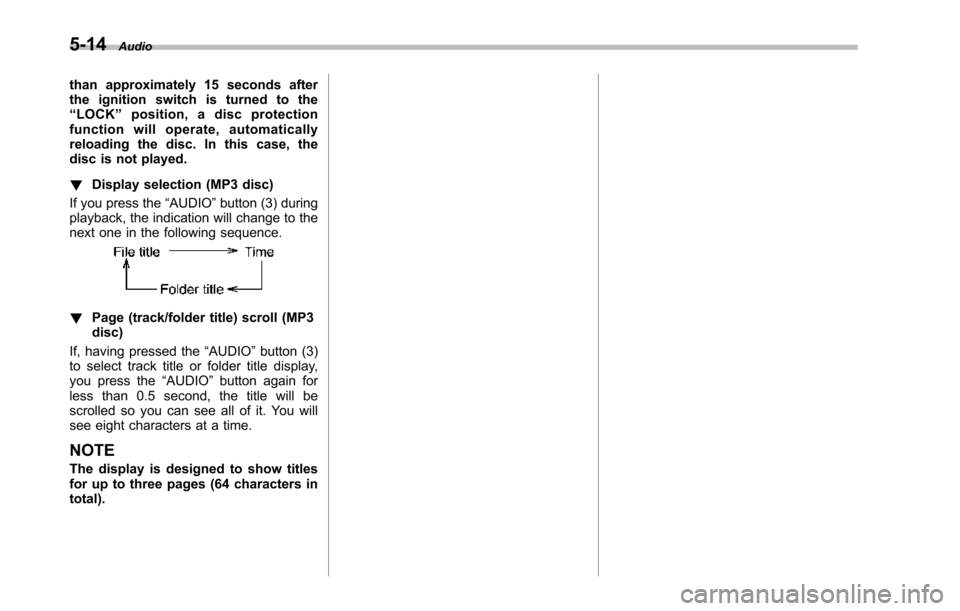
!Display selection (MP3 disc)
If you press the“AUDIO”button (3) duringplayback, the indication will change to thenext one in the following sequence.
!Page (track/folder title) scroll (MP3disc)
If, having pressed the“AUDIO”button (3)to select track title or folder title display,you press the“AUDIO”button again forless than 0.5 second, the title will bescrolled so you can see all of it. You willsee eight characters at a time.
NOTE
The display is designed to show titlesfor up to three pages (64 characters intotal).
Page 208 of 426
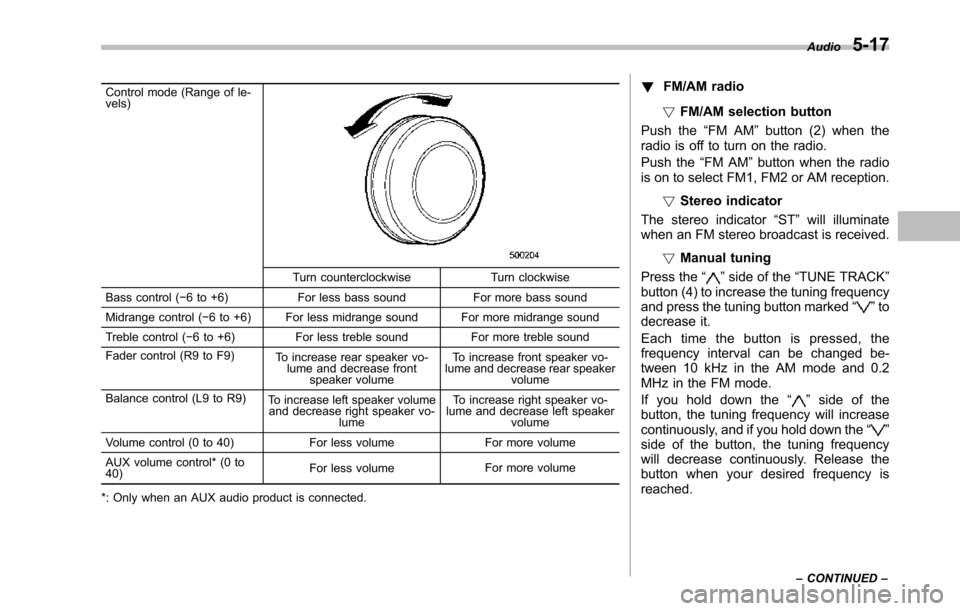
Control mode (Range of le-vels)
Turn counterclockwise Turn clockwise
Bass control (!6 to +6) For less bass sound For more bass sound
Midrange control (!6 to +6) For less midrange sound For more midrange sound
Treble control (!6 to +6) For less treble sound For more treble sound
Fader control (R9 to F9)To increase rear speaker vo-lume and decrease frontspeaker volume
To increase front speaker vo-lume and decrease rear speakervolume
Balance control (L9 to R9)To increase left speaker volumeand decrease right speaker vo-lume
To increase right speaker vo-lume and decrease left speakervolume
Volume control (0 to 40) For less volume For more volume
AUX volumecontrol* (0 to40)For less volumeFor more volume
*: Only when an AUX audio product is connected.
!FM/AM radio
!FM/AM selection button
Push the“FM AM”button (2) when theradio is off to turn on the radio.
Push the“FM AM”button when the radiois on to select FM1, FM2 or AM reception.
!Stereo indicator
The stereo indicator“ST”will illuminatewhen an FM stereo broadcast is received.
!Manual tuning
Press the“”side of the“TUNE TRACK”button (4) to increase the tuning frequencyand pressthe tuning button marked“”todecrease it.
Each time the button is pressed, thefrequency interval can be changed be-tween 10 kHz in the AM mode and 0.2MHz in the FM mode.
If you hold down the“”side of thebutton, the tuning frequency will increasecontinuously, and if you hold down the“”side of the button, the tuning frequencywill decreasecontinuously. Release thebutton when your desired frequency isreached.
Audio5-17
–CONTINUED–
Page 212 of 426
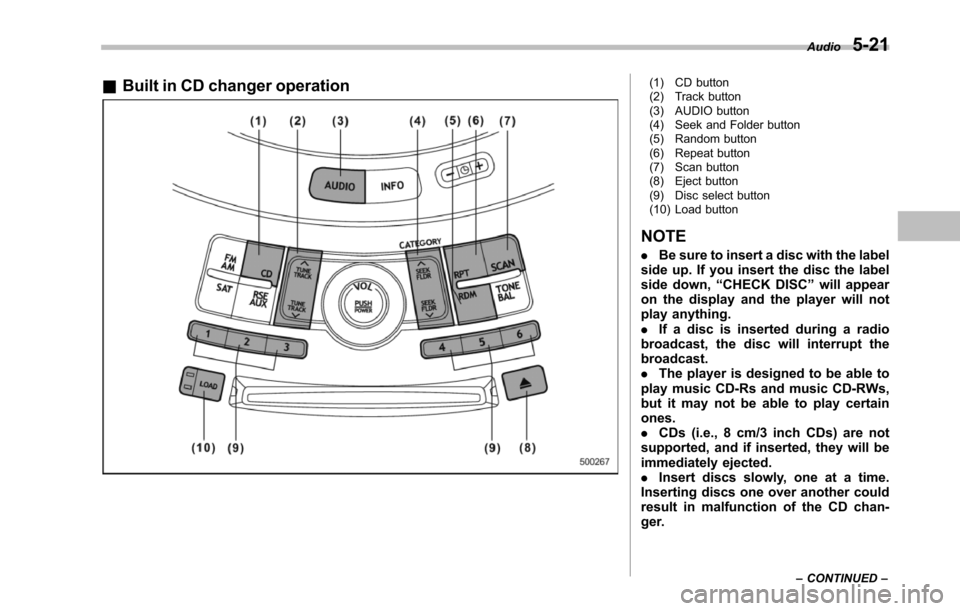
&Built in CD changer operation(1) CD button(2) Track button(3) AUDIO button(4) Seek and Folder button(5) Random button(6) Repeat button(7) Scan button(8) Eject button(9) Disc select button(10) Load button
NOTE
.Be sure to insert a disc with the labelside up. If you insert the disc the labelside down,“CHECK DISC”will appearon the display and the player will notplay anything..If a disc is inserted during a radiobroadcast, the disc will interrupt thebroadcast..The player is designed to be able toplay music CD-Rs and music CD-RWs,but it may not be able to play certainones..CDs (i.e., 8 cm/3 inch CDs) are notsupported, and if inserted, they will beimmediately ejected..Insert discs slowly, one at a time.Inserting discs one over another couldresult in malfunction of the CD chan-ger.
Audio5-21
–CONTINUED–
Page 214 of 426
first track.
!When there are CDs loaded:
Press the preferred disc select button (9),the disc number indicator of which isconstantly illuminated. The player will thenstart playback of the selected CD, begin-ning with the first track.
If a disc that the player cannot read hasbeen loaded,“CHECK DISC”will appearon the display and the player will not playanything.
!To select a song from its beginning
!Forward direction
Brieflypress the“”side of the“TUNETRACK”button (2) to skip to the beginningof the next track. Each time the button ispressed, the indicated track number willincrease.
NOTE
In an MP3 folder, skipping past the lasttrack will take you back to the first trackin the folder.
!Backward direction
Briefly press the“”side of the“TUNETRACK”button (2) to skip to the beginningof the current track. Each time the buttonis pressed, the indicated track number willdecrease.
NOTE
In an MP3 folder, skipping past the firsttrack will take you to the last track inthe folder.
!Fast-forwarding and rewinding
!Fast-forwarding
Press and hold the“”side of the“TUNETRACK”button (2) to fast-forward thetrack.
Release the button to stop fast-forwarding.
NOTE
If you fast-forward to the end of the lasttrack, fast-forwarding will stop and theplayer will start playback beginningwith the first track.
!Rewinding
Press and hold the“”side of the“TUNETRACK”button (2) to rewind the track.
Release the button to stop rewinding.
NOTE
If you rewind to the beginning of thefirst track, the rewinding will stop andthe player will start playback.
!Repeating
!To repeat the currently playingtrack
To repeat a track, briefly press the“RPT”button (6) while the track is playing. Thedisplay will show“RPT”, and the track willbe repeated.
To cancel the track repeat-play mode,briefly press the“RPT”button twice. The“RPT”indication will turn off, and thenormal playback mode will be resumed.
NOTE
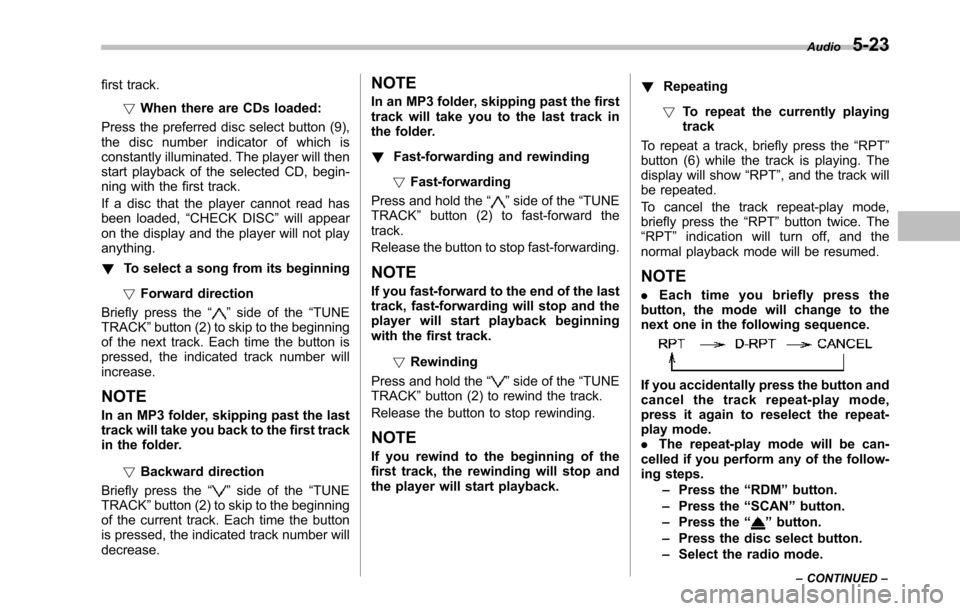
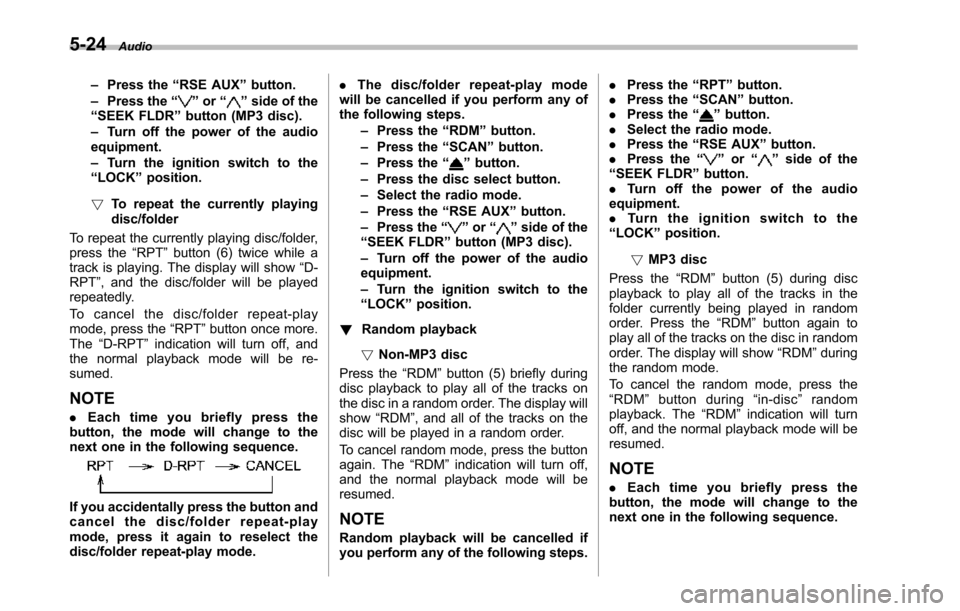
.Each time you briefly press thebutton, the mode will change to thenext one in the following sequence.
If you accidentally press the button andcancel the track repeat-play mode,press it again to reselect the repeat-play mode..The repeat-play mode will be can-celledif you perform any of the follow-ing steps.–Press the“RDM”button.–Press the“SCAN”button.–Press the“”button.–Press the disc select button.–Select the radio mode.
Audio5-23
–CONTINUED–
Page 215 of 426
5-24Audio
–Press the“RSE AUX”button.–Press the“”or“”side of the“SEEK FLDR”button (MP3 disc).–Turn off the power of the audioequipment.–Turn the ignition switch to the“LOCK”position.
!To repeat the currently playingdisc/folder
To repeat the currently playing disc/folder,press the“RPT”button (6) twice while atrack is playing. The display will show“D-RPT”, and the disc/folder will be playedrepeatedly.
To c a n c e l t h e d i s c / f o l d e r r e p e a t - p l a ymode, press the“RPT”button once more.The“D-RPT”indication will turn off, andthe normal playback mode will be re-sumed.
NOTE
.Each time you briefly press thebutton, the mode will change to thenext one in the following sequence.
If you accidentally press the button andcancel the disc/folder repeat-playmode, press it again to reselect thedisc/folder repeat-play mode.
.The disc/folder repeat-play modewill be cancelled if you perform any ofthe following steps.–Press the“RDM”button.–Press the“SCAN”button.–Press the“”button.–Press the disc select button.–Select the radio mode.–Press the“RSE AUX”button.–Press the“”or“”side of the“SEEK FLDR”button (MP3 disc).–Turn off the power of the audioequipment.–Turn the ignition switch to the“LOCK”position.
!Random playback
!Non-MP3 disc
Press the“RDM”button (5) briefly duringdisc playback to play all of the tracks onthe disc in a random order. The display willshow“RDM”, and all of the tracks on thedisc will be played in a random order.
To cancel random mode, press the buttonagain. The“RDM”indication will turn off,and the normal playback mode will beresumed.
NOTE
Random playback will be cancelled ifyou perform any of the following steps.
.Press the“RPT”button..Press the“SCAN”button..Press the“”button..Select the radio mode..Press the“RSE AUX”button..Press the“”or“”side of the“SEEK FLDR”button..Tu r n o f f t h e p o w e r o f t h e a u d i oequipment..Tu r n t h e i g n i t i o n s w i t c h t o t h e“LOCK”position.
!MP3 disc
Press the“RDM”button (5) during discplayback to play all of the tracks in thefolder currently being played in randomorder. Press the“RDM”button again toplay all of the tracks on the disc in randomorder. The display will show“RDM”duringthe random mode.
To cancel the random mode, press the“RDM”button during“in-disc”randomplayback. The“RDM”indication will turnoff, and the normal playback mode will beresumed.
NOTE
.Each time you briefly press thebutton, the mode will change to thenext one in the following sequence.
Page 216 of 426
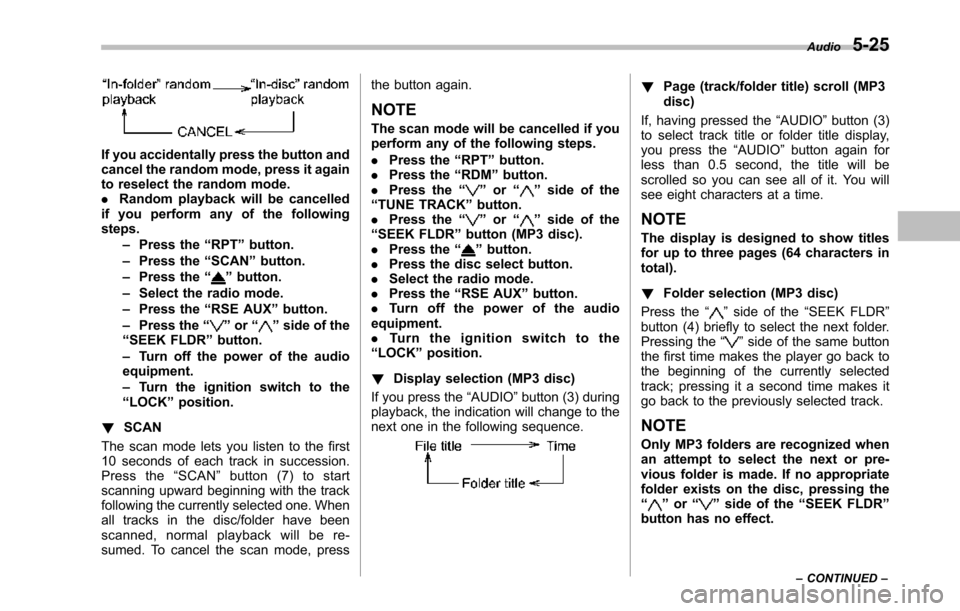
If you accidentally press the button andcancel the random mode, press it againto reselect the random mode..Random playback will be cancelledif you perform any of the followingsteps.–Press the“RPT”button.–Press the“SCAN”button.–Press the“”button.–Select the radio mode.–Press the“RSE AUX”button.–Press the“”or“”side of the“SEEK FLDR”button.–Turn off the power of the audioequipment.–Turn the ignition switch to the“LOCK”position.
!SCAN
The scan mode lets you listen to the first10 seconds of each track in succession.Press the“SCAN”button (7) to startscanning upward beginning with the trackfollowing the currently selected one. Whenall tracks in the disc/folder have beenscanned, normal playback will be re-sumed. To cancel the scan mode, press
the button again.
NOTE
The scan mode will be cancelled if youperform any of the following steps.
.Press the“RPT”button..Press the“RDM”button..Press the“”or“”side of the“TUNE TRACK”button..Press the“”or“”side of the“SEEK FLDR”button (MP3 disc)..Press the“”button..Press the discselect button..Select the radio mode..Press the“RSE AUX”button..Tu r n o f f t h e p o w e r o f t h e a u d i oequipment..Tu r n t h e i g n i t i o n s w i t c h t o t h e“LOCK”position.
!Display selection (MP3 disc)
If you press the“AUDIO”button (3) duringplayback, theindication will change to thenext one in the following sequence.
!Page (track/folder title) scroll (MP3disc)
If, having pressed the“AUDIO”button (3)to select track title or folder title display,you press the“AUDIO”button again forless than 0.5 second, the title will bescrolled so you can see all of it. You willsee eightcharacters at a time.
NOTE
The display is designed to show titlesfor up to three pages (64 characters intotal).
!Folder selection (MP3 disc)
Press the“”side of the“SEEK FLDR”button (4) briefly to select the next folder.Pressing the“”side of the same buttonthe first time makes the player go back tothe beginning of the currently selectedtrack; pressing it a second time makes itgo back to the previously selected track.
NOTE
Only MP3 folders are recognized whenan attempt to select the next or pre-vious folder is made. If no appropriatefolder existson the disc, pressing the“”or“”side of the“SEEK FLDR”button has no effect.
Audio5-25
–CONTINUED–
Page 217 of 426
5-26Audio
!How to unload CDs from the player
!Ejecting a CD from the player
Of the discs loaded, you can select andremove only one disc.
1. Use the disc select button (9) to selectthe disc to be ejected.
2. Briefly press the“”button (8). Theselected disc will be ejected. The discnumber indicator will flash at this time.When you remove the ejected disc, thedisc number indicator will turn off.
To remove more discs in succession,repeat Steps 1 and 2.
!Ejecting all discs from the player(all disc ejection mode)
1. If you press and hold the“”button(8), the player will produce a beep soundand will enter the all disc ejection mode.
2. Remove the disc that has beenejected. The other discs loaded will thenbe ejected one after another. If you do notremove the disc that has been ejected, the“All disc ejection mode”will be canceled.
NOTE
.Avoid driving the vehicle with a CDstickingout, because vibration mightmake it fall out..If you press the“”buttonwhile
the player is in all disc ejection mode,the mode will be cancelled followingejection of the disc that is currentlybeing ejected..If you press the“CD”button whilethe player is in all disc ejection mode,the player will draw in the discs thathave been ejected and play them.
Audio control buttons
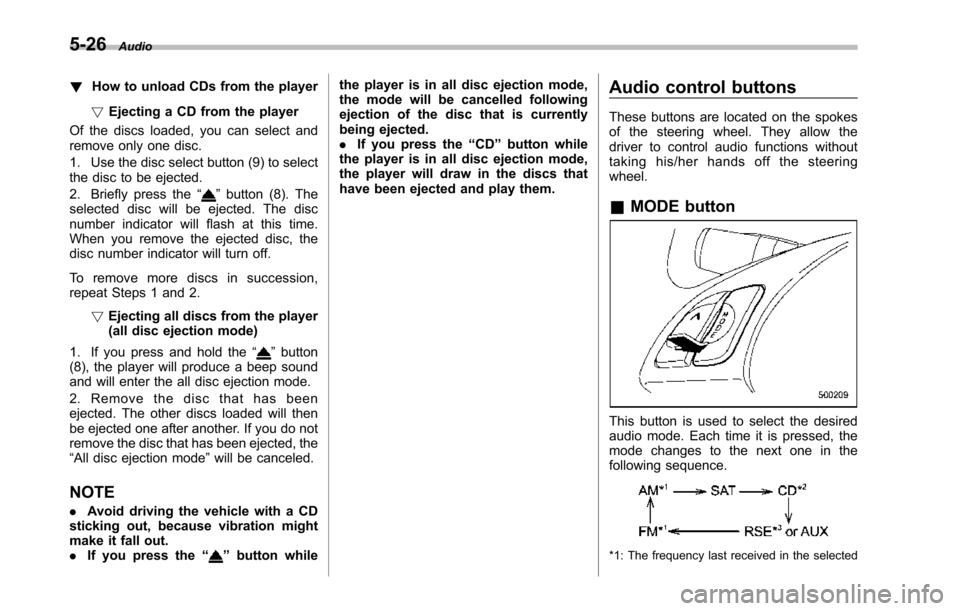
These buttons are located on the spokesof the steering wheel. They allow thedriver to control audio functions withouttaking his/her hands off the steeringwheel.
&MODE button
This button is used to select the desiredaudio mode. Each time it is pressed, themode changesto the next one in thefollowing sequence.
*1: The frequency last received in the selected
Page 223 of 426
6-2Interior equipment
Interior light
When leaving your vehicle, make sure thelights are turned off to avoid batterydischarge.
&Dome light
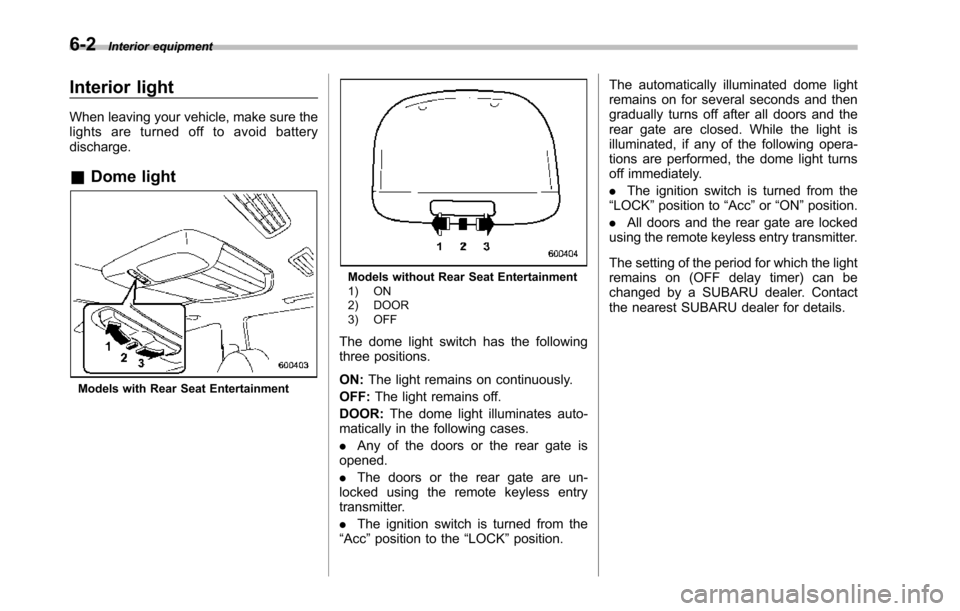
Models with Rear Seat Entertainment
Models without Rear Seat Entertainment1) ON2) DOOR3) OFF
The dome light switch has the followingthree positions.
ON:The light remains on continuously.
OFF:The light remains off.
DOOR:The dome light illuminates auto-matically in the following cases.
.Any of the doors or the rear gate isopened.
.The doors or the rear gate are un-locked using the remote keyless entrytransmitter.
.The ignition switch is turned from the“Acc”position to the“LOCK”position.
The automatically illuminated dome lightremains on for several seconds and thengradually turns off after all doors and therear gate are closed. While the light isilluminated, if any of the following opera-tions are performed, the dome light turnsoff immediately.
.The ignition switch is turned from the“LOCK”positionto“Acc”or“ON”position.
.All doors and the rear gate are lockedusing the remote keyless entry transmitter.
The setting of the period for which the lightremains on (OFF delay timer) can bechanged by a SUBARU dealer. Contactthe nearest SUBARU dealer for details.