Page 220 of 426
Rear Seat Entertainment
(RSE) system operation (if
equipped)
If your vehicle is equipped with the RearSeat Entertainment (RSE) system, youcan listen to the audio via the vehiclespeakers. Push the“RSE AUX”button toplay a DVD using the Rear Seat Entertain-ment system.
For detailed operating procedures, refer tothe Owner’s Manual supplement for theRear Seat Entertainment (RSE) system.
NOTE
.To watch a DVD in the front seatsusing the monitor of the navigationsystem, park the vehicle in a safelocation and apply the parking brake.Images of the DVD will not be displayedon the front monitor unless the parkingbrake is applied..The harman/kardon®audio systemis a stereo system with 2 channels. If aharman/kardon®audio system isequipped, the Rear Seat Entertainment(RSE) system may not generate asatisfying realistic sound when playing5.1 channel audio sources.
Precautions to observe when
handling a compact disc
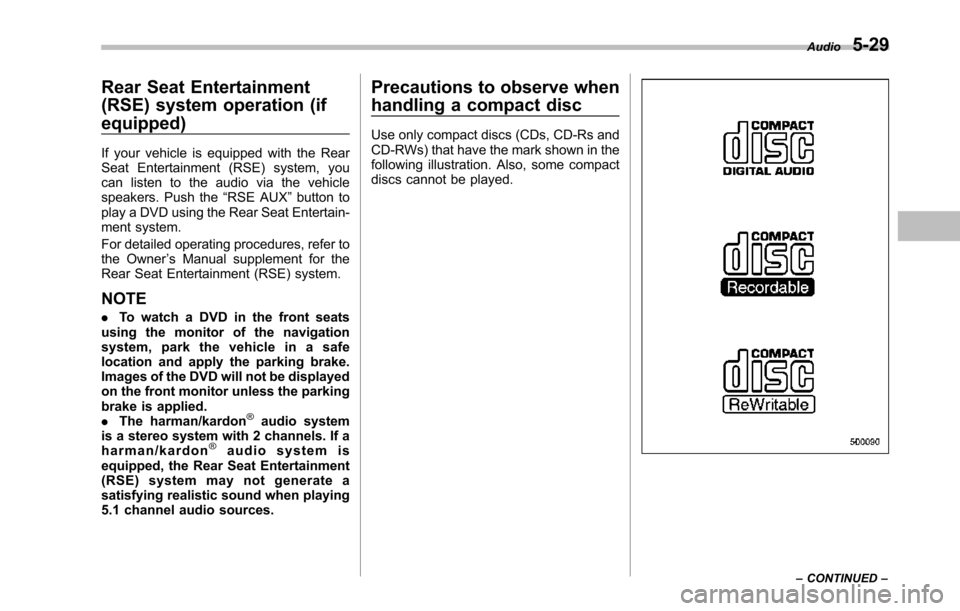
Use only compact discs (CDs, CD-Rs andCD-RWs) that have the mark shown in thefollowing illustration. Also, some compactdiscs cannot be played.
Audio5-29
–CONTINUED–
Page 242 of 426
opener by pressing the programmedHomeLink®button.
&Programming other devices
To program other devices such as doorlocks, home lighting and security systems,contact HomeLink at www.homelink.comor call 1-800-355-3515.
&Operating the HomeLink®
Wireless Control System
Once programmed, the HomeLink®Wire-less Control System can be used toremote-controlthe devices to which itsbuttons are programmed. To activate adevice, simply press the appropriate but-ton.The indicator light illuminates, indicat-ing that the signal is being transmitted.
&Erasing HomeLink®button
memory
NOTE
.Performing this procedure erasesthe memory of all the preprogrammedbuttons simultaneously. The memoryof individual buttons cannot be erased..It is recommended that upon thesale of the vehicle, the memory of allprogrammed HomeLink®buttons beerased for security purposes.
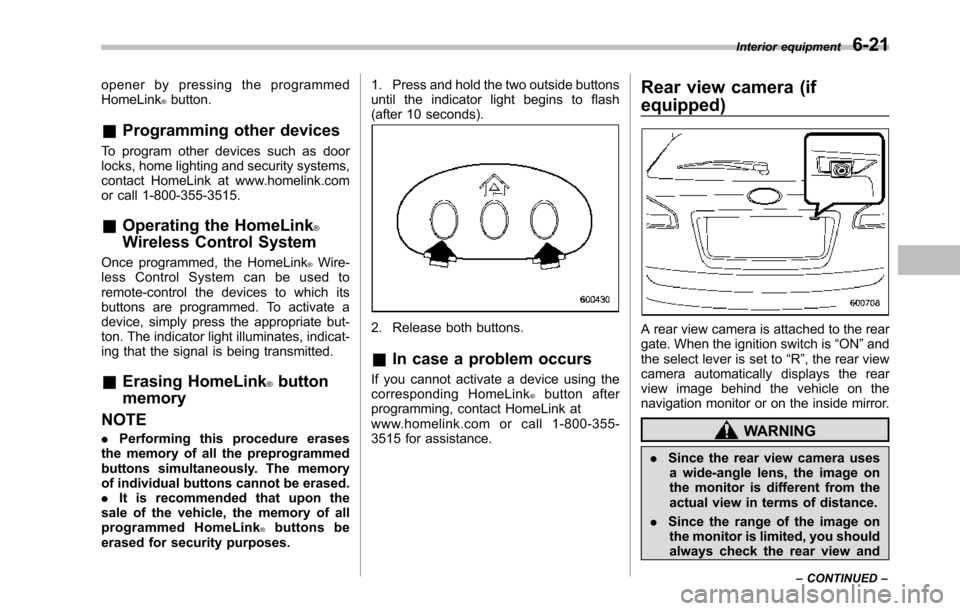
1. Press and hold the two outside buttonsuntil the indicator light begins to flash(after 10 seconds).
2. Release both buttons.
&In case a problem occurs
If you cannot activate a device using thecorresponding HomeLink®button afterprogramming, contact HomeLink atwww.homelink.com or call 1-800-355-3515 for assistance.
Rear view camera (if
equipped)
A rear view camera is attached to the reargate. When the ignition switch is“ON”andthe select lever is set to“R”, the rear viewcamera automatically displays the rearview image behind the vehicle on thenavigation monitor or on the inside mirror.
WARNING
.Since the rear view camera usesa wide-angle lens, the image onthe monitor is different from theactual view in terms of distance.
.Since the range of the image onthe monitor is limited, you shouldalways check the rear view and
Interior equipment6-21
–CONTINUED–
Page 245 of 426

6-24Interior equipment
Range of view
Image from camera
The area above the camera cannot beviewed. If there is an object that has awide projection on its upper part such as asign pole behind the vehicle, the projec-
tion cannot be seen on the screen.
CAUTION
The range that can be viewed withthe rear view camera is limited.Always be sure to check with youreyes when moving backward andproceed slowly.
&Help line
The help line (distance marker and vehiclewidth line) is a guide to help you realizethe actual distance from the screen.
Help lines displayed on the navigationmonitor
Help lines displayed on the inside mirror1) Vehicle width line (oblique vertical line)2) Approx. 10 feet (3 m) from the bumper(green horizontal line)3) Approx. 6.5 feet (2 m) from the bumper(green horizontal line)4) Approx. 3 feet (1 m) from the bumper(yellow horizontal line)5) Approx. 1.5 feet (0.5 m) from the bumper(red horizontal line)
When the select lever is set to position“R”, the monitor screen displays the helplines together with the rear view image.
CAUTION
.When moving backward, alwayscheck the back with your eyeswithout relying on the help lines.
.The actual position may be dif-
Page 328 of 426
Exterior care....................................................... 10-2Washing............................................................. 10-2Waxing and polishing......................................... 10-3Cleaning aluminum wheels................................. 10-3
Corrosion protection.......................................... 10-4Most common causes of corrosion..................... 10-4To help prevent corrosion................................... 10-4
Cleaning the interior.......................................... 10-5Seat fabric......................................................... 10-5Leather seat materials........................................ 10-5Synthetic leather upholstery............................... 10-5Climate control panel, audio panel, instrumentpanel, console panel, switches, combinationmeter, and other plastic surface....................... 10-5Navigation monitor (if equipped)........................ 10-6
Appearance care
10
Page 333 of 426
10-6Appearance care
that contain silicone on the vehi-cle audio system, electrical com-ponents of the air-conditioner orany switches. If silicone adheresto these parts, it may causedamage to electrical compo-nents.
&Navigation monitor (if
equipped)
To clean the navigation monitor, wipe itwith a silicone cloth or with a soft cloth. Ifthenavigation monitor is extremely dirty,clean it with a soft cloth moistened withneutral detergent then carefully wipe offany remaining detergent.
NOTE
.Do not spray neutral detergent di-rectly onto the monitor. Doing so coulddamage the monitor’s components..Do not wipe the monitor with a hardcloth. Doing so could scratch themonitor..Do not use cleaning fluid that con-tains thinner, gasoline, or any othervolatile substance. Such cleaning fluidcould erase the lettering on theswitches at the bottom of the monitor.