Page 115 of 476
WARNING!
To avoid serious injury or death:
•Only devices designed for use in this type of
outlet should be inserted into any 12 Volt outlet.
• Do not touch with wet hands.
• Close the lid when not in use and while driving
the vehicle.
• If this outlet is mishandled, it may cause an
electric shock and failure.
CAUTION!
Do not connect devices with power higher than 180
Watts (15 Amps) to the socket. Do not damage the
socket by using unsuitable adaptors. If the 180 Watt
(15 Amp) power rating is exceeded the fuse protect-
ing the system will need to be replaced.
CAUTION!
• Many accessories that can be plugged in draw
power from the vehicle’s battery, even when not
in use (i.e., cellular phones, etc.). Eventually, if
(Continued)
CAUTION! (Continued)
plugged in long enough, the vehicle’s battery will
discharge sufficiently to degrade battery life
and/or prevent the engine from starting.
• Accessories that draw higher power (i.e., coolers,
vacuum cleaners, lights, etc.) will degrade the
battery even more quickly. Only use these inter-
mittently and with greater caution.
• After the use of high power draw accessories, or
long periods of the vehicle not being started (with
accessories still plugged in), the vehicle must be
driven a sufficient length of time to allow the
generator to recharge the vehicle’s battery.
Cigar Lighter — If Equipped
NOTE: Cigar lighters can be purchased at an autho-
rized dealer through MOPAR parts. To ensure proper
cigar lighter operation, a MOPAR knob and element
must be used.
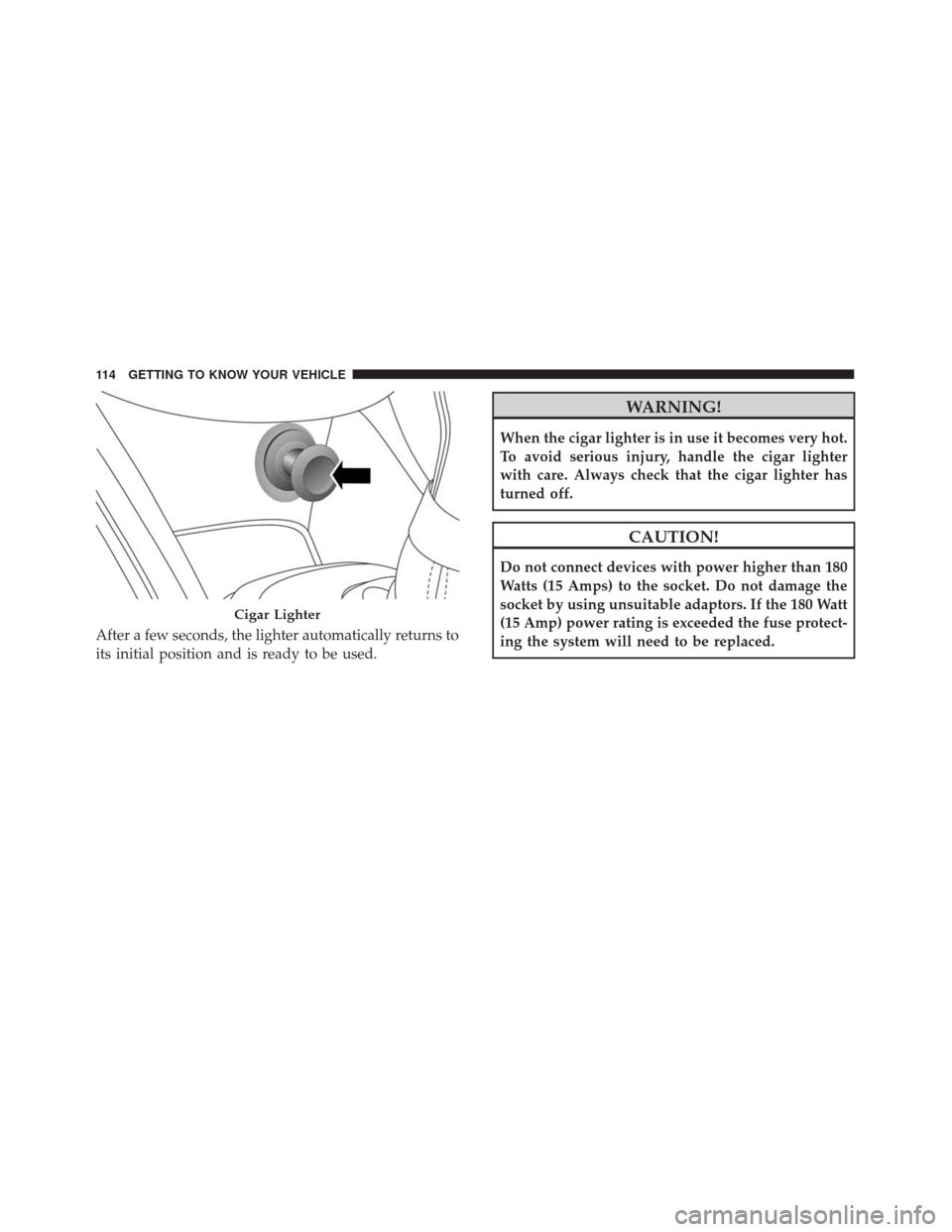
The cigar lighter is located on the center console. Push
lighter inward to heat.
4
GETTING TO KNOW YOUR VEHICLE 113
Page 116 of 476
After a few seconds, the lighter automatically returns to
its initial position and is ready to be used.
WARNING!
When the cigar lighter is in use it becomes very hot.
To avoid serious injury, handle the cigar lighter
with care. Always check that the cigar lighter has
turned off.
CAUTION!
Do not connect devices with power higher than 180
Watts (15 Amps) to the socket. Do not damage the
socket by using unsuitable adaptors. If the 180 Watt
(15 Amp) power rating is exceeded the fuse protect-
ing the system will need to be replaced.
Cigar Lighter
114 GETTING TO KNOW YOUR VEHICLE
Page 121 of 476
GETTING TO KNOW YOUR INSTRUMENT PANEL
CONTENTS
�INSTRUMENT CLUSTER ................120
� ONBOARD DIAGNOSTIC SYSTEM (OBD II) . .121
▫ Onboard Diagnostic System (OBD II)
Cybersecurity ...................... .122
� INSTRUMENT CLUSTER DISPLAY .........123
▫ Instrument Cluster Display Description .....123
▫ Mapping And Reconfigurable Zone Display — If
Equipped ......................... .123
▫ Instrument Cluster Display Control Buttons .124 ▫
Engine Oil Change Reset ...............125
▫ Instrument Cluster Display Main Menu .....125
� WARNING AND INDICATOR LIGHTS ......132
▫ Red Telltale Indicator Lights .............132
▫ Yellow Telltale Indicator Lights ...........140
▫ Green Telltale Indicator Lights ...........150
▫ White Telltale Indicator Lights ...........152
▫ Blue Telltale Indicator Lights ............152
5
Page 124 of 476
If any of these systems require service, the OBD II
system will turn on the “Malfunction Indicator Light
(MIL).” It will also store diagnostic codes and other
information to assist your service technician in making
repairs. Although your vehicle will usually be drivable
and not need towing, see your authorized dealer for
service as soon as possible.
CAUTION!
•Prolonged driving with the MIL on could cause
further damage to the emission control system. It
could also affect fuel economy and driveability.
The vehicle must be serviced before any emis-
sions tests can be performed.
• If the MIL is flashing, while the engine is run-
ning, severe catalytic converter damage and
power loss will soon occur. Immediate service is
required.
Onboard Diagnostic System (OBD II)
Cybersecurity
Your vehicle is required to have an Onboard Diagnostic
system (OBD II) and a connection port to allow access to
information related to the performance of your emis-
sions controls. Authorized service technicians may need to access this information to assist with the diagnosis
and service of your vehicle and emissions system.
WARNING!
•
ONLY an authorized service technician should
connect equipment to the OBD II connection port
in order to diagnose or service your vehicle.
• If unauthorized equipment is connected to the
OBD II connection port, such as a driver-behavior
tracking device, it may:
• Be possible that vehicle systems, including
safety related systems, could be impaired or a
loss of vehicle control could occur that may
result in an accident involving serious injury or
death.
• Access, or allow others to access, information
stored in your vehicle systems, including per-
sonal information.
For further information, refer to “Privacy Practices” and
“Uconnect CyberSecurity” in “All About Uconnect Ac-
cess” in your Owner ’s Manual Radio Supplement and
“Cybersecurity” in “Multimedia”.
122 GETTING TO KNOW YOUR INSTRUMENT PANEL
Page 128 of 476
•Drive Mode Selector
– Auto Mode
– Sport Mode
– Traction/All Weather Mode
• Vehicle Info
– Tire Pressure
– Oil Temperature
– Battery Voltage
• Driver Assist
– Lane Departure Warning
• Audio
• Navigation
• Messages
• Settings
– Display
– Units
– Clock & Date
– Security
– Safety & Assistance
– Lights
– Doors & LocksTrip
This instrument cluster display menu item allows you
to view and select information about the �Trip Com-
puter”:
• Speedometer
– View and change the speedometer scale from MPH to km/h (km/h to MPH).
• Instantaneous info
– View the distance to empty(miles or km).
– View the instantaneous consumption (mpg, or l/ 100km or km/l).
• Trip A
– View and change Trip A distance (miles or km).
– View and change travel time A (hours/minutes/ seconds).
– View and change average consumption A (mpg, or l/ 100km or km/l).
– View and change average speed A (MPH or km/h).
126 GETTING TO KNOW YOUR INSTRUMENT PANEL
Page 131 of 476

•Safety and Assistance
• Lights
• Doors and Locks
Refer to “Uconnect Settings” in “Multimedia” for more
information.
Display
By selecting �Display,�you can access the following
settings:
• Screen Setup: Allows you to configure the display
screen.
• Language: Allows you to select the language in
which to display the information/warnings.
• Automatic Reset Trip B: Allows you to set the options
to reset the Trip B (never, always, every 2 hours or
every 8 hours).
• Phone Repetition: Allows you to select “On” or
“Off,” The instrument cluster display can also dis-
play the information concerning phone mode. The
information that can be displayed is the connection
status of the mobile phone (phone connected or
disconnected), the active telephone calls/ incoming/on hold, and the management of double
calls (first incoming second waiting, etc.).
• Navigation Repetition: Allows you to select “On” or
“Off”, on the instrument cluster display, information
relating to the navigation mode.
Units
By selecting the item �Units Of Measure,” you can select
the unit of measure used in the display.
Possible options are:
• US
• Metric
• Custom
Clock And Date
By selecting the item �clock and date,�you can adjust
the clock.
Possible options are:
• Set Time: Adjust hours/minutes.
• Set Format: Adjust the time format �12h�(12 hours) or
�24h� (24 hours).
• Set Date: Adjust day/month/year.
5
GETTING TO KNOW YOUR INSTRUMENT PANEL 129
Page 132 of 476

Security
By selecting the item “Security,” you can make the
following adjustments:
•Speed Warning: Set the vehicle speed limit (MPH
or km/h), which the driver is notified through a
visual and acoustic signaling (display of a message
and a symbol on the display).
• Seat Belt Buzzer: This function is only viewable when
the Seat Belt Reminder (SBR) system is active.
• Hill Start Assist: Activation/Deactivation of the Hill
Start Assist system.
Safety And Assistance
By selecting the item �Safety & Assistance,� you can
make the following adjustments:
• FCW: A selection of operating modes of the system
Forward Collision Warning Plus.
• FCW Sensitivity: A selection of the �readiness�of
intervention of the Forward Collision Warning Plus
system, based on the distance to the obstacle.
• ParkSense: A selection of the type of information
provided by ParkSense. •
ParkSense Vol.: A selection of the volume of acoustic
signals provided by ParkSense.
• Auto Wipers: Enabling/disabling the automatic op-
eration of wipers in the event of rain.
• LaneSense Warning: A selection of the �readiness�of
intervention of LaneSense.
• Warning Buzzer Volume: Increase or decrease the
volume of the buzzerby selecting “Low”, “Medium”,
or “High”.
• Maintenance Brakes — If Equipped: Activation of the
procedure to carry out braking system maintenance.
• Auto Park Brake — If Equipped: Enable/disable
auto-insertion of the Electric Parking Brake.
Lights
By selecting the item �Lights,�you can make the follow-
ing adjustments:
• Headlight Off Delay: Set the delay for headlight
shutoff after engine shutoff.
• Headlight Sensor: Adjust the sensitivity of headlight
brightness.
130 GETTING TO KNOW YOUR INSTRUMENT PANEL
Page 134 of 476
WARNING AND INDICATOR LIGHTS
The warning/indicator lights switch on in the instru-
ment panel together with a dedicated message and/or
acoustic signal when applicable. These indications are
indicative and precautionary and as such must not be
considered as exhaustive and/or alternative to the
information contained in the Owner ’s Manual, which
you are advised to read carefully in all cases. Always
refer to the information in this chapter in the event of a
failure indication.All active telltales will display first if applicable. The
system check menu may appear different based upon
equipment options and current vehicle status. Some
telltales are optional and may not appear.
Red Telltale Indicator Lights
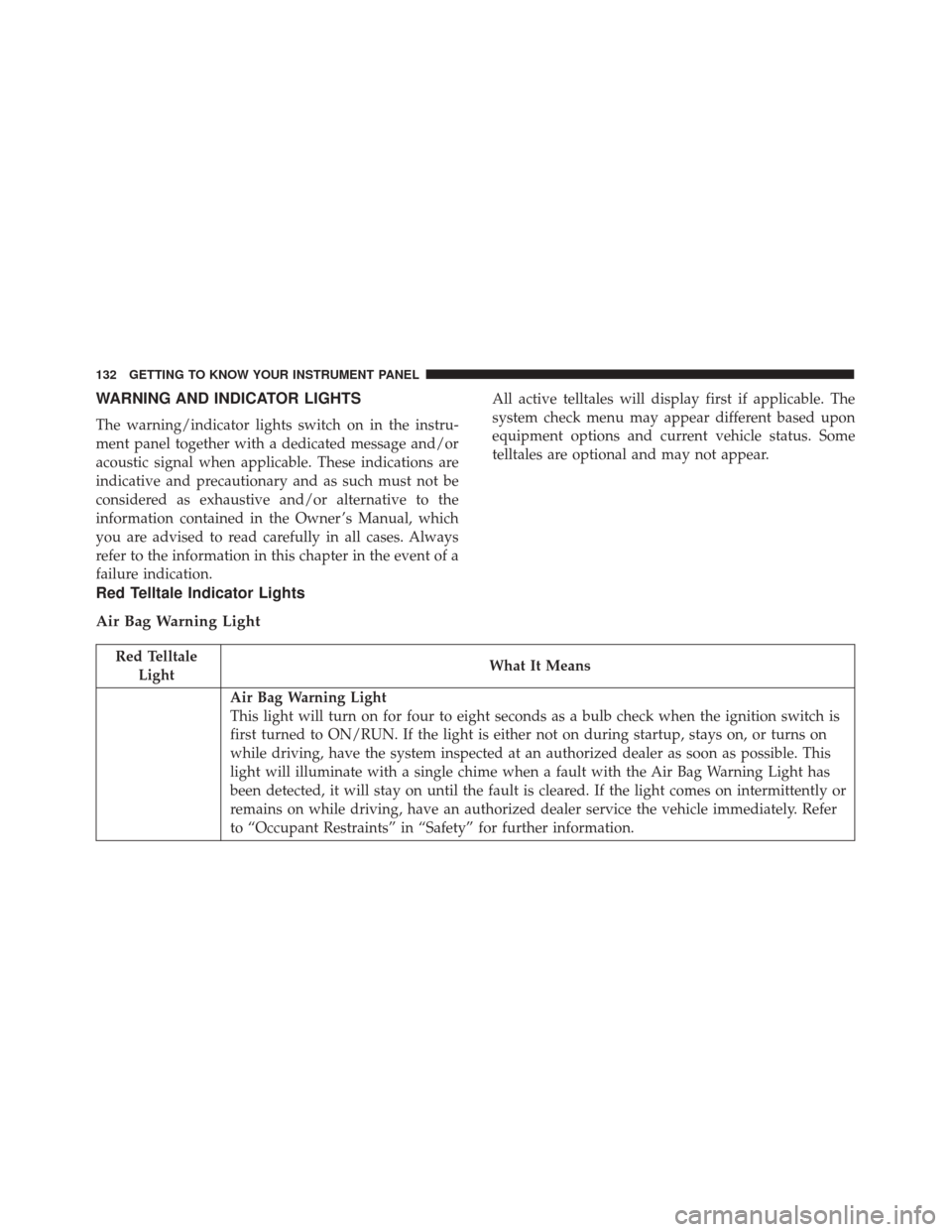
Air Bag Warning Light
Red Telltale
Light What It Means
Air Bag Warning Light
This light will turn on for four to eight seconds as a bulb check when the ignition switch is
first turned to ON/RUN. If the light is either not on during startup, stays on, or turns on
while driving, have the system inspected at an authorized dealer as soon as possible. This
light will illuminate with a single chime when a fault with the Air Bag Warning Light has
been detected, it will stay on until the fault is cleared. If the light comes on intermittently or
remains on while driving, have an authorized dealer service the vehicle immediately. Refer
to “Occupant Restraints” in “Safety” for further information.
132 GETTING TO KNOW YOUR INSTRUMENT PANEL