Page 22 of 476
�DOORS .............................36
▫ Manual Locking/Unlocking ..............36
▫ Central Lock/Unlock ...................37
▫ Keyless Enter-N-Go ...................38
▫ Child Locks .........................44
� SEATS ..............................46
▫ Manual Adjustment Front Seats ...........46
▫ Power Adjustment Front Seats — If Equipped .48
▫ Heated Seats — If Equipped .............49
▫ Rear Seats ..........................50
� HEAD RESTRAINTS ....................53
▫ Front Head Restraints ..................53
▫ Rear Head Restraints ...................54
� STEERING WHEEL .....................55
▫ Tilt/Telescoping Steering Column .........55
▫ Heated Steering Wheel — If Equipped ......56
� MIRRORS ...........................57 ▫
Inside Day/Night Mirror ...............57
▫ Auto Dimming Mirror — If Equipped .......57
▫ Outside Mirrors ......................58
▫ Heated Mirrors — If Equipped ...........59
� BLIND SPOT MONITORING (BSM) — IF
EQUIPPED ...........................59
▫ Rear Cross Path (RCP) .................64
▫ Mode Of Operation ....................65
▫ Blind Spot Monitoring Fault Warnings ......66
▫ General Information ...................66
� EXTERIOR LIGHTS .....................66
▫ Headlights ..........................66
▫ Automatic Lighting — If Equipped ........67
▫ Daytime Running Lights (DRL) — If
Equipped ..........................68
▫ Front Fog Lights — If Equipped ..........68
▫ Parking Lights .......................68
▫ Headlight Delay ......................68
20 GETTING TO KNOW YOUR VEHICLE
Page 59 of 476
Auto On Comfort — If Equipped
If the external temperature is below 40 °F (5 °C) at each
start-up of the vehicle the heated steering wheel func-
tionality is turned on.
WARNING!
•Persons who are unable to feel pain to the skin
because of advanced age, chronic illness, diabe-
tes, spinal cord injury, medication, alcohol use,
exhaustion, or other physical conditions must
exercise care when using the steering wheel
heater. It may cause burns even at low tempera-
tures, especially if used for long periods.
• Do not place anything on the steering wheel that
insulates against heat, such as a blanket or steer-
ing wheel covers of any type and material. This
may cause the steering wheel heater to overheat.
MIRRORS
Inside Day/Night Mirror
The mirror can be adjusted up, down, left, and right.
The mirror should be adjusted to center on the view
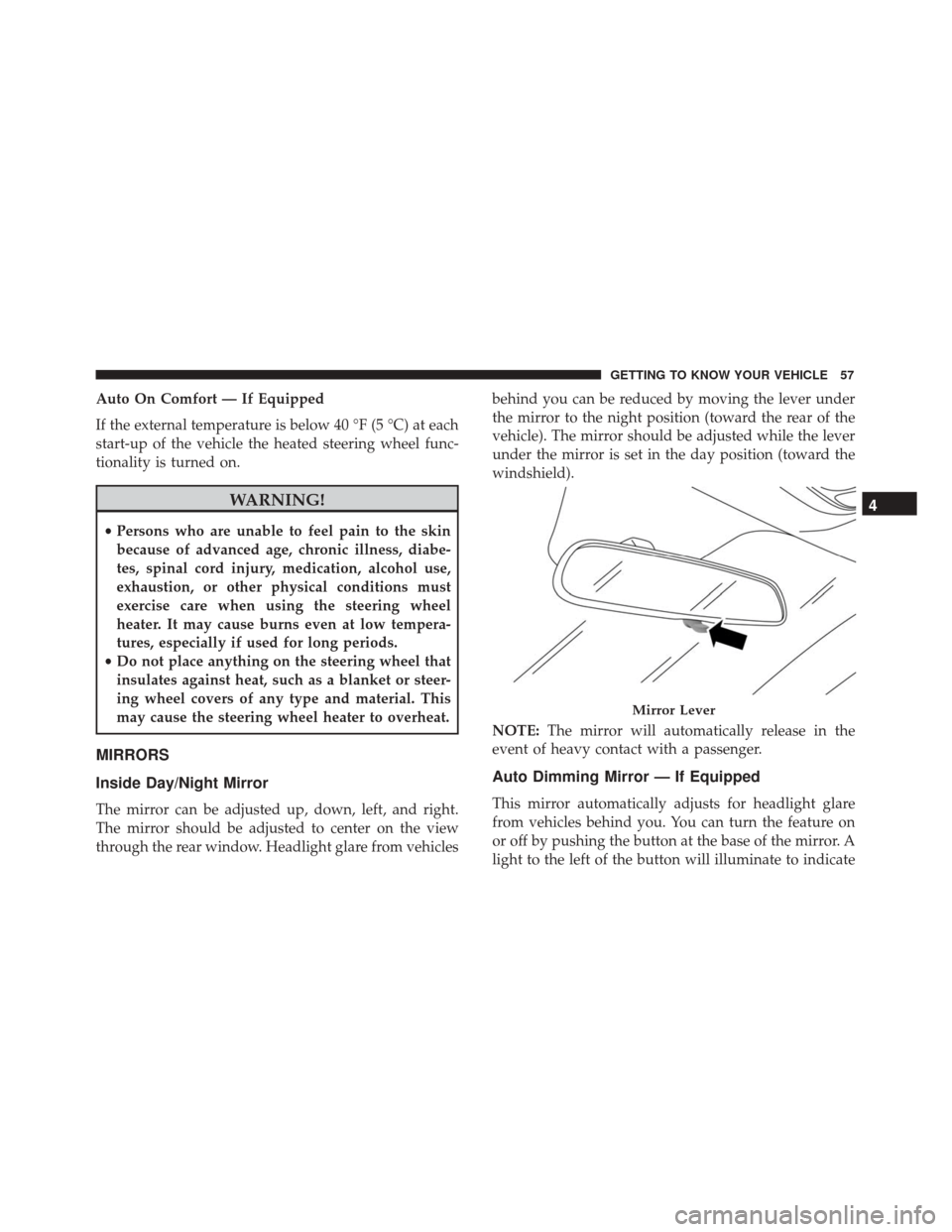
through the rear window. Headlight glare from vehicles behind you can be reduced by moving the lever under
the mirror to the night position (toward the rear of the
vehicle). The mirror should be adjusted while the lever
under the mirror is set in the day position (toward the
windshield).
NOTE:
The mirror will automatically release in the
event of heavy contact with a passenger.
Auto Dimming Mirror — If Equipped
This mirror automatically adjusts for headlight glare
from vehicles behind you. You can turn the feature on
or off by pushing the button at the base of the mirror. A
light to the left of the button will illuminate to indicate
Mirror Lever
4
GETTING TO KNOW YOUR VEHICLE 57
Page 61 of 476
Folding Mirror
The exterior mirrors are hinged to allow the mirror to
pivot forward or rearward to help avoid damage. The
mirror has three detent positions: full forward, normal
and full rearward.
Heated Mirrors — If Equipped
These mirrors are heated to melt frost or ice. This
feature can be activated whenever you turn on
the Rear Window Defroster.
BLIND SPOT MONITORING (BSM) — IF
EQUIPPED
The Blind Spot Monitoring (BSM) system uses two
radar-based sensors, located inside the rear bumper
fascia, to detect highway licensable vehicles (automo-
biles, trucks, motorcycles, etc.) that enter the blind spot
zones from the rear/front/side of the vehicle.
When the vehicle is started, the BSM warning light will
momentarily illuminate in both outside rear view mir-
rors to let the driver know that the system is opera-
tional. The BSM system sensors operate when the
Folding Exterior Mirror
Rear Detection Zones
4
GETTING TO KNOW YOUR VEHICLE 59
Page 62 of 476

vehicle is in any forward gear or REVERSE and enters
stand-by mode when the vehicle is in PARK.
The BSM detection zone covers approximately one lane
width on both sides of the vehicle, 10 ft (3 m). The zone
length starts at the outside mirror and extends approxi-
mately 20 ft (6 m) beyond the rear bumper of the
vehicle. The BSM system monitors the detection zones
on both sides of the vehicle when the vehicle speed
reaches approximately 6 mph (10 km/h) or higher and
will alert the driver of vehicles in these areas.
NOTE:
•The BSM system does NOT alert the driver about
rapidly approaching vehicles that are outside the
detection zones.
• If a trailer is connected to the vehicle, it is necessary
to deactivate BSM system manually by settings menu
to avoid a miss-detection. Refer to “Uconnect Set-
tings” in “Multimedia” for further information.
The area on the rear fascia where the radar sensors are
located must remain free of snow, ice, and dirt/road
contamination so that the BSM system can function properly. Do not block the radar sensors located on the
rear fascia with foreign objects (bumper stickers, bicycle
racks, etc.).
The BSM system notifies the driver of objects in the
detection zones by illuminating the BSM warning light
located in the outside mirrors in addition to sounding
an audible (chime) alert and reducing the radio volume.
Refer to “Modes Of Operation” in this section for
further information.
Rear Sensor Locations
60 GETTING TO KNOW YOUR VEHICLE
Page 63 of 476
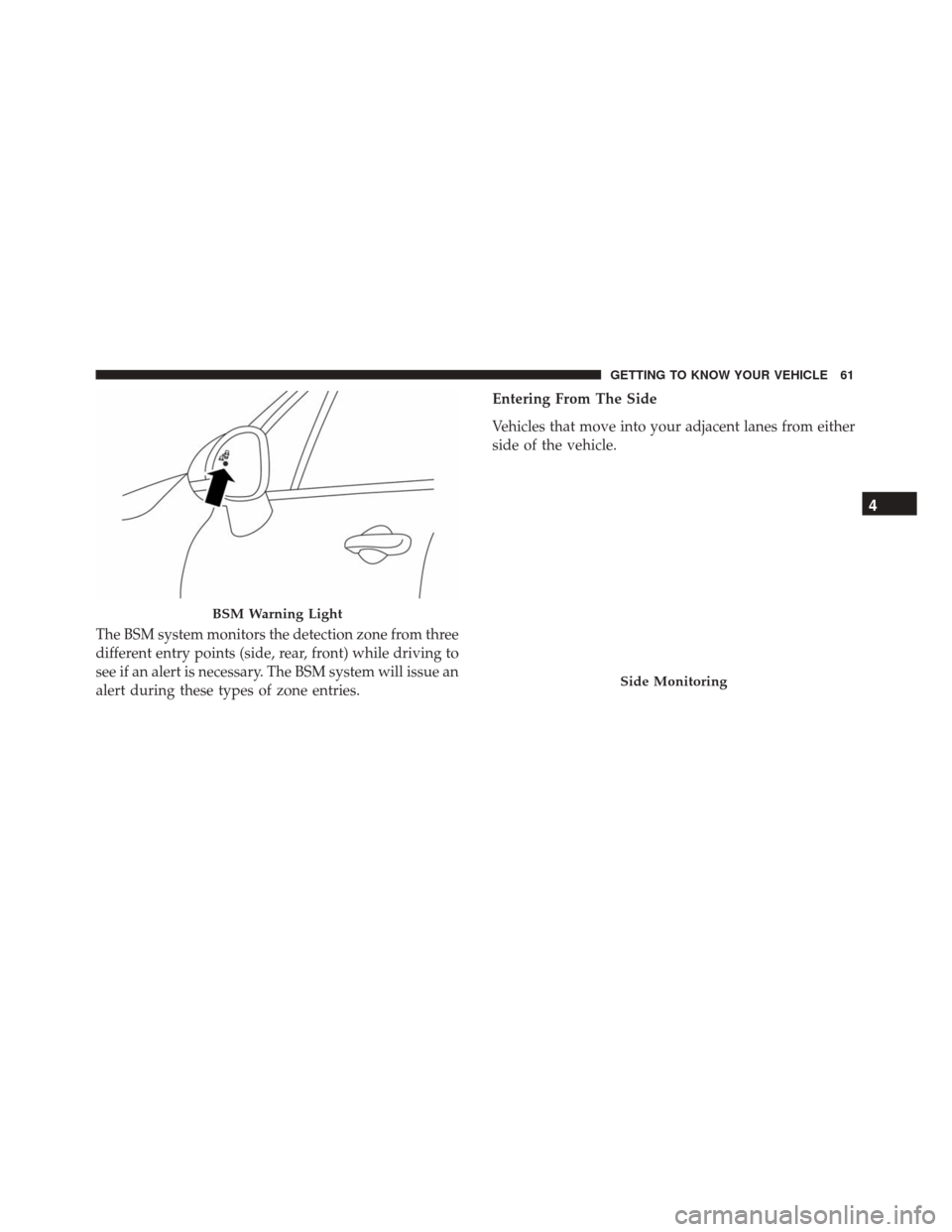
The BSM system monitors the detection zone from three
different entry points (side, rear, front) while driving to
see if an alert is necessary. The BSM system will issue an
alert during these types of zone entries.Entering From The Side
Vehicles that move into your adjacent lanes from either
side of the vehicle.
BSM Warning Light
Side Monitoring
4
GETTING TO KNOW YOUR VEHICLE 61
Page 64 of 476
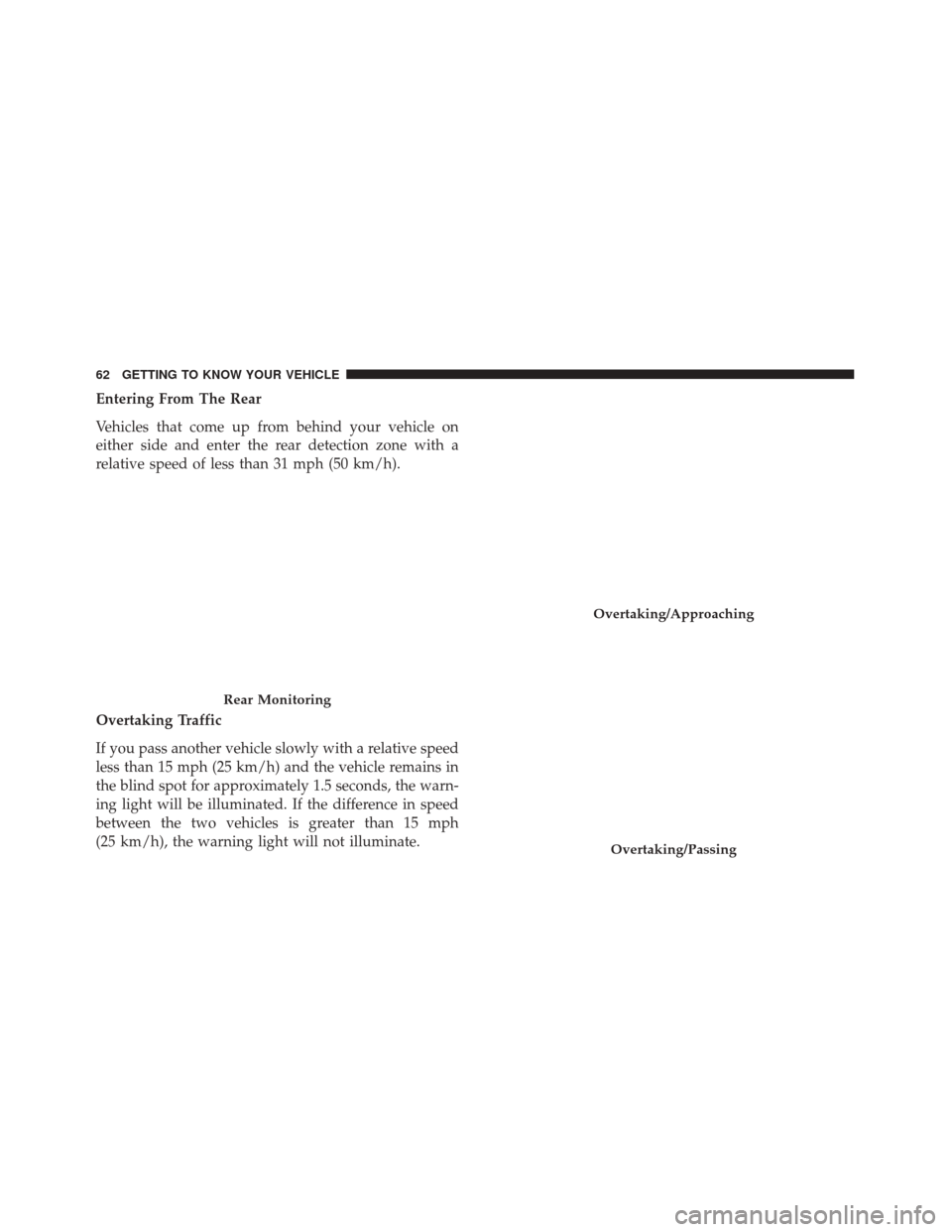
Entering From The Rear
Vehicles that come up from behind your vehicle on
either side and enter the rear detection zone with a
relative speed of less than 31 mph (50 km/h).
Overtaking Traffic
If you pass another vehicle slowly with a relative speed
less than 15 mph (25 km/h) and the vehicle remains in
the blind spot for approximately 1.5 seconds, the warn-
ing light will be illuminated. If the difference in speed
between the two vehicles is greater than 15 mph
(25 km/h), the warning light will not illuminate.
Rear Monitoring
Overtaking/Approaching
Overtaking/Passing
62 GETTING TO KNOW YOUR VEHICLE
Page 68 of 476

Blind Spot Monitoring Fault Warnings
Sensor Blinded
In the case of a sensor blinded:
•BSM Mirror Warning Lights are turned on continu-
ously.
• A instrument cluster message will display “Blind
Spot Monitoring Unavailable - Wipe Rear Bumper
Corners.”
NOTE: The rear bumper must be clean and free of any
obstructing debris.
System Not Available
In the case of the system being temporary unavailable:
• BSM Mirror Warning Lights are turned on continu-
ously.
• A instrument cluster message will display “Blind
Spot Monitoring Temporary Unavailable.”
In the case of the system being completely unavailable:
• A chime will turn on.
• A instrument cluster message will display “Blind
Spot Monitoring Unavailable - Service Required.” NOTE:
Vehicle must be taken to the nearest authorized
dealer for service.
General Information
This vehicle has systems that operate on radio fre-
quency that comply with Part 15 of the Federal Com-
munications Commission (FCC) rules and with Indus-
try Canada Standards RSS- GEN/210/220/310.
Operation is subject to the following two conditions:
1. The device may not cause harmful interference.
2. The device must accept any interference received, including interference that may cause undesired
operation of the device.
Changes or modifications to any of these systems by
other than an authorized service facility could void
authorization to use this equipment.
EXTERIOR LIGHTS
Headlights
The headlight switch is located on the left side of the
instrument panel. The headlight switch controls the
66 GETTING TO KNOW YOUR VEHICLE
Page 102 of 476
NOTE:
•If the window runs into any obstacle during auto-
closure, it will reverse direction and then go back
down. Remove the obstacle and use the window
switch again to close the window.
• Any impact due to rough road conditions may trig-
ger the auto-reverse function unexpectedly during
auto-closure. If this happens, pull the switch lightly
and hold to close the window manually.
WARNING!
There is no anti-pinch protection when the window
is almost closed. Be sure to clear all objects from the
window before closing.
Reset Auto-Up
Should the Auto-Up feature stop working, the window
probably needs to be reset. To reset Auto-Up:
1. Pull the window switch up to close the window completely and continue to hold the switch up for an
additional two seconds after the window is closed.
Wind Buffeting
Wind buffeting can be described as the perception of
pressure on the ears or a helicopter-type sound in the
ears. Your vehicle may exhibit wind buffeting with the
windows down, or the sunroof in certain open or
partially open positions. This is a normal occurrence
and can be minimized. If the buffeting occurs with the
rear windows open, open the front and rear windows
together to minimize the buffeting. If the buffeting
occurs with the sunroof open, adjust the sunroof open-
ing to minimize the buffeting or open any window.
POWER SUNROOF — IF EQUIPPED
The sunroof has two glass panels (the front one is
operational and the rear one fixed) and is equipped
with two manual operated sun blinds, front and rear.
The power sunroof can be operated only with the
ignition is placed in RUN mode.
The power sunroof switches are located in the overhead
console.
100 GETTING TO KNOW YOUR VEHICLE