Page 327 of 616
3275-2. Using the audio system
Auris Touring Sports_EE (OM12G12E)
5
Interior features
WMA file compatibility
• Compatible standards
WMA Ver. 7, 8, 9
• Compatible sampling frequencies
32, 44.1, 48 (kHz)
• Compatible bit rates
Ver. 7, 8: CBR 48, 64, 80, 96, 128, 160, 192 (kbps)
Ver. 9: CBR 48, 64, 80, 96, 128, 160, 192, 256, 320 (kbps)
* Only compatible with 2-channel playback
Compatible media
Media that can be used for MP3 and WMA playback are CD-Rs and CD-
RWs.
Playback in some instances may not be possible, depending on the status
of the CD-R or CD-RW. Playback may not be possible or the audio may
jump if the disc is scratched or marked with fingerprints.
Compatible disc formats
The following disc formats can be used.
• Disc formats: CD-ROM Mode 1 and Mode 2
CD-ROM XA Mode 2, Form 1 and Form 2
• File formats: ISO9660 Level 1, Level 2, (Romeo, Joliet)
MP3 and WMA files written in any format other than those listed above
may not play correctly, and their file names and folder names may not be
displayed correctly.
Items related to standards and limitations are as follows.
• Maximum directory hierarchy: 8 levels
• Maximum length of folder names/file names: 32 characters
• Maximum number of folders: 192 (including the root)
• Maximum number of files per disc: 255
File names
The only files that can be recognized as MP3/WMA and played are those
with the extension .mp3 or .wma.
Multi-sessions
As the audio system is compatible with multi-sessions, it is possible to play
discs that contain MP3 and WMA files. However, only the first session can
be played.
Page 329 of 616
3295-2. Using the audio system
Auris Touring Sports_EE (OM12G12E)
5
Interior features
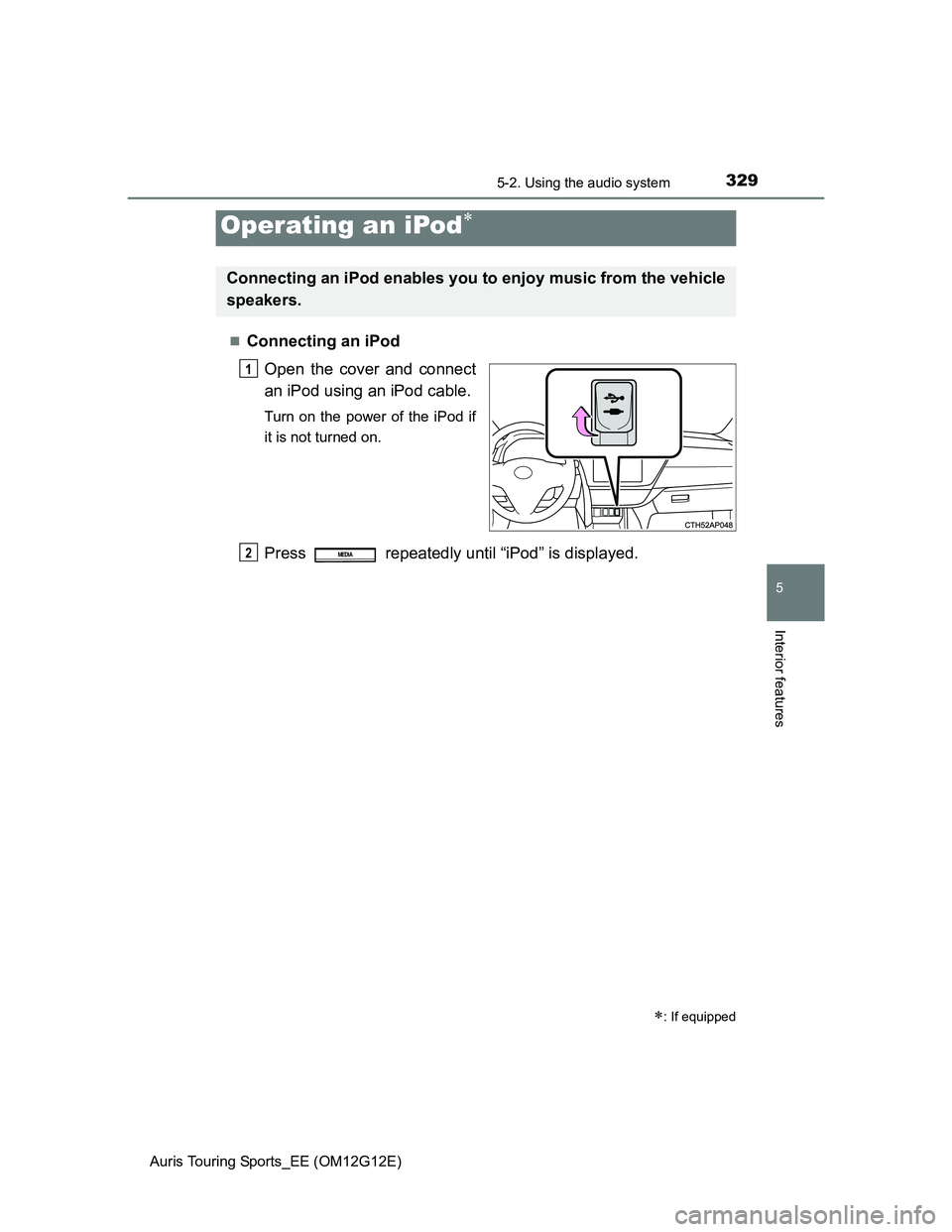
Connecting an iPod
Open the cover and connect
an iPod using an iPod cable.
Turn on the power of the iPod if
it is not turned on.
Press repeatedly until “iPod” is displayed.
Operating an iPod
: If equipped
Connecting an iPod enables you to enjoy music from the vehicle
speakers.
1
2MEDIA
Page 330 of 616
3305-2. Using the audio system
Auris Touring Sports_EE (OM12G12E)
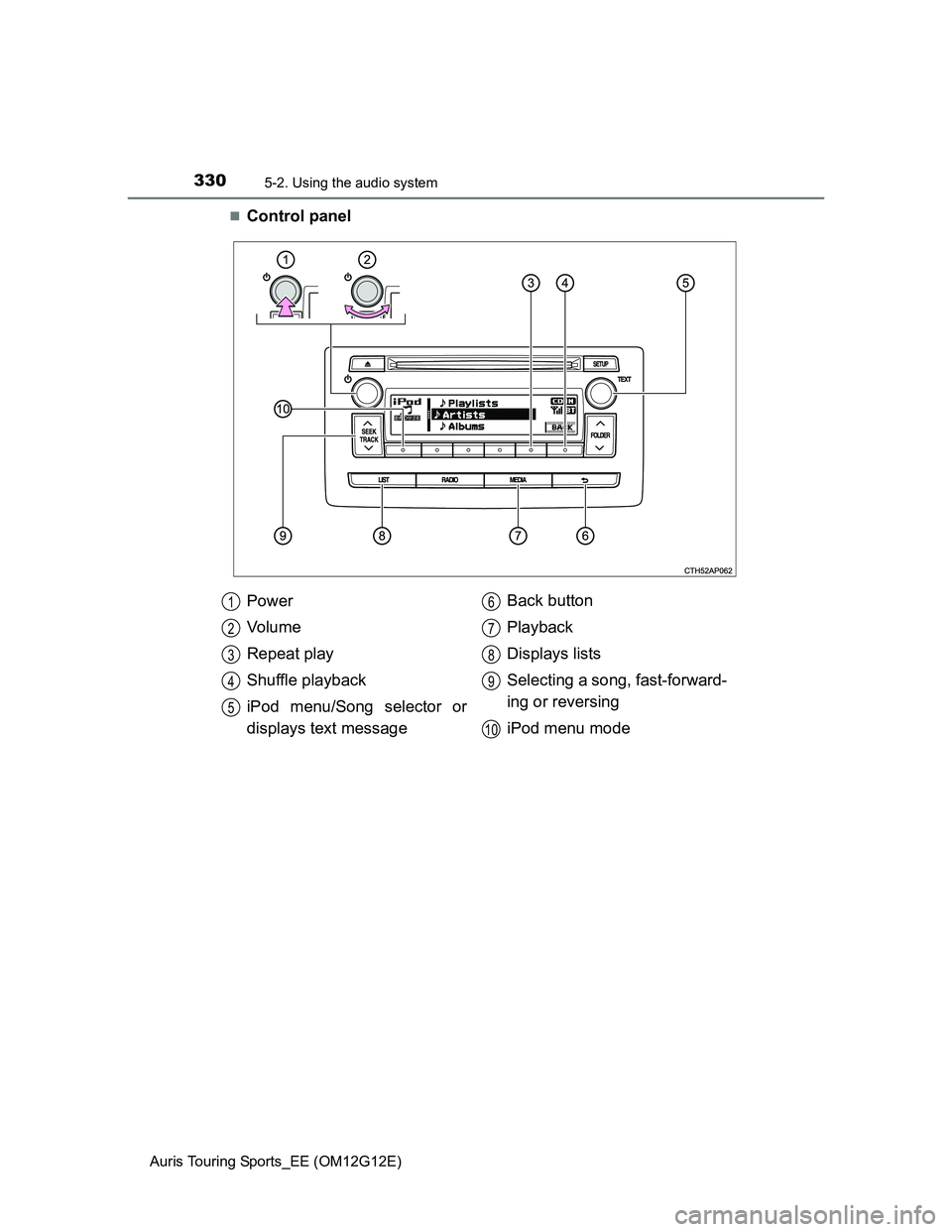
Control panel
Power
Vo l u m e
Repeat play
Shuffle playback
iPod menu/Song selector or
displays text messageBack button
Playback
Displays lists
Selecting a song, fast-forward-
ing or reversing
iPod menu mode
1
2
3
4
5
6
7
8
9
10
Page 332 of 616
3325-2. Using the audio system
Auris Touring Sports_EE (OM12G12E)
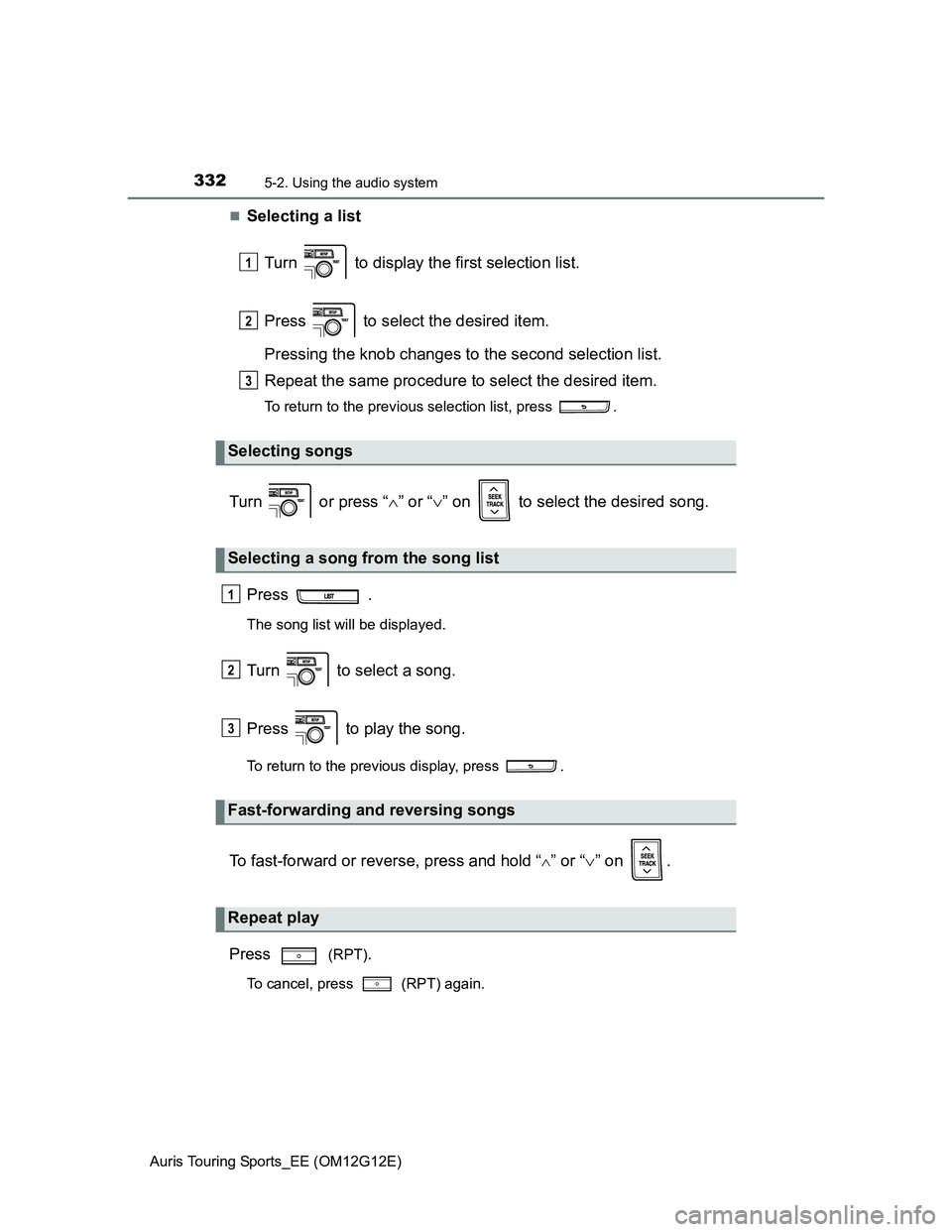
Selecting a list
Turn to display the first selection list.
Press to select the desired item.
Pressing the knob changes to the second selection list.
Repeat the same procedure to select the desired item.
To return to the previous selection list, press .
Turn or press “” or “” on to select the desired song.
Press .
The song list will be displayed.
Turn to select a song.
Press to play the song.
To return to the previous display, press .
To fast-forward or reverse, press and hold “” or “” on .
Press
(RPT).
To cancel, press (RPT) again.
Selecting songs
Selecting a song from the song list
Fast-forwarding and reversing songs
Repeat play
1
2
3
1
2
3
Page 333 of 616
3335-2. Using the audio system
Auris Touring Sports_EE (OM12G12E)
5
Interior features
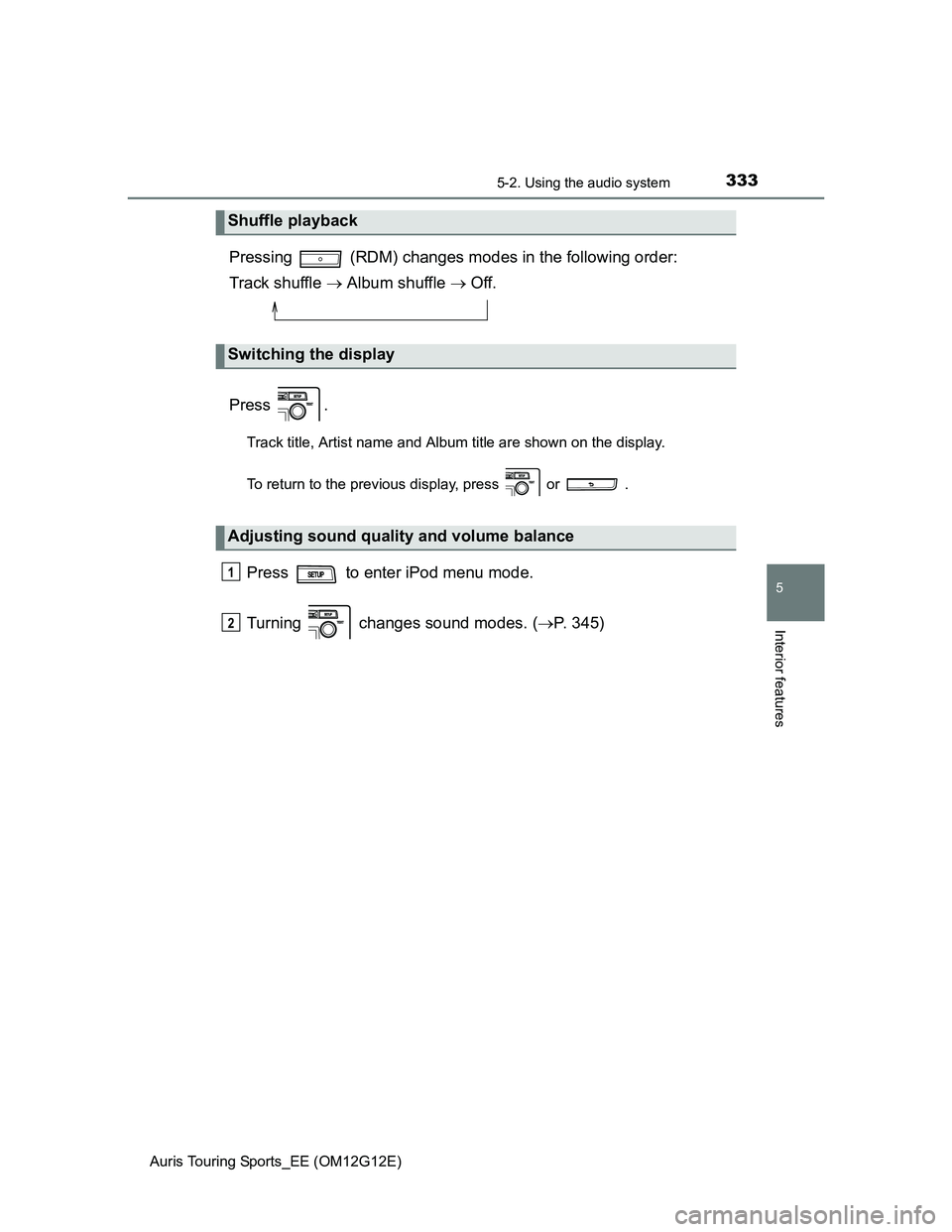
Pressing (RDM) changes modes in the following order:
Track shuffle Album shuffle Off.
Press .
Track title, Artist name and Album title are shown on the display.
To return to the previous display, press or .
Press to enter iPod menu mode.
Turning changes sound modes. (P. 345)
Shuffle playback
Switching the display
Adjusting sound quality and volume balance
1
2
Page 335 of 616
3355-2. Using the audio system
Auris Touring Sports_EE (OM12G12E)
5
Interior features
iPod functions
When an iPod is connected and the audio source is changed to iPod mode,
the iPod will resume play from the same point in which it was last used.
Depending on the iPod that is connected to the system, certain functions
may not be available. If a function is unavailable due to a malfunction (as
opposed to a system specification), disconnecting the device and recon-
necting it once again may resolve the problem.
While connected to the system, the iPod cannot be operated with its own
controls. It is necessary to use the controls of the vehicle’s audio system
instead.
When the battery level of an iPod is very low, the iPod may not operate. If
so, charge the iPod before use.
Supported models (P. 336)
iPod problems
To resolve most problems encountered when using your iPod, disconnect
your iPod from the vehicle iPod connection and reset it.
For instructions on how to reset your iPod, refer to your iPod Owner’s Man-
ual.
Display
P. 320
Error messages
“iPod ERROR”: This indicates that the data in the iPod cannot be read.
“ERROR 3”: This indicates that the iPod may be malfunctioning.
“ERROR 4”: This indicates that an over current error has occurred.
“ERROR 5”: This indicates that an iPod communication error has
occurred.
“ERROR 6”: This indicates that an authentication error has occurred.
“NO SONGS”: This indicates that there is no music data in the iPod.
“NO PLAYLIST”: This indicates that some available songs are not found in a
selected playlist.
“UPDATE YOUR iPod”: This indicates that the version of the iPod is not com-
patible. Upgrade your iPod software to the latest ver-
sions.
Page 338 of 616
3385-2. Using the audio system
Auris Touring Sports_EE (OM12G12E)
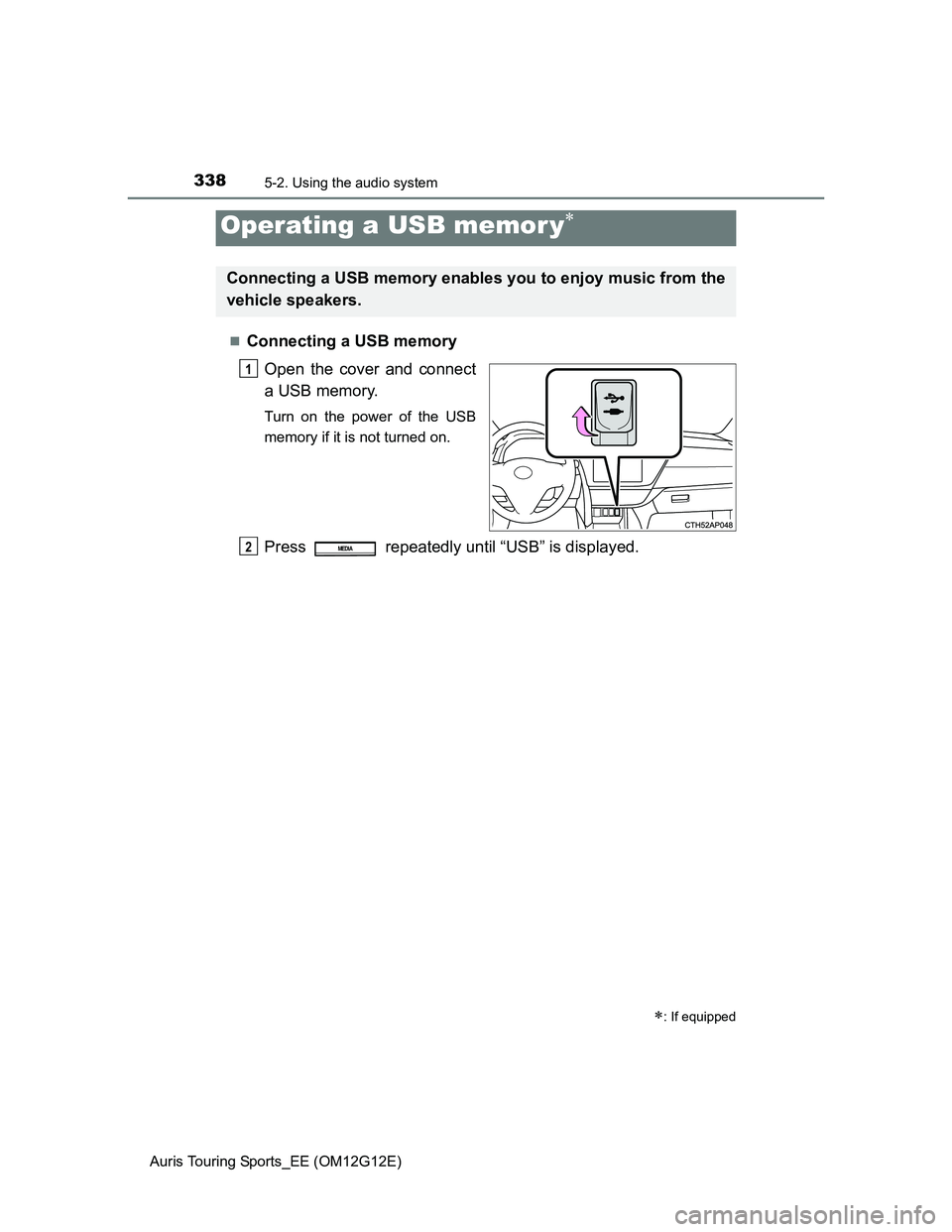
Connecting a USB memory
Open the cover and connect
a USB memory.
Turn on the power of the USB
memory if it is not turned on.
Press repeatedly until “USB” is displayed.
Operating a USB memor y
: If equipped
Connecting a USB memory enables you to enjoy music from the
vehicle speakers.
1
2MEDIA
Page 339 of 616
3395-2. Using the audio system
Auris Touring Sports_EE (OM12G12E)
5
Interior features
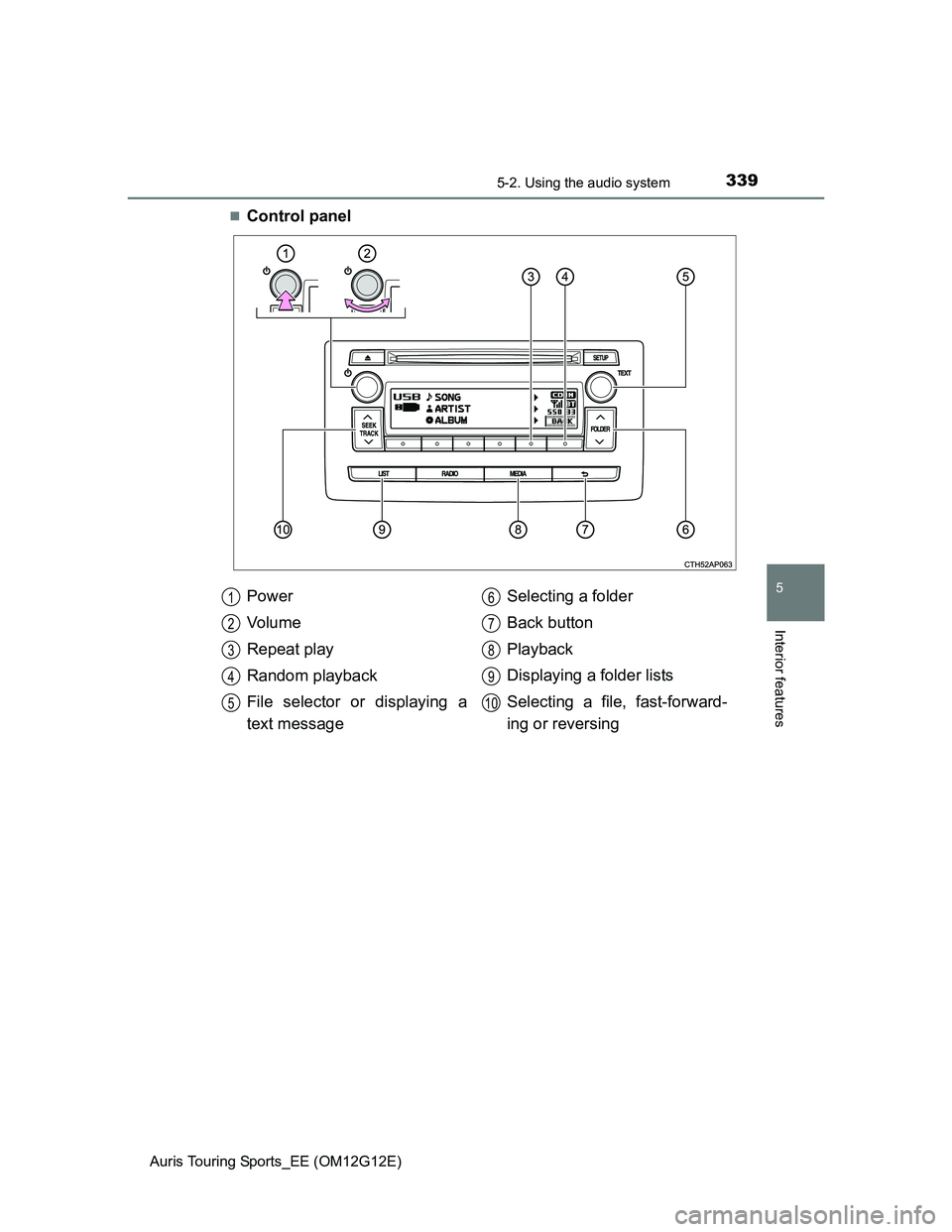
Control panel
Power
Vo l u m e
Repeat play
Random playback
File selector or displaying a
text messageSelecting a folder
Back button
Playback
Displaying a folder lists
Selecting a file, fast-forward-
ing or reversing
1
2
3
4
5
6
7
8
9
10