Page 340 of 616
3405-2. Using the audio system
Auris Touring Sports_EE (OM12G12E)
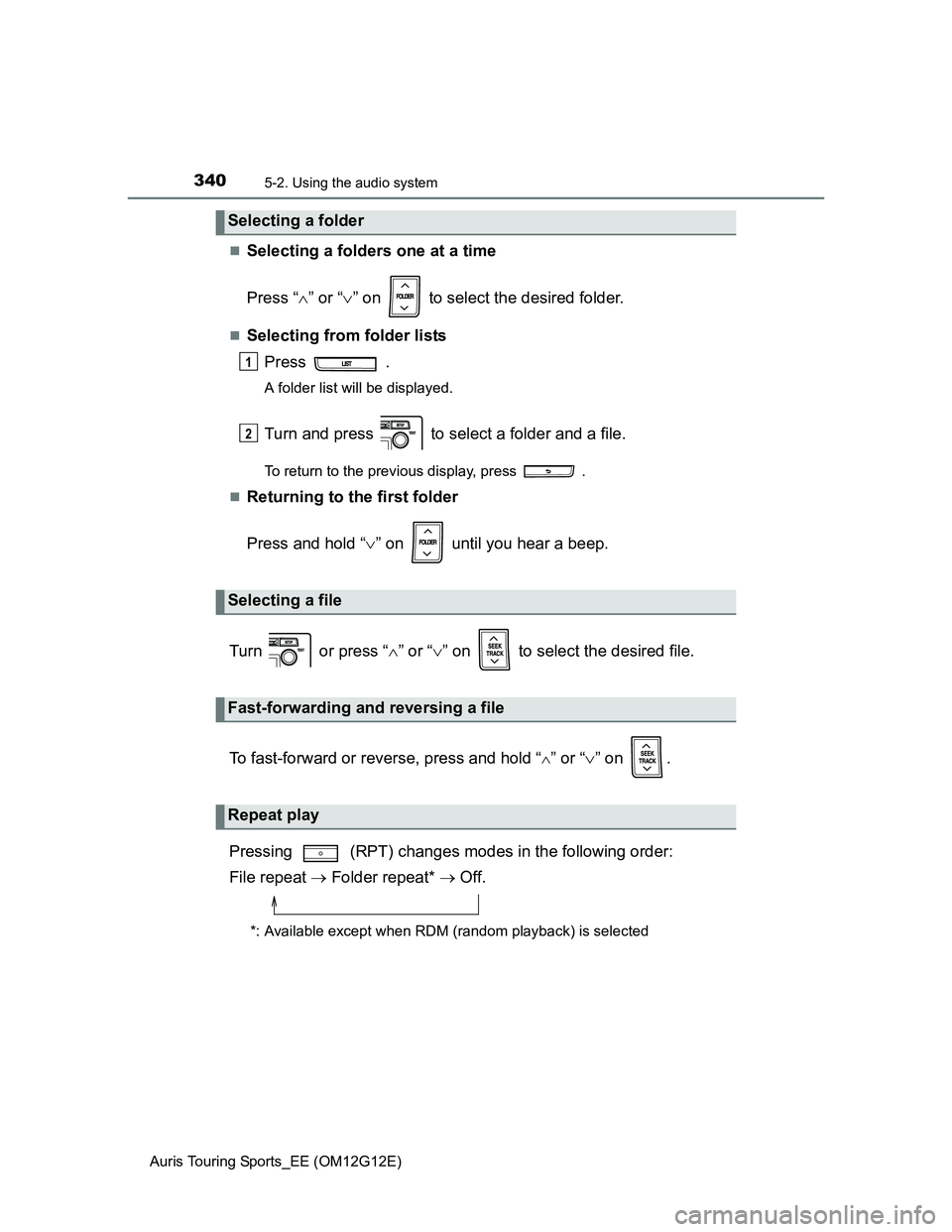
Selecting a folders one at a time
Press “” or “” on to select the desired folder.
Selecting from folder lists
Press .
A folder list will be displayed.
Turn and press to select a folder and a file.
To return to the previous display, press .
Returning to the first folder
Press and hold “” on until you hear a beep.
Turn or press “” or “” on to select the desired file.
To fast-forward or reverse, press and hold “
” or “” on .
Pressing (RPT) changes modes in the following order:
File repeat Folder repeat* Off.
*: Available except when RDM (random playback) is selected
Selecting a folder
Selecting a file
Fast-forwarding and reversing a file
Repeat play
1
2
Page 341 of 616
3415-2. Using the audio system
Auris Touring Sports_EE (OM12G12E)
5
Interior features
Pressing (RDM) changes modes in the following order:
Folder random Disc random Off.
Press .
Track title, artist name and album title (MP3 only) are displayed on the dis-
play.
To return to the previous display, press or .
USB memory functions
Depending on the USB memory that is connected to the system, the device
itself may not be operable and certain functions may not be available. If the
device is inoperable or a function is unavailable due to a malfunction (as
opposed to a system specification), disconnecting the device and recon-
necting it once again may resolve the problem.
If the USB memory still does not begin operation after being disconnected
and reconnected, format the device.
Display
P. 320
Error messages
“ERROR”: This indicates a problem in the USB memory or its connection.
“NO MUSIC”: This indicates that no MP3/WMA files are included in the USB
memory.
Random playback
Switching the display
Page 345 of 616
3455-2. Using the audio system
Auris Touring Sports_EE (OM12G12E)
5
Interior features
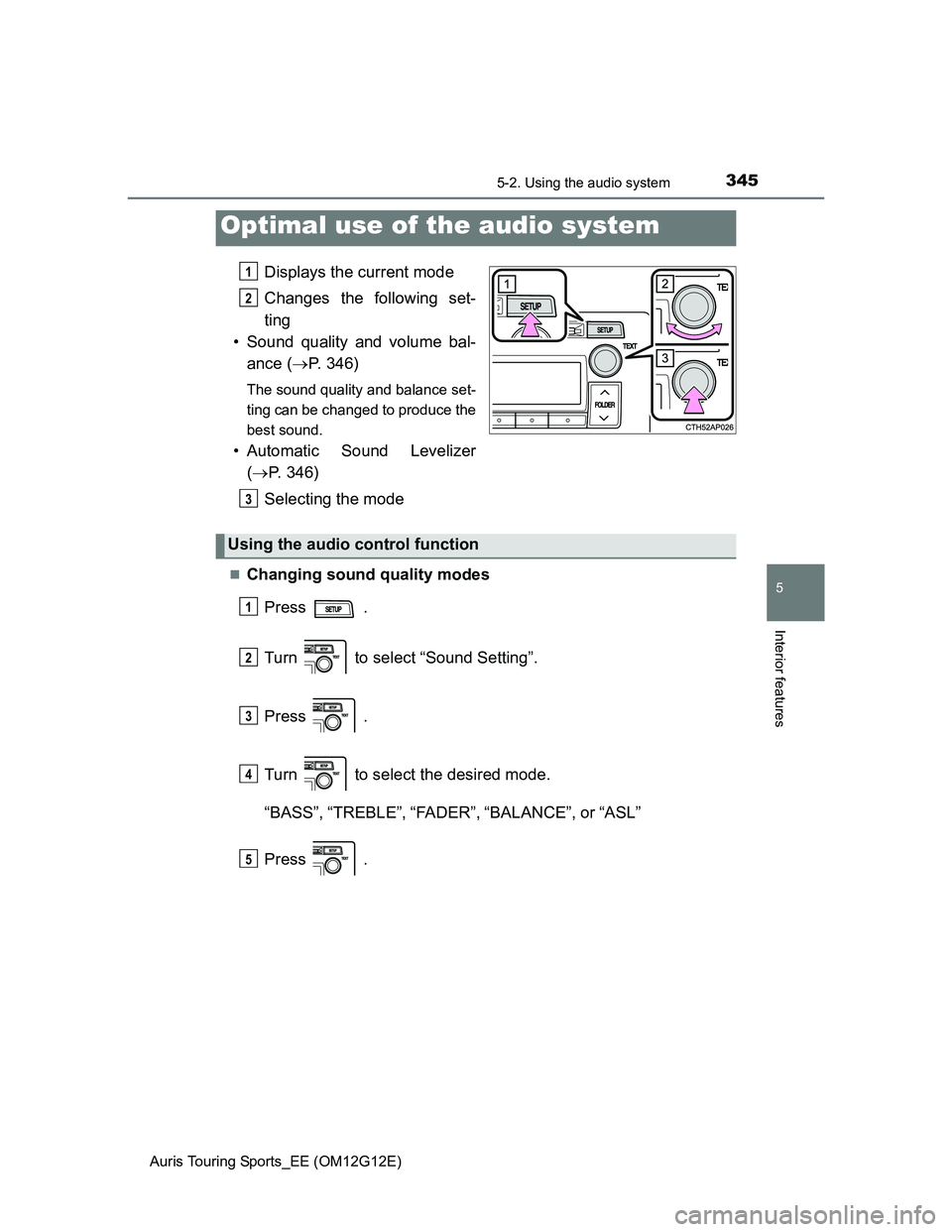
Displays the current mode
Changes the following set-
ting
• Sound quality and volume bal-
ance (P. 346)
The sound quality and balance set-
ting can be changed to produce the
best sound.
• Automatic Sound Levelizer
(P. 346)
Selecting the mode
Changing sound quality modes
Press .
Turn to select “Sound Setting”.
Press .
Turn to select the desired mode.
“BASS”,“TREBLE”,“FADER”,“BALANCE”, or“ASL”
Press .
Optimal use of the audio system
1
2
3
Using the audio control function
1
2
3
4
5
Page 346 of 616
3465-2. Using the audio system
Auris Touring Sports_EE (OM12G12E)
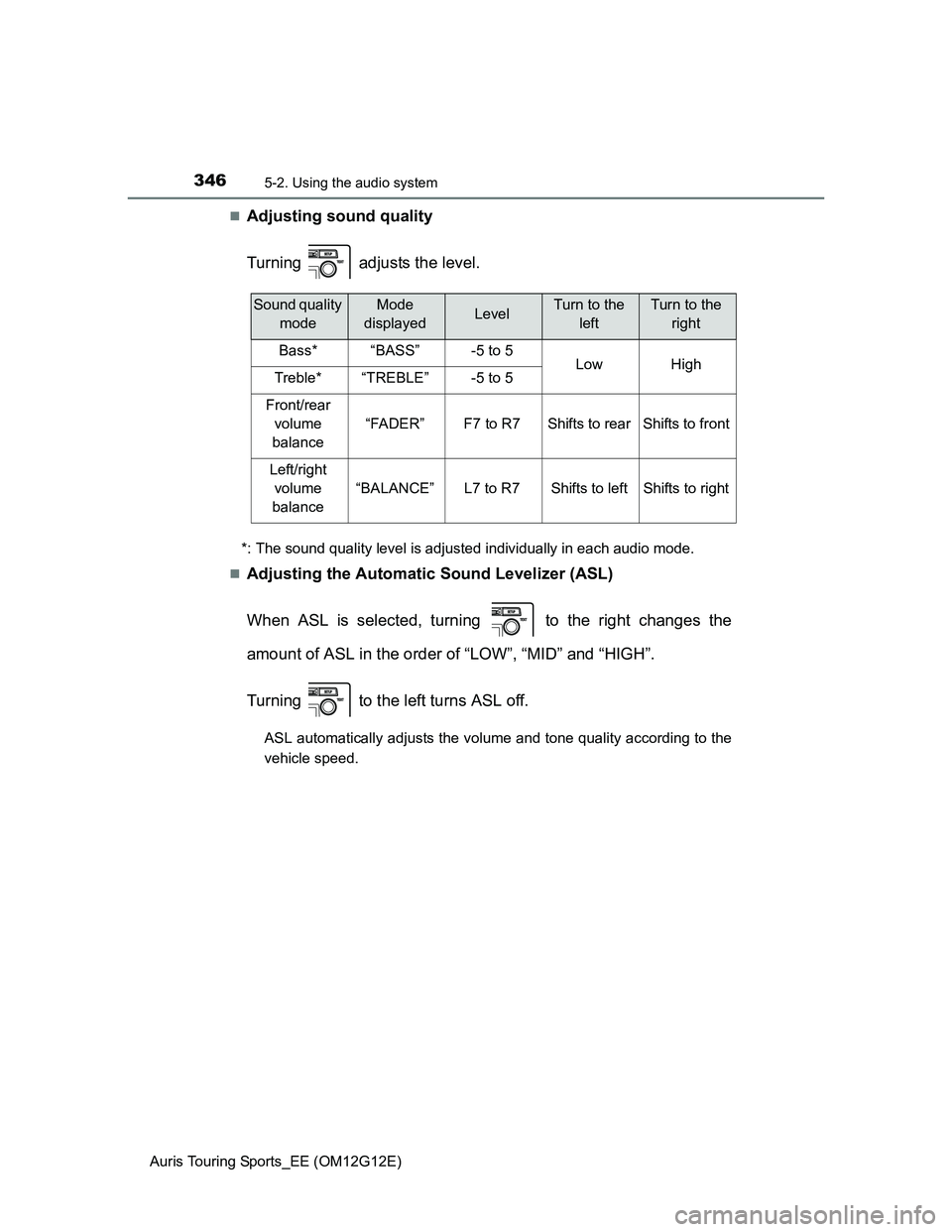
Adjusting sound quality
Turning adjusts the level.
*: The sound quality level is adjusted individually in each audio mode.
Adjusting the Automatic Sound Levelizer (ASL)
When ASL is selected, turning to the right changes the
amount of ASL in the order of “LOW”, “MID” and “HIGH”.
Turning to the left turns ASL off.
ASL automatically adjusts the volume and tone quality according to the
vehicle speed.
Sound quality
modeMode
displayedLevelTurn to the
leftTurn to the
right
Bass*“BASS”-5 to 5LowHighTreble*“TREBLE”-5 to 5
Front/rear
volume
balance
“FADER”F7 to R7Shifts to rearShifts to front
Left/right
volume
balance
“BALANCE”L7 to R7Shifts to leftShifts to right
Page 347 of 616
3475-2. Using the audio system
Auris Touring Sports_EE (OM12G12E)
5
Interior features
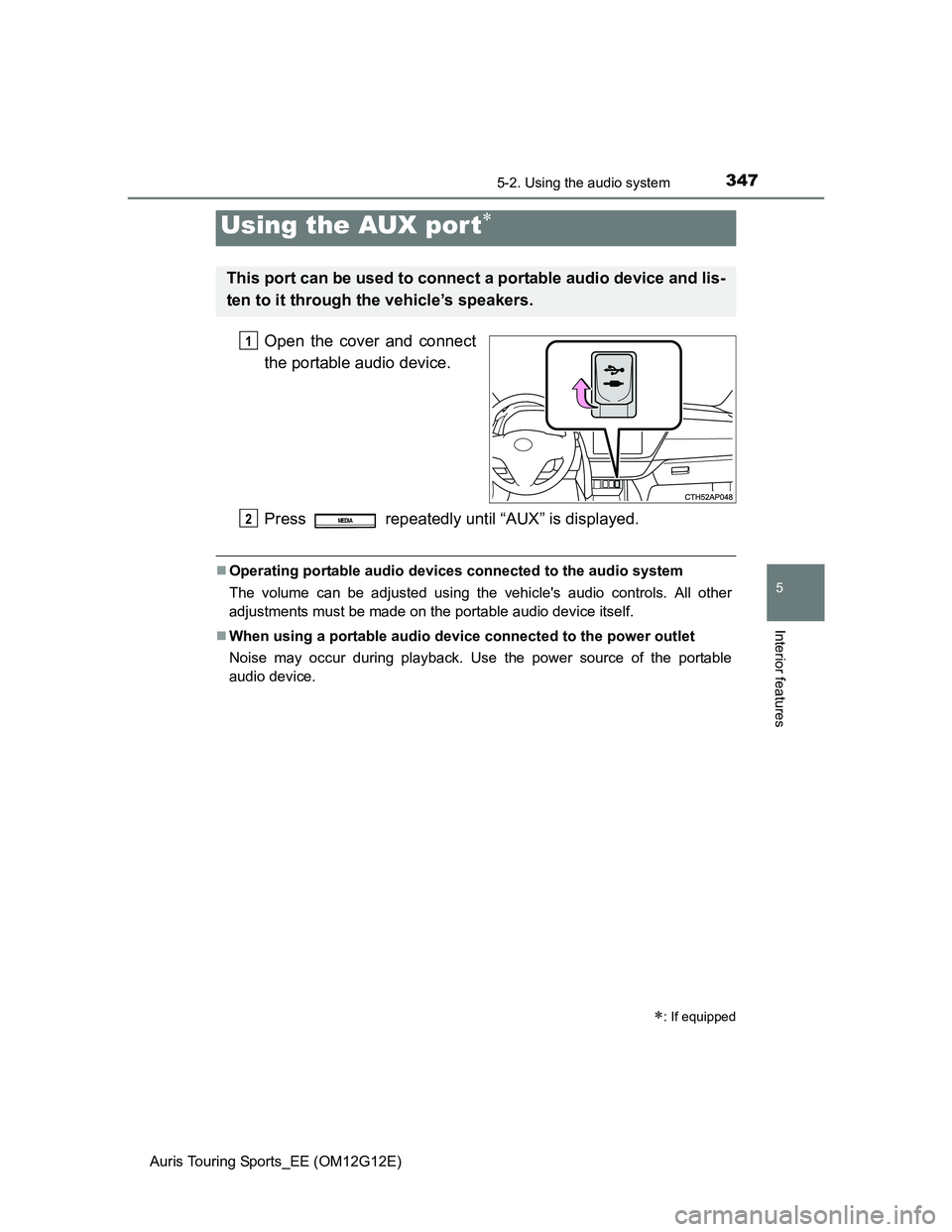
Open the cover and connect
the portable audio device.
Press repeatedly until “AUX” is displayed.
Operating portable audio devices connected to the audio system
The volume can be adjusted using the vehicle's audio controls. All other
adjustments must be made on the portable audio device itself.
When using a portable audio device connected to the power outlet
Noise may occur during playback. Use the power source of the portable
audio device.
Using the AUX por t
: If equipped
This port can be used to connect a portable audio device and lis-
ten to it through the vehicle’s speakers.
1
2MEDIA
Page 374 of 616
3745-5. Other interior features
Auris Touring Sports_EE (OM12G12E)
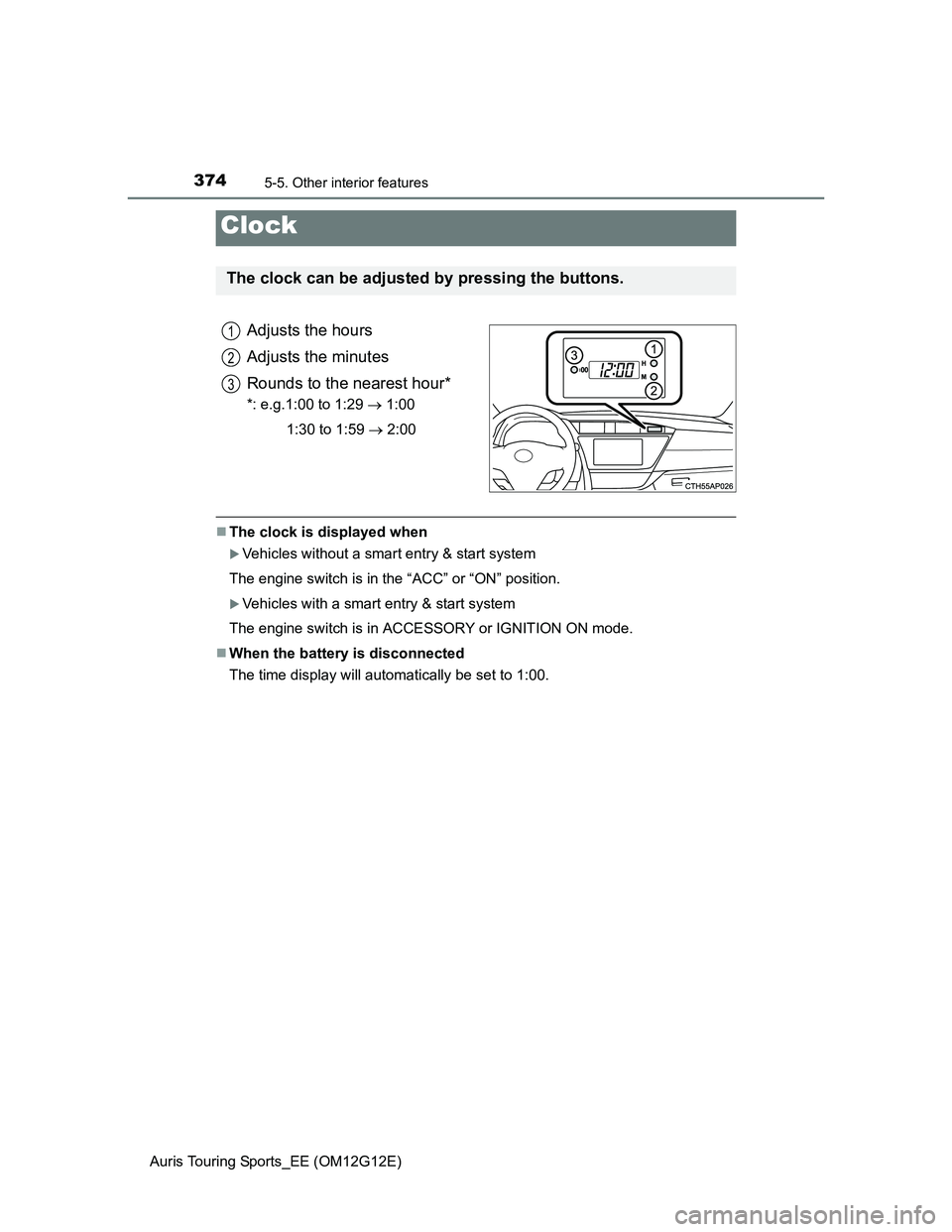
Adjusts the hours
Adjusts the minutes
Rounds to the nearest hour*
*: e.g.1:00 to 1:29 1:00
1:30 to 1:59 2:00
The clock is displayed when
Vehicles without a smart entry & start system
The engine switch is in the “ACC” or “ON” position.
Vehicles with a smart entry & start system
The engine switch is in ACCESSORY or IGNITION ON mode.
When the battery is disconnected
The time display will automatically be set to 1:00.
Clock
The clock can be adjusted by pressing the buttons.
1
2
3
Page 375 of 616
3755-5. Other interior features
Auris Touring Sports_EE (OM12G12E)
5
Interior features
Outside temperature display
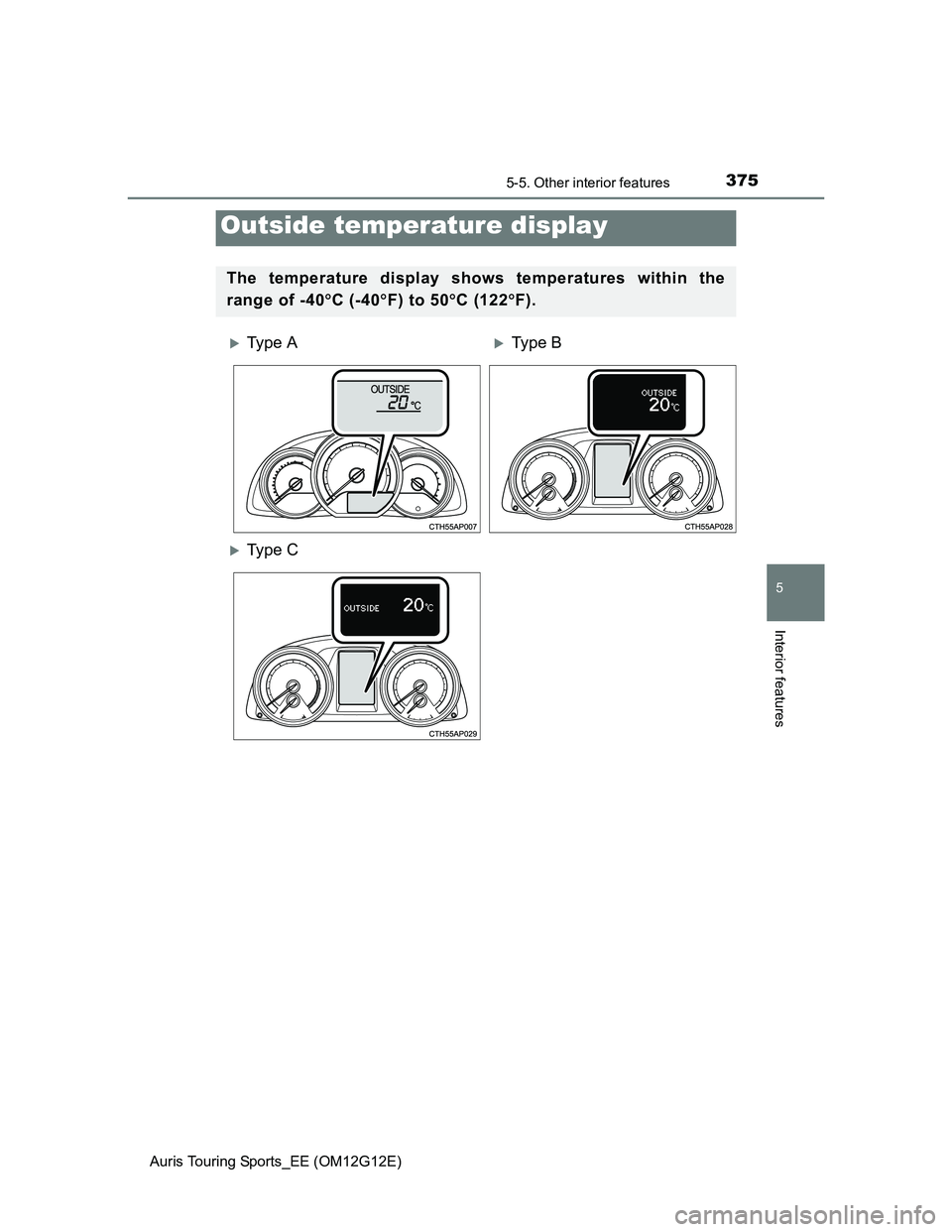
The temperature display shows temperatures within the
range of -40C (-40F) to 50C (122F).
Ty p e AType B
Ty p e C
Page 376 of 616
3765-5. Other interior features
Auris Touring Sports_EE (OM12G12E)
The outside temperature is displayed when
Vehicles without a smart entry & start system
The engine switch is in the “ON” position.
Vehicles with a smart entry & start system
The engine switch is in IGNITION ON mode.
Display
In the following situations, the correct outside temperature may not be dis-
played, or the display may take longer than normal to change.
When the vehicle is stopped, or moving at low speeds (less than 15 km/h [9
mph]).
When the outside temperature has changed suddenly (at the entrance/exit
of a garage, tunnel, etc.)
When the outside temperature display flashes
Vehicles without a multi-information display: If the outside temperature is
3°C (37°F) or less, the temperature display flashes 10 times, and then illu-
minates.
Vehicles with multi-information display: If the outside temperature is 3°C
(37.4F) or less, the ice warning indicator flashes 10 times, and then
illuminates.
When “--C” is displayed
The system may be malfunctioning. Take your vehicle to any authorized
Toyota dealer or repairer, or another duly qualified and equipped professional.