Page 209 of 616
2094-2. Driving procedures
Auris Touring Sports_EE (OM12G12E)
4
Driving
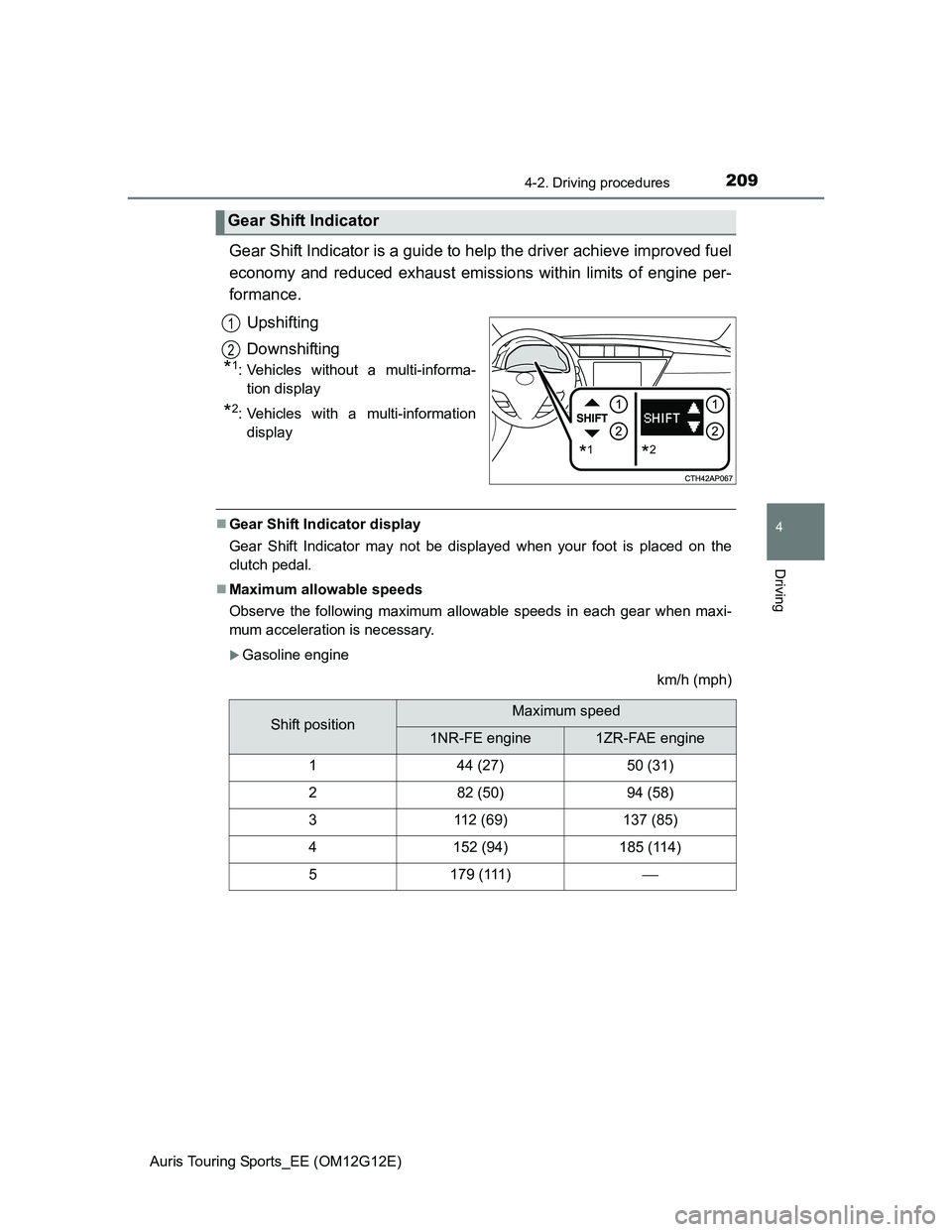
Gear Shift Indicator is a guide to help the driver achieve improved fuel
economy and reduced exhaust emissions within limits of engine per-
formance.
Upshifting
Downshifting
*1: Vehicles without a multi-informa-
tion display
*2: Vehicles with a multi-information
display
Gear Shift Indicator display
Gear Shift Indicator may not be displayed when your foot is placed on the
clutch pedal.
Maximum allowable speeds
Observe the following maximum allowable speeds in each gear when maxi-
mum acceleration is necessary.
Gasoline engine
km/h (mph)
Gear Shift Indicator
*1*2
1
2
Shift positionMaximum speed
1NR-FE engine1ZR-FAE engine
144 (27)50 (31)
282 (50)94 (58)
3112 (69)137 (85)
4152 (94)185 (114)
5179 (111)
Page 210 of 616
2104-2. Driving procedures
Auris Touring Sports_EE (OM12G12E)
Diesel engine
km/h (mph)
Shift positionMaximum speed
1ND-TV engine1AD-FTV engine
142 (26)44 (27)
279 (49)88 (54)
3122 (75)139 (86)
4165 (102)197 (122)
5
CAUTION
Gear Shift Indicator display
For safety, the driver should not look only at the display. Refer to the display
when it is safe to do so while considering actual traffic and road conditions.
Failure to do so may lead to an accident.
NOTICE
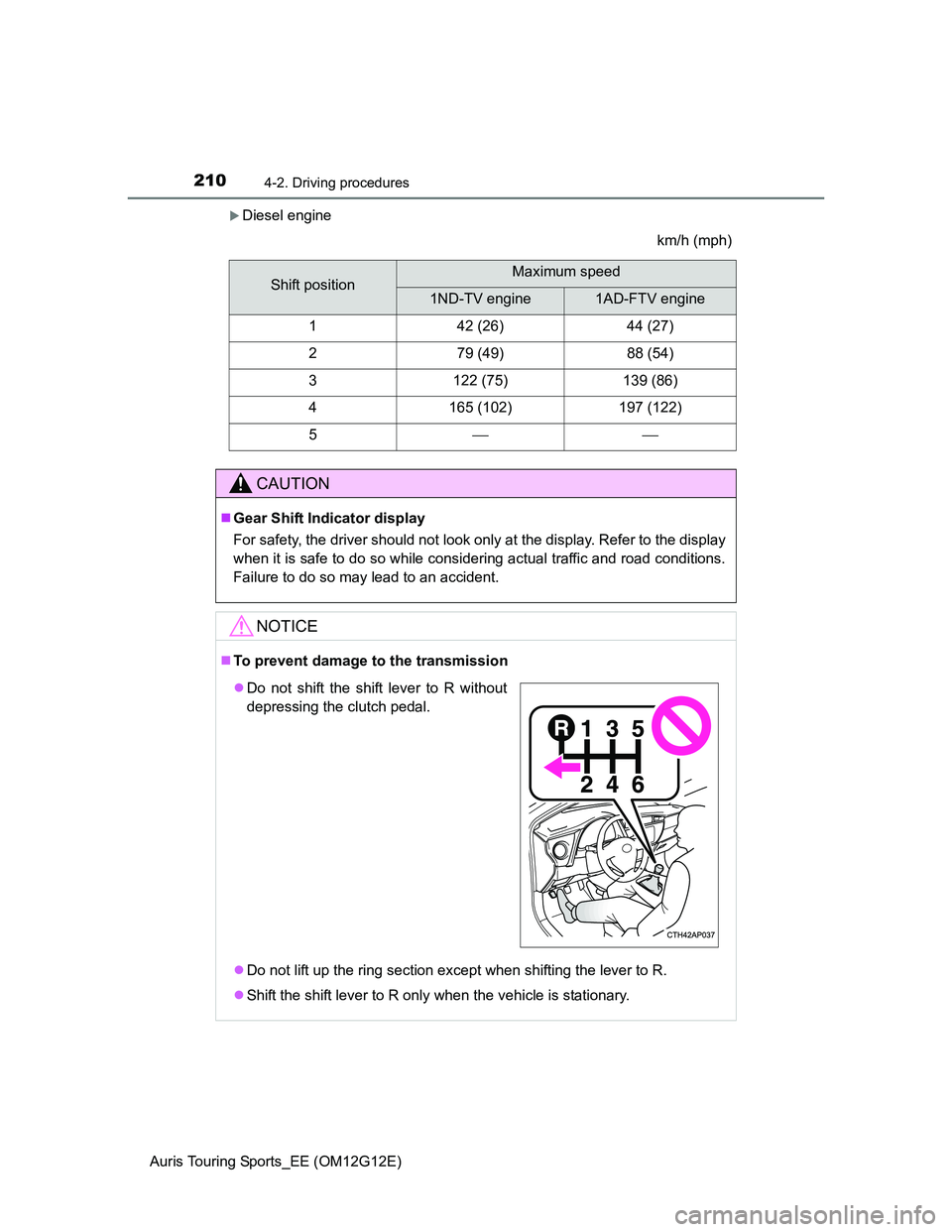
To prevent damage to the transmission
Do not lift up the ring section except when shifting the lever to R.
Shift the shift lever to R only when the vehicle is stationary.
Do not shift the shift lever to R without
depressing the clutch pedal.
Page 236 of 616
236
Auris Touring Sports_EE (OM12G12E)
4-5. Using the driving support systems
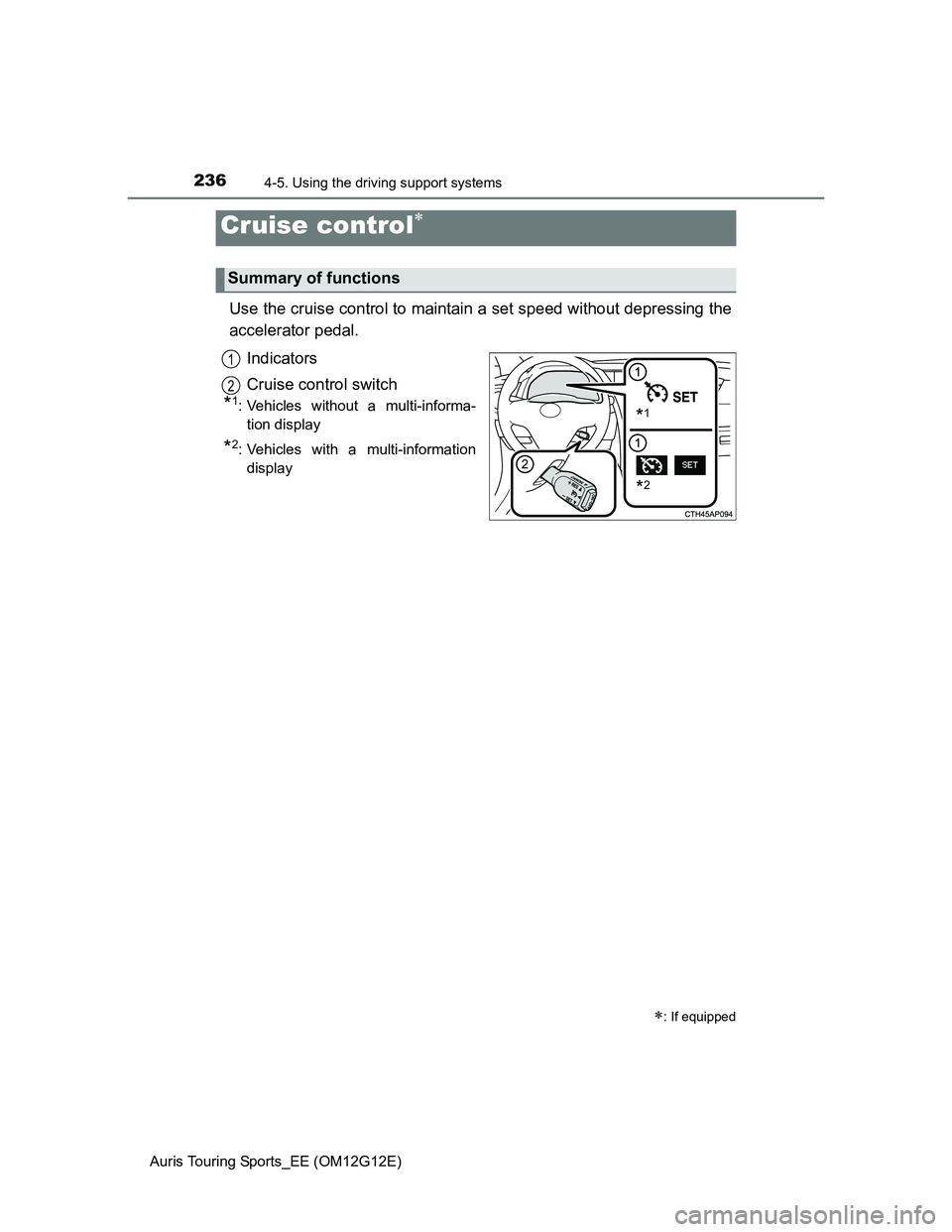
Use the cruise control to maintain a set speed without depressing the
accelerator pedal.
Indicators
Cruise control switch
*1: Vehicles without a multi-informa-
tion display
*2: Vehicles with a multi-information
display
Cruise control
: If equipped
Summary of functions
*1
*2
1
2
Page 237 of 616
2374-5. Using the driving support systems
Auris Touring Sports_EE (OM12G12E)
4
Driving
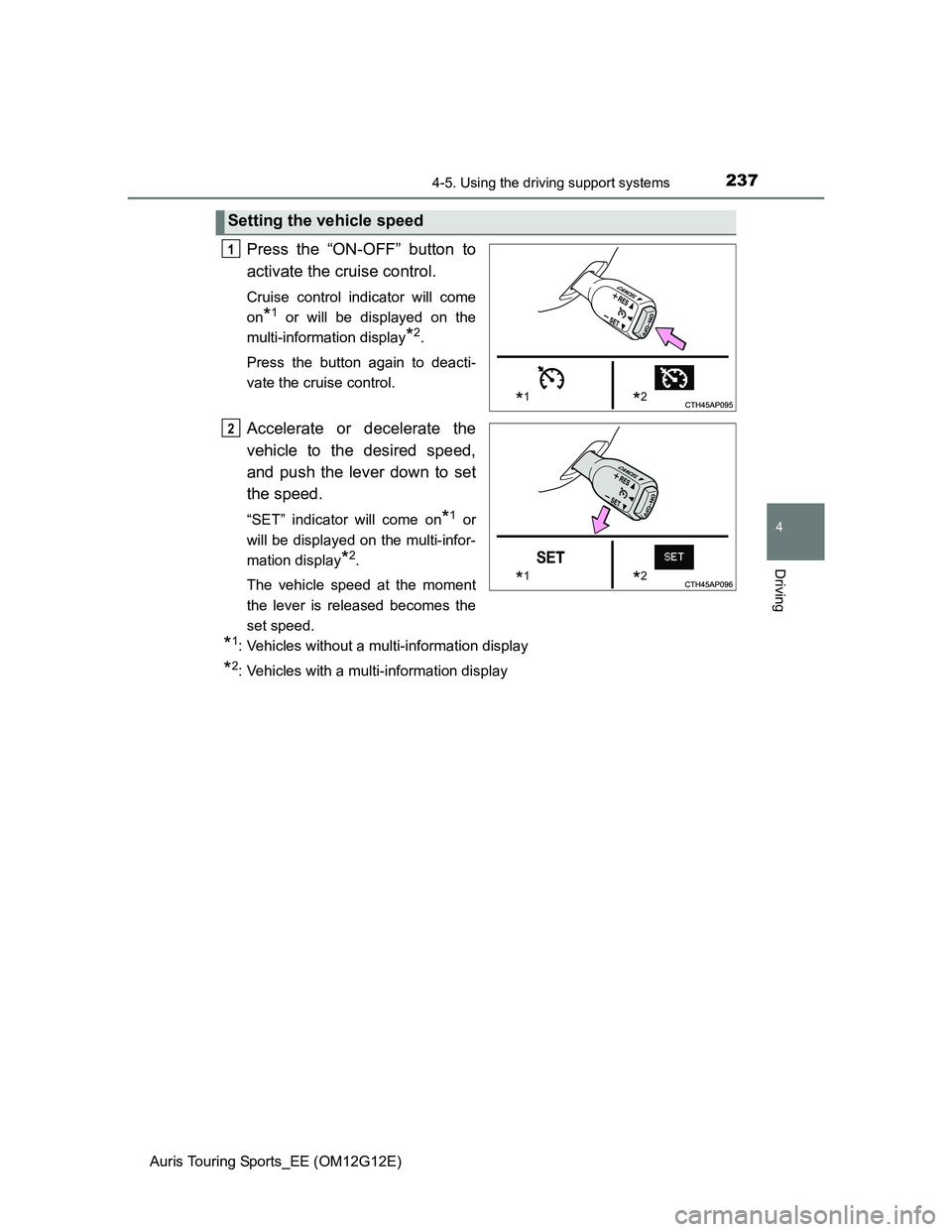
Press the “ON-OFF” button to
activate the cruise control.
Cruise control indicator will come
on
*1 or will be displayed on the
multi-information display
*2.
Press the button again to deacti-
vate the cruise control.
Accelerate or decelerate the
vehicle to the desired speed,
and push the lever down to set
the speed.
“SET” indicator will come on*1 or
will be displayed on the multi-infor-
mation display
*2.
The vehicle speed at the moment
the lever is released becomes the
set speed.
*1: Vehicles without a multi-information display
*2: Vehicles with a multi-information display
Setting the vehicle speed
*1*2
1
*1*2
2
Page 239 of 616
2394-5. Using the driving support systems
Auris Touring Sports_EE (OM12G12E)
4
Driving
Cruise control can be set when
The shift lever is in the D or gear step 4 or higher of M has been selected.
(Multidrive)
Gear step 4 or higher of D has been selected by using the paddle shift.
(vehicles with a paddle shift switch)
Vehicle speed is above approximately 40 km/h (25 mph).
Accelerating after setting the vehicle speed
The vehicle can be accelerated normally. After acceleration, the set speed
resumes.
Even without canceling the cruise control, the set speed can be increased
by first accelerating the vehicle to the desired speed and then pushing the
lever down to set the new speed.
Automatic cruise control cancelation
Cruise control will stop maintaining the vehicle speed in any of the following
situations.
Actual vehicle speed falls more than approximately 16 km/h (10 mph) below
the preset vehicle speed.
At this time, the memorized set speed is not retained.
Actual vehicle speed is below approximately 40 km/h (25 mph).
VSC is activated.
Speed limiter is activated. (if equipped)
If the cruise control indicator light comes on in yellow (vehicles without
a multi-information display) or warning message for the cruise control is
shown on the multi-information display (vehicles with a multi-informa-
tion display)
Press the “ON-OFF” button once to deactivate the system, and then press
the button again to reactivate the system.
If the cruise control speed cannot be set or if the cruise control cancels imme-
diately after being activated, there may be a malfunction in the cruise control
system. Have the vehicle inspected by any authorized Toyota dealer or
repairer, or another duly qualified and equipped professional.
Page 241 of 616
2414-5. Using the driving support systems
Auris Touring Sports_EE (OM12G12E)
4
Driving
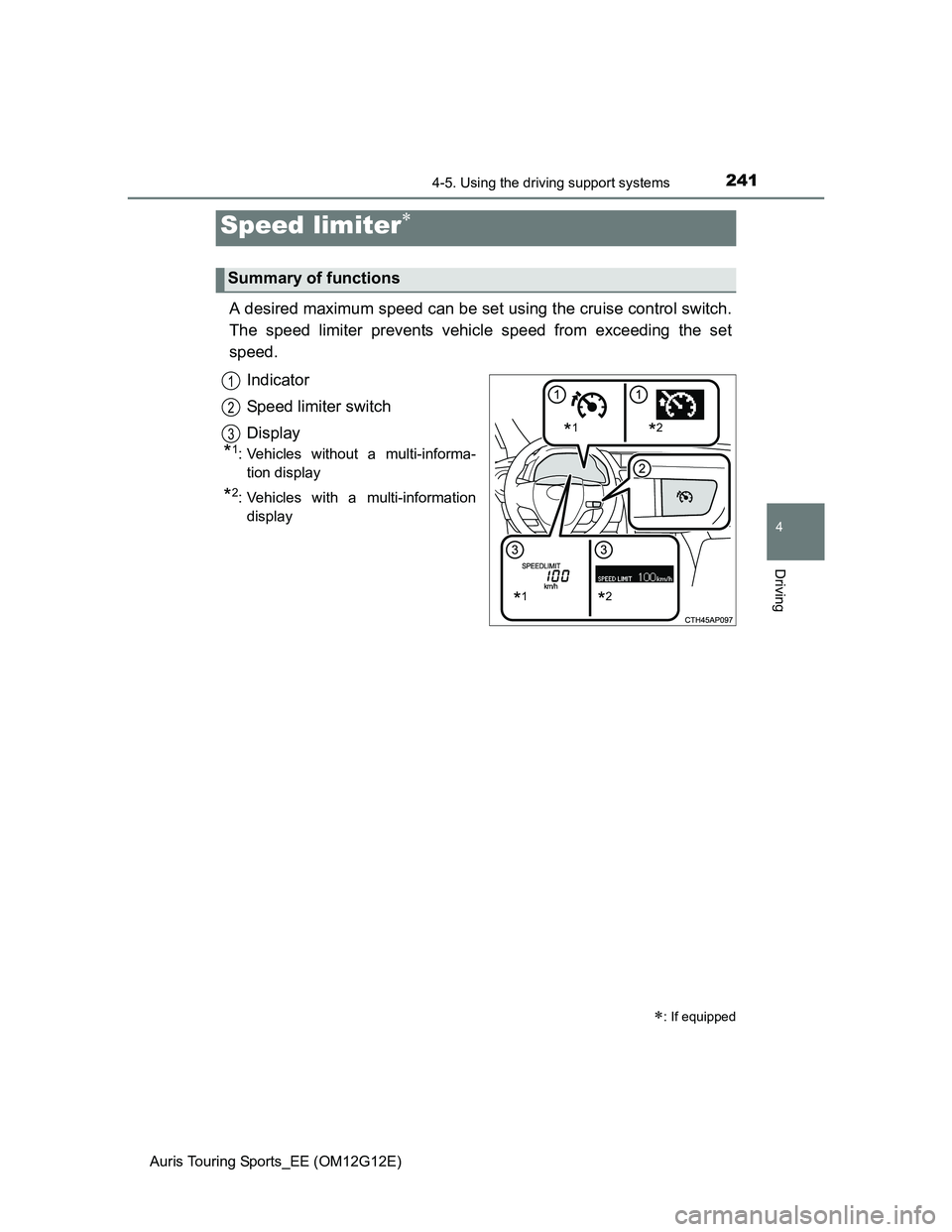
A desired maximum speed can be set using the cruise control switch.
The speed limiter prevents vehicle speed from exceeding the set
speed.
Indicator
Speed limiter switch
Display
*1: Vehicles without a multi-informa-
tion display
*2: Vehicles with a multi-information
display
Speed limiter
: If equipped
Summary of functions
*1*2
*1*2
1
2
3
Page 242 of 616
2424-5. Using the driving support systems
Auris Touring Sports_EE (OM12G12E)
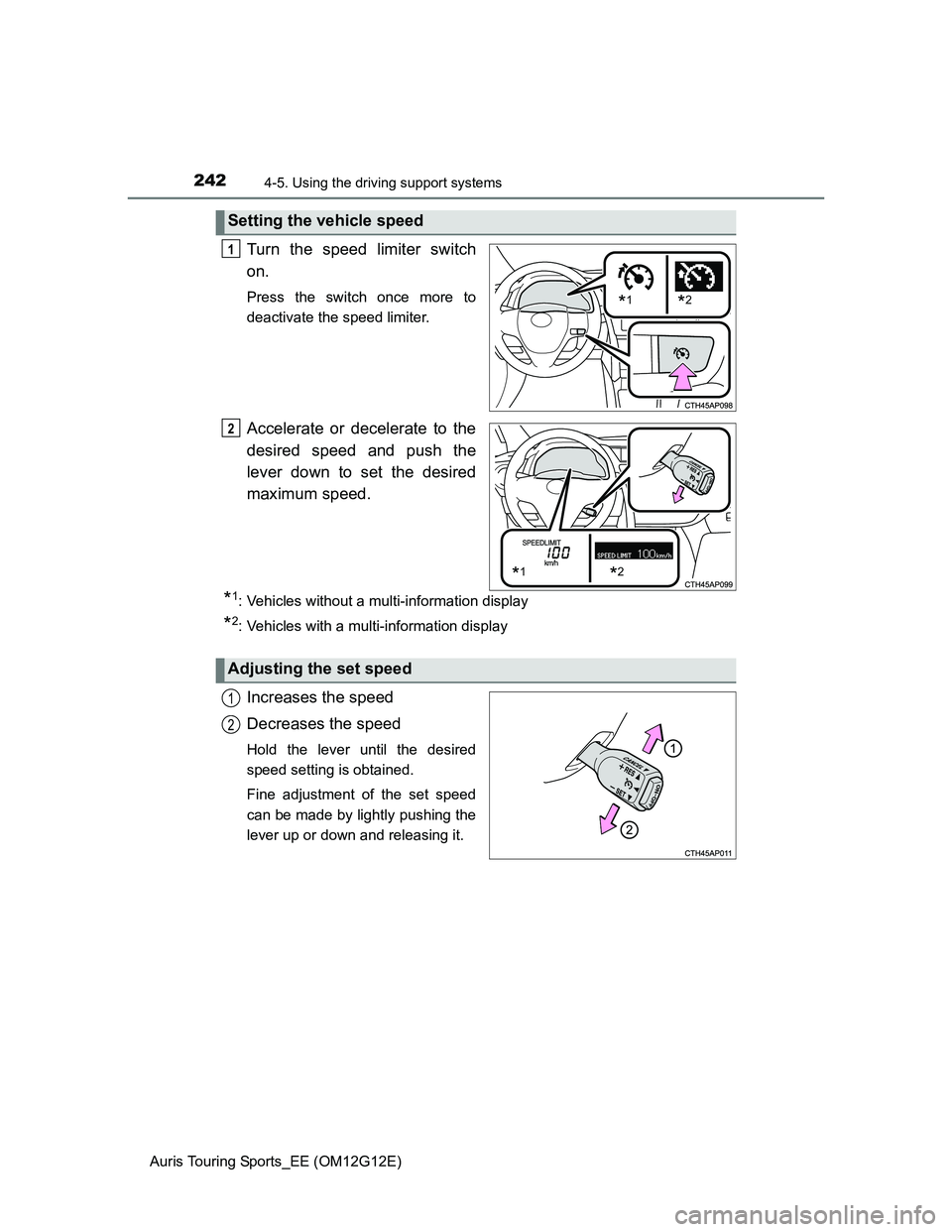
Turn the speed limiter switch
on.
Press the switch once more to
deactivate the speed limiter.
Accelerate or decelerate to the
desired speed and push the
lever down to set the desired
maximum speed.
*1: Vehicles without a multi-information display
*2: Vehicles with a multi-information display
Increases the speed
Decreases the speed
Hold the lever until the desired
speed setting is obtained.
Fine adjustment of the set speed
can be made by lightly pushing the
lever up or down and releasing it.
Setting the vehicle speed
*1*2
1
*1*2
2
Adjusting the set speed
1
2
Page 244 of 616
2444-5. Using the driving support systems
Auris Touring Sports_EE (OM12G12E)
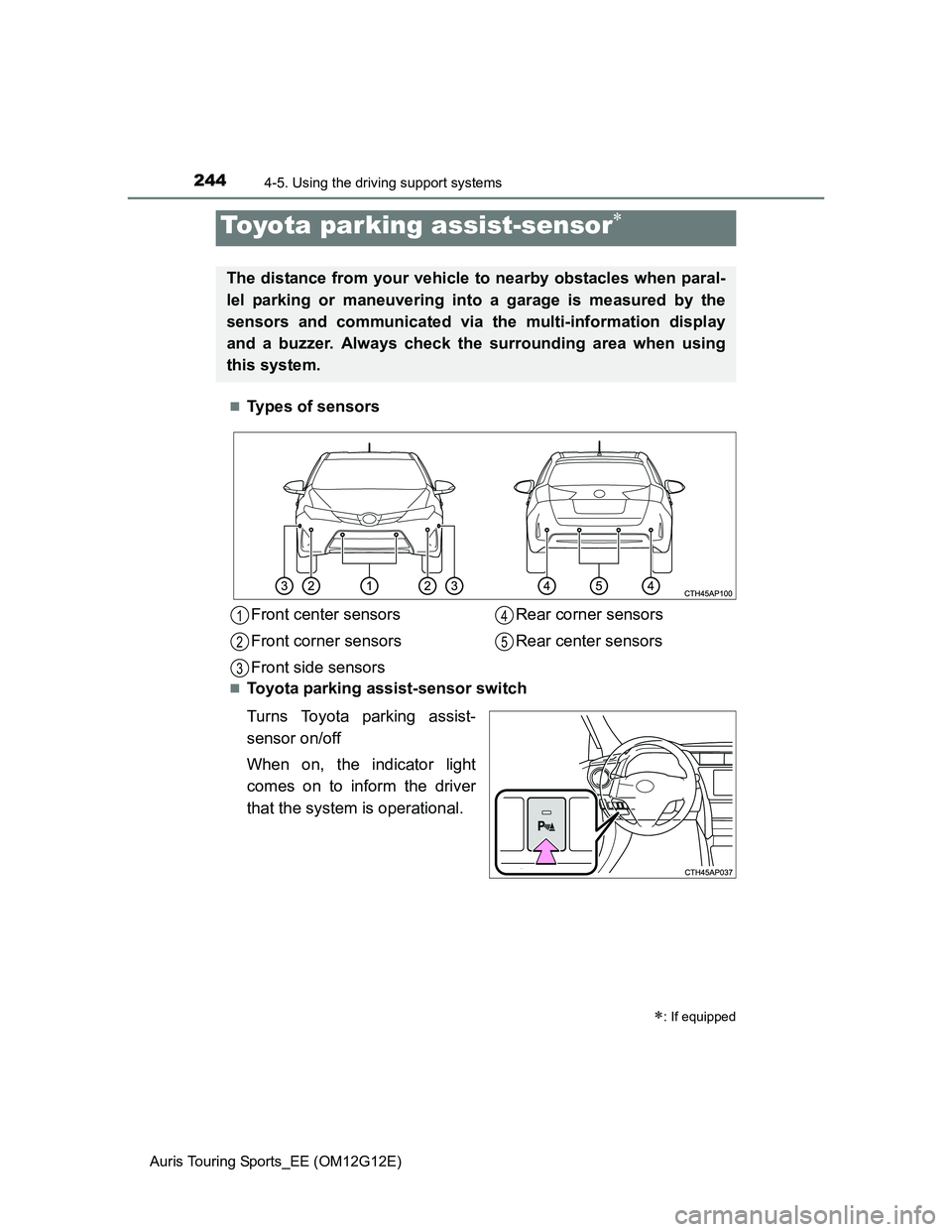
Types of sensors
Toyota parking assist-sensor switch
Turns Toyota parking assist-
sensor on/off
When on, the indicator light
comes on to inform the driver
that the system is operational.
Toyota parking assist-sensor
: If equipped
The distance from your vehicle to nearby obstacles when paral-
lel parking or maneuvering into a garage is measured by the
sensors and communicated via the multi-information display
and a buzzer. Always check the surrounding area when using
this system.
Front center sensors
Front corner sensors
Front side sensorsRear corner sensors
Rear center sensors1
2
3
4
5