Page 52 of 346

51
uuAirbagsuAirbag Care
Safe Driving
Airbag CareYou do not need to, and should not, perform any maintenance on or replace any
airbag system components yourself. However, you should have your vehicle
inspected by a dealer in the following situations:■When the airbags have deployed
If an airbag has inflated, the control unit and other related parts must be replaced.
Similarly, once an automatic seat belt tensioner has been activated, it must be
replaced.■When the vehicle has been in a moderate-to-severe collision
Even if the airbags did not inflate, have your dealer inspect the following: the driver’s
seat position sensor, weight sensors in the passenger’s seat, front seat belt
tensioners, and each seat belt that was worn during the crash.■Do not remove or modify a front seat without consulting a dealer
This would likely disable the driver’s seat position sensor or the weight sensors in the
passenger’s seat. If it is necessary to remove or modify a front seat to accommodate
a person with disabilities, contact a Honda dealer, or for U.S. vehicles, American
Honda Automobile Customer Service at 800-999-1009 and for Canadian vehicles,
Honda Canada Customer Relations at 888-9-HONDA-9.
1Airbag Care
We recommend against the use of salvaged airbag
system components, including the airbag, tensioners,
sensors, and control unit.
Page 66 of 346
65Safe Driving
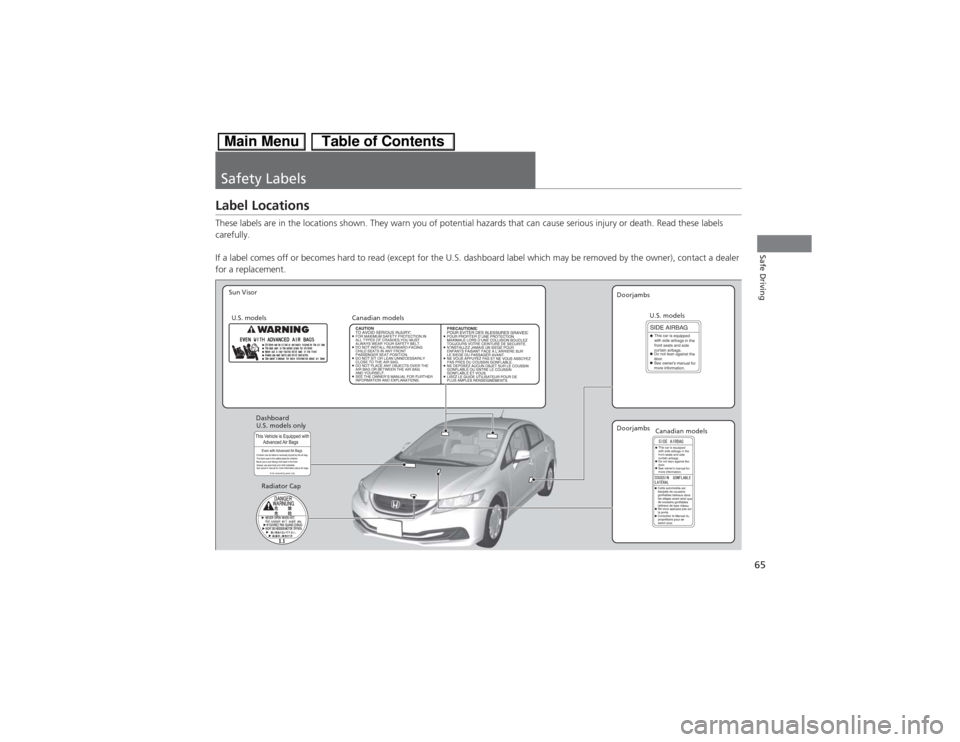
Safety LabelsLabel LocationsThese labels are in the locations shown. They warn you of potential hazards that can cause serious injury or death. Read these labels
carefully.
If a label comes off or becomes hard to read (except for the U.S. dashboard label which may be removed by the owner), contact a dealer
for a replacement.
Sun Visor
U.S. models
Canadian models
Radiator CapDoorjambs
U.S. models only Dashboard
Canadian models U.S. models
Doorjambs
Page 74 of 346

73
uuIndicatorsu
Continued
Instrument Panel
Indicator
Name
On/Blinking
Explanation
Message
Electric Power
Steering (EPS)
System Indicator
●Comes on when you turn the
ignition switch to ON
(w, and goes
off when the engine starts.
●Comes on if there is a problem
with the EPS system.
●Stays on constantly or does not come
on at all - Have the vehicle checked by a
dealer.
2If the EPS System Indicator Comes
On P. 319
Auto Idle Stop
Indicator
●Blinks when Auto Idle Stop is in
operation. The engine
automatically shuts off.
2Auto Idle Stop P. 222
—
Low Tire
Pressure/TPMS
Indicator
●Comes on for a few seconds when
you turn the ignition switch to ON (w.
●Comes on if the tire pressure of
any of the tires becomes
significantly low.●Blinks for about one minute, and
then stays on if there is a problem
with the TPMS, or when a compact
spare tire
* is temporarily installed.
●Comes on while driving - Stop in a safe
place, check tire pressures, and inflate the
tire(s) if necessary.●Blinks and remains on - Have the
vehicle checked by a dealer. If the vehicle
is fitted with a compact spare, get your
regular tire repaired or replaced and put
back on your vehicle as soon as you can.
U.S.
models
only* Not available on all models
Page 77 of 346

76
uuIndicatorsu
Instrument Panel
Indicator
Name
On/Blinking
Explanation
Message
Security System
Alarm Indicator
●Blinks when the Security System
Alarm has been set.
2Security System Alarm P. 115
—
High
Temperature
Indicator
●Comes on for a few seconds when
you turn the ignition switch to ON (w then goes off.
●Blinks when the engine coolant
temperature goes up, and stays on
if the temperature continues to
rise.
●Blinks while driving - Drive slowly to
prevent overheating.●Stays on while driving - Immediately
stop in a safe place and allow the engine
to cool.
2Overheating P. 315
Low
Temperature
Indicator
●Comes on when the engine
coolant temperature is low.
●If the indicator stays on after the engine
has reached normal operating
temperature, there may be a problem
with the temperature sensors. Have the
vehicle inspected by a dealer.
—
ECON Mode
Indicator
●Comes on for a few seconds when
you turn the ignition switch to ON (w, then goes off.
●Comes on when the ECON mode is
on.
2ECON Button P. 221
Page 78 of 346
77
uuIndicatorsu
Continued
Instrument Panel
Indicator
Name
On/Blinking
Explanation
Message
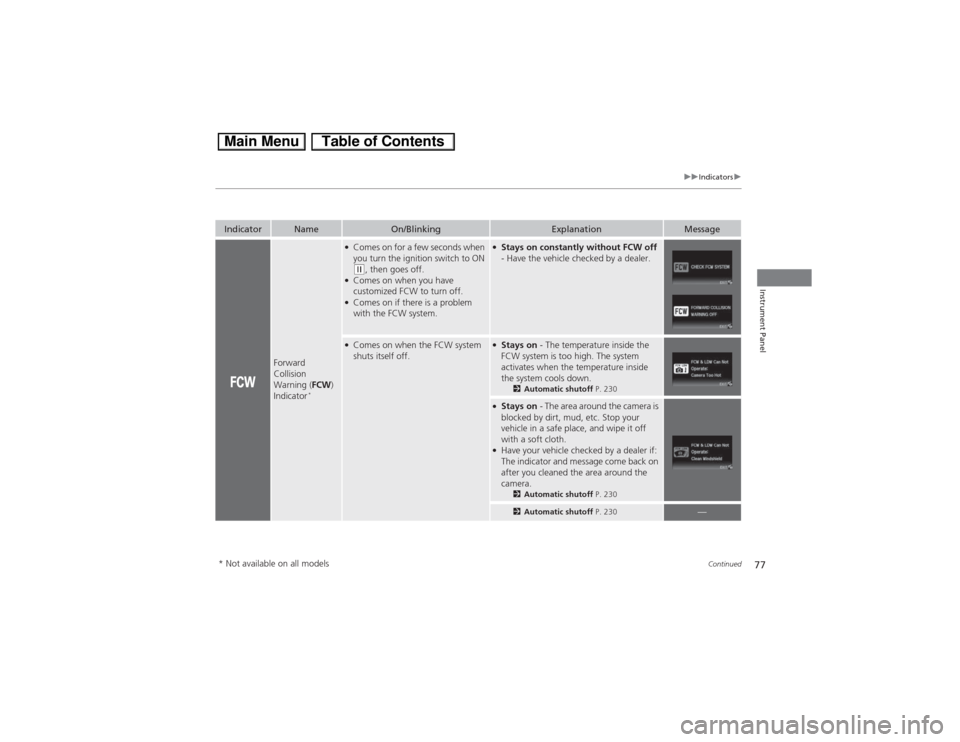
Forward
Collision
Warning (FCW)
Indicator
*
●Comes on for a few seconds when
you turn the ignition switch to ON (w, then goes off.
●Comes on when you have
customized FCW to turn off.●Comes on if there is a problem
with the FCW system.
●Stays on constantly without FCW off
- Have the vehicle checked by a dealer.
●Comes on when the FCW system
shuts itself off.
●Stays on - The temperature inside the
FCW system is too high. The system
activates when the temperature inside
the system cools down.
2Automatic shutoff P. 230
●Stays on - The area around the camera is
blocked by dirt, mud, etc. Stop your
vehicle in a safe place, and wipe it off
with a soft cloth.●Have your vehicle checked by a dealer if:
The indicator and message come back on
after you cleaned the area around the
camera.
2Automatic shutoff P. 2302Automatic shutoff P. 230
—
* Not available on all models
Page 79 of 346
78
uuIndicatorsu
Instrument Panel
Indicator
Name
On/Blinking
Explanation
Message
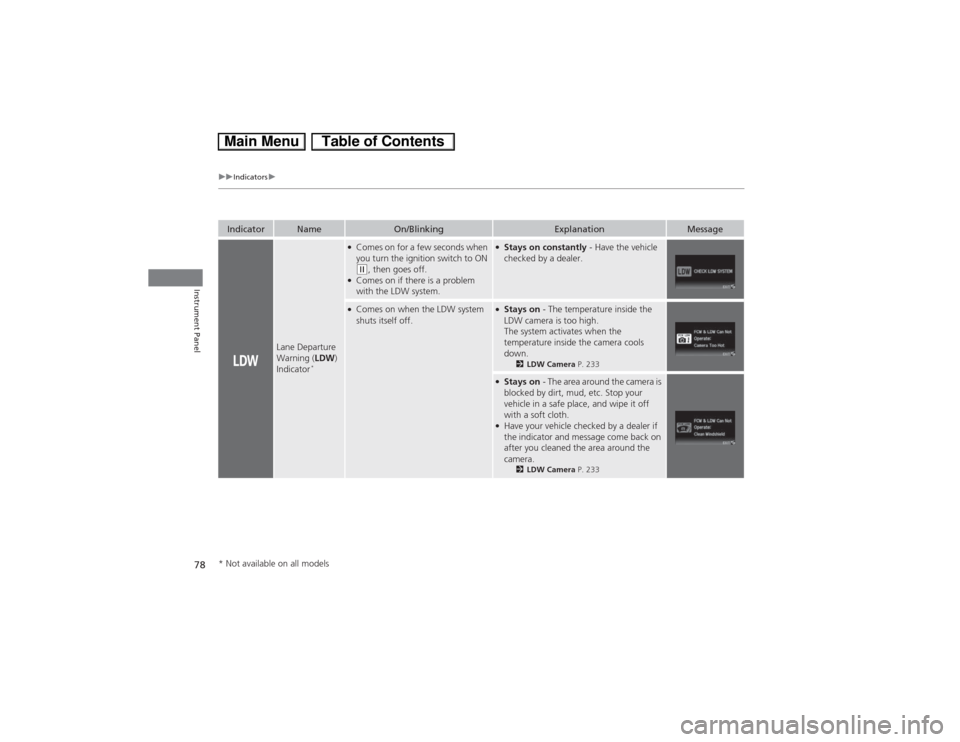
Lane Departure
Warning (LDW)
Indicator
*
●Comes on for a few seconds when
you turn the ignition switch to ON (w, then goes off.
●Comes on if there is a problem
with the LDW system.
●Stays on constantly - Have the vehicle
checked by a dealer.
●Comes on when the LDW system
shuts itself off.
●Stays on - The temperature inside the
LDW camera is too high.
The system activates when the
temperature inside the camera cools
down.
2LDW Camera P. 233
●Stays on - The area around the camera is
blocked by dirt, mud, etc. Stop your
vehicle in a safe place, and wipe it off
with a soft cloth.●Have your vehicle checked by a dealer if
the indicator and message come back on
after you cleaned the area around the
camera.
2LDW Camera P. 233
* Not available on all models
Page 88 of 346
Continued
87
uuGauges and intelligent Multi-Information Display (i-MID)uintelligent Multi-Information Display (i-MID)
Instrument Panel
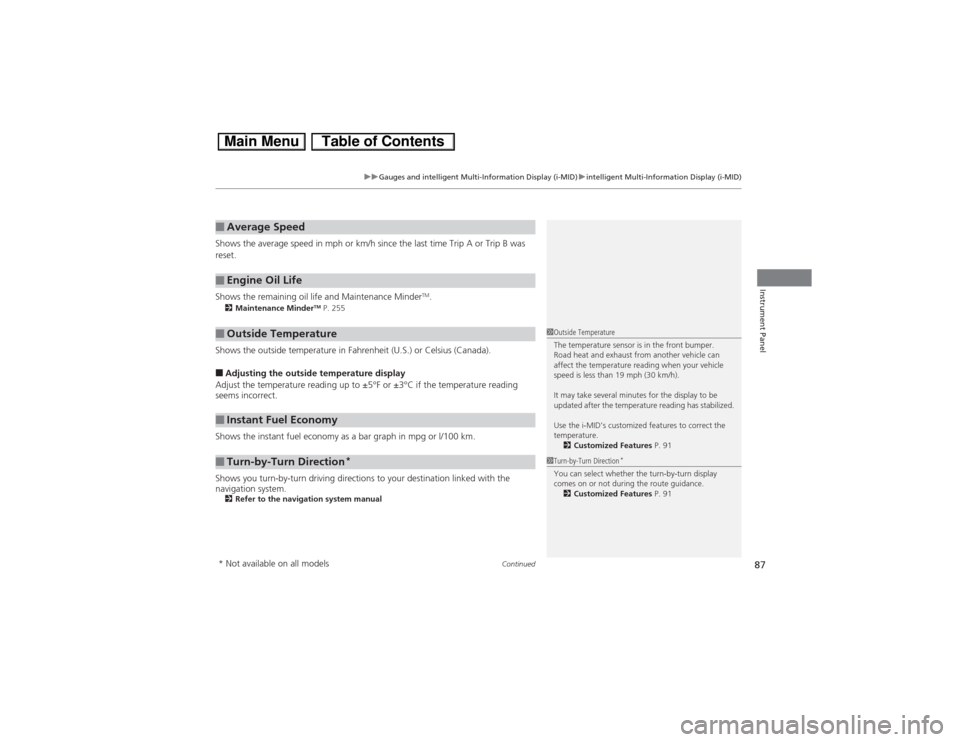
Shows the average speed in mph or km/h since the last time Trip A or Trip B was
reset.
Shows the remaining oil life and Maintenance Minder
TM.
2Maintenance Minder
TM P. 255
Shows the outside temperature in Fahrenheit (U.S.) or Celsius (Canada).■Adjusting the outside temperature display
Adjust the temperature reading up to ±5°F or ±3°C if the temperature reading
seems incorrect.
Shows the instant fuel economy as a bar graph in mpg or l/100 km.
Shows you turn-by-turn driving directions to your destination linked with the
navigation system.2Refer to the navigation system manual■Average Speed■Engine Oil Life■Outside Temperature■Instant Fuel Economy■Turn-by-Turn Direction
*
1Outside Temperature
The temperature sensor is in the front bumper.
Road heat and exhaust from another vehicle can
affect the temperature reading when your vehicle
speed is less than 19 mph (30 km/h).
It may take several minutes for the display to be
updated after the temperature reading has stabilized.
Use the i-MID’s customized features to correct the
temperature.
2Customized Features P. 911Turn-by-Turn Direction
*
You can select whether the turn-by-turn display
comes on or not during the route guidance.
2Customized Features P. 91
* Not available on all models
Page 89 of 346
88
uuGauges and intelligent Multi-Information Display (i-MID)uintelligent Multi-Information Display (i-MID)
Instrument Panel
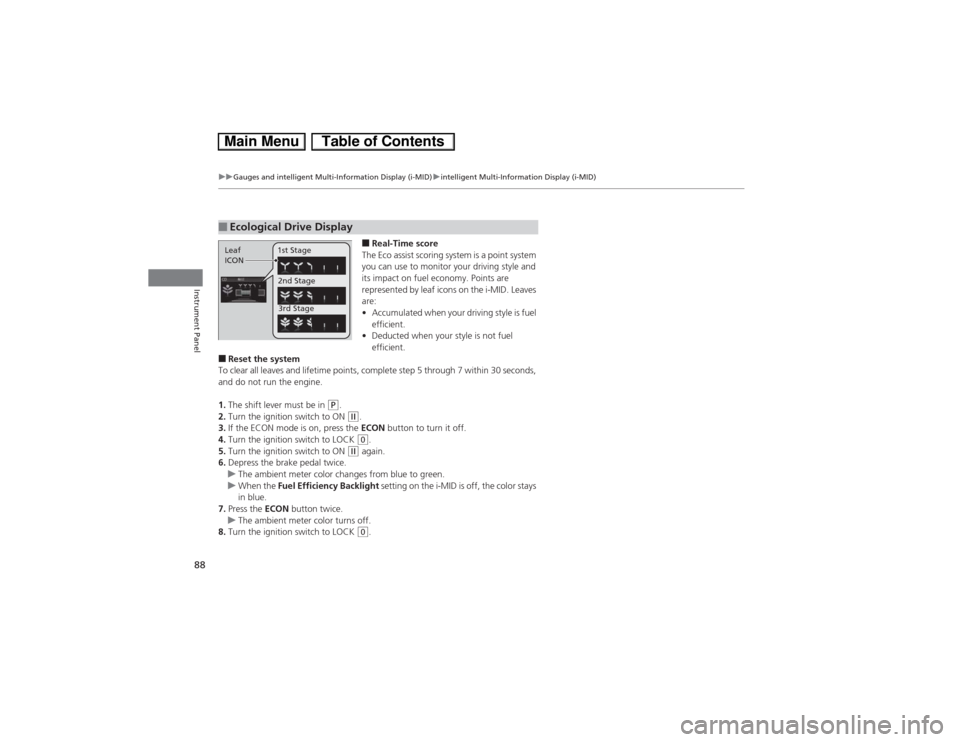
■Real-Time score
The Eco assist scoring system is a point system
you can use to monitor your driving style and
its impact on fuel economy. Points are
represented by leaf icons on the i-MID. Leaves
are:
•Accumulated when your driving style is fuel
efficient.
•Deducted when your style is not fuel
efficient.
■Reset the system
To clear all leaves and lifetime points, complete step 5 through 7 within 30 seconds,
and do not run the engine.
1.The shift lever must be in
(P.
2.Turn the ignition switch to ON (w.
3.If the ECON mode is on, press the ECON button to turn it off.
4.Turn the ignition switch to LOCK (0.
5.Turn the ignition switch to ON
(w again.
6.Depress the brake pedal twice.
uThe ambient meter color changes from blue to green.
uWhen the Fuel Efficiency Backlight setting on the i-MID is off, the color stays
in blue.
7.Press the ECON button twice.
uThe ambient meter color turns off.
8.Turn the ignition switch to LOCK (0.
■Ecological Drive DisplayLeaf
ICON1st Stage
2nd Stage
3rd Stage