2013 HONDA CIVIC HYBRID immobilizer
[x] Cancel search: immobilizerPage 14 of 346
13Quick Reference Guide
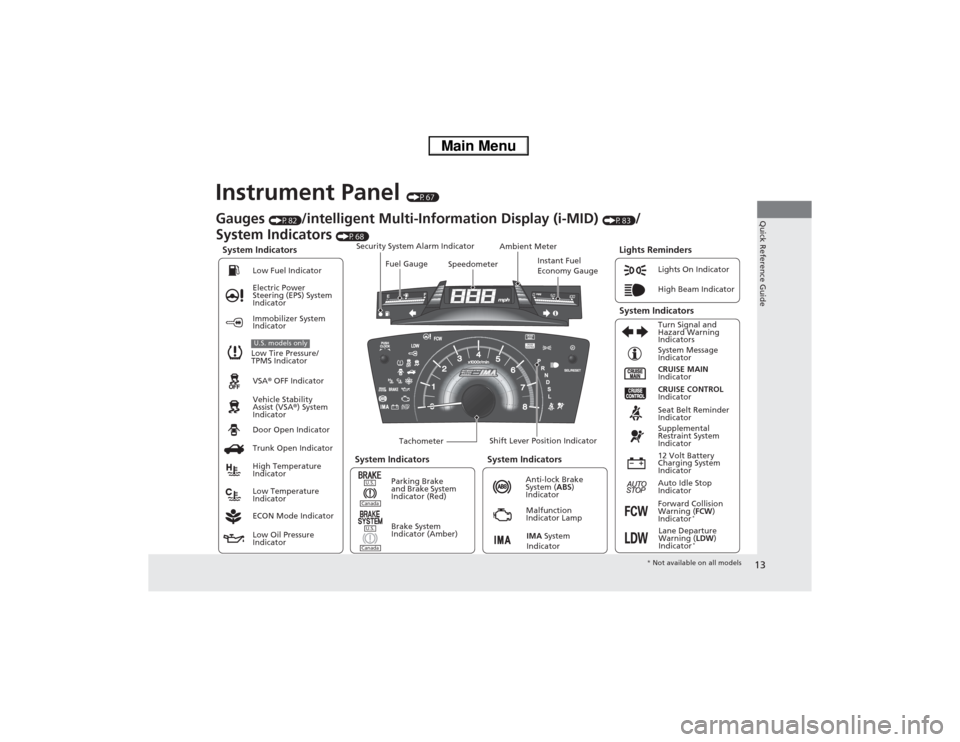
Instrument Panel
(P67)
System Indicators
Malfunction
Indicator Lamp
Low Oil Pressure
IndicatorAnti-lock Brake
System (ABS)
Indicator Vehicle Stability
Assist (VSA®) System
Indicator VSA® OFF Indicator Electric Power
Steering (EPS) System
IndicatorLights On Indicator
High Beam Indicator
Immobilizer System
Indicator
Seat Belt Reminder
Indicator
Lights Reminders
CRUISE MAIN
Indicator System Message
Indicator
Brake System
Indicator (Amber)Supplemental
Restraint System
Indicator
Forward Collision
Warning (FCW)
Indicator
*
Door Open Indicator
TachometerInstant Fuel
Economy Gauge Speedometer Fuel Gauge Security System Alarm Indicator
Shift Lever Position Indicator Low Fuel Indicator
Gauges
(P82)
/intelligent Multi-Information Display (i-MID)
(P83)
/
System Indicators
(P68)
Trunk Open Indicator
ECON Mode IndicatorTurn Signal and
Hazard Warning
Indicators
High Temperature
Indicator
Low Temperature
IndicatorAmbient Meter
System Indicators System Indicators
Low Tire Pressure/
TPMS IndicatorU.S. models only
Parking Brake
and Brake System
Indicator (Red)
IMA System
Indicator
CRUISE CONTROL
Indicator
System Indicators
12 Volt Battery
Charging System
Indicator
Auto Idle Stop
Indicator
U.S.CanadaU.S.Canada
Lane Departure
Warning (LDW)
Indicator
*
* Not available on all models
Page 76 of 346

75
uuIndicatorsu
Continued
Instrument Panel
Indicator
Name
On/Blinking
Explanation
Message
High-Beam
Indicator
●Comes on when the high beam
headlights are on.
—
—
Lights On
Indicator
●Comes on whenever the light
switch is on, or in AUTO when the
exterior lights are on.
●If you remove the key from the ignition
switch while the lights are on, a chime
sounds when the driver’s door is opened.
—
Immobilizer
System Indicator
●Comes on briefly when you turn
the ignition switch to ON
(w, then
goes off.
●Comes on if the immobilizer
system cannot recognize the key
information.
●Blinks - You cannot start the engine.
Turn the ignition switch to LOCK
(0, pull
the key out, and then insert the key and
turn it to ON
(w again.
●Repeatedly blinks - The system may be
malfunctioning. Have the vehicle checked
by a dealer.●Do not attempt to alter this system or add
other devices to it. Electrical problems can
occur.
—
CRUISE MAIN
Indicator
●Comes on when you press the
CRUISE button.
2Cruise Control P. 225
—
CRUISE
CONTROL
Indicator
●Comes on if you have set a speed
for cruise control.
2Cruise Control P. 225
—
Page 104 of 346

103
Controls
This chapter explains how to operate the various controls necessary for driving.
Setting the Clock.............................. 104
Locking and Unlocking the Doors
Key Types and Functions .................. 105
Locking/Unlocking the Doors from the
Outside .......................................... 107
Locking/Unlocking the Doors from the
Inside ............................................. 109
Childproof Door Locks ..................... 110
Auto Door Locking/Unlocking .......... 111
Opening and Closing the Trunk....... 112
Security System
Immobilizer System .......................... 115
Security System Alarm ...................... 115Opening and Closing the Windows..... 117
Operating the Switches Around the
Steering Wheel
Ignition Switch ................................. 119
Turn Signals ..................................... 120
Light Switches.................................. 120
Daytime Running Lights ................... 123
Wipers and Washers ........................ 124
Brightness Control ........................... 125
Rear Defogger/Heated Door Mirror
*
Button ........................................... 126
Adjusting the Steering Wheel........... 127Adjusting the Mirrors
Interior Rearview Mirror ................... 128
Power Door Mirrors ......................... 128
Adjusting the Seats
Adjusting the Seat Positions ............. 129
Interior Lights/Interior Convenience
Items
Interior Lights .................................. 134
Interior Convenience Items .............. 135
Climate Control System
Using Automatic Climate Control .... 140
Automatic Climate Control Sensors ...... 142
* Not available on all models
Page 106 of 346
105
Continued
Controls
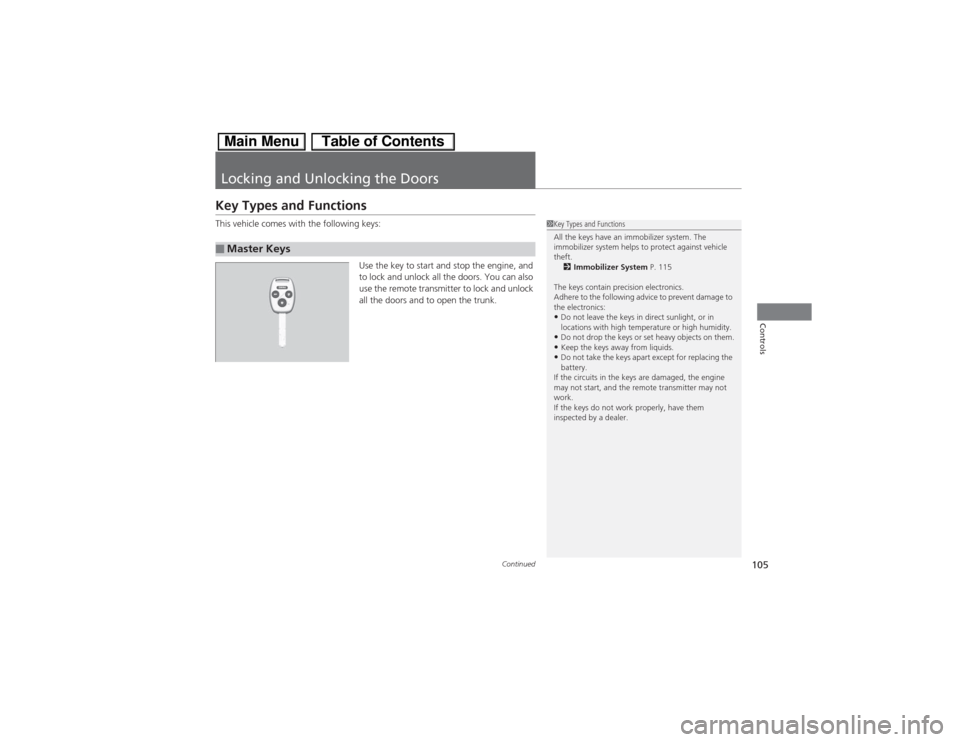
Locking and Unlocking the DoorsKey Types and FunctionsThis vehicle comes with the following keys:
Use the key to start and stop the engine, and
to lock and unlock all the doors. You can also
use the remote transmitter to lock and unlock
all the doors and to open the trunk.■Master Keys
1Key Types and Functions
All the keys have an immobilizer system. The
immobilizer system helps to protect against vehicle
theft.
2Immobilizer System P. 115
The keys contain precision electronics.
Adhere to the following advice to prevent damage to
the electronics:•Do not leave the keys in direct sunlight, or in
locations with high temperature or high humidity.•Do not drop the keys or set heavy objects on them.•Keep the keys away from liquids.•Do not take the keys apart except for replacing the
battery.
If the circuits in the keys are damaged, the engine
may not start, and the remote transmitter may not
work.
If the keys do not work properly, have them
inspected by a dealer.
Page 116 of 346
115
Continued
Controls
Security SystemImmobilizer SystemThe immobilizer system prevents a key that has not been pre-registered from
starting the engine. Each key contains electronic transmitters that use electronic
signals to verify the key.
Pay attention to the following when inserting the key into the ignition switch:
•Do not allow objects that emit strong radio waves near the ignition switch.
•Make sure the key is not covered by or touching a metal object.
•Do not bring a key from another vehicle’s immobilizer system near the ignition
switch.Security System AlarmThe security system alarm activates when the doors, trunk, or hood are opened
without the key, or remote transmitter.■When the security system alarm activates
The horn sounds intermittently and all of the exterior lights flash.■To deactivate the security system alarm
Unlock the vehicle using the key, or remote transmitter, or turn the ignition switch
to ON
(w. The system, along with the horn and flashing lights, is deactivated.
1Immobilizer SystemNOTICELeaving the ignition key in the vehicle can result in
theft or accidental movement of the vehicle.
Always take the ignition key with you whenever you
leave the vehicle unattended.
Do not alter the system or add other devices to it.
Doing so may damage the system and make your
vehicle inoperable.1Security System Alarm
The security alarm continues for a maximum of two
minutes until the security system deactivates.
Page 216 of 346

Continued
215
uuWhen DrivinguStarting the Engine
Driving
3.Turn the ignition switch to START
(e
without depressing the accelerator pedal.
1.Keeping your right foot on the brake pedal, release the parking brake. Check that
the parking brake indicator has gone off.
2Parking Brake P. 240
2.Put the shift lever in
(D. Select
(R when reversing.
3.Gradually release the brake pedal and gently depress the accelerator pedal to pull
away.
1Starting the Engine
Do not hold the key in START
(e for more than 15
seconds.
•If the engine does not start right away, wait for at
least 10 seconds before trying again.•If the engine starts, but then immediately stops,
wait at least 10 seconds before repeating step 3
while gently depressing the accelerator pedal.
Release the accelerator pedal once the engine
starts.
The immobilizer system protects your vehicle from
theft. If an improperly coded device is used, the
engine’s fuel system is disabled
2Immobilizer System P. 115
■Starting to Drive
Page 312 of 346
311Handling the Unexpected
Engine Does Not StartChecking the EngineIf the engine does not start, check the starter.
Starter condition
Checklist
Starter doesn’t turn or turns
over slowly.
The 12 volt battery may be dead.
Check each of the items on the
right and respond accordingly.
Check brightness of the interior light.
Turn on interior lights and check brightness.●If the interior lights are dim or do not come on at all
212 Volt Battery P. 288
●If the interior lights come on normally
2Fuses P. 321
The starter turns over normally
but the engine doesn’t start.
There may be a problem with the
fuse. Check each of the items on
the right and respond accordingly.
Review the engine start procedure.
Follow its instructions, and try to start the engine again.2Starting the Engine P. 214Check the immobilizer system indicator.
When the immobilizer system indicator is blinking, the engine cannot be started.2Immobilizer System P. 115Check the fuel level.
There should be enough fuel in the tank.2Fuel Gauge P. 82Check the fuse.
Check all fuses, or have the vehicle checked by a dealer.2Inspecting and Changing Fuses P. 323If the problem continues:2Emergency Towing P. 324
1Checking the Engine
If you must start the vehicle immediately, use an
assisting vehicle to jump start it.
2Jump Starting P. 312
Page 330 of 346
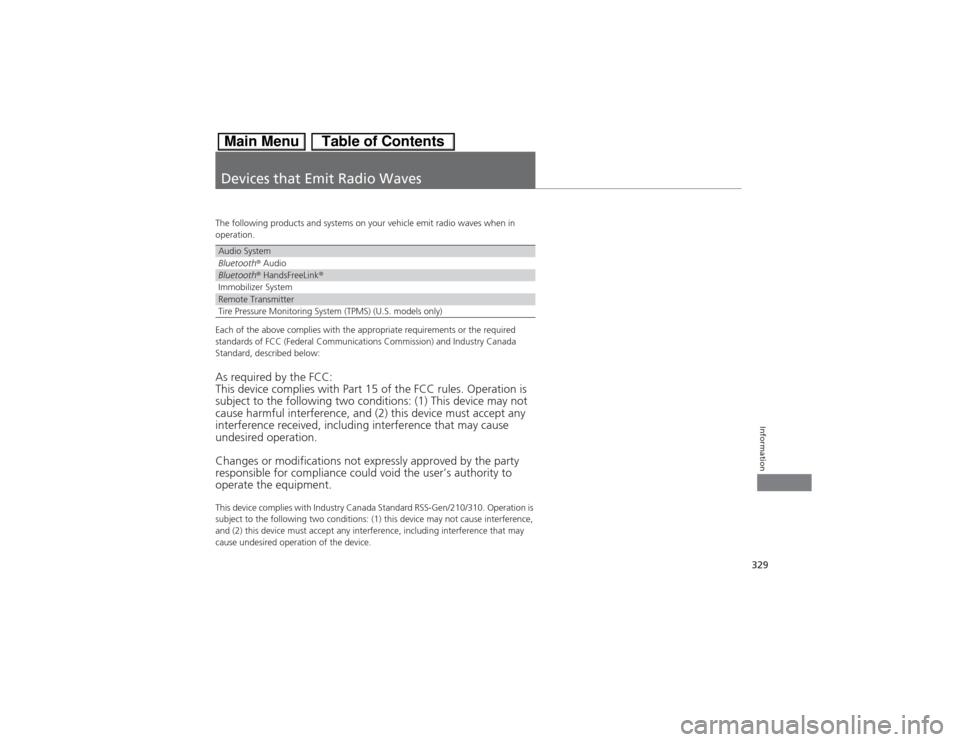
329Information
Devices that Emit Radio WavesThe following products and systems on your vehicle emit radio waves when in
operation.
Each of the above complies with the appropriate requirements or the required
standards of FCC (Federal Communications Commission) and Industry Canada
Standard, described below:As required by the FCC:
This device complies with Part 15 of the FCC rules. Operation is
subject to the following two conditions: (1) This device may not
cause harmful interference, and (2) this device must accept any
interference received, including interference that may cause
undesired operation.
Changes or modifications not expressly approved by the party
responsible for compliance could void the user’s authority to
operate the equipment.This device complies with Industry Canada Standard RSS-Gen/210/310. Operation is
subject to the following two conditions: (1) this device may not cause interference,
and (2) this device must accept any interference, including interference that may
cause undesired operation of the device.Audio SystemBluetooth® AudioBluetooth® HandsFreeLink®Immobilizer SystemRemote TransmitterTire Pressure Monitoring System (TPMS) (U.S. models only)