Page 175 of 346
174
uuGeneral Information on the Audio SystemuCompatible iPod®, iPhone® and USB Flash Drives
Features
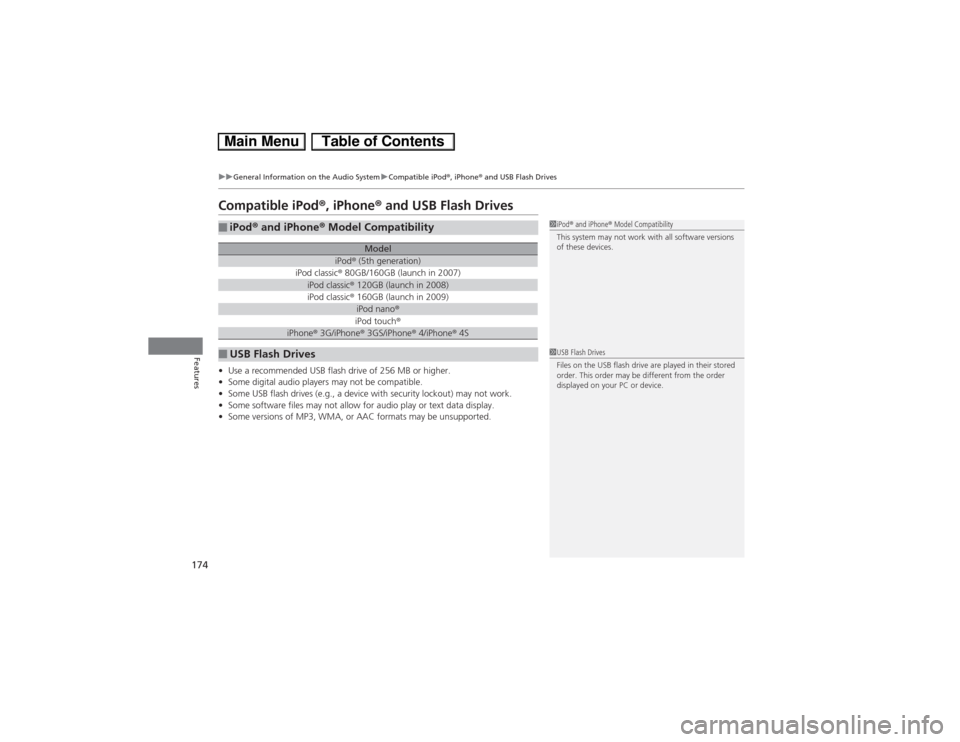
Compatible iPod®, iPhone® and USB Flash Drives•Use a recommended USB flash drive of 256 MB or higher.
•Some digital audio players may not be compatible.
•Some USB flash drives (e.g., a device with security lockout) may not work.
•Some software files may not allow for audio play or text data display.
•Some versions of MP3, WMA, or AAC formats may be unsupported.■iPod® and iPhone® Model Compatibility
Model
iPod® (5th generation)
iPod classic® 80GB/160GB (launch in 2007)iPod classic® 120GB (launch in 2008)iPod classic® 160GB (launch in 2009)
iPod nano®iPod touch®
iPhone® 3G/iPhone® 3GS/iPhone® 4/iPhone® 4S
■USB Flash Drives
1iPod® and iPhone® Model Compatibility
This system may not work with all software versions
of these devices.1USB Flash Drives
Files on the USB flash drive are played in their stored
order. This order may be different from the order
displayed on your PC or device.
Page 208 of 346
207
Driving
This chapter discusses driving, refueling, and information on items such as accessories.
Before Driving
Driving Preparation .......................... 208
Maximum Load Limit........................ 211
Towing a Trailer
Towing Your Vehicle ........................ 213
When Driving
Starting the Engine .......................... 214
Precautions While Driving................. 217
Automatic Transmission (CVT) .......... 218
Shifting ............................................ 219
ECON Button ................................... 221
Auto Idle Stop.................................. 222Cruise Control ................................. 225
Forward Collision Warning (FCW)
*.. 228
Lane Departure Warning (LDW)
*..... 232
Vehicle Stability Assist (VSA®), aka Electronic
Stability Control (ESC), System ............. 235Tire Pressure Monitoring System (TPMS) ... 237
Tire Pressure Monitoring System (TPMS) -
Required Federal Explanation ......... 238
Braking
Brake System ................................... 240
Anti-lock Brake System (ABS) ........... 242
Brake Assist System.......................... 243Parking Your Vehicle
When Stopped ................................ 244
Rearview Camera............................. 245
Refueling
Fuel Information .............................. 246
How to Refuel ................................. 247
Fuel Economy
Improving Fuel Economy .................. 249
Accessories and Modifications
Accessories ...................................... 250
Modifications................................... 250
* Not available on all models
Page 222 of 346
221
uuWhen DrivinguECON Button
Driving
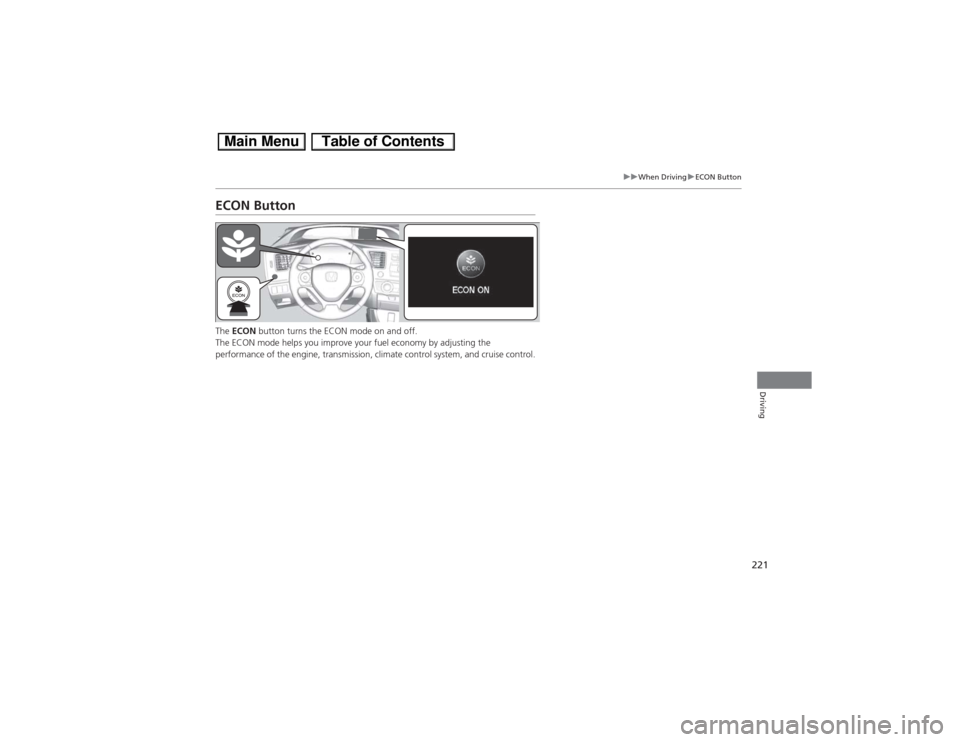
ECON ButtonThe ECON button turns the ECON mode on and off.
The ECON mode helps you improve your fuel economy by adjusting the
performance of the engine, transmission, climate control system, and cruise control.
Page 223 of 346
222
uuWhen DrivinguAuto Idle Stop
Driving
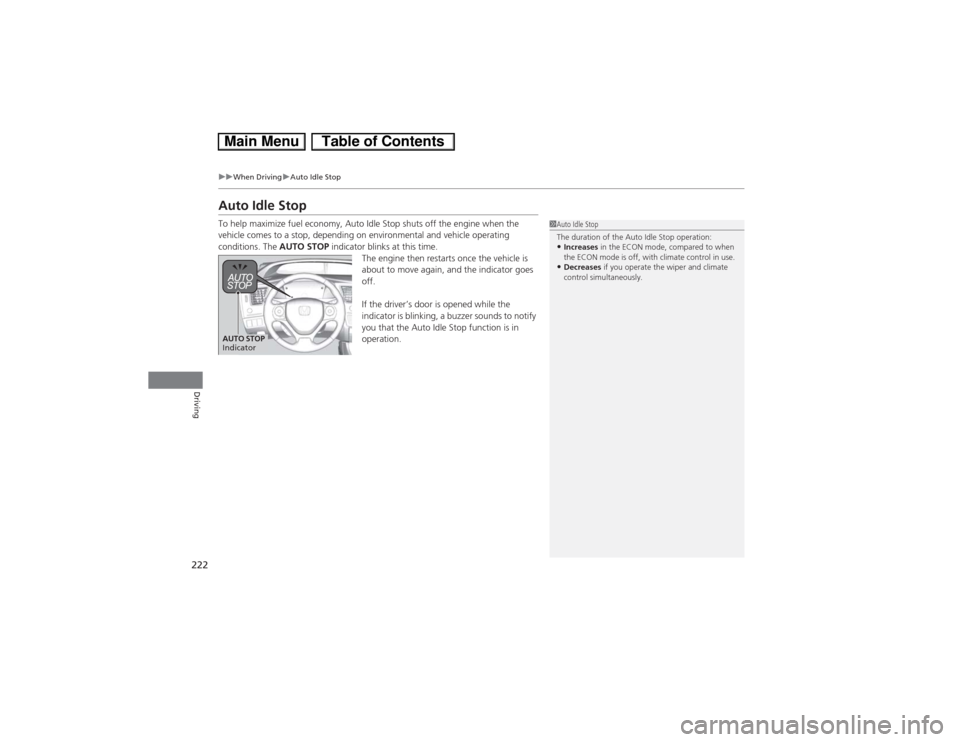
Auto Idle StopTo help maximize fuel economy, Auto Idle Stop shuts off the engine when the
vehicle comes to a stop, depending on environmental and vehicle operating
conditions. The AUTO STOP indicator blinks at this time.
The engine then restarts once the vehicle is
about to move again, and the indicator goes
off.
If the driver’s door is opened while the
indicator is blinking, a buzzer sounds to notify
you that the Auto Idle Stop function is in
operation.
1Auto Idle Stop
The duration of the Auto Idle Stop operation:•Increases in the ECON mode, compared to when
the ECON mode is off, with climate control in use. •Decreases if you operate the wiper and climate
control simultaneously.
AUTO STOP
Indicator
Page 226 of 346
225
uuWhen DrivinguCruise Control
Continued
Driving
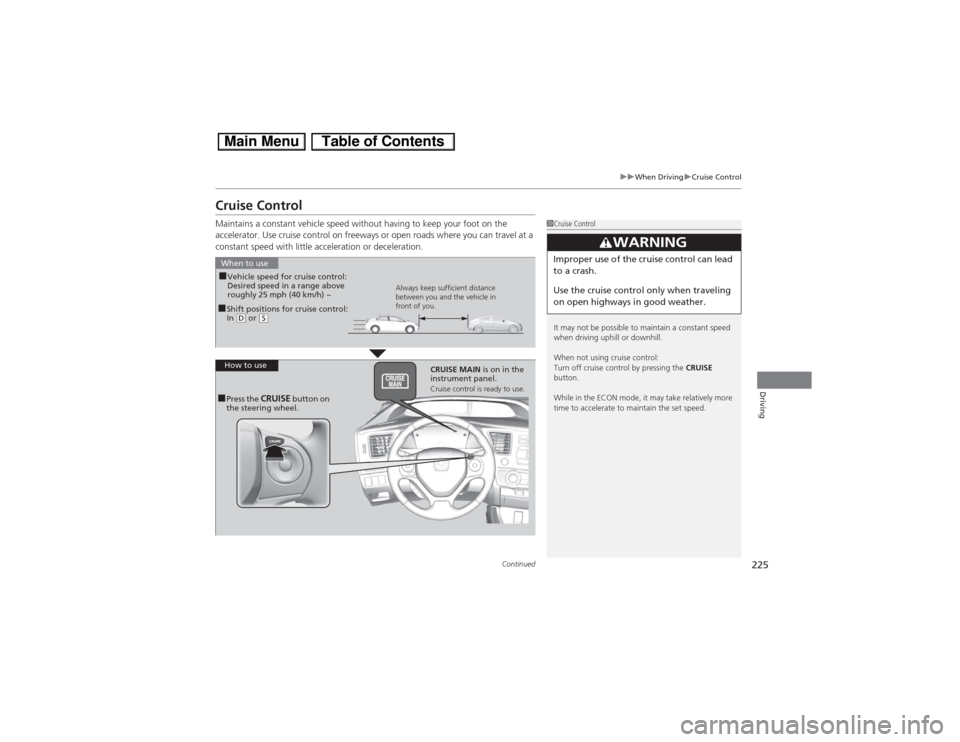
Cruise ControlMaintains a constant vehicle speed without having to keep your foot on the
accelerator. Use cruise control on freeways or open roads where you can travel at a
constant speed with little acceleration or deceleration.
1Cruise Control
It may not be possible to maintain a constant speed
when driving uphill or downhill.
When not using cruise control:
Turn off cruise control by pressing the CRUISE
button.
While in the ECON mode, it may take relatively more
time to accelerate to maintain the set speed.
3
WARNING
Improper use of the cruise control can lead
to a crash.
Use the cruise control only when traveling
on open highways in good weather.
■Shift positions for cruise control:
In (D or
(S
When to use
Always keep sufficient distance
between you and the vehicle in
front of you.
■Vehicle speed for cruise control:
Desired speed in a range above
roughly 25 mph (40 km/h) ~
How to use
CRUISE MAIN is on in the
instrument panel.
Cruise control is ready to use.
■Press the
CRUISE
button on
the steering wheel.
Page 230 of 346
Continued
229
uuWhen DrivinguForward Collision Warning (FCW)
*
Driving
1Forward Collision Warning (FCW)
*
Never apply a film or attach any objects to the
windshield that could obstruct the FCW camera’s
field of vision.
Scratches, nicks, and other damage to the windshield
within the FCW camera’s field of vision can cause the
system to operate abnormally. If this occurs, we
recommend that you replace the windshield with a
genuine Honda replacement windshield. Making
even minor repairs within the camera’s field of vision
or installing an aftermarket replacement windshield
may also cause the system to operate abnormally.
After replacing the windshield, have a dealer
recalibrate the camera. Proper calibration of the FCW
camera is necessary for the system to operate
properly.
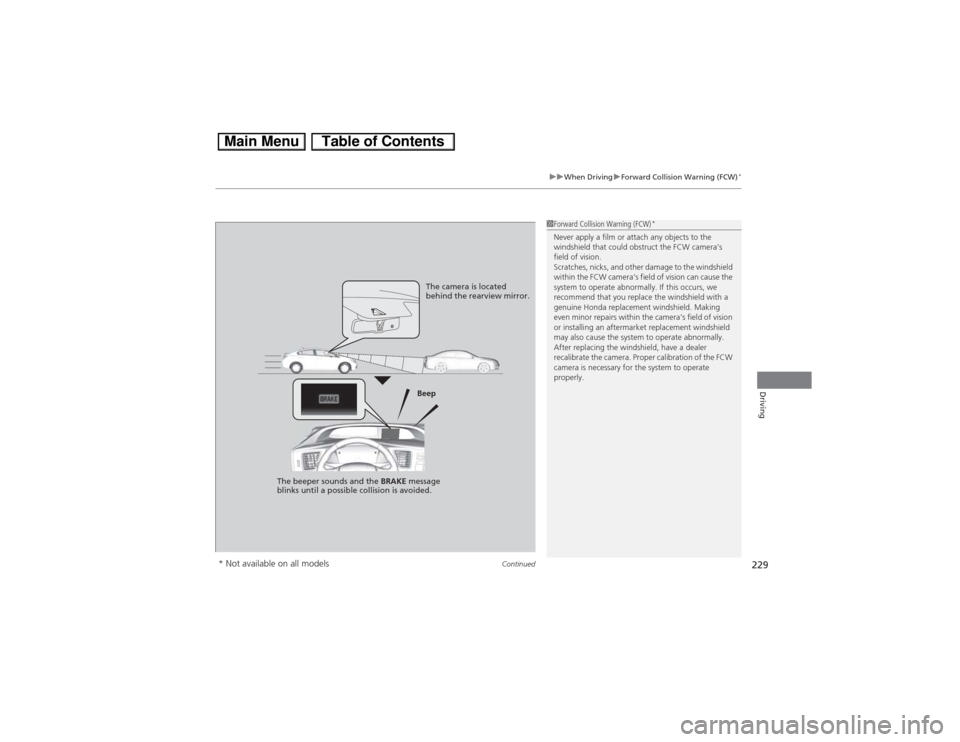
The camera is located
behind the rearview mirror.
Beep
The beeper sounds and the BRAKE message
blinks until a possible collision is avoided.
* Not available on all models
Page 235 of 346
uuWhen DrivinguLane Departure Warning (LDW)
*
234Driving
LDW may not activate or may not recognize lanes, and may activate even when
keeping in the middle of a lane under the following conditions.■LDW Limitations
Condition
●When you drive in bad weather (rain, fog, etc.).●A heavy load in the rear or modifications to the suspension tilts your vehicle.●An abnormal tire condition is detected (wrong tire size, flat tire, etc.).●When the windshield is blocked by dirt, mud, leaves, wet snow, etc.●When the temperature inside the system is high.●A sudden change between light and dark such as an entrance or exit of a tunnel.●You drive into the sunlight (e.g. at dawn or dusk).●When the windshield is dirty or cloudy.●When you drive in the shadows of trees, buildings, etc.●When you drive on a wet road surface following another vehicle.uThe camera may perceive the tire tracks in the water as lane lines.
●When there is snow or wheel tracks on the side of the road.●When the road has many repaired area or an erased lane line.●When the vehicle is running over painted signs or crosswalk markings.●When you drive in a lane with worn-out lane markings.
1LDW Camera
If the Camera Too Hot message appears:•Use the climate control system to cool down the
interior and, if necessary, the defroster mode when
windows are fogged.•Start driving the vehicle to lower the windshield
temperature, which cools down the area around
the LDW camera.
Page 237 of 346
uuWhen DrivinguVehicle Stability Assist (VSA®), aka Electronic Stability Control (ESC), System
236Driving
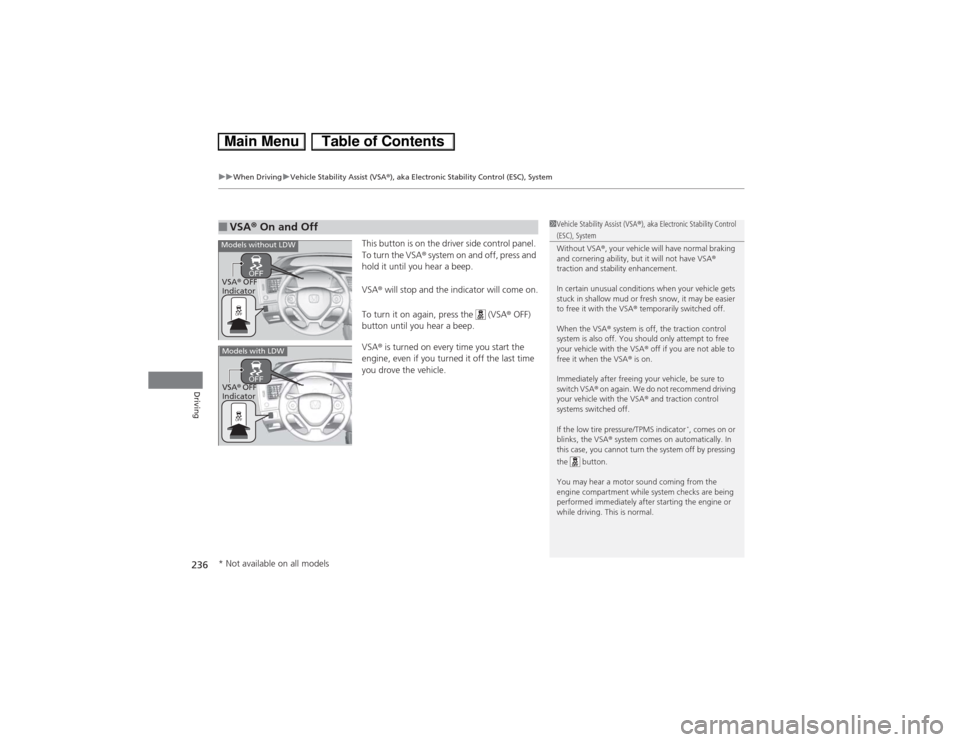
This button is on the driver side control panel.
To turn the VSA® system on and off, press and
hold it until you hear a beep.
VSA® will stop and the indicator will come on.
To turn it on again, press the (VSA® OFF)
button until you hear a beep.
VSA® is turned on every time you start the
engine, even if you turned it off the last time
you drove the vehicle.
■VSA® On and Off
1Vehicle Stability Assist (VSA®), aka Electronic Stability Control (ESC), System
Without VSA®, your vehicle will have normal braking
and cornering ability, but it will not have VSA®
traction and stability enhancement.
In certain unusual conditions when your vehicle gets
stuck in shallow mud or fresh snow, it may be easier
to free it with the VSA® temporarily switched off.
When the VSA® system is off, the traction control
system is also off. You should only attempt to free
your vehicle with the VSA® off if you are not able to
free it when the VSA® is on.
Immediately after freeing your vehicle, be sure to
switch VSA® on again. We do not recommend driving
your vehicle with the VSA® and traction control
systems switched off.
If the low tire pressure/TPMS indicator
*, comes on or
blinks, the VSA® system comes on automatically. In
this case, you cannot turn the system off by pressing
the button.
You may hear a motor sound coming from the
engine compartment while system checks are being
performed immediately after starting the engine or
while driving. This is normal.
Models without LDWVSA® OFF
IndicatorModels with LDWVSA® OFF
Indicator* Not available on all models