Page 41 of 386
•Station overload: When you pass a broadcast tower, a stronger signal
may overtake a weaker one and play while the weak station frequency
is displayed.
•Electric motor noise: AM reception is affected by static and tones
created by the electric motor in your plug-in/hybrid vehicle. These
noises are inherent to the technology used on this vehicle and cannot
be mitigated by your Ford dealer. The noise becomes more or less
significant depending upon the other factors listed here for reception.
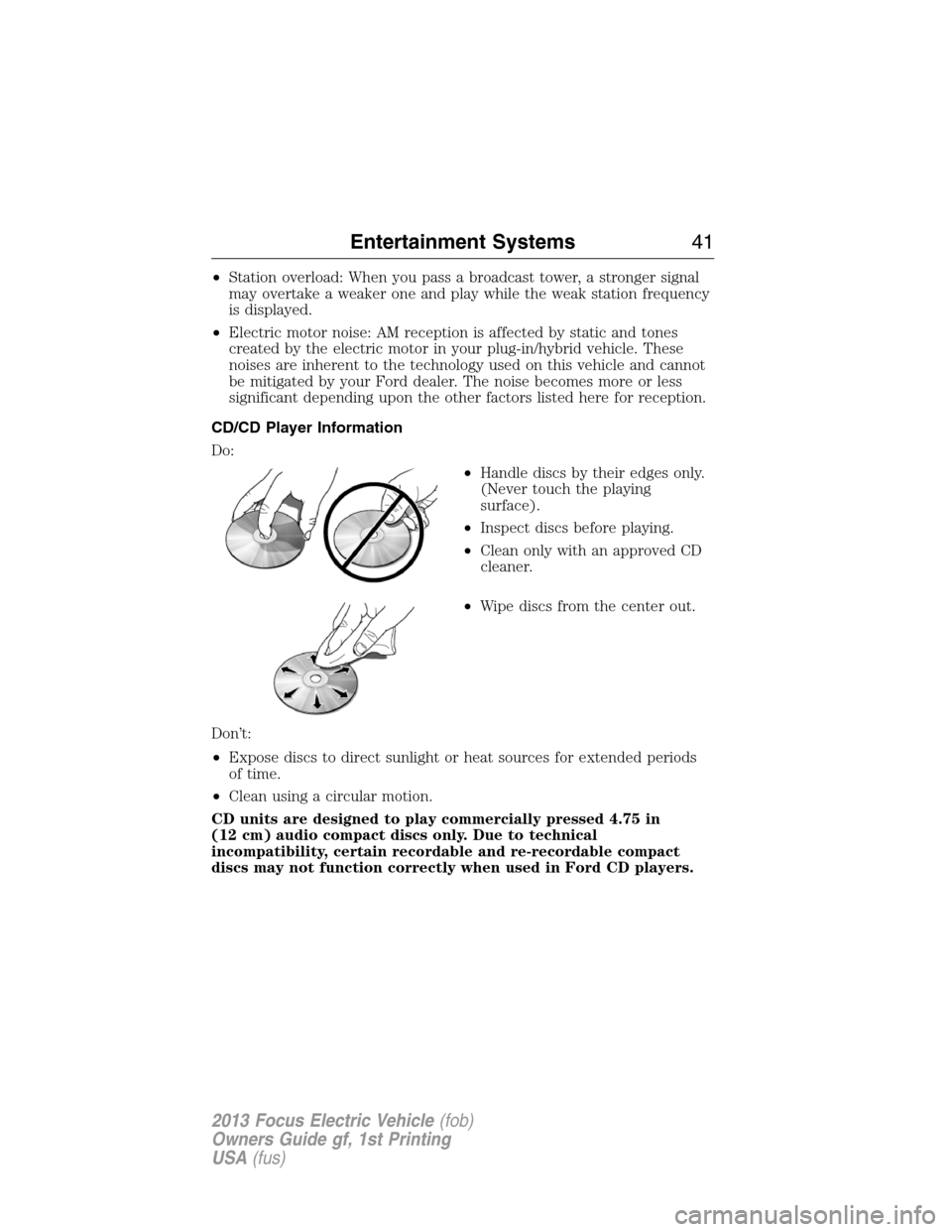
CD/CD Player Information
Do:
•Handle discs by their edges only.
(Never touch the playing
surface).
•Inspect discs before playing.
•Clean only with an approved CD
cleaner.
•Wipe discs from the center out.
Don’t:
•Expose discs to direct sunlight or heat sources for extended periods
of time.
•Clean using a circular motion.
CD units are designed to play commercially pressed 4.75 in
(12 cm) audio compact discs only. Due to technical
incompatibility, certain recordable and re-recordable compact
discs may not function correctly when used in Ford CD players.
Entertainment Systems41
2013 Focus Electric Vehicle(fob)
Owners Guide gf, 1st Printing
USA(fus)
Page 43 of 386
•Terrain: Hills, mountains, tall buildings, bridges, tunnels, freeway
overpasses, parking garages, dense tree foliage and thunderstorms can
interfere with your reception.
•Station overload: When you pass a ground based broadcast repeating
tower, a stronger signal may overtake a weaker one and result in an
audio mute.
Unlike AM/FM audible static, you will hear an audio mute when there is
satellite radio signal interference. Your radio display may display NO
SIGNAL to indicate the interference.
SIRIUS�Satellite Radio Service
Note:SIRIUS�reserves the unrestricted right to change, rearrange, add
or delete programming including canceling, moving or adding particular
channels, and its prices, at any time, with or without notice to you. Ford
Motor Company shall not be responsible for any such programming
changes.
SIRIUS�satellite radio is a subscription based satellite radio service that
broadcasts music, sports, news and entertainment programming. A
service fee is required in order to receive SIRIUS�service. Vehicles that
are equipped with a factory installed SIRIUS�satellite radio system
include hardware and a limited subscription term, which begins on the
date of sale or lease of the vehicle.
For information on extended subscription terms, the online media player
and other SIRIUS�features, please contact SIRIUS�at 1–888–539–7474.
Satellite Radio Electronic Serial Number (ESN)
This 12–digit Satellite Serial Number is needed to activate, modify or
track your satellite radio account. You will need this number when
communicating with SIRIUS�. While in satellite radio mode, you can view
this number on the radio display by pressing the Menu icon > SIRIUS >
Show ESN.
Entertainment Systems43
2013 Focus Electric Vehicle(fob)
Owners Guide gf, 1st Printing
USA(fus)
Page 44 of 386
Troubleshooting
Radio Display Condition Action Required
ACQUIRING Radio requires more
than two seconds to
produce audio for the
selected channel.No action required.
This message should
disappear shortly.
SAT FAULT Internal module or
system failure
present.If this message does
not clear within a short
period of time, or with
an ignition key cycle,
your receiver may have
a fault. See your
authorized dealer for
service.
INVALID CHNL Channel no longer
available.This previously
available channel is no
longer available. Tune
to another channel. If
the channel was one of
your presets, you may
choose another channel
for that preset button.
UNSUBSCRIBED Subscription not
available for this
channel.Contact SIRIUS�at
1–888–539–7474 to
subscribe to the
channel or tune to
another channel.
NO TEXT Artist information not
available.Artist information not
available at this time on
this channel. The
system is working
properly.
44Entertainment Systems
2013 Focus Electric Vehicle(fob)
Owners Guide gf, 1st Printing
USA(fus)
Page 45 of 386
Radio Display Condition Action Required
NO TEXT Song title information
not available.Song title information
not available at this
time on this channel.
The system is working
properly.
NO TEXT Category information
not available.Category information
not available at this
time on this channel.
The system is working
properly.
NO SIGNAL Loss of signal from
the SIRIUS�satellite
or SIRIUS�tower to
the vehicle antenna.You are in a location
that is blocking the
SIRIUS�signal (i.e.,
tunnel, under an
overpass, dense foliage,
etc). The system is
working properly. When
you move into an open
area, the signal should
return.
UPDATING Update of channel
programming in
progress.No action required. The
process may take up to
three minutes.
CALL SIRIUS�
1–888–539–7474Satellite service has
been deactivated by
SIRIUS�satellite
radio.Call SIRIUS�at
1–888–539–7474 to
re-activate or resolve
subscription issues.
Entertainment Systems45
2013 Focus Electric Vehicle(fob)
Owners Guide gf, 1st Printing
USA(fus)
Page 46 of 386
INTRODUCTION
WARNING:Driving while distracted can result in loss of vehicle
control, accident and injury. Ford strongly recommends that
drivers use extreme caution when using any device or feature that may
take their focus off the road. Your primary responsibility is the safe
operation of the vehicle. We recommend against the use of any
handheld device while driving, encourage the use of voice-operated
systems when possible and that you become aware of applicable state
and local laws that may affect use of electronic devices while driving.
Note:Some features are not available while the vehicle is moving.
Note:Your system is equipped with a feature that allows you to access
and control audio features for 30 minutes after the ignition has been
turned off (as long as no doors are opened).
This system uses a four-corner strategy to provide quick access to
vehicle features and settings. The comprehensive touchscreen provides
easy interaction with your cellular phone, multimedia, climate control
and navigation system. The corners display any active modes within
those menus, such as your phone being connected or the climate
temperature.
SETTINGS
Press to select any of the following:
•Clock
•Display
•Sound
•Vehicle
•Settings
•Help
INFORMATION
Press to select any of the following:
•SYNC�Services
•SIRIUS�Travel Link™
•Alerts
•Calendar
•SYNC Apps
46MyFord Touch�
2013 Focus Electric Vehicle(fob)
Owners Guide gf, 1st Printing
USA(fus)
Page 49 of 386
Cleaning the Touchscreen Display
Clean the display with a clean, soft cloth, such as one used for cleaning
glasses. If dirt or finger prints are still visible, apply a small amount of
alcohol to the cloth. Do not pour or spray alcohol onto the display. Do
not use detergent or any type of solvent to clean the display.
Support
The SYNC support team is available to help you with any questions you
aren’t able to answer on your own.
Monday-Saturday, 8:30 am-8pm EST
In the United States, call: 1–888–270–1055
In Canada, call: 1–800–565–3673
Times are subject to change due to holidays.
SYNC Owner Account
Why do I need a SYNC owner account?
•Required to activate Vehicle Health Report and to view the reports
online.
•Required to activate the subscription-based SYNC Services and to
personalize your Saved Points and Favorites.
•Essential for keeping up with the latest software downloads available
for SYNC.
•Access to customer support for any questions you may have.
Safety Information
WARNING:Driving while distracted can result in loss of vehicle
control, accident and injury. Ford strongly recommends that
drivers use extreme caution when using any device that may take their
focus off the road. Your primary responsibility is the safe operation of
the vehicle. We recommend against the use of any handheld device
while driving, encourage the use of voice-operated systems when
possible and that you become aware of applicable state and local laws
that may affect use of electronic devices while driving.
When using SYNC, do not:
•Operate playing devices if the power cords or cables are broken, split
or damaged. Carefully place cords and cables where they cannot be
stepped on or interfere with the operation of pedals, seats,
compartments or safe driving abilities.
MyFord Touch�49
2013 Focus Electric Vehicle(fob)
Owners Guide gf, 1st Printing
USA(fus)
Page 52 of 386
ACCESSING AND ADJUSTING MODES THROUGH YOUR
INFOTAINMENT DISPLAY
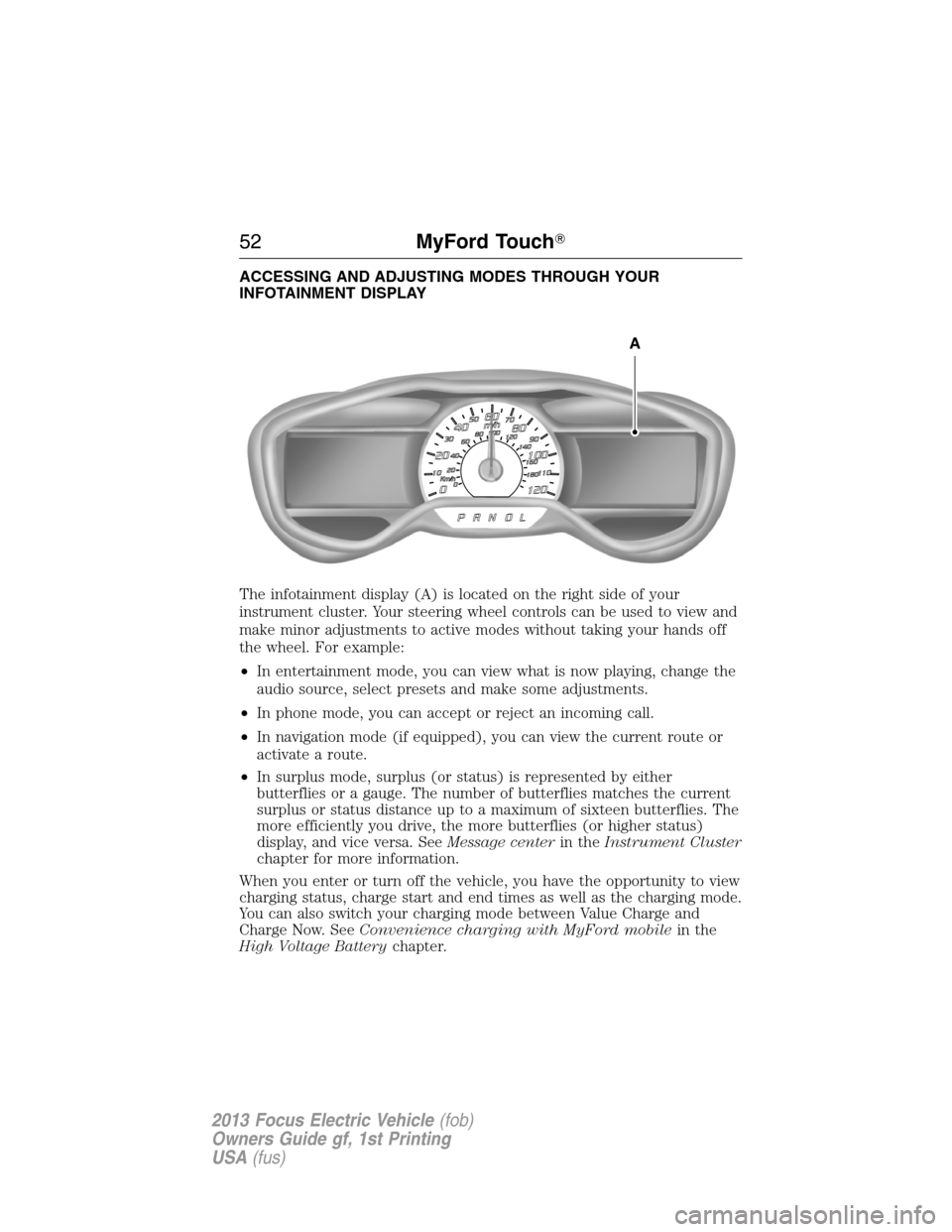
The infotainment display (A) is located on the right side of your
instrument cluster. Your steering wheel controls can be used to view and
make minor adjustments to active modes without taking your hands off
the wheel. For example:
•In entertainment mode, you can view what is now playing, change the
audio source, select presets and make some adjustments.
•In phone mode, you can accept or reject an incoming call.
•In navigation mode (if equipped), you can view the current route or
activate a route.
•In surplus mode, surplus (or status) is represented by either
butterflies or a gauge. The number of butterflies matches the current
surplus or status distance up to a maximum of sixteen butterflies. The
more efficiently you drive, the more butterflies (or higher status)
display, and vice versa. SeeMessage centerin theInstrument Cluster
chapter for more information.
When you enter or turn off the vehicle, you have the opportunity to view
charging status, charge start and end times as well as the charging mode.
You can also switch your charging mode between Value Charge and
Charge Now. SeeConvenience charging with MyFord mobilein the
High Voltage Batterychapter.
A
52MyFord Touch�
2013 Focus Electric Vehicle(fob)
Owners Guide gf, 1st Printing
USA(fus)
Page 53 of 386
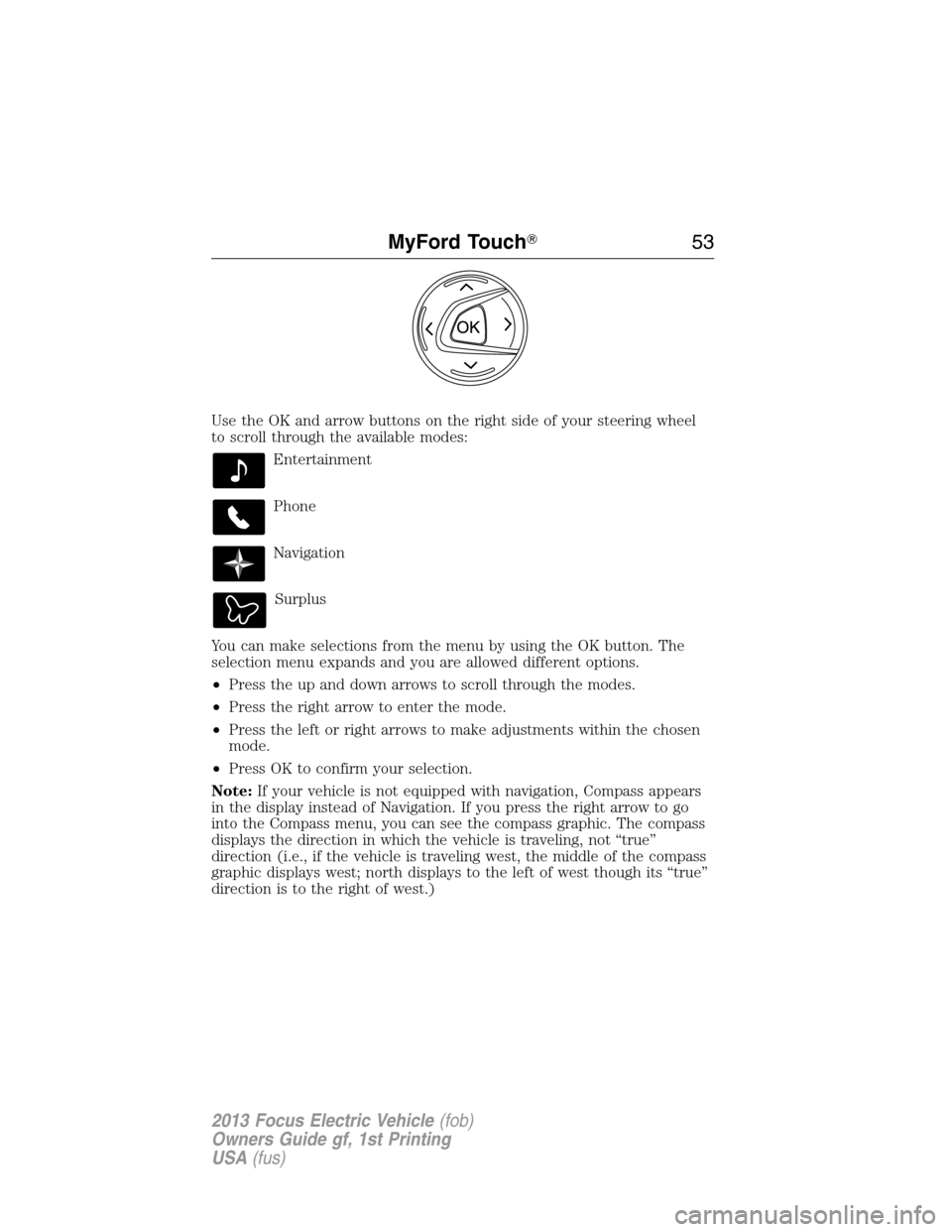
Use the OK and arrow buttons on the right side of your steering wheel
to scroll through the available modes:
Entertainment
Phone
Navigation
Surplus
You can make selections from the menu by using the OK button. The
selection menu expands and you are allowed different options.
•Press the up and down arrows to scroll through the modes.
•Press the right arrow to enter the mode.
•Press the left or right arrows to make adjustments within the chosen
mode.
•Press OK to confirm your selection.
Note:If your vehicle is not equipped with navigation, Compass appears
in the display instead of Navigation. If you press the right arrow to go
into the Compass menu, you can see the compass graphic. The compass
displays the direction in which the vehicle is traveling, not “true”
direction (i.e., if the vehicle is traveling west, the middle of the compass
graphic displays west; north displays to the left of west though its “true”
direction is to the right of west.)
MyFord Touch�53
2013 Focus Electric Vehicle(fob)
Owners Guide gf, 1st Printing
USA(fus)