Page 416 of 860
416 3-2. Using the audio system
SIENNA_U (OM45477U)
XM® Satellite Radio (if equipped)
■ Receiving XM
® Satellite Radio
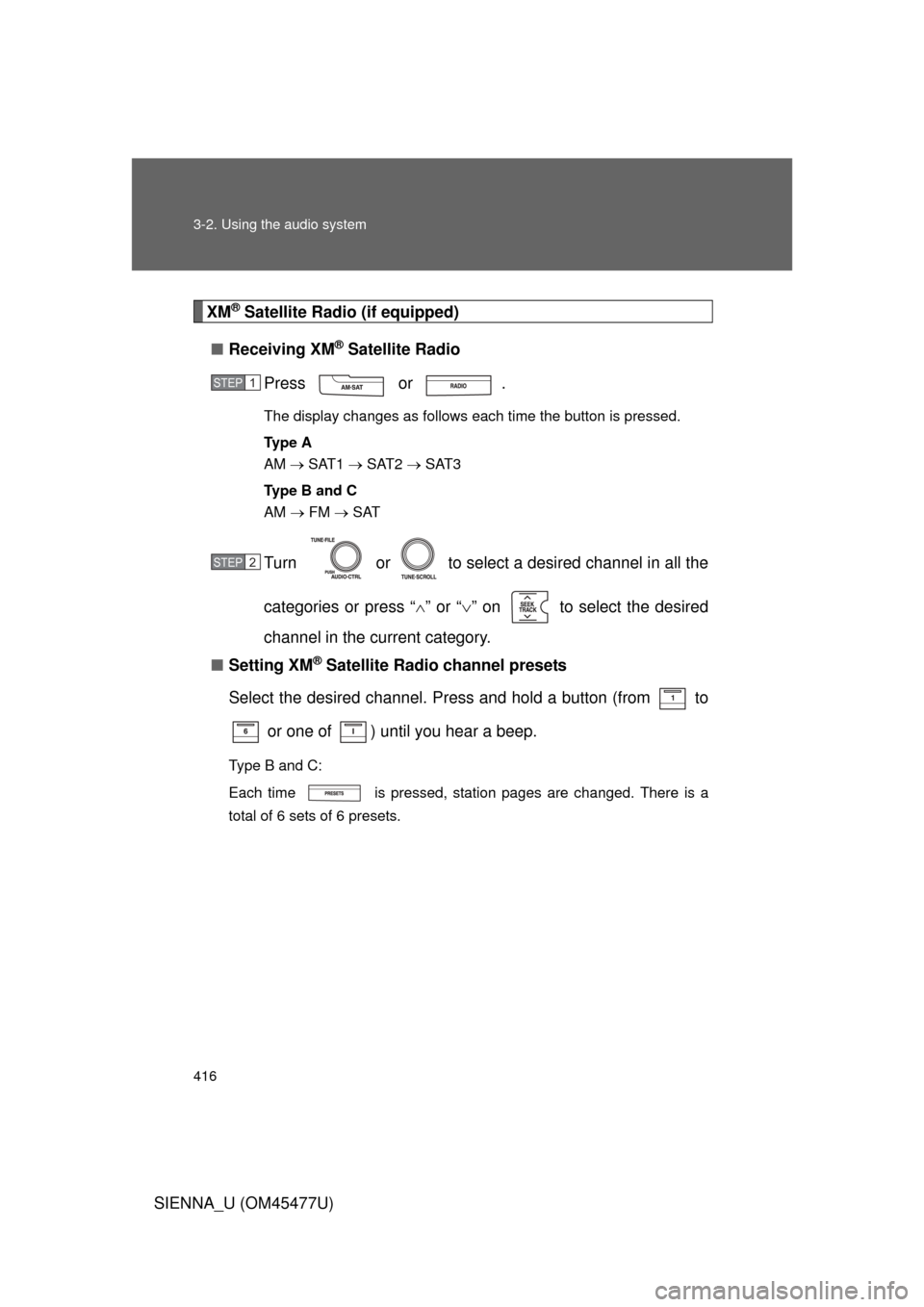
Press or .
The display changes as follows each time the button is pressed.
Ty p e A
AM SAT1 SAT2 SAT3
Ty p e B a n d C
AM FM SAT
Turn or to select a desired channel in all the
categories or press “ ” or “ ” on to select the desired
channel in the current category.
■ Setting XM
® Satellite Radio channel presets
Select the desired channel. Press and hold a button (from to
or one of ) until you hear a beep.
Type B and C:
Each time is pressed, station pages are changed. There is a
total of 6 sets of 6 presets.
STEP1
STEP2
Page 417 of 860
417
3-2. Using the audio system
3
Interior features
SIENNA_U (OM45477U)
■
Changing the channel category
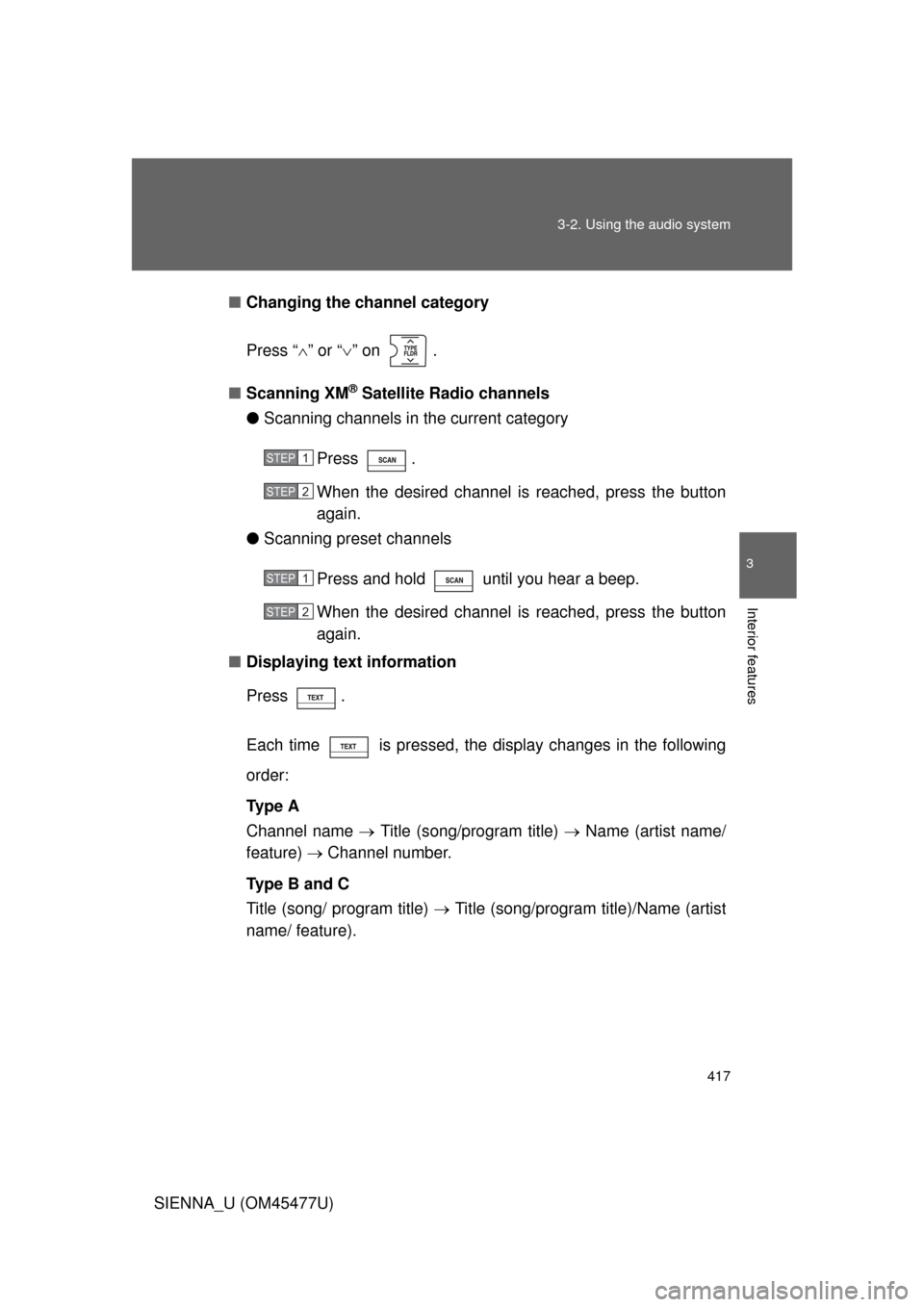
Press “ ” or “ ” on .
■ Scanning XM
® Satellite Radio channels
● Scanning channels in the current category
Press .
When the desired channel is reached, press the button
again.
● Scanning preset channels
Press and hold until you hear a beep.
When the desired channel is reached, press the button
again.
■ Displaying text information
Press .
Each time is pressed, the display changes in the following
order:
Ty p e A
Channel name Title (song/program title) Name (artist name/
feature) Channel number.
Type B and C
Title (song/ program title) Title (song/program title)/Name (artist
name/ feature).
STEP1
STEP2
STEP1
STEP2
Page 422 of 860
422
3-2. Using the audio system
SIENNA_U (OM45477U)
Using the CD player
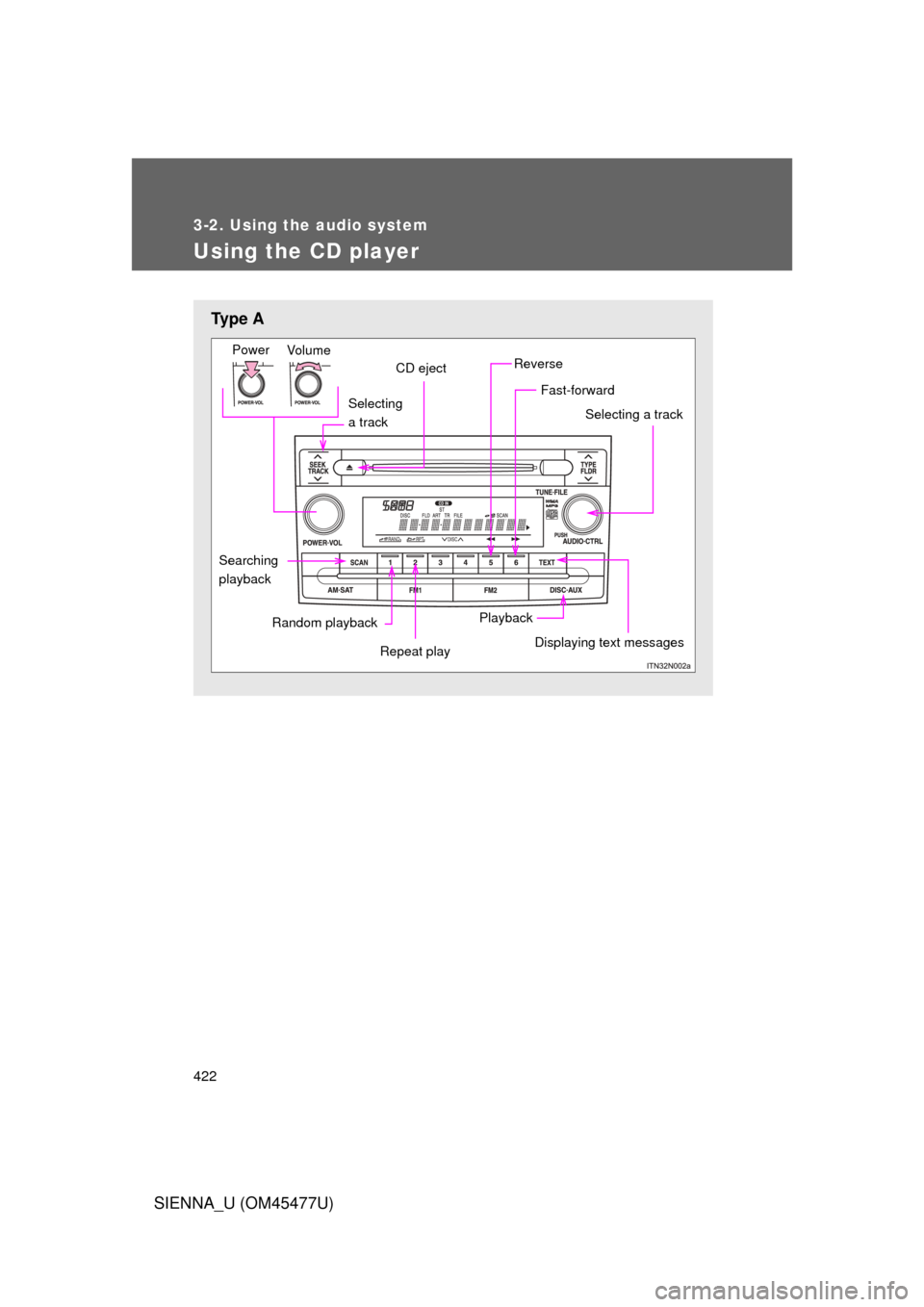
Ty p e A
Selecting
a track
Vo lu m e
Power
CD eject
Selecting a track
Playback
Random playback
Displaying text messages
Repeat play
Searching
playback
Fast-forward
Reverse
Page 423 of 860
423
3-2. Using the audio system
3
Interior features
SIENNA_U (OM45477U)
Loading CDs
■ Loading a CD (type A and B)
Insert a CD.
■ Loading a CD (type C)
Press .
Insert a CD when the indicator on the slot turns from amber to
green.
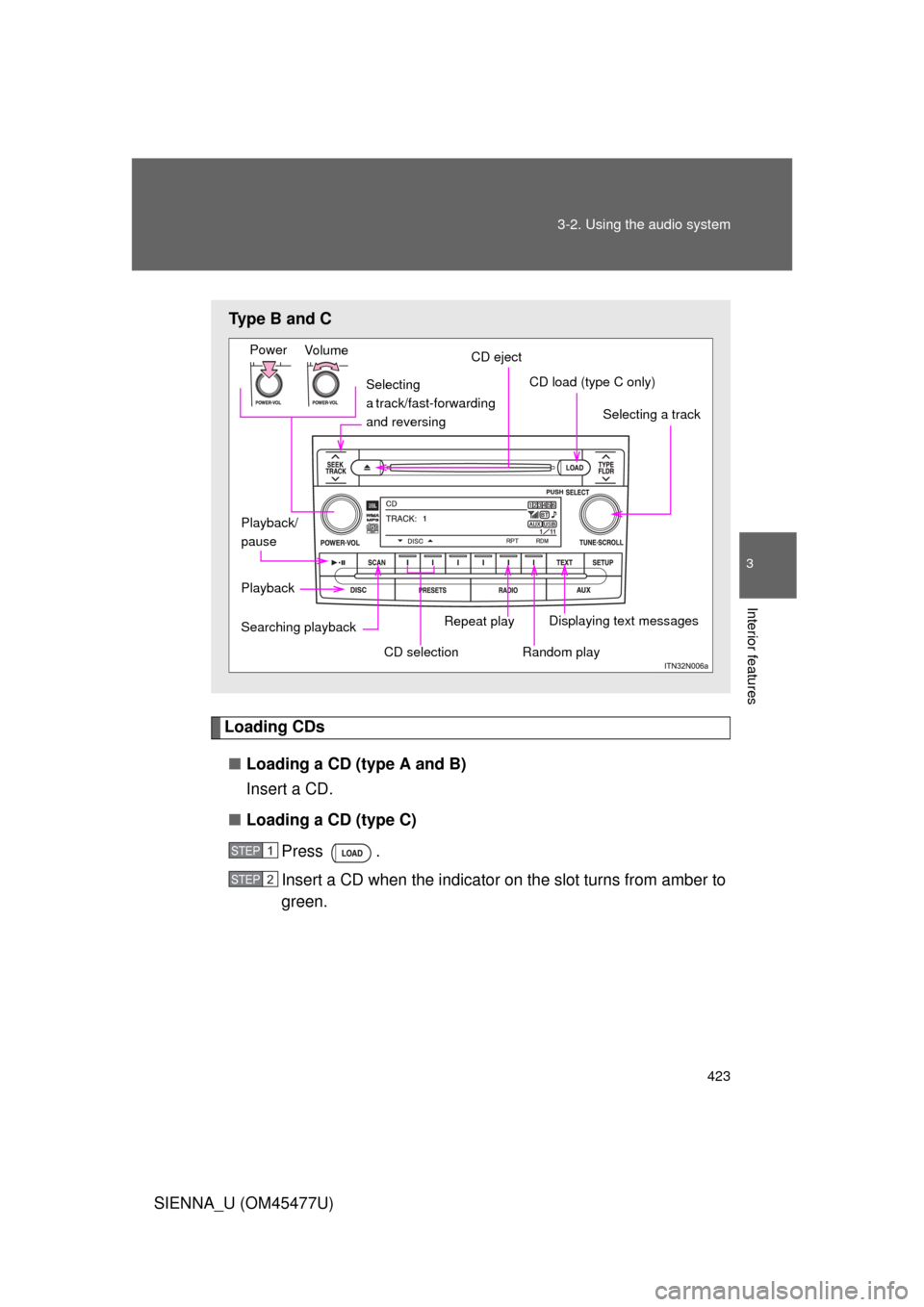
Type B and C
Selecting
a track/fast-forwarding
and reversing
Vo lu m e
Power
Selecting a track
Playback Displaying text messages
Searching playback
CD load (type C only)
Playback/
pause
Random play
CD selection
Repeat play
CD eject
STEP1
STEP2
Page 424 of 860
424 3-2. Using the audio system
SIENNA_U (OM45477U)■
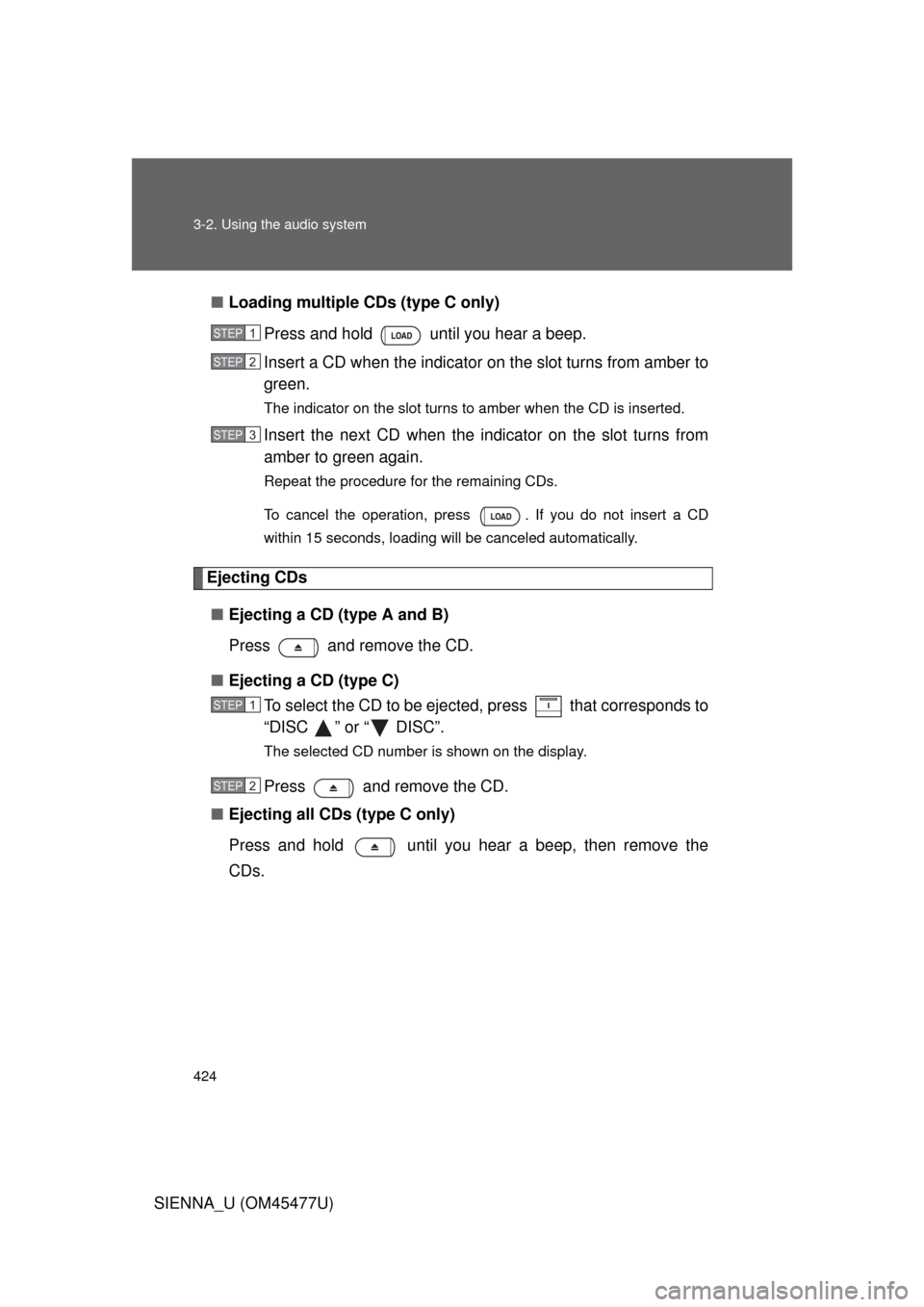
Loading multiple CDs (type C only)
Press and hold until you hear a beep.
Insert a CD when the indicator on the slot turns from amber to
green.
The indicator on the slot turns to amber when the CD is inserted.
Insert the next CD when the indicator on the slot turns from
amber to green again.
Repeat the procedure for the remaining CDs.
To cancel the operation, press . If you do not insert a CD
within 15 seconds, loading will be canceled automatically.
Ejecting CDs
■ Ejecting a CD (type A and B)
Press and remove the CD.
■ Ejecting a CD (type C)
To select the CD to be eject ed, press that corresponds to
“DISC ” or “ DISC”.
The selected CD number is shown on the display.
Press and remove the CD.
■ Ejecting all CDs (type C only)
Press and hold until you hear a beep, then remove the
CDs.
STEP1
STEP2
STEP3
STEP1
STEP2
Page 427 of 860
427
3-2. Using the audio system
3
Interior features
SIENNA_U (OM45477U)
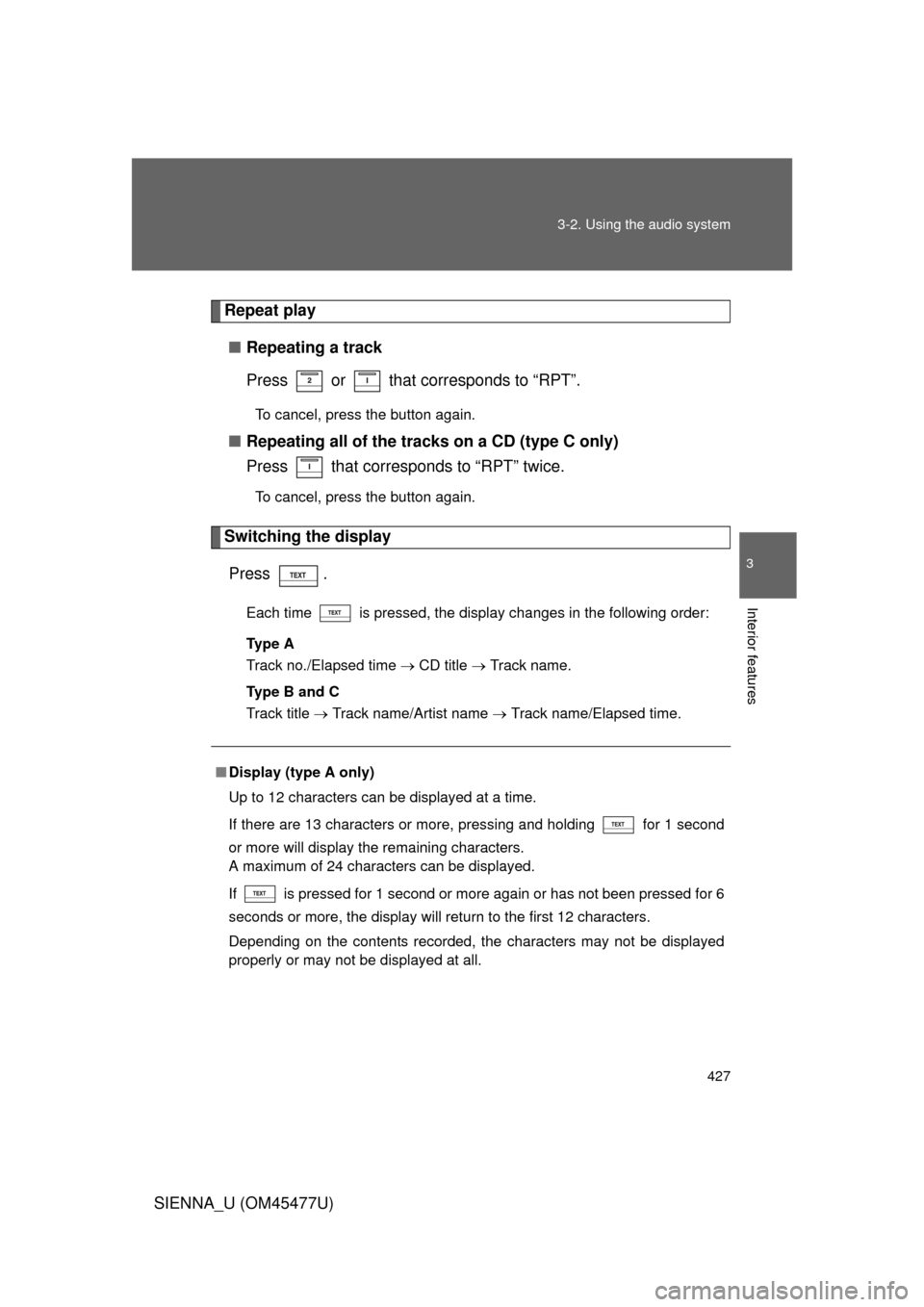
Repeat play
■ Repeating a track
Press or that corresponds to “RPT”.
To cancel, press the button again.
■Repeating all of the tracks on a CD (type C only)
Press that corresponds to “RPT” twice.
To cancel, press the button again.
Switching the display
Press .
Each time is pressed, the display changes in the following order:
Ty p e A
Track no./Elapsed time CD title Track name.
Ty p e B a n d C
Track title Track name/Artist name Track name/Elapsed time.
■Display (type A only)
Up to 12 characters can be displayed at a time.
If there are 13 characters or more, pressing and holding for 1 second
or more will display the remaining characters.
A maximum of 24 characters can be displayed.
If is pressed for 1 second or more again or has not been pressed for 6
seconds or more, the display will return to the first 12 characters.
Depending on the contents recorded, the characters may not be displayed
properly or may not be displayed at all.
Page 431 of 860
431
3-2. Using the audio system
3
Interior features
SIENNA_U (OM45477U)
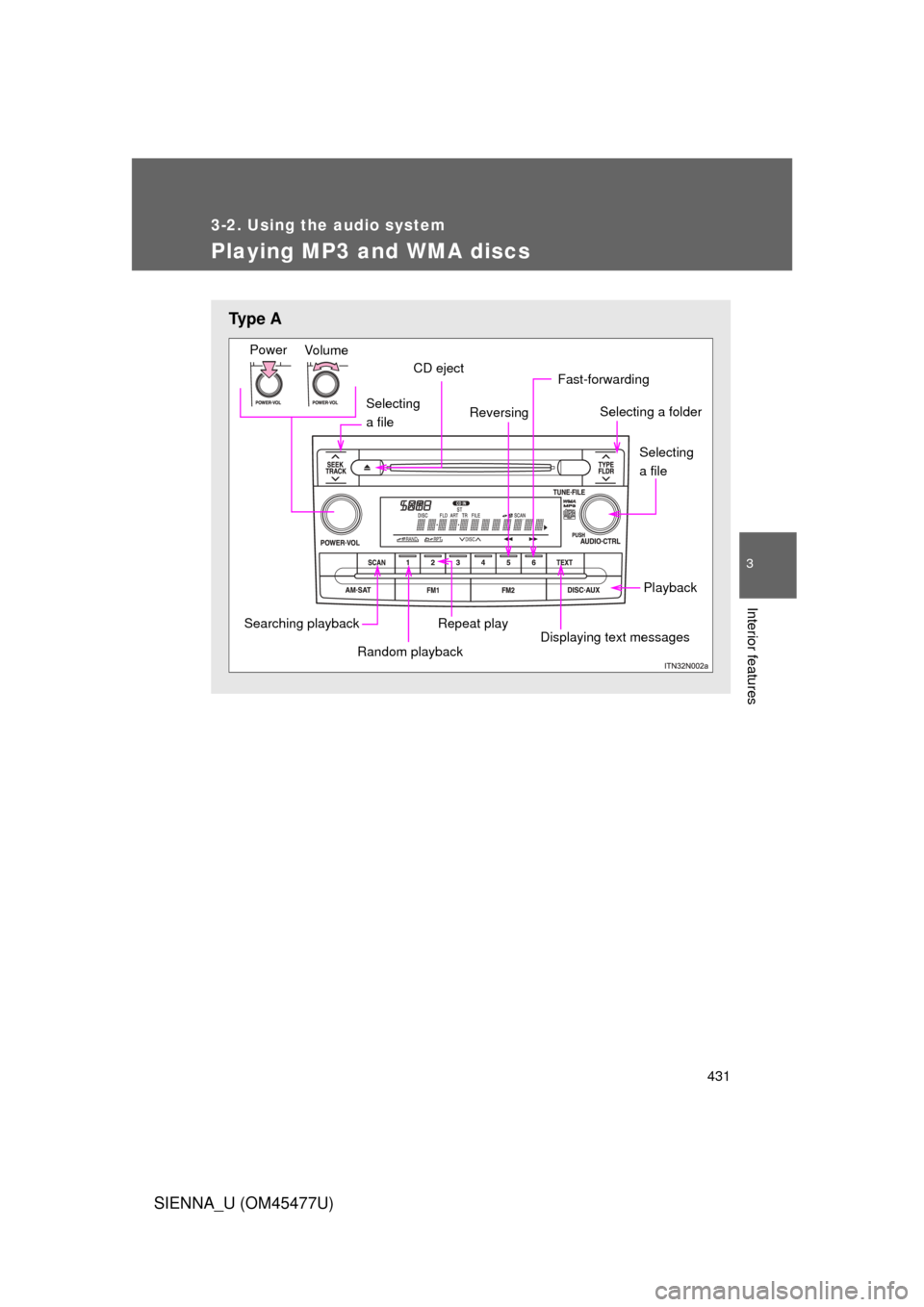
Playing MP3 and WMA discs
Ty p e A
Selecting
a file
Vo lu m e
Power
CD eject
Selecting a folder
Playback
Displaying text messages
Repeat play
Fast-forwarding
Reversing
Searching playback
Random playback
Selecting
a file
Page 432 of 860
432 3-2. Using the audio system
SIENNA_U (OM45477U)
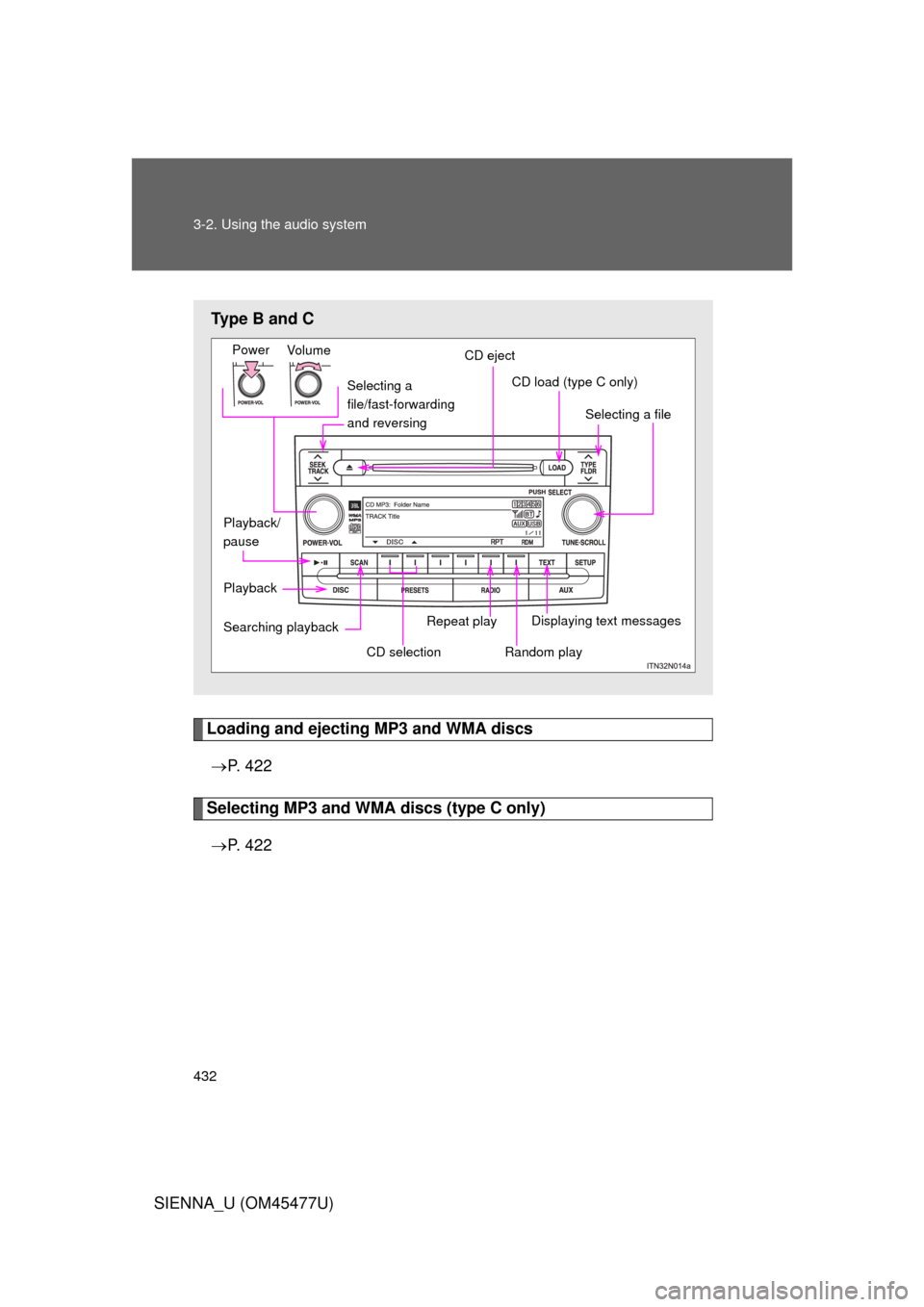
Loading and ejecting MP3 and WMA discs P. 4 2 2
Selecting MP3 and WMA discs (type C only)
P. 4 2 2
Type B and C
Selecting a
file/fast-forwarding
and reversing
Vo lu m e
Power
CD eject
Selecting a file
CD load (type C only)
Playback Displaying text messages
Searching playback
Random play
CD selection
Repeat play
Playback/
pause