2012 TOYOTA SIENNA phone
[x] Cancel search: phonePage 5 of 860
1
2
3
4
5
6
7
5
SIENNA_U (OM45477U)
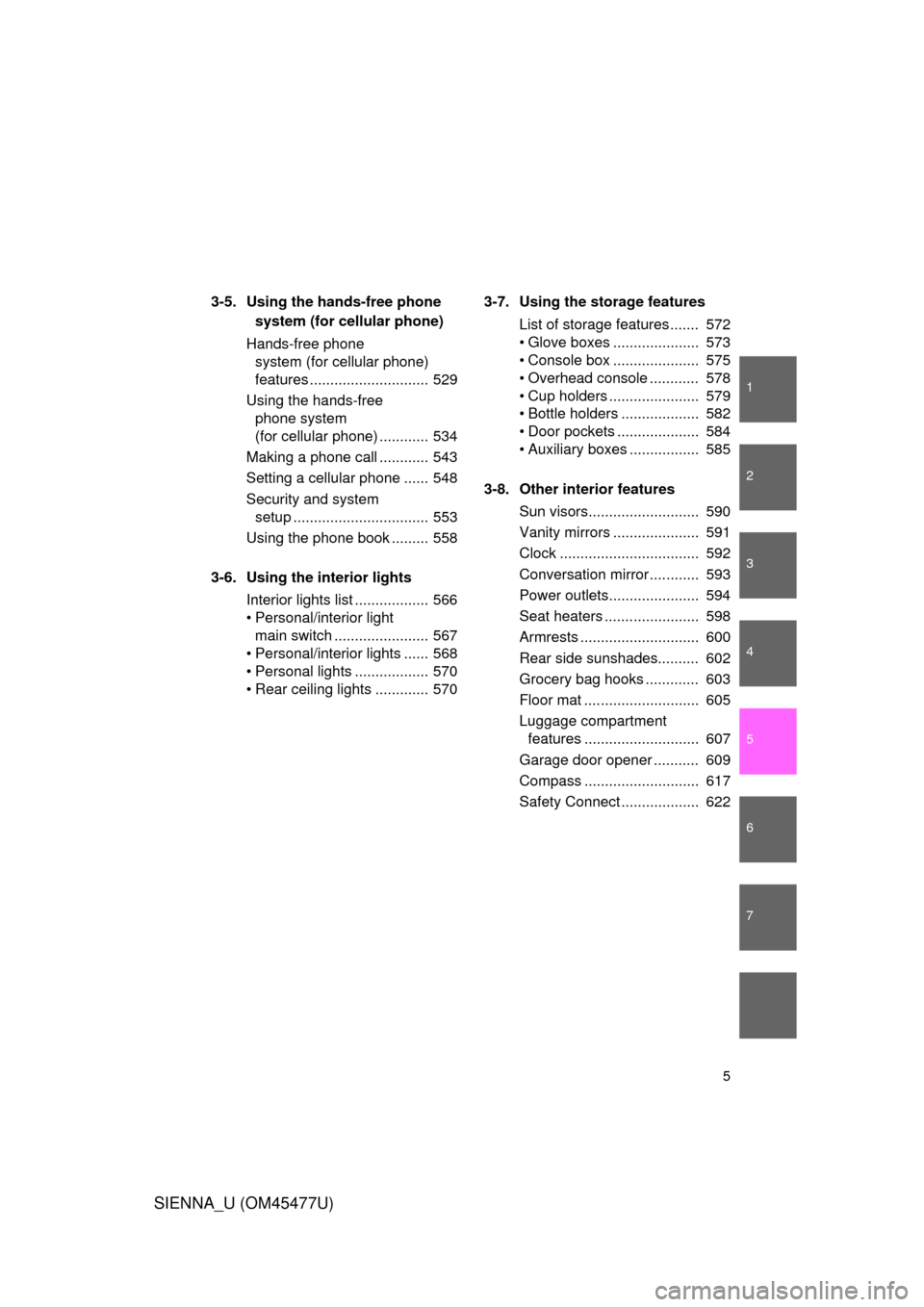
3-5. Using the hands-free phone system (for cellular phone)
Hands-free phone system (for cellular phone)
features ............................. 529
Using the hands-free phone system
(for cellular phone) ............ 534
Making a phone call ............ 543
Setting a cellular phone ...... 548
Security and system setup ................................. 553
Using the phone book ......... 558
3-6. Using the interior lights Interior lights list .................. 566
• Personal/interior light main switch ....................... 567
• Personal/interior lights ...... 568
• Personal lights .................. 570
• Rear ceiling lights ............. 570 3-7. Using the storage features
List of storage features ....... 572
• Glove boxes ..................... 573
• Console box ..................... 575
• Overhead console ............ 578
• Cup holders ...................... 579
• Bottle holders ................... 582
• Door pockets .................... 584
• Auxiliary boxes ................. 585
3-8. Other interior features Sun visors........................... 590
Vanity mirrors ..................... 591
Clock .................................. 592
Conversation mirror ............ 593
Power outlets...................... 594
Seat heaters ....................... 598
Armrests ............................. 600
Rear side sunshades.......... 602
Grocery bag hooks ............. 603
Floor mat ............................ 605
Luggage compartment features ............................ 607
Garage door opener ........... 609
Compass ............................ 617
Safety Connect ................... 622
Page 18 of 860
SIENNA_U (OM45477U)
18
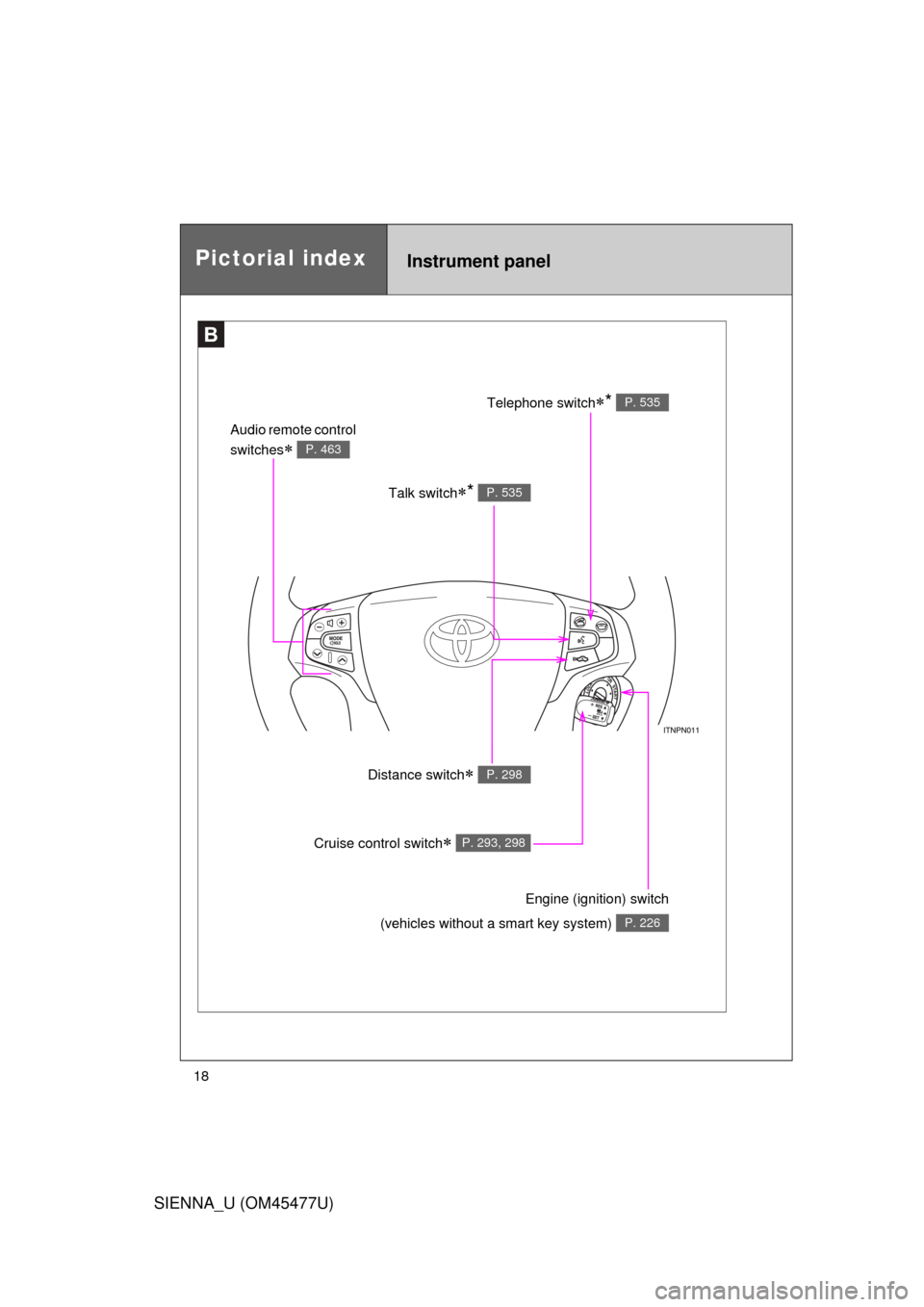
Pictorial indexInstrument panel
B
Talk switch* P. 535
Audio remote control
switches
P. 463
Telephone switch* P. 535
Distance switch P. 298
Engine (ignition) switch
(vehicles without a smart key system)
P. 226
Cruise control switch P. 293, 298
Page 29 of 860

SIENNA_U (OM45477U)
29
CAUTION
■General precautions while driving
Driving under the influence: Never drive your vehicle when under the influ-
ence of alcohol or drugs that have impaired your ability to operate your vehi-
cle. Alcohol and certain drugs delay reaction time, impair judgment and
reduce coordination, which could lead to an accident that could result in
death or serious injury.
Defensive driving: Always drive defensively. Anticipate mistakes that other
drivers or pedestrians might make and be ready to avoid accidents.
Driver distraction: Always give your full attention to driving. Anything that dis-
tracts the driver, such as adjusting controls, talking on a cellular phone or
reading can result in a collision with resulting death or serious injury to you,
your occupants or others.
■ General precaution regarding children’s safety
Never leave children unattended in the vehicle, and never allow children to
have or use the key.
Children may be able to start the vehicle or shift the vehicle into neutral.
There is also a danger that children may injure themselves by playing with
the cigarette lighter, the windows, the moon roof, or other features of the
vehicle. In addition, heat build-up or ex tremely cold temperatures inside the
vehicle can be fatal to children.
Page 46 of 860

46 1-2. Opening, closing and locking the doors
SIENNA_U (OM45477U)
■Conditions affecting operation
The smart key system uses weak radio waves. In the following situations,
the communication between the electronic key and the vehicle may be
affected, preventing the smart key system and wireless remote control from
operating properly. (Way of coping P. 767)
● When the electronic key battery is depleted
● Near a TV tower, electric power plant, gas station, radio station, large dis-
play, airport or other facility that generates strong radio waves or electri-
cal noise
● When carrying a portable radio, ce llular phone, cordless phone or other
wireless communication devices
● When the electronic key is in contact with, or is covered by the following
objects
• Cards to which aluminum foil is attached
• Cigarette boxes that have aluminum foil inside
• Metallic wallets or bags
• Coins
• Hand warmers made of metal
• Media such as CDs and DVDs
● When multiple electronic keys are in the vicinity
● When another wireless key (that emits radio waves) is being used nearby
● When carrying or using the electronic key together with the following
devices that emit radio waves
• Another vehicle’s electronic key
• A wireless key that emits radio waves
• Personal computers or personal digital assistants (PDAs)
• Digital audio players
• Portable game systems
Page 50 of 860

50 1-2. Opening, closing and locking the doors
SIENNA_U (OM45477U)
■Electronic key battery depletion
● The standard battery life is 1 to 2 years.
● If the battery becomes low, an alarm will sound in the cabin when the
engine stops. ( P. 41)
● As the electronic key always receives radio waves, the battery will
become depleted even if the electronic key is not used. The following
symptoms indicate that the electronic key battery may be depleted.
Replace the battery when necessary. ( P. 693)
• The smart key system or the wireless remote control does not operate.
• The detection area becomes smaller.
• The LED indicator on the key surface does not turn on.
● To avoid serious deterioration, do not leave the electronic key within 3 ft.
(1 m) of the following electrical appliances that produce a magnetic field.
•TVs
• Personal computers
• Recharging cellular phones or cordless phones
• Cellular phones, cordless phones and battery chargers
• Glass top ranges
• Table lamps
■ When the electronic key battery is fully depleted
P. 693
■ Customization that can be co nfigured at Toyota dealer
Settings (e.g. smart key system) can be changed.
(Customizable features P. 815)
Page 58 of 860
58 1-2. Opening, closing and locking the doors
SIENNA_U (OM45477U)
■Conditions affecting operation
Vehicles without a smart key system
The wireless remote control function may not operate normally in the follow-
ing situations:
● Near a TV tower, radio station, electr ic power plant, airport or other facil-
ity that generates strong radio waves
● When carrying a portable radio, cell ular phone or other wireless commu-
nication devices
● When multiple wireless keys are in the vicinity
● When the wireless key is in contact with, or is covered by, a metallic
object
● When a wireless key (that emits radio waves) is being used nearby
● When the wireless key has been left near an electrical appliance such as
a personal computer
● If window tint with a metallic content or metallic objects is attached to the
rear window
● Vehicles with AUTO ACCESS SEAT: If the wireless remote control of the
AUTO ACCESS SEAT is operated simultaneously, the AUTO ACCESS
SEAT may not operate properly.
For details, refer to “AUTO ACCESS SEAT OWNER’S MANUAL”.
Vehicles with a smart key system
P. 4 6
■ If the wireless remote control does not operate properly (vehicles with
a smart key system)
Locking and unlocking the doors: Use the mechanical key. ( P. 767)
■ Key battery depletion
Vehicles without a smart key system
If the wireless remote control function does not operate, the battery may be
depleted. Replace the battery when necessary. ( P. 693)
Vehicles with a smart key system
P. 5 0
Page 379 of 860
Interior features3
379
SIENNA_U (OM45477U)
3-5. Using the hands-free phonesystem (for cellula r phone)
Hands-free phone system (for cellular phone)
features .......................... 529
Using the hands-free phone system
(for cellular phone) ......... 534
Making a phone call ......... 543
Setting a cellular phone ... 548
Security and system setup .............................. 553
Using the phone book ...... 558
3-6. Using the interior lights Interior lights list ............... 566
• Personal/interior light
main swi tch .................... 567
• Personal/interior lights ... 568
• Personal lights ............... 570
• Rear ceiling lights .......... 570 3-7. Using the storage features
List of storage features .... 572
• Glove boxes ................... 573
• Console box ................... 575
• Overhead console .......... 578
• Cup holders ................... 579
• Bottle holders ................. 582
• Door pockets .................. 584
• Auxiliary boxes ............... 585
3-8. Other interior features Sun visors ........................ 590
Vanity mirrors ................... 591
Clock ................................ 592
Conversation mirror ......... 593
Power outlets ................... 594
Seat heaters..................... 598
Armrests........................... 600
Rear side sunshades ....... 602
Grocery bag hooks........... 603
Floor mat .......................... 605
Luggage compartment features .......................... 607
Garage door opener......... 609
Compass .......................... 617
Safety Connect ................ 622
Page 410 of 860
410 3-2. Using the audio system
SIENNA_U (OM45477U)
■Using cellular phones
Interference may be heard through the audio system’s speakers if a cellular
phone is being used inside or close to the vehicle while the audio syste\
m is
operating.
CAUTION
■For vehicles sold in the U.S.A.
● Part 15 of the FCC Rules
FCC Warning:
Any unauthorized changes or modifications to this equipment will void the
user’s authority to operate this device.
This device complies with part 15 of the FCC Rules. Operation is subject
to the following two conditions: (1) This device may not cause harmful
interference, and (2) this device must accept any interference received,
including interference that may cause undesired operation.
● Laser products
• Do not take this unit apart or attempt to make any changes yourself.
This is an intricate unit that uses a laser pickup to retrieve information
from the surface of compact discs. The laser is carefully shielded so
that its rays remain inside the cabinet. Therefore, never try to disas-
semble the player or alter any of its parts since you may be exposed to
laser rays and dangerous voltages.
• This product utilizes a laser. Use of controls or adjustments or performance of procedures other
than those specified herein may result in hazardous radiation expo-
sure.
The use of optical instruments with this product will increase eye haz-
ard.