Page 209 of 429

�Î
�Î �Î
�Î
�Î �Î
�Î �Î
Thechartontherightexplainsthe
error messages you may see in the
display while playing a disc.
If you see an error message in the
display while playing a disc, press
the eject button. After ejecting the
disc, check it for damage or
deformation. If there is no damage,
insert the disc again.
For additional information on
damaged discs, see page .
Theaudiosystemwilltrytoplaythe
disc. If there is still a problem, the
error message will reappear. Press
the eject button, and pull out the disc.
Insert a dif f erent disc. If the new
disc plays, there is a problem with
the f irst disc. If the error message
cycle repeats and you cannot clear it,
take your vehicle to a dealer. Cause
Error Message Solution
199
High Temperature
Track/File format not
supported
Mechanical Error
Servo Error
Disc Error Will disappear when the temperature returns to
normal.
Current track will be skipped. The next
supported track or file plays automatically.
Press the EJECT button and pull out the disc(s).
Check the disc f or serious damage, signs of
def ormation, excessive scratches, and/or dirt
(see page 199). Insert the disc again. If the code
does not disappear, or the disc(s) cannot be
removed, consult your dealer. Do not try to
f orce the disc out the player.
Check the disc f or serious damage, signs of
def ormation, excessive scratches, and/or dirt
(see page 199).
On models without navigation system
On models with navigation system
1:2:
CD Player/Changer Error Messages
202 HEAT ERROR
HOT
UNSUPPORTED UNSUPPORT BAD DISC
PLEASE CHECK OWNER’S
MANUAL
PUSH EJECT
MECH ERROR
CHANGER ERROR CHKDISCLOAD
BAD DISC
PLEASE CHECK OWNER’S
MANUAL
CHECK DISC
DISC ERROR 1
2 1
2
1 2
Main MenuTable of Contents
Page 211 of 429

�´�µ �´
�µ
�´
�µ �´
�µ
�´ �µ
If you are playing a disc, the system
skips to the beginning of the next
track each time you press the top
( ) of the CH button. Press the
bottom ( ) to return to the
beginning of the current track. Press
it again to return to the previous
track. You will see the disc and track
numbers in the upper display.
To go to the next disc, press the top
( ) of the button for 1 second.
Press the bottom ( ) f or 1 second
to go back to the previous disc.
When you play an MP3/WMA disc,
press the top ( ) of the button for 1
second to go to the next folder. Press
the bottom ( ) for 1 second to go
back to the previous folder. If you are listening to XM Radio, use
the CH button to change channels.
Each time you press the top ( ) of
the button, the system goes to the
next preset channel. Press the
bottom( )togobacktothe
previous preset channel.
To go to the next channel of the
category you are listening to, press
the top ( ) of the button for 1
second. Press the bottom ( ) f or 1
second to go back to the previous
channel.
On models without navigation system
Remote Audio Controls
204
Main MenuTable of Contents
Page 214 of 429
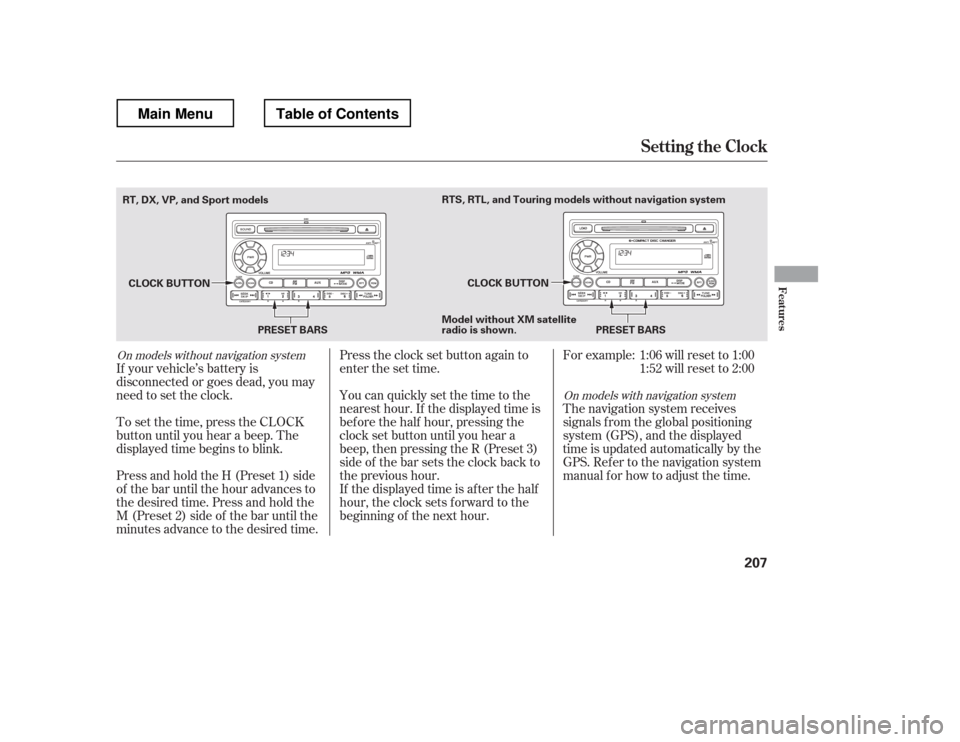
Press and hold the H (Preset 1) side
of the bar until the hour advances to
the desired time. Press and hold the
M (Preset 2) side of the bar until the
minutes advance to the desired time.
To set the time, press the CLOCK
button until you hear a beep. The
displayed time begins to blink.
If your vehicle
Page 216 of 429
The security system does not set if
the hood, In-Bed Trunk, or any door
is not f ully closed. If the system will
not set, check the door and tailgate
open monitor and In-Bed Trunk open
indicator on the instrument panel
(see pages and ) to see if the
doors and In-Bed Trunk are f ully
closed. Since it is not part of the
monitor display, manually check thehood.Use the remote transmitter
to quickly check that the hood,
In-Bed Trunk, and all doors are
closed. Push the lock button twice
within f ive seconds. There should be
an audible conf irmation beep.
Do not attempt to alter this system
or add other devices to it.
11 75
Security System
Features
209
NOTE:
Main MenuTable of Contents
Page 221 of 429
Drive the vehicle slowly in circles
at less than 5 mph (8 km/h) until
the center icon turns blue. This
icon also turns blue by continuing
to drive the vehicle under normal
driving conditions. When you see
an actual heading on the compass,
calibration is completed.
The compass may need to be
manually calibrated af ter exposure to
a strong magnetic field. If the
compassseemstocontinuallyshow
the wrong direction, do this.
Do this procedure in an open
area, away f rom buildings, power
lines, and other vehicles.
With the blue center icon
displayed,pressandholdthe
compass button for about 6
seconds. When the center icon
turns red, release the button.
The compass mirror has a light
sensor behind the right side of the
rearview mirror. Make sure the
extended sun visor or an accessory is
not covering the sensor.
2.
1.
Compass
Compass Calibration
214
NOTE:
Main MenuTable of Contents
Page 222 of 429
CONT INUED
In most areas, there is a variation
between magnetic north and true
north. Zone selection is required so
the compass can compensate f or this
variation. To check and select the
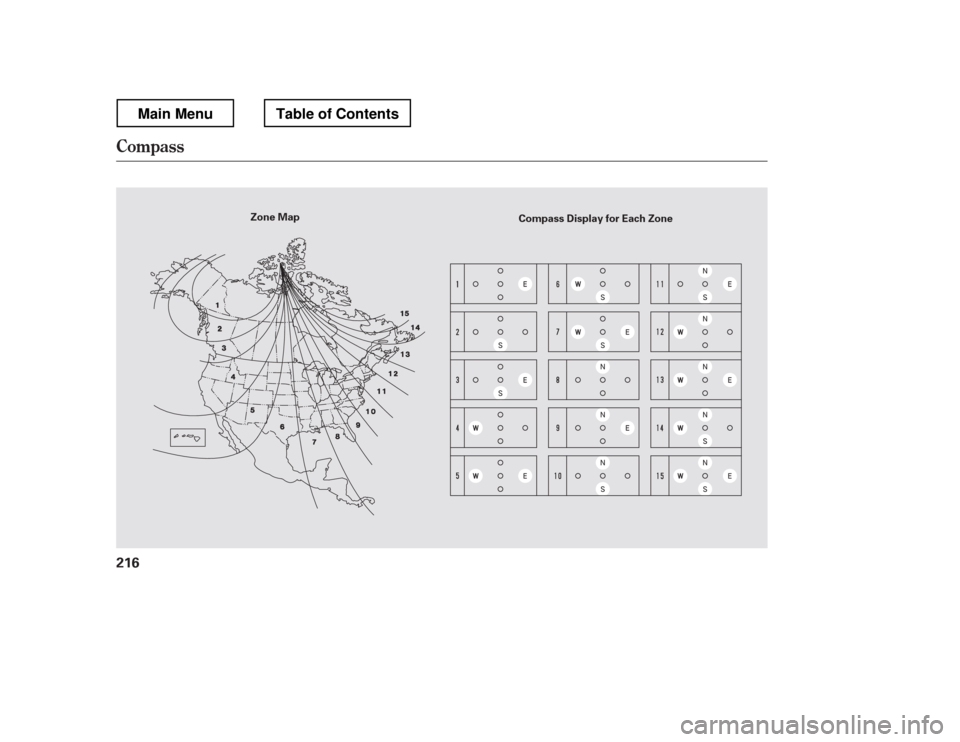
zone, do this:Find the zone f or your area on the
zone map (see page ). Each
zone number (1 through 15)
corresponds to a compass zone on
the table (see page ). Press and hold the compass
button f or about 3 seconds. When
all of the direction icons begin to
blink, release the button.
The blue direction icon(s) blink
and show the current zone.
If the zone is incorrect, press and
release the compass button
repeatedly to get to the correct
number.
The compass will return to the
normal display about 4 seconds
af ter you stop adjusting a zone
number.
2. 3. 4.
1. 5.
216
216
Compass
Compass Zone Selection
Features
215
Main MenuTable of Contents
Page 223 of 429
Compass
216
Zone MapCompass Display for Each Zone
Main MenuTable of Contents
Page 245 of 429
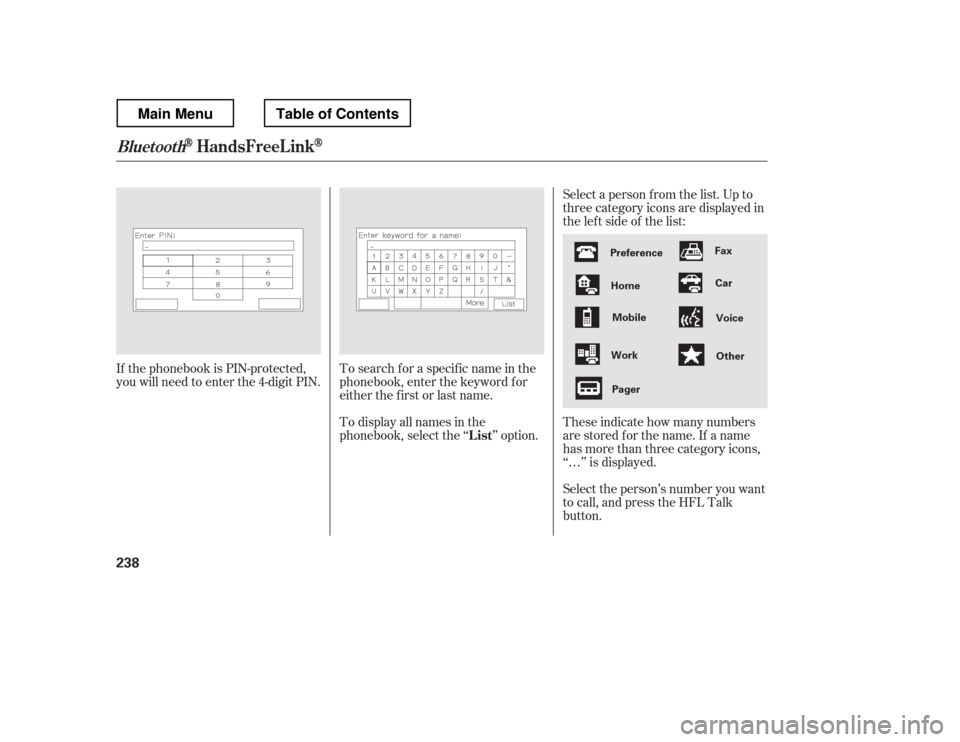
Select a person f rom the list. Up to
three category icons are displayed in
the lef t side of the list:
Select the person