Page 94 of 429
�Û�Ý
To use the system, your cell phone
and the HFL system must be linked.
Not all cell phones are compatible
with this system. Ref er to pagefor instructions on how to link
your cell phone to HFL and how to
receive or make phone calls, or visit
the handsf reelink.com website. In
Canada, visit , or
call (888) 528-7876. 221
www.handsfree
link.ca
CONT INUED
Mult i-Inf ormation Display
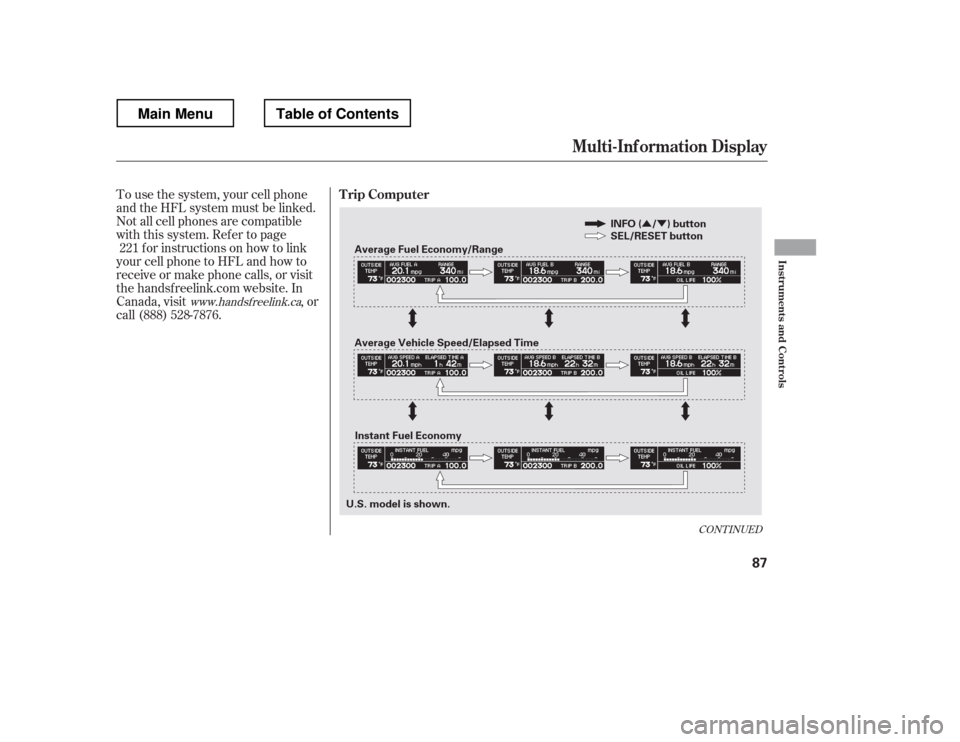
Trip Computer
Inst rument s and Cont rols
87
Average Fuel Economy/Range
Average Vehicle Speed/Elapsed Time SEL/RESET button
INFO ( / ) button
U.S. model is shown. Instant Fuel Economy
Main MenuTable of Contents
Page 96 of 429
�Û�Ý
�Û�Ý
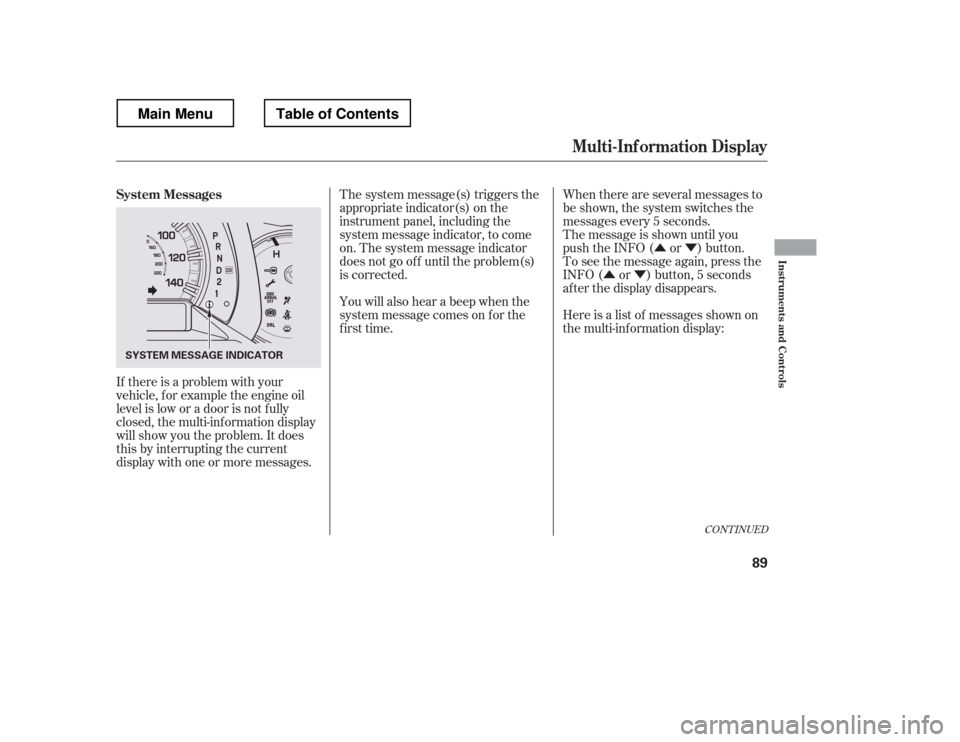
If there is a problem with your
vehicle, f or example the engine oil
level is low or a door is not f ully
closed, the multi-inf ormation display
will show you the problem. It does
this by interrupting the current
display with one or more messages. The system message(s) triggers the
appropriate indicator(s) on the
instrument panel, including the
system message indicator, to come
on. The system message indicator
does not go of f until the problem(s)
is corrected.
You will also hear a beep when the
system message comes on f or the
first time.
When there are several messages to
be shown, the system switches the
messages every 5 seconds.
The message is shown until you
push the INFO ( or ) button.
To see the message again, press the
INFO ( or ) button, 5 seconds
after the display disappears.
Here is a list of messages shown on
the multi-information display:
CONT INUED
System Messages
Mult i-Inf ormation Display
Inst rument s and Cont rols
89
SYSTEM MESSAGE INDICATOR
Main MenuTable of Contents
Page 97 of 429
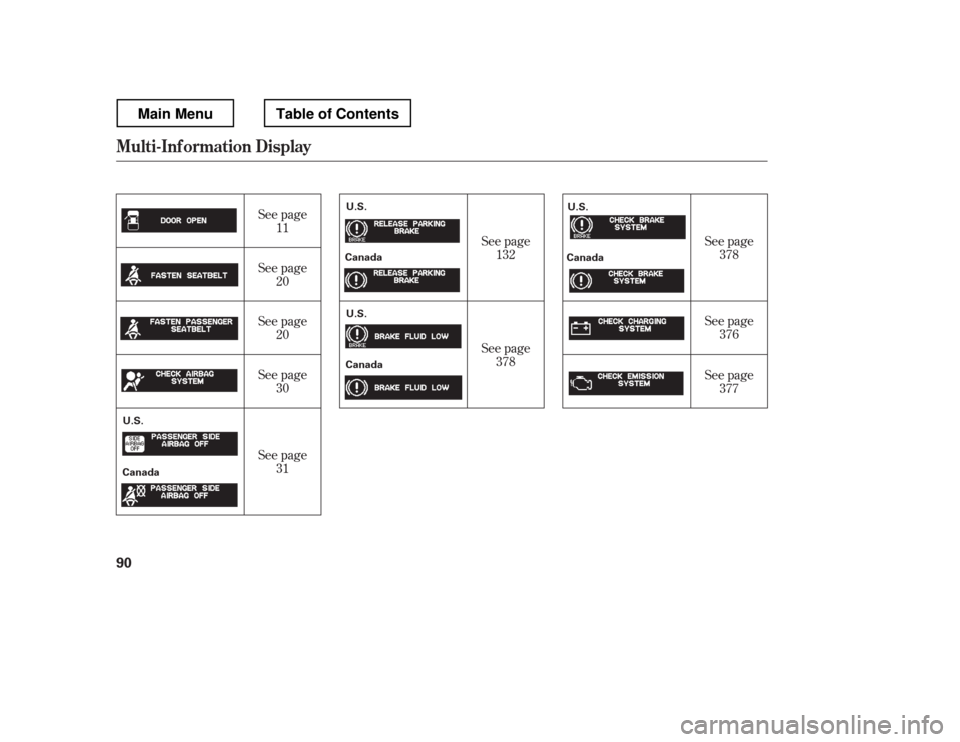
See page11
See page 20
See page 20
See page 30
See page 31 See page
132
See page 378 See page
378
See page 376
See page 377
Mult i-Inf ormation Display
90
U.S.
Canada U.S.
Canada
U.S.
Canada U.S.
Canada
Main MenuTable of Contents
Page 98 of 429
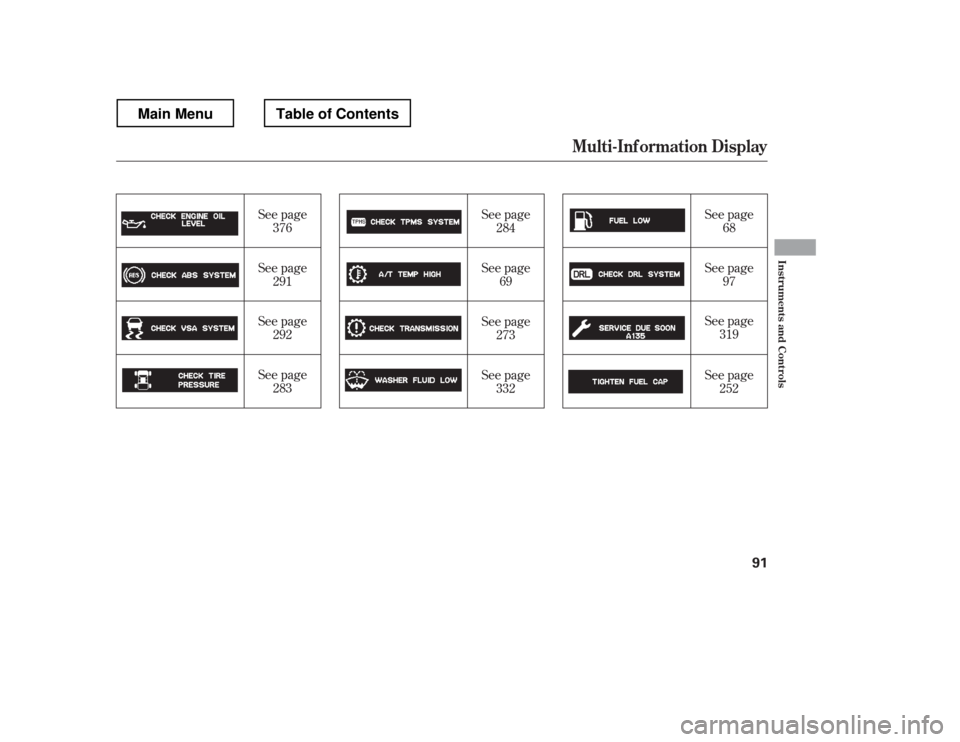
See page69 See page
68
See page 97
See page 319
See page
376
See page 291
See page 292
See page 283 See page
284
See page 273
See page 332 See page
252
Mult i-Inf ormation Display
Inst rument s and Cont rols
91
Main MenuTable of Contents
Page 99 of 429
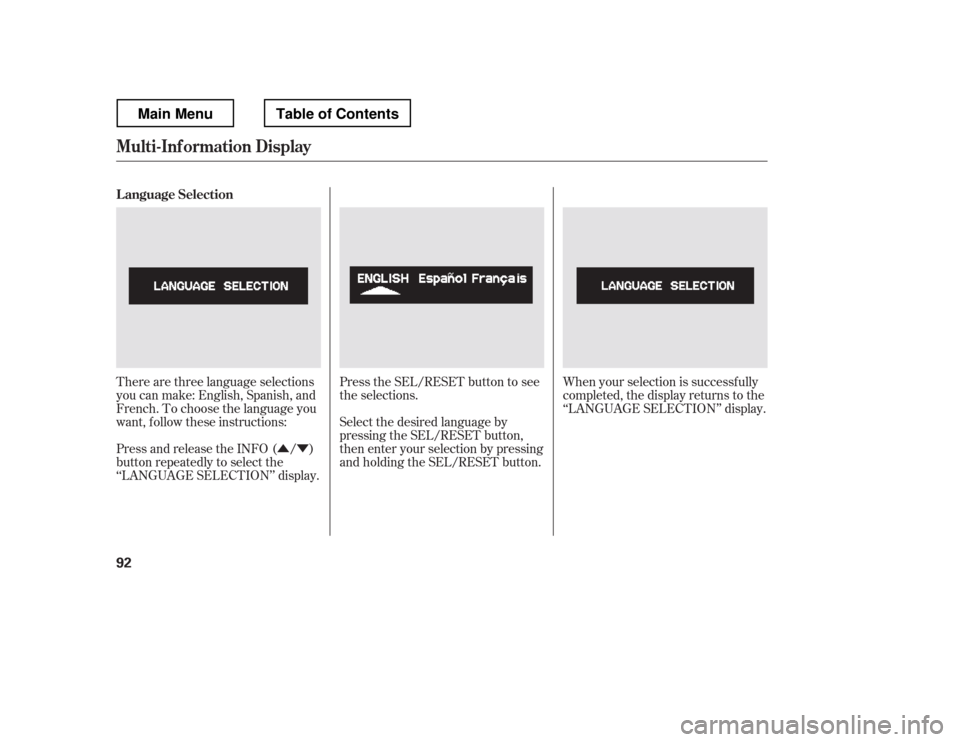
�Û�ÝPress the SEL/RESET button to see
the selections.
There are three language selections
you can make: English, Spanish, and
French. To choose the language you
want, f ollow these instructions: Select the desired language by
pressing the SEL/RESET button,
then enter your selection by pressing
and holding the SEL/RESET button.When your selection is successf ully
completed, the display returns to the
‘‘LANGUAGE SELECTION
Page 122 of 429

See page for information on
cargo loading and weight limits.
You can also store and lock items in
the In-Bed Trunk (see page ).
If you do not f asten the seat belt, you
f irst hear the seat belt reminder
alarm, then the tailgate reminder
beeper sounds.
The indicator does not monitor the
tailgate when it is dropped open.
Do not allow anyone to hang on the
swung open tailgate. This could
damage the tailgate.
Do not leave the tailgate swung open.
The tailgate may swing and shut
accidentally. This could cause
serious injuries.
Thebedlightscomeonwhenyou
swing open the tailgate. You can also
turn the bed lights on or off by
pushing the bed light switch on the
dashboard (see page ).
If the tailgate is swung open or not
closed tightly when the ignition
switch is in the ON (II) position, you
will hear six beeps and see the
indicator blinking. The indicator
stays on until you close the tailgate.
The beeper also sounds and the
indicator blinks when you move the
shif t lever out of the Park or neutral
position.
This indicator is in the door and
tailgate open monitor on the
instrument panel. It comes on when
the tailgate is swung open or it is not
completely closed. This indicator
worksevenif thekeyisnotinthe
ignition switch.
The tailgate open indicator appears
on the multi-information display (see
page ).
11
144
116
261
On models without navigation system
On models with navigation system
L oading Cargo
T ailgat e Open Indicat or
Dual-Action Tailgate
Inst rument s and Cont rols
115
Main MenuTable of Contents
Page 154 of 429
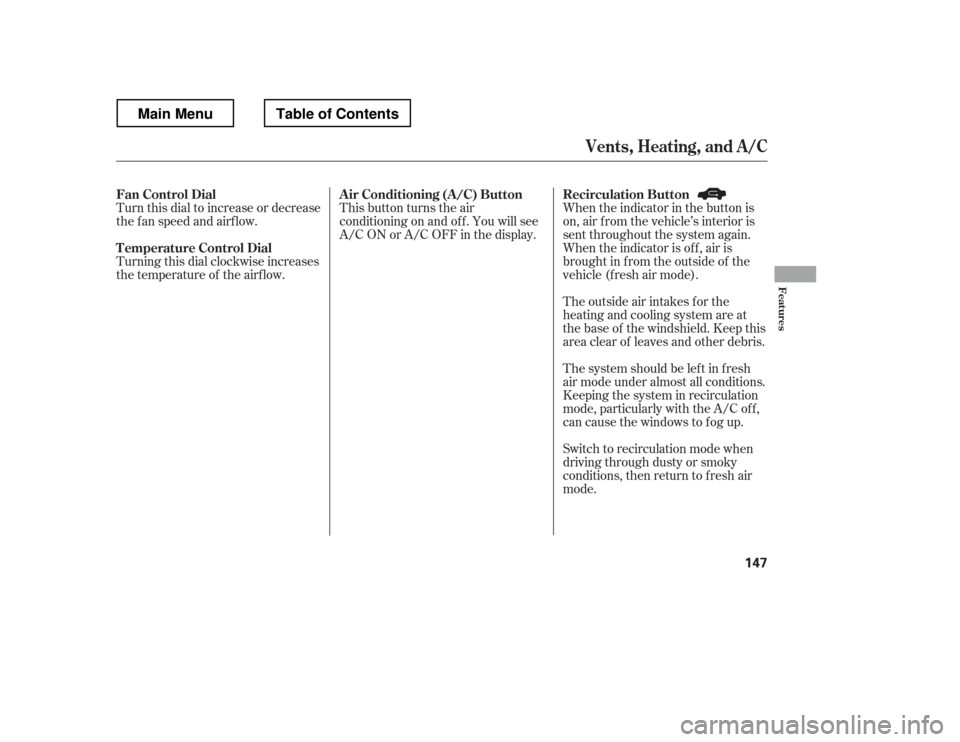
This button turns the air
conditioningonandoff.Youwillsee
A/C ON or A/C OFF in the display.When the indicator in the button is
on, air f rom the vehicle
Page 156 of 429
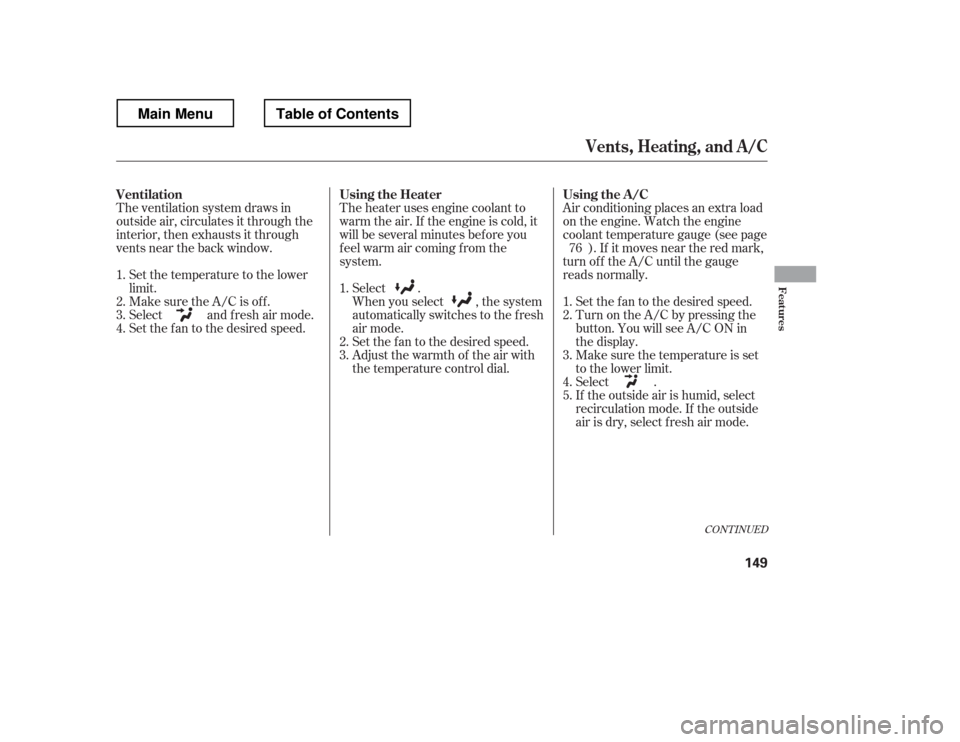
Air conditioning places an extra load
on the engine. Watch the engine
coolant temperature gauge (see page). If it moves near the red mark,
turn of f the A/C until the gauge
reads normally.
The heater uses engine coolant to
warm the air. If the engine is cold, it
will be several minutes bef ore you
f eel warm air coming f rom the
system.
Select .
When you select , the system
automatically switches to the fresh
air mode.
Set the f an to the desired speed.
Adjust the warmth of the air with
the temperature control dial.
Set the temperature to the lower
limit.
Make sure the A/C is of f .
Select and fresh air mode.
Set the f an to the desired speed.
If the outside air is humid, select
recirculation mode. If the outside
air is dry, select f resh air mode.
Select .
Make sure the temperature is set
to the lower limit.
Turn on the A/C by pressing the
button. You will see A/C ON in
the display.
Set the f an to the desired speed.
The ventilation system draws in
outside air, circulates it through the
interior, then exhausts it through
vents near the back window.
1.2. 3. 4. 5.
1. 2. 3.
1. 2. 3.4. 76
CONT INUED
Vents, Heating, and A/C
Using the A /C
Ventilation Using the Heater
Features
149
Main MenuTable of Contents