Page 158 of 429
Set the f an and temperature
controls to maximum level.
Select . The system
automatically switches to f resh air
mode and turns on the A/C.
The A/C ON indicator will not be
displayed if it was of f to start with.
Select .Turning the f an speed control dial all
the way to the left shuts the system
off.
Keep the system of f f or short
periods only.
To keep stale air and mustiness
f rom collecting, you should have
the f an running at all times.
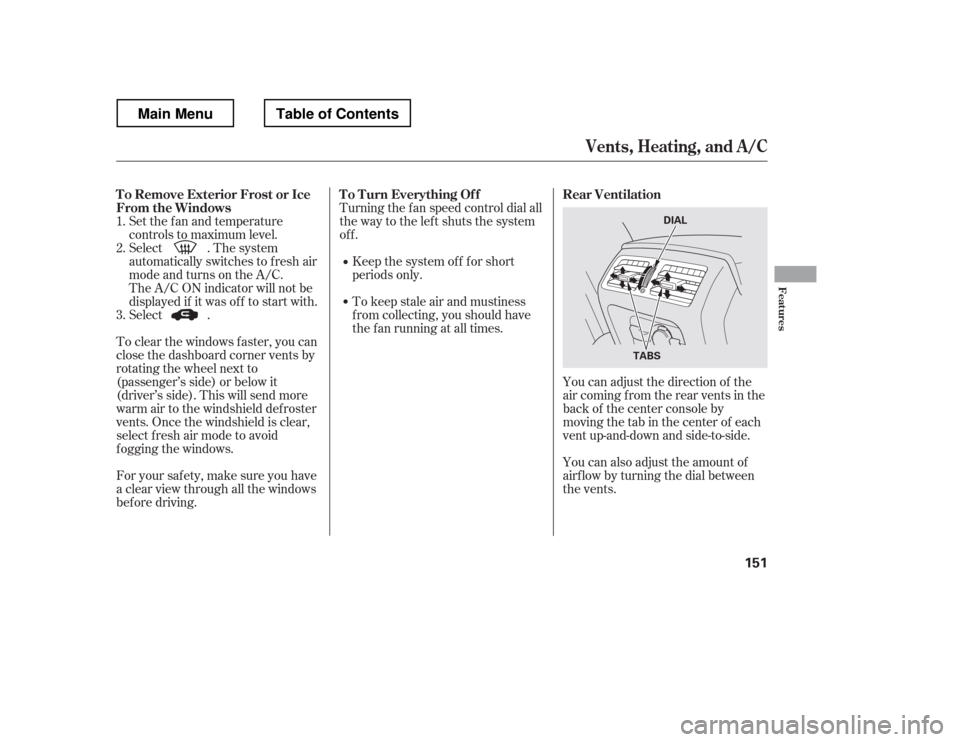
You can adjust the direction of the
air coming from the rear vents in the
back of the center console by
moving the tab in the center of each
vent up-and-down and side-to-side.
You can also adjust the amount of
airf low by turning the dial between
the vents.
To clear the windows f aster, you can
close the dashboard corner vents by
rotating the wheel next to
(passenger
Page 162 of 429
CONT INUED
This button directs the main airflow
to the windshield for faster
def rosting. It also overrides any
mode selection you may have made.
When you select , the system
automatically switches to f resh air
mode and turns on the A/C. For
f aster def rosting, manually set the
fanspeedtohigh.Youcanalso
increase airf low to the windshield by
closing the corner vents on the
dashboard. To close the vents, rotate
the wheel under each corner vent.
When you turn of f by
pressing the button again, the
system returns to its former settings.
Use the mode control button to
select the vents the air flows from.
Some air will flow from the
dashboard vents in all modes.
Air flows from the center,
corner, and rear vents in the
dashboard.
Airf low is divided between
the vents in the dashboard, rear and
the f loor vents.
Air f lows f rom the f loor
vents.
Airf low is divided between
the f loor and corner vents and the
defroster vents at the base of the
windshield.
When the indicator in the button is
on, air f rom the vehicle
Page 210 of 429
�´
�µ �´�µ
�Û�Ý
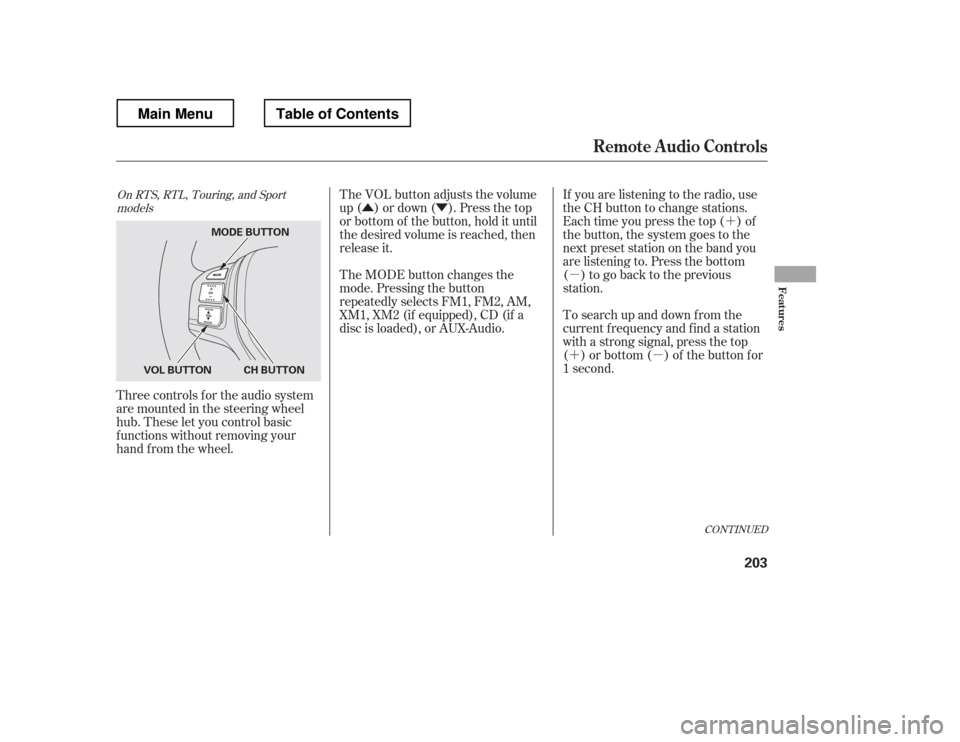
Three controls f or the audio system
are mounted in the steering wheel
hub. These let you control basic
f unctions without removing your
hand f rom the wheel. If you are listening to the radio, use
the CH button to change stations.
Each time you press the top ( ) of
the button, the system goes to the
next preset station on the band you
are listening to. Press the bottom
( ) to go back to the previous
station.
To search up and down f rom the
current f requency and f ind a station
with a strong signal, press the top
( ) or bottom ( ) of the button for
1 second.
The VOL button adjusts the volume
up ( ) or down ( ). Press the top
or bottom of the button, hold it until
the desired volume is reached, then
release it.
The MODE button changes the
mode. Pressing the button
repeatedly selects FM1, FM2, AM,
XM1, XM2 (if equipped), CD (if a
disc is loaded), or AUX-Audio.
CONT INUED
On RTS, RTL, Touring, and Sport
models
Remote Audio Controls
Features
203
MODE BUTTON
CH BUTTON
VOL BUTTON
Main MenuTable of Contents
Page 217 of 429
Cruise control allows you to maintain
asetspeedabove25mph(40km/h)
without keeping your f oot on the
accelerator pedal. It should be used
f or cruising on straight, open
highways. It is not recommended f or
city driving, winding roads, slippery
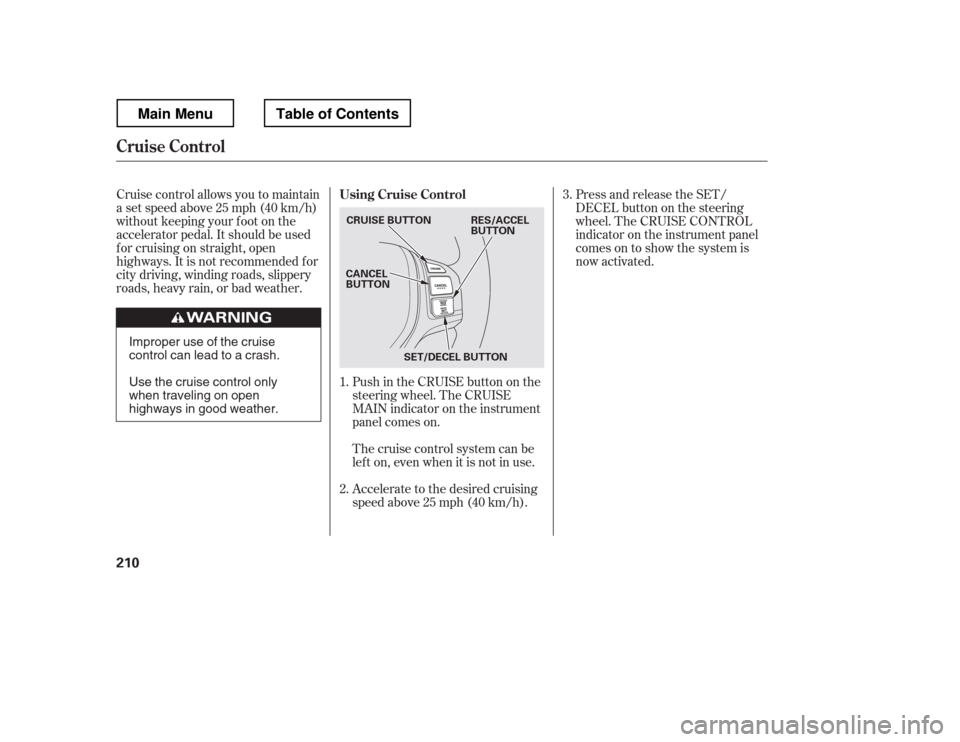
roads, heavy rain, or bad weather.Push in the CRUISE button on the
steering wheel. The CRUISE
MAIN indicator on the instrument
panel comes on.Press and release the SET/
DECELbuttononthesteering
wheel. The CRUISE CONTROL
indicator on the instrument panel
comes on to show the system is
now activated.
Accelerate to the desired cruising
speedabove25mph(40km/h).
Thecruisecontrolsystemcanbe
lefton,evenwhenitisnotinuse.
1. 2. 3.
Using Cruise Control
Cruise Control
210
CRUISE BUTTON
CANCEL
BUTTON
SET/DECEL BUTTON RES/ACCEL
BUTTON
Improper use of the cruise
control can lead to a crash.
Use the cruise control only
when traveling on open
highways in good weather.
Main MenuTable of Contents
Page 219 of 429
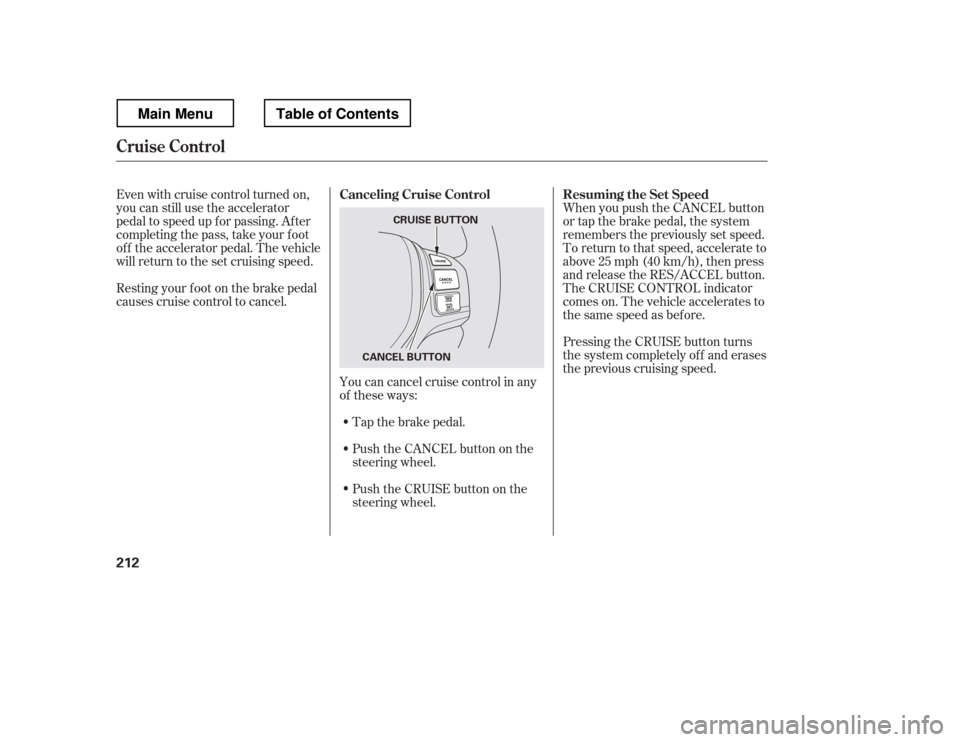
Tap the brake pedal.
Push the CANCEL button on the
steering wheel.
Resting your f oot on the brake pedal
causes cruise control to cancel.
You can cancel cruise control in any
of these ways:
Push the CRUISE button on the
steering wheel. When you push the CANCEL button
or tap the brake pedal, the system
remembers the previously set speed.
To return to that speed, accelerate to
above25mph(40km/h),thenpress
and release the RES/ACCEL button.
The CRUISE CONTROL indicator
comes on. The vehicle accelerates to
thesamespeedasbefore.
Pressing the CRUISE button turns
the system completely of f and erases
the previous cruising speed.
Even with cruise control turned on,
you can still use the accelerator
pedal to speed up f or passing. Af ter
completing the pass, take your foot
of f the accelerator pedal. The vehicle
will return to the set cruising speed.
Resuming the Set Speed
Canceling Cruise Control
Cruise Control
212
CRUISE BUTTON
CANCEL BUTTON
Main MenuTable of Contents
Page 276 of 429
This section gives you tips on
starting the engine under various
conditions, and how to operate the
automatic transmission. It also
includes important inf ormation on
parking your vehicle, the braking
system, the Variable Torque
Management
4-wheel drive
(VTM-4
) system, the vehicle
stability assist (VSA
), aka
Electronic Stability Control (ESC),
system, the tire pressure monitoring
system (TPMS), and f acts you need
if you are planning to tow a trailer or
drive of f -highway. ........................
Driving Guidelines . 270
........................
Preparing to Drive . 271
.......................
Starting the Engine . 272
..............
Automatic Transmission . 273
Variable Torque Management
...........
4WD (VTM-4) System . 278
Tire Pressure Monitoring System
......................................
(TPMS) . 280
...........................................
Parking . 288
.............................
Braking System . 290
...............
Anti-lock Brakes (ABS) . 291
Vehicle Stability Assist (VSA
),
aka Electronic Stability Control .......................
(ESC), System . 292
.................
Towing Weight Limits . 295
..........
Towing Weight Guidelines . 297
...........................
Towing a Trailer . 298
Of f -Highway Driving
..................................
Guidelines . 308
Driving
Driving
269
Main MenuINDEX
Page 278 of 429
Youshoulddothefollowingchecks
and adjustments bef ore you drive
your vehicle.Make sure all windows, mirrors,
and outside lights are clean and
unobstructed. Remove f rost, snow,
or ice.
Check that the hood is f ully closed.
Check that the tailgate is f ully
closed when it is not used as an
extended pickup bed.
Visually check the tires. If a tire
looks low, use a gauge to check its
pressure.
Check that any items you may be
carrying are stored properly or
f astened down securely. Check the adjustment of the
inside and outside mirrors (see
page ).
Check the steering wheel
adjustment (see page ).
Make sure the doors and In-Bed
Trunk are securely closed and
locked.
Fasten your seat belt. Check that
your passengers have f astened
their seat belts (see page ).
Check the seat adjustment (see
pages and ). When you start the engine, check
the gauges and indicators in the
instrument panel, and the
messages on the inf ormation
display or multi-inf ormation
display (depending on the model)(
s e e pag es,,, an d
).
1. 2. 3. 4.5. 6. 8.
7. 9.
10. 11.
121 133
99
16
61 76 77
119 89
Preparing to Drive
Driving
271
Main MenuTable of Contents
Page 283 of 429
�µTo shif t to second,
pull the shif t lever towards you, then
shif t to the lower gear. This position
locks the transmission in second
gear. It does not downshif t to f irst
gear when you come to a stop.
Use second gear:
For more power when climbing.
To increase engine braking when
going down steep hills.
For starting out on a slippery
surf ace or in deep snow.
To help reduce wheel spin.
When driving downhill with a
trailer.
This will increase the
automatic transmission f luid
temperature and may cause
overheating.
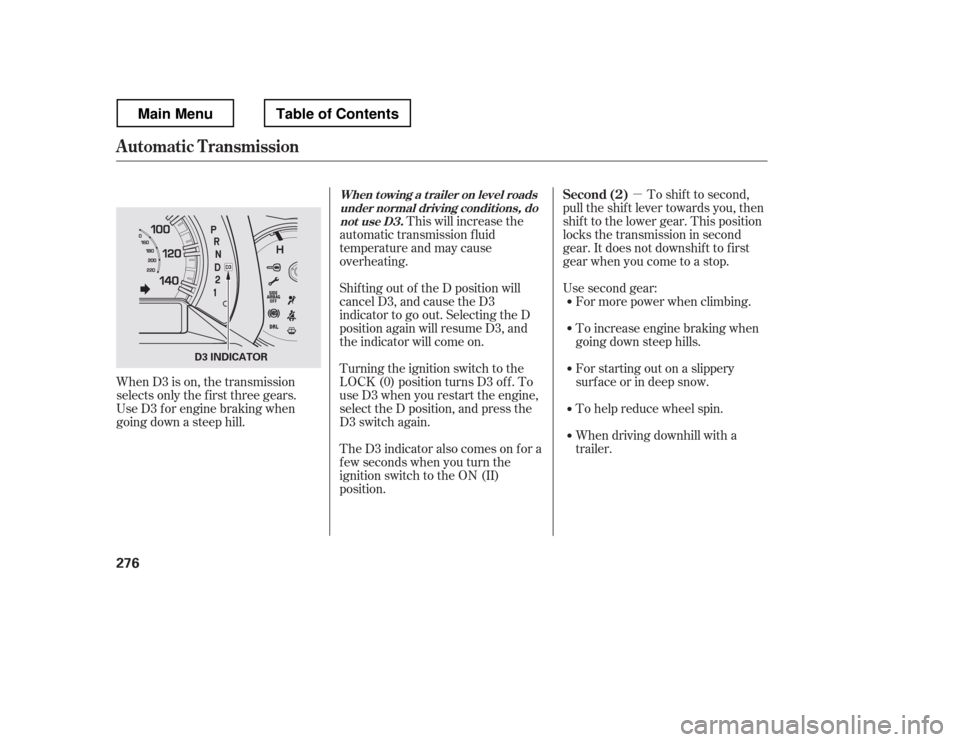
Shif ting out of the D position will
cancel D3, and cause the D3
indicator to go out. Selecting the D
position again will resume D3, and
the indicator will come on.
Turning the ignition switch to the
LOCK (0) position turns D3 of f . To
use D3 when you restart the engine,
select the D position, and press the
D3 switch again.
TheD3indicatoralsocomesonfora
f ew seconds when you turn the
ignition switch to the ON (II)
position.
When D3 is on, the transmission
selects only the f irst three gears.
Use D3 f or engine braking when
going down a steep hill.
Automatic Transmission
Second (2)When t owing a t railer on level roads
under normal driving condit ions, do not use D3.
276
D3 INDICATOR
Main MenuTable of Contents