Page 152 of 429

The heating and air conditioning
system in your vehicle provides a
comf ortable driving environment in
all weather conditions.
The standard audio system has
many f eatures. This section
describes those f eatures and how to
use them.
Your vehicle has an anti-theft audio
system that requires a code number
to enable it.
The security system helps to dis-
courage vandalism and thef t of your
vehicle.
Theclimatecontrolsystemandthe
audio system have a voice control
feature. Refer to the navigation
system manual f or more inf ormation..............
Vents, Heating, and A/C . 146
...............
Climate Control System . 152
..........
Playing the AM/FM Radio . 159
............
AM/FM Radio Reception . 165
................
Playing the XM
Radio . 167
...................................
Playing CDs . 174
.......................................
CD Player . 175
CD Changer
(Models without navigation
..................................
system) . 181
CD Changer (Models with navigation
..................................
system) . 189
....................
Protecting Your CDs . 198
CD Player/Changer Error
...................................
Messages . 202
................
Remote Audio Controls . 203
......................
Auxiliary Input Jack . 205
.................
Radio Thef t Protection . 205
..........................
Setting the Clock . 207
............................
Security System . 208
...............................
Cruise Control . 210
.........................................
Compass . 213
HomeLink
Universal
................................
Transceiver . 217
........
HandsFreeLink. 221 ...
Rearview Camera and Monitor . 246Bluetooth
On models with navigation system
On RTS, RTL, and Touring models
Features
Features
145
Main MenuINDEX
Page 166 of 429
CONT INUED
Playing the AM/FM Radio
Features
159
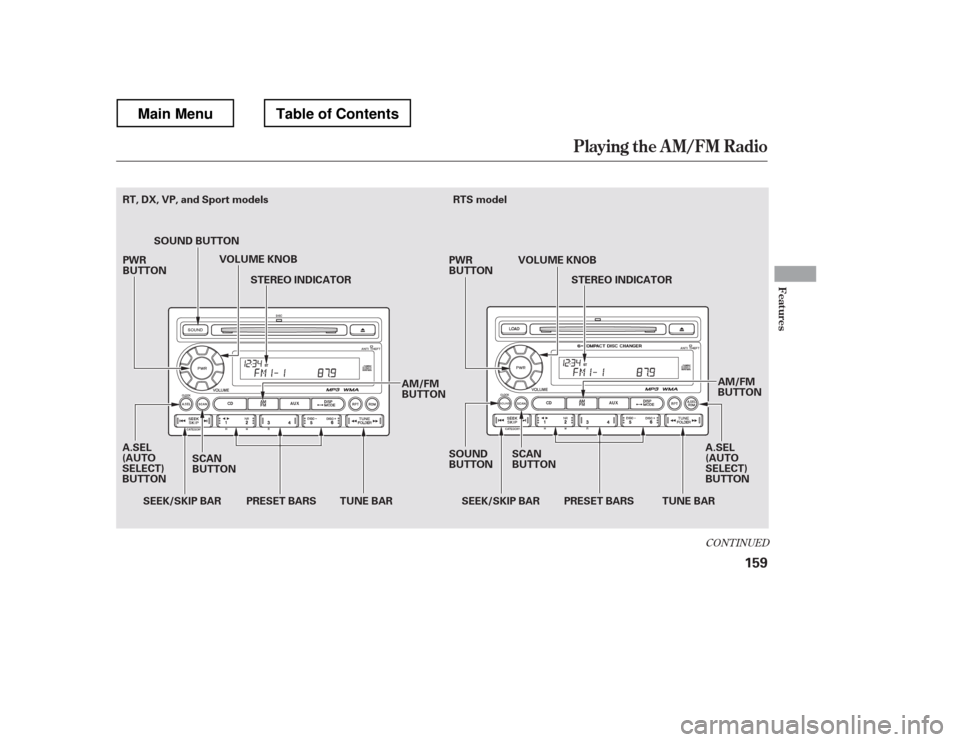
AM/FM
BUTTON
SCAN
BUTTON SEEK/SKIP BAR
SOUND BUTTON
VOLUME KNOB
STEREO INDICATOR
TUNE BAR PRESET BARS TUNE BAR
A.SEL
(AUTO
SELECT)
BUTTON
SOUND
BUTTONRTS model
VOLUME KNOBSTEREO INDICATOR
SCAN
BUTTON AM/FM
BUTTON
A.SEL
(AUTO
SELECT)
BUTTON
PRESET BARS
SEEK/SKIP BAR
PWR
BUTTON
PWR
BUTTON
RT, DX, VP, and Sport models
Main MenuTable of Contents
Page 167 of 429
Playing the AM/FM Radio
160
SCAN
BUTTONTUNE BAR
PRESET BARS
SEEK/SKIP BAR
SOUND
BUTTON STEREO INDICATOR
TUNE BAR VOLUME KNOB
STEREO INDICATOR
AM/FM BUTTON
A.SEL (AUTO SELECT) BUTTON
SEEK/SKIP BAR
SOUND
BUTTON
AM/FM
BUTTON
VOLUME KNOB
A.SEL
(AUTO
SELECT)
BUTTON SCAN
BUTTON
PRESET BARS
RTL and Touring models without navigation system RTL and Touring models with navigation s
ystem
PWR BUTTON PWR BUTTON
Main MenuTable of Contents
Page 168 of 429

�µ
�µ
�µ
�µ�µ
�µ
You can use any of f ive methods to
f ind radio stations on the selected
band: tune, seek, scan, the preset
bars, and auto select.
Use the TUNE bar to tune
the radio to a desired f requency.
Press the side of the bar to tune
to a higher f requency, and press the side to tune to a lower
f requency.
The scan f unction samples
all stations with strong signals on the
selected band. To activate it, press
the SCAN button, then release it.
You will see SCAN in the display.
When the system finds a strong signal, it will stop and play that
station f or about 10 seconds.
The ignition switch must be in the
ACCESSORY (I) or ON (II) position.
Turn the system on by pushing the
PWR button or the AM/FM button.
Adjust the volume by turning the
volume knob.
Pushing the AUDIO button will also
turn on the system (see page ).
The band and f requency that the
radio was last tuned to are displayed.
To change bands, press the AM/FM
button. On the FM band, ST will be
displayed if the station is
broadcasting in stereo. Stereo
reproduction in AM is not available.
On the AM band, AM noise
reduction turns on automatically. The SEEK f unction
searches up and down f rom the
current f requency to f ind a station
with a strong signal. To activate it,
press the or side of the
SEEK/SKIP bar, then release it. If you do nothing, the system will
scan f or the next strong station and
play it f or 10 seconds. When it plays
a station that you want to listen to,
press the SCAN button again.
Each side of the bars (1
6) can store one f requency on AM
and two f requencies on FM.
Usethetune,seek,orscan
function to tune the radio to a
desired station.
Select the desired band, AM or
FM. FM1 and FM2 let you store
six stations each.
Pick a preset number (1 6), then
press and hold it until you hear a
beep.
Repeat steps 1 through 3 to store a
total of six stations on AM and
twelve stations on FM.
1. 2.3. 4.
163
CONT INUED
On models with navigation system
T o Play the A M/FM Radio T o Select a Station
TUNE
SCAN
SEEK
Preset
Playing the AM/FM Radio
Features
161
Main MenuTable of Contents
Page 170 of 429

�µ
�µ
In addition to the knobs, buttons, and
bars on the radio control panel, you
can operate some of the radio
controls on the navigation system
screen. To adjust the sound, push the
AUDIO button, then enter the sound
grid by touching the SOUND icon on
the display.
While you are listening to the radio,
you can change to another band by
pressing the AUDIO button next to
the navigation system screen, and
then touching the desired band icon
(FM1, FM2, or AM).
AUTO SELECT, SCAN, and SOUND
are adjustable f rom the navigation
screen. For an explanation of these
f unctions, see pages and .
Touch the
A.SEL icon to activate the auto select
f unction. You will see A.SEL f lashing
on the display.
Touch the SCAN icon to
activate the scan function. You will
see SCAN on the display. Touch the
icon again to deactivate it. 161 162
CONT INUED
On models with navigation system
Operating the Radio on the
Navigation System Screen
AUTO SELECT
SCANA djust ing t he Sound
Playing the AM/FM Radio
Features
163
AUDIO BUTTON
Main MenuTable of Contents
Page 172 of 429
The radio can receive the complete
AM and FM bands.
Those bands cover these f requen-
cies:
AM band: 530 to 1,710 kHz
FM band: 87.7 to 107.9 MHz
Radio stations on the AM band are
assigned f requencies at least 10 kHz
apart (530, 540, 550). Stations on the
FM band are assigned f requencies at
least 0.2 MHz apart (87.9, 88.1, 88.3).Driving very near the transmitter of
a station that is broadcasting on a
f requency close to the f requency of
the station you are listening to can
also af f ect your radio
Page 173 of 429
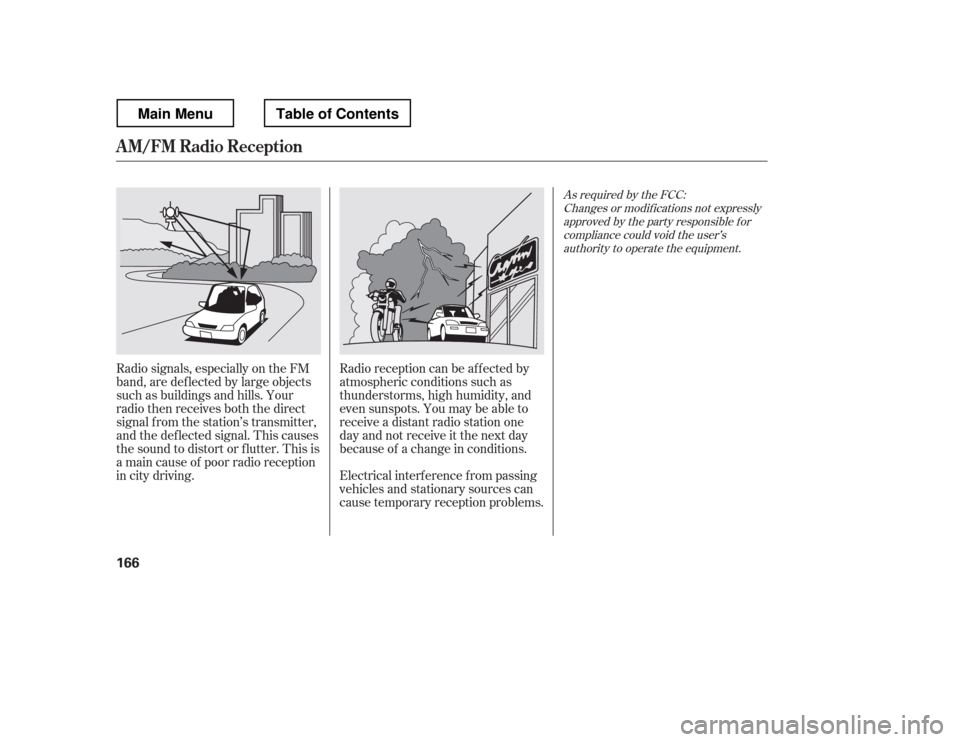
Radio signals, especially on the FM
band, are def lected by large objects
such as buildings and hills. Your
radio then receives both the direct
signal f rom the station
Page 174 of 429
CONT INUED
Playing t he XMRadio
Features
167
TUNE BAR
CATEGORY BAR CATEGORY BAR PRESET BARSSCAN
BUTTON
TUNE BAR
PRESET BARS XM BUTTON
XM BUTTON
VOLUME KNOB
VOLUME KNOB
SCAN BUTTON
RTL and Touring models without navigation system RTL and Touring models with navigation s
ystem
PWR BUTTON DISP/MODE BUTTON PWR BUTTON
DISP/MODE BUTTON
Main MenuTable of Contents