2011 TOYOTA VERSO S display
[x] Cancel search: displayPage 320 of 664
3205-2. Driving procedures
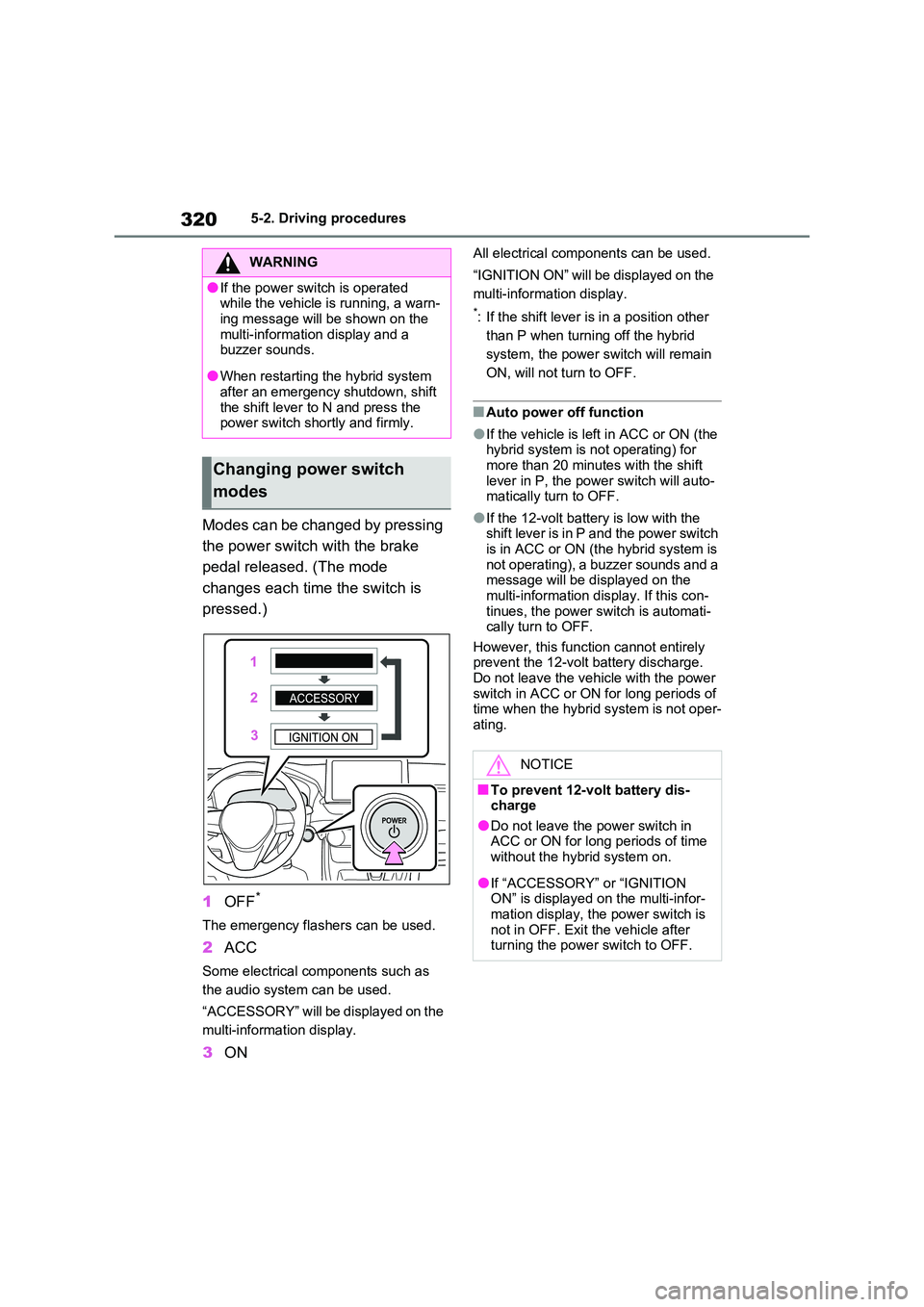
Modes can be changed by pressing
the power switch with the brake
pedal released. (The mode
changes each time the switch is
pressed.)
1 OFF*
The emergency flashers can be used.
2ACC
Some electrical components such as
the audio system can be used.
“ACCESSORY” will be displayed on the
multi-information display.
3 ON
All electrical components can be used.
“IGNITION ON” will be displayed on the
multi-information display.
*: If the shift lever is in a position other
than P when turning off the hybrid
system, the power switch will remain
ON, will not turn to OFF.
■Auto power off function
●If the vehicle is left in ACC or ON (the hybrid system is not operating) for
more than 20 minutes with the shift lever in P, the power switch will auto-matically turn to OFF.
●If the 12-volt battery is low with the shift lever is in P and the power switch
is in ACC or ON (the hybrid system is not operating), a buzzer sounds and a message will be displayed on the
multi-information display. If this con- tinues, the power switch is automati-cally turn to OFF.
However, this function cannot entirely prevent the 12-volt battery discharge. Do not leave the vehicle with the power
switch in ACC or ON for long periods of time when the hybrid system is not oper-ating.
WARNING
●If the power switch is operated while the vehicle is running, a warn-
ing message will be shown on the multi-information display and a buzzer sounds.
●When restarting the hybrid system after an emergency shutdown, shift
the shift lever to N and press the power switch shortly and firmly.
Changing power switch
modes
NOTICE
■To prevent 12-volt battery dis- charge
●Do not leave the power switch in ACC or ON for long periods of time without the hybrid system on.
●If “ACCESSORY” or “IGNITION ON” is displayed on the multi-infor-
mation display, the power switch is not in OFF. Exit the vehicle after turning the power switch to OFF.
Page 321 of 664
321
5
5-2. Driving procedures
Driving
If the hybrid system is stopped with
the shift lever in a position other
than P, the power switch will not be
turned to OFF but instead be turned
to ACC. Perform the following pro-
cedure to turn the switch to OFF:
1 Check that the parking brake is
set.
2 Shift the shift lever to P.
3 Check that “IGNITION ON” is
displayed on the multi-informa-
tion display and press the power
switch shortly and firmly.
4 Check that “ACCESSORY” or
“IGNITION ON” on the multi-
information display is off.
*1: To improve fuel efficiency and
reduce noise, shift the shift lever to
D for normal driving.
*2: Vehicles with paddle shift switches
only: Selecting shift ranges in the D
position allows suitable use of
engine braking. ( P.323)
*3: By selecting shift ranges using S
mode, you can control accelerating
force and engine braking force.
■When driving with dynamic radar cruise control with full-speed range or cruise control activated (if
equipped)
Even when performing the following actions with the intent of enabling
engine braking, engine braking will not activate because dynamic radar cruise control with full-speed range, or cruise
control will not be canceled.
●While driving in D or S mode, down-
When stopping the hybrid
system with the shift lever in
a position other than P
NOTICE
■To prevent 12-volt battery dis-
charge
Do not stop the hybrid system when the shift lever is in a position other
than P. If the hybrid system is stopped in another shift lever position, the power switch will not be turned to
OFF but instead remain ON. If the vehicle is left in ON, 12-volt battery discharge may occur.
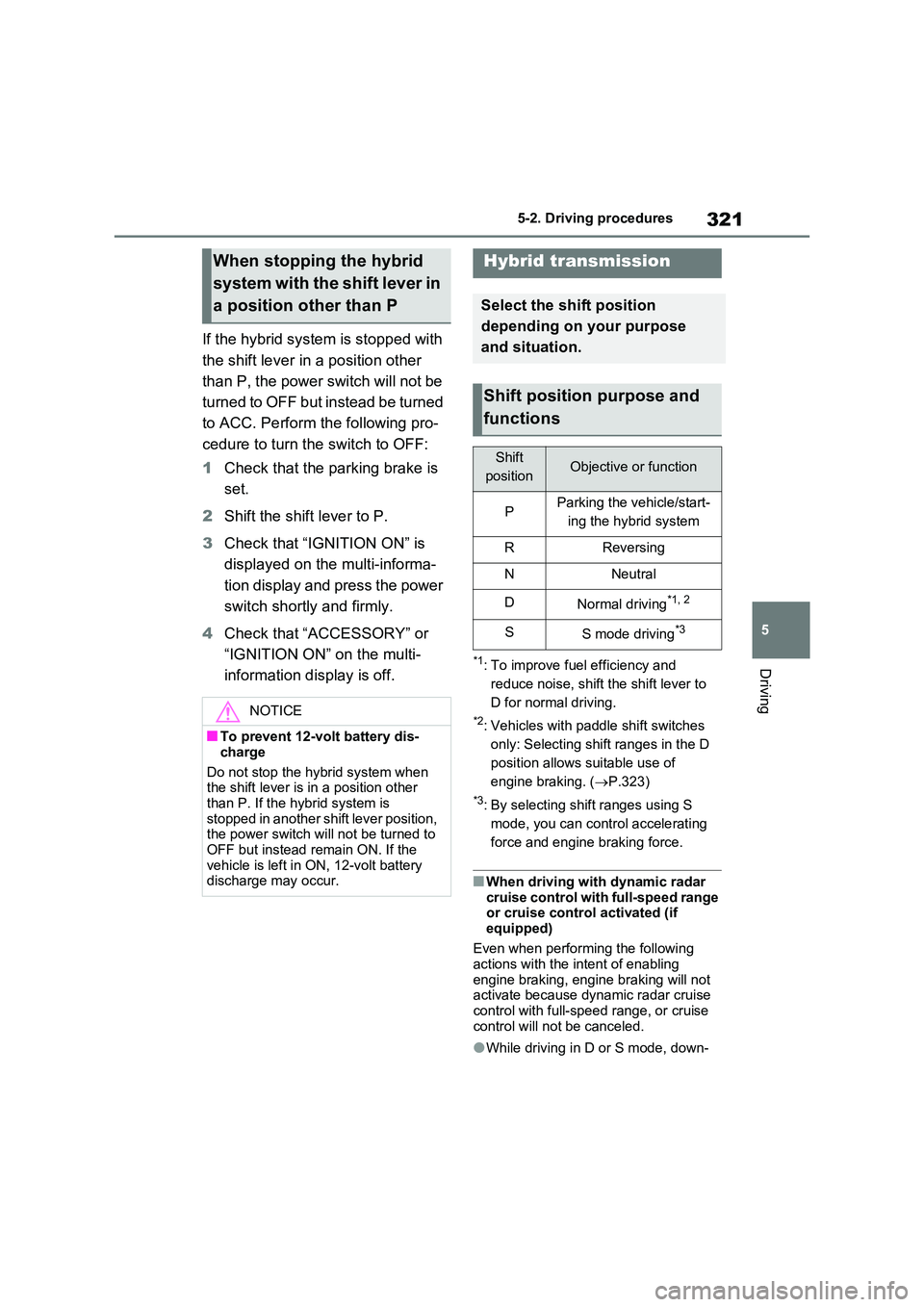
Hybrid transmission
Select the shift position
depending on your purpose
and situation.
Shift position purpose and
functions
Shift
positionObjective or function
PParking the vehicle/start-
ing the hybrid system
RReversing
NNeutral
DNormal driving*1, 2
SS mode driving*3
Page 324 of 664
3245-2. Driving procedures
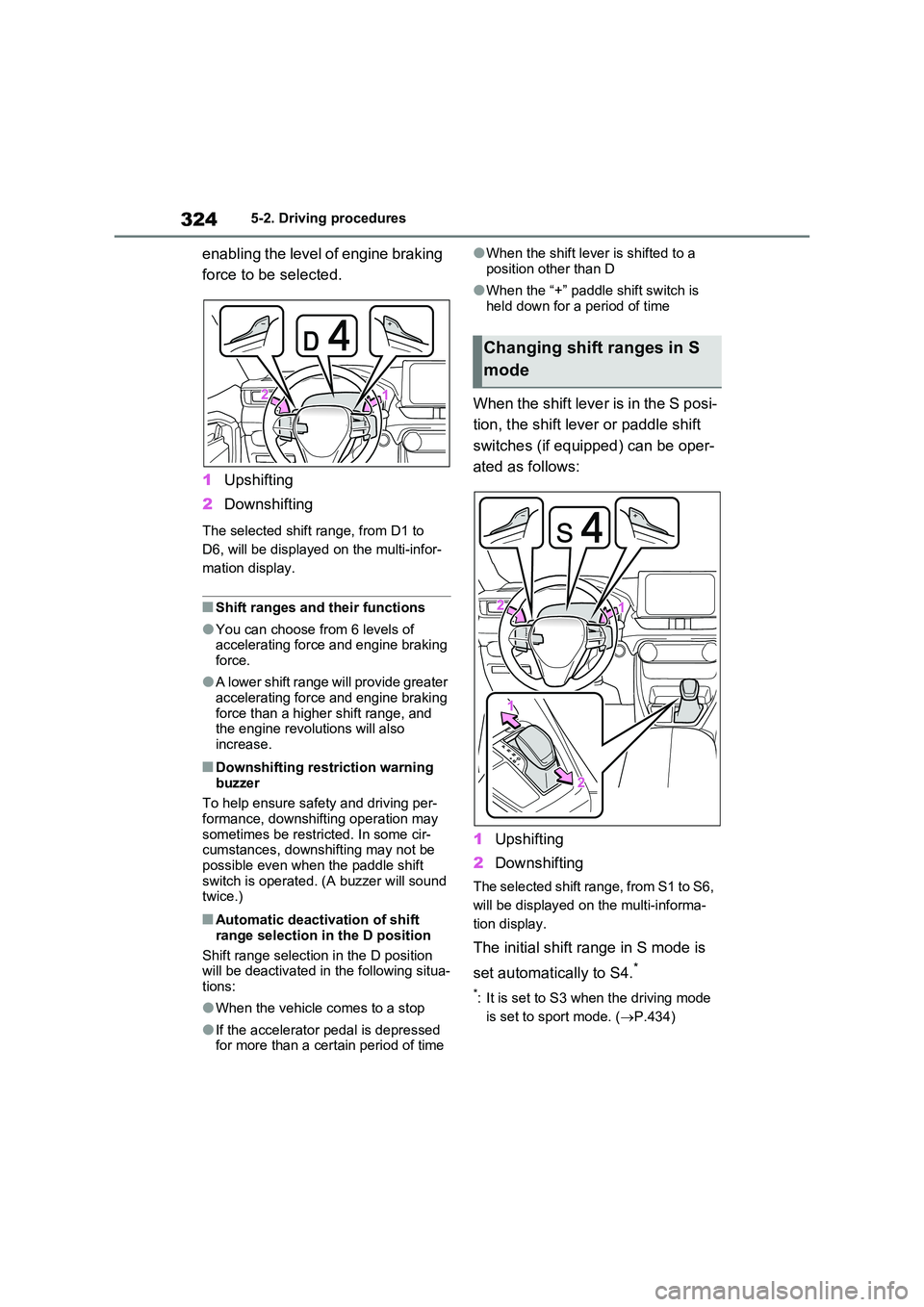
enabling the level of engine braking
force to be selected.
1 Upshifting
2 Downshifting
The selected shift range, from D1 to
D6, will be displayed on the multi-infor-
mation display.
■Shift ranges and their functions
●You can choose from 6 levels of accelerating force and engine braking force.
●A lower shift range will provide greater accelerating force and engine braking
force than a higher shift range, and the engine revolutions will also increase.
■Downshifting restriction warning
buzzer
To help ensure safety and driving per- formance, downshifting operation may
sometimes be restricted. In some cir- cumstances, downshifting may not be possible even when the paddle shift
switch is operated. (A buzzer will sound twice.)
■Automatic deactivation of shift
range selection in the D position
Shift range selection in the D position will be deactivated in the following situa-
tions:
●When the vehicle comes to a stop
●If the accelerator pedal is depressed for more than a certain period of time
●When the shift lever is shifted to a
position other than D
●When the “+” paddle shift switch is
held down for a period of time
When the shift lever is in the S posi-
tion, the shift lever or paddle shift
switches (if equipped) can be oper-
ated as follows:
1 Upshifting
2 Downshifting
The selected shift range, from S1 to S6,
will be displayed on the multi-informa-
tion display.
The initial shift range in S mode is
set automatically to S4.*
*: It is set to S3 when the driving mode
is set to sport mode. ( P.434)
Changing shift ranges in S
mode
Page 325 of 664
325
5
5-2. Driving procedures
Driving
■S mode
●You can choose from 6 levels of accelerating force and engine braking force.
●A lower shift range will provide greater accelerating force and engine braking
force than a higher shift range, and the engine revolutions will also increase.
●To prevent the engine from over-rev-ving, upshifting may automatically
occur when the shift range is 3 or lower.
●When the shift range is 4 or lower, holding the shift lever toward “+” sets the shift range to 6.
■Downshifting restriction warning
buzzer
To help ensure safety and driving per- formance, downshifting operation may
sometimes be restricted. In some cir- cumstances, downshifting may not be possible even when the shift lever or
paddle shift switches (if equipped) is operated. (A buzzer will sound twice.)
■If the “S” indicator does not come on or the “D” indicator is displayed
even after shifting the shift lever to S
This may indicate a malfunction in the
transmission system. Have the vehicle inspected by any authorized Toyota
retailer or Toyota authorized repairer, or any reliable repairer immediately. (In this situation, the transmission will oper-
ate in the same manner as when the shift lever is in D.)
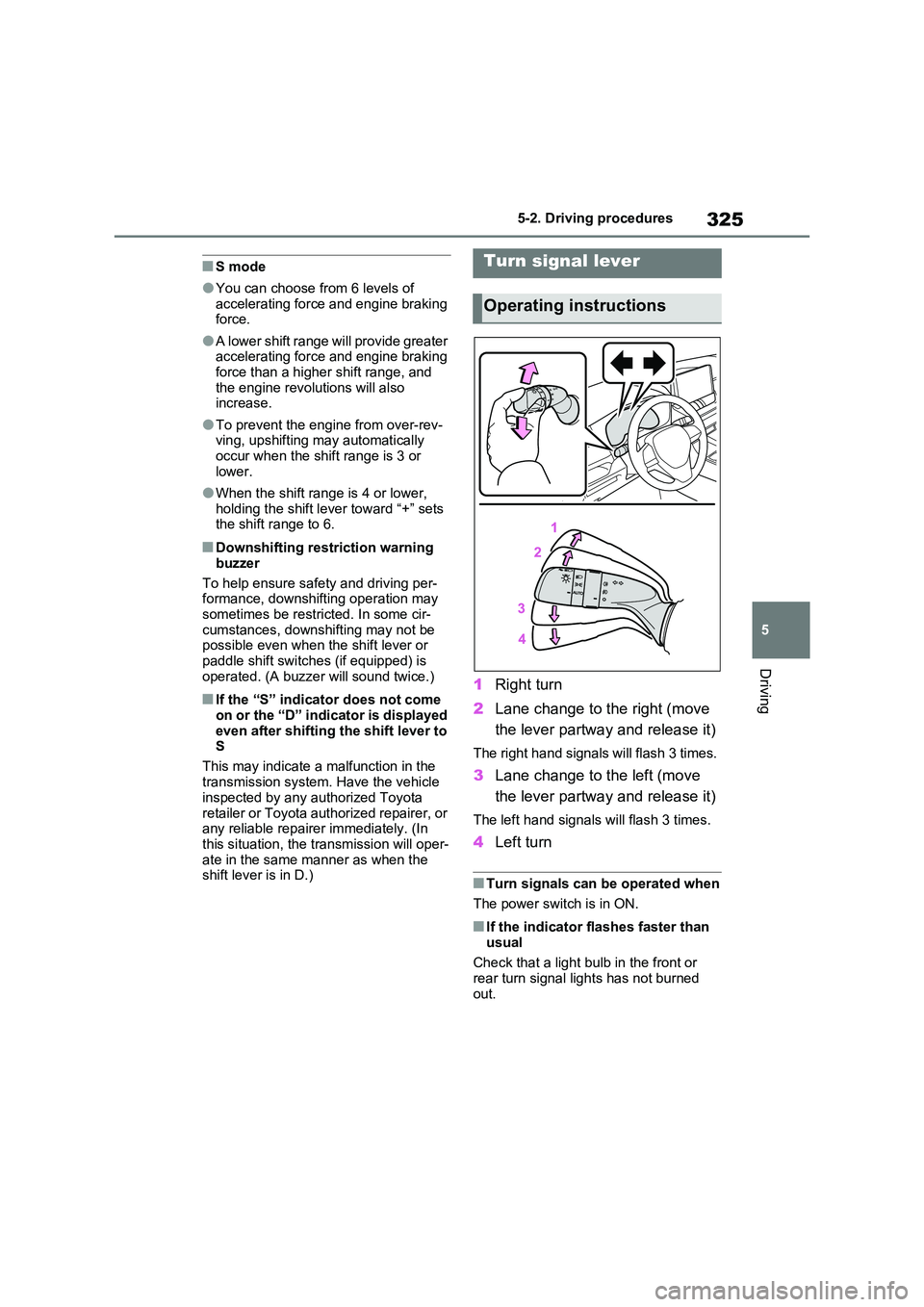
1 Right turn
2 Lane change to the right (move
the lever partway and release it)
The right hand signals will flash 3 times.
3 Lane change to the left (move
the lever partway and release it)
The left hand signals will flash 3 times.
4 Left turn
■Turn signals can be operated when
The power switch is in ON.
■If the indicator flashes faster than
usual
Check that a light bulb in the front or rear turn signal lights has not burned
out.
Turn signal lever
Operating instructions
Page 327 of 664
327
5
5-2. Driving procedures
Driving
an emergency occurs and it is neces-
sary to operate the parking brake while
driving.
2 Push the switch to release the
parking brake.
• Operate the parking brake switch
while depressing the brake pedal.
• Parking brake automatic release
function ( P.327)
Make sure that the parking brake indi-
cator light and parking brake switch
indicator turn off.
If the parking brake indicator light
and parking brake switch indicator
flash, operate the switch again.
( P.574)
■Turning the automatic mode
on
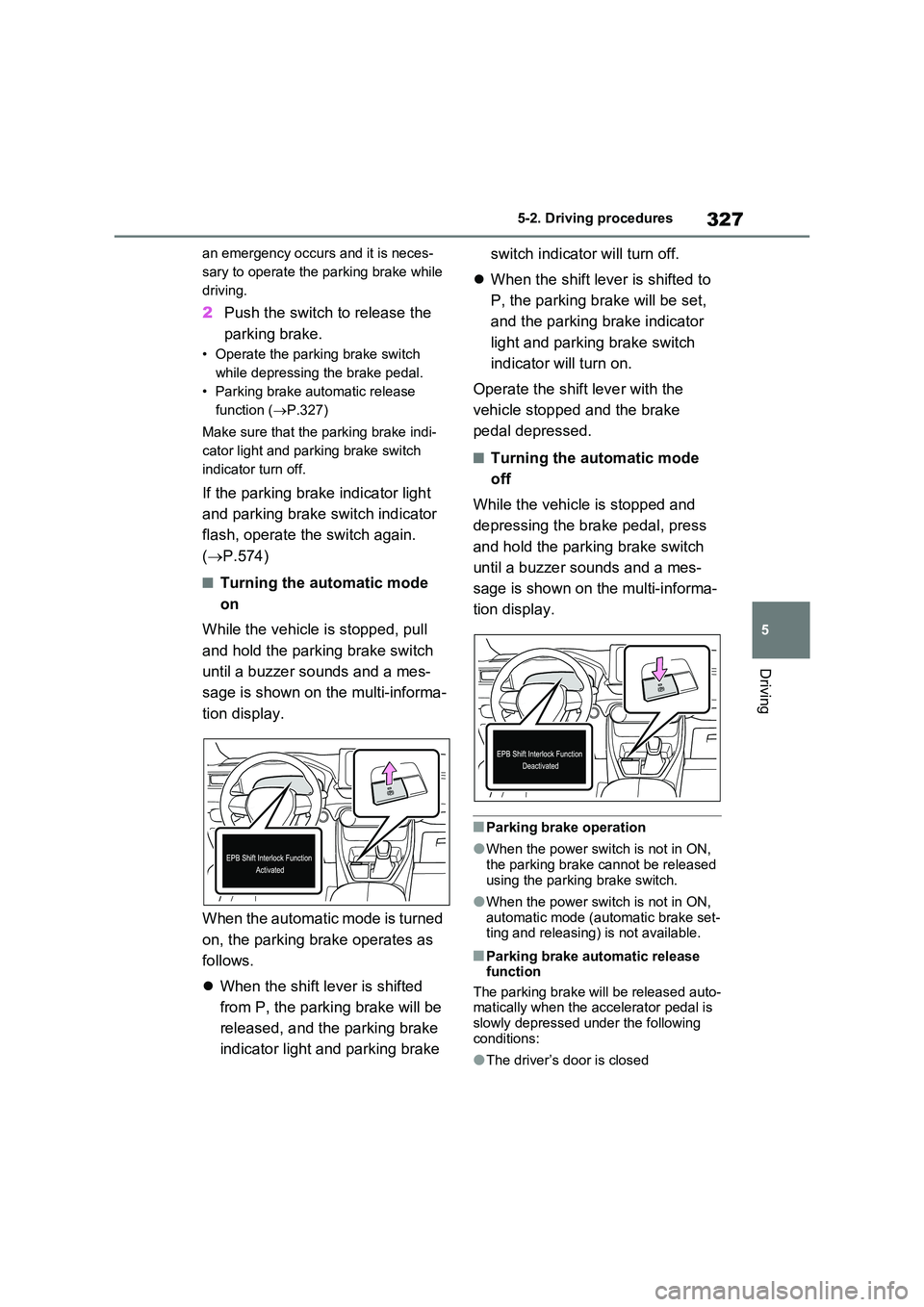
While the vehicle is stopped, pull
and hold the parking brake switch
until a buzzer sounds and a mes-
sage is shown on the multi-informa-
tion display.
When the automatic mode is turned
on, the parking brake operates as
follows.
When the shift lever is shifted
from P, the parking brake will be
released, and the parking brake
indicator light and parking brake
switch indicator will turn off.
When the shift lever is shifted to
P, the parking brake will be set,
and the parking brake indicator
light and parking brake switch
indicator will turn on.
Operate the shift lever with the
vehicle stopped and the brake
pedal depressed.
■Turning the automatic mode
off
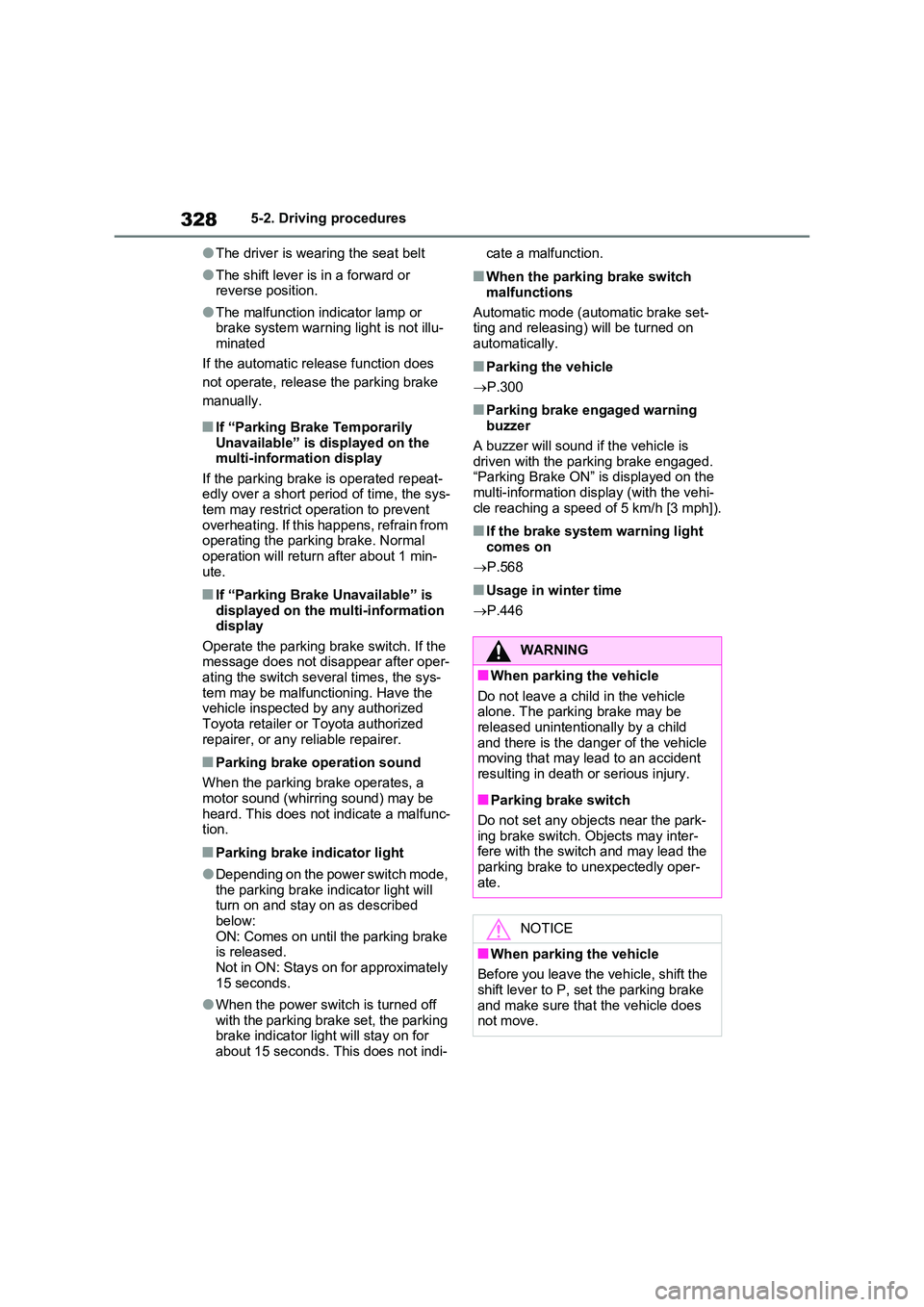
While the vehicle is stopped and
depressing the brake pedal, press
and hold the parking brake switch
until a buzzer sounds and a mes-
sage is shown on the multi-informa-
tion display.
■Parking brake operation
●When the power switch is not in ON, the parking brake cannot be released
using the parking brake switch.
●When the power switch is not in ON,
automatic mode (automatic brake set- ting and releasing) is not available.
■Parking brake automatic release function
The parking brake will be released auto- matically when the accelerator pedal is slowly depressed under the following
conditions:
●The driver’s door is closed
Page 328 of 664
3285-2. Driving procedures
●The driver is wearing the seat belt
●The shift lever is in a forward or reverse position.
●The malfunction indicator lamp or brake system warning light is not illu-
minated
If the automatic release function does
not operate, release the parking brake
manually.
■If “Parking Brake Temporarily Unavailable” is displayed on the multi-information display
If the parking brake is operated repeat- edly over a short period of time, the sys-tem may restrict operation to prevent
overheating. If this happens, refrain from operating the parking brake. Normal operation will return after about 1 min-
ute.
■If “Parking Brake Unavailable” is displayed on the multi-information display
Operate the parking brake switch. If the message does not disappear after oper-ating the switch several times, the sys-
tem may be malfunctioning. Have the vehicle inspected by any authorized Toyota retailer or Toyota authorized
repairer, or any reliable repairer.
■Parking brake operation sound
When the parking brake operates, a motor sound (whirring sound) may be
heard. This does not indicate a malfunc- tion.
■Parking brake indicator light
●Depending on the power switch mode, the parking brake indicator light will turn on and stay on as described
below: ON: Comes on until the parking brake is released.
Not in ON: Stays on for approximately 15 seconds.
●When the power switch is turned off with the parking brake set, the parking brake indicator light will stay on for
about 15 seconds. This does not indi-
cate a malfunction.
■When the parking brake switch
malfunctions
Automatic mode (automatic brake set- ting and releasing) will be turned on
automatically.
■Parking the vehicle
P.300
■Parking brake engaged warning buzzer
A buzzer will sound if the vehicle is driven with the parking brake engaged. “Parking Brake ON” is displayed on the
multi-information display (with the vehi- cle reaching a speed of 5 km/h [3 mph]).
■If the brake system warning light comes on
P.568
■Usage in winter time
P.446
WARNING
■When parking the vehicle
Do not leave a child in the vehicle alone. The parking brake may be released unintentionally by a child
and there is the danger of the vehicle moving that may lead to an accident resulting in death or serious injury.
■Parking brake switch
Do not set any objects near the park-
ing brake switch. Objects may inter- fere with the switch and may lead the parking brake to unexpectedly oper-
ate.
NOTICE
■When parking the vehicle
Before you leave the vehicle, shift the shift lever to P, set the parking brake
and make sure that the vehicle does not move.
Page 330 of 664
3305-2. Driving procedures
enabled, the system will turn off and the
brake hold standby indicator light will go off. In addition, if any of the conditions are detected while the system is holding
the brake, a warning buzzer will sound and a message will be shown on the multi-information display. The parking
brake will then be set automatically.
■Brake hold function
●If the brake pedal is left released for a
period of about 3 minutes after the system has started holding the brake, the parking brake will be set automati-
cally. In this case, a warning buzzer sounds and a message is shown on the multi-information display.
●To turn the system off while the sys-tem is holding the brake, firmly
depress the brake pedal and press the button again.
●The brake hold function may not hold the vehicle when the vehicle is on a steep incline. In this situation, it may
be necessary for the driver to apply the brakes. A warning buzzer will sound and the multi-information dis-
play will inform the driver of this situa- tion. If a warning message is shown on the multi-information display, read
the message and follow the instruc- tions.
■When the parking brake is set auto-matically while the system is hold-
ing the brakes
Perform any of the following operations to release the parking brake:
●Depress the accelerator pedal. (The parking brake will not be released
automatically if the seat belt is not fas- tened.)
●Operate the parking brake switch with the brake pedal depressed.
Make sure that the parking brake indica-
tor light goes off. ( P.326)
■When an inspection at any autho-
rized Toyota retailer or Toyota authorized repairer, or any reliable repairer is necessary
When the brake hold standby indicator (green) does not illuminate even when the brake hold switch is pressed with the
brake hold system operating conditions met, the system may be malfunctioning. Have the vehicle inspected at any
authorized Toyota retailer or Toyota authorized repairer, or any reliable repairer.
■If “Brake Hold Malfunction Press
Brake to Deactivate Visit Your Dealer” or “Brake Hold Malfunction Visit Your Dealer” is displayed on
the multi-information display
The system may be malfunctioning. Have the vehicle inspected by any
authorized Toyota retailer or Toyota authorized repairer, or any reliable repairer.
■Warning messages and buzzers
Warning messages and buzzers are used to indicate a system malfunction or to inform the driver of the need for cau-
tion. If a warning message is shown on the multi-information display, read the message and follow the instructions.
■If the brake hold operated indicator
flashes
P.574
WARNING
■When the vehicle is on a steep
incline
When using the brake hold system on a steep incline, exercise caution. The
brake hold function may not hold the vehicle in such a situation.
■When stopped on a slippery road
The system cannot stop the vehicle when the gripping ability of the tires
has been exceeded. Do not use the system when stopped on a slippery road.
Page 333 of 664

333
5
5-3. Operating the lights and wipers
Driving
■Automatic headlight leveling sys-
tem
The level of the headlights is automati- cally adjusted according to the number
of passengers and the loading condition of the vehicle to ensure that the head-lights do not interfere with other road
users.
■12-volt battery-saving function
In order to prevent the 12-volt battery of the vehicle from discharging, if the light
switch is in position when the
power switch is turned to OFF, the 12- volt battery-saving function will operate
and automatically turn off all the lights after approximately 20 minutes.
When any of the following are per-
formed, the 12-volt battery-saving func- tion is canceled once and then reactivated. All the lights will turn off
automatically 20 minutes after the 12- volt battery-saving function has been reactivated:
●When the headlight switch is operated
●When a door is opened or closed
■If “Headlight System Malfunction Visit Your Dealer” is displayed on the multi-information display
The system may be malfunctioning. Have the vehicle inspected by any authorized Toyota retailer or Toyota
authorized repairer, or any reliable repairer.
■Customization
Settings (e.g. light sensor sensitivity)
can be changed. (Customizable features: P.637)
1With the headlights on, push the
lever away from you to turn on
the high beams.
Pull the lever toward you to the center
position to turn the high beams off.
2 Pull the lever toward you and
release it to flash the high
beams once.
You can flash the high beams with the
headlights on or off.
This system allows the headlights
to be turned on for 30 seconds
when the power switch is turned to
OFF.
Pull the lever toward you and
release it with the light switch is in
after turning the power switch
to OFF.
Pull the lever toward you and release it
again to turn off the lights.
NOTICE
■To prevent 12-volt battery dis- charge
Do not leave the lights on longer than
necessary when the hybrid system is not operating.
Turning on the high beam
headlights
Extended Headlight Lighting
system