Page 336 of 664
3365-3. Operating the lights and wipers
equal to those of headlights, tail lights
or fog lights
• When headlights or tail lights of vehi-
cles ahead are turned off, dirty,
changing color, or not aimed properly
• When the vehicle is hit by water,
snow, dust, etc. from a preceding
vehicle
• When driving through an area of inter-
mittently changing brightness and
darkness
• When frequently and repeatedly driv-
ing ascending/descending roads, or
roads with rough, bumpy or uneven
surfaces (such as stone-paved roads,
gravel roads, etc.)
• When frequently and repeatedly tak-
ing curves or driving on a winding
road
• There is a highly reflective object
ahead of the vehicle, such as a sign or
mirror
• The back of a vehicle ahead is highly
reflective, such as a container on a
truck
• The vehicle’s headlights are damaged
or dirty, or are not aimed properly
• The vehicle is listing or titling due to a
flat tire, a trailer being towed, etc.
• The high beams and low beams are
repeatedly being switched between in
an abnormal manner
• The driver believes that the high
beams may be causing problems or
distress to other drivers or pedestrians
nearby
• The vehicle is used in a territory in
which vehicles travel on the opposite
side of the road of the country for
which the vehicle is approved, for
example using a vehicle designed for
right-hand traffic in a left-hand traffic
territory, or vice versa
• When going through the Straits of
Dover
■If “Headlight System Malfunction
Visit Your Dealer” is displayed on
the multi-information display
The system may be malfunctioning.
Have the vehicle inspected by any
authorized Toyota retailer or Toyota
authorized repairer, or any reliable repairer.
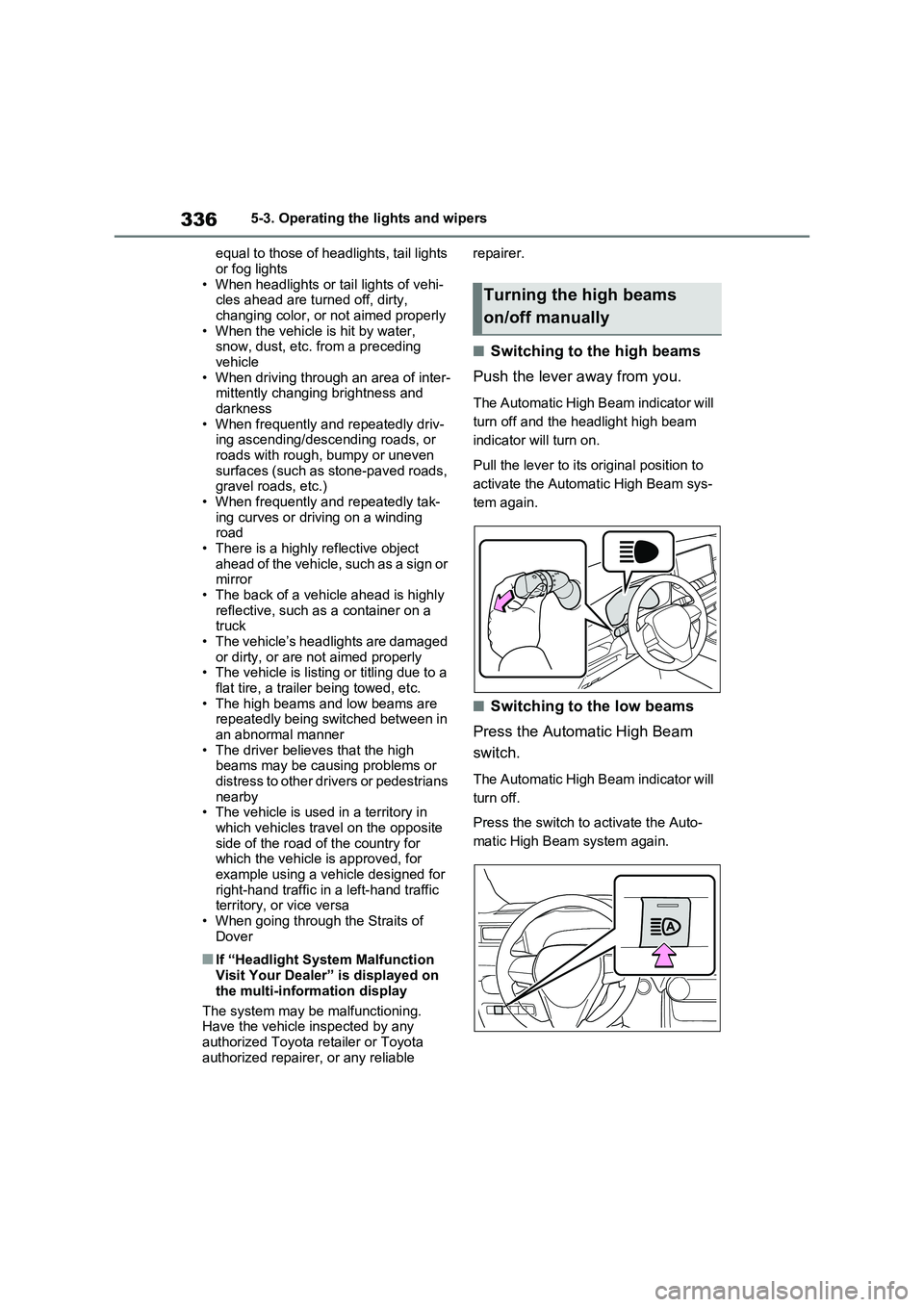
■Switching to the high beams
Push the lever away from you.
The Automatic High Beam indicator will
turn off and the headlight high beam
indicator will turn on.
Pull the lever to its original position to
activate the Automatic High Beam sys-
tem again.
■Switching to the low beams
Press the Automatic High Beam
switch.
The Automatic High Beam indicator will
turn off.
Press the switch to activate the Auto-
matic High Beam system again.
Turning the high beams
on/off manually
Page 353 of 664
353
5 5-5. Using the driving support systems
Driving
For vehicles sold in Ukraine
■If a warning message is displayed on the multi-information display
A system may be temporarily unavailable or there may be a malfunction in the sys-
tem.
●In the following situations, perform the actions specified in the table. When the nor-
mal operating conditions are detected, the message will disappear and the system
will become operational.
If the message does not disappear, contact any authorized Toyota retailer or Toyota
authorized repairer, or any reliable repairer.
SituationActions
When the area around a sensor is cov-
ered with dirt, moisture (fogged up, cov-
ered with condensation, ice, etc.), or
other foreign matterTo clean the part of the windshield in
front of the front camera, use the wind-
shield wipers or the windshield defogger
of the air conditioning system (P.453).
Page 355 of 664

355
5 5-5. Using the driving support systems
Driving
*: If equipped
The system can detect the follow-
ing:
Vehicles
Bicyclists
Pedestrians
■Pre-collision warning
When the system determines that
the possibility of a frontal collision is
high, a buzzer will sound and a
warning message will be displayed
on the multi-information display to
urge the driver to take evasive
action.
■Pre-collision brake assist
When the system determines that
the possibility of a frontal collision is
high, the system applies greater
braking force in relation to how
strongly the brake pedal is
depressed.
■Pre-collision braking
If the system determines that the
possibility of a frontal collision is
extremely high, the brakes are
automatically applied to help avoid
the collision or reduce the impact of
the collision.
PCS (Pre-Collision Sys-
tem)
*
The pre-collision system uses
a radar sensor and front cam-
era to detect objects (P.355)
in front of the vehicle. When
the system determines that the
possibility of a frontal collision
with an object is high, a warn-
ing operates to urge the driver
to take evasive action and the
potential brake pressure is
increased to help the driver
avoid the collision. If the sys-
tem determines that the possi-
bility of a frontal collision with
an object is extremely high,
the brakes are automatically
applied to help avoid the colli-
sion or help reduce the impact
of the collision.
The pre-collision system can be
disabled/enabled and the warn-
ing timing can be changed.
(P.357)
Detectable objects
System functions
Page 357 of 664

357
5
5-5. Using the driving support systems
Driving
■Enabling/disabling the pre-col-
lision system
The pre-collision system can be
enabled/disabled on the screen
( P.186) of the multi-information
display.
The system is automatically enabled
each time the power switch is turned to
ON.
If the system is disabled, the PCS
warning light will turn on and a
message will be displayed on the
multi-information display.
■Changing the pre-collision
warning timing
The pre-collision warning timing
can be changed on the screen
( P.186) of the multi-information
display.
The warning timing setting is retained
when the power switch is turned to
OFF. However, if the pre-collision sys-
tem is disabled and re-enabled, the
operation timing will return to the
default setting (middle).
WARNING
●When inspecting the vehicle using a drum tester such as a chassis
dynamometer or speedometer tes- ter, or when using an on vehicle wheel balancer
●When a strong impact is applied to the front bumper or front grille, due
to an accident or other reasons
●If the vehicle cannot be driven in a
stable manner, such as when the vehicle has been in an accident or is malfunctioning
●When the vehicle is driven in a sporty manner or off-road
●When the tires are not properly inflated
●When the tires are very worn
●When tires of a size other than specified are installed
●When tire chains are installed
●When a compact spare tire or an
emergency tire puncture repair kit is used
●If equipment (snow plow, etc.) that may obstruct the radar sensor or front camera is temporarily installed
to the vehicle
Changing settings of the
pre-collision system
Page 362 of 664
3625-5. Using the driving support systems
●The PCS warning light will turn on and
“VSC Turned OFF Pre-Collision Brake
System Unavailable” will be displayed
on the multi-information display.
*: If equipped
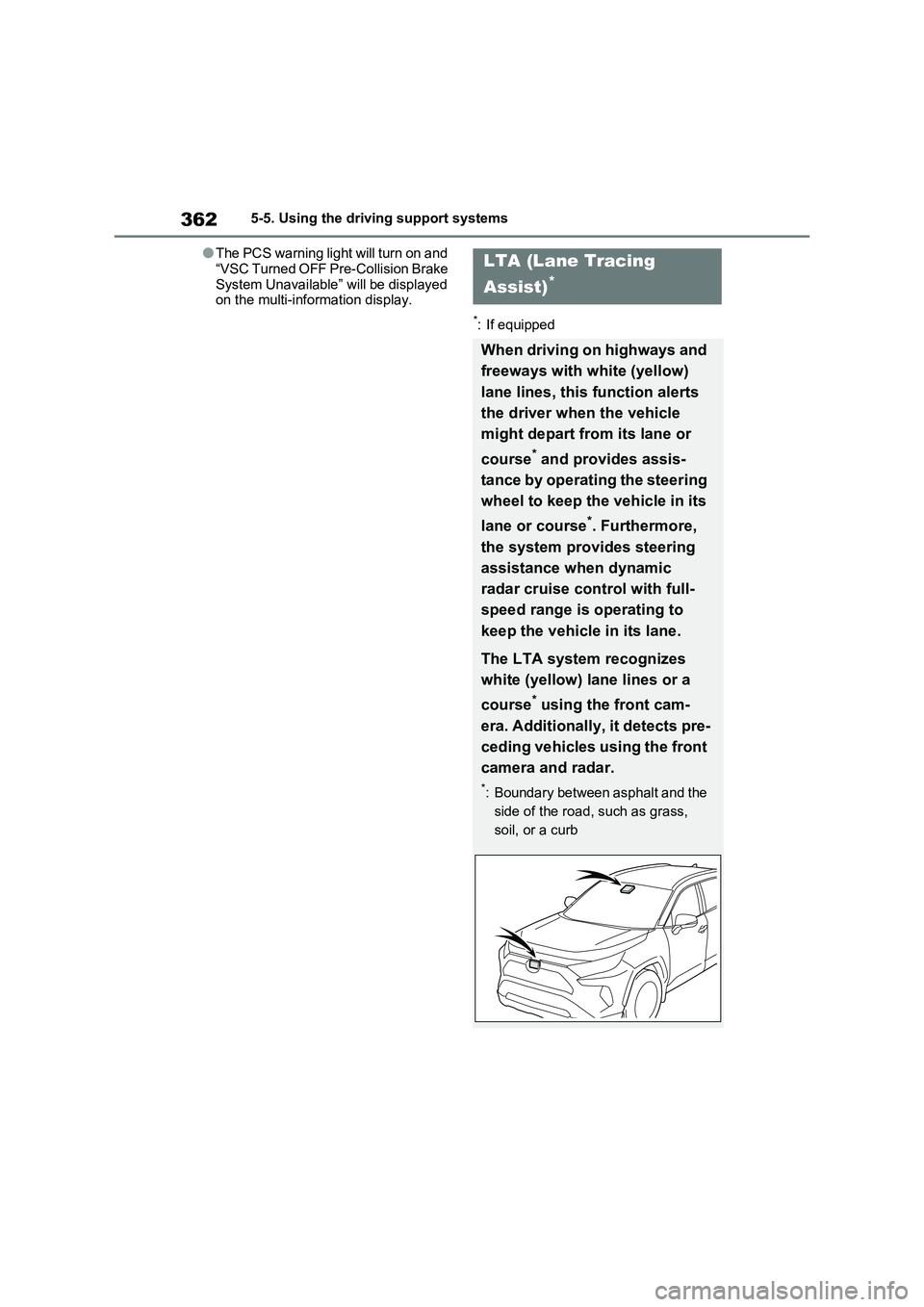
LTA (Lane Tracing
Assist)
*
When driving on highways and
freeways with white (yellow)
lane lines, this function alerts
the driver when the vehicle
might depart from its lane or
course
* and provides assis-
tance by operating the steering
wheel to keep the vehicle in its
lane or course
*. Furthermore,
the system provides steering
assistance when dynamic
radar cruise control with full-
speed range is operating to
keep the vehicle in its lane.
The LTA system recognizes
white (yellow) lane lines or a
course
* using the front cam-
era. Additionally, it detects pre-
ceding vehicles using the front
camera and radar.
*: Boundary between asphalt and the
side of the road, such as grass,
soil, or a curb
Page 364 of 664
3645-5. Using the driving support systems
WARNING
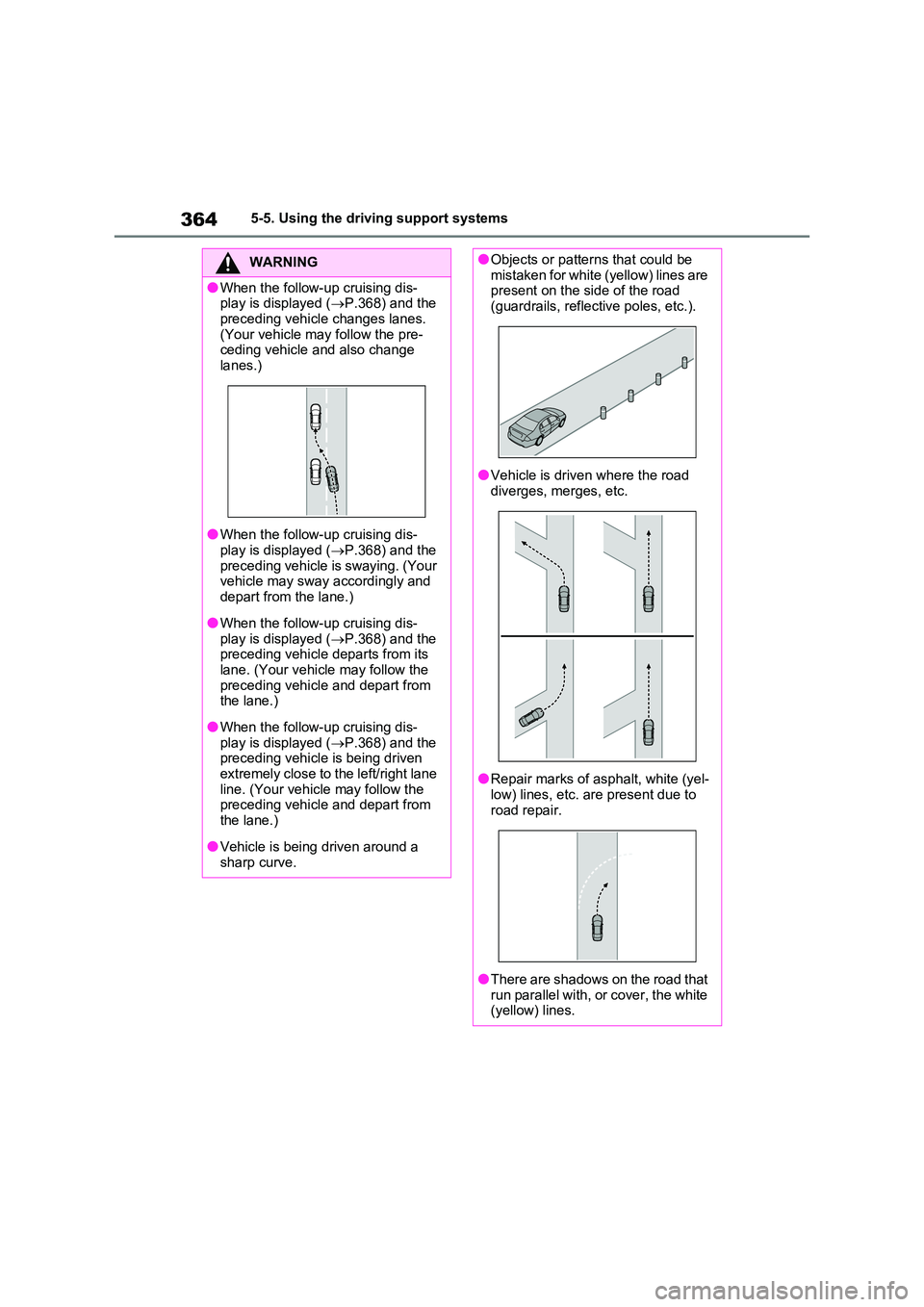
●When the follow-up cruising dis- play is displayed ( P.368) and the
preceding vehicle changes lanes. (Your vehicle may follow the pre-ceding vehicle and also change
lanes.)
●When the follow-up cruising dis-
play is displayed ( P.368) and the preceding vehicle is swaying. (Your vehicle may sway accordingly and
depart from the lane.)
●When the follow-up cruising dis-
play is displayed ( P.368) and the preceding vehicle departs from its lane. (Your vehicle may follow the
preceding vehicle and depart from the lane.)
●When the follow-up cruising dis-play is displayed ( P.368) and the preceding vehicle is being driven
extremely close to the left/right lane line. (Your vehicle may follow the preceding vehicle and depart from
the lane.)
●Vehicle is being driven around a
sharp curve.
●Objects or patterns that could be mistaken for white (yellow) lines are present on the side of the road
(guardrails, reflective poles, etc.).
●Vehicle is driven where the road
diverges, merges, etc.
●Repair marks of asphalt, white (yel- low) lines, etc. are present due to
road repair.
●There are shadows on the road that
run parallel with, or cover, the white (yellow) lines.
Page 366 of 664
3665-5. Using the driving support systems
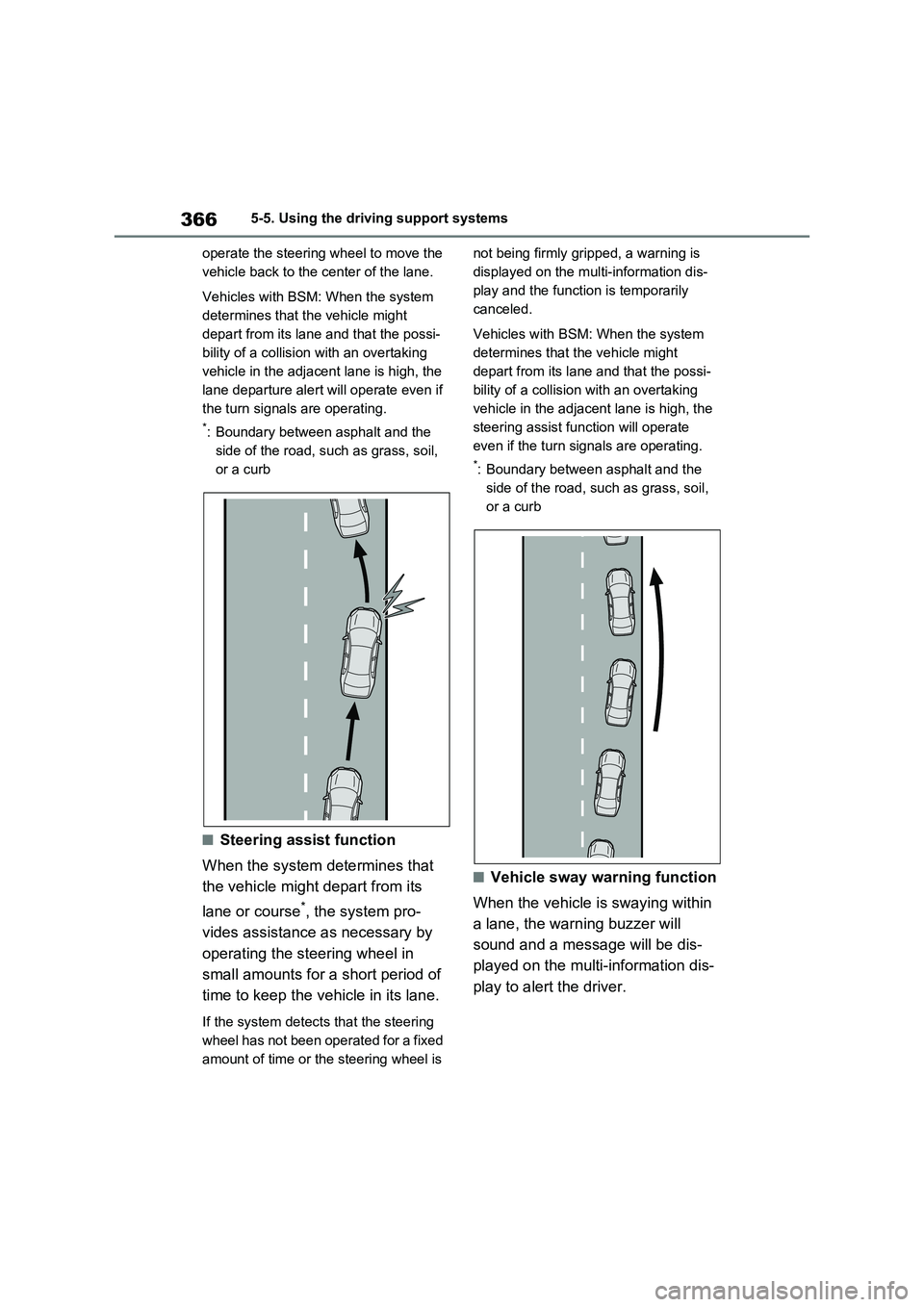
operate the steering wheel to move the
vehicle back to the center of the lane.
Vehicles with BSM: When the system
determines that the vehicle might
depart from its lane and that the possi-
bility of a collision with an overtaking
vehicle in the adjacent lane is high, the
lane departure alert will operate even if
the turn signals are operating.
*: Boundary between asphalt and the
side of the road, such as grass, soil,
or a curb
■Steering assist function
When the system determines that
the vehicle might depart from its
lane or course
*, the system pro-
vides assistance as necessary by
operating the steering wheel in
small amounts for a short period of
time to keep the vehicle in its lane.
If the system detects that the steering
wheel has not been operated for a fixed
amount of time or the steering wheel is not being firmly gripped, a warning is
displayed on the multi-information dis-
play and the function is temporarily
canceled.
Vehicles with BSM: When the system
determines that the vehicle might
depart from its lane and that the possi-
bility of a collision with an overtaking
vehicle in the adjacent lane is high, the
steering assist function will operate
even if the turn signals are operating.
*: Boundary between asphalt and the
side of the road, such as grass, soil,
or a curb
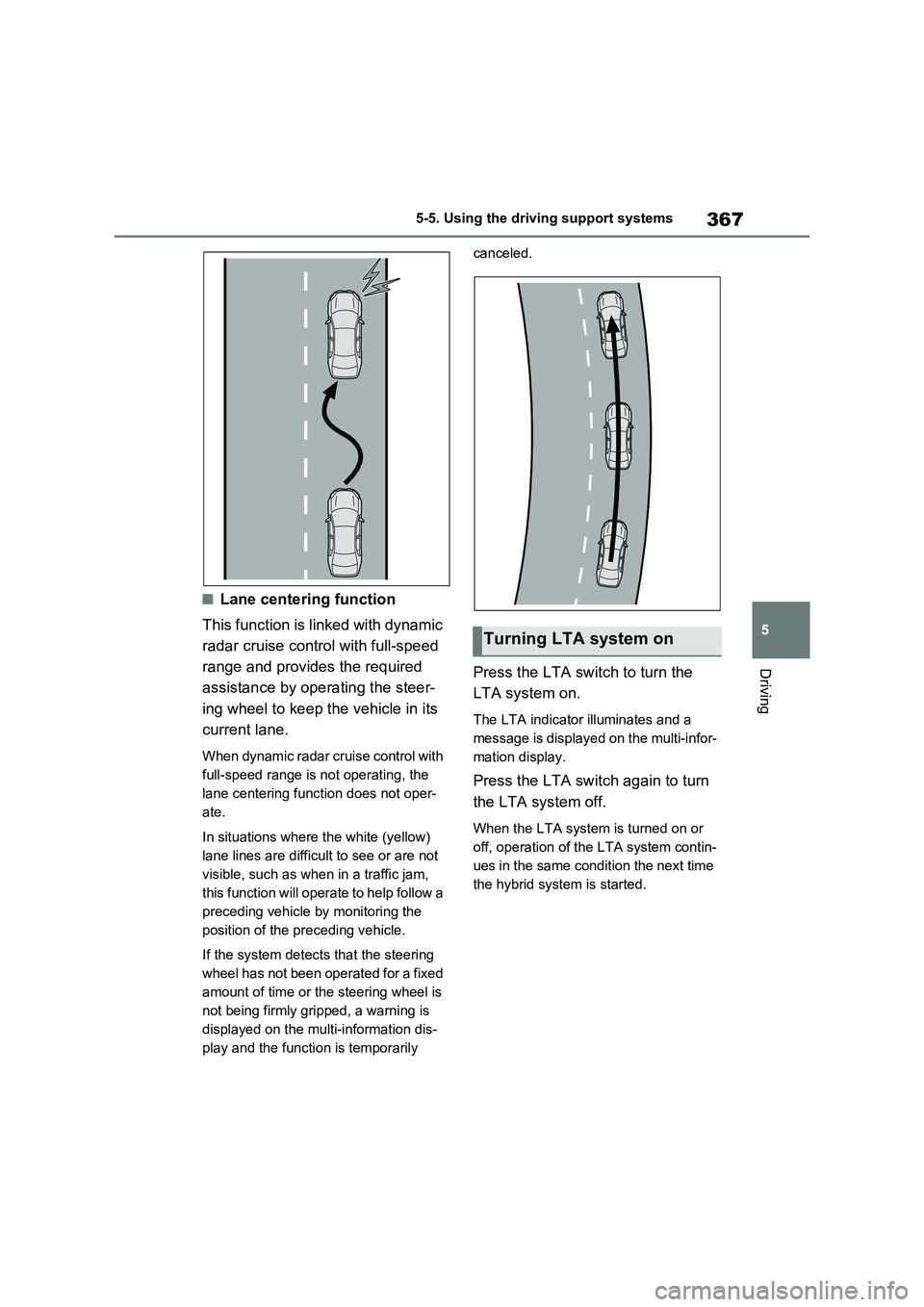
■Vehicle sway warning function
When the vehicle is swaying within
a lane, the warning buzzer will
sound and a message will be dis-
played on the multi-information dis-
play to alert the driver.
Page 367 of 664
367
5 5-5. Using the driving support systems
Driving
■Lane centering function
This function is linked with dynamic
radar cruise control with full-speed
range and provides the required
assistance by operating the steer-
ing wheel to keep the vehicle in its
current lane.
When dynamic radar cruise control with
full-speed range is not operating, the
lane centering function does not oper-
ate.
In situations where the white (yellow)
lane lines are difficult to see or are not
visible, such as when in a traffic jam,
this function will operate to help follow a
preceding vehicle by monitoring the
position of the preceding vehicle.
If the system detects that the steering
wheel has not been operated for a fixed
amount of time or the steering wheel is
not being firmly gripped, a warning is
displayed on the multi-information dis-
play and the function is temporarily canceled.
Press the LTA switch to turn the
LTA system on.
The LTA indicator illuminates and a
message is displayed on the multi-infor-
mation display.
Press the LTA switch again to turn
the LTA system off.
When the LTA system is turned on or
off, operation of the LTA system contin-
ues in the same condition the next time
the hybrid system is started.
Turning LTA system on