Page 248 of 602
Features and controls
3-151
3
Changing the temperature unit
N00557200115
The temperature display unit can be switched.
1. Press and hold the multi-information meter switch (for
about 2 seconds or more) to switch from the setting mode
screen to the menu screen.
Refer to “Changing the function settings (With ignition
switch or operation mode is in ON)” on page 3-146.
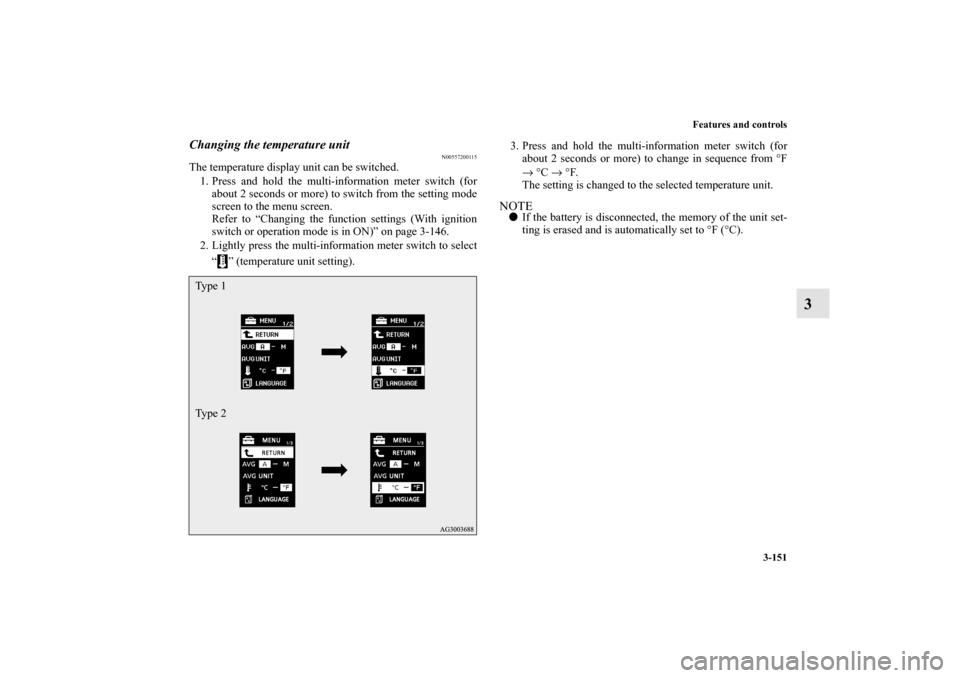
2. Lightly press the multi-information meter switch to select
“ ” (temperature unit setting).3. Press and hold the multi-information meter switch (for
about 2 seconds or more) to change in sequence from °F
→ °C → °F.
The setting is changed to the selected temperature unit.
NOTE�If the battery is disconnected, the memory of the unit set-
ting is erased and is automatically set to °F (°C).
Ty p e 1
Ty p e 2
BK0120400US.book 151 ページ 2010年5月12日 水曜日 午前10時50分
Page 250 of 602
Features and controls
3-153
3
5. Press and hold the multi-information meter switch (for
about 2 seconds or more) to change the setting to the
selected language.NOTE�If the battery is disconnected, the memory of the language
setting is erased and is automatically set to ENGLISH.
�If “---” is selected in the language setting, a warning mes-
sage is not displayed when there is a warning display or
interrupt display.Changing the language on Mitsubishi Multi-Communi-
cation System or Bluetooth
® 2.0 interface to match the
multi-information display
(if so equipped)
N00529800161
The language used in Mitsubishi Multi-Communication Sys-
tem (if so equipped) or Bluetooth
® 2.0 interface (if so
equipped) can be changed automatically to the same language
as that shown in the multi-information display.
1. Press and hold the multi-information meter switch (for
about 2 seconds or more) to switch from the setting mode
screen to the menu screen. Refer to “Changing the func-
tion settings (With ignition switch or operation mode is in
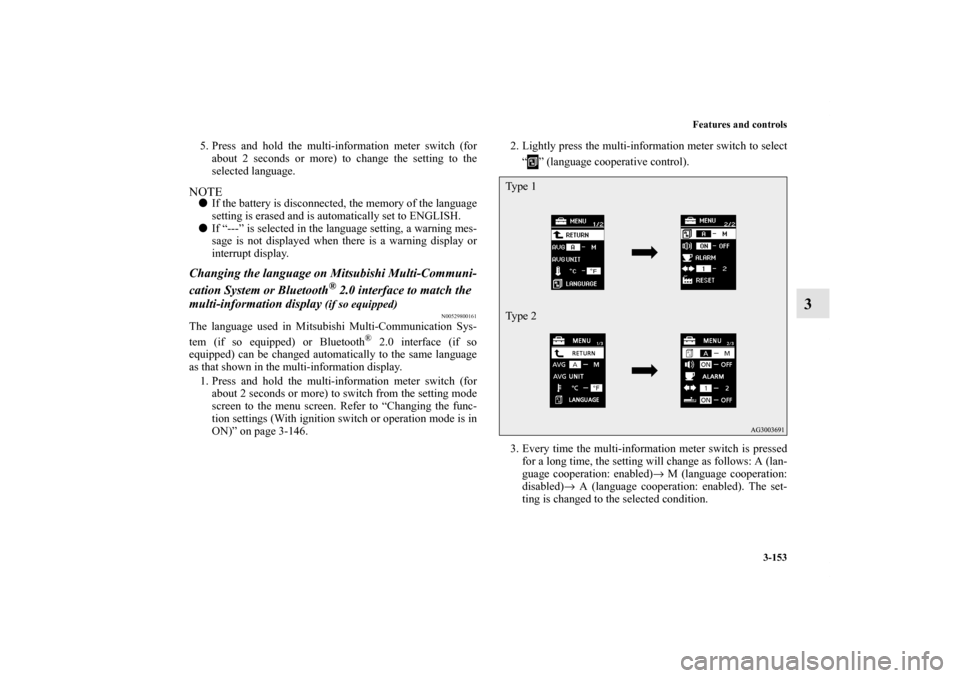
ON)” on page 3-146. 2. Lightly press the multi-information meter switch to select
“ ” (language cooperative control).
3. Every time the multi-information meter switch is pressed
for a long time, the setting will change as follows: A (lan-
guage cooperation: enabled)→ M (language cooperation:
disabled)→ A (language cooperation: enabled). The set-
ting is changed to the selected condition.
Ty p e 1
Ty p e 2
BK0120400US.book 153 ページ 2010年5月12日 水曜日 午前10時50分
Page 251 of 602
3-154 Features and controls
3
NOTE�If the battery is disconnected, the memory of the language
cooperative control is erased and is automatically set to
“A” (language cooperation: enabled).
�The language display modified with the language setting
can be switched in the following manner.
• When “A” (language cooperation: enabled) has been
selected with the language cooperative control, the lan-
guage for Mitsubishi Multi-Communication System (if
so equipped) or Bluetooth
® 2.0 interface (if so
equipped) is automatically changed to the language
selected for the multi-information display.
• When “M” (language cooperation: disabled) has been
selected with the language cooperative control, the lan-
guage for Mitsubishi Multi-Communication System (if
so equipped) or Bluetooth® 2.0 interface (if so
equipped) is not automatically changed to the language
selected for the multi-information display.
Operation sound setting
N00557400117
You can turn off the operation sounds of the multi-information
meter switch and rheostat meter illumination button.
1. Press and hold the multi-information meter switch (for
about 2 seconds or more) to switch from the setting mode
screen to the menu screen.
Refer to “Changing the function settings (With ignition
switch or operation mode is in ON)” on page 3-146.
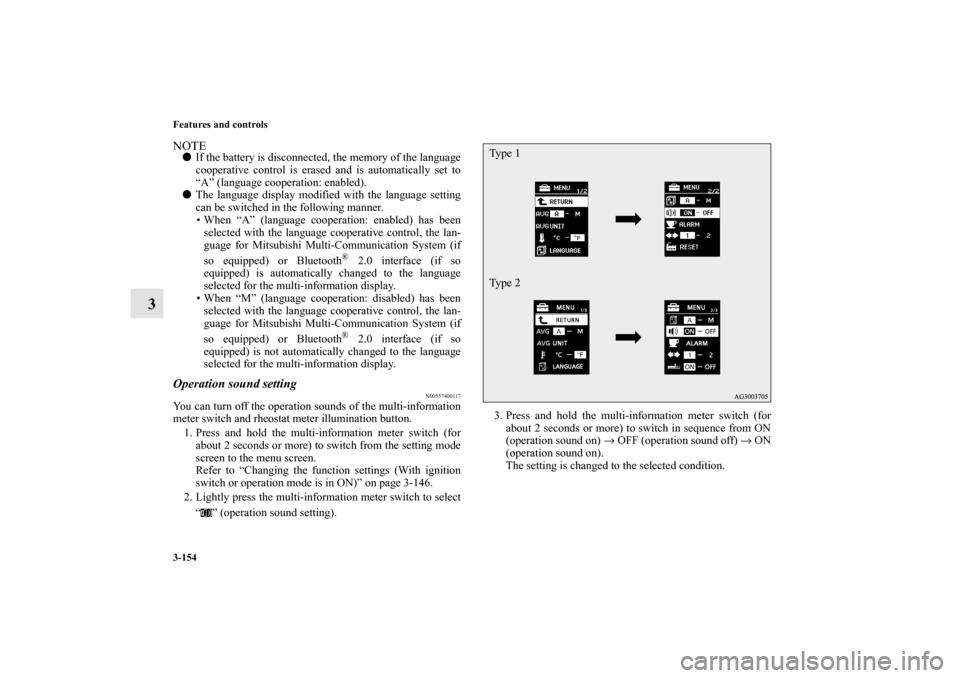
2. Lightly press the multi-information meter switch to select
“ ” (operation sound setting).3. Press and hold the multi-information meter switch (for
about 2 seconds or more) to switch in sequence from ON
(operation sound on) → OFF (operation sound off) → ON
(operation sound on).
The setting is changed to the selected condition.
Ty p e 1
Ty p e 2
BK0120400US.book 154 ページ 2010年5月12日 水曜日 午前10時50分
Page 252 of 602
Features and controls
3-155
3
NOTE�If the battery is disconnected, the memory of the operation
sound setting is erased and is automatically set to “ON”
(operation sound on).
�The operation sound setting only deactivates the operation
sound of the multi-information meter switch and rheostat
meter illumination button. The warning display and other
sounds cannot be deactivated.
Changing the time until “REST REMINDER” is dis-
played
N00557500134
The time until the display appears can be changed.
1. Press and hold the multi-information meter switch (for
about 2 seconds or more) to switch from the setting mode
screen to the menu screen.
Refer to “Changing the function settings (With ignition
switch or operation mode is in ON)” on page 3-146.
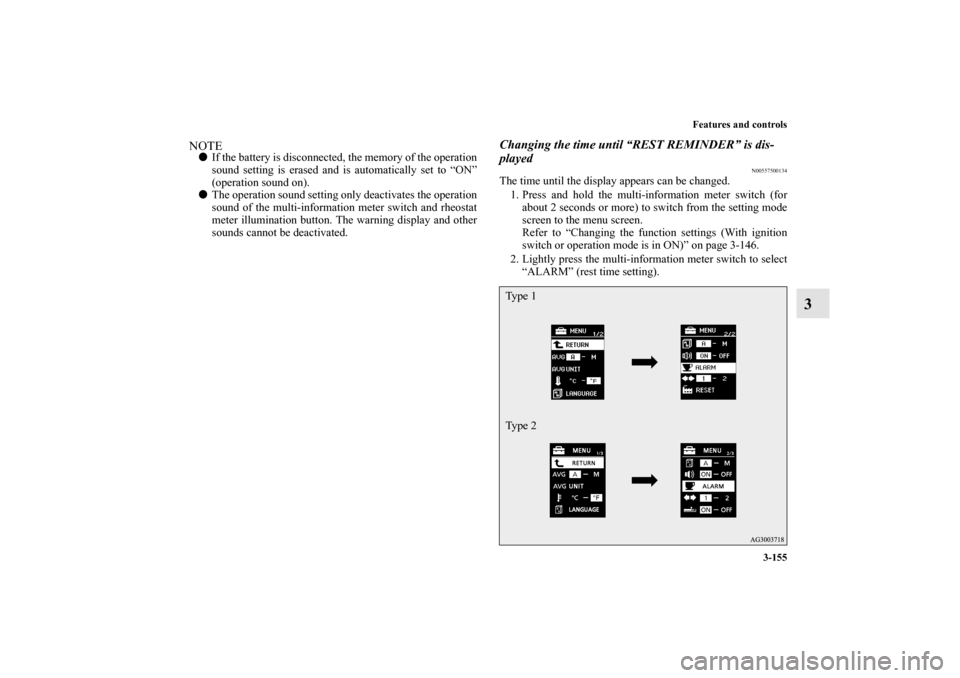
2. Lightly press the multi-information meter switch to select
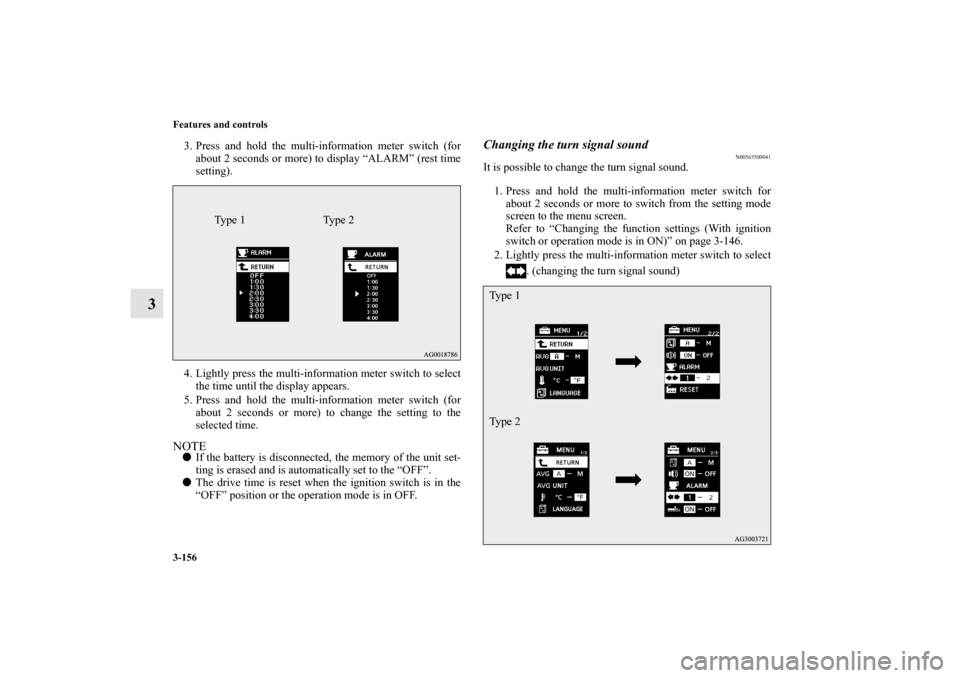
“ALARM” (rest time setting).Ty p e 1
Ty p e 2
BK0120400US.book 155 ページ 2010年5月12日 水曜日 午前10時50分
Page 253 of 602
3-156 Features and controls
3
3. Press and hold the multi-information meter switch (for
about 2 seconds or more) to display “ALARM” (rest time
setting).
4. Lightly press the multi-information meter switch to select
the time until the display appears.
5. Press and hold the multi-information meter switch (for
about 2 seconds or more) to change the setting to the
selected time.NOTE�If the battery is disconnected, the memory of the unit set-
ting is erased and is automatically set to the “OFF”.
�The drive time is reset when the ignition switch is in the
“OFF” position or the operation mode is in OFF.
Changing the turn signal sound
N00563500041
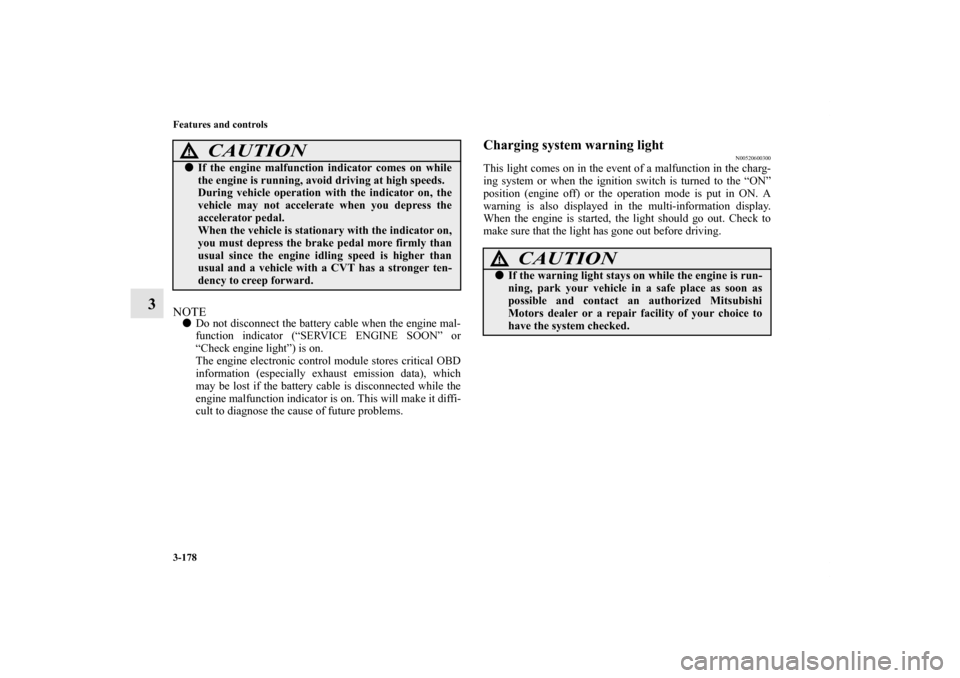
It is possible to change the turn signal sound.
1. Press and hold the multi-information meter switch for
about 2 seconds or more to switch from the setting mode
screen to the menu screen.
Refer to “Changing the function settings (With ignition
switch or operation mode is in ON)” on page 3-146.
2. Lightly press the multi-information meter switch to select
. (changing the turn signal sound)
Ty p e 1 Ty p e 2
Ty p e 1
Ty p e 2
BK0120400US.book 156 ページ 2010年5月12日 水曜日 午前10時50分
Page 275 of 602
3-178 Features and controls
3
NOTE�Do not disconnect the battery cable when the engine mal-
function indicator (“SERVICE ENGINE SOON” or
“Check engine light”) is on.
The engine electronic control module stores critical OBD
information (especially exhaust emission data), which
may be lost if the battery cable is disconnected while the
engine malfunction indicator is on. This will make it diffi-
cult to diagnose the cause of future problems.
Charging system warning light
N00520600300
This light comes on in the event of a malfunction in the charg-
ing system or when the ignition switch is turned to the “ON”
position (engine off) or the operation mode is put in ON. A
warning is also displayed in the multi-information display.
When the engine is started, the light should go out. Check to
make sure that the light has gone out before driving.
�If the engine malfunction indicator comes on while
the engine is running, avoid driving at high speeds.
During vehicle operation with the indicator on, the
vehicle may not accelerate when you depress the
accelerator pedal.
When the vehicle is stationary with the indicator on,
you must depress the brake pedal more firmly than
usual since the engine idling speed is higher than
usual and a vehicle with a CVT has a stronger ten-
dency to creep forward.
CAUTION
!
CAUTION
!�If the warning light stays on while the engine is run-
ning, park your vehicle in a safe place as soon as
possible and contact an authorized Mitsubishi
Motors dealer or a repair facility of your choice to
have the system checked.
BK0120400US.book 178 ページ 2010年5月12日 水曜日 午前10時50分
Page 279 of 602
3-182 Features and controls
3Combination headlights and dimmer switch
N00522500619
HeadlightsNOTE�Do not leave the headlights and other lights on for a long
period of time when the engine is not running. The battery
will run down.
�When it rains, or when the vehicle has been washed, the
inside of the lens sometimes becomes foggy. This is the
same as when window glass mists up on a humid day, and
does not indicate a problem. When the light is switched
on, the heat will dry out the fog. However, if water col-
lects inside the light, have it checked by an authorized
Mitsubishi Motors dealer or a repair facility of your
choice.
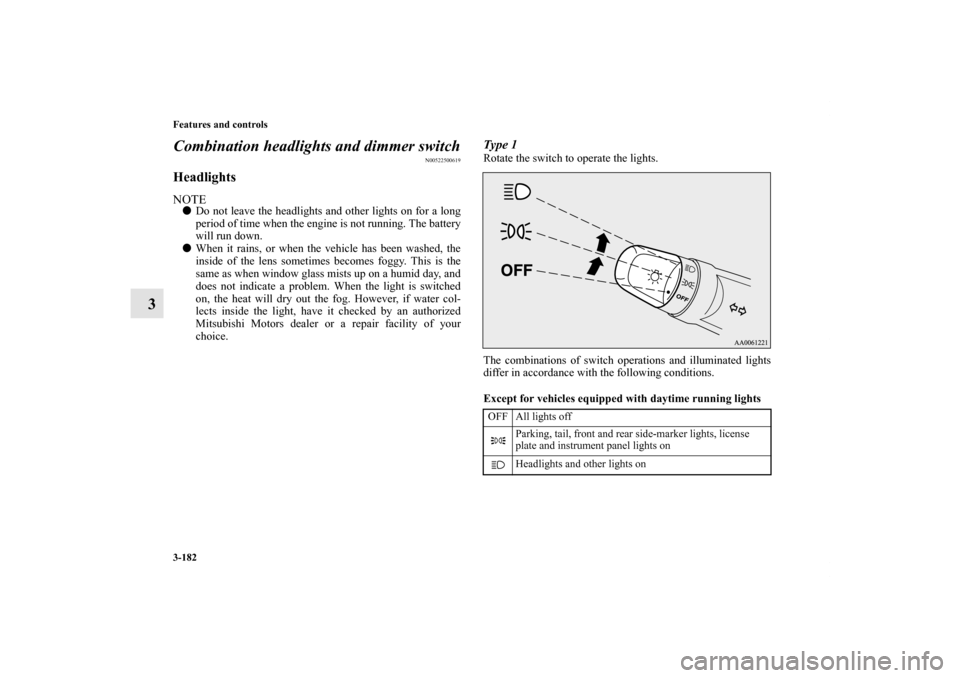
Type 1Rotate the switch to operate the lights.
The combinations of switch operations and illuminated lights
differ in accordance with the following conditions.
Except for vehicles equipped with daytime running lights
OFF All lights off
Parking, tail, front and rear side-marker lights, license
plate and instrument panel lights on
Headlights and other lights on
BK0120400US.book 182 ページ 2010年5月12日 水曜日 午前10時50分
Page 289 of 602
3-192 Features and controls
3Hazard warning flasher switch
N00522700275
If you press the flasher switch, the front and rear turn signals
will flash intermittently, and so will the hazard warning lights.
This is an emergency warning system and should not be used
when the vehicle is in motion, except for emergencies.
If you need to leave your vehicle, the flashers will keep work-
ing after the ignition switch is removed or the operation mode
is put in OFF.NOTE�If the flashers are used for several hours, the battery will
run down. This could make it difficult or impossible to
restart your vehicle.
Front fog light switch
(if so equipped)
N00522800393
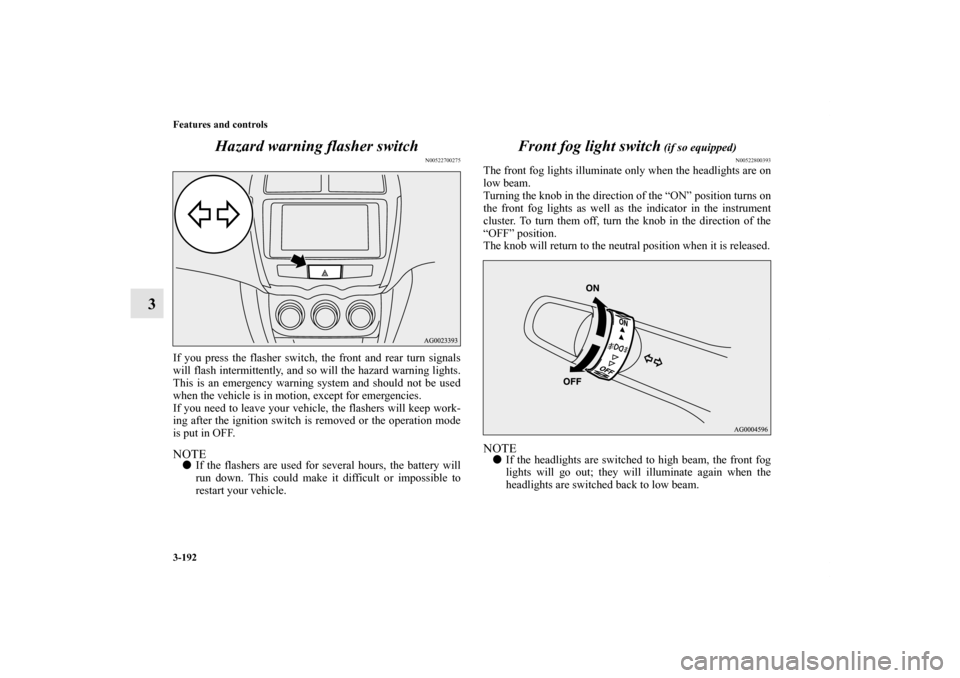
The front fog lights illuminate only when the headlights are on
low beam.
Turning the knob in the direction of the “ON” position turns on
the front fog lights as well as the indicator in the instrument
cluster. To turn them off, turn the knob in the direction of the
“OFF” position.
The knob will return to the neutral position when it is released.NOTE�If the headlights are switched to high beam, the front fog
lights will go out; they will illuminate again when the
headlights are switched back to low beam.
BK0120400US.book 192 ページ 2010年5月12日 水曜日 午前10時50分