Page 300 of 602
Features and controls
3-203
3
NOTE�As your vehicle is equipped with heated mirrors, mist can
also be removed from the outside rearview mirrors when
the rear window defogger switch is pressed. (Refer to
“Door mirror heater” on page 3-65.)
Horn switch
N00523800172
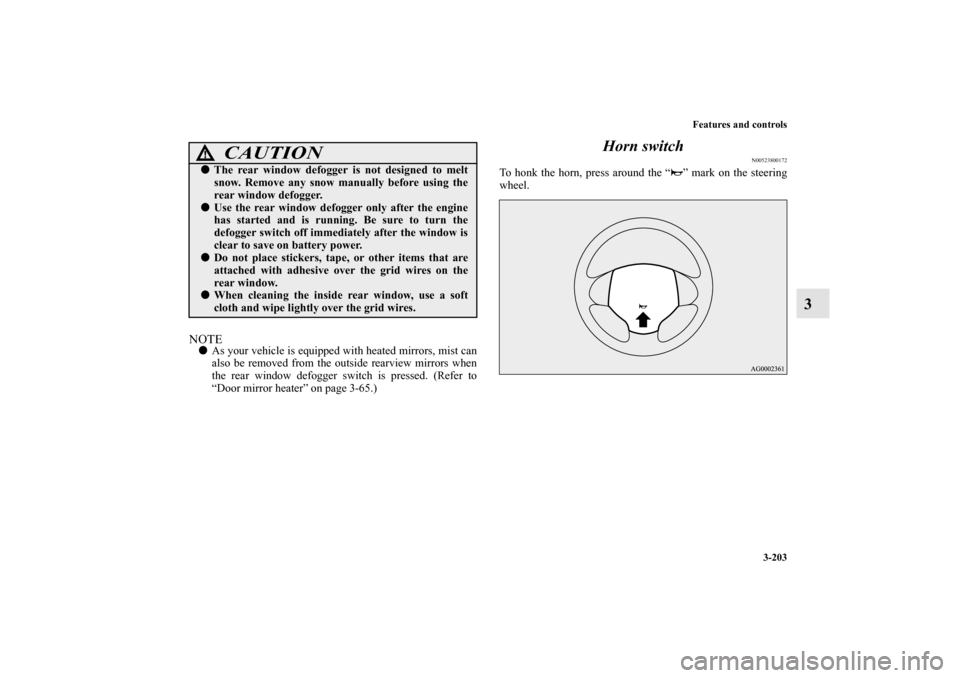
To honk the horn, press around the “ ” mark on the steering
wheel.
CAUTION
!�The rear window defogger is not designed to melt
snow. Remove any snow manually before using the
rear window defogger.�Use the rear window defogger only after the engine
has started and is running. Be sure to turn the
defogger switch off immediately after the window is
clear to save on battery power.�Do not place stickers, tape, or other items that are
attached with adhesive over the grid wires on the
rear window.�When cleaning the inside rear window, use a soft
cloth and wipe lightly over the grid wires.
BK0120400US.book 203 ページ 2010年5月12日 水曜日 午前10時50分
Page 302 of 602
Features and controls
3-205
3
NOTE�If the ignition switch or the operation mode is left in ACC,
the accessory power will automatically turn off after a cer-
tain period of time and you will no longer be able to use
the Bluetooth
® 2.0 interface. The accessory power comes
on again if the ignition switch or the engine switch is
operated. Refer to “ACC power auto-cutout function” on
page 3-66.
�The Bluetooth® 2.0 interface cannot be used if the Blue-
tooth
® device has a dead battery or the device power is
turned off.
�Hands-free calls will not be possible if your phone does
not have service available.
�If you place the Bluetooth
® device in the luggage com-
partment, you may not be able to use the Bluetooth
® 2.0
interface.Steering control switch → P.3-206
Voice recognition function → P. 3 - 2 0 7
Useful voice commands → P. 3 - 2 0 8
Speaker enrollment function → P.3-210
Connecting the Bluetooth
® 2.0 interface and the Bluetooth
®
device→ P.3-212
Operating a music player connected via Bluetooth
® → P. 3 - 2 1 7
How to make or receive hands-free calls → P. 3 - 2 1 7
Phonebook function → P.3-221
WA R N I N G
!�Although the Bluetooth
® 2.0 interface allows you to
make hands-free calls, if you choose to use the cellu-
lar phone while driving, you must not allow yourself
to be distracted from the safe operation of your vehi-
cle. Anything, including cellular phone usage, that
distracts you from the safe operation of your vehicle
increases your risk of an accident.
�Refer to and comply with all state and local laws in
your area regarding cellular phone usage while driv-
ing.
BK0120400US.book 205 ページ 2010年5月12日 水曜日 午前10時50分
Page 304 of 602
Features and controls
3-207
3
HANG-UP button�Press this button when an incoming call is received to
refuse the call.
�Press this button during a call to end the current call.
When another call is on hold, you will switch to that call.
�If this button is pressed in the voice recognition mode, the
voice recognition mode will be deactivated.NOTE�When you press the SPEECH button to enter voice recog-
nition mode with a cellular phone paired to the system,
current information on the cellular phone, such as
“remaining battery life,” “signal strength” or “roaming,”
will be displayed on the audio display.*
*: Some cellular phones will not send this information to
the Bluetooth
® 2.0 interface.
�Call waiting and three-way calls can be used by the Blue-
tooth
® 2.0 interface, only if it is possible to use those ser-
vices with your cellular phone.
Voice recognition function
N00564100028
The Bluetooth
® 2.0 interface is equipped with a voice recogni-
tion function.
Simply say voice commands and you can perform various
operations and make or receive hands-free calls.
With the Bluetooth
® 2.0 interface, voice recognition is possible
for US English, North American Spanish, Canadian French and
Japanese. The factory setting is “English.”
NOTE�If the voice command that you say differs from the pre-
defined command or cannot be recognised due to ambient
noise or some other reason, the Bluetooth
® 2.0 interface
will ask you for the voice command again up to 3 times.
�For best performance and further reduction of ambient
noise, the vehicle windows should be closed while engag-
ing the voice recognition function.
�Some voice commands have alternative commands.
�Depending on the selected language, some functions may
not be available.
BK0120400US.book 207 ページ 2010年5月12日 水曜日 午前10時50分
Page 318 of 602
Features and controls
3-221
3
Mute function
N00565900010
At any time during a call, you can mute the vehicle micro-
phone.
Pressing the SPEECH button and then saying “Mute” during a
call will turn ON the mute function and mute the microphone.
Saying “Mute off” in the same way will turn off the mute func-
tion and cancel the mute on the microphone.Switching between hands-free mode and private mode
N00566600014
The Bluetooth
® 2.0 interface can switch between hands-free
mode (hands-free calls) and private mode (calls using cellular
phone).
If you press the SPEECH button and say “Transfer call” during
a hands-free call, you can stop the hands-free mode and talk in
private mode.
To return to hands-free mode, press the SPEECH button again
and say “Transfer call.”
Phonebook function
N00566000018
The Bluetooth
® 2.0 interface has 2 types of unique phonebooks
that are different from the phonebook stored in the cellular
phone. They are the vehicle phonebook and the mobile phone-
book.
These phonebooks are used to register telephone numbers and
make calls to desired numbers via voice recognition function.
NOTE�Disconnecting the battery cable will not delete informa-
tion registered in the phonebook.Vehicle phonebook
N00566100035
This phonebook is used when making calls with the voice rec-
ognition function.
Up to 32 names can be registered in the vehicle phonebook per
language.
Also, each entry has 4 locations associated with: home, work,
mobile and other. You can register one telephone number for
each location.
You can register a desired name as a name for any phonebook
entry registered in the vehicle phonebook.
Names and telephone numbers can be changed later on.
The vehicle phonebook can be used with all paired cellular
phones.
BK0120400US.book 221 ページ 2010年5月12日 水曜日 午前10時50分
Page 333 of 602
3-236 Features and controls
3Sun visors
N00524600337
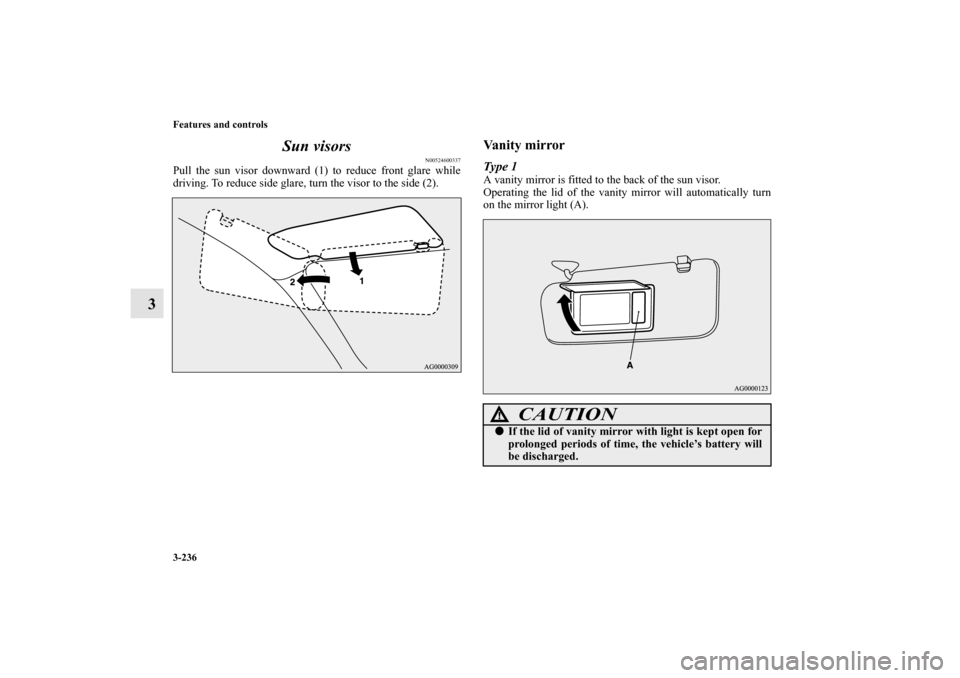
Pull the sun visor downward (1) to reduce front glare while
driving. To reduce side glare, turn the visor to the side (2).
Vanity mirrorType 1A vanity mirror is fitted to the back of the sun visor.
Operating the lid of the vanity mirror will automatically turn
on the mirror light (A).
CAUTION
!�If the lid of vanity mirror with light is kept open for
prolonged periods of time, the vehicle’s battery will
be discharged.
BK0120400US.book 236 ページ 2010年5月12日 水曜日 午前10時50分
Page 335 of 602
3-238 Features and controls
312 V power outlets
N00525000543
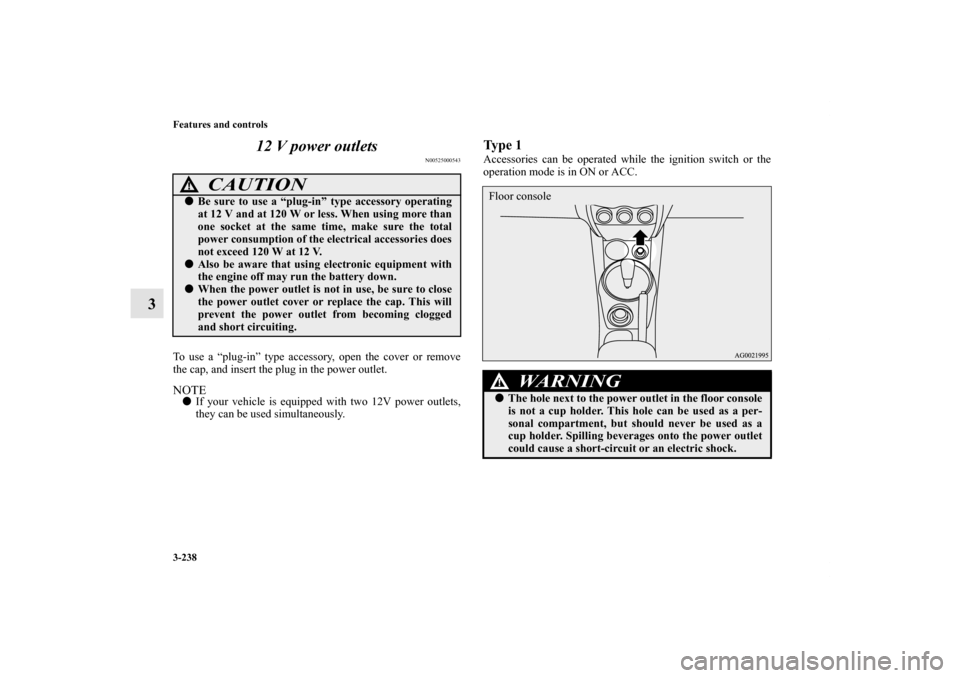
To use a “plug-in” type accessory, open the cover or remove
the cap, and insert the plug in the power outlet.NOTE�If your vehicle is equipped with two 12V power outlets,
they can be used simultaneously.
Ty p e 1Accessories can be operated while the ignition switch or the
operation mode is in ON or ACC.
CAUTION
!�Be sure to use a “plug-in” type accessory operating
at 12 V and at 120 W or less. When using more than
one socket at the same time, make sure the total
power consumption of the electrical accessories does
not exceed 120 W at 12 V.�Also be aware that using electronic equipment with
the engine off may run the battery down.�When the power outlet is not in use, be sure to close
the power outlet cover or replace the cap. This will
prevent the power outlet from becoming clogged
and short circuiting.
WA R N I N G
!�The hole next to the power outlet in the floor console
is not a cup holder. This hole can be used as a per-
sonal compartment, but should never be used as a
cup holder. Spilling beverages onto the power outlet
could cause a short-circuit or an electric shock.Floor console
BK0120400US.book 238 ページ 2010年5月12日 水曜日 午前10時50分
Page 336 of 602
Features and controls
3-239
3
Ty p e 2Accessories can be operated in all ignition switch positions or
all operation modes.
Interior lights
N00525300520
NOTE�Be aware that leaving the light illuminated with the engine
off may run the battery down.
Never leave the vehicle without checking that the light is
off.
Floor console box
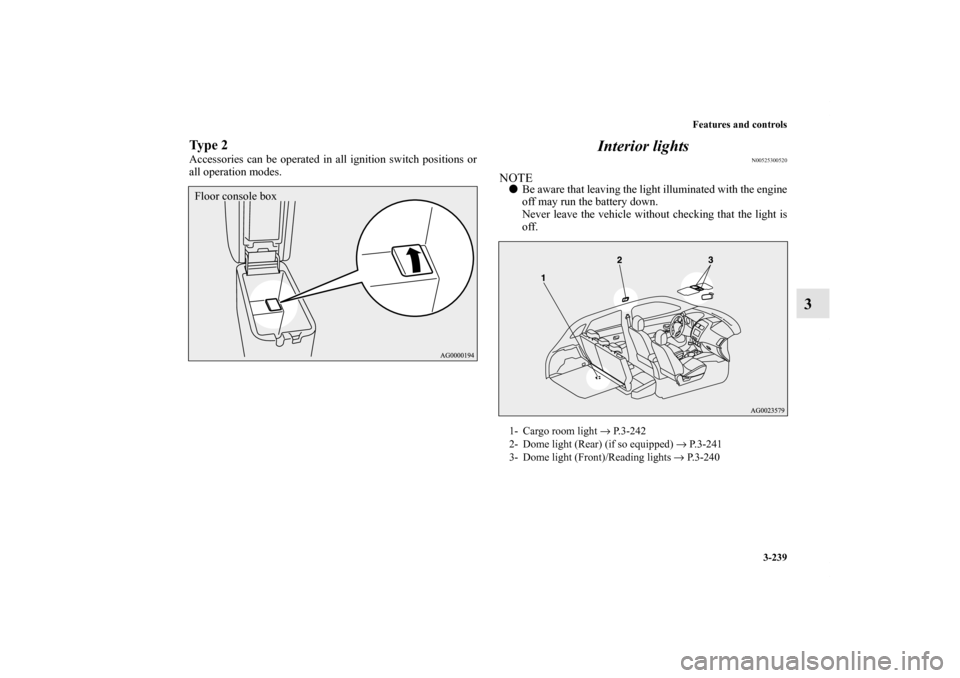
1- Cargo room light → P.3-242
2- Dome light (Rear) (if so equipped) → P.3-241
3- Dome light (Front)/Reading lights → P. 3 - 2 4 0
BK0120400US.book 239 ページ 2010年5月12日 水曜日 午前10時50分
Page 358 of 602
Driving safety
4-5
4 Safe driving techniques
N00629200094
Even this vehicle’s safety equipment, and your safest driving,
cannot guarantee that you can avoid an accident or injury.
However, if you give extra attention to the following areas, you
can better protect yourself and your passengers:
�Drive defensively. Be aware of traffic, road and weather
conditions. Leave plenty of stopping distance between
your vehicle and the vehicle ahead.
�Before changing lanes, check your mirrors and use your
turn-signal light.
�While driving, watch the behavior of other drivers, bicy-
clists, and pedestrians.
�Always obey applicable laws and regulations. Be a polite
and alert driver. Always leave room for unexpected
events, such as sudden braking.
�If you plan to drive in another country, obey their vehicle
registration laws and make sure you will be able to get the
right fuel.
Driving during cold weather
N00629400331
�Check the battery. At the same time, check the terminals
and wiring. During extremely cold weather, the battery
will not be as strong. Also, the battery power level may
drop because more power is used for cold starting and
driving.
Before driving the vehicle, check to see if the engine runs
at the proper speed and if the headlights are as bright as
normally. Charge or replace the battery if necessary. Dur-
ing extreme cold weather, it is possible that a very low
battery could freeze.
�Warm the engine sufficiently. After starting the engine,
allow a short warm-up time to distribute oil to all cylin-
ders. Then drive your vehicle slowly.
�Stay at low speeds at first so that the transaxle, transfer
case and rear axle oil have time to spread to all the lubri-
cation points.
�Manual transaxle can be harder to shift in cold weather
conditions. This is normal and shifting will get easier as
the transaxle warms up.
WA R N I N G
!�The battery gives off explosive hydrogen gas. Any
spark or flame can cause the battery to explode,
which could cause serious injury or death.
Always wear protective clothes and a face mask
when working with your battery, or let a skilled
mechanic do it.
BK0120400US.book 5 ページ 2010年5月12日 水曜日 午前10時50分