Page 277 of 722
To turn this feature off, press and
hold the SCAN button for more than
2 seconds, or press and release the
selector knob while scan mode.
Each time you press and release the
SCAN button, the mode changes
from file scan to folder scan, then to
normal play.To take the system out of the disc
mode, press one of other source
buttons than the CD button.
If you turn the system of f while a
disc is playing, either with the
power/volume knob or the ignition
switch, play will continue at the same
point when you turn it back on. For inf ormation on how to handle
and protect compact discs, see
page .
352Playing a Disc (EX, EX-L models without navigation system)
T o Stop Playing a Disc Protecting Discs
274
10/07/17 10:11:02 31TK8600_279
2011 Odyssey
Page 296 of 722
�Î
�ÎThe displayed message may
vary on models or versions. On
some models, there is no
message to disconnect.
You can disconnect the iPod at any
time when you see the ‘‘OK to
disconnect’’ message in the iPod
display. Always make sure you see
‘‘OK to disconnect’’ message in the
iPod display bef ore you disconnect it.
Make sure to f ollow the iPod’s
instructions on how to disconnect
the dock connector f rom the USB
adapter cable. You can also press the MODE
buttononthesteeringwheelto
change modes. To take the system out of the iPod
mode, press one of the other source
buttons than the USB/AUX button.
When a compatible audio unit is
connected to the auxiliary input jack,
press the USB/AUX button to select When you disconnect the iPod while
it is playing, the display shows No
Data.
If you reconnect the same iPod, the
system may begin playing where it
lef t of f , depending on what mode the
iPod is in when it is reconnected.If you see an error message in the
display, see page .
:
294
iPod
Error Messages
T o Stop Playing Your iPod
Disconnect ing an iPod
Playing an iPod
(Models without navigation system)
Features
293
10/07/17 10:13:38 31TK8600_298
select it.
2011 Odyssey
Page 305 of 722
To take the system out of the USB
mode, press one of the other source
buttons than the USB/AUX button.
When a compatible audio unit is
connected to the auxiliary input jack,
press the USB/AUX button to select it.You can disconnect the USB f lash
memory device at any time even if
the USB mode is selected on the
audio system. Always f ollow the USB
f lash memory device’s instructions
when you remove it. When you disconnect the USB f lash
memory device while it is playing,
the display shows No Data.
To Stop Playing a USB Flash
Memory Device
Disconnect ing a USB Flash Memory
Device
Playing a USB Flash Memory Device (Models without navigation system)302
10/07/17 10:14:35 31TK8600_307
2011 Odyssey
Page 311 of 722
To take the system out of the
Audio mode, press one of
the other source buttons than the
USB/AUX button. When a
compatible audio unit is connected to
the auxiliary input jack, press the
USB/AUX button to select it.
Switching to another mode pauses
the music playing f rom your phone.
If you receive a call when the
Audio is playing, press the
PICK-UPbuttononthesteering
wheel. The display switches to the
HFLmode(seepage ).
Af ter ending the call, press the
HANG-UP button to go back to theAudio mode. 496
Bluetooth
As required by the FCC:
This device complies with Part 15 of theFCC rules. Operation is subject to thef ollowing two conditions: (1) This devicemay not cause harmf ul interf erence, and(2) this device must accept anyinterf erence received, includinginterf erence that may cause undesiredoperation.
Changes or modif ications not expresslyapproved by the party responsible f orcompliance could void the user’sauthority to operate the equipment.
This device complies with IndustryCanada Standard RSS-210.Operation is subject to the f ollowing twoconditions: (1) this device may not causeinterf erence, and (2) this device mustaccept any interf erence that may causeundesired operation of the device.
Bluetooth
Bluetooth
T o swit ch t o HFL mode
T o t urn of f t he Bluet oot h
Audio
mode
Bluetooth
Audio System (Models without navigation system)
308
10/07/17 10:15:18 31TK8600_313
2011 Odyssey
Page 321 of 722
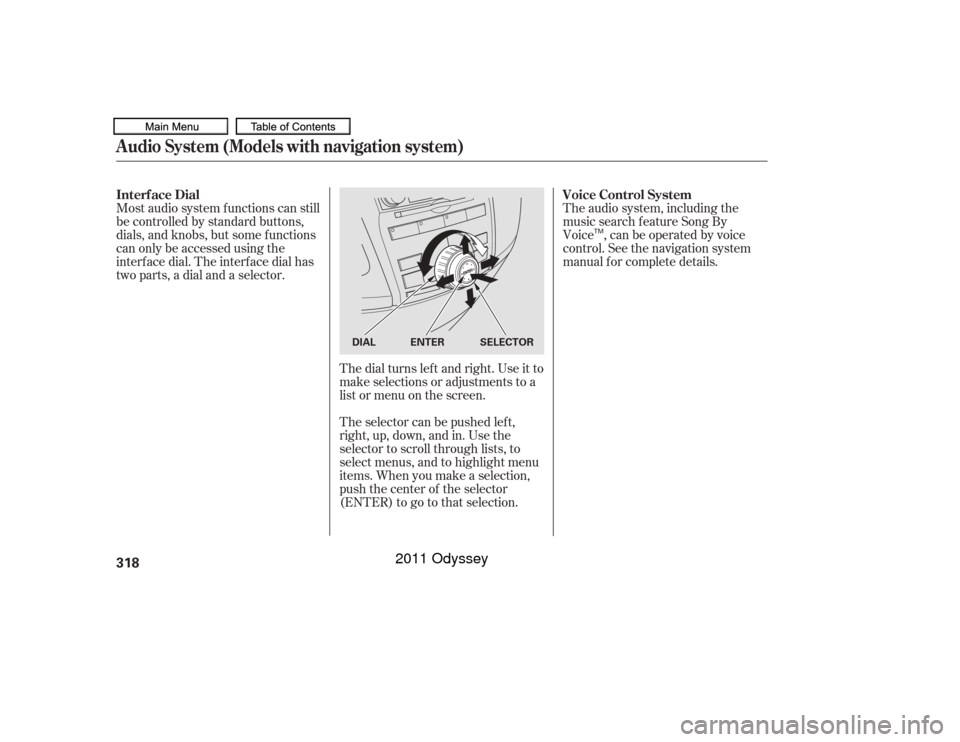
The dial turns lef t and right. Use it to
make selections or adjustments to a
list or menu on the screen.
The selector can be pushed lef t,
right, up, down, and in. Use the
selector to scroll through lists, to
select menus, and to highlight menu
items. When you make a selection,
push the center of the selector
(ENTER)togotothatselection.
Most audio system f unctions can still
be controlled by standard buttons,
dials, and knobs, but some f unctions
can only be accessed using the
interf ace dial. The interf ace dial has
twoparts,adialandaselector.
The audio system, including the
music search f eature Song By
Voice , can be operated by voice
control. See the navigation system
manual f or complete details.
Interf ace Dial
Voice Control System
Audio System (Models with navigation system)318
SELECTOR
DIAL ENTER
TM
10/07/17 10:16:37 31TK8600_323
2011 Odyssey
Page 322 of 722
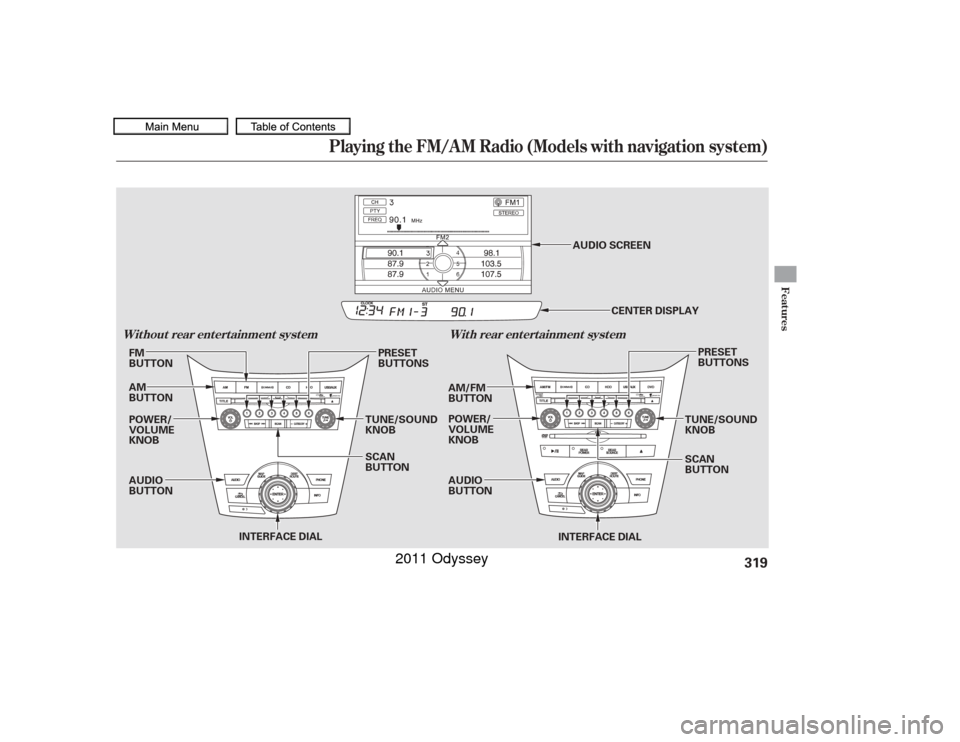
Playing the FM/A M Radio (Models with navigation system)
Features
Wit hout rear ent ert ainment syst emWit h rear ent ert ainment syst em
319
CENTER DISPLAY
INTERFACE DIAL
AUDIO
BUTTON POWER/
VOLUME
KNOB AM
BUTTON FM
BUTTON
AM/FM
BUTTON
POWER/
VOLUME
KNOB
AUDIO
BUTTONTUNE/SOUND
KNOBPRESET
BUTTONS
SCAN
BUTTON
PRESET
BUTTONS
TUNE/SOUND
KNOB
SCAN
BUTTON
INTERFACE DIALAUDIO SCREEN
10/07/17 10:16:44 31TK8600_324
2011 Odyssey
Page 323 of 722
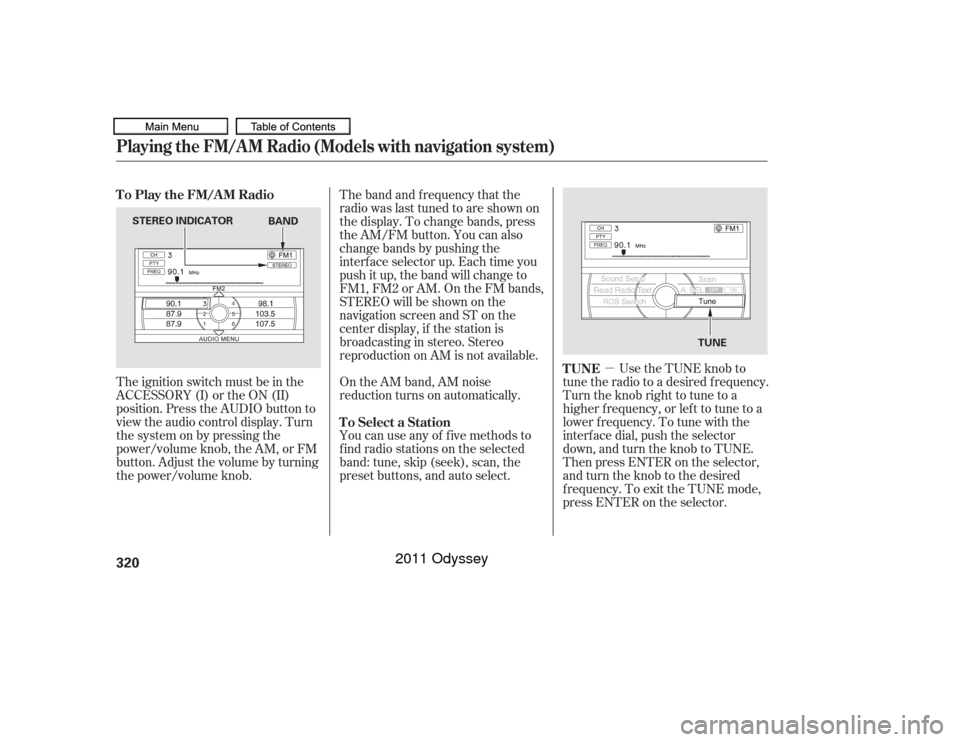
�µUse the TUNE knob to
tune the radio to a desired frequency.
Turn the knob right to tune to a
higher f requency, or lef t to tune to a
lower f requency. To tune with the
interf ace dial, push the selector
down, and turn the knob to TUNE.
Then press ENTER on the selector,
andturntheknobtothedesired
f requency. To exit the TUNE mode,
press ENTER on the selector.
The ignition switch must be in the
ACCESSORY (I) or the ON (II)
position. Press the AUDIO button to
view the audio control display. Turn
the system on by pressing the
power/volume knob, the AM, or FM
button. Adjust the volume by turning
the power/volume knob.
On the AM band, AM noise
reduction turns on automatically.
You can use any of f ive methods to
f ind radio stations on the selected
band: tune, skip (seek), scan, the
preset buttons, and auto select. The band and f requency that the
radio was last tuned to are shown on
the display. To change bands, press
the AM/FM button. You can also
change bands by pushing the
interf ace selector up. Each time you
push it up, the band will change to
FM1, FM2 or AM. On the FM bands,
STEREO will be shown on the
navigation screen and ST on the
center display, if the station is
broadcasting in stereo. Stereo
reproduction on AM is not available.
TUNE
To Play the FM/AM Radio
To Select a Station
Playing the FM/A M Radio (Models with navigation system)320
STEREO INDICATOR TUNE
BAND
10/07/17 10:16:53 31TK8600_325
2011 Odyssey
Page 325 of 722
�µ
�µ
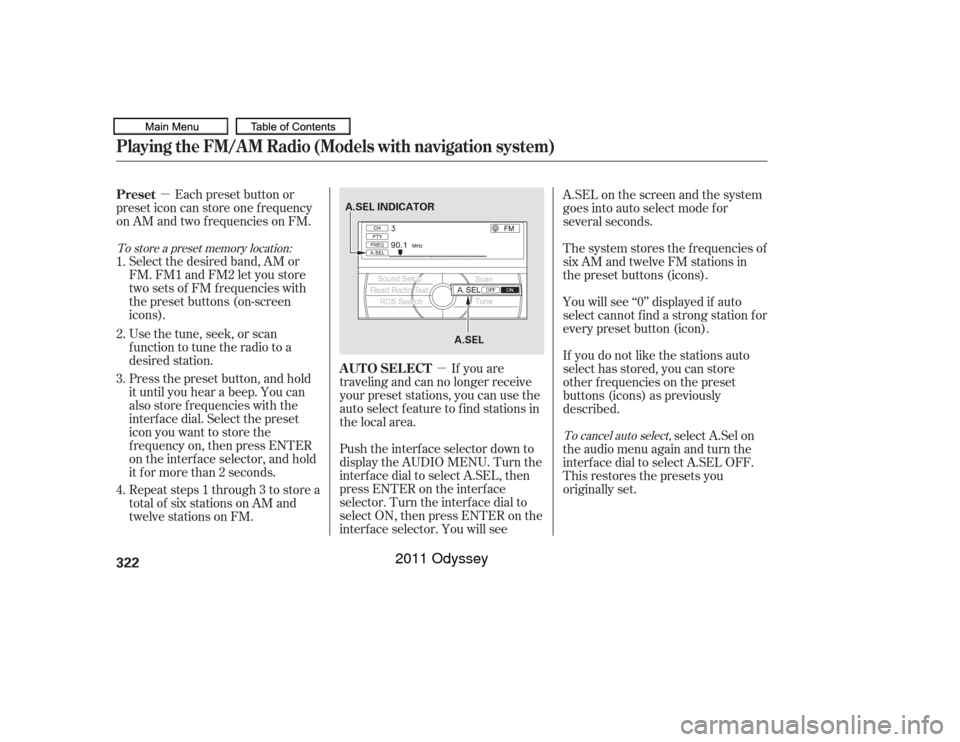
If you are
traveling and can no longer receive
your preset stations, you can use the
auto select feature to find stations in
the local area.
Each preset button or
preset icon can store one f requency
on AM and two f requencies on FM.
Select the desired band, AM or
FM. FM1 and FM2 let you store
twosetsof FMfrequencieswith
the preset buttons (on-screen
icons).
Usethetune,seek,orscan
function to tune the radio to a
desired station.
Press the preset button, and hold
it until you hear a beep. You can
also store f requencies with the
interf ace dial. Select the preset
icon you want to store the
f requency on, then press ENTER
on the interf ace selector, and hold
it f or more than 2 seconds.
Repeat steps 1 through 3 to store a
total of six stations on AM and
twelve stations on FM. Push the interf ace selector down to
display the AUDIO MENU. Turn the
interf ace dial to select A.SEL, then
press ENTER on the interf ace
selector. Turn the interf ace dial to
select ON, then press ENTER on the
interf ace selector. You will see A.SEL on the screen and the system
goes into auto select mode for
several seconds.
The system stores the f requencies of
six AM and twelve FM stations in
the preset buttons (icons).
You will see ‘‘0’’ displayed if auto
select cannot f ind a strong station f or
every preset button (icon).
If you do not like the stations auto
select has stored, you can store
other f requencies on the preset
buttons (icons) as previously
described.
select A.Sel on
the audio menu again and turn the
interf ace dial to select A.SEL OFF.
This restores the presets you
originally set.
1.
2.
3.
4.
To store a preset memory location:
To cancel auto select,
AUTO SELECT
Preset
Playing the FM/A M Radio (Models with navigation system)322
A.SEL INDICATOR
A.SEL
10/07/17 10:17:08 31TK8600_327
2011 Odyssey