Page 423 of 722
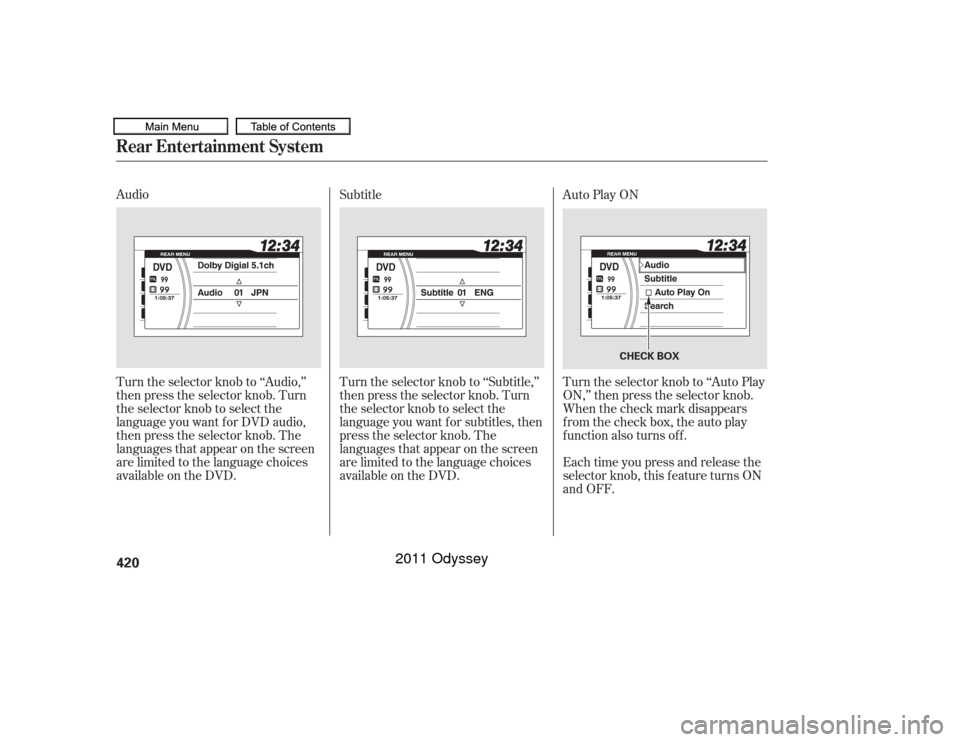
Audio
Turn the selector knob to ‘‘Audio,’’
then press the selector knob. Turn
the selector knob to select the
language you want f or DVD audio,
then press the selector knob. The
languages that appear on the screen
are limited to the language choices
available on the DVD.Turn the selector knob to ‘‘Subtitle,’’
then press the selector knob. Turn
the selector knob to select the
language you want f or subtitles, then
press the selector knob. The
languages that appear on the screen
are limited to the language choices
available on the DVD. Subtitle
Auto Play ON
Turn the selector knob to ‘‘Auto Play
ON,’’ then press the selector knob.
When the check mark disappears
from the check box, the auto play
function also turns off.
Each time you press and release the
selector knob, this f eature turns ON
and OFF.Rear Entertainment System420
CHECK BOX
10/07/17 10:30:15 31TK8600_425
2011 Odyssey
Page 429 of 722
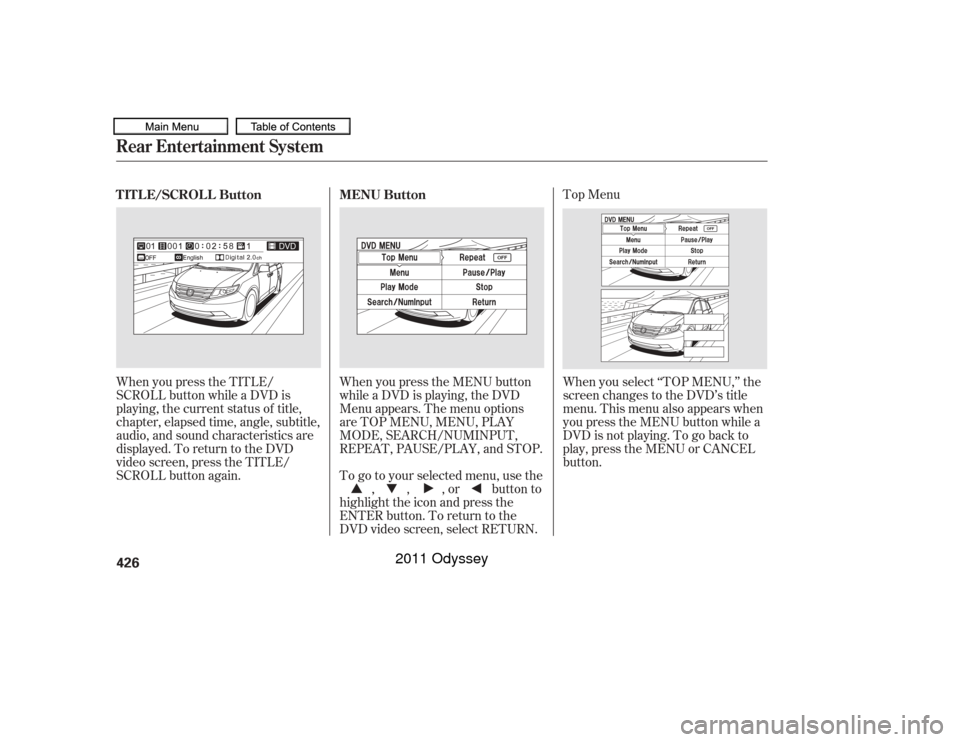
Top Menu
When you press the TITLE/
SCROLL button while a DVD is
playing, the current status of title,
chapter, elapsed time, angle, subtitle,
audio, and sound characteristics are
displayed. To return to the DVD
video screen, press the TITLE/
SCROLL button again. When you press the MENU button
while a DVD is playing, the DVD
Menu appears. The menu options
are TOP MENU, MENU, PLAY
MODE, SEARCH/NUMINPUT,
REPEAT, PAUSE/PLAY, and STOP.
When you select ‘‘TOP MENU,’’ the
screen changes to the DVD’s title
menu. This menu also appears when
you press the MENU button while a
DVD is not playing. To go back to
play, press the MENU or CANCEL
button.
To go to your selected menu, use the ,,,orbuttonto
highlight the icon and press the
ENTER button. To return to the
DVD video screen, select RETURN.
TITLE/SCROLL Button
MENU Button
Rear Entertainment System426
10/07/17 10:31:08 31TK8600_431
2011 Odyssey
Page 433 of 722
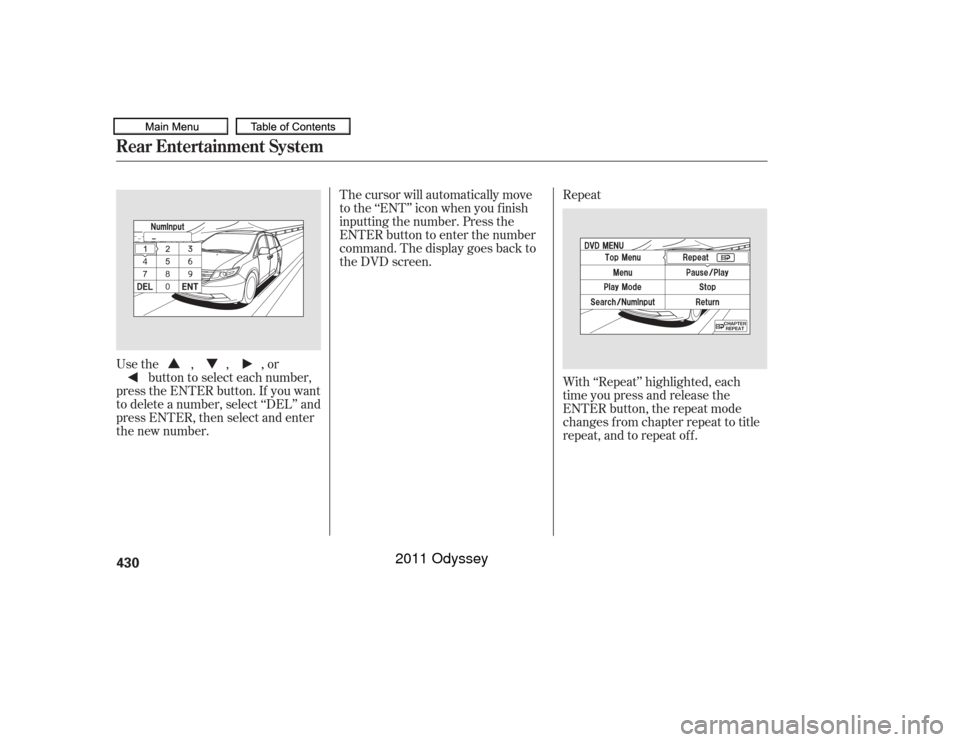
Usethe,,,orbutton to select each number,
press the ENTER button. If you want
to delete a number, select ‘‘DEL’’ and
press ENTER, then select and enter
the new number. With ‘‘Repeat’’ highlighted, each
time you press and release the
ENTER button, the repeat mode
changes from chapter repeat to title
repeat, and to repeat of f . Repeat
The cursor will automatically move
to the ‘‘ENT’’ icon when you f inish
inputting the number. Press the
ENTER button to enter the number
command. The display goes back to
the DVD screen.Rear Entertainment System430
10/07/17 10:31:45 31TK8600_435
2011 Odyssey
Page 450 of 722
�µ
�µ To turn on the rear entertainment
system f rom the rear control panel,
press the (power) button. Press
the SOURCE button and display the
selectable entertainment sources in
the overhead screen. Turn the
interface dial and press the ENTER
button to set your selection. Make
sure the rear control operation has
not been disabled. When the f ront
audio system is of f or the f ront panel’s
Rear Power is off, the rear control
panel cannot be turned on.
Pressandholdthe
side of the SKIP bar to move
f orward. Press and hold the side of the SKIP bar to move
backward. Release the bar when the
system reaches the point you want.
Each time you press the side of
the SKIP bar and release it, the
system skips f orward to the
beginning of the next track or
chapter. Press and release the side of the SKIP bar to skip
backward to the beginning of the
current track. Press and release it
again to skip to the beginning of the
previous track or chapter.
Press the eject button to
remove the DVD from the drive.
See page . To return f ront panel control to the
f ront audio system, press the REAR
SOURCE button. You will hear a
beep and the indicator in the button
goes of f . The indicator also goes of f
automatically when you do not
operate the rear entertainment
system f or 20 seconds.
421
CONT INUED
Using the Rear Control Panel
SEEK /SK IP
EJECT To Return to Front Audio
Controls
Ultrawide Rear Entertainment System
DVD Set up
Features
447
10/07/17 10:34:05 31TK8600_452
2011 Odyssey
Page 457 of 722
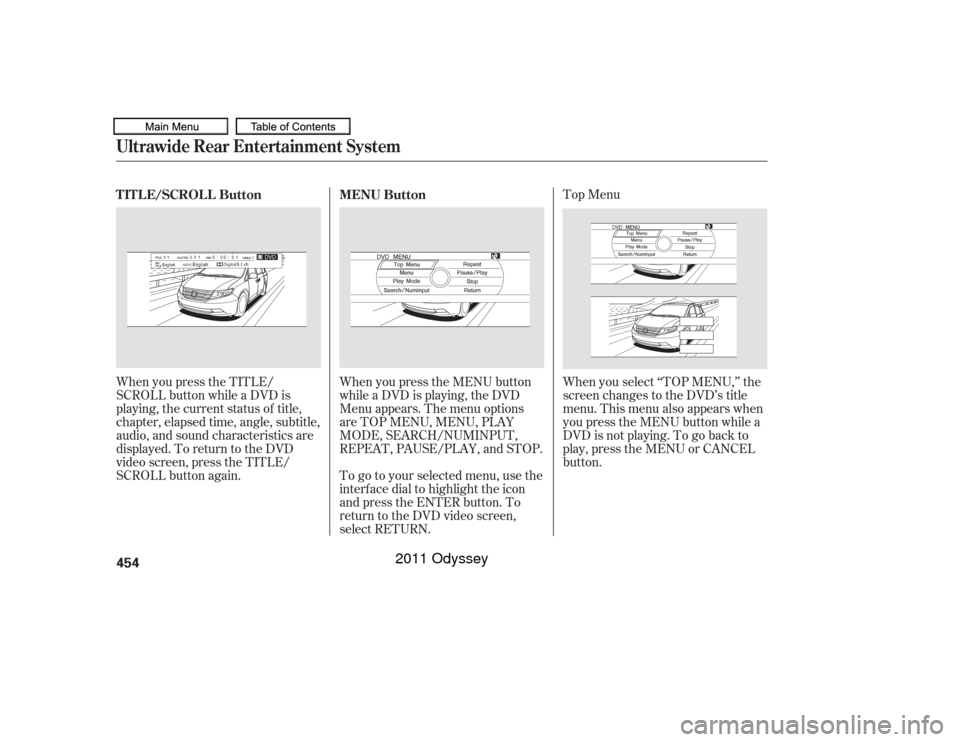
Top Menu
When you press the TITLE/
SCROLL button while a DVD is
playing, the current status of title,
chapter, elapsed time, angle, subtitle,
audio, and sound characteristics are
displayed. To return to the DVD
video screen, press the TITLE/
SCROLL button again. When you press the MENU button
while a DVD is playing, the DVD
Menu appears. The menu options
are TOP MENU, MENU, PLAY
MODE, SEARCH/NUMINPUT,
REPEAT, PAUSE/PLAY, and STOP.
To go to your selected menu, use the
interf ace dial to highlight the icon
and press the ENTER button. To
return to the DVD video screen,
select RETURN.When you select ‘‘TOP MENU,’’ the
screen changes to the DVD’s title
menu. This menu also appears when
you press the MENU button while a
DVD is not playing. To go back to
play, press the MENU or CANCEL
button.
TITLE/SCROLL Button
MENU Button
Ultrawide Rear Entertainment System454
10/07/17 10:35:07 31TK8600_459
2011 Odyssey
Page 461 of 722
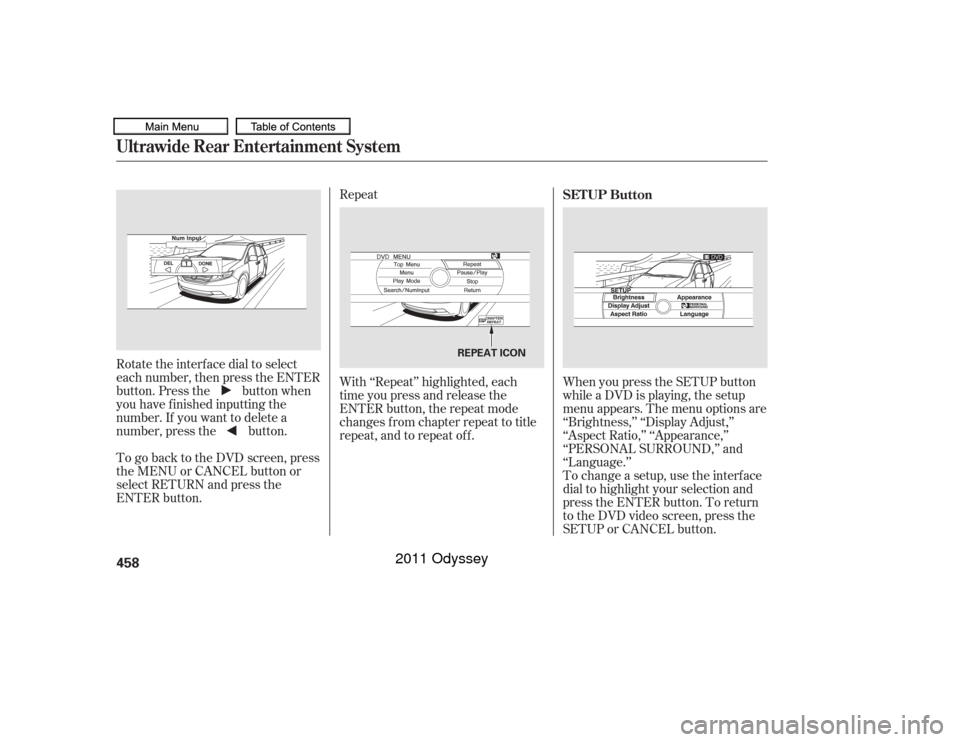
Repeat
Rotate the interface dial to select
each number, then press the ENTER
button. Press the button when
you have finished inputting the
number. If you want to delete a
number, press the button.
To go back to the DVD screen, press
the MENU or CANCEL button or
select RETURN and press the
ENTER button. With ‘‘Repeat’’ highlighted, each
time you press and release the
ENTER button, the repeat mode
changes from chapter repeat to title
repeat, and to repeat of f .
When you press the SETUP button
while a DVD is playing, the setup
menu appears. The menu options are
‘‘Brightness,’’ ‘‘Display Adjust,’’
‘‘Aspect Ratio,’’ ‘‘Appearance,’’
‘‘PERSONAL SURROUND,’’ and
‘‘Language.’’
To change a setup, use the interf ace
dial to highlight your selection and
press the ENTER button. To return
to the DVD video screen, press the
SETUP or CANCEL button. SETUP Button
Ultrawide Rear Entertainment System458
REPEAT ICON
10/07/17 10:35:43 31TK8600_463
2011 Odyssey
Page 484 of 722

Resting your f oot on the brake pedal
causes cruise control to cancel.
You can increase the set speed in
any of these ways:
Press and hold the RES/ACCEL
button. When you reach the
desired speed, release the button. You can decrease the set speed in
any of these ways:
Even with cruise control turned on,
you can still use the accelerator
pedal to speed up f or passing. Af ter
completing the pass, take your foot
of f the accelerator pedal. The vehicle
will return to the set speed.
Push on the accelerator pedal.
Accelerate to the desired cruising
speed, then press the SET/
DECEL button.
To increase the speed in very
small amounts, tap the RES/
ACCEL button. Each time you do
this, your vehicle will speed up
about 1 mph (1.6 km/h). Tap the brake pedal lightly with
your f oot. The CRUISE
CONTROL indicator on the
instrument panel will go out.
When the vehicle slows to the
desired speed, press the SET/
DECEL button. To slow down in very small
amounts, tap the SET/DECEL
button. Each time you do this,
your vehicle will slow down about
1 mph (1.6 km/h). Press and hold the SET/DECEL
button. Release the button when
you reach the desired speed. If you need to decrease your
speed quickly, use the brakes as you
normally would.
Changing the Set Speed
Cruise Control
Features
481
NOTE:
10/07/17 10:38:55 31TK8600_486
2011 Odyssey
Page 495 of 722

The parking sensor system must be
turned of f bef ore beginning this
procedure.When you shif t to reverse (R), the
LED indicator in the switch will blink
as a reminder that the rear sensors
are disabled.
Press and hold the parking sensor
system switch and then turn the
ignition switch to the ON (II)
position.
Keep pressing the switch f or 10
seconds. The LED indicator in the
switch will f lash. To return to the original setting,
repeat the procedure. A beeper will
sound 3 times to conf irm that the
rear sensors are now enabled.
Press the switch again and the
LED indicator will turn off. A
beeper will sound twice to conf irm
that the rear sensors are now
disabled.
1.
2.
3.
Canadian Owners:
This device complies with IndustryCanada Standard RSS-210. Operation issubject to the f ollowing two conditions:(1) this device may not causeinterf erence, and (2) this device mustaccept any interf erence that may causeundesired operation of the device.
This ISM device complies with CanadianICES-001.
Parking Sensor SystemTo turn of f all rear sensors492
10/07/17 10:40:23 31TK8600_497
2011 Odyssey