Page 162 of 521
General Information
This device complies with FCC rules Part 15 and Industry
Canada RSS-210. Operation is subject to the following
two conditions:
1. This device may not cause harmful interference
2. This device must accept any interference that may be
received including interference that may cause undesired
operation
NOTE:The transmitter has been tested and it complies
with FCC and IC rules. Changes or modifications not
expressly approved by the party responsible for compli-
ance could void the user ’s authority to operate the
device.
The term “IC:” before the certification/registration num-
ber only signifies that Industry Canada technical specifi-
cations were met.
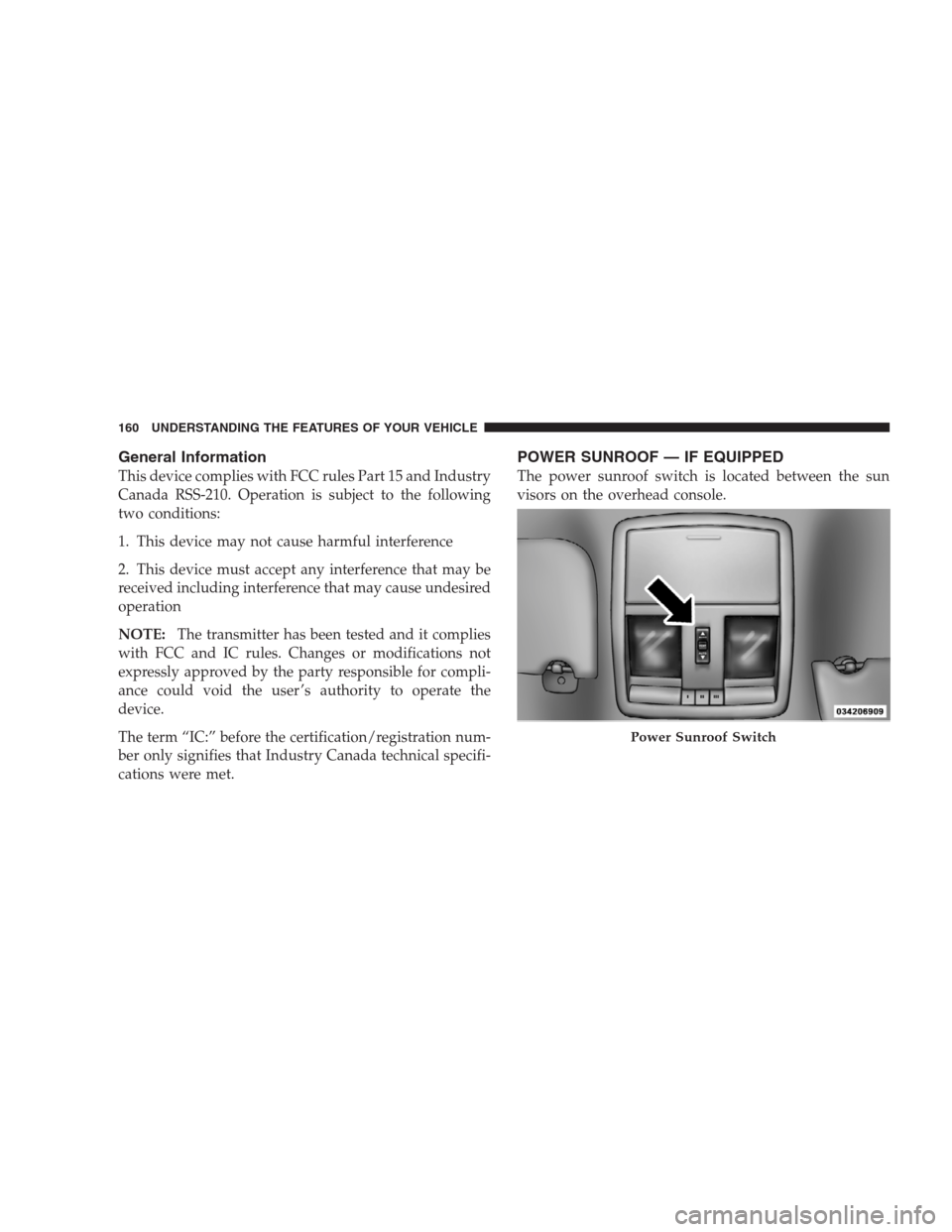
POWER SUNROOF — IF EQUIPPED
The power sunroof switch is located between the sun
visors on the overhead console.
Power Sunroof Switch
160 UNDERSTANDING THE FEATURES OF YOUR VEHICLE
Page 163 of 521
WARNING!
•Never leave children in a vehicle, with the key in
the ignition switch. Occupants, particularly unat-
tended children, can become entrapped by the
power sunroof while operating the power sunroof
switch. Such entrapment may result in serious
injury or death.
•In an accident, there is a greater risk of being
thrown from a vehicle with an open sunroof. You
could also be seriously injured or killed. Always
fasten your seat belt properly and make sure all
passengers are properly secured too.
•Do not allow small children to operate the sun-
roof. Never allow fingers or other body parts, or
any object to project through the sunroof opening.
Injury may result.
Opening Sunroof — Express
Press the switch rearward and release, and the sunroof
will open automatically from any position. The sunroof
will open fully, then stop automatically. This is called
“Express Open”. During Express Open operation, any
movement of the sunroof switch will stop the sunroof.
Closing Sunroof — Express
Press the switch forward and release, and the sunroof
will close automatically from any position. The sunroof
will close fully and stop automatically. This is called
“Express Close”. During Express Close operation, any
movement of the switch will stop the sunroof.
Pinch Protect Feature
This feature will detect an obstruction in the opening of
the sunroof during Express Close operation. If an ob-
struction is detected, the sunroof will automatically re-
tract. Remove the obstruction if this occurs. Next, press
the switch forward and release to Express Close.
UNDERSTANDING THE FEATURES OF YOUR VEHICLE 161
3
Page 164 of 521
Pinch Protect Override
If a known obstruction (ice, debris, etc.) prevents closing
the sunroof, press the switch forward and hold for two
seconds after the reversal occurs. This allows the sunroof
to move towards the closed position.
NOTE:Pinch protection is disabled while the switch is
pressed.
Venting Sunroof — Express
Press and release the�Vent�button, and the sunroof will
open to the vent position. This is called “Express Vent”,
and will occur regardless of sunroof position. During
Express Vent operation, any movement of the switch will
stop the sunroof.
Sunshade Operation
The sunshade can be opened manually. However, the
sunshade will open automatically as the sunroof opens.NOTE:The sunshade cannot be closed if the sunroof is
open.
Wind Buffeting
Wind buffeting can be described as the perception of
pressure on the ears or a helicopter-type sound in the
ears. Your vehicle may exhibit wind buffeting with the
windows down, or the sunroof (if equipped) in certain
open or partially open positions. This is a normal occur-
rence and can be minimized. If the buffeting occurs with
the rear windows open, open the front and rear windows
together to minimize the buffeting. If the buffeting occurs
with the sunroof open, adjust the sunroof opening to
minimize the buffeting or open any window.
Sunroof Maintenance
Use only a nonabrasive cleaner and a soft cloth to clean
the glass panel.
162 UNDERSTANDING THE FEATURES OF YOUR VEHICLE
Page 165 of 521
Ignition Off Operation
The power sunroof switches remain active for up to
10 minutes after the ignition switch has been turned OFF.
Opening either front door will cancel this feature.
Sunroof Fully Closed
Press the switch forward and release to ensure that the
sunroof is fully closed.
POWER OUTLETS
Front Power Outlet
To the left and right of the convenience tray (lower center
of instrument panel) is an outlet for electric-powered
accessories. Pull lightly on the tab of the plastic cover to
access the outlet.
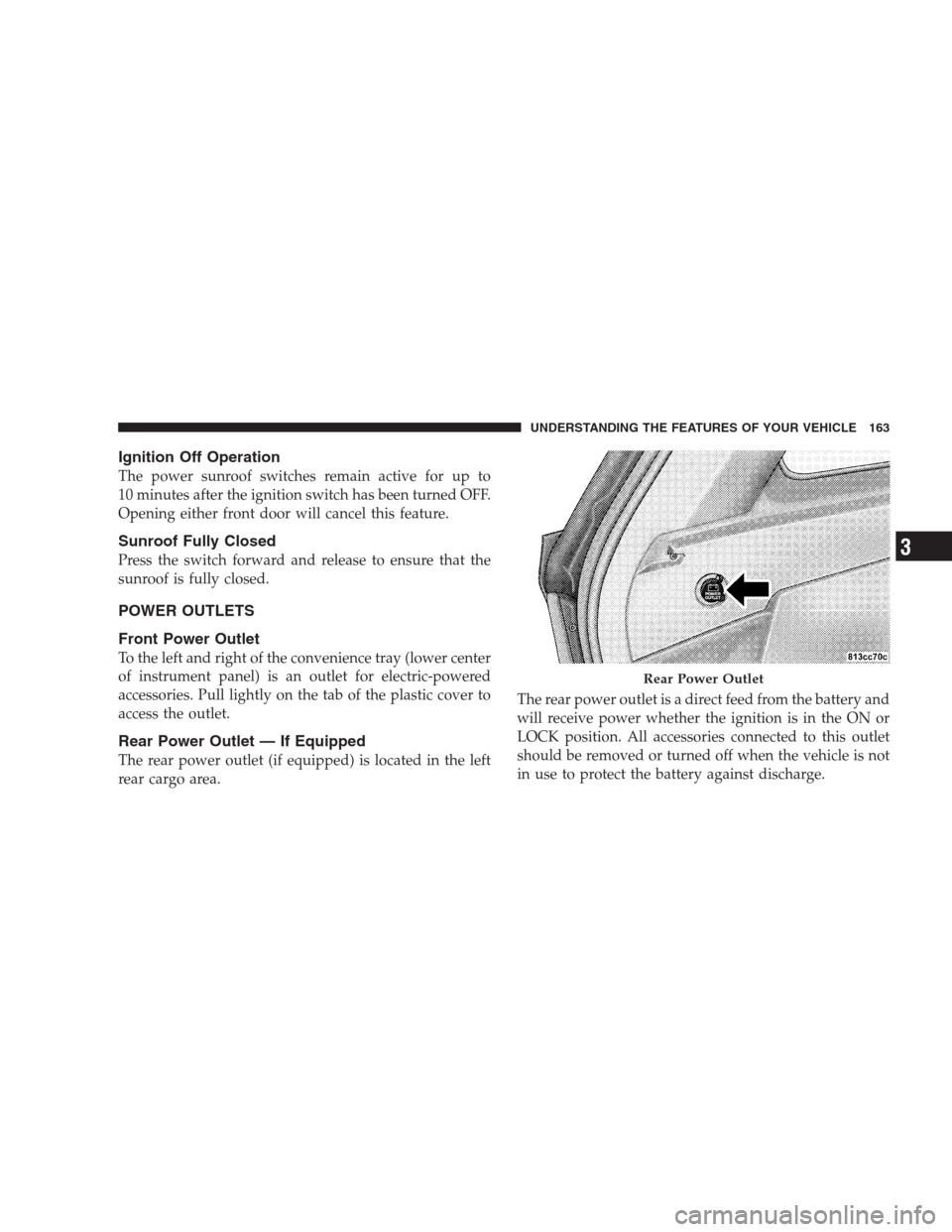
Rear Power Outlet — If Equipped
The rear power outlet (if equipped) is located in the left
rear cargo area.The rear power outlet is a direct feed from the battery and
will receive power whether the ignition is in the ON or
LOCK position. All accessories connected to this outlet
should be removed or turned off when the vehicle is not
in use to protect the battery against discharge.
Rear Power Outlet
UNDERSTANDING THE FEATURES OF YOUR VEHICLE 163
3
Page 208 of 521
door. Refer to “Easy Entry/Exit Seat” under “Driver
Memory Seat” in Section 3 of this manual for more
information.
Key Off Power Delay
When this feature is selected, the power window
switches, radio, uconnect�phone (if equipped), DVD
video system (if equipped), power sunroof (if equipped),
and power outlets will remain active for up to 10 minutes
after the ignition switch is turned off. Opening a vehicle
door will cancel this feature. To make your selection,
press and release the FUNCTION SELECT button until
“Off,” “45 sec.,” “5 min.,” or “10 min.” appears.
Illuminated Approach
When this feature is selected, the headlights will activate
and remain on for up to 90 seconds when the doors are
unlocked with the RKE transmitter. To make your selec-
tion, press and release the FUNCTION SELECT button
until “OFF,” “30 sec.,” “60 sec.,” or “90 sec.” appears.
Hill Start Assist
To make your selection, press and release the FUNC-
TION SELECT button until YES (Y) or NO (N) appears.
Display Units of Measure In:
The EVIC, odometer, and uconnect�gps (if equipped)
can be changed between English and Metric units of
measure. To make your selection, press and release the
FUNCTION SELECT button until “US” or “METRIC”
appears.
System Status
Press and release the MENU button until one of the
following System Status messages displays in the EVIC:
•System OK
•System Warnings Displayed (will display all currently
active System Warnings.)
206 UNDERSTANDING YOUR INSTRUMENT PANEL
Page 443 of 521
2. Dry with a soft tissue.
Seat Belt Maintenance
Do not bleach, dye or clean the belts with chemical
solvents or abrasive cleaners. This will weaken the fabric.
Sun damage will also weaken the fabric.
If the belts need cleaning, use MOPAR�Total Clean, a
mild soap solution, or lukewarm water. Do not remove
the belts from the vehicle to wash them.
Replace the belts if they appear frayed or worn or if the
buckles do not work properly.
Dry with a soft tissue.
FUSES
Interior Fuses
The fuse panel is on the lower instrument panel just to
the left of the steering column.
Cav-
ityCartridge
FuseMini-Fuse Description
1 30 Amp
GreenAudio Amp (B+)
2 15 Amp
BlueSunroof (B+)
Fuse Panel
MAINTAINING YOUR VEHICLE 441
7
Page 512 of 521
Park Sense System, Rear................... 147
Parking Brake.......................... 308
Passing Light........................... 137
Pedals, Adjustable....................... 143
Personal Settings........................ 202
Pets.................................. 68
Pets, Transporting........................ 68
Phone, Cellular.......................... 82
Phone, Hands-Free (uconnect)............... 82
Placard, Tire and Loading Information......... 331
Polishing and Waxing..................... 437
Power
Distribution Center (Fuses)............... 444
Door Locks........................... 29
Inverter............................. 165
Mirrors.............................. 80
Outlet (Auxiliary Electrical Outlet).......... 163
Seats............................... 117
Steering..........................306,307Sunroof............................. 160
Windows............................. 31
Pregnant Women and Seat Belts.............. 45
Preparation for Jacking.................... 393
Pretensioners
Seat Belts............................ 43
Programmable Electronic Features............ 202
Programming Transmitters
(Remote Keyless Entry).................... 21
Quadra-Trac.........................296,297
Radial Ply Tires......................... 338
Radio Operation........................ 260
Radio, Satellite (uconnect gps)............252,257
Rain Sensitive Wiper System................ 141
Rear Axle (Differential).................... 431
Rear Camera........................... 151
Rear Cupholder......................... 167
510 INDEX