Page 22 of 521

General Information
The Sentry Key�system complies with FCC rules Part 15
and with RSS-210 of Industry Canada. Operation is
subject to the following conditions:
•This device may not cause harmful interference.
•This device must accept any interference that may be
received, including interference that may cause undes-
ired operation.
VEHICLE SECURITY ALARM
This Vehicle Security Alarm monitors the vehicle doors,
liftgate, liftgate flipper glass, and ignition for unautho-
rized operation. When the alarm is activated, the Vehicle
Security Alarm provides both audible and visible signals.
The horn, headlights, and tail lights will sound/flash
repeatedly for three minutes. If disturbance is still
present (driver’s door, passenger door, other doors, igni-
tion) after three minutes, the headlights and tail lights
will flash for an additional 15 minutes.NOTE:The Panic and Security alarms are quite differ-
ent. Please take a moment to activate the Panic and the
Security modes to hear the differences in the horn. In case
one should go off in the future, you will need to know
which mode has been activated in order to deactivate it.
Rearming The System
If something triggers the alarm, and no action is taken to
disarm it, the Vehicle Security Alarm will turn off the
horn after three minutes, turn off all of the visual signals
after 15 minutes, and then the Vehicle Security Alarm will
rearm itself.
To Set the Alarm
The alarm will set when you use the Remote Keyless
Entry (RKE) transmitter to lock the doors and liftgate, or
when you use the power door lock switch while the door
is open. After all the doors are locked and closed, the
Vehicle Security Light (located in the instrument cluster)
will flash rapidly for about 16 seconds to signal that the
20 THINGS TO KNOW BEFORE STARTING YOUR VEHICLE
Page 25 of 521
Remote Key Unlock, Driver Door/All Doors First
Press
This feature lets you program the system to unlock either
the driver’s door, or all doors, on the first press of the
UNLOCK button on the RKE transmitter. To change the
current setting, proceed as follows:
•For vehicles equipped with the Electronic Vehicle
Information Center (EVIC), refer to “Remote Key
Unlock” under “Personal Settings (Customer-
Programmable Features)” in the “Electronic Vehicle
Information Center (EVIC),” in Section 4 of this
manual.
Flash Lights with Remote Key Lock
This feature will cause the turn signal lights to flash when
the doors are locked or unlocked with the RKE transmit-
ter. This feature can be turned on or off. To change the
current setting, proceed as follows:
•For vehicles equipped with the Electronic Vehicle
Information Center (EVIC), refer to “Flash Lamps with
Lock” under “Personal Settings (Customer-
Programmable Features)” in the�Electronic Vehicle
Information Center (EVIC),” in Section 4 of this
manual.
Turn Headlights On with Remote Key Unlock
This feature activates the headlights for up to 90 seconds
when the doors are unlocked with the RKE transmitter.
The time for this feature is programmable on vehicles
equipped with the Electronic Vehicle Information Center
(EVIC). For details, refer to “Headlamp Off Delay” under
“Personal Settings (Customer-Programmable Features)”
in the “Electronic Vehicle Information Center (EVIC),” in
Section 4 of this manual.
THINGS TO KNOW BEFORE STARTING YOUR VEHICLE 23
2
Page 27 of 521
Using the Panic Alarm
To turn the Panic Alarm feature on or off, press and hold
the PANIC button on the RKE transmitter for at least one
second and release. When the Panic Alarm is on, the
headlights and park lights will flash, the horn will pulse
on and off, and the interior lights will turn on.
The Panic Alarm will stay on for three minutes unless
you turn it off by either pressing the PANIC button a
second time, or drive the vehicle at a speed of 15 mph
(24 km/h) or greater.
NOTE:
•The interior lights will turn off if you turn the ignition
switch to the ACC or ON position while the Panic
Alarm is activated. However, the exterior lights and
horn will remain on.
Programming Additional Transmitters
Refer to Sentry Key�“Customer Key Programming.”
If you do not have a programmed RKE transmitter,
contact your authorized dealer for details.
Transmitter Battery Service
The recommended replacement battery is one CR2032
battery.
NOTE:
•Perchlorate Material — special handling may apply.
See www.dtsc.ca.gov/hazardouswaste/perchlorate
•Do not touch the battery terminals that are on the back
housing or the printed circuit board.
THINGS TO KNOW BEFORE STARTING YOUR VEHICLE 25
2
Page 77 of 521
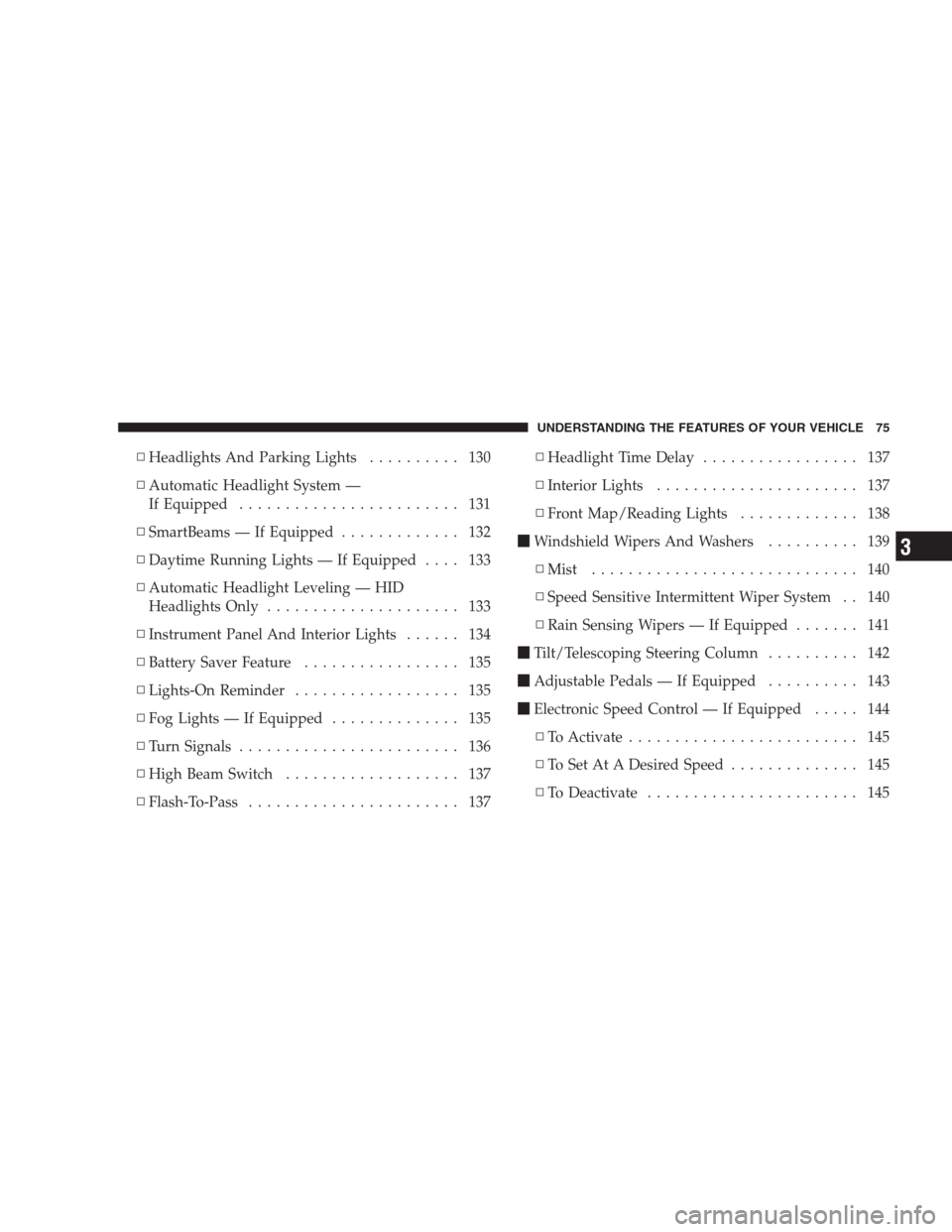
▫Headlights And Parking Lights.......... 130
▫Automatic Headlight System —
If Equipped........................ 131
▫SmartBeams — If Equipped............. 132
▫Daytime Running Lights — If Equipped.... 133
▫Automatic Headlight Leveling — HID
Headlights Only..................... 133
▫Instrument Panel And Interior Lights...... 134
▫Battery Saver Feature................. 135
▫Lights-On Reminder.................. 135
▫Fog Lights — If Equipped.............. 135
▫Turn Signals........................ 136
▫High Beam Switch................... 137
▫Flash-To-Pass....................... 137▫Headlight Time Delay................. 137
▫Interior Lights...................... 137
▫Front Map/Reading Lights............. 138
�Windshield Wipers And Washers.......... 139
▫Mist............................. 140
▫Speed Sensitive Intermittent Wiper System . . 140
▫Rain Sensing Wipers — If Equipped....... 141
�Tilt/Telescoping Steering Column.......... 142
�Adjustable Pedals — If Equipped.......... 143
�Electronic Speed Control — If Equipped..... 144
▫To Activate......................... 145
▫To Set At A Desired Speed.............. 145
▫To Deactivate....................... 145
UNDERSTANDING THE FEATURES OF YOUR VEHICLE 75
3
Page 132 of 521
WARNING!
If the hood is not fully latched, it could fly up when
the vehicle is moving and block your forward vision.
Be sure all hood latches are fully latched before
driving.
LIGHTS
Multifunction Lever
The multifunction lever controls the operation of the
headlights, turn signals, headlight beam selection, instru-
ment panel light dimming, passing light, interior
courtesy/dome lights, and optional fog lights. The mul-
tifunction lever is located on the left side of the steering
wheel.
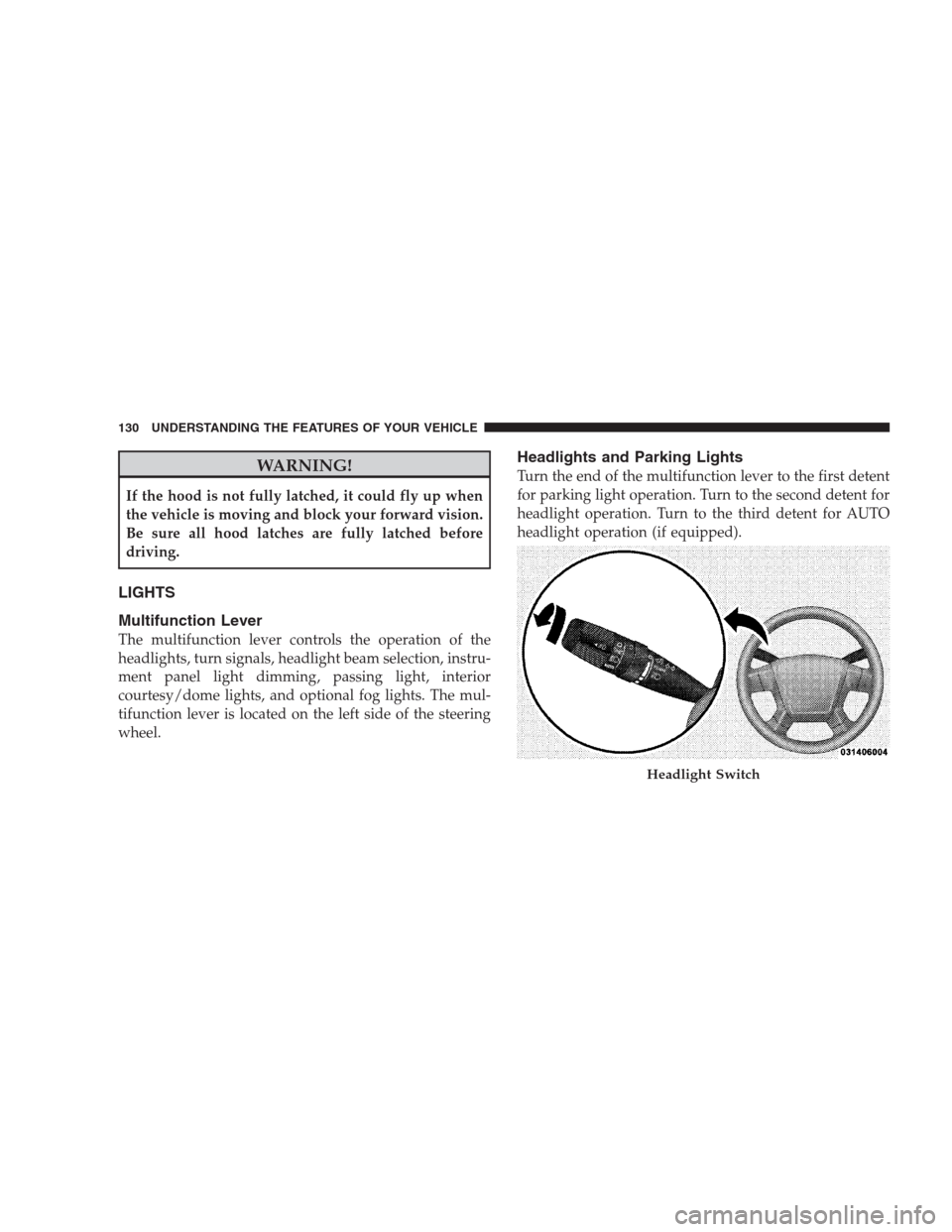
Headlights and Parking Lights
Turn the end of the multifunction lever to the first detent
for parking light operation. Turn to the second detent for
headlight operation. Turn to the third detent for AUTO
headlight operation (if equipped).
Headlight Switch
130 UNDERSTANDING THE FEATURES OF YOUR VEHICLE
Page 133 of 521
Automatic Headlight System — If Equipped
Turn the end of the multifunction lever to the third detent
to activate the automatic headlight system.
This system performs two functions. With the engine
running and the multifunction lever in the AUTO posi-
tion, the headlights will turn on and off based on the
surrounding light levels.
Headlights On Automatically With Wipers
If your vehicle is equipped with Automatic Headlights, it
also has this customer programmable feature. When your
headlights are in the automatic mode and the engine is
running, they will automatically turn on when the wiper
system is on.If your vehicle is equipped with a “Rain Sensitive Wiper
System” and it is activated, the headlights will automati-
cally turn on after the wipers complete five wipe cycles
within approximately one minute, and they will turn off
approximately four minutes after the wipers completely
stop. Refer to “Windshield Wipers and Washers” in this
section.
NOTE:When your headlights come on during the
daytime, the instrument panel lights will automatically
dim to the lower nighttime intensity. Refer to “Instru-
ment Panel and Interior Lights” for setting the instru-
ment panel lights to full daytime intensity.
UNDERSTANDING THE FEATURES OF YOUR VEHICLE 131
3
Page 135 of 521
To Deactivate
1. Pull back on the multifunction lever to manually
deactivate the system (normal operation of low beams).
2. Push back on the multifunction lever once again to
reactivate the system.
NOTE:Broken, muddy, or obstructed headlights and
taillights of vehicles in the field of view will cause
headlights to remain on longer (closer to the vehicle).
Also, dirt, film, and other obstructions (sticker, toll box,
etc.) on the windshield or camera lens will cause the
system to function improperly.
Daytime Running Lights — If Equipped
The high beam headlights come on at a low intensity
level whenever the engine is running, and the transmis-
sion is not in the PARK position. The lights will remain
on until the ignition switch is turned to LOCK/ACC, or
the parking brake is engaged. The headlight switch must
be used for normal nighttime driving.
Automatic Headlight Leveling — HID Headlights
Only
This feature prevents the headlights from interfering
with the vision of oncoming drivers. Headlight leveling
automatically adjusts the height of the headlight beam in
reaction to changes in vehicle pitch.
UNDERSTANDING THE FEATURES OF YOUR VEHICLE 133
3
Page 137 of 521
Battery Saver Feature
If the multifunction lever is left in the interior light
position, parking light position, or the headlight position
when the ignition switch is moved to the LOCK position,
the battery saver feature will automatically turn off the
exterior and interior lights after eight minutes. Normal
operation will resume when the ignition is turned ON or
when the headlight switch is turned to another position.
Lights-On Reminder
If the headlights or parking lights are on after the ignition
switch has been turned to LOCK/ACC, a chime will
sound when the driver’s door is opened.
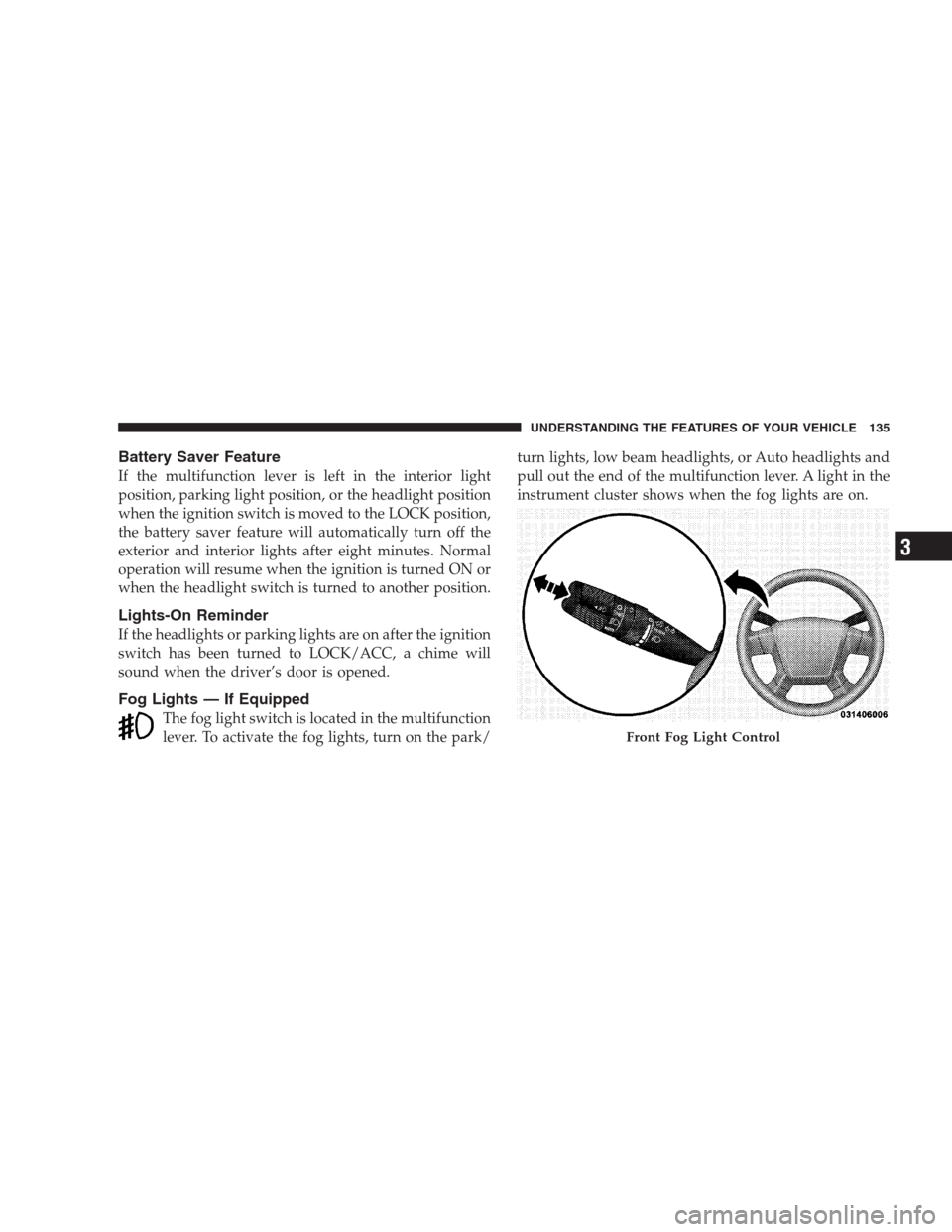
Fog Lights — If Equipped
The fog light switch is located in the multifunction
lever. To activate the fog lights, turn on the park/turn lights, low beam headlights, or Auto headlights and
pull out the end of the multifunction lever. A light in the
instrument cluster shows when the fog lights are on.
Front Fog Light Control
UNDERSTANDING THE FEATURES OF YOUR VEHICLE 135
3