Page 3127 of 3171

WW-16
FRONT WIPER AND WASHER SYSTEM
Terminals and Reference Values for IPDM E/R
EKS00P50
How To Proceed With Trouble DiagnosisEKS00P51
1. Confirm the trouble symptom or customer complaint.
2. Understand the operation description and function description. Refer toWW-4, "
System Description".
3. Perform preliminary inspection. Refer toWW-16, "
Preliminary Inspection".
4. According to the trouble diagnosis chart, repair or replace the cause of malfunction.
5. Does wiper function operate normally? If YES, GO TO 6. If NO, GO TO 4.
6. INSPECTION END
Preliminary InspectionEKS00P52
INSPECTION FOR POWER SUPPLY AND GROUND CIRCUIT
1.CHECK FUSE OR FUSIBLE LINK
Check for blown fuses or fusible link.
OK or NG
OK >> GO TO 2.
NG >> If fuse or fusible link is blown, be sure to eliminate cause of problem before installing new fuse or
fusible link. Refer toPG-4, "
POWER SUPPLY ROUTING CIRCUIT".
Te r m i n a l
No.Wire
colorSignal nameMeasuring condition
Reference value
Ignition
switchOperation or condition
32 GR Low speed signal ON Wiper switchOFF Approx. 0V
LO Battery voltage
35 L High speed signal ON Wiper switchOFF Approx. 0V
HI Battery voltage
38 B Ground ON — Approx. 0V
39 L CAN-H—— —
40 P CAN-L—— —
43 W Wiper auto stop signal ONWiper operating Battery voltage
Wiper stopped Approx. 0V
59 B Ground ON — Approx. 0V
Unit Power source Fuse and fusible link No.
Front washer motor Ignition ON or START 15
Front wiper main relay Battery 39
BCMIgnition ON or START 1
Battery G
Page 3134 of 3171
FRONT WIPER AND WASHER SYSTEM
WW-23
C
D
E
F
G
H
I
J
L
MA
B
WW
Front Wiper Does Not Operate in Rain (Front Wiper Switch Turned to INT Posi-
tion)
EKS00Q9V
1.CHECK CONDITIONS OF WINDSHIELD ( LIGHT AND RAIN SENSOR DETECTION AREA)
Check light and rain sensor detection area of windshield for dirt such as greases.
OK or NG
OK >> GO TO 2.
NG >> Clean light and rain sensor detection area of windshield fully.
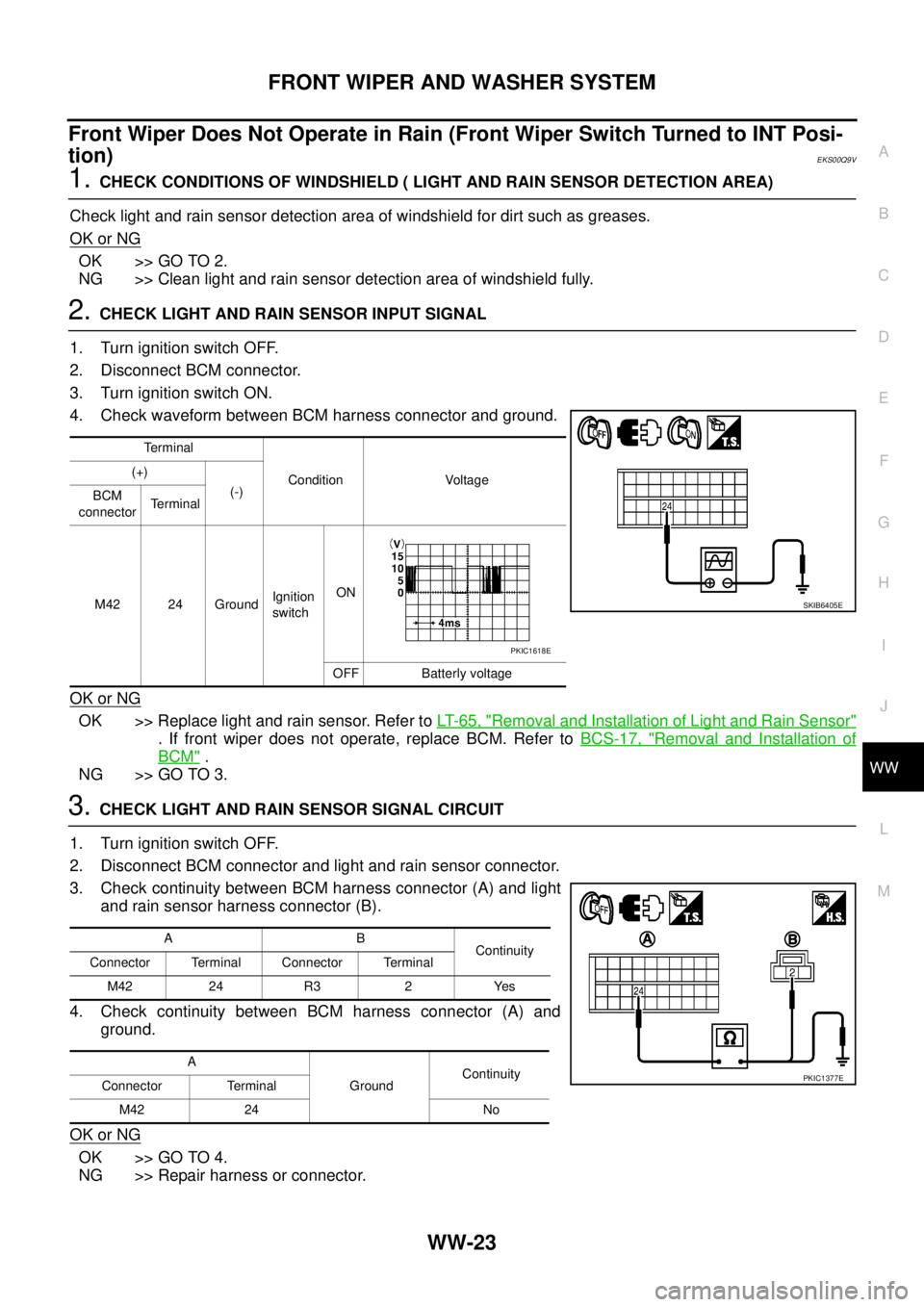
2.CHECK LIGHT AND RAIN SENSOR INPUT SIGNAL
1. Turn ignition switch OFF.
2. Disconnect BCM connector.
3. Turn ignition switch ON.
4. Check waveform between BCM harness connector and ground.
OK or NG
OK >> Replace light and rain sensor. Refer toLT-65, "Removal and Installation of Light and Rain Sensor"
. If front wiper does not operate, replace BCM. Refer toBCS-17, "Removal and Installation of
BCM".
NG >> GO TO 3.
3.CHECK LIGHT AND RAIN SENSOR SIGNAL CIRCUIT
1. Turn ignition switch OFF.
2. Disconnect BCM connector and light and rain sensor connector.
3. Check continuity between BCM harness connector (A) and light
and rain sensor harness connector (B).
4. Check continuity between BCM harness connector (A) and
ground.
OK or NG
OK >> GO TO 4.
NG >> Repair harness or connector.
Terminal
Condition Voltage (+)
(-)
BCM
connectorTerminal
M42 24 GroundIgnition
switchON
OFF Batterly voltage
SKIB6405E
PKIC1618E
AB
Continuity
Connector Terminal Connector Terminal
M42 24 R3 2 Yes
A
GroundContinuity
Connector Terminal
M42 24 No
PKIC1377E
Page 3162 of 3171
HEADLAMP WASHER
WW-51
C
D
E
F
G
H
I
J
L
MA
B
WW
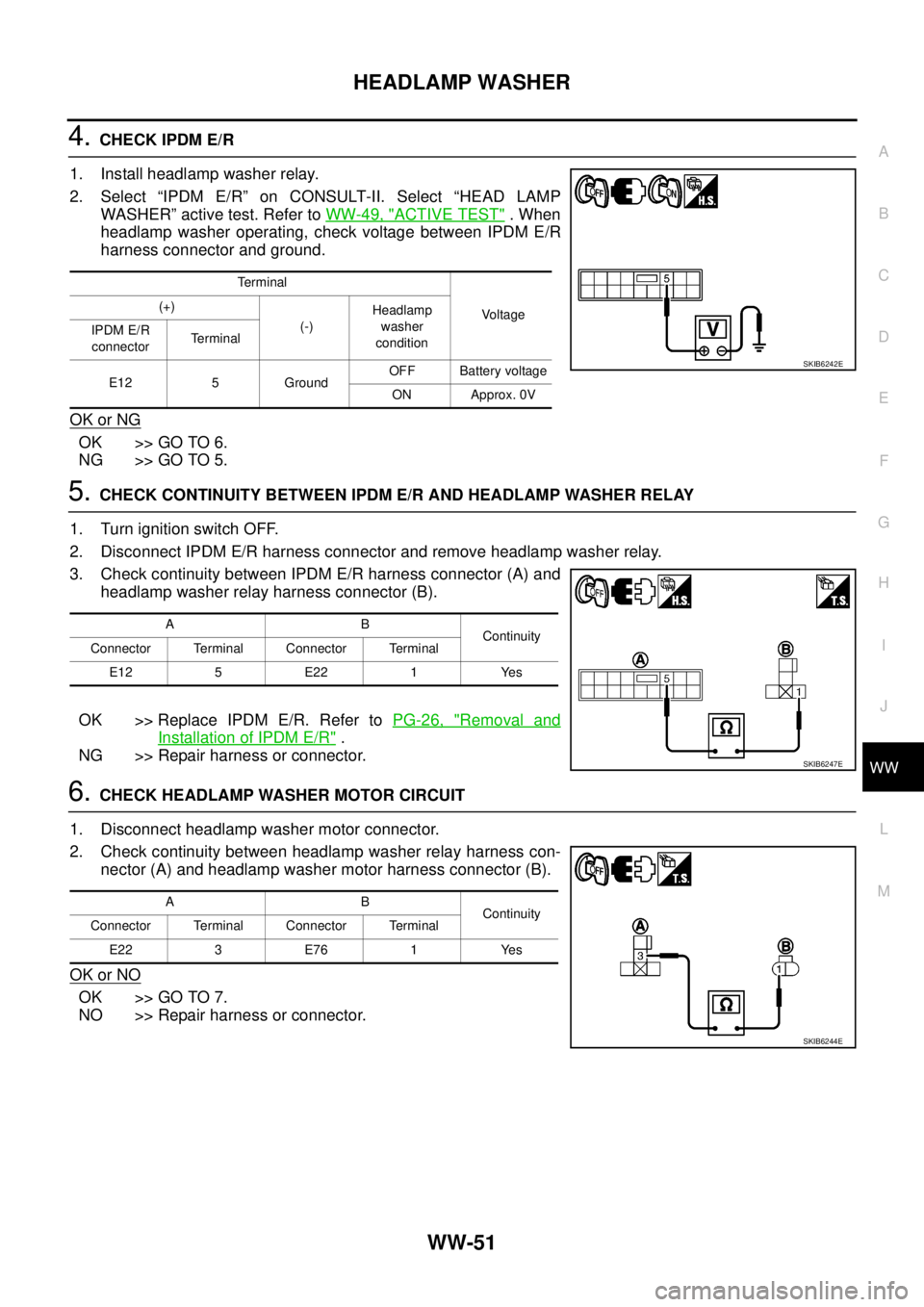
4.CHECK IPDM E/R
1. Install headlamp washer relay.
2. Select “IPDM E/R” on CONSULT-II. Select “HEAD LAMP
WASHER” active test. Refer toWW-49, "
ACTIVE TEST".When
headlamp washer operating, check voltage between IPDM E/R
harness connector and ground.
OK or NG
OK >> GO TO 6.
NG >> GO TO 5.
5.CHECK CONTINUITY BETWEEN IPDM E/R AND HEADLAMP WASHER RELAY
1. Turn ignition switch OFF.
2. Disconnect IPDM E/R harness connector and remove headlamp washer relay.
3. Check continuity between IPDM E/R harness connector (A) and
headlamp washer relay harness connector (B).
OK >> Replace IPDM E/R. Refer toPG-26, "
Removal and
Installation of IPDM E/R".
NG >> Repair harness or connector.
6.CHECK HEADLAMP WASHER MOTOR CIRCUIT
1. Disconnect headlamp washer motor connector.
2. Check continuity between headlamp washer relay harness con-
nector (A) and headlamp washer motor harness connector (B).
OK or NO
OK >> GO TO 7.
NO >> Repair harness or connector.
Terminal
Vo l ta g e (+)
(-)Headlamp
washer
condition IPDM E/R
connectorTerminal
E12 5 GroundOFF Battery voltage
ON Approx. 0V
SKIB6242E
AB
Continuity
Connector Terminal Connector Terminal
E12 5 E22 1 Yes
SKIB6247E
AB
Continuity
Connector Terminal Connector Terminal
E22 3 E76 1 Yes
SKIB6244E
Page 3163 of 3171
WW-52
HEADLAMP WASHER
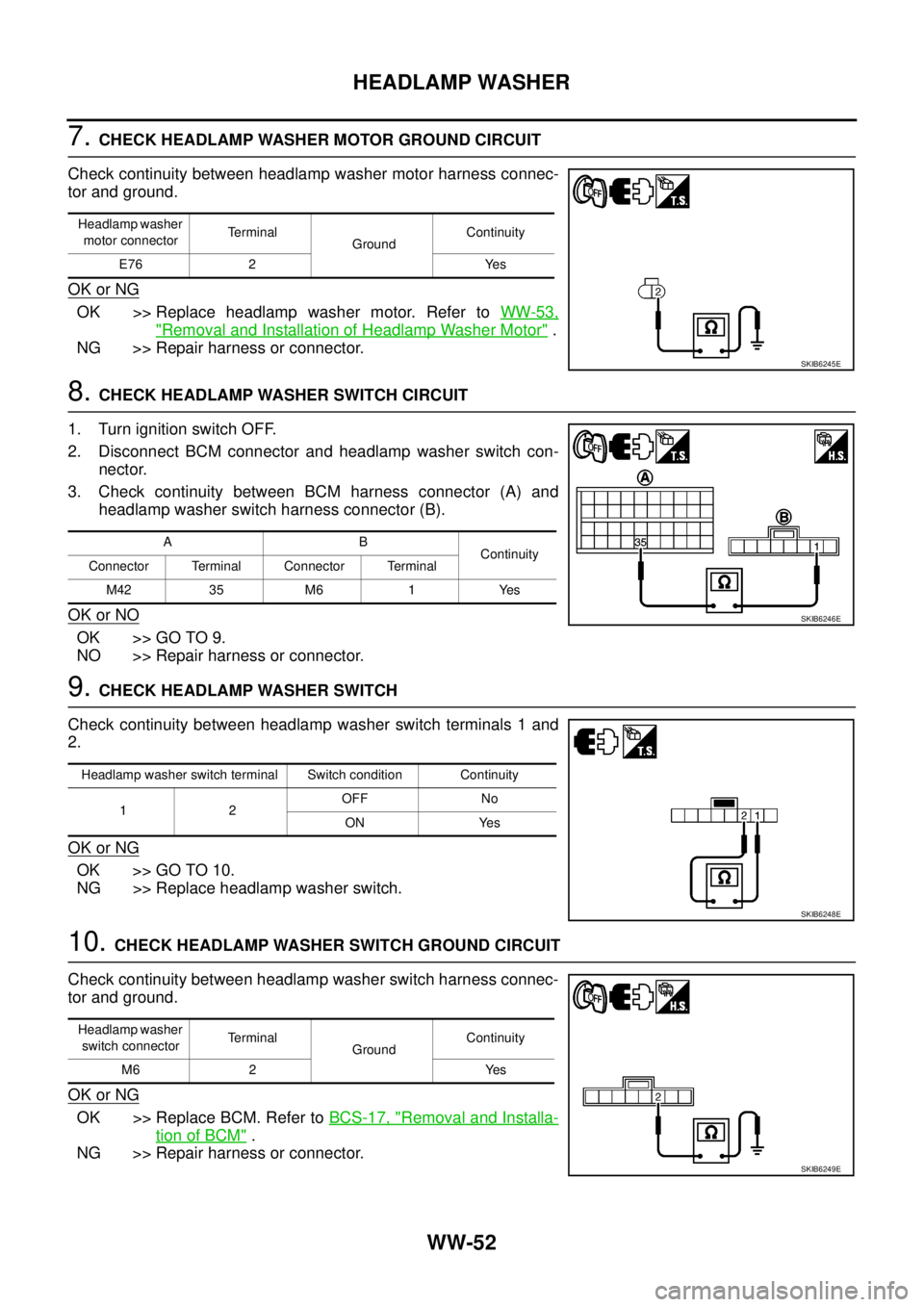
7.CHECK HEADLAMP WASHER MOTOR GROUND CIRCUIT
Check continuity between headlamp washer motor harness connec-
tor and ground.
OK or NG
OK >> Replace headlamp washer motor. Refer toWW-53,
"Removal and Installation of Headlamp Washer Motor".
NG >> Repair harness or connector.
8.CHECK HEADLAMP WASHER SWITCH CIRCUIT
1. Turn ignition switch OFF.
2. Disconnect BCM connector and headlamp washer switch con-
nector.
3. Check continuity between BCM harness connector (A) and
headlamp washer switch harness connector (B).
OK or NO
OK >> GO TO 9.
NO >> Repair harness or connector.
9.CHECK HEADLAMP WASHER SWITCH
Check continuity between headlamp washer switch terminals 1 and
2.
OK or NG
OK >> GO TO 10.
NG >> Replace headlamp washer switch.
10.CHECK HEADLAMP WASHER SWITCH GROUND CIRCUIT
Check continuity between headlamp washer switch harness connec-
tor and ground.
OK or NG
OK >> Replace BCM. Refer toBCS-17, "Removal and Installa-
tion of BCM".
NG >> Repair harness or connector.
Headlamp washer
motor connectorTerminal
GroundContinuity
E76 2 Yes
SKIB6245E
AB
Continuity
Connector Terminal Connector Terminal
M42 35 M6 1 Yes
SKIB6246E
Headlamp washer switch terminal Switch condition Continuity
12OFF No
ON Yes
SKIB6248E
Headlamp washer
switch connectorTerminal
GroundContinuity
M6 2 Yes
SKIB6249E