2004 CHEVROLET MALIBU lock
[x] Cancel search: lockPage 99 of 426
Leaving Your Vehicle With the Engine
Running
{CAUTION:
It can be dangerous to leave your vehicle with
the engine running. Your vehicle could move
suddenly if the shift lever is not fully in
PARK (P) with the parking brake rmly set.
And, if you leave the vehicle with the engine
running, it could overheat and even catch re.
You or others could be injured. Do not leave
your vehicle with the engine running.
If you have to leave your vehicle with the engine
running, be sure your vehicle is in PARK (P) and your
parking brake is rmly set before you leave it. After
you’ve moved the shift lever into PARK (P), hold
the regular brake pedal down. Then, see if you can
move the shift lever away from PARK (P) without rst
pushing the button.
If you can, it means that the shift lever wasn’t fully
locked in PARK (P).
Torque Lock
If you are parking on a hill and you don’t shift your
transaxle into PARK (P) properly, the weight of
the vehicle may put too much force on the parking pawl
in the transaxle. You may nd it difficult to pull the
shift lever out of PARK (P). This is called “torque lock.”
To prevent torque lock, set the parking brake and
then shift into PARK (P) properly before you leave the
driver’s seat. To nd out how, seeShifting Into Park (P)
on page 2-30.
When you are ready to drive, move the shift lever out of
PARK (P)beforeyou release the parking brake.
If torque lock does occur, you may need to have another
vehicle push yours a little uphill to take some of the
pressure from the parking pawl in the transaxle, so you
can pull the shift lever out of PARK (P).
2-31
Page 100 of 426
Shifting Out of Park (P)
Your vehicle has an automatic transaxle shift lock control
system. You have to apply your regular brake before you
can shift from PARK (P) when the ignition is in ON. See
Automatic Transaxle Operation on page 2-27.
If you cannot shift out of PARK (P), ease pressure on
the shift lever and push the shift lever all the way
into PARK (P) as you maintain brake application. Then
move the shift lever into the gear you wish. Press
the shift lever button before moving the shift lever.
If you ever hold the brake pedal down but still can’t shift
out of PARK (P), try this:
1. Turn the ignition key to ACCESSORY.
2. Apply and hold the regular brake until the end of
Step 5.
3. Shift to NEUTRAL (N).
4. Turn the ignition key to START, to start the vehicle.
5. Shift to the drive gear you want.
6. Have the vehicle xed as soon as you can.
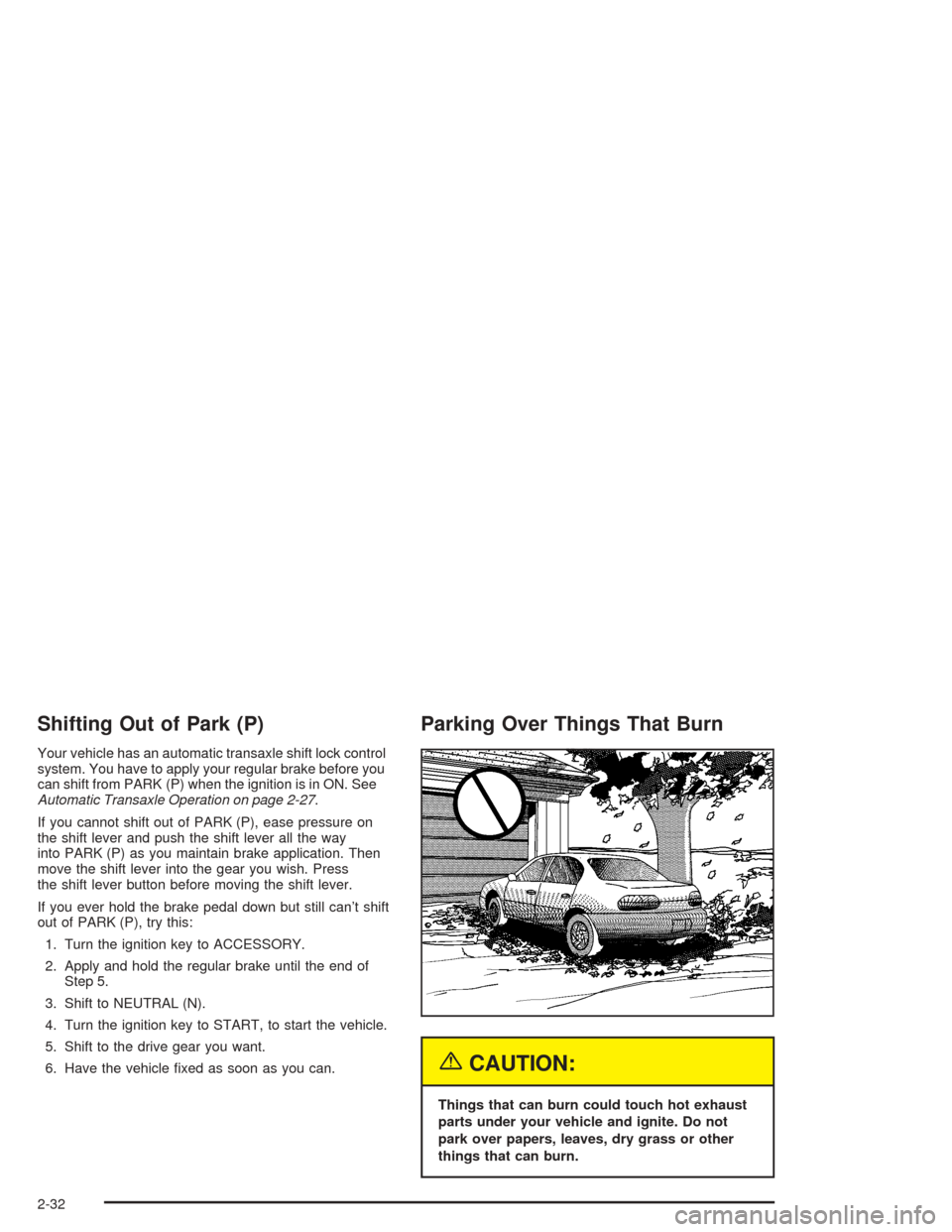
Parking Over Things That Burn
{CAUTION:
Things that can burn could touch hot exhaust
parts under your vehicle and ignite. Do not
park over papers, leaves, dry grass or other
things that can burn.
2-32
Page 103 of 426
Mirrors
Manual Rearview Mirror
This mirror can be adjusted two ways. First, to adjust
the angle of the mirror, move the mirror to a position that
allows you to see out of the back window. To adjust
the height of the mirror, adjust the arm that connects the
mirror to the windshield.
To reduce glare from lights behind you, move the lever
toward you to the night position.
Manual Rearview Mirror with
OnStar
®
If your vehicle has this feature, this mirror has a knob
located at the bottom of the mirror. It is used to change
the mirror from day to night position. To reduce glare
from headlamps behind you while driving at night, rotate
the knob clockwise. For daytime driving rotate the
knob counterclockwise.
There are also three OnStar
®buttons located at the
bottom of the mirror face. See your dealer for more
information on the system and how to subscribe
to OnStar
®. SeeOnStar®System on page 2-38for
more information about the services OnStar®provides.
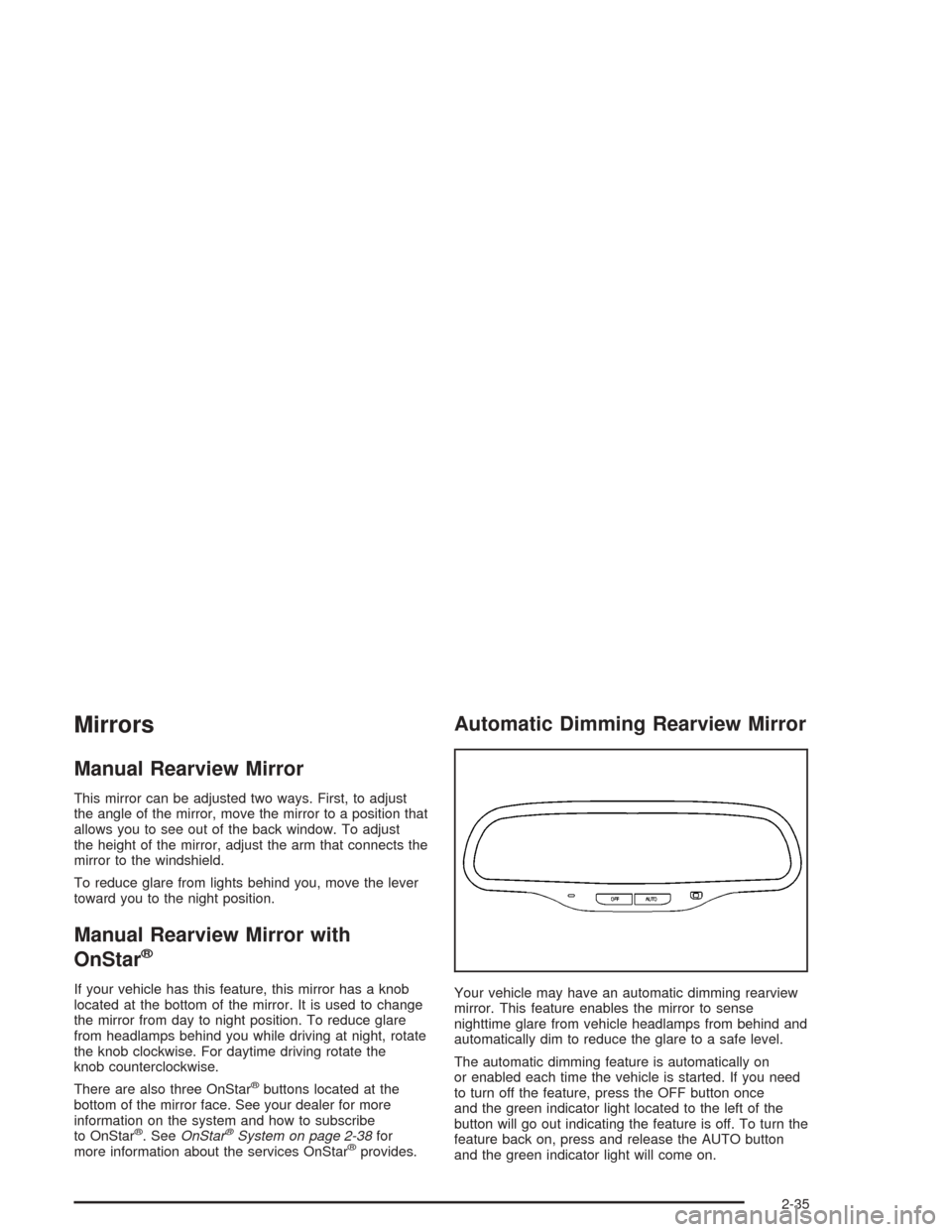
Automatic Dimming Rearview Mirror
Your vehicle may have an automatic dimming rearview
mirror. This feature enables the mirror to sense
nighttime glare from vehicle headlamps from behind and
automatically dim to reduce the glare to a safe level.
The automatic dimming feature is automatically on
or enabled each time the vehicle is started. If you need
to turn off the feature, press the OFF button once
and the green indicator light located to the left of the
button will go out indicating the feature is off. To turn the
feature back on, press and release the AUTO button
and the green indicator light will come on.
2-35
Page 107 of 426
Safe and Sound Plan
Automatic Notication of Air Bag Deployment
Advanced Automatic Collision Notication
Emergency Services
Roadside Assistance
Stolen Vehicle Assistance
AccidentAssist
Remote Door Unlock
Remote Diagnostics
Online Concierge
Hands-Free Voice Activated Calling
Directions and Connections Plan
All Safe and Sound Plan services
Route Support
RideAssist
Information and Convenience Services
Luxury and Leisure Plan
All Directions and Connections Plan services
Personal Concierge
OnStar®Personal Calling
As an OnStar®subscriber, the Personal Calling
capability is there for you if your hand-held cell phone is
lost, forgotten or has a low battery. It’s a hands-free
wireless phone that’s integrated into your vehicle. You
can place calls nationwide using simple voice
commands with no additional contracts and no additional
roaming charges. To nd out more about OnStar
®
Personal Calling, refer to the OnStar®user’s guide in
your vehicle’s glove box, visit www.onstar.com or talk to
an OnStar advisor by pressing the blue OnStar button
or calling 1-888-4-ONSTAR (1-888-466-7827).
OnStar®Virtual Advisor
Virtual Advisor is a feature of OnStar®Personal Calling
that uses minutes to access up-to-date weather and
traffic reports for your area, news and sports updates,
stock quotes, entertainment and more. You are also able
to listen and reply to your e-mail through your vehicle’s
speakers. See the OnStar
®user’s guide for more
information.
2-39
Page 108 of 426
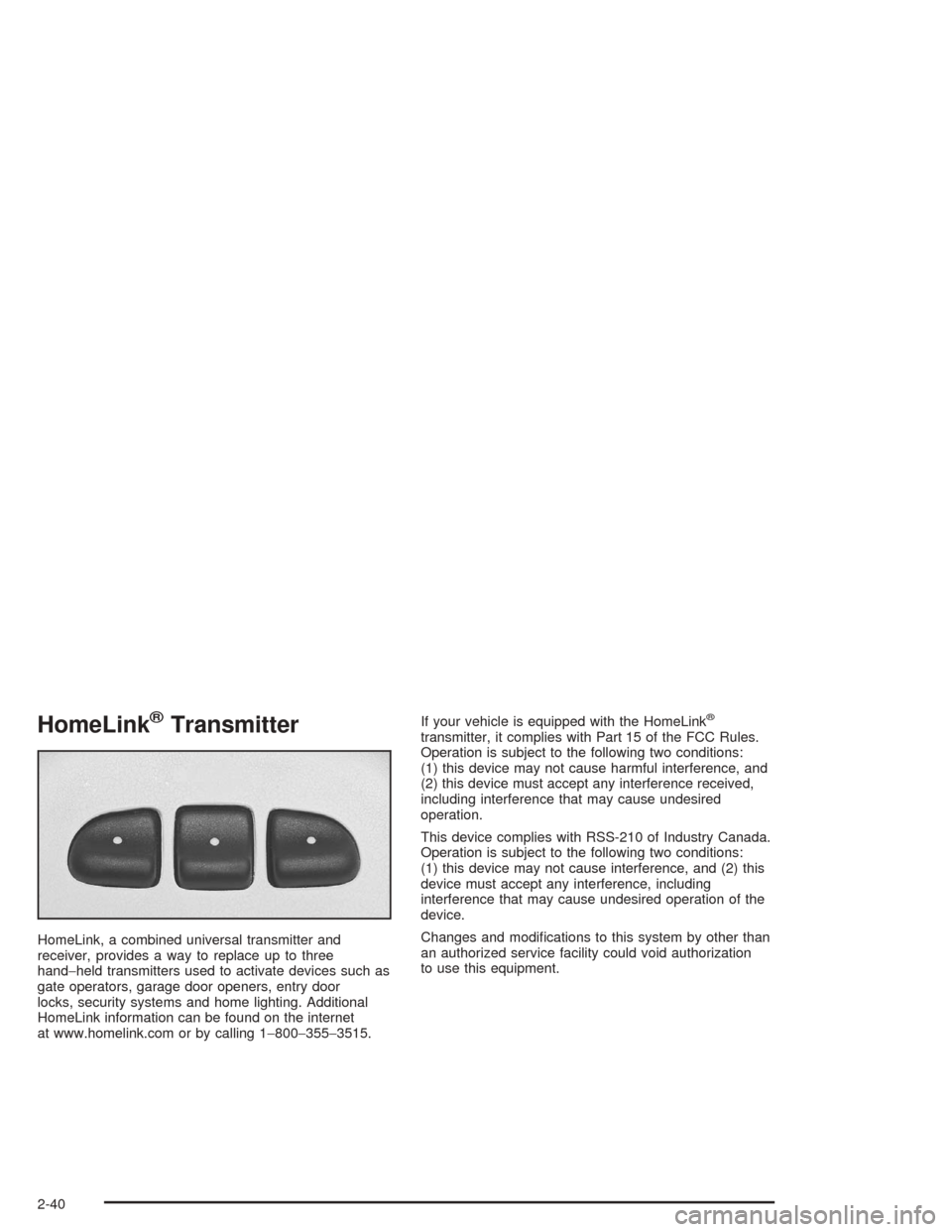
HomeLink®Transmitter
HomeLink, a combined universal transmitter and
receiver, provides a way to replace up to three
hand−held transmitters used to activate devices such as
gate operators, garage door openers, entry door
locks, security systems and home lighting. Additional
HomeLink information can be found on the internet
at www.homelink.com or by calling 1−800−355−3515.If your vehicle is equipped with the HomeLink
®
transmitter, it complies with Part 15 of the FCC Rules.
Operation is subject to the following two conditions:
(1) this device may not cause harmful interference, and
(2) this device must accept any interference received,
including interference that may cause undesired
operation.
This device complies with RSS-210 of Industry Canada.
Operation is subject to the following two conditions:
(1) this device may not cause interference, and (2) this
device must accept any interference, including
interference that may cause undesired operation of the
device.
Changes and modications to this system by other than
an authorized service facility could void authorization
to use this equipment.
2-40
Page 114 of 426
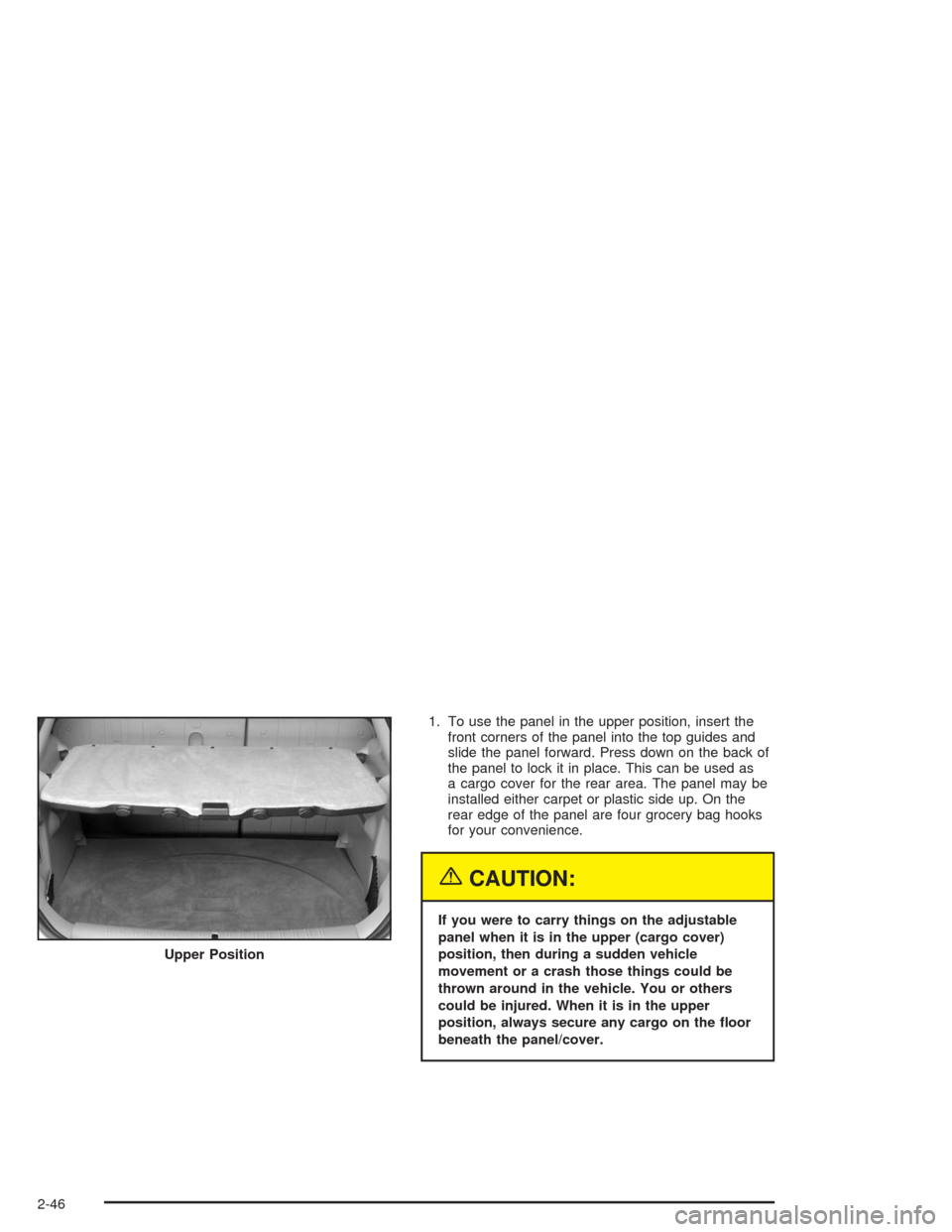
1. To use the panel in the upper position, insert the
front corners of the panel into the top guides and
slide the panel forward. Press down on the back of
the panel to lock it in place. This can be used as
a cargo cover for the rear area. The panel may be
installed either carpet or plastic side up. On the
rear edge of the panel are four grocery bag hooks
for your convenience.
{CAUTION:
If you were to carry things on the adjustable
panel when it is in the upper (cargo cover)
position, then during a sudden vehicle
movement or a crash those things could be
thrown around in the vehicle. You or others
could be injured. When it is in the upper
position, always secure any cargo on the oor
beneath the panel/cover. Upper Position
2-46
Page 115 of 426
2. To use the panel in the center position, insert the
front corners of the panel into the middle guides
and slide the panel forward. Press down on
the back of the panel to lock it in place. The panel
can be used in this position when you have to
place a at or spare tire on the oor of the
rear cargo area.
3. The panel can be used in the lower position if you
need additional space above the panel. Place the
cargo on top of the panel in this position.
The panel/cargo cover can also be used as a table. See
“Table” following.
Table
The maximum load for the table is 100 lbs. (45 kg).
To set up the table, do the following:
1. With the adjustable panel in the upper position
extend the panel out, with the plastic side up.
2. Unsnap the leg from the plastic side of the table
and turn leg outward.
3. Set the table leg into the groove on the trim of the
rear edge of the vehicle.Make sure to place the table leg securely into the
groove. The shelf can only be extended in the upper
position.
Notice:Driving with the panel extended into the
table position could damage your vehicle. Always
have the panel in the stored position while you
are driving.
Notice:Placing hot items on the surface of the
table could damage it. Always be sure that the items
that are placed on the surface of the table are of
moderate temperature.
Convenience Net
The MAXX model has a rear compartment net to
prevent items from rolling under the rear seat.
2-47
Page 117 of 426
Instrument Panel Overview...............................3-4
Hazard Warning Flashers................................3-6
Other Warning Devices...................................3-7
Horn.............................................................3-7
Tilt Wheel.....................................................3-7
Turn Signal/Multifunction Lever.........................3-8
Exterior Lamps.............................................3-14
Interior Lamps..............................................3-19
Accessory Power Outlets...............................3-20
Climate Controls............................................3-21
Climate Control System.................................3-21
Automatic Climate Control System...................3-25
Outlet Adjustment.........................................3-30
Warning Lights, Gages, and Indicators............3-31
Instrument Panel Cluster................................3-32
Speedometer and Odometer...........................3-33
Tachometer.................................................3-33
Safety Belt Reminder Light.............................3-34
Air Bag Readiness Light................................3-34
Charging System Light..................................3-35
Brake System Warning Light..........................3-36
Anti-Lock Brake System
Warning Light...........................................3-37
Enhanced Traction System
Warning Light...........................................3-37
Enhanced Traction System Active Light............3-38Engine Coolant Temperature Warning Light......3-38
Engine Coolant Temperature Gage..................3-39
Malfunction Indicator Lamp.............................3-39
Oil Pressure Light.........................................3-42
Security Light...............................................3-43
Cruise Control Light......................................3-43
Service Vehicle Soon Light............................3-44
Fuel Gage...................................................3-44
Driver Information Center (DIC).......................3-45
DIC Operation and Displays...........................3-46
DIC Warnings and Messages.........................3-50
Audio System(s).............................................3-52
Setting the Time for Radios without Radio
Data Systems (RDS)..................................3-52
Setting the Time for Radios with Radio Data
Systems (RDS).........................................3-53
Radio with CD (Base Level)...........................3-53
Radio with CD (Up Level)..............................3-58
Radio with Cassette and CD..........................3-69
Radio with Six-Disc CD.................................3-82
Rear Seat Entertainment System....................3-96
Rear Seat Audio (RSA)
(Without Entertainment System).................3-111
Rear Seat Audio (RSA)
(With Entertainment System).....................3-113
Theft-Deterrent Feature................................3-115
Section 3 Instrument Panel
3-1