2002 BMW 745LI SEDAN mirror controls
[x] Cancel search: mirror controlsPage 3 of 208
Inhaltsverzeichnis
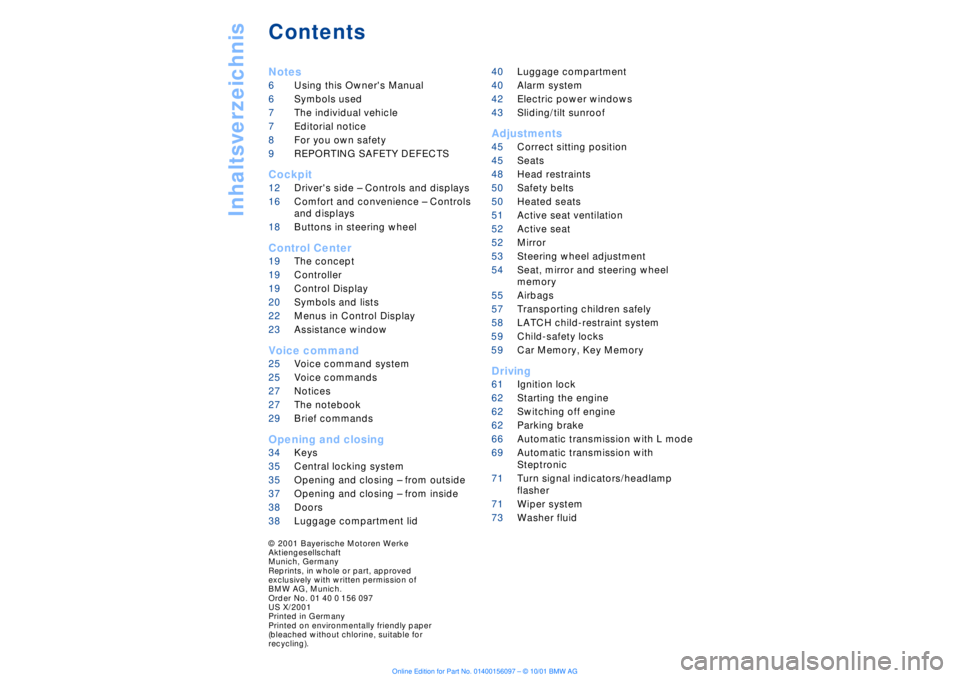
Contents
Notes
6Using this Owner's Manual
6Symbols used
7The individual vehicle
7Editorial notice
8For you own safety
9REPORTING SAFETY DEFECTS
Cockpit
12Driver's side Ð Controls and displays
16Comfort and convenience Ð Controls
and displays
18Buttons in steering wheel
Control Center
19The concept
19Controller
19Control Display
20Symbols and lists
22Menus in Control Display
23Assistance window*
Voice command
25Voice command system*
25Voice commands
27Notices
27The notebook
29Brief commands
Opening and closing
34Keys
35Central locking system
35Opening and closing Ð from outside
37Opening and closing Ð from inside
38Doors
38Luggage compartment lid 40Luggage compartment
40Alarm system
42Electric power windows
43Sliding/tilt sunroof*
Adjustments
45Correct sitting position
45Seats
48Head restraints
50Safety belts
50Heated seats*
51Active seat ventilation*
52Active seat*
52Mirror
53Steering wheel adjustment
54Seat, mirror and steering wheel
memory
55Airbags
57Transporting children safely
58LATCH child-restraint system
59Child-safety locks
59Car Memory, Key Memory
Driving
61Ignition lock
62Starting the engine
62Switching off engine
62Parking brake
66Automatic transmission with L mode
69Automatic transmission with
Steptronic
71Turn signal indicators/headlamp
flasher
71Wiper system
73Washer fluid
© 2001 Bayerische Motoren Werke
Aktiengesellschaft
Munich, Germany
Reprints, in whole or part, approved
exclusively with written permission of
BMW AG, Munich.
Order No. 01 40 0 156 097
US X/2001
Printed in Germany
Printed on environmentally friendly paper
(bleached without chlorine, suitable for
recycling).
Page 14 of 208

At a glanceControlsDriving tipsCommunicationsNavigationEntertainmentMobilityReference
13
1
Rear window sun blind109
2
Rear window safety switch42
3
Electric power windows42
4
Exterior mirrors52
5
Parking brake62
6
Parking lamps and low beams96
7
Instrument lighting97
8
Turn signal indicators71
High beams, headlamp flasher97
Computer81,
Check Control80
Computer81
Standing lamps97
9
Steering wheel18
10
Info Display14
11
Automatic transmission lever66
12
Ignition lock61
13
Switching ignition on and off,
starting the engine62
14
Windshield wipers71
Rain sensor71
15
Park Distance Control (PDC)88
16
Horn: the entire surface
17
Steering wheel heating53
Steering wheel adjustment53
18
Unlocking the luggage
compartment39
19
Programmable cruise control73
20
Front fog lamps97
Front fog lamps
21
Opening the hood175
Page 18 of 208
At a glanceControlsDriving tipsCommunicationsNavigationEntertainmentMobilityReference
17
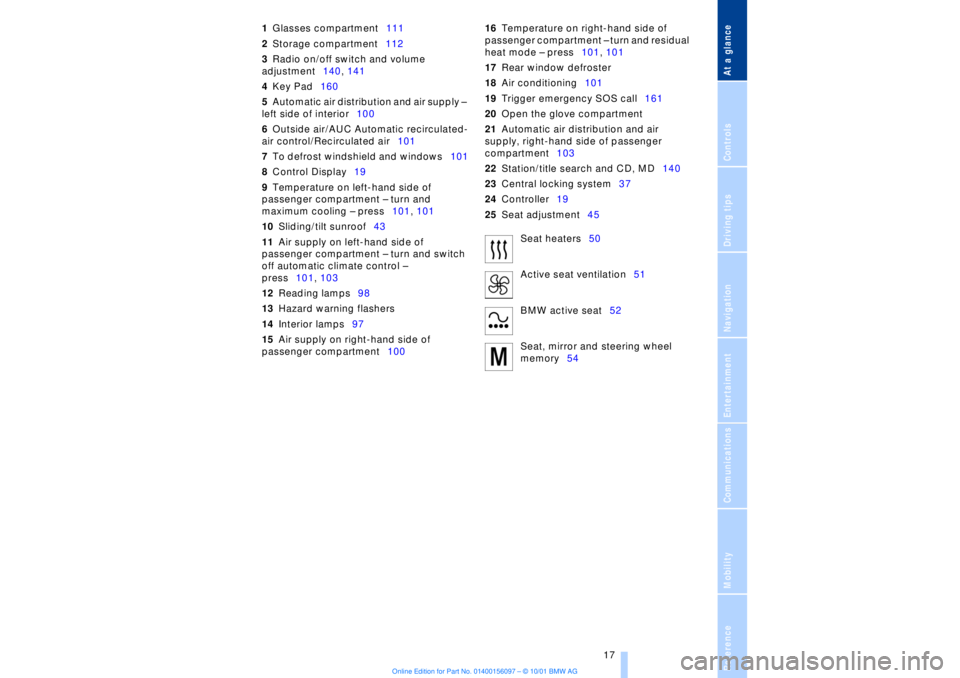
1Glasses compartment111
2Storage compartment112
3Radio on/off switch and volume
adjustment140, 141
4Key Pad160
5Automatic air distribution and air supply Ð
left side of interior100
6Outside air/AUC Automatic recirculated-
air control/Recirculated air101
7To defrost windshield and windows101
8Control Display19
9Temperature on left-hand side of
passenger compartment Ð turn and
maximum cooling Ð press101, 101
10Sliding/tilt sunroof43
11Air supply on left-hand side of
passenger compartment Ð turn and switch
off automatic climate control Ð
press101, 103
12Reading lamps98
13Hazard warning flashers
14Interior lamps97
15Air supply on right-hand side of
passenger compartment10016Temperature on right-hand side of
passenger compartment Ð turn and residual
heat mode Ð press101, 101
17Rear window defroster
18Air conditioning101
19Trigger emergency SOS call161
20Open the glove compartment
21Automatic air distribution and air
supply, right-hand side of passenger
compartment103
22Station/title search and CD, MD140
23Central locking system37
24Controller19
25Seat adjustment45
Seat heaters50
Active seat ventilation51
BMW active seat52
Seat, mirror and steering wheel
memory54
Page 28 of 208
At a glanceControlsDriving tipsCommunicationsNavigationEntertainmentMobilityReference
27
Notices
Do not use the voice command
system to make emergency SOS
calls. Your voice and habitual tone could be
affected by stressful situations, as a result
of which the process of establishing the
telephone connection could be unneces-
sarily delayed. Instead, you should use the
emergency SOS button located adjacent to
the rearview mirror, refer to page 161.<
Environmental conditionsThe voice command system uses a special
microphone located on the front headliner
of your vehicle. Although the system is
designed to filter out ambient noise, you
can help ensure that your commands will
be understood by observing the following
instructions:
>Speak smoothly and clearly, at a normal
volume. Do not place any unusual stress on
individual syllables, and avoid pauses
>Do not speak while the voice command
system is talking
>Keep the doors, windows and sunroof
closed to prevent interference from
ambient noise
>Avoid other sources of noise in the
vehicle while speaking, and ask other
vehicle occupants to refrain from talking
while you are using the system.
>The hands-free microphone is aimed
toward the driver. This means that the
system may be unable to register the
voices of other vehicle occupants properly;
passengers should use the mobile phone
instead.
The notebookRecording a note
>>Record note<<<
You can store approx. ten minutes of
spoken text Ð either as a single entry or as
multiple entries of any desired length.
To terminate recording:
Apply extended pressure to
the button.
The voice command system does not
respond to the commands
>>Cancel<< and >>Exit<< while you are
recording a note. The standard utility that
scans for system commands is deactivated
in the note mode to allow you to record any
text desired, without artificial restrictions.
This feature saves you from having to
concentrate on avoiding these words while
recording.<
To listen to a notebook entryListening to recorded notebook entries:
1.>>Read out (note)<<
or >>Listen to (note)<<
The system plays back roughly the first
3 seconds of the first memorandum.
2.Respond to the query >Note and then<
by selecting the desired function
>To listen to the entire note:
>>Read (note)<<
(>>Listen to (note)<<)
>To hear the next notebook entry:
>>Next note<< (>>(Note) next<<)
>To hear the entry again:
>>(Note) back<<
or
>>Once again<< (>>Repeat<<, >>Read
out<<).<
Page 42 of 208

At a glanceControlsDriving tipsCommunicationsNavigationEntertainmentMobilityReference
41
>The hazard warning flashers for approx.
five minutes
>The high beams, which flash on and off
in the same rhythm.To arm and disarm the alarm system When you lock (or unlock) the vehicle,
either with the remote control unit or at the
door lock, the alarm system is armed (or
disarmed) at the same time.
The system indicates that is has been
correctly armed by switching on the hazard
warning flashers for a single cycle and by
emitting an acoustic signal.
You can have different acknowledg-
ment signals set to confirm arming
and disarming.<
Even with the alarm system armed, you can
open the luggage compartment lid using
the button 3on the remote control
unit, refer to page 36. The alarm system will
start to monitor the luggage compartment
lid again as soon as it is reclosed. Indicator lamp displays>The indicator lamp below the interior
rearview mirror flashes continuously: the
system is armed
>The indicator lamp flashes when the
system is armed: door(s), the hood or
luggage compartment lid are not
completely closed. Even if you do not close
the alerted area, the system begins to
monitor the remaining areas, and the indi-
cator lamp flashes continuously after
10 seconds. However, the interior motion
sensor is not activated >If the indicator lamp goes out when the
system is disarmed: no manipulation or
attempted intrusions have been detected in
the period since the system was armed
>If the indicator lamp flashes for roughly
5 minutes when you disarm the system, or
until the remote control unit is inserted in
the ignition lock: an attempted entry has
been detected in the period since the
system was armed.
Following triggering of an alarm, the indi-
cator lamp will flash continuously.
Avoiding unintentional alarms The tilt alarm sensor and interior motion
sensor may be switched off at the same
time. You can do this to prevent a false
alarm from being triggered (in garages with
elevator ramps, for instance), or when the
vehicle is transported by trailer or train:
Lock the vehicle, i. e., arm the alarm system
twice in a row by pressing button 2 on the
remote control unit twice in succession,
refer to page 36, or lock the vehicle twice
using the key, refer to page 37.
The indicator lamp flashes briefly and then
flashes continuously. The tilt alarm sensor
and the interior motion sensor are switched
off long as the system is armed.
If you desire, the
>tilt alarm sensor, and
>interior motion sensor
can be switched off permanently. Please
contact your BMW center for assistance.< Interior motion sensor In order for the interior motion sensor to
function properly, the windows and sliding/
tilt sunroof must be completely closed.
Be sure to deactivate the interior motion
sensor, see section on Avoiding uninten-
tional alarms, when you wish to leave the
windows or sliding/tilt sunroof open.
Page 54 of 208
At a glanceControlsDriving tipsCommunicationsNavigationEntertainmentMobilityReference
53
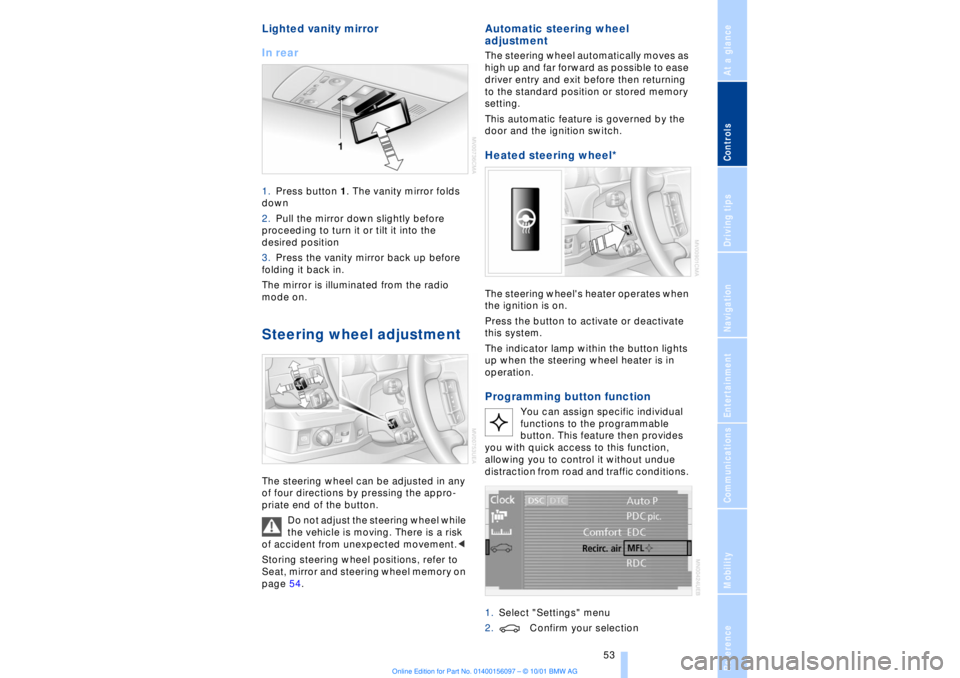
Lighted vanity mirror
In rear 1.Press button 1. The vanity mirror folds
down
2.Pull the mirror down slightly before
proceeding to turn it or tilt it into the
desired position
3.Press the vanity mirror back up before
folding it back in.
The mirror is illuminated from the radio
mode on. Steering wheel adjustment The steering wheel can be adjusted in any
of four directions by pressing the appro-
priate end of the button.
Do not adjust the steering wheel while
the vehicle is moving. There is a risk
of accident from unexpected movement.<
Storing steering wheel positions, refer to
Seat, mirror and steering wheel memory on
page 54.
Automatic steering wheel
adjustment The steering wheel automatically moves as
high up and far forward as possible to ease
driver entry and exit before then returning
to the standard position or stored memory
setting.
This automatic feature is governed by the
door and the ignition switch. Heated steering wheel*
The steering wheel's heater operates when
the ignition is on.
Press the button to activate or deactivate
this system.
The indicator lamp within the button lights
up when the steering wheel heater is in
operation.Programming button function
You can assign specific individual
functions to the programmable
button. This feature then provides
you with quick access to this function,
allowing you to control it without undue
distraction from road and traffic conditions.
1.Select "Settings" menu
2.Confirm your selection
Page 56 of 208
At a glanceControlsDriving tipsCommunicationsNavigationEntertainmentMobilityReference
55
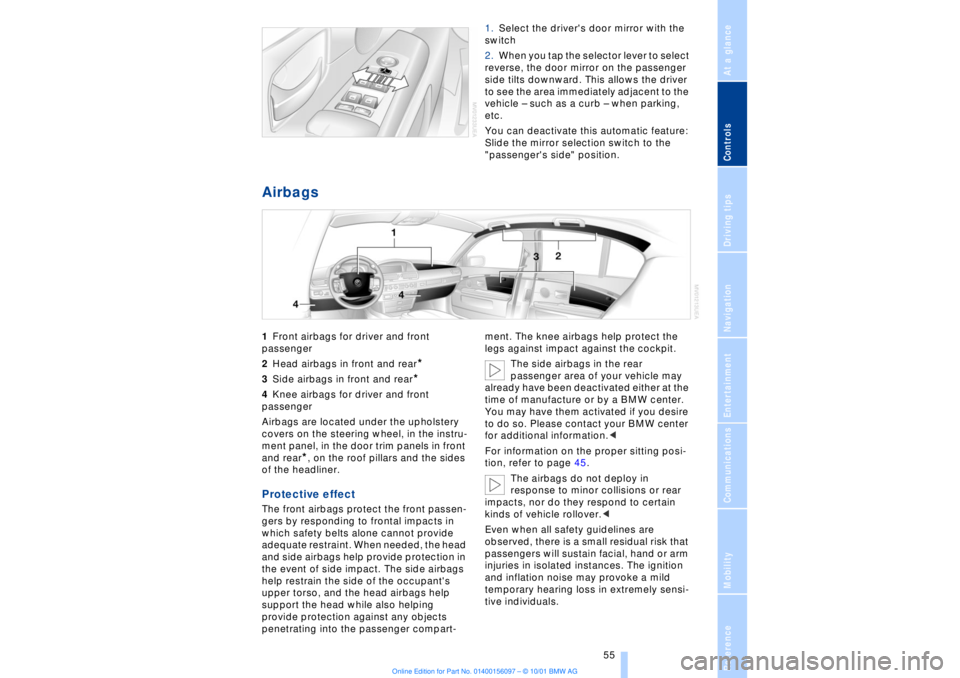
1.Select the driver's door mirror with the
switch
2.When you tap the selector lever to select
reverse, the door mirror on the passenger
side tilts downward. This allows the driver
to see the area immediately adjacent to the
vehicle Ð such as a curb Ð when parking,
etc.
You can deactivate this automatic feature:
Slide the mirror selection switch to the
"passenger's side" position.
Airbags 1Front airbags for driver and front
passenger
2Head airbags in front and rear
*
3Side airbags in front and rear*
4Knee airbags for driver and front
passenger
Airbags are located under the upholstery
covers on the steering wheel, in the instru-
ment panel, in the door trim panels in front
and rear
*, on the roof pillars and the sides
of the headliner.
Protective effect The front airbags protect the front passen-
gers by responding to frontal impacts in
which safety belts alone cannot provide
adequate restraint. When needed, the head
and side airbags help provide protection in
the event of side impact. The side airbags
help restrain the side of the occupant's
upper torso, and the head airbags help
support the head while also helping
provide protection against any objects
penetrating into the passenger compart-ment. The knee airbags help protect the
legs against impact against the cockpit.
The side airbags in the rear
passenger area of your vehicle may
already have been deactivated either at the
time of manufacture or by a BMW center.
You may have them activated if you desire
to do so. Please contact your BMW center
for additional information.<
For information on the proper sitting posi-
tion, refer to page 45.
The airbags do not deploy in
response to minor collisions or rear
impacts, nor do they respond to certain
kinds of vehicle rollover.<
Even when all safety guidelines are
observed, there is a small residual risk that
passengers will sustain facial, hand or arm
injuries in isolated instances. The ignition
and inflation noise may provoke a mild
temporary hearing loss in extremely sensi-
tive individuals.
Page 198 of 208
197
At a glanceControlsDriving tipsCommunicationsNavigationEntertainmentMobilityReference
Computer 81
Ð automatic climate
control 103
Ð "BC" 84
Ð changing settings 86
Ð changing time and
date 86
Ð Control Display screen
contents 83
Ð displays, menus 22
Ð language selection 86
Ð status lines 24
Ð symbols 20
Computer, refer to Control
Center 19
Condition Based Service
(CBS) 179
Connecting car vacuum
cleaner 113
Consumption display 82
Control Center 19
Ð assistance window 23
Ð automatic climate
control 103
Ð changing menu page 20
Ð changing settings 86
Ð confirm selection or
entry 20
Ð display help texts 23
Ð displays, menus 22
Ð language selection 86
Ð lists 20
Ð menu entry selection 19
Ð selecting units of measure
and display format 86
Ð setting time and date 86
Ð status lines 24
Ð symbols 20
Ð symbols and lists 20
Control Display 19
Controller, refer to Control
Center 19
Convenience operation of
windows and sliding/tilt
sunroof 36, 37
Convenience starting
feature 62
"Coolant" 179
Coolant 176, 177
Cooler, refer to Rear
cooler 110Cooling adjustment
Ð rear air conditioner 105
Copyright 2
Cornering Brake Control
(CBC) 91
Courtesy lamps 98
Cruise control 73
Cruise control, see Pro-
grammable cruise
control 73
Cruising range 82
Cup holder, refer to Bever-
age holder 112
Curb lamp
Ð bulb replacement 182
Curb weight 194
Current fuel
consumption 83
D"Date" 86
Daytime driving lamp
mode 96
DBC (Dynamic Brake
Control) 91
Deactivating
Ð tilt alarm sensor 36, 41
Defrosting, windows 101
Defrost setting 101
"DELETE" for
navigation 130
Destination entry 126
Destination for navigation
system
Ð selecting in
"Information" 129
Destination memory 129
"Destinations" 126
"Dest. input" 126
Dialed numbers 164
Dimensions 193
Dimming mirrors 52
Dipstick, engine oil 176
Direction
Ð arrow 132
Ð to destination 131
Ð voice instructions 133
Directional indicators, see
Turn signal indicators 71Directory creation
Ð with navigation
system 134
"Dir. of travel" with naviga-
tion system 132
"Dir. to north" with naviga-
tion system 132
Disc brakes 119
Displacement 192
Display, refer to Control
Display 19
Display format and units of
measure in Control
Display, changing 86
Display illumination, refer to
Instrument lighting 97
Displays 14
Ð computer 22
Ð Control Center 22
Distance 83
Distance to destination 83
Distance warning 88
Door keys 34
Doors
Ð locking and unlocking 35
Ð manual operation 37
Ð remote control 35
DOT Quality Grades 172
Draft-free ventilation 102
Drink holders, refer to
Beverage holders 112
Driving stability control 89
Driving tips 118
"DSC" 90
DSC (Dynamic Stability
Control) 89
"DTC" 90
DTC (Dynamic Traction
Control) 15, 90
Dynamic Brake Control
(DBC) 91
Dynamic Drive 91
Dynamic Stability Control
(DSC) 89
Dynamic Traction Control
(DTC) 15, 90
EEBV (Electronic Brake-
force Distribution) 91