2001 CHRYSLER VOYAGER reset
[x] Cancel search: resetPage 1385 of 4284
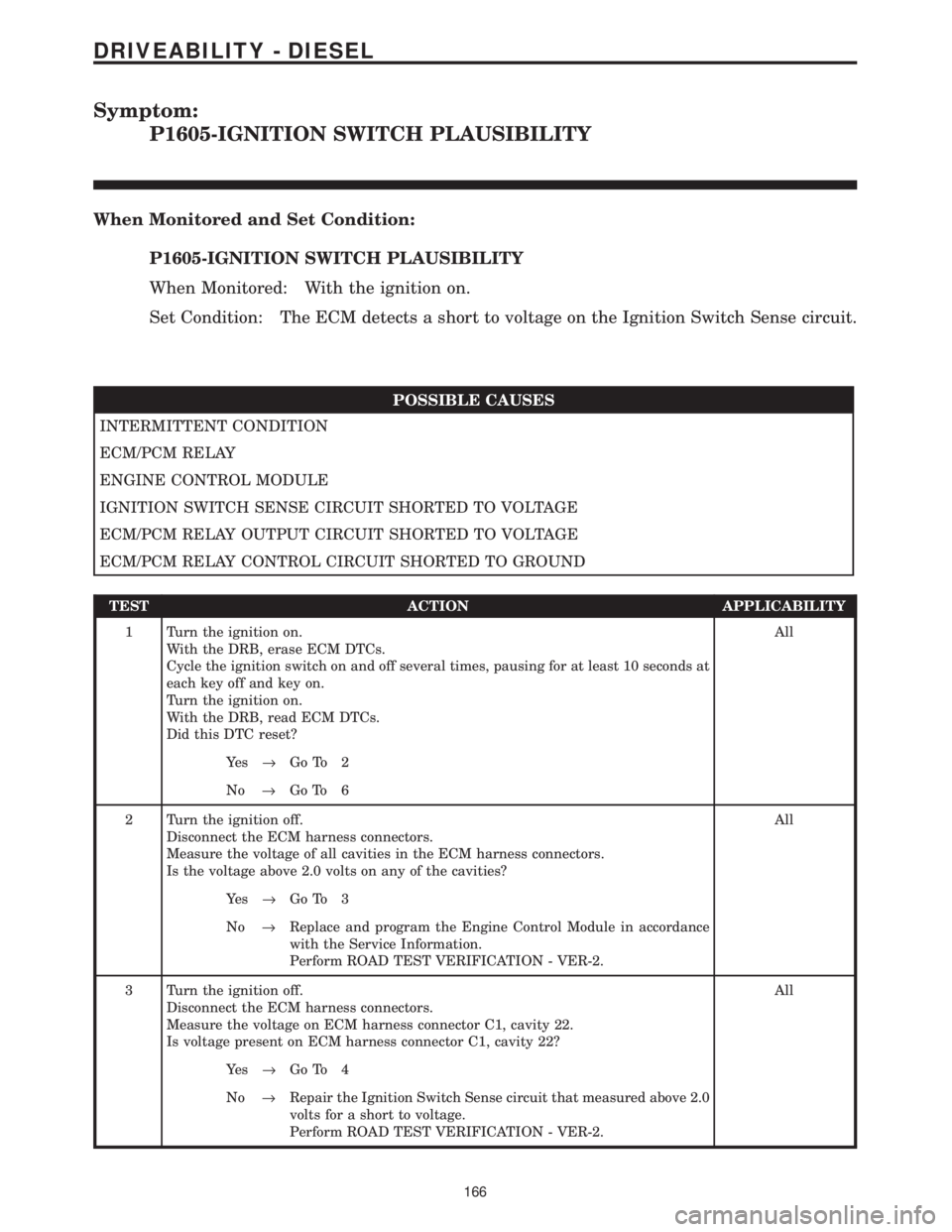
Symptom:
P1605-IGNITION SWITCH PLAUSIBILITY
When Monitored and Set Condition:
P1605-IGNITION SWITCH PLAUSIBILITY
When Monitored: With the ignition on.
Set Condition: The ECM detects a short to voltage on the Ignition Switch Sense circuit.
POSSIBLE CAUSES
INTERMITTENT CONDITION
ECM/PCM RELAY
ENGINE CONTROL MODULE
IGNITION SWITCH SENSE CIRCUIT SHORTED TO VOLTAGE
ECM/PCM RELAY OUTPUT CIRCUIT SHORTED TO VOLTAGE
ECM/PCM RELAY CONTROL CIRCUIT SHORTED TO GROUND
TEST ACTION APPLICABILITY
1 Turn the ignition on.
With the DRB, erase ECM DTCs.
Cycle the ignition switch on and off several times, pausing for at least 10 seconds at
each key off and key on.
Turn the ignition on.
With the DRB, read ECM DTCs.
Did this DTC reset?All
Ye s®Go To 2
No®Go To 6
2 Turn the ignition off.
Disconnect the ECM harness connectors.
Measure the voltage of all cavities in the ECM harness connectors.
Is the voltage above 2.0 volts on any of the cavities?All
Ye s®Go To 3
No®Replace and program the Engine Control Module in accordance
with the Service Information.
Perform ROAD TEST VERIFICATION - VER-2.
3 Turn the ignition off.
Disconnect the ECM harness connectors.
Measure the voltage on ECM harness connector C1, cavity 22.
Is voltage present on ECM harness connector C1, cavity 22?All
Ye s®Go To 4
No®Repair the Ignition Switch Sense circuit that measured above 2.0
volts for a short to voltage.
Perform ROAD TEST VERIFICATION - VER-2.
166
DRIVEABILITY - DIESEL
Page 1433 of 4284
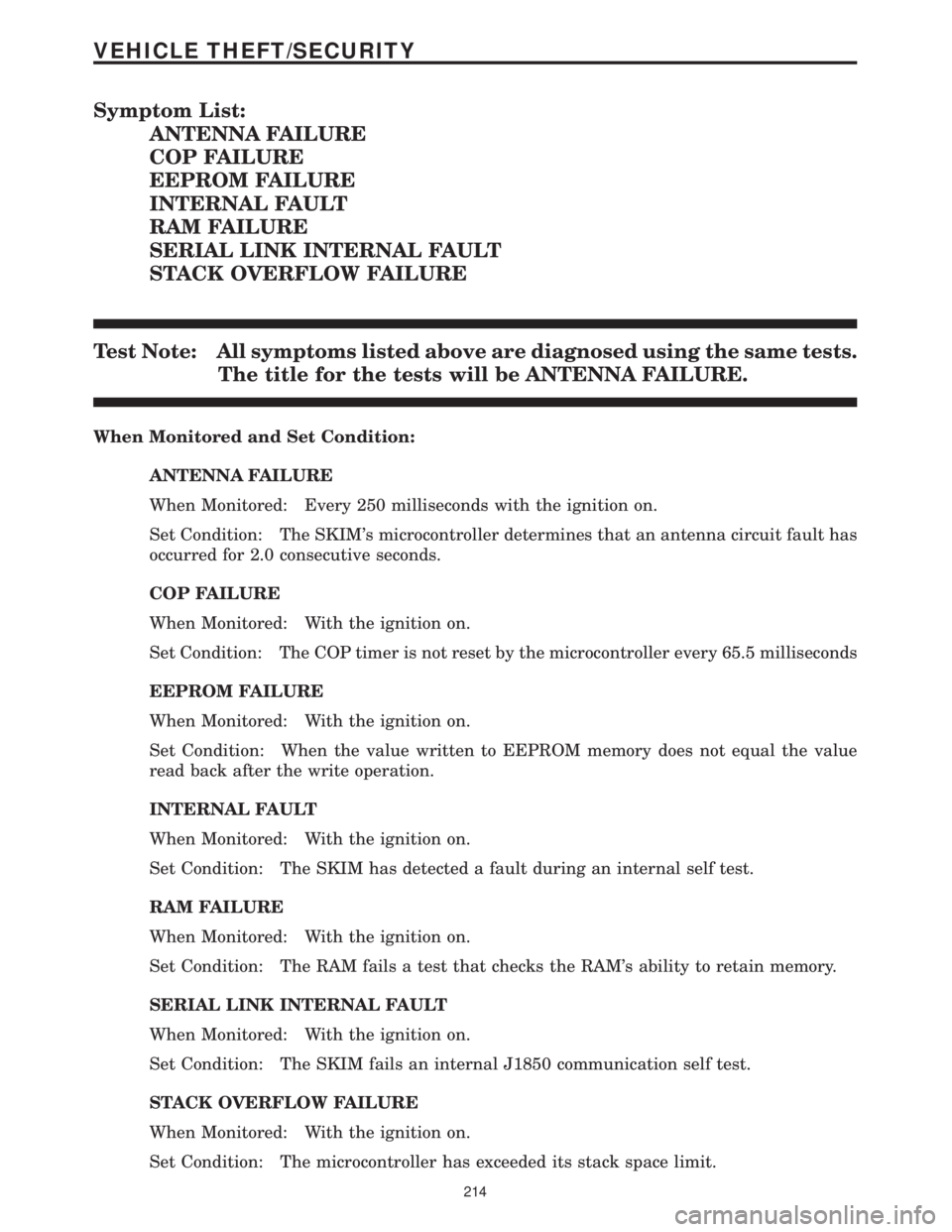
Symptom List:
ANTENNA FAILURE
COP FAILURE
EEPROM FAILURE
INTERNAL FAULT
RAM FAILURE
SERIAL LINK INTERNAL FAULT
STACK OVERFLOW FAILURE
Test Note: All symptoms listed above are diagnosed using the same tests.
The title for the tests will be ANTENNA FAILURE.
When Monitored and Set Condition:
ANTENNA FAILURE
When Monitored: Every 250 milliseconds with the ignition on.
Set Condition: The SKIM's microcontroller determines that an antenna circuit fault has
occurred for 2.0 consecutive seconds.
COP FAILURE
When Monitored: With the ignition on.
Set Condition: The COP timer is not reset by the microcontroller every 65.5 milliseconds
EEPROM FAILURE
When Monitored: With the ignition on.
Set Condition: When the value written to EEPROM memory does not equal the value
read back after the write operation.
INTERNAL FAULT
When Monitored: With the ignition on.
Set Condition: The SKIM has detected a fault during an internal self test.
RAM FAILURE
When Monitored: With the ignition on.
Set Condition: The RAM fails a test that checks the RAM's ability to retain memory.
SERIAL LINK INTERNAL FAULT
When Monitored: With the ignition on.
Set Condition: The SKIM fails an internal J1850 communication self test.
STACK OVERFLOW FAILURE
When Monitored: With the ignition on.
Set Condition: The microcontroller has exceeded its stack space limit.
214
VEHICLE THEFT/SECURITY
Page 1435 of 4284
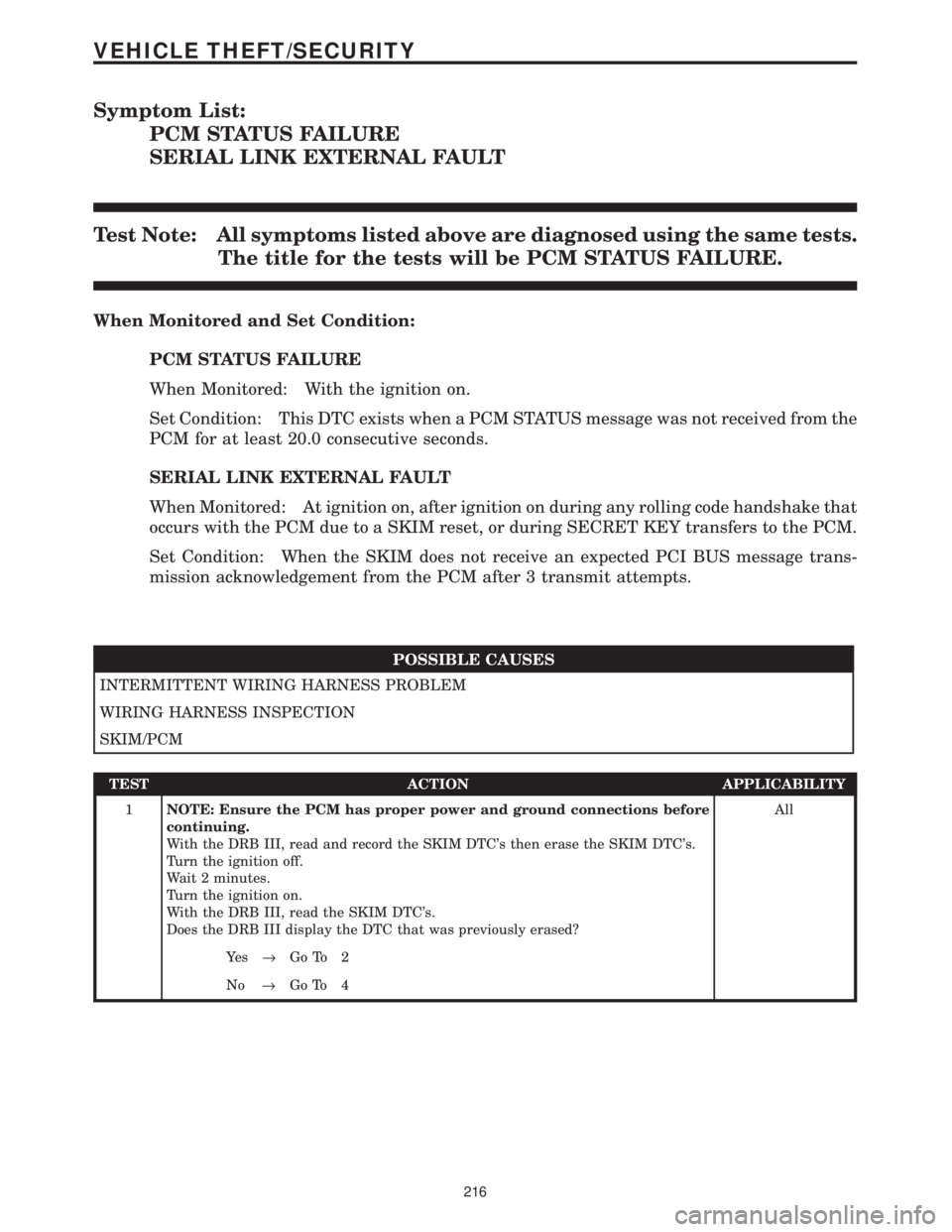
Symptom List:
PCM STATUS FAILURE
SERIAL LINK EXTERNAL FAULT
Test Note: All symptoms listed above are diagnosed using the same tests.
The title for the tests will be PCM STATUS FAILURE.
When Monitored and Set Condition:
PCM STATUS FAILURE
When Monitored: With the ignition on.
Set Condition: This DTC exists when a PCM STATUS message was not received from the
PCM for at least 20.0 consecutive seconds.
SERIAL LINK EXTERNAL FAULT
When Monitored: At ignition on, after ignition on during any rolling code handshake that
occurs with the PCM due to a SKIM reset, or during SECRET KEY transfers to the PCM.
Set Condition: When the SKIM does not receive an expected PCI BUS message trans-
mission acknowledgement from the PCM after 3 transmit attempts.
POSSIBLE CAUSES
INTERMITTENT WIRING HARNESS PROBLEM
WIRING HARNESS INSPECTION
SKIM/PCM
TEST ACTION APPLICABILITY
1NOTE: Ensure the PCM has proper power and ground connections before
continuing.
With the DRB III, read and record the SKIM DTC's then erase the SKIM DTC's.
Turn the ignition off.
Wait 2 minutes.
Turn the ignition on.
With the DRB III, read the SKIM DTC's.
Does the DRB III display the DTC that was previously erased?All
Ye s®Go To 2
No®Go To 4
216
VEHICLE THEFT/SECURITY
Page 1437 of 4284
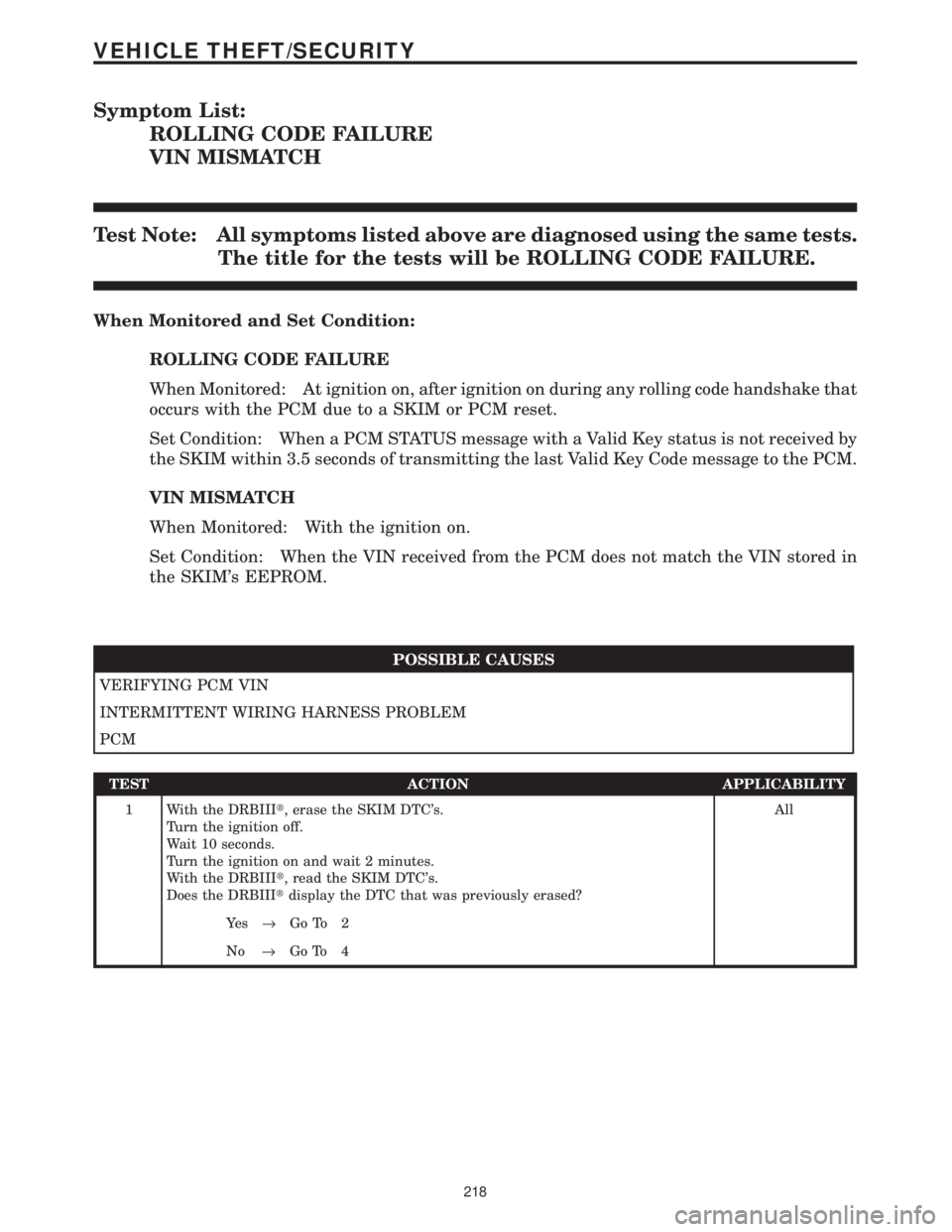
Symptom List:
ROLLING CODE FAILURE
VIN MISMATCH
Test Note: All symptoms listed above are diagnosed using the same tests.
The title for the tests will be ROLLING CODE FAILURE.
When Monitored and Set Condition:
ROLLING CODE FAILURE
When Monitored: At ignition on, after ignition on during any rolling code handshake that
occurs with the PCM due to a SKIM or PCM reset.
Set Condition: When a PCM STATUS message with a Valid Key status is not received by
the SKIM within 3.5 seconds of transmitting the last Valid Key Code message to the PCM.
VIN MISMATCH
When Monitored: With the ignition on.
Set Condition: When the VIN received from the PCM does not match the VIN stored in
the SKIM's EEPROM.
POSSIBLE CAUSES
VERIFYING PCM VIN
INTERMITTENT WIRING HARNESS PROBLEM
PCM
TEST ACTION APPLICABILITY
1 With the DRBIIIt, erase the SKIM DTC's.
Turn the ignition off.
Wait 10 seconds.
Turn the ignition on and wait 2 minutes.
With the DRBIIIt, read the SKIM DTC's.
Does the DRBIIItdisplay the DTC that was previously erased?All
Ye s®Go To 2
No®Go To 4
218
VEHICLE THEFT/SECURITY
Page 1440 of 4284
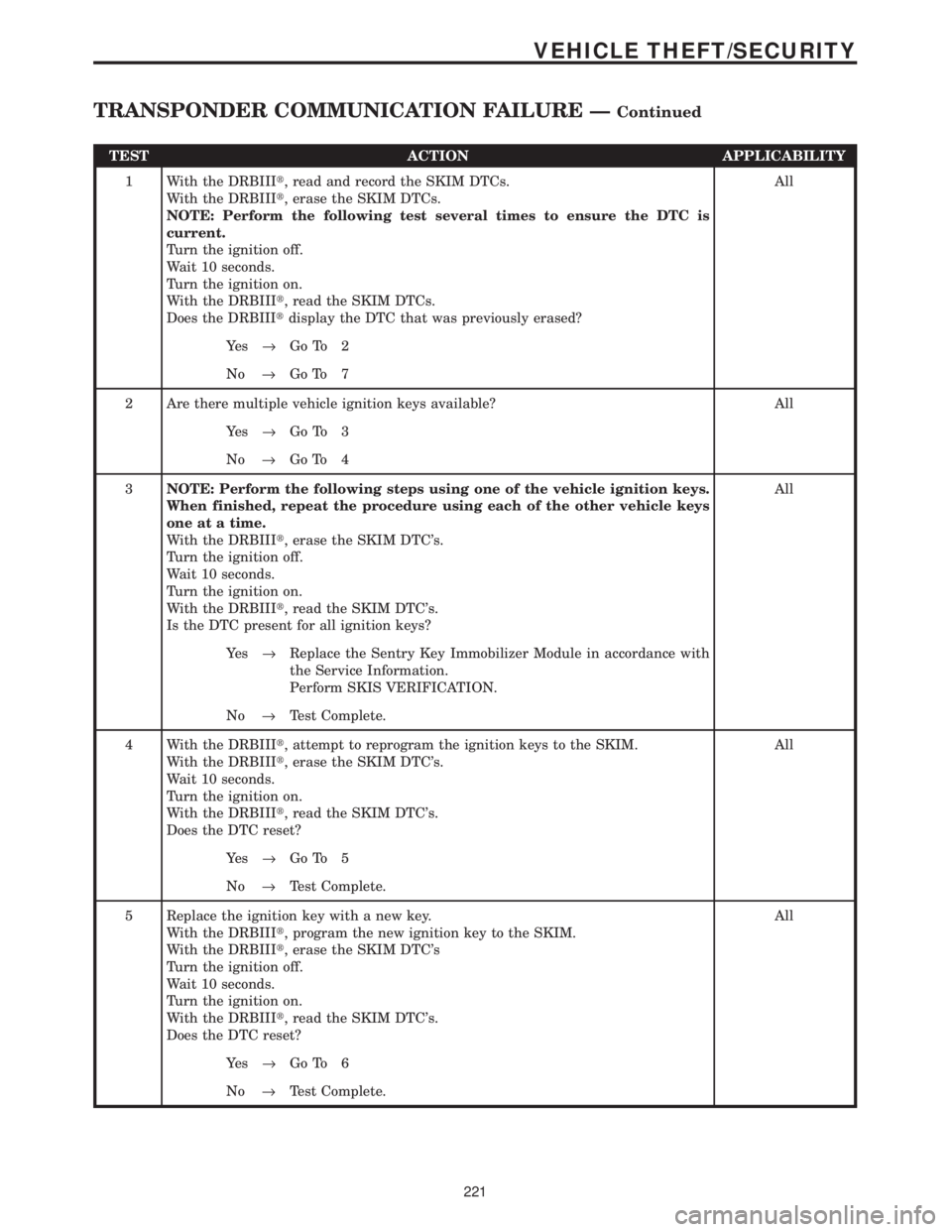
TEST ACTION APPLICABILITY
1 With the DRBIIIt, read and record the SKIM DTCs.
With the DRBIIIt, erase the SKIM DTCs.
NOTE: Perform the following test several times to ensure the DTC is
current.
Turn the ignition off.
Wait 10 seconds.
Turn the ignition on.
With the DRBIIIt, read the SKIM DTCs.
Does the DRBIIItdisplay the DTC that was previously erased?All
Ye s®Go To 2
No®Go To 7
2 Are there multiple vehicle ignition keys available? All
Ye s®Go To 3
No®Go To 4
3NOTE: Perform the following steps using one of the vehicle ignition keys.
When finished, repeat the procedure using each of the other vehicle keys
one at a time.
With the DRBIIIt, erase the SKIM DTC's.
Turn the ignition off.
Wait 10 seconds.
Turn the ignition on.
With the DRBIIIt, read the SKIM DTC's.
Is the DTC present for all ignition keys?All
Ye s®Replace the Sentry Key Immobilizer Module in accordance with
the Service Information.
Perform SKIS VERIFICATION.
No®Test Complete.
4 With the DRBIIIt, attempt to reprogram the ignition keys to the SKIM.
With the DRBIIIt, erase the SKIM DTC's.
Wait 10 seconds.
Turn the ignition on.
With the DRBIIIt, read the SKIM DTC's.
Does the DTC reset?All
Ye s®Go To 5
No®Test Complete.
5 Replace the ignition key with a new key.
With the DRBIIIt, program the new ignition key to the SKIM.
With the DRBIIIt, erase the SKIM DTC's
Turn the ignition off.
Wait 10 seconds.
Turn the ignition on.
With the DRBIIIt, read the SKIM DTC's.
Does the DTC reset?All
Ye s®Go To 6
No®Test Complete.
221
VEHICLE THEFT/SECURITY
TRANSPONDER COMMUNICATION FAILURE ÐContinued
Page 1442 of 4284
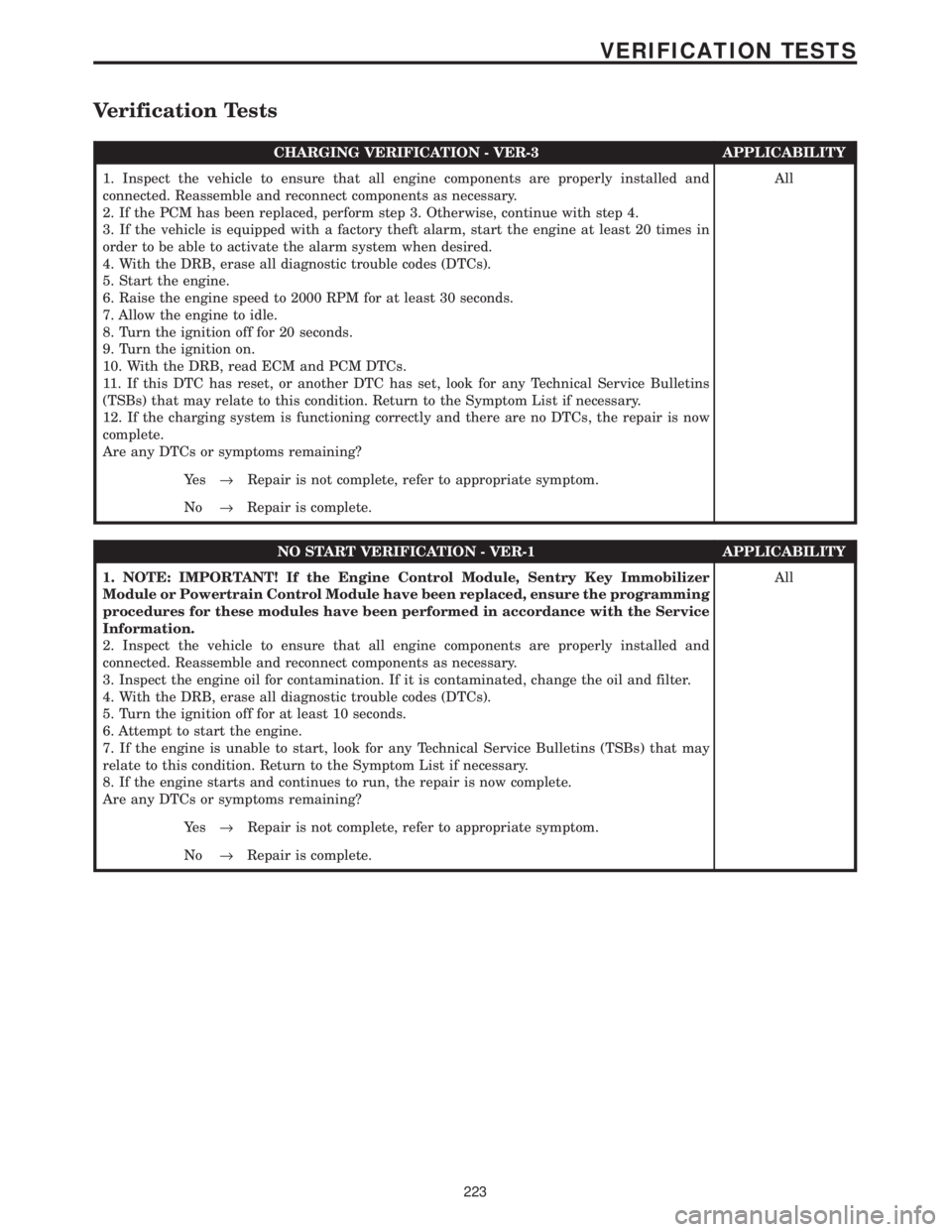
Verification Tests
CHARGING VERIFICATION - VER-3 APPLICABILITY
1. Inspect the vehicle to ensure that all engine components are properly installed and
connected. Reassemble and reconnect components as necessary.
2. If the PCM has been replaced, perform step 3. Otherwise, continue with step 4.
3. If the vehicle is equipped with a factory theft alarm, start the engine at least 20 times in
order to be able to activate the alarm system when desired.
4. With the DRB, erase all diagnostic trouble codes (DTCs).
5. Start the engine.
6. Raise the engine speed to 2000 RPM for at least 30 seconds.
7. Allow the engine to idle.
8. Turn the ignition off for 20 seconds.
9. Turn the ignition on.
10. With the DRB, read ECM and PCM DTCs.
11. If this DTC has reset, or another DTC has set, look for any Technical Service Bulletins
(TSBs) that may relate to this condition. Return to the Symptom List if necessary.
12. If the charging system is functioning correctly and there are no DTCs, the repair is now
complete.
Are any DTCs or symptoms remaining?All
Ye s®Repair is not complete, refer to appropriate symptom.
No®Repair is complete.
NO START VERIFICATION - VER-1 APPLICABILITY
1. NOTE: IMPORTANT! If the Engine Control Module, Sentry Key Immobilizer
Module or Powertrain Control Module have been replaced, ensure the programming
procedures for these modules have been performed in accordance with the Service
Information.
2. Inspect the vehicle to ensure that all engine components are properly installed and
connected. Reassemble and reconnect components as necessary.
3. Inspect the engine oil for contamination. If it is contaminated, change the oil and filter.
4. With the DRB, erase all diagnostic trouble codes (DTCs).
5. Turn the ignition off for at least 10 seconds.
6. Attempt to start the engine.
7. If the engine is unable to start, look for any Technical Service Bulletins (TSBs) that may
relate to this condition. Return to the Symptom List if necessary.
8. If the engine starts and continues to run, the repair is now complete.
Are any DTCs or symptoms remaining?All
Ye s®Repair is not complete, refer to appropriate symptom.
No®Repair is complete.
223
VERIFICATION TESTS
Page 1443 of 4284
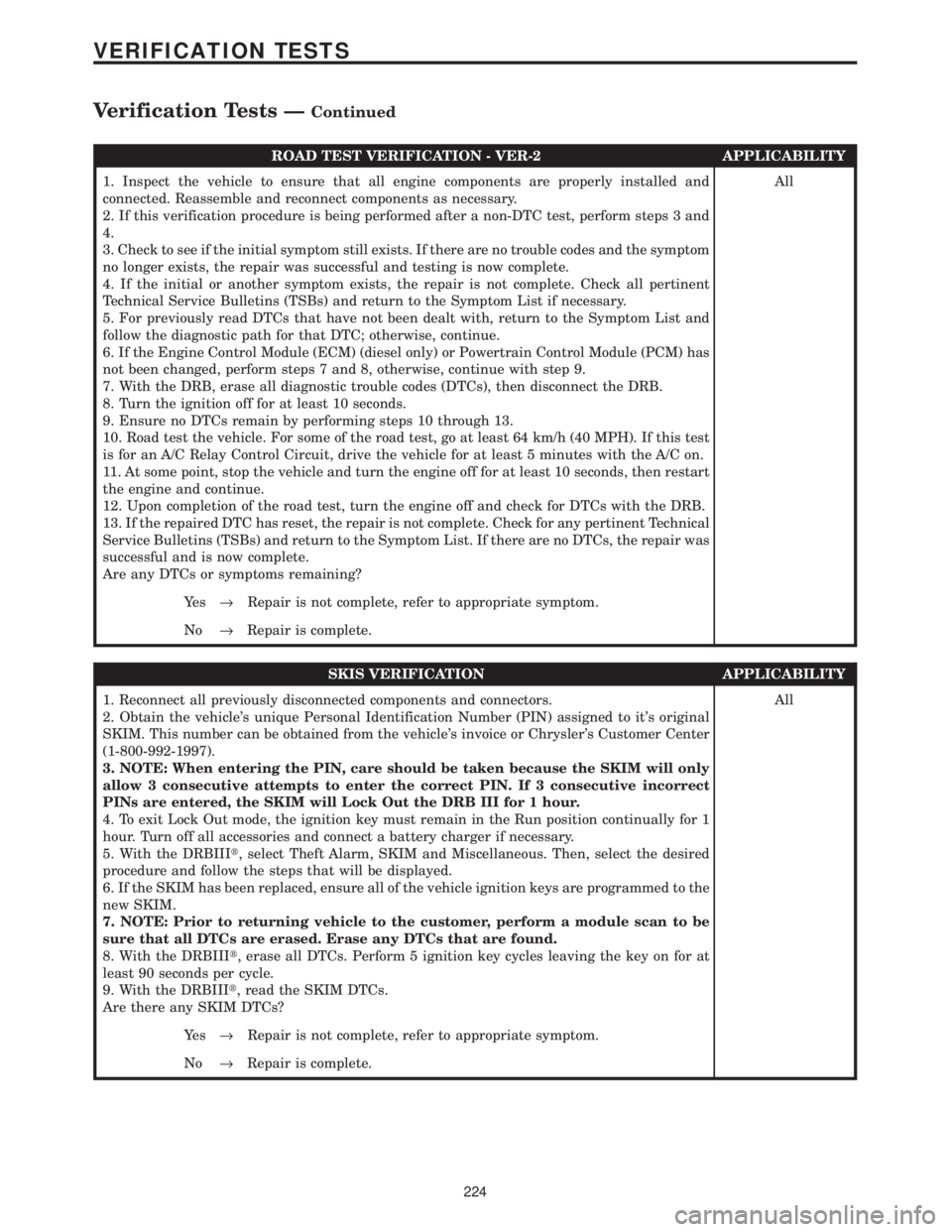
ROAD TEST VERIFICATION - VER-2 APPLICABILITY
1. Inspect the vehicle to ensure that all engine components are properly installed and
connected. Reassemble and reconnect components as necessary.
2. If this verification procedure is being performed after a non-DTC test, perform steps 3 and
4.
3. Check to see if the initial symptom still exists. If there are no trouble codes and the symptom
no longer exists, the repair was successful and testing is now complete.
4. If the initial or another symptom exists, the repair is not complete. Check all pertinent
Technical Service Bulletins (TSBs) and return to the Symptom List if necessary.
5. For previously read DTCs that have not been dealt with, return to the Symptom List and
follow the diagnostic path for that DTC; otherwise, continue.
6. If the Engine Control Module (ECM) (diesel only) or Powertrain Control Module (PCM) has
not been changed, perform steps 7 and 8, otherwise, continue with step 9.
7. With the DRB, erase all diagnostic trouble codes (DTCs), then disconnect the DRB.
8. Turn the ignition off for at least 10 seconds.
9. Ensure no DTCs remain by performing steps 10 through 13.
10. Road test the vehicle. For some of the road test, go at least 64 km/h (40 MPH). If this test
is for an A/C Relay Control Circuit, drive the vehicle for at least 5 minutes with the A/C on.
11. At some point, stop the vehicle and turn the engine off for at least 10 seconds, then restart
the engine and continue.
12. Upon completion of the road test, turn the engine off and check for DTCs with the DRB.
13. If the repaired DTC has reset, the repair is not complete. Check for any pertinent Technical
Service Bulletins (TSBs) and return to the Symptom List. If there are no DTCs, the repair was
successful and is now complete.
Are any DTCs or symptoms remaining?All
Ye s®Repair is not complete, refer to appropriate symptom.
No®Repair is complete.
SKIS VERIFICATION APPLICABILITY
1. Reconnect all previously disconnected components and connectors.
2. Obtain the vehicle's unique Personal Identification Number (PIN) assigned to it's original
SKIM. This number can be obtained from the vehicle's invoice or Chrysler's Customer Center
(1-800-992-1997).
3. NOTE: When entering the PIN, care should be taken because the SKIM will only
allow 3 consecutive attempts to enter the correct PIN. If 3 consecutive incorrect
PINs are entered, the SKIM will Lock Out the DRB III for 1 hour.
4. To exit Lock Out mode, the ignition key must remain in the Run position continually for 1
hour. Turn off all accessories and connect a battery charger if necessary.
5. With the DRBIIIt, select Theft Alarm, SKIM and Miscellaneous. Then, select the desired
procedure and follow the steps that will be displayed.
6. If the SKIM has been replaced, ensure all of the vehicle ignition keys are programmed to the
new SKIM.
7. NOTE: Prior to returning vehicle to the customer, perform a module scan to be
sure that all DTCs are erased. Erase any DTCs that are found.
8. With the DRBIIIt, erase all DTCs. Perform 5 ignition key cycles leaving the key on for at
least 90 seconds per cycle.
9. With the DRBIIIt, read the SKIM DTCs.
Are there any SKIM DTCs?All
Ye s®Repair is not complete, refer to appropriate symptom.
No®Repair is complete.
224
VERIFICATION TESTS
Verification Tests ÐContinued
Page 1522 of 4284
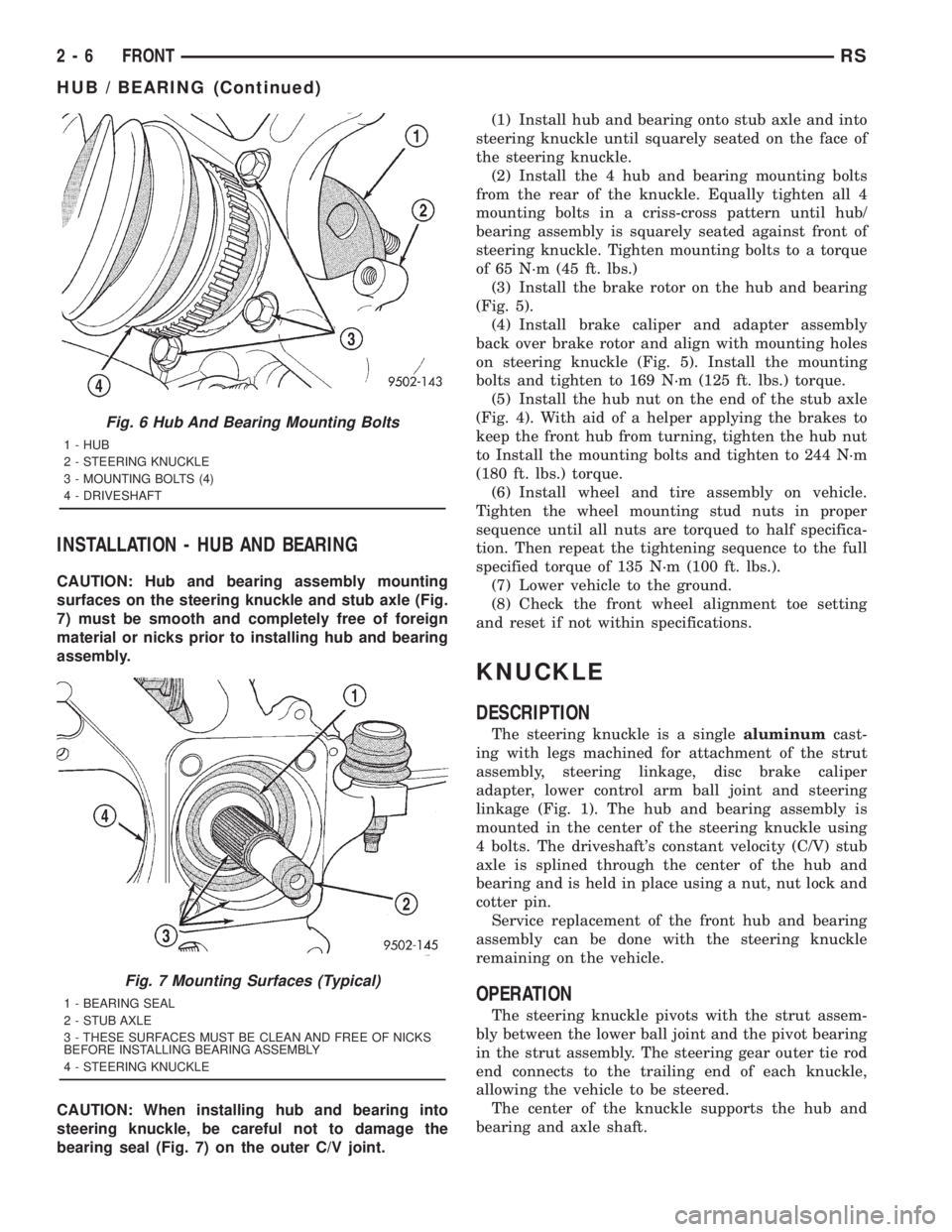
INSTALLATION - HUB AND BEARING
CAUTION: Hub and bearing assembly mounting
surfaces on the steering knuckle and stub axle (Fig.
7) must be smooth and completely free of foreign
material or nicks prior to installing hub and bearing
assembly.
CAUTION: When installing hub and bearing into
steering knuckle, be careful not to damage the
bearing seal (Fig. 7) on the outer C/V joint.(1) Install hub and bearing onto stub axle and into
steering knuckle until squarely seated on the face of
the steering knuckle.
(2) Install the 4 hub and bearing mounting bolts
from the rear of the knuckle. Equally tighten all 4
mounting bolts in a criss-cross pattern until hub/
bearing assembly is squarely seated against front of
steering knuckle. Tighten mounting bolts to a torque
of 65 N´m (45 ft. lbs.)
(3) Install the brake rotor on the hub and bearing
(Fig. 5).
(4) Install brake caliper and adapter assembly
back over brake rotor and align with mounting holes
on steering knuckle (Fig. 5). Install the mounting
bolts and tighten to 169 N´m (125 ft. lbs.) torque.
(5) Install the hub nut on the end of the stub axle
(Fig. 4). With aid of a helper applying the brakes to
keep the front hub from turning, tighten the hub nut
to Install the mounting bolts and tighten to 244 N´m
(180 ft. lbs.) torque.
(6) Install wheel and tire assembly on vehicle.
Tighten the wheel mounting stud nuts in proper
sequence until all nuts are torqued to half specifica-
tion. Then repeat the tightening sequence to the full
specified torque of 135 N´m (100 ft. lbs.).
(7) Lower vehicle to the ground.
(8) Check the front wheel alignment toe setting
and reset if not within specifications.
KNUCKLE
DESCRIPTION
The steering knuckle is a singlealuminumcast-
ing with legs machined for attachment of the strut
assembly, steering linkage, disc brake caliper
adapter, lower control arm ball joint and steering
linkage (Fig. 1). The hub and bearing assembly is
mounted in the center of the steering knuckle using
4 bolts. The driveshaft's constant velocity (C/V) stub
axle is splined through the center of the hub and
bearing and is held in place using a nut, nut lock and
cotter pin.
Service replacement of the front hub and bearing
assembly can be done with the steering knuckle
remaining on the vehicle.
OPERATION
The steering knuckle pivots with the strut assem-
bly between the lower ball joint and the pivot bearing
in the strut assembly. The steering gear outer tie rod
end connects to the trailing end of each knuckle,
allowing the vehicle to be steered.
The center of the knuckle supports the hub and
bearing and axle shaft.
Fig. 6 Hub And Bearing Mounting Bolts
1 - HUB
2 - STEERING KNUCKLE
3 - MOUNTING BOLTS (4)
4 - DRIVESHAFT
Fig. 7 Mounting Surfaces (Typical)
1 - BEARING SEAL
2 - STUB AXLE
3 - THESE SURFACES MUST BE CLEAN AND FREE OF NICKS
BEFORE INSTALLING BEARING ASSEMBLY
4 - STEERING KNUCKLE
2 - 6 FRONTRS
HUB / BEARING (Continued)