1993 VOLKSWAGEN GOLF set clock
[x] Cancel search: set clockPage 43 of 156
Downloaded from www.Manualslib.com manuals search engine CONTROLS AND EQUIPMENT
2 -Analog clock
--e th e time there is a button below the
_ -(right arrow):
• -pr esse d briefly , the
time is advanced one minute.
• pressed continuous ly the minute hand
ss fa ster and the hours are set as well.
;h the button the clock can be set exactly
- h e second :
• Press button until
time is one minute be.,re ti me to be set.
• ress button at the
moment when the
_ =f'"on ds indicator of an accurate clock -~ows a full minute or when the time signal
s eard on the radio.
2-Rev counter *
- e rev counter needle mu st not move into
e red zone of the sca le on any account.
~Changing up in good time helps ~,) to save fuel and keeps the noise down.
_hange down to the next lower gear before ~"e engine starts labouring or no longer runs
l oothly.
rin g the running-in period, high engine ' 9VS should be avoided.
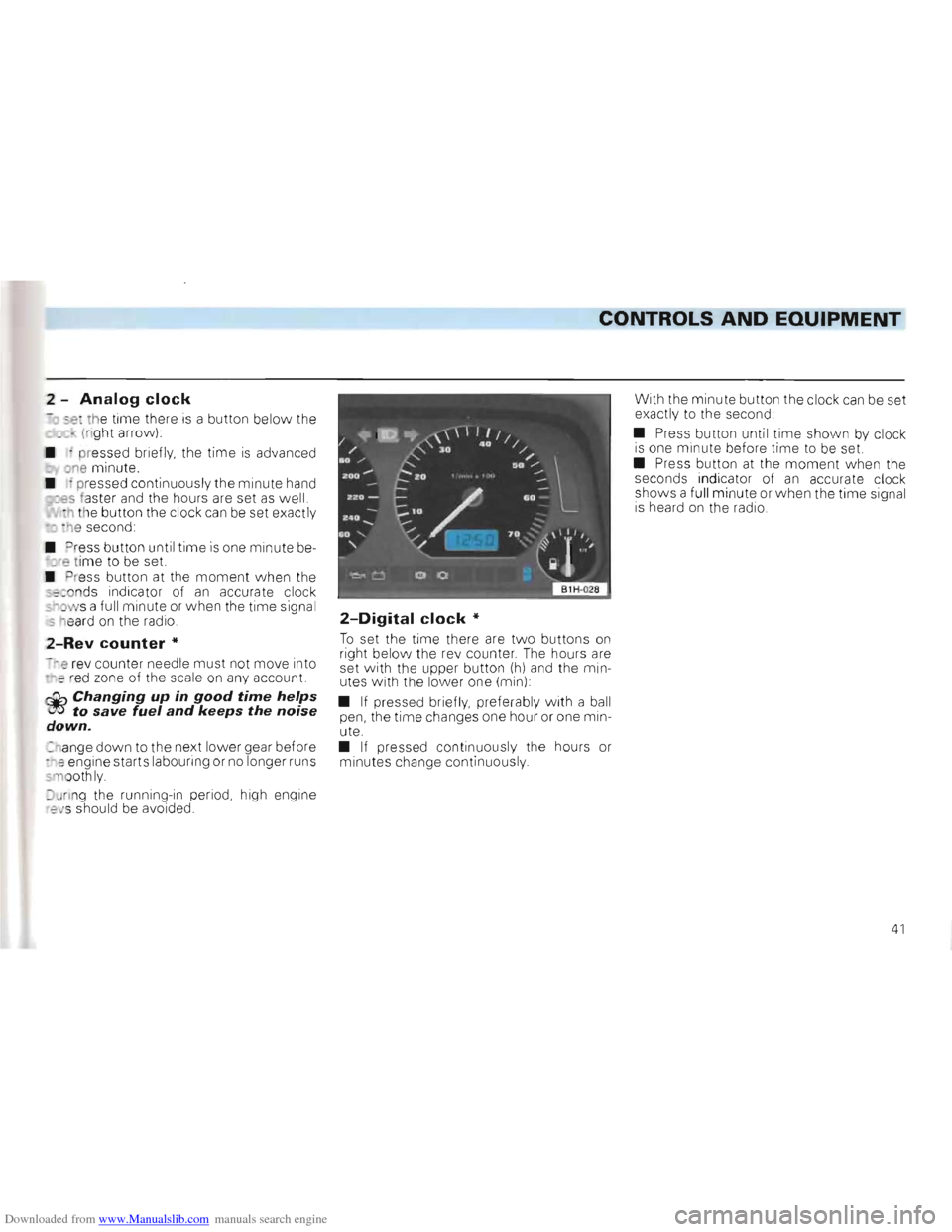
2-Digital clock *
To set the time there are tw o buttons on right below the re v counter . The hours are
set with the upper button (h) and the min
utes with the lower one (min) :
•
If pressed briefly, preferably w ith a ball
pen, the time changes one hour or one min
ute.
• If pressed continuous ly the hours or
m inutes change continuous ly . With
the minute button the clock
can be set
exactly to the second:
• Press button until
time shown by clock is one mi nute before time to be set.
• Press button at the moment w he n the
seconds indicator of an accurate clock
shows a fu ll minute or when the time signa l
i s heard on the radio.
41
Page 45 of 156
Downloaded from www.Manualslib.com manuals search engine CONTROLS AND EQUIPMENT
-0 call up the da ta th e memories are se
ac ted by means of the switch A in the wiper
ev er:
. - S
ingle jou rne y memory
2 -
Total jo urne y memory
l1e foll owi ng data can be ob tained from the
m em ories :
•
Driving time
• Distance drive n
• Average speed
• Averag e fuel cons umpti
on
he amount of fuel used IS not indicated.
Erasing the memories
With the ignition switched on, both mem
ories can be eras ed separate ly in eac h switch positio n by pres sing sw itch A
p assed the appro priate detente position to opositio n for longer than one second.
If t
he battery is discon nected for any reason, the stored information is automaticall y
erased .
The displays
No symbol -Time
The time is shown even when the ignitio n
i s switched off.
The time can be set with the butt ons (h and min) on right below the rev count er -see
"Dig ita l Clock" page 41
G -Driving time
In switch position 1 the driving time
which has elapsed since ig nition was
switc hed on or the memory cance lled is indica ted -see previous page also "Single
j o urney memo ry"
In switch position 2 the total driv ing time for all IndiVidual jo urneys is ind icatedsee previous page also " T otal journey mem
ory"
The maximum time in both sw itch positions is 99 hours 59 minutes. When thi s figure is exceeded the indicatio n starts at zero again.
km -Distance covered
The remarks made under "Dri ving time" also aoply in principle to "Dist ance cov
ered" 'T he maxim um distance indicated is
9999 km or 6214 miles.
km/h -Average speed
Afte r swi tching on the ignitio n or eras ing
the memory being used, the average speed is in d ic ated after a dista nce of about 100 m . Up to th is point a dash appea rs instead of a
figure.
In switch position 1 the ave rage speed
for the current single journe y is ind icated.
In switch position 2 the average speed
indicated is tha t achieved during all single
j ourneys -see prev ious page "total jou rne y
memory"
Itr./100 km -Average fuel
consumption
It is the ave rage fuel cons umption which is in dicated and not the momentary consump
t ion at the time of reading. In principle the
remarks made under "average speed" also
apply here.
Note
The amount of fuel used is not indicated.
43
Page 59 of 156
Downloaded from www.Manualslib.com manuals search engine CONTROLS AND EQUIPMENT
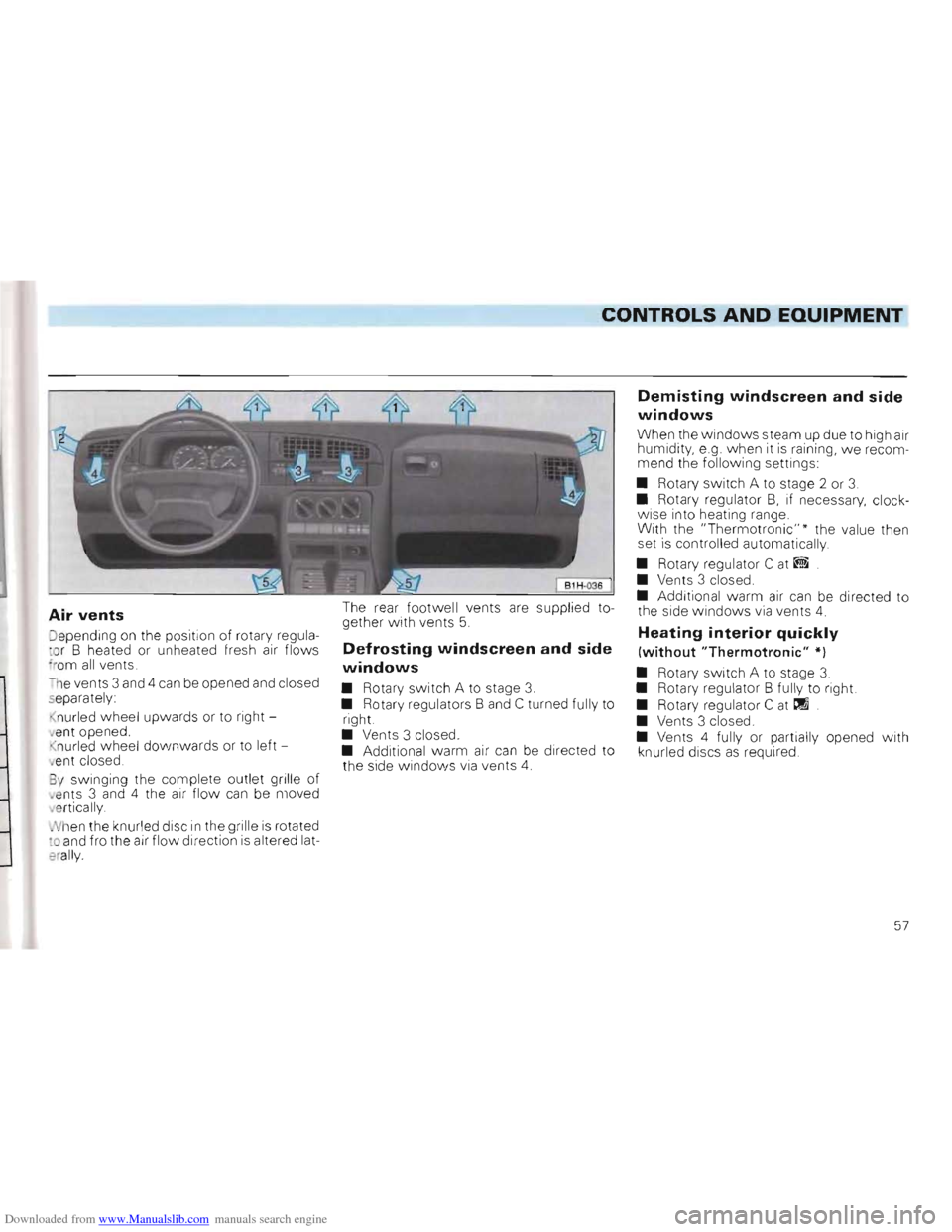
Air vents
Jepending on th e position of rotary regula
c o r B heated or unheated fresh air flows 'rom all vents.
- h e vents 3 and 4
can be opene d and closed separately:
nur led w heel upwards or to right
a nt opened .
n ur l
ed wheel downwa rds or to left
e nt closed .
3 y swinging the comp le te ou
tlet grille of ,e nts 3 and 4 the air flow can be moved
v e rtica lly
N hen the knurl
ed disc in the grille is rotated :0 and fro the air flow direction is altered lat
e rally.
The rear footwell vents are supp lied to
gether With vents 5.
Defrosting windscreen and side
windows
• Rotary switch A to stage 3. • Rotary regulators Band C turned fully to
right.
• Vents 3 closed.
• Additional warm air
can be directed to
the side windows via vents 4.
Demisting windscreen and side
windows
When the w indows steam up due to high air
humidity, e.g. when it is raining , we recom
mend the follo wing settings:
• Rotary switch A to stage 2 or
3.
• Rotary regulator B, if necessary, clock
wise into heating range.
With the "Thermotr
onic"" the value then
set is controlled automatically .
• Rotary regulator C
at ~
• Vents 3 closed.
• Additional warm air can be directed to
the side windows via vents 4.
Heating interior quickly
(without "Thermotronic" *)
• Rotary switch A to stage 3. • Rotary regulator B full y to right.
• Rotary regulator C
at tIl
• Vents 3 closed .
• Vents 4 fully or partially opened w ith
knurled discs
as required.
57
Page 60 of 156
Downloaded from www.Manualslib.com manuals search engine Heating interior comfortably
(without "Thermotronic" * )
W hen the windows are clear and the de
sired temperature has been reached we recommend the following settings
•
Rotary switch A at stage 1 or 2.
• Rota ry regulator B at the desired heat
o ut put.
• Depending on
air dist ribution
desired, turn rotary regu lator C
be tween
and
If the wind screen mists over again, the reg ulator can also be turne d
be tween
and
• Vent s 3 c losed .
• With vents 4 the des ired amount of war m air and the air flow direction can be
set.
Heating interior as quickly as
possible and comfortably
(with "Thermotronic " *)
When the windows are clea r, th e following
setting is recommended :
• Rotary switch A to s tage
2. • Rotar y reg ulator B to desired va lue on
scale. Approx.: 22 . tIj
• Upper lever to . . . ....
The system works most efficient ly in thi s
position, .
• Close vents 3 .
• With vents 4 the desired amount of
warm
air and the air flow direct ion can be set.
Ventilation (fresh air operation)
With the following settings, unheated fresh
air flows from vents 3 and 4:
• Rota ry
swit ch A to des ir ed stage.
• Rota ry regulator B anti- clockwise to the
stop
PW!l
• Upper lever to . . ~
• Ve nts 3 and 4 open.
If required, regulator C can be turned to
ano ther posit io n .
General notes
• To ensure that the heating and ventila
tion can work properly, the air inlet in fron t
o f the winds creen should be kept free of ice, snow a n d leaves .
• The heat output depen s on
the coo la nt
tem perat ure -the ful l h eat outp ut is therefore available when the engin e is warm.
• The stale air escape s th rough openings
in the luggage compartment side panels .
Therefore when loading th e lu gg age compartment ensure tha t the ope 11ngs a re not cove re d .
• A
ll contr ols exce pt the rota ry switch A
b lower speeds 1-4 can be set to any inte r
mediate position.
•
To pr ev ent the windo ws fro m mis tin g up the blower should be runn ing slowly w hen driving at low sp ee ds
•
•
58
Page 62 of 156
Downloaded from www.Manualslib.com manuals search engine • •
CONTROLS AND EQUIPMEN.-=T-""------__________________
Air recirculation should only be selected for short periods of time as no fresh air is taken in in this mode and the windows can steam up if the air conditioner is switched off.
Note
Buttons D and E can be pressed In conjunc
tion w ith one another .
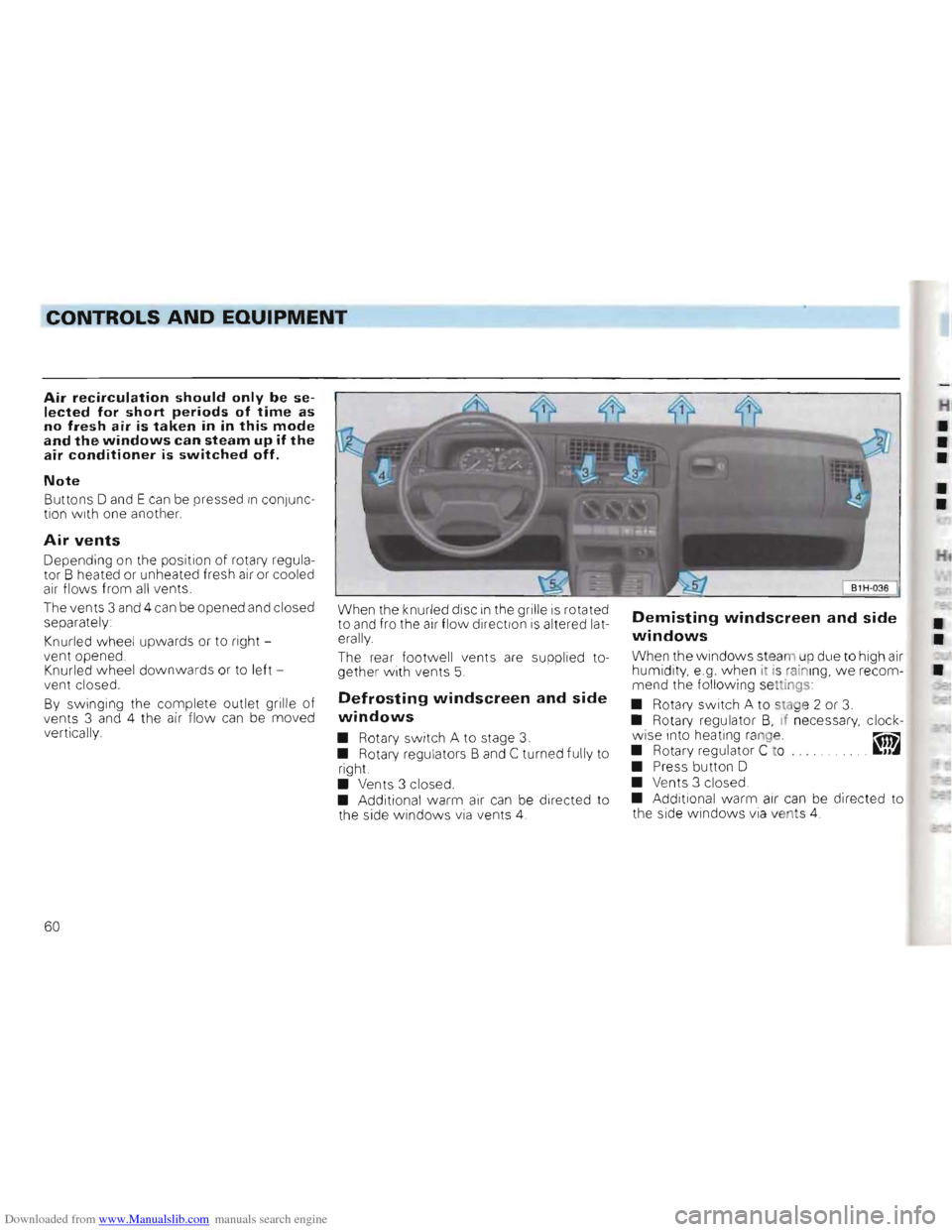
Air vents
Depending on the position of rotary regula
tor B heated or unhea ted fresh air or coo led
air flows from all vents.
The vents 3 and 4 can be opened and closed
separately :
Knurled wheel upwards
or to right
vent opened .
Knurled
wheel downwards or to left
ven t closed.
By swinging the complete outlet grille of
vents 3 and 4 the air flow ca n be moved
vertically.
W hen the knurled disc in the grille is rota ted
to and fro the air flow direction is altered lat
erally
The
rear footwell vents are supplied to
gether with vents 5.
Defrosting windscreen and side
windows
• Rotary switch A to stage 3.
• Rotary regu lators Band C turn ed fully to
right.
• Vents 3 closed .
• Additional warm a
ir can be directed to
the side windows via vents 4.
Demisting windscreen and side
windows ••When the windows steam up due to high air
humidity, e.g. when it is rain ing, we recom•mend the following settings
• Rotary switch A to stag e 2 or
3. • Rotary regulator B, if necessary, clock
wise into heating range. ~
• Rotary regu lator C to . JJ~
• Press button D
• Ve nts 3 closed.
• Additiona l warm air can be directed to
th e sid e windows via vents 4.
60
Page 63 of 156
Downloaded from www.Manualslib.com manuals search engine __C_ONTROLS AND EQUIPMENT
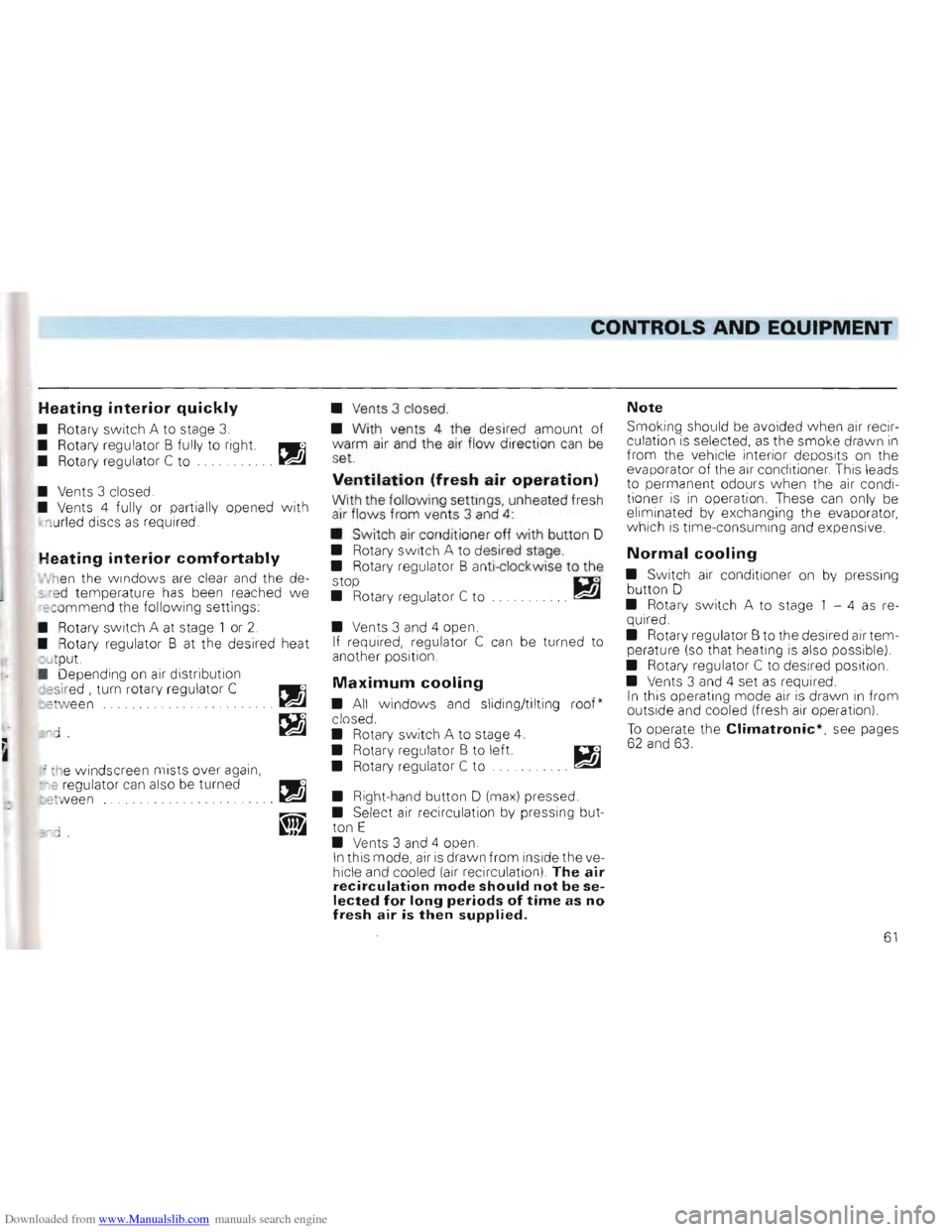
Heating interior quickly
• Rotary switch A to stage 3.
• Rotary regulator B fully to right. PWll
• Rotary regulator C
to .. ~
• Vents 3 closed .
• Vents 4 fully or partially opened w ith
1 u rled discs
as required
Heating interior comfortably
hen the w indows are clear and the de
s red tempera ture has been reached we rec ommend the following settings
Rotary
switch A at stage 1 or 2.
• Rotary regulator B at the desired heat
Jt put.
Depending on air distribution
esir ed , turn rotary regulator C
re ween .. .. ~
'ld ~
, the windscreen mists over again,
e regulator can also be turned
etw een
•
Vents 3 closed.
•
With vents 4 the desired amount of
warm air and the air flow direction can be
set.
Ventilation (fresh air operation)
With the following settings, unheated fresh
air flows from vents 3 and 4:
• Switch air conditioner off with button D
• Rotary switch A to desired stage.
• Rotary regulator B anti-clockwise to the
stop D.1
• Rotary regulator C to . .. ~
• Vents 3 and 4 open.
If required, regulator C can be turned to
another position.
Maximum cooling
• All windows and sliding/tilting roof*
closed.
• Rotary s
witch A to stage 4.
• Rotary regulator B to left.
• Rotary regulator C to
• Right-hand button 0 (max) pressed.
• Select air recirculation by pressing but
ton E
• Vents 3 and 4 open.
In this mod e, air is drawn from inside the ve
hicle and cooled (air recircu lation) The air
recirculation mode should not be selected for long periods of time as no fresh air is then supplied.
Note
Smoking should be avoided w hen air recir
culation is selected , as the smoke drawn in from the vehicle interior deposits on the
evaporator of the air conditioner. This leads
to permanent odours when the air condi
tioner is i n operation. These can only be
eliminated by exchanging the evaporator,
which is time-consuming and expensive.
Normal cooling
• Switch air condit ioner on by pressing
button 0
• Rotary
switch A to stage 1 -4 as re
quired.
• Rotary regula
tor B to the desired air temperature (so that heating is also possible)
• Rotary regulator C to desired position
• Vents 3 and 4 set
as required.
I n this operating mode air is drawn in from
outside and cooled (fresh air operation)
To operate the Climatronic*, see pages 62 and 63.
61
Page 122 of 156
Downloaded from www.Manualslib.com manuals search engine DO-lT-YOURSELF
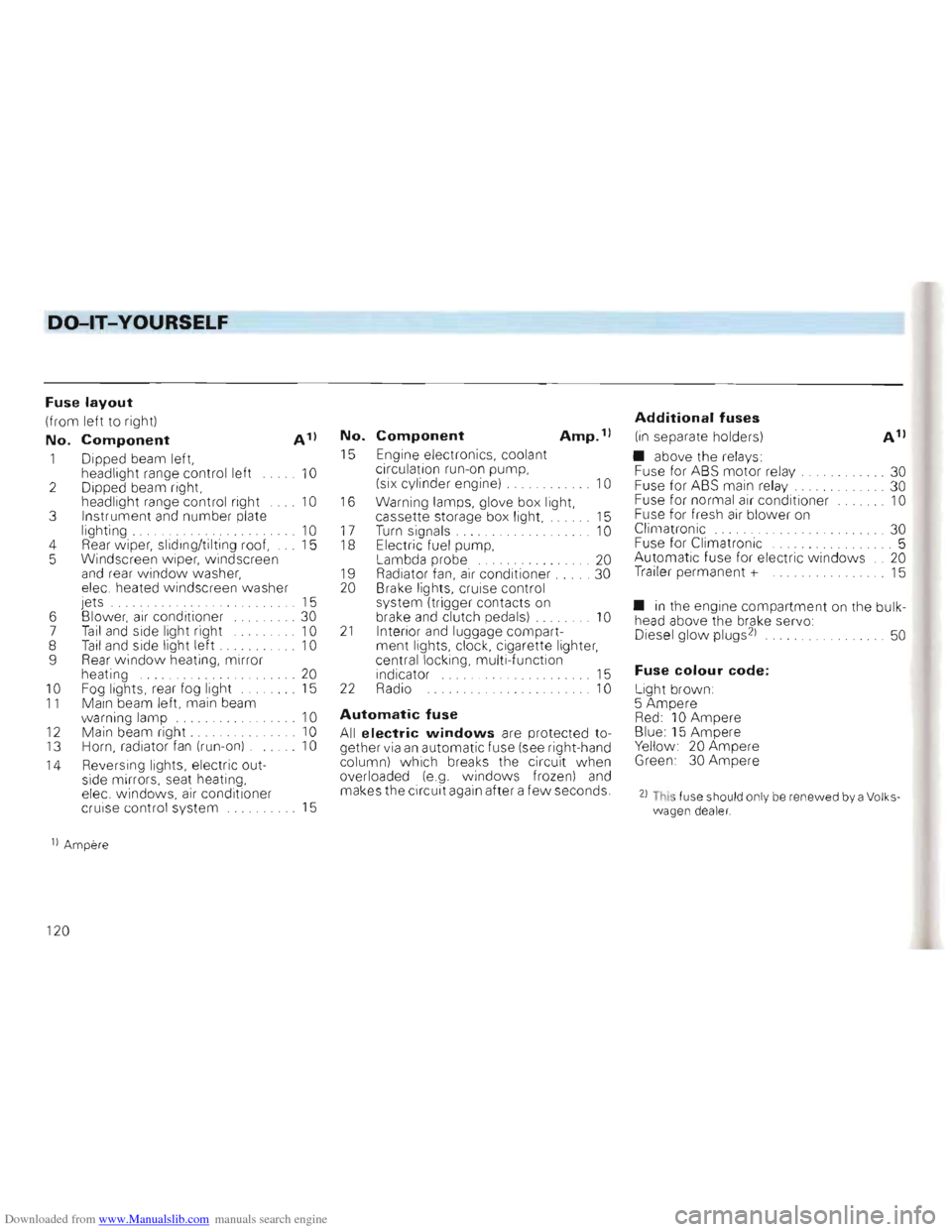
Fuse layout
(from left to rig ht)
No. Component A 1)
1 Dipped beam left,
headlight range control left 10 2 Dipped beam right,
head light ra nge co ntrol right 10 3 Instrument and number plate
light ing . 10 4 Rear w iper, slid ing/tilti ng roo f, 15
5 Windscreen w ipe r, windscr een
a
nd rea r w indo w was her,
ele c. heated windsc reen washer
jets . . . . . . 15
6 Blower,
air co nditi oner ... . 30
7 Tail and side light ri ght 10
8 Tail and side light left . . 10
9 Rear window heating , mirror
heating ... 20 10 F og lights, rear fog light 15 11 Main beam left, main beam
w arnin g lamp 10
12 Mai n bea m right . 10
13 Horn, radiator fan (run- on) . 10
14 Reve
rsi ng lights, electric out
side mirrors, seat heating,
elec. w ind ows,
air conditio ne r
cruis e contro l system 15
No. Component Amp. 1)
15 Engine elec tronics , cool ant
c irculat ion run- on pump,
(six cylinder engine)
.. . .. .. . . . 10
16
Warning lamps, glove box light,
cas sette sto rage box light, 15
17 T urn sig nals. . . . . . . . . . . . .. 10 18 Electri c fue l pum p,
Lambda probe ..... .. ....... 20
1 9 Radiat or fan, air cond itioner. . 30
20 Brake lights, cruise control
syste m (tri gger conta cts
on brake and clutch pedals) . 10 21 Interior and luggage compart
ment lights, clock, cigarette lighter,
ce ntral
locking, multi -function
indicator 15 22 Radio 10
Automatic fuse
All electric windows are protected to
ge ther via an automatic fu se (see rig ht -hand
co lum n) which breaks the circuit when
overloaded (e .g. windows frozen) and makes the circuit again after a few seconds.
Additional fuses
(in separate holders)
• above the
rela ys:
Fu se for ABS motor re lay. ..... . .... 30
Fuse for ABS main relay. ... 30
Fuse for normal air conditioner 10
Fuse for fresh air blower on
Climatronic ... ... ... . 30
Fuse for C1imatronic .. .... ... 5
Automatic fuse for electric w indo ws .. 20
Trailer perma nent + 15
• in the engin e compa rtment on the bulk
head above the brake servo:
Diesel glow plugs 21 . . 50
Fuse colour code:
Light brown :
5 Amper e
Red: 10 Ampere Blue: 15 Ampere Yellow 20 Ampere Green 30 Ampere
21 This fuse shou ld onl y be renewed by a Volks wagen dea ler.
1) Amper e
120