2023 TOYOTA VENZA HYBRID lane assist
[x] Cancel search: lane assistPage 126 of 560
1262-1. Instrument cluster
systems will be displayed when
necessary.
■Driving support systems
Displays a warning/sugges-
tion/advice message or the
operating state of a relevant
system.
PCS (Pre-Collision System)
( P.239)
PKSB (Parking Support
Brake) (if equipped) ( P.295)
Brake Override System
( P.189)
Drive-Start Control (DSC)
( P.194)
LTA (Lane Tracing Assist)
( P.250)
Dynamic radar cruise control
with full-speed range
( P.265)
Details of content displayed on the
head-up display may differ from
that displayed on the multi-informa-
tion display. For details, refer to the
explanation of each system.
■/ icons
Displays the following multi-
information display linked icons:
: Master warning icon
Displayed when a warning mes-
sage is displayed on the multi-infor-
mation display.
: Information icon
Displayed when a sugges-
tion/advice pop-up display is dis-
played on the multi-information display.
■Warning message
Some warning messages are
displayed when necessary,
according to certain conditions.
Details of content d isplayed on the
head-up display may differ from
that displayed on the multi-informa-
tion display.
■Audio system operation
status
Displayed when an audio
remote control switch on the
steering wheel is operated.
■Hands-free system status
Displayed when the hands-free
system is operated.
■When a pop-up display is dis-
played
When a pop-up display is displayed,
a current display may no longer be
displayed. In this case, the display
will return afte r the pop-up display
disappears.
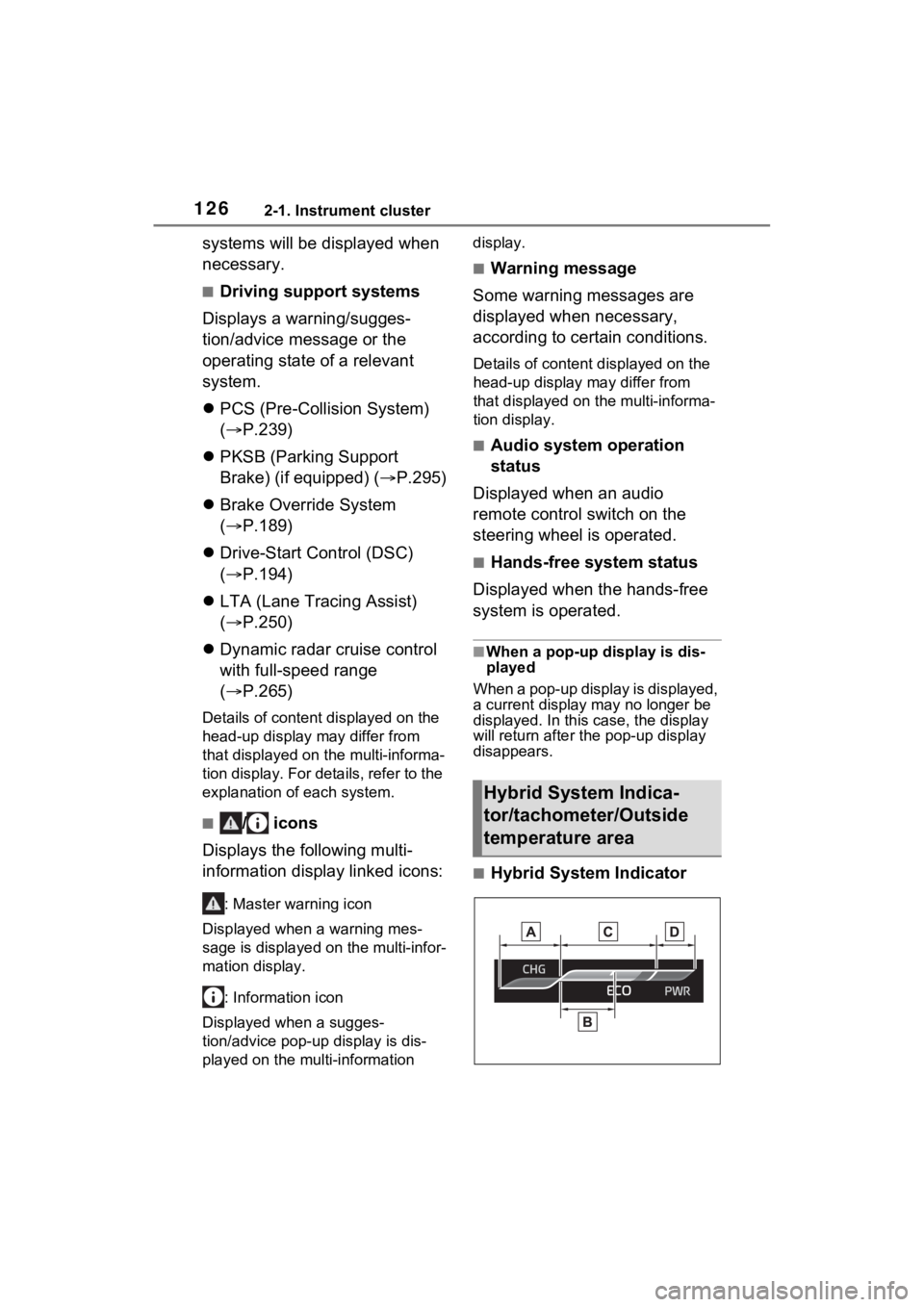
■Hybrid System Indicator
Hybrid System Indica-
tor/tachometer/Outside
temperature area
Page 187 of 560
187
4
4
Driving
Driving
4-1. Before drivingDriving the vehicle....... 188
Cargo and luggage ..... 195
Vehicle load limits ....... 198
Trailer towing .............. 199
Dinghy towing ............. 200
4-2. Driving procedures Power (ignition) switch 201
EV drive mode ............ 206
Hybrid transmission .... 208
Turn signal lever ......... 212
Parking brake .............. 213
Brake Hold .................. 217
4-3. Operating the lights and wipers
Headlight switch .......... 219
AHB (Automatic High Beam)........................ 222
Fog light switch ........... 225
Windshield wipers and washer....................... 226
Rear window wiper and washer....................... 229
4-4. Refueling Opening the fuel tank cap.................................. 231
4-5. Using the driving support
systems
Toyota Safety Sense 2.5 + .................................. 234PCS (Pre-Collision System)
.................................. 239
LTA (Lane Tracing Assist) .................................. 250
RSA (Road Sign Assist) .................................. 262
Dynamic radar cruise con- trol with full-speed range.................................. 265
BSM (Blind Spot Monitor) .................................. 277
Intuitive parking assist . 287
PKSB (Parking Support Brake) ........................ 295
Parking Support Brake func- tion (static objects)
.................................. 300
Parking Support Brake function (rear-crossing
vehicles) .................... 302
Driving mode select switch .................................. 304
Driving assist systems. 305
4-6. Driving tips Hybrid Electric Vehicle driv-ing tips ....................... 311
Winter driving tips........ 313
Utility vehicle precautions .................................. 316
Page 234 of 560
2344-5. Using the driving support systems
4-5.Using the driving support systems
■PCS (Pre-Collision System)
P.239
■LTA (Lane Tracing Assist)
P.250
■AHB (Automatic High
Beam)
P.222
■RSA (Road Sign Assist) (if
equipped)
P.262
■Dynamic radar cruise con-
trol with full-speed range
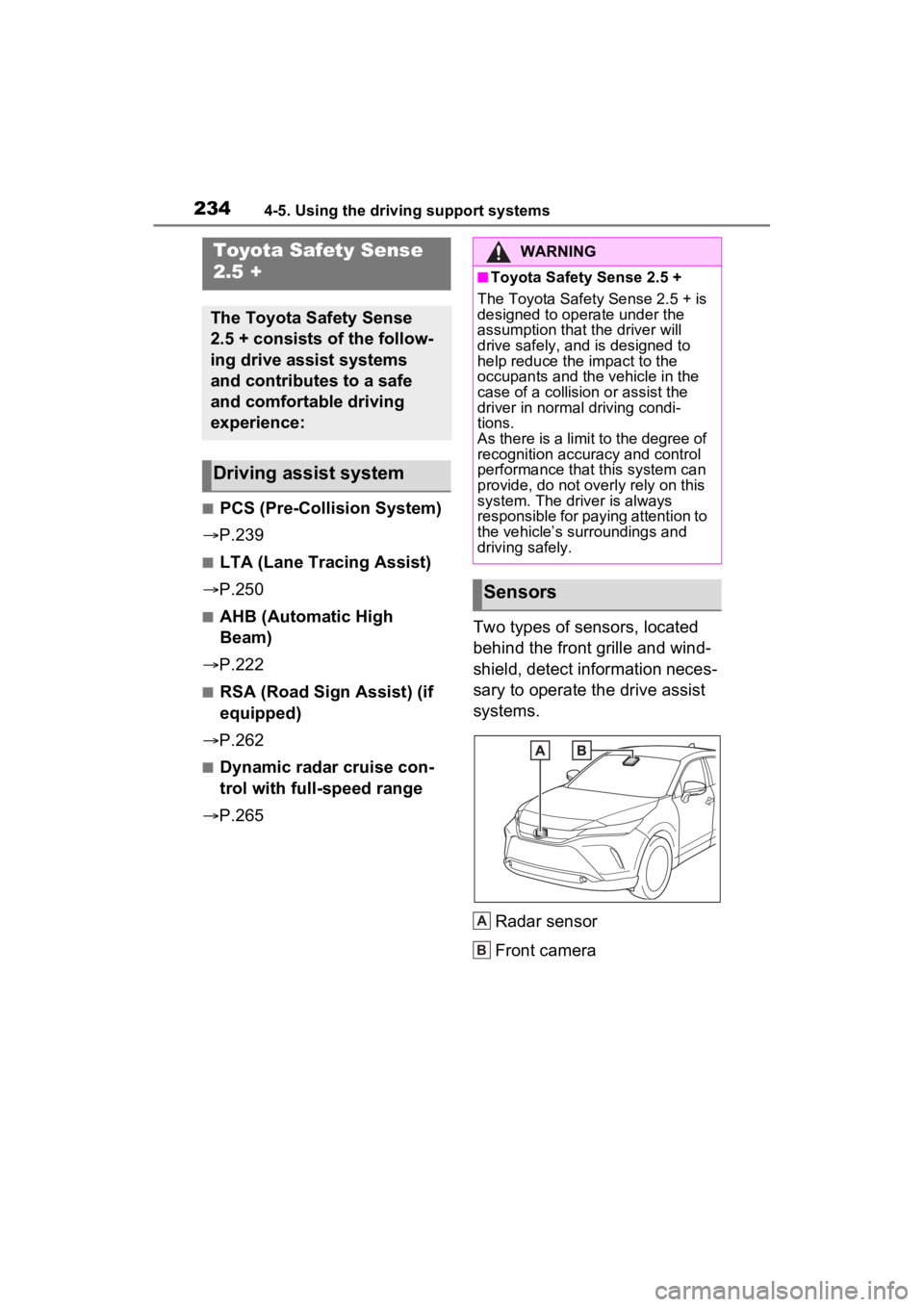
P.265 Two types of sensors, located
behind the front grille and wind-
shield, detect information neces-
sary to operate the drive assist
systems.
Radar sensor
Front camera
Toyota Safety Sense
2.5 +
The Toyota Safety Sense
2.5 + consists of the follow-
ing drive assist systems
and contributes to a safe
and comfortable driving
experience:
Driving assist system
WARNING
■Toyota Safety Sense 2.5 +
The Toyota Safety Sense 2.5 + is
designed to operate under the
assumption that the driver will
drive safely, and is designed to
help reduce the impact to the
occupants and the vehicle in the
case of a collision or assist the
driver in normal driving condi-
tions.
As there is a limit to the degree of
recognition accuracy and control
performance that this system can
provide, do not overly rely on this
system. The driver is always
responsible for paying attention to
the vehicle’s su rroundings and
driving safely.
Sensors
A
B
Page 240 of 560
2404-5. Using the driving support systems
sion is high and that there is suf-
ficient space for the vehicle to
be steered into within its lane,
and the driver has begun eva-
sive maneuver or steering,
emergency steering assist will
assist the steering movements
to help enhance the vehicle sta-
bility and for lane departure pre-
vention. During operation, the
indicator will illuminate in green.
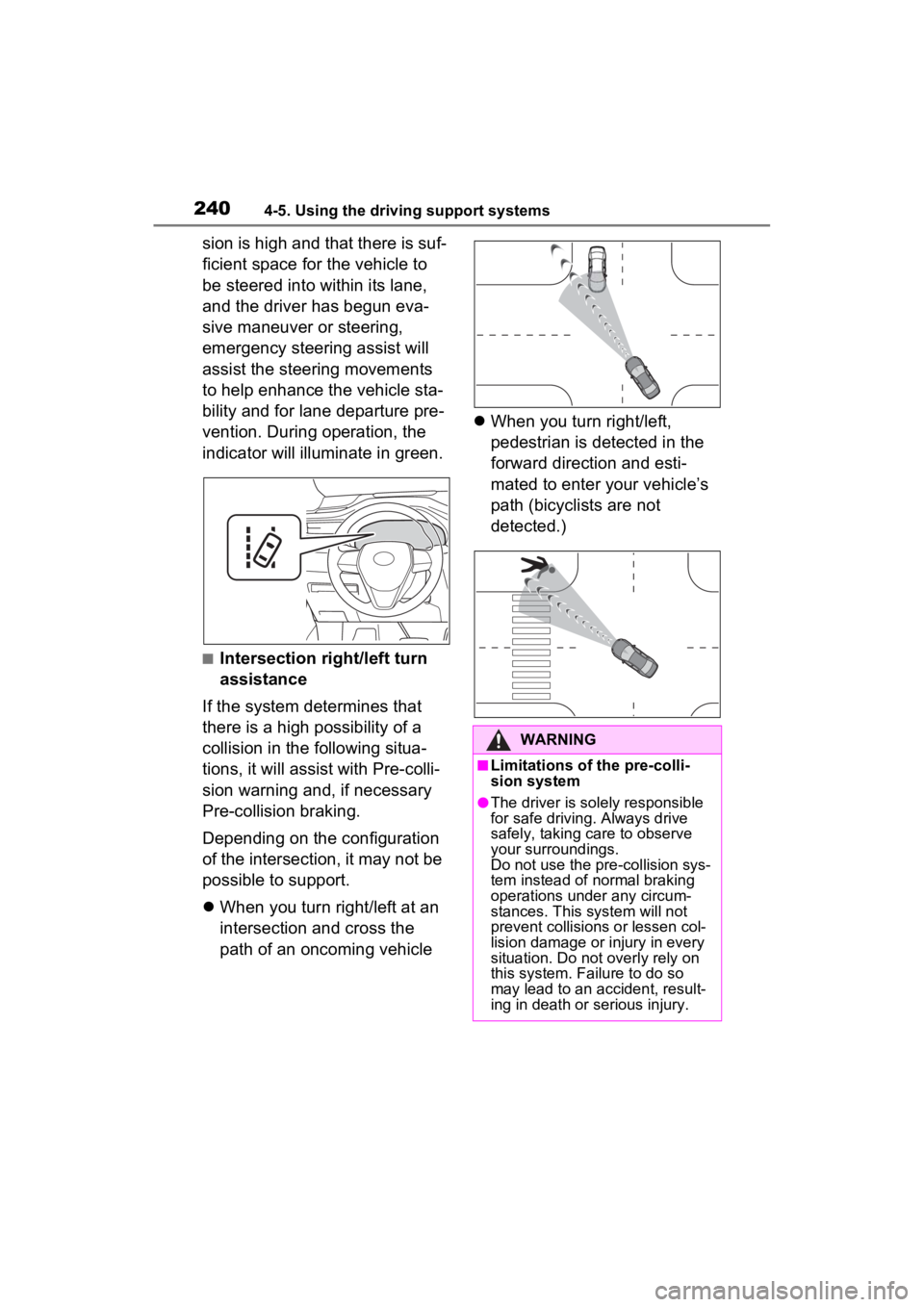
■Intersection right/left turn
assistance
If the system determines that
there is a high possibility of a
collision in the following situa-
tions, it will assist with Pre-colli-
sion warning and, if necessary
Pre-collision braking.
Depending on the configuration
of the intersection, it may not be
possible to support.
When you turn right/left at an
intersection and cross the
path of an oncoming vehicle
When you turn right/left,
pedestrian is detected in the
forward direction and esti-
mated to enter your vehicle’s
path (bicyclists are not
detected.)
WARNING
■Limitations of the pre-colli-
sion system
●The driver is solely responsible
for safe driving. Always drive
safely, taking care to observe
your surroundings.
Do not use the pre-collision sys-
tem instead of normal braking
operations under any circum-
stances. This system will not
prevent collisions or lessen col-
lision damage or injury in every
situation. Do not overly rely on
this system. Failure to do so
may lead to an accident, result-
ing in death or serious injury.
Page 241 of 560
2414-5. Using the driving support systems
4
Driving
WARNING
●Although this system is
designed to help avoid a colli-
sion or help reduce the impact
of the collision, its effectiveness
may change according to vari-
ous conditions, therefore the
system may not always be able
to achieve the same level of
performance.
Read the following conditions
carefully. Do not overly rely on
this system and always drive
carefully.
• Conditions under which the sys- tem may operate even if there is
no possibility of a collision:
P.246
• Conditions under which the sys- tem may not operate properly:
P.247
●Do not attempt to test the oper-
ation of the pre-collision system
yourself.
Depending on the objects used
for testing (dummies, card-
board objects imitating detect-
able objects, etc.), the system
may not operate properly, pos-
sibly leading to an accident.
■Pre-collision braking
●When the pre-collision braking
function is operating, a large
amount of braking force will be
applied.
●If the vehicle is stopped by the
operation of the pre-collision
braking function, the pre-colli-
sion braking function operation
will be canceled after approxi-
mately 2 second s. Depress the
brake pedal as necessary.
●The pre-collision braking func-
tion may not operate if certain
operations are performed by the
driver. If the accelerator pedal is
being depressed strongly or the
steering wheel is being turned,
the system may determine that
the driver is taking evasive
action and possibly prevent the
pre-collision braking function
from operating.
●In some situations, while the
pre-collision brak ing function is
operating, operation of the func-
tion may be canceled if the
accelerator pedal is depressed
strongly or the steering wheel is
turned and the system deter-
mines that the driver is taking
evasive action.
●If the brake pedal is being
depressed, the system may
determine that t he driver is tak-
ing evasive action and possibly
delay the operation timing of the
pre-collision braking function.
■Emergency steering assist
●As emergency steering assist
operation will be canceled when
the system determines that lane
departure prevention function
has been completed.
●Emergency steering assist may
not operate or may be cancel in
the following cases as the sys-
tem may determine the driver is
taking actions.
• If the accelerator pedal is being depressed strongly, the steering
wheel is being operated
sharply, the brake pedal is
being depressed or the turn sig-
nal lever is being operated. In
this case, the system may
determine that t he driver is tak-
ing evasive action and the
emergency steering assist may
not operate.
Page 249 of 560
2494-5. Using the driving support systems
4
Driving
started the vehicle has not been
driven for a certain amount of time
• While making a left/right turn and
for a few seconds after making a
left/right turn
• While driving on a curve and for a
few seconds after driving on a
curve
• If your vehicle is skidding
• If the front of the vehicle is raised
or lowered
• If the wheels are misaligned
• If a wiper blade is blocking the front camera
• The vehicle is being driven at extremely high speeds
• When driving on a hill
• If the radar sensor or front camera
is misaligned
• When driving in a traffic lane sep-
arated by more t han one lane
where oncoming vehicles are driv-
ing while making a right/left turn
• When largely out of place with the opposite facing targeted oncom-
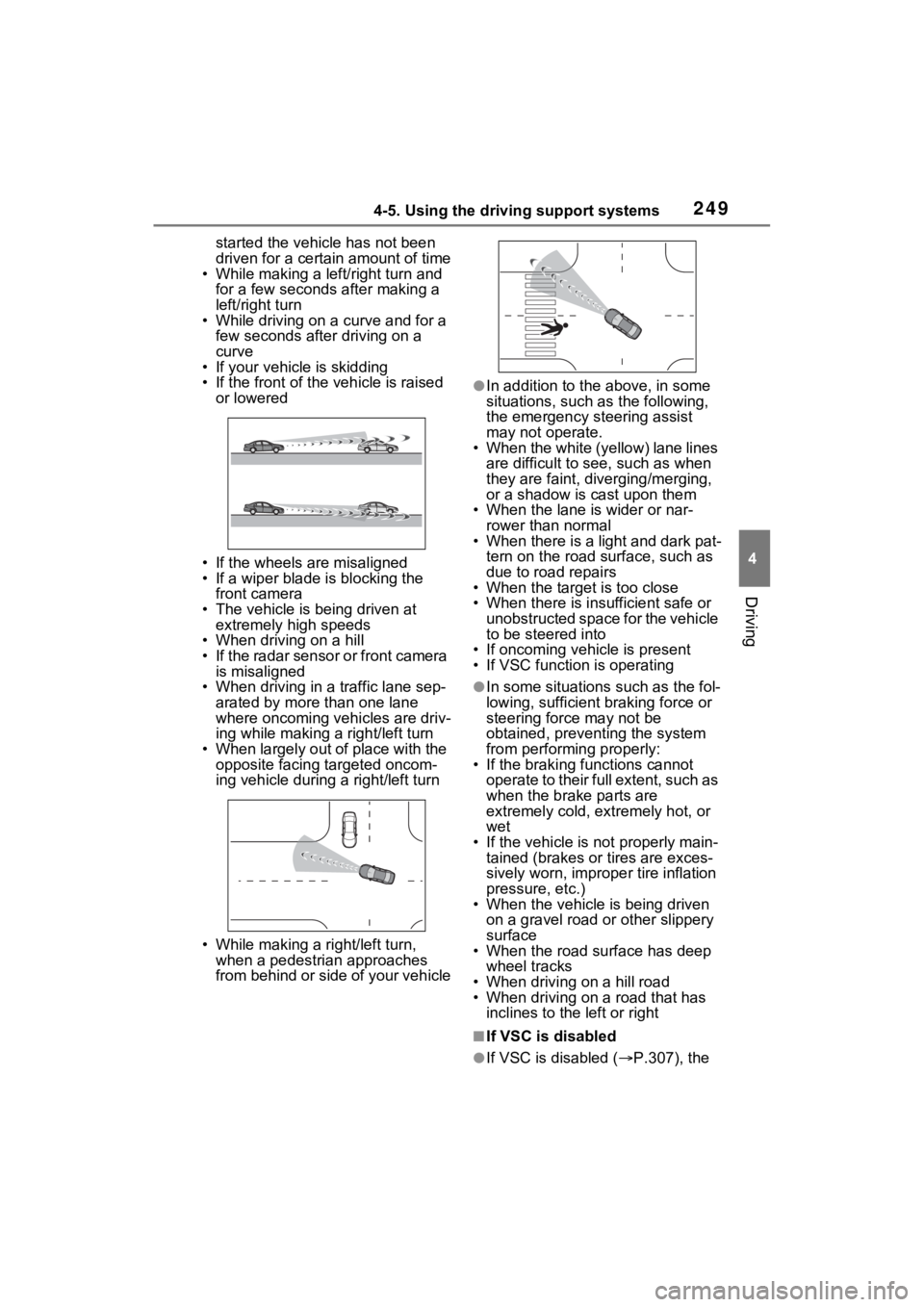
ing vehicle during a right/left turn
• While making a right/left turn, when a pedestrian approaches
from behind or side of your vehicle
●In addition to the above, in some
situations, such as the following,
the emergency steering assist
may not operate.
• When the white (yellow) lane lines are difficult to see, such as when
they are faint, diverging/merging,
or a shadow is cast upon them
• When the lane is wider or nar-
rower than normal
• When there is a light and dark pat- tern on the road surface, such as
due to road repairs
• When the target is too close
• When there is insufficient safe or unobstructed space for the vehicle
to be steered into
• If oncoming vehicle is present
• If VSC function is operating
●In some situations such as the fol-
lowing, sufficient braking force or
steering force may not be
obtained, preventing the system
from performing properly:
• If the braking functions cannot operate to their full extent, such as
when the brake parts are
extremely cold, ext remely hot, or
wet
• If the vehicle is not properly main- tained (brakes or tires are exces-
sively worn, imprope r tire inflation
pressure, etc.)
• When the vehicle is being driven on a gravel road or other slippery
surface
• When the road surface has deep wheel tracks
• When driving on a hill road
• When driving on a road that has inclines to the left or right
■If VSC is disabled
●If VSC is disabled ( P.307), the
Page 250 of 560
2504-5. Using the driving support systems
pre-collision brake assist and pre-
collision braking functions are also
disabled.
●The PCS warning light will turn on
and “VSC Turned Off Pre-Colli-
sion Brake System Unavailable”
will be displayed on the multi-
information display.
LTA (Lane Tracing
Assist)
While driving on a road with
clear white (yellow) lane
lines, the LTA system warns
the driver if the vehicle may
deviate from the current
lane or course
*, and also
can slightly operate the
steering wheel to help avoid
deviation from the lane or
course
*. Also, while the
dynamic radar cruise con-
trol with full-speed range
( P.265) is operating, this
system will operate the
steering wheel to maintain
the vehicle’s lane position.
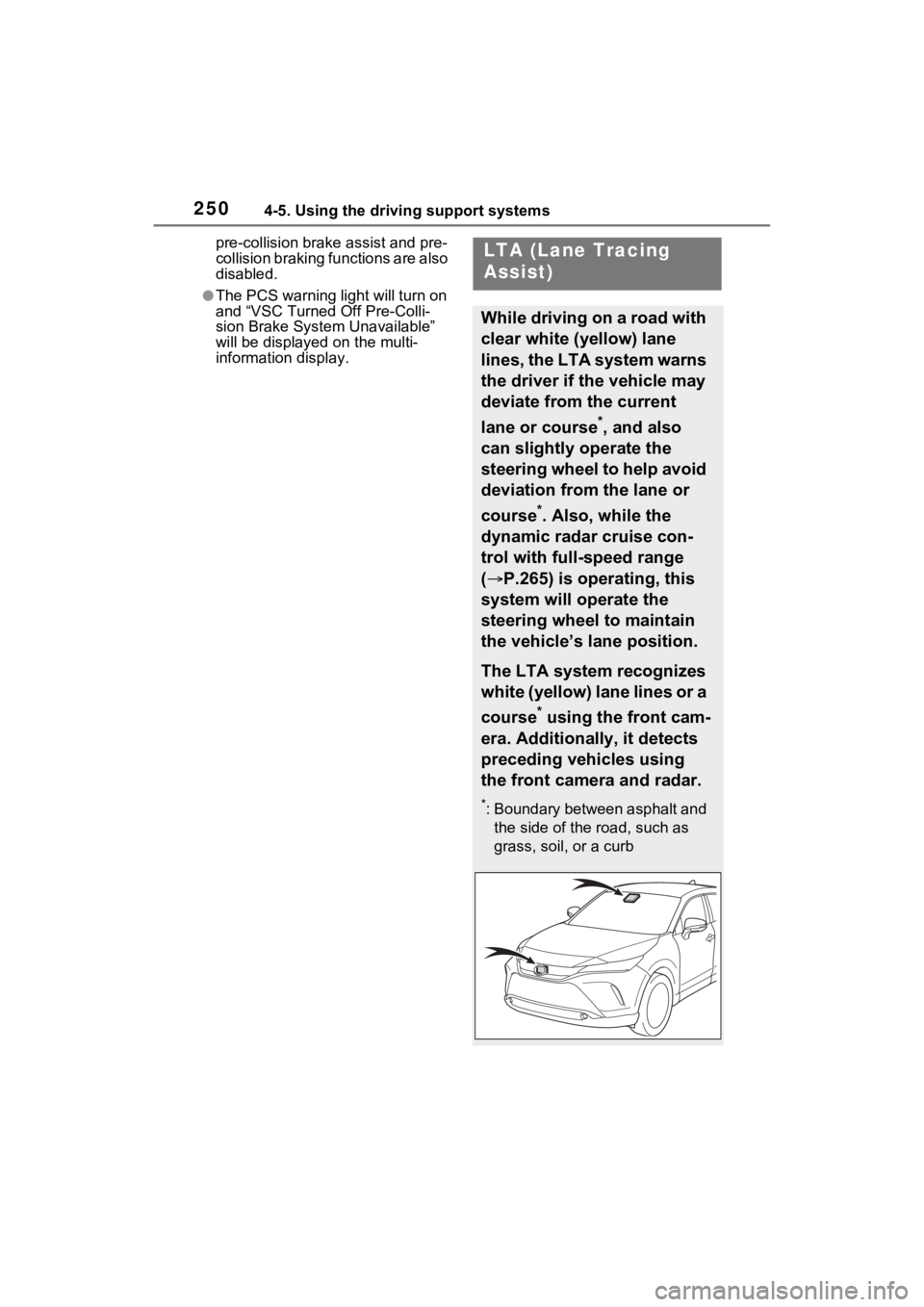
The LTA system recognizes
white (yellow) lane lines or a
course
* using the front cam-
era. Additionally, it detects
preceding vehicles using
the front camera and radar.
*: Boundary between asphalt and the side of the road, such as
grass, soil, or a curb
Page 254 of 560
2544-5. Using the driving support systems
■Lane departure alert func-
tion
When the system determines
that the vehicle might depart
from its lane or course
*, a warn-
ing is displayed on the multi-
information display, and either a
warning buzzer will sound or the
steering wheel will vibrate to
alert the driver.
When the warning buzzer sounds
or the steering wheel vibrates,
check the area around your vehicle
and carefully operate the steering
wheel to move the vehicle back to
the center of the lane.
When the system de termines that
the vehicle might depart from its
lane and that the possibility of a col-
lision with an over taking vehicle in
the adjacent lane is high, the lane
departure alert will operate even if
the turn signals are operating.
*: Boundary between asphalt and the side of the road, such as
grass, soil, or a curb
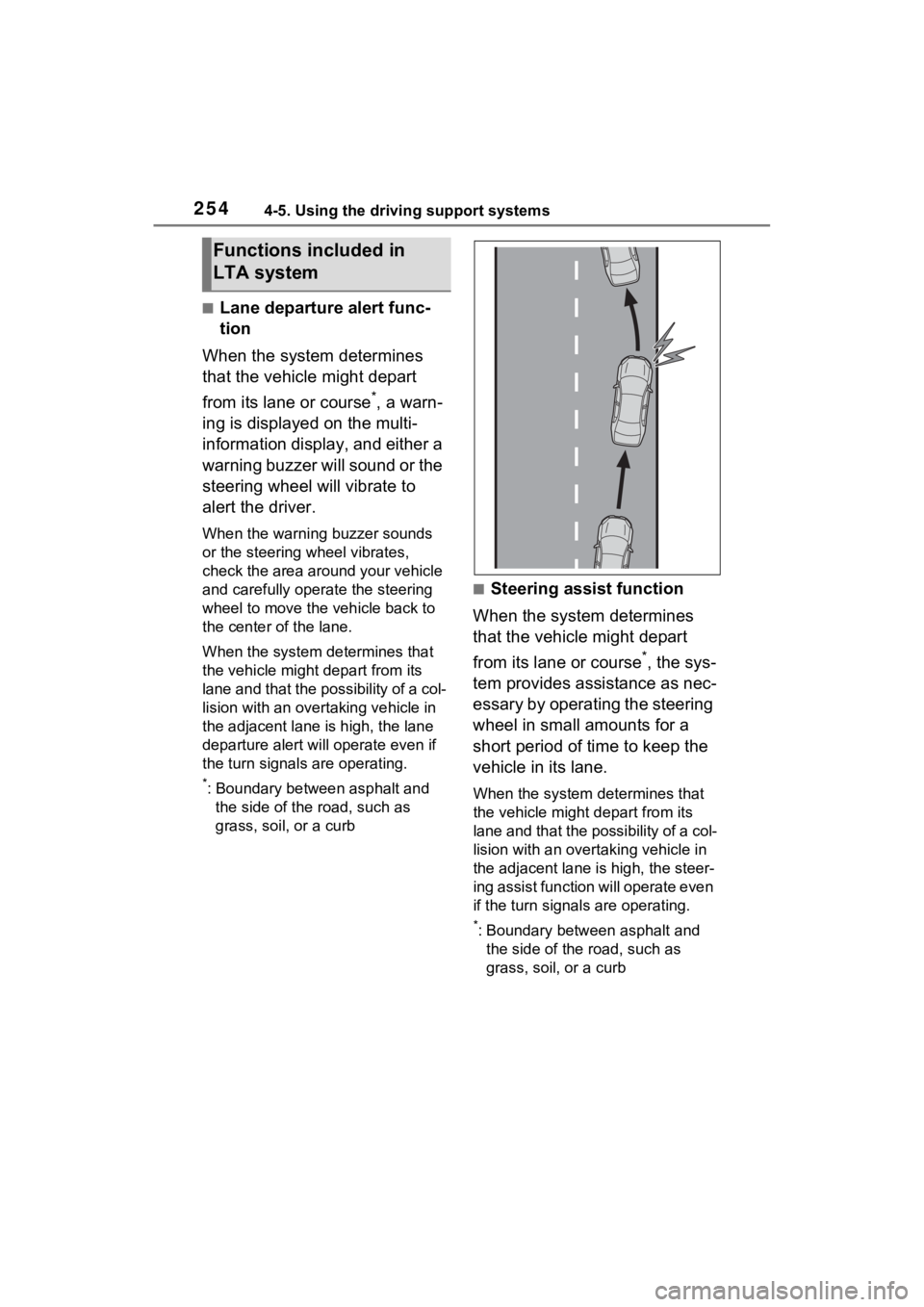
■Steering assist function
When the system determines
that the vehicle might depart
from its lane or course
*, the sys-
tem provides assistance as nec-
essary by operating the steering
wheel in small amounts for a
short period of time to keep the
vehicle in its lane.
When the system determines that
the vehicle might depart from its
lane and that the possibility of a col-
lision with an overta king vehicle in
the adjacent lane is high, the steer-
ing assist function will operate even
if the turn signals are operating.
*: Boundary between asphalt and the side of the road, such as
grass, soil, or a curb
Functions included in
LTA system