2023 NISSAN KICKS instrument panel
[x] Cancel search: instrument panelPage 74 of 558
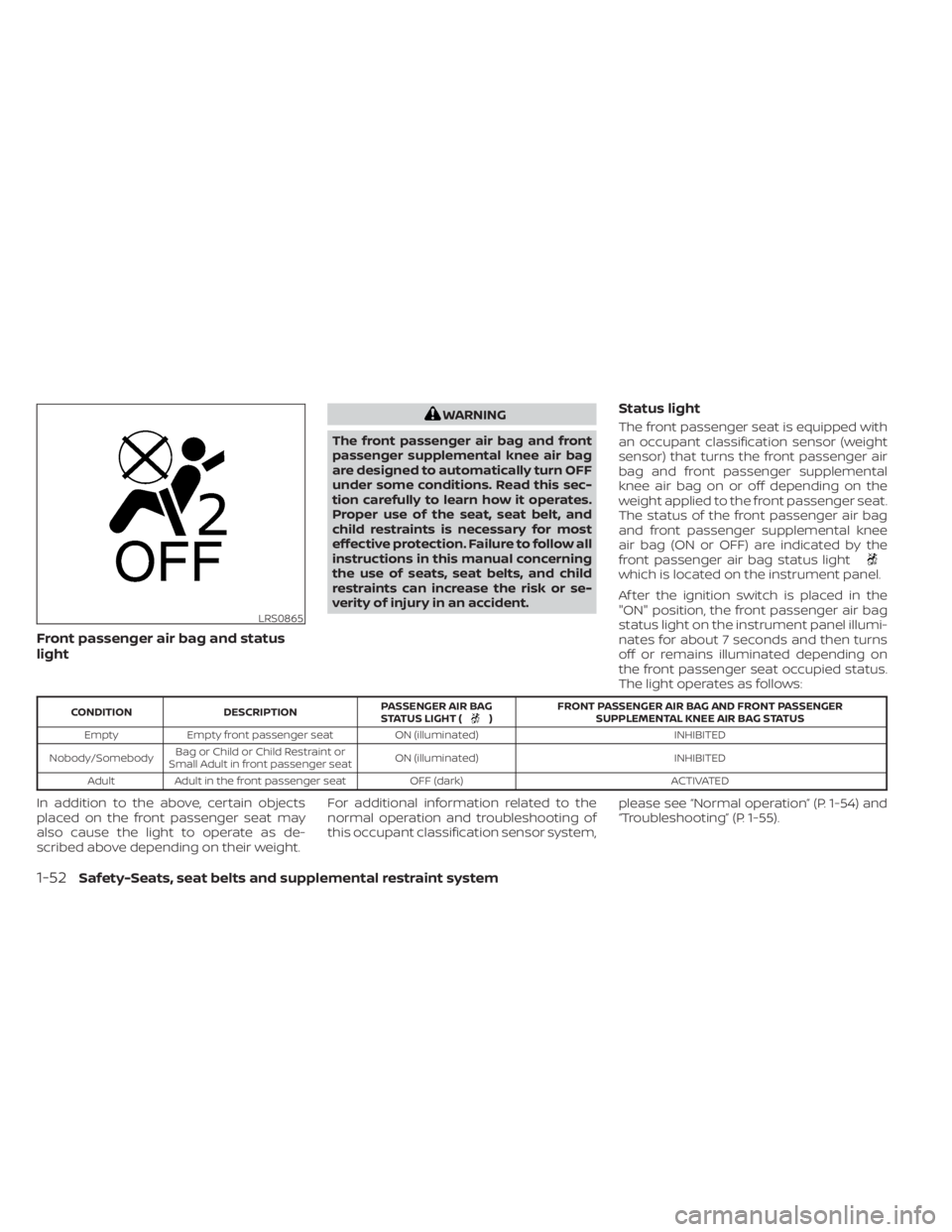
Front passenger air bag and status
light
WARNING
The front passenger air bag and front
passenger supplemental knee air bag
are designed to automatically turn OFF
under some conditions. Read this sec-
tion carefully to learn how it operates.
Proper use of the seat, seat belt, and
child restraints is necessary for most
effective protection. Failure to follow all
instructions in this manual concerning
the use of seats, seat belts, and child
restraints can increase the risk or se-
verity of injury in an accident.Status light
The front passenger seat is equipped with
an occupant classification sensor (weight
sensor) that turns the front passenger air
bag and front passenger supplemental
knee air bag on or off depending on the
weight applied to the front passenger seat.
The status of the front passenger air bag
and front passenger supplemental knee
air bag (ON or OFF) are indicated by the
front passenger air bag status light
which is located on the instrument panel.
Af ter the ignition switch is placed in the
"ON" position, the front passenger air bag
status light on the instrument panel illumi-
nates for about 7 seconds and then turns
off or remains illuminated depending on
the front passenger seat occupied status.
The light operates as follows:
CONDITION DESCRIPTION PASSENGER AIR BAG
STATUS LIGHT () FRONT PASSENGER AIR BAG AND FRONT PASSENGER
SUPPLEMENTAL KNEE AIR BAG STATUS
Empty Empty front passenger seat ON (illuminated) INHIBITED
Nobody/Somebody Bag or Child or Child Restraint or
Small Adult in front passenger seat ON (illuminated)
INHIBITED
Adult Adult in the front passenger seat OFF (dark) ACTIVATED
In addition to the above, certain objects
placed on the front passenger seat may
also cause the light to operate as de-
scribed above depending on their weight.For additional information related to the
normal operation and troubleshooting of
this occupant classification sensor system,
please see “Normal operation” (P. 1-54) and
“Troubleshooting” (P. 1-55).
LRS0865
1-52Safety-Seats, seat belts and supplemental restraint system
Page 76 of 558
If an adult occupant is in the seat but the
front passenger air bag status light is illu-
minated (indicating that the front passen-
ger air bag and front passenger supple-
mental knee air bag are OFF), it could be
that the person is a small adult, or is not
sitting on the seat properly or not using the
seat belt properly.
If a child restraint must be used in the front
seat, the front passenger air bag status
light may or may not be illuminated, de-
pending on the size of the child and the
type of child restraint being used. If the air
bag status light is not illuminated (indicat-
ing that the front passenger air bag and
front passenger supplemental knee air
bag might inflate in a crash), it could be that
the child restraint or seat belt is not being
used properly. Make sure that the child re-
straint is installed properly, the seat belt is
used properly and the occupant is posi-
tioned properly. If the air bag status light is
still not illuminated, reposition the occu-
pant or child restraint in a rear seat.
If the front passenger air bag status light
will not illuminate even though you believe
that the child restraint, the seat belts and
the occupant are properly positioned, it is
recommended that you take your vehicle
to a NISSAN dealer. A NISSAN dealer cancheck system status by using a special
tool. However, until you have confirmed
with a dealer that your air bag is working
properly, reposition the occupant or child
restraint in a rear seat.
The NISSAN Advanced Air Bag System and
front passenger air bag status light will
take a few seconds to register a change in
the front passenger seat status. This is nor-
mal system operation and does not indi-
cate a malfunction.
If a malfunction occurs in the front passen-
ger air bag system, the supplemental air
bag warning light
, located in the me-
ter and gauges area of the instrument
panel, will be illuminated (blinking or
steadily lit). Have the system checked. It is
recommended that you visit a NISSAN
dealer for this service.
Normal operation
In order for the occupant classification
sensor system to classif y the front passen-
ger based on weight, please follow the pre-
cautions and steps outlined below:
Precautions
• Make sure that there are no objects weighing over 9.1 lbs. (4 kg) hanging on
the seat or placed in the seatback pocket. • Make sure that a child restraint or other
object is not pressing against the rear of
the seatback.
• Make sure that a rear passenger is not pushing or pulling on the back of the front
passenger seat.
• Make sure that the front passenger seat or seatback is not forced back against an
object on the seat or floor behind it.
• Make sure that there is no object placed under the front passenger seat.
Steps
1. Adjust the seat as outlined in the “Seats” (P. 1-2) section of this manual. Sit upright,
leaning against the seatback, and cen-
tered on the seat cushion with your feet
comfortably extended to the floor.
2. Make sure there are no objects on your lap.
3. Fasten the seat belt as outlined in the “Seat belts” (P. 1-9) section of this manual.
Front passenger seat belt buckle status
is monitored by the occupant classifica-
tion system, and is used as an input to
determine occupancy status. So, it is
highly recommended that the front pas-
senger fasten their seat belt.
1-54Safety-Seats, seat belts and supplemental restraint system
Page 78 of 558
• A child restraint or other object press-ing against the rear of the seatback.
• A rear passenger pushing or pulling on the back of the front passenger seat.
• Forcing the front seat or seatback against an object on the seat or floor
behind it.
• An object placed under the front pas- senger seat.
• An object placed between the seat cushion and center console.
If the vehicle is moving, please come to a
stop when it is safe to do so. Check and
correct any of the above conditions. Re-
start the vehicle and wait 1 minute.
NOTE:
A system check will be performed during
which the front passenger air bag status
light will remain lit for about 7 seconds
initially.
If the light is still OFF af ter this, the small
adult, child or child restraint should be re-
positioned in the rear seat and the vehicle
should be checked as soon as possible. It is
recommended that you visit a NISSAN
dealer for this service. 3. If the light is OFF with no front passenger
and no objects on the front passenger
seat, the vehicle should be checked. It is
recommended that you visit a NISSAN
dealer as soon as possible.
Other supplemental front-impact air
bag precautions
WARNING
• Do not place any objects on the
steering wheel pad or on the instru-
ment panel. Also, do not place any
objects between any occupant and
the steering wheel or instrument
panel. Such objects may become
dangerous projectiles and cause in-
jury if the front air bags inflate.
• Do not place objects with sharp
edges on the seat. Also, do not place
heavy objects on the seat that will
leave permanent impressions in the
seat. Such objects can damage the
seat or occupant classification sen-
sor (weight sensor). This can affect
the operation of the air bag system
and result in serious personal injury. •
Do not use water or acidic cleaners
(hot steam cleaners) on the seat. This
can damage the seat or occupant
classification sensor. This can also
affect the operation of the air bag
system and result in serious personal
injury.
• Immediately af ter inflation, several
front air bag system components will
be hot. Do not touch them; you may
severely burn yourself.
• No unauthorized changes should be
made to any components or wiring
of the supplemental air bag system.
This is to prevent accidental inflation
of the supplemental air bag or dam-
age to the supplemental air bag
system.
• Do not make unauthorized changes
to your vehicle's electrical system,
suspension system or front end
structure. This could affect proper
operation of the front air bag system.
1-56Safety-Seats, seat belts and supplemental restraint system
Page 79 of 558
•Tampering with the front air bag sys-
tem may result in serious personal
injury. Tampering includes changes
to the steering wheel and the instru-
ment panel assembly by placing ma-
terial over the steering wheel pad
and above the instrument panel or
by installing additional trim material
around the air bag system.
• Removing or modif ying the front
passenger seat may affect the func-
tion of the air bag system and result
in serious personal injury.
• Modif ying or tampering with the
front passenger seat may result in
serious personal injury. For example,
do not change the front seats by
placing material on the seat cushion
or by installing additional trim mate-
rial, such as seat covers, on the seat
that are not specifically designed to
assure proper air bag operation. Ad-
ditionally, do not stow any objects
under the front passenger seat or the
seat cushion and seatback. Such ob-
jects may interfere with the proper
operation of the occupant classifica-
tion sensor (weight sensor). •
No unauthorized changes should be
made to any components or wiring
of the seat belt system. This may af-
fect the front air bag system. Tam-
pering with the seat belt system may
result in serious personal injury.
• It is recommended that you visit a
NISSAN dealer for work on and
around the front air bag. It is also rec-
ommended that you visit a NISSAN
dealer for installation of electrical
equipment. The Supplemental Re-
straint System (SRS) wiring har-
nesses* should not be modified or
disconnected. Unauthorized electri-
cal test equipment and probing de-
vices should not be used on the air
bag system.
• A cracked windshield should be re-
placed immediately by a qualified re-
pair facility. A cracked windshield
could affect the function of the
supplemental air bag system.
*The SRS wiring harness connectors are
yellow and orange for easy identification.
When selling your vehicle, we request that
you inform the buyer about the front air
bag system and guide the buyer to the
appropriate sections in this Owner's
Manual.
Safety-Seats, seat belts and supplemental restraint system1-57
Page 85 of 558
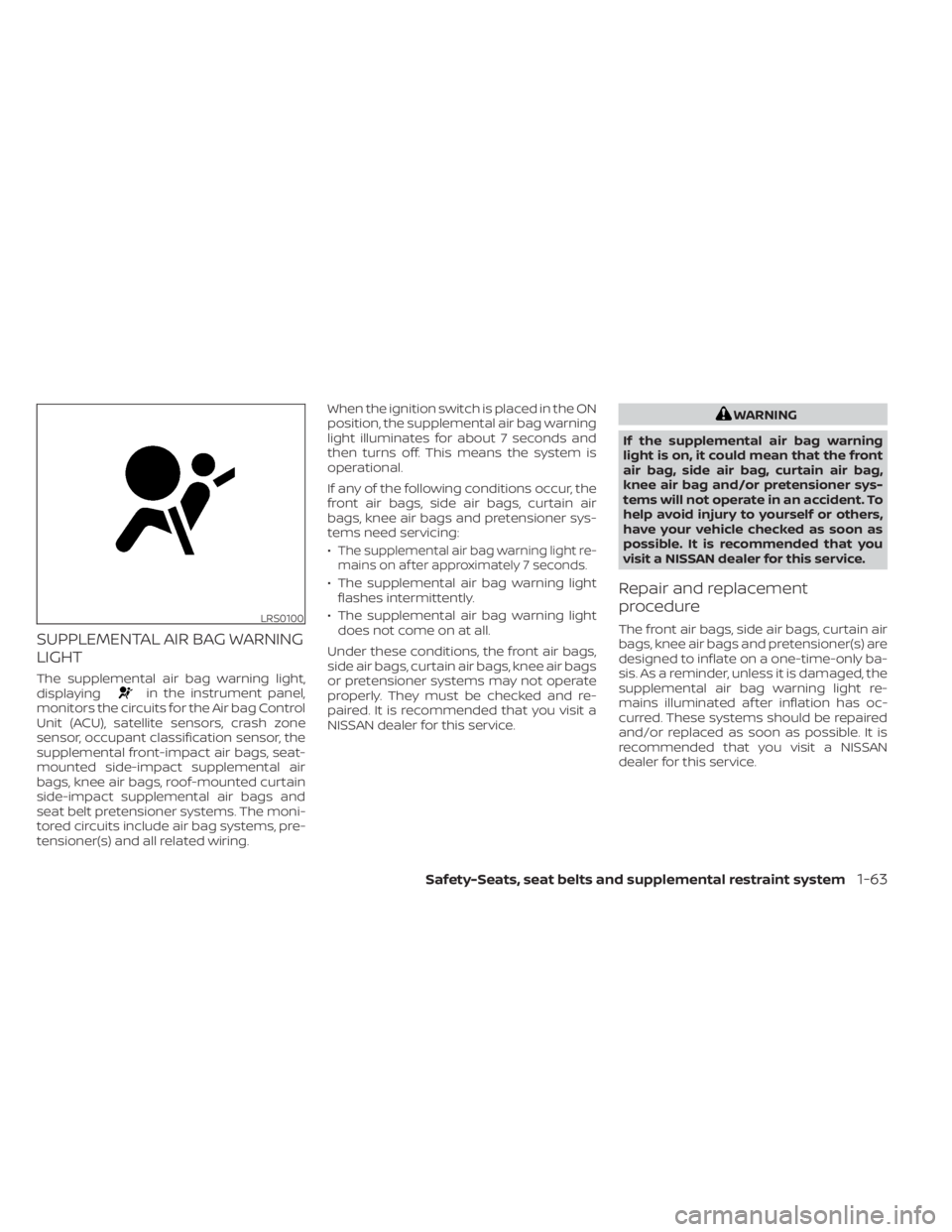
SUPPLEMENTAL AIR BAG WARNING
LIGHT
The supplemental air bag warning light,
displayingin the instrument panel,
monitors the circuits for the Air bag Control
Unit (ACU), satellite sensors, crash zone
sensor, occupant classification sensor, the
supplemental front-impact air bags, seat-
mounted side-impact supplemental air
bags, knee air bags, roof-mounted curtain
side-impact supplemental air bags and
seat belt pretensioner systems. The moni-
tored circuits include air bag systems, pre-
tensioner(s) and all related wiring. When the ignition switch is placed in the ON
position, the supplemental air bag warning
light illuminates for about 7 seconds and
then turns off. This means the system is
operational.
If any of the following conditions occur, the
front air bags, side air bags, curtain air
bags, knee air bags and pretensioner sys-
tems need servicing:
•
The supplemental air bag warning light re-
mains on af ter approximately 7 seconds.
• The supplemental air bag warning light flashes intermittently.
• The supplemental air bag warning light does not come on at all.
Under these conditions, the front air bags,
side air bags, curtain air bags, knee air bags
or pretensioner systems may not operate
properly. They must be checked and re-
paired. It is recommended that you visit a
NISSAN dealer for this service.
WARNING
If the supplemental air bag warning
light is on, it could mean that the front
air bag, side air bag, curtain air bag,
knee air bag and/or pretensioner sys-
tems will not operate in an accident. To
help avoid injury to yourself or others,
have your vehicle checked as soon as
possible. It is recommended that you
visit a NISSAN dealer for this service.
Repair and replacement
procedure
The front air bags, side air bags, curtain air
bags, knee air bags and pretensioner(s) are
designed to inflate on a one-time-only ba-
sis. As a reminder, unless it is damaged, the
supplemental air bag warning light re-
mains illuminated af ter inflation has oc-
curred. These systems should be repaired
and/or replaced as soon as possible. It is
recommended that you visit a NISSAN
dealer for this service.LRS0100
Safety-Seats, seat belts and supplemental restraint system1-63
Page 88 of 558
2 Instruments and controls
Instrument panel................................2-2
Meters and gauges .............................2-4
Speedometer and odometer .................2-5
Tachometer .................................. 2-7
Fuel gauge ................................... 2-7
Distance To Empty (DTE) .....................2-8
Trip computer (if so equipped) ................2-9
Eco Drive Report (if so equipped) ............2-10
Warning lights, indicator lights and audible
reminders ....................................... 2-11
Checking lights .............................. 2-13
Warning/Indicator lights (red) ...............2-13
Warning/Indicator lights (yellow) ............2-16
Warning/Indicator lights (other) .............2-21
Audible reminders ........................... 2-23
Vehicle information display (if so equipped) .....2-24
How to use the vehicle information
display ...................................... 2-24
Startup display .............................. 2-24
Settings ..................................... 2-25
Vehicle information display warnings
and indicators ............................... 2-32
Security systems (if so equipped) ...............2-38
Vehicle security system (if so equipped) .....2-38
NISSAN Anti-Thef t System (NATS)
(if so equipped) .............................. 2-39NISSAN Vehicle Immobilizer System
(if so equipped)
.............................. 2-40
Wiper and washer switch .......................2-41
Switch operation ............................ 2-41
Rear switch operation .......................2-42
Rear window and outside mirror
(if so equipped) defroster switch ...............2-43
Headlight and turn signal switch ...............2-44
Headlight control switch ....................2-44
Daytime Running Lights (DRL) system
(Type A) (if so equipped) .....................2-49
LED Daytime Running Lights (DRL)
system (Type B) (if so equipped) .............2-49
Instrument brightness control ..............2-50
Turn signal switch ........................... 2-50
Fog light switch (if so equipped) .............2-51
Horn ........................................... 2-51
Heated seat switches (if so equipped) ..........2-52
He
ated steering wheel switch (if so equipped) . . 2-53
Blind Spot Warning (BSW) switch
(if so equipped) ................................. 2-53
Drive Systems OFF switch (if so equipped) ......2-54
Lane Departure Warning (LDW) switch
(if so equipped) ................................. 2-54
Page 90 of 558
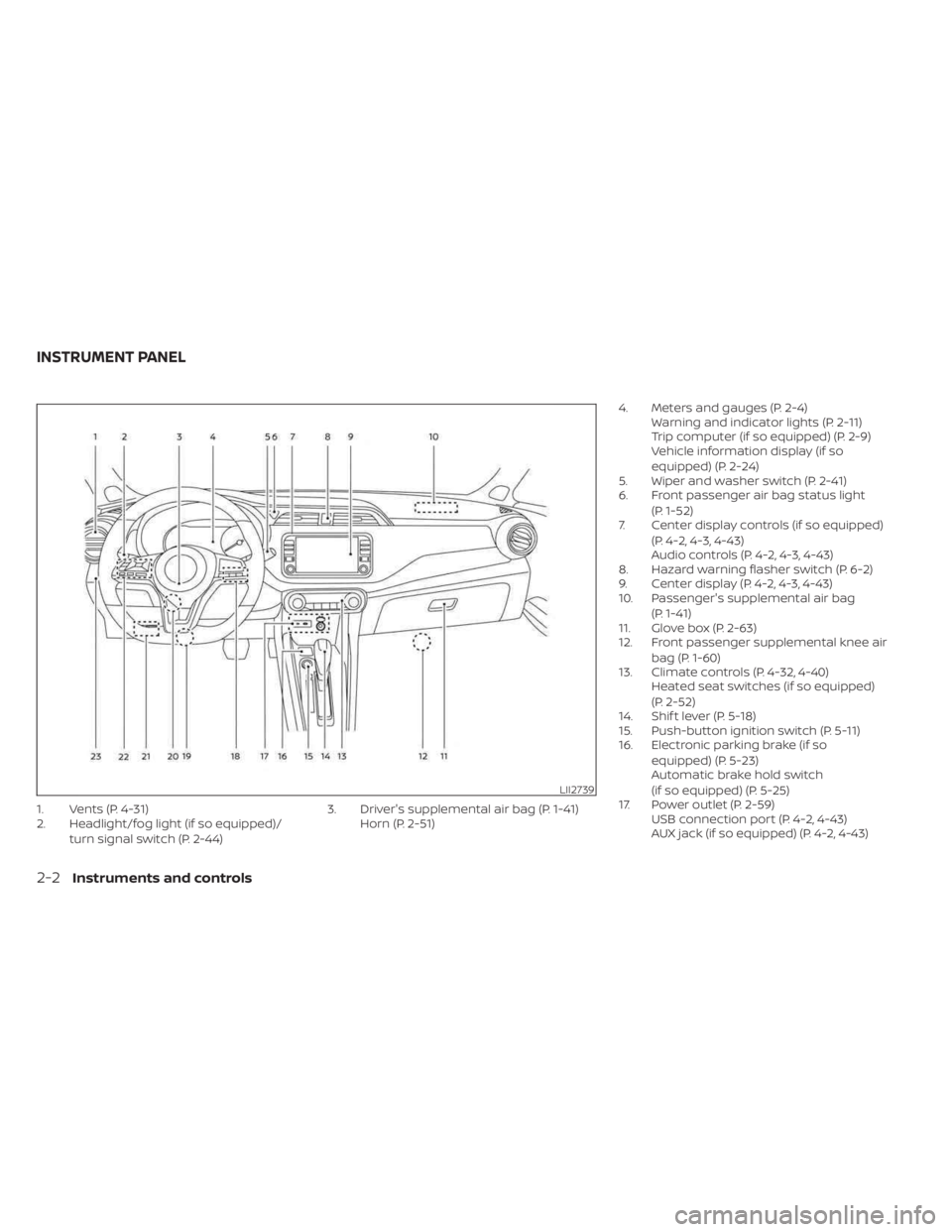
1. Vents (P. 4-31)
2. Headlight/fog light (if so equipped)/turn signal switch (P. 2-44) 3. Driver's supplemental air bag (P. 1-41)
Horn (P. 2-51) 4. Meters and gauges (P. 2-4)
Warning and indicator lights (P. 2-11)
Trip computer (if so equipped) (P. 2-9)
Vehicle information display (if so
equipped) (P. 2-24)
5. Wiper and washer switch (P. 2-41)
6. Front passenger air bag status light
(P. 1-52)
7. Center display controls (if so equipped)
(P. 4-2, 4-3, 4-43)
Audio controls (P. 4-2, 4-3, 4-43)
8. Hazard warning flasher switch (P. 6-2)
9. Center display (P. 4-2, 4-3, 4-43)
10. Passenger's supplemental air bag
(P. 1-41)
11. Glove box (P. 2-63)
12. Front passenger supplemental knee air
bag (P. 1-60)
13. Climate controls (P. 4-32, 4-40) Heated seat switches (if so equipped)
(P. 2-52)
14. Shif t lever (P. 5-18)
15. Push-button ignition switch (P. 5-11)
16. Electronic parking brake (if so
equipped) (P. 5-23)
Automatic brake hold switch
(if so equipped) (P. 5-25)
17. Power outlet (P. 2-59) USB connection port (P. 4-2, 4-43)
AUX jack (if so equipped) (P. 4-2, 4-43)
LII2739
INSTRUMENT PANEL
2-2Instruments and controls
Page 91 of 558
18. Bluetooth® Hands-Free Phone System(P. 4-2, 4-66)
Cruise control switches (if so equipped)
(P. 5-56)
Intelligent Cruise Control (ICC) switches
(if so equipped) (P. 5-58)
19. Driver supplemental knee air bag
(P. 1-60)
20. Tilt and telescopic steering wheel lock
lever (P. 3-26)
21. Hood release (P. 3-21) Fuel-filler door release (P. 3-25)
22. Steering wheel switches for audio
control (P. 4-2, 2-24)
Control panel and vehicle information
display switches (if so equipped)
(P. 2-24)
23. Blind Spot Warning (BSW) switch
(if so equipped) (P. 2-53)
Drive Systems OFF switch
(if so equipped) (P. 2-54)
Lane Departure Warning (LDW) switch
(if so equipped) (P. 2-54)
Rear Sonar System (RSS) OFF switch
(if so equipped) (P. 2-56)
Vehicle Dynamic Control (VDC) OFF
switch (if so equipped) (P. 2-55)
Instrument panel pocket
(if so equipped) (P. 2-62)
Enter/select switch for trip computer
(if so equipped) (P. 2-9)* Refer to the separate NissanConnect®
Owner's Manual (if so equipped).
Refer to the page number indicated in
parentheses for operating details.
Instruments and controls2-3