2023 LINCOLN CORSAIR reset
[x] Cancel search: resetPage 160 of 690
FUEL ECONOMY DISPLAY
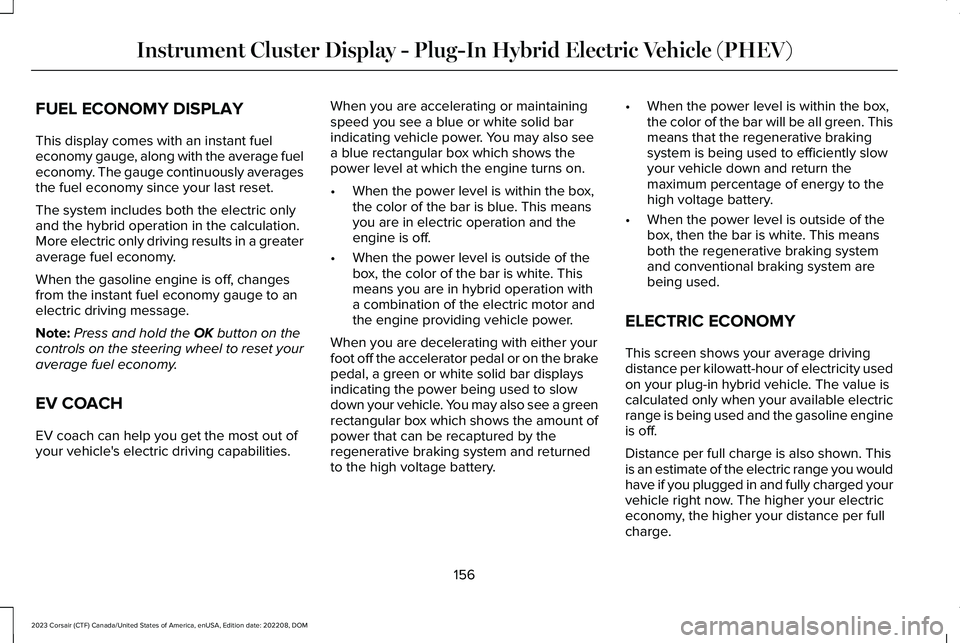
This display comes with an instant fueleconomy gauge, along with the average fueleconomy. The gauge continuously averagesthe fuel economy since your last reset.
The system includes both the electric onlyand the hybrid operation in the calculation.More electric only driving results in a greateraverage fuel economy.
When the gasoline engine is off, changesfrom the instant fuel economy gauge to anelectric driving message.
Note:Press and hold the OK button on thecontrols on the steering wheel to reset youraverage fuel economy.
EV COACH
EV coach can help you get the most out ofyour vehicle's electric driving capabilities.
When you are accelerating or maintainingspeed you see a blue or white solid barindicating vehicle power. You may also seea blue rectangular box which shows thepower level at which the engine turns on.
•When the power level is within the box,the color of the bar is blue. This meansyou are in electric operation and theengine is off.
•When the power level is outside of thebox, the color of the bar is white. Thismeans you are in hybrid operation witha combination of the electric motor andthe engine providing vehicle power.
When you are decelerating with either yourfoot off the accelerator pedal or on the brakepedal, a green or white solid bar displaysindicating the power being used to slowdown your vehicle. You may also see a greenrectangular box which shows the amount ofpower that can be recaptured by theregenerative braking system and returnedto the high voltage battery.
•When the power level is within the box,the color of the bar will be all green. Thismeans that the regenerative brakingsystem is being used to efficiently slowyour vehicle down and return themaximum percentage of energy to thehigh voltage battery.
•When the power level is outside of thebox, then the bar is white. This meansboth the regenerative braking systemand conventional braking system arebeing used.
ELECTRIC ECONOMY
This screen shows your average drivingdistance per kilowatt-hour of electricity usedon your plug-in hybrid vehicle. The value iscalculated only when your available electricrange is being used and the gasoline engineis off.
Distance per full charge is also shown. Thisis an estimate of the electric range you wouldhave if you plugged in and fully charged yourvehicle right now. The higher your electriceconomy, the higher your distance per fullcharge.
156
2023 Corsair (CTF) Canada/United States of America, enUSA, Edition date: 202208, DOMInstrument Cluster Display - Plug-In Hybrid Electric Vehicle (PHEV)
Page 163 of 690
ACCESSING THE TRIP COMPUTER
Using Select Screens
1.Use the instrument cluster displaycontrols to navigate the home menu.
2.Select Select Screens.
3.Use the control on the steering wheel tonavigate the menu. See Customizingthe Instrument Cluster Display (page153).
Using the Home Screen
Once the screens have been added, use theinstrument cluster display controls on thesteering wheel to view each trip screen.
RESETTING THE TRIP COMPUTER
1.Use the instrument cluster displaycontrols to navigate the home screen.
2.Select the trip screen you want to reset.
3.Press and hold the OK button until thesystem reset confirmation appears.
CONFIGURING THE TRIP
COMPUTER
1.Use the instrument cluster displaycontrols to navigate the home screen.
2.Select the trip screen.
3.Press the menu button on the steeringwheel.
4.Select Configure View.
5.Select values to display.
TRIP DATA
Trip 1 and 2
Provides trip timer, trip average fuel economyand total trip distance traveled. For hybridvehicles, the trip also shows the distancetraveled on electric power only with theengine off.
Note:Trip 1 and 2 are selectable screens.See Accessing the Trip Computer (page159).
This Trip
Provides trip timer, trip average fueleconomy, total trip distance traveled, anddistance traveled on electric power only withthe engine off. If the gasoline engine has notturned on during the trip then trip averagefuel economy is not shown. This Trip resetseach time you start your vehicle.
Note:This trip is a selectable screen. SeeAccessing the Trip Computer (page 159).
159
2023 Corsair (CTF) Canada/United States of America, enUSA, Edition date: 202208, DOMTrip Computer
Page 165 of 690
Head-Up Display (HUD)
Follow onscreen directions to confirm or modify your settings.Brightness
Follow onscreen directions to confirm ormodify your settings.Vertical PositionHUD Adjustments
Image Rotation
Turns the distance to empty, time and temperature on and off.HUD Content
Select Your SettingCruise and Lane Control
Note:When you save a memory preset position, your current HUD settings are also saved to that memory preset position. See How Doesthe Memory Function Work (page 192).
161
2023 Corsair (CTF) Canada/United States of America, enUSA, Edition date: 202208, DOMHead Up Display (If Equipped)
Page 194 of 690
REAR OCCUPANT ALERT SYSTEM
PRECAUTIONS
WARNING: On hot days, thetemperature inside the vehicle can risevery quickly. Exposure of people or animalsto these high temperatures for even a shorttime can cause death or serious heatrelated injuries, including brain damage.Small children are particularly at risk.
WARNING: Do not leave children orpets unattended in your vehicle. Failure tofollow this instruction could result inpersonal injury or death.
REAR OCCUPANT ALERT SYSTEM
LIMITATIONS
The system does not detect the presence ofobjects or passengers in the rear seat. Itmonitors the activity of the buckle on the rearseatbelt and the opening and closing of therear doors.
Note:It is possible to receive an alert whenthere is no rear seat occupant, but alertconditions are met.
Note:It is possible to receive no alert whenthere is an occupant in the rear seat, if alertconditions are not met. For example, if a rearseat occupant does not enter the vehiclethrough a rear door.
REAR OCCUPANT ALERT SYSTEM
SETTINGS
Selecting Alerts and Switching RearOccupant Alert System On and Off
1.Press Settings on the touchscreen.
2.Press Vehicle.
3.Press Rear Occupant Alert.
4.Select Alert & Horn or Alert Only or Off.
Note:The default setting is Alert & Horn.Selecting Alert & Horn or Alert Only enablesthe warnings inside the vehicle and theLincoln Way alert.
Note:If you choose Alert Only, the horn doesnot sound even when the alert conditionsare met.
Note:If the driver data or vehicle data isturned off, the vehicle still sends rearoccupant alert Lincoln Way notifications. Ifthe entire connectivity setting is turned off,the vehicle does not send any Lincoln Waymessages including the rear occupant alertLincoln Way notification.
Note:Performing a master reset causes thesystem to switch on again.
Switching Child Seat Installed On andOff
Make sure to switch the Child Seat Installedon when a child restraint is installed in yourvehicle. When the Child Seat Installed isswitched on, the system monitors theopening and closing of the rear doors toindicate the potential presence of anoccupant in the rear seat.
You can switch the Child Seat Installed onor off from the touchscreen.
1.Press Settings on the touchscreen.
190
2023 Corsair (CTF) Canada/United States of America, enUSA, Edition date: 202208, DOMRear Occupant Alert System
Page 196 of 690
HOW DOES THE MEMORY
FUNCTION WORK
The memory function recalls the position ofthese features:
•Driver seat.
•Power mirrors.
•Optional power steering column.
MEMORY FUNCTION
PRECAUTIONS
WARNING: Before activating thememory seat, make sure that the areaimmediately surrounding the seat is clearof obstructions and that all occupants areclear of moving parts.
WARNING: Do not use the memoryfunction when your vehicle is moving.
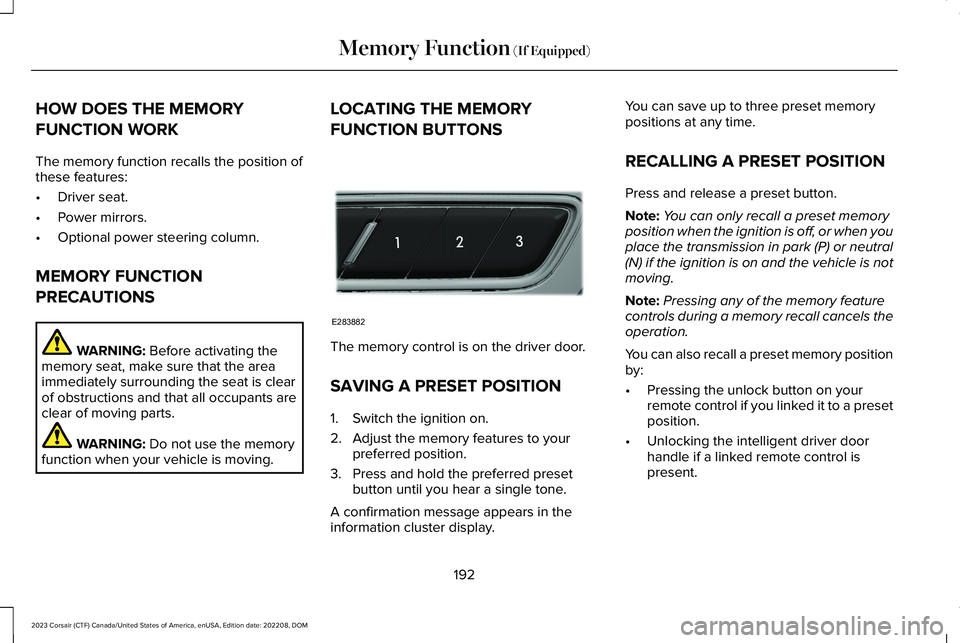
LOCATING THE MEMORY
FUNCTION BUTTONS
The memory control is on the driver door.
SAVING A PRESET POSITION
1.Switch the ignition on.
2.Adjust the memory features to yourpreferred position.
3.Press and hold the preferred presetbutton until you hear a single tone.
A confirmation message appears in theinformation cluster display.
You can save up to three preset memorypositions at any time.
RECALLING A PRESET POSITION
Press and release a preset button.
Note:You can only recall a preset memoryposition when the ignition is off, or when youplace the transmission in park (P) or neutral(N) if the ignition is on and the vehicle is notmoving.
Note:Pressing any of the memory featurecontrols during a memory recall cancels theoperation.
You can also recall a preset memory positionby:
•Pressing the unlock button on yourremote control if you linked it to a presetposition.
•Unlocking the intelligent driver doorhandle if a linked remote control ispresent.
192
2023 Corsair (CTF) Canada/United States of America, enUSA, Edition date: 202208, DOMMemory Function (If Equipped)E283882
Page 213 of 690
required to steer your vehicle. When youswitch the ignition off, some electricalcircuits, for example airbags, also turn off.If you unintentionally switch the ignitionoff, shift into neutral (N) and restart theengine.
1.Press and hold the push button ignitionswitch until the engine stops, or press itthree times within two seconds.
2.Shift into neutral and use the brakes tobring your vehicle to a safe stop.
3.Shift into park (P).
4.Apply the parking brake.
AUTOMATIC ENGINE STOP
WHAT IS AUTOMATIC ENGINE STOP
Automatic engine stop is a feature thatswitches the engine off if it has been idlingfor an extended period to help you save fuel.
HOW DOES AUTOMATIC ENGINESTOP WORK
Automatic engine stop turns the engine off.The ignition also turns off in order to savebattery power. Before the engine shutsdown, a message appears in the informationdisplay showing a timer counting down. Ifyou do not intervene within 30 seconds, theengine shuts down. Another messageappears in the information display to informyou that the engine has shut down in orderto save fuel. Start your vehicle as younormally do.
SWITCHING AUTOMATIC ENGINESTOP ON AND OFF
1.Press Settings on the touchscreen.
2.Press Vehicle Settings.
3.Switch 30min Max Idle on or off.
Note:You cannot permanently switch off theautomatic shutdown. If you switch it off, itturns on each time you switch the ignitionon.
OVERRIDING AUTOMATIC ENGINESTOP
You can stop the engine shutdown, or resetthe timer, at any point before the 30-secondcountdown has expired by doing any of thefollowing:
•Pressing the brake pedal or acceleratorpedal.
•Pressing the OK or RESET button duringthe countdown.
Note: You cannot permanently switch offthe automatic engine shutdown feature. When you switch it off temporarily, it turnson at the next ignition cycle.
209
2023 Corsair (CTF) Canada/United States of America, enUSA, Edition date: 202208, DOMStarting and Stopping the EngineE357998
Page 220 of 690
The engine may not start because yourvehicle has a silent key start feature. Thisfuel saving feature allows your vehicle to beready to drive without requiring the gasengine to be running.
The indicator remains on when your vehicleis on, whether the engine is running or not,to indicate your vehicle is capable ofmovement using the electric motor, gasengine or both.
Typically, the engine does not start unlessthe vehicle is cold, a climate control changeis requested or you press the acceleratorpedal.
WHAT IS LOW ENGINE USE MODE
Low engine use mode maintains properengine lubrication at sufficient temperatureand activates when you drive your vehiclewith limited engine operation.
HOW DOES LOW ENGINE USE MODEWORK
When in low engine use mode, your vehicleruns the engine as necessary. When lowengine use mode begins, a message appearsin the information display. If low engine usemode does not complete before you switchyour vehicle off, it continues the next timeyou start your vehicle and the messagereappears.
Note:Pure EV now mode is not availablewhen in low engine use mode.
Note:Cold temperatures affect the enginewarm up time and the low engine use modemay operate more frequently.
Note:An oil change is not required but givesyou the option of not running a low engineuse cycle. Resetting the oil life monitoringsystem suspends the low engine use mode.
PLUG-IN HYBRID ELECTRIC VEHICLE
INFORMATION – TROUBLESHOOTING
PLUG-IN HYBRID ELECTRIC VEHICLEINFORMATION – WARNING LAMPS
Illuminates if your vehicle'selectrical system requires serviceto identify the cause for yourvehicle to shut down or enter a limitedoperating mode. A message may appear inthe instrument cluster display. Have yourvehicle checked as soon as possible.
216
2023 Corsair (CTF) Canada/United States of America, enUSA, Edition date: 202208, DOMHybrid Electric Vehicle Information - Plug-In Hybrid Electric Vehicle (PHEV)E384927
Page 258 of 690
2.On the charging locations screen selectadd new location. You can also editsettings for previously saved locationslisted on this screen.
3.Select an address from the list of recentcharge locations.
4.Confirm that this is the location you wantto save with the help of the map view.Edit the location name if desired and seta maximum charge limit. Press continueto schedule.
Note:Depending on the GPS location, theaddress on the navigation may not preciselymatch up with your charging location.Confirm on the map that the pin is in theexpected location.
Note:Charging stops when your vehiclereaches the maximum charge limit setting.
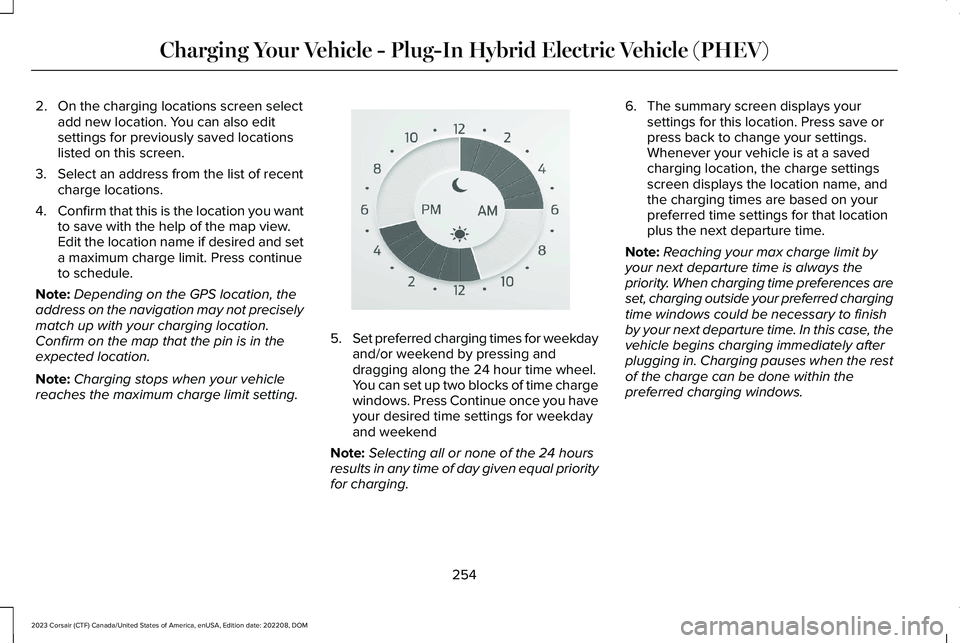
5.Set preferred charging times for weekdayand/or weekend by pressing anddragging along the 24 hour time wheel.You can set up two blocks of time chargewindows. Press Continue once you haveyour desired time settings for weekdayand weekend
Note:Selecting all or none of the 24 hoursresults in any time of day given equal priorityfor charging.
6.The summary screen displays yoursettings for this location. Press save orpress back to change your settings.Whenever your vehicle is at a savedcharging location, the charge settingsscreen displays the location name, andthe charging times are based on yourpreferred time settings for that locationplus the next departure time.
Note:Reaching your max charge limit byyour next departure time is always thepriority. When charging time preferences areset, charging outside your preferred chargingtime windows could be necessary to finishby your next departure time. In this case, thevehicle begins charging immediately afterplugging in. Charging pauses when the restof the charge can be done within thepreferred charging windows.
254
2023 Corsair (CTF) Canada/United States of America, enUSA, Edition date: 202208, DOMCharging Your Vehicle - Plug-In Hybrid Electric Vehicle (PHEV)E359594