Page 53 of 719

uuSeat Belts uAbout Your Seat Belts
52
Safe Driving
■Rear seats
Your vehicle monitors rear seat belt use.
A driver information inte rface notifies you if
any of the rear seat belts are unfastened after
they were previously fastened.
In order to encourage the driver to evaluate
rear seat belt usage, the display appears
when:
• Any of the rear passengers’ seat belts are
unfastened when the power mode is
turned to ON.
• A rear door is opened and then closed.
• Any of the rear passengers fastens or
unfastens their seat belt.
The seat belt reminder indicator blinks and
beeper sounds if any rear passenger’s seat belt
is unfastened while driving.1 Seat Belt Reminder
The system will not detect a passenger in the rear
seats who has not fastened the seat belt.
The driver should check the status of the rear
passengers’ seat belts at th e start of each trip and
each time a passenger is seated in the rear seats,
using the driver information interface as an aid.
An alert will sound if a pa ssenger in the rear seats
unfastens the seat belt whil e the vehicle is in motion
or if motion resumes wh ile the graphic is red.
The driver information interface uses colors to aid the
driver in checking the st atus of the passengers.
For the rear seating positions:
•Green indicates the seat belt is fastened.
•An unfastened gray graphic indicates the seat belt
has not been fastened recently.
•An unfastened red graphic indicates the seat belt
was unfastened recently.
The system does not monito r harnesses that are part
of a child seat, the anchors of the LATCH system, or
the anchor buckle of the rear center seat belt.
While the system can inform you that a seat belt
buckle is fastened, it ca nnot determine whether the
rear center seat belt anchor buckle is in use or if a
child seat is properly installed or used. 2 Protecting Child Passengers P. 79
: fastened
: unfastened
Page 93 of 719
92
Safe Driving
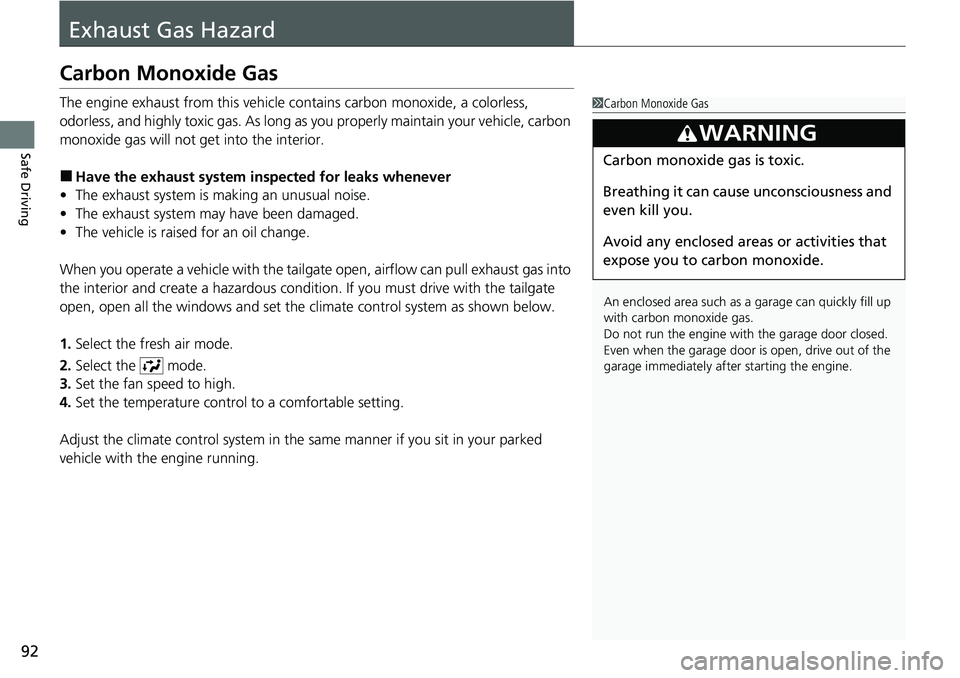
Exhaust Gas Hazard
Carbon Monoxide Gas
The engine exhaust from this vehicle contains carbon monoxide, a colorless,
odorless, and highly toxic gas. As long as you properly maintain your vehicle, carbon
monoxide gas will not get into the interior.
■Have the exhaust system in spected for leaks whenever
• The exhaust system is m aking an unusual noise.
• The exhaust system may have been damaged.
• The vehicle is raised for an oil change.
When you operate a vehicle with the tailgat e open, airflow can pull exhaust gas into
the interior and create a hazardous conditio n. If you must drive with the tailgate
open, open all the windows and set the climate control system as shown below.
1. Select the fresh air mode.
2. Select the mode.
3. Set the fan speed to high.
4. Set the temperature control to a comfortable setting.
Adjust the climate control system in the same manner if you sit in your parked
vehicle with the engine running.
1 Carbon Monoxide Gas
An enclosed area such as a garage can quickly fill up
with carbon monoxide gas.
Do not run the engine with the garage door closed.
Even when the garage door is open, drive out of the
garage immediat ely after starting the engine.
3WARNING
Carbon monoxide gas is toxic.
Breathing it can cause unconsciousness and
even kill you.
Avoid any enclosed areas or activities that
expose you to carbon monoxide.
Page 97 of 719

96
Instrument Panel
Indicators
Indicators come on/blink depending on the condition of the vehicle. Messages may display on the Driver Information Interface at the same
time. Please take the appropriate action outlined in the message, such as contacting a dealer.
Parking Brake and
Brake System
Indicator (Red)
U.S.
Canada P. 98*1 *1
Parking Brake and
Brake System
Indicator (Amber)
U.S.
Canada
Automatic Brake
Hold System Indicator
Automatic Brake Hold
Indicator
U.S.
Canada
*1 : When you set the power mode to ON, these indicators come on to indicate that system checks are being performed. They go off a few seconds later or after the power
system has started. If an indicator does not come on or turn o ff, there may be a malfunction in the corresponding system. To re solve the issue, follow the instructions in
the owner's manual.
Malfunction Indicator
Lamp
12-Volt Battery
Charging System
Indicator
Anti-lock Brake System
( ABS ) Indicator
Seat Belt Reminder
Indicator Low Fuel Indicator
(Amber)
Vehicle Stability AssistTM
(VSA®) System Indicator
Vehicle Stability Assist
TM
(VSA®) OFF Indicator
Supplemental Restraint
System Indicator
Low Tire Pressure/TPMS
Indicator*
Electric Power Steering
(EPS) System Indicator
P. 100
P. 101
P. 101
P. 101
P. 101*1
*1
P. 105
*1
Shift Position Indicator P. 102
Transmission System
Indicator P. 102
P. 103
P. 103
P. 103
P. 104
P. 104
*1
*1
P. 105
*1 P. 104
*1
*1*1 *1
*1
*1
Deceleration Paddle
Selector Indicator
P. 102
POWER SYSTEM
Indicator P. 100*1
READY Indicator P. 100
EV Indicator P. 100*1
* Not available on all models
Page 98 of 719

97
uuIndicators u
Continued
Instrument Panel
*1 : When you set the power mode to ON, these indicators come on to indicate that system checks are being performed. They go off a few seconds later or after the power
system has started. If an indicator does not come on or turn o ff, there may be a malfunction in the corresponding system. To re solve the issue, follow the instructions in
the owner's manual. Adaptive Cruise Control
(ACC) with Low S
p
eed
Follow Indicator (Amber)
Lane Keeping Assist System
(LKAS) Indicator (Amber)
Safety Support Indicator
(Green/Gray)
P. 109
P. 110
P. 113*1
Adaptive Cruise Control
(ACC) with Low Speed
Follow Indicator (White/
Green) P. 109
*1
Lane Keeping Assist
System (LKAS) Indicator
(White/Green) P. 110
*1Safety Support Indicator
(Amber) P. 111
System Message Indicator
Immobilizer System
Indicator
P. 107
P. 108
Cruise Mode Indicator
(White/Green) P. 109
P. 107
Hill Descent Control System
Indicator (White/Green) P. 108*1
Security System Alarm
Indicator
ECON Mode Indicator P. 108
NORMAL Mode Indicator P. 108
SNOW Mode Indicator P. 108
SPORT Mode Indicator P. 108
Auto High-Beam
Indicator
Lights On Indicator
High Beam Indicator
P. 106
P. 106
P. 106*1
Turn Signal and Hazard
Warning Indicators P. 106
Page 105 of 719

104
uuIndicators u
Instrument Panel
IndicatorNameOn/BlinkingExplanation
Supplemental
Restraint System
Indicator
•Comes on if a problem with any of the
following is detected:
- Supplemental Restraint System
- Side airbag system
- Side curtain airbag system
- Seat belt tensioner• Stays on constantly - Have your vehicle checked
by a dealer.
Electric Power
Steering (EPS)
System Indicator
• Comes on if there is a problem with the EPS
system.•Stays on constantly - Have your vehicle checked
by a dealer.
• Do not drive displays on the driver
information interface - Immediately stop in a
safe place and contact a dealer.
2 If the Electric Power Steering (EPS) System
Indicator Comes On P. 681
Vehicle Stability
AssistTM (VSA®)
System Indicator
●Blinks when VSA ® is active.—
●Comes on if there is a problem with the
VSA® system, hill start assist system, or agile
handling assist.●Stays on constantly - Have your vehicle checked
by a dealer.
2 Vehicle Stability AssistTM (VSA ®), aka
Electronic Stability Control (ESC), System
P. 476
2 Hill start assist system P. 460
2 Agile Handling Assist P. 478
●Comes on if the VSA® system is deactivated
temporarily after the 12-volt battery has
been disconnected, then re-connected.●Drive a short distance at more than 12 mph (20
km/h). The indicator should go off. If it does not,
have your vehicle checked by a dealer.
Page 108 of 719
107
uuIndicators u
Continued
Instrument Panel
*1:Canadian models only: Apply and hold the brake pedal before selecting the ON mode.
IndicatorNameOn/BlinkingExplanation
Immobilizer
System Indicator
●Blinks if the immobilizer system cannot
recognize the key information.•Blinks - You cannot start the power system. Set
the power mode to VEHICLE OFF*1, then select the
ON mode again.
• Repeatedly blinks - The system may be
malfunctioning. Have your vehicle checked by a
dealer.
• Do not attempt to alter this system or add other
devices to it. Electrical problems can occur.
Security System
Alarm Indicator
●Blinks when the security system alarm has
been set.
2 Security System Alarm P. 176
U.S.
Canada
Indicator
Indicator
U.S.
Canada
Indicator
Indicator
Page 140 of 719

139
uuGauges and Driver Information Interface uDriver Information Interface
Continued
Instrument Panel
*1:Default Setting Setup Group Customizable Features
Description Selectable Settings
Keyless access
setup Door unlock mode
Changes which doors unlock when you grab the driver’s
door handle. Driver door only
*1/
All
doors
Keyless access light
flash Causes some exterior lights
to flash when you unlock/
lock the doors. ON
*1/
OFF
Keyless access beep Causes the beeper to sound when you unlock/lock the
doors.
ON
*1/
OFF
Remote start system
ON/OFF Turns the remote engine start feature on and off.
ON
*1/OFF
Lighting setup
Auto high-beamTurns the auto high -beam on and off.ON*1/OFF
Interior light dimming
timeChanges the length of time the interior lights stay on
after you close the doors.60sec /30sec*1/ 15sec
Headlight auto off
timerChanges the length of time the exterior lights stay on
after you close the driver’s door.60sec /30sec /15sec*1/0sec
Auto light sensitivity*Changes the timing for th e headlights to come on.Max/High /Mid*1/Low /Min
Auto headlight ON
with wiper ONChanges the settings for the wiper operation when the
headlights automatically come on while the headlight
switch is in the AUTO position.
ON*1/OFF
* Not available on all models
Page 149 of 719

148
Controls
Locking and Unlocking the Doors
Key
This vehicle comes with the following keys:Use the keys to turn on and off the power
system, and to lock and unlock the doors,
tailgate, and fuel fill door.
The built-in key can be used to unlock the
doors when the keyless remote battery
becomes weak and the power door unlock
operation is disabled.
To remove the built-in key, push the release
button and then pull out the key. To reinstall
the built-in key, push th e built-in key into the
keyless remote until it clicks.1 Key
All the keys have an immobilizer system. The
immobilizer system helps to protect against vehicle
theft. 2 Immobilizer System P. 176
Follow the advice below to prevent damage to the
keys:
•Do not leave the keys in direct sunlight, or in
locations with high temperature or high humidity.
•Do not drop the keys or set heavy objects on them.•Keep the keys away from liquids, dust and sand.
•Do not take the keys apart except for replacing the
battery.
If the circuits in the keys are damaged, the power
system may not activate, and the remote transmitter
may not work.
If the keys do not work properly, have them
inspected by a dealer.
You can remotely turn the power system on using the
remote engine start. 2 Remote Engine Start P. 457■Built-in Key
Built-in Key
Release Button
