Page 520 of 719
Continued519
uuHonda Sensing ®u Adaptive Cruise Control (ACC) with Low Speed Follow
Driving
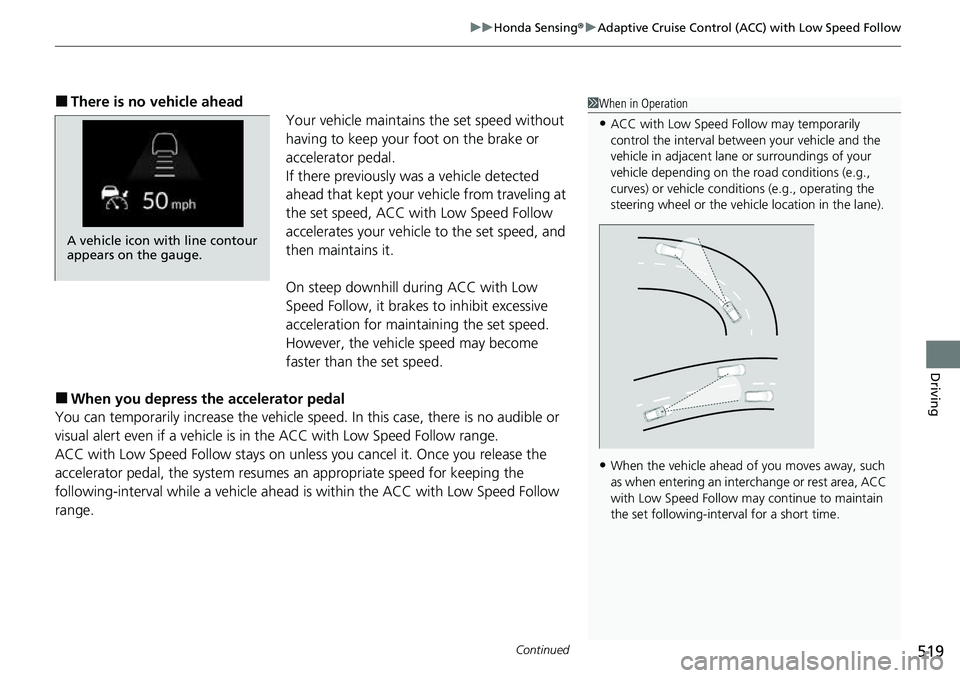
■There is no vehicle ahead
Your vehicle maintains the set speed without
having to keep your foot on the brake or
accelerator pedal.
If there previously was a vehicle detected
ahead that kept your ve hicle from traveling at
the set speed, ACC with Low Speed Follow
accelerates your vehicle to the set speed, and
then maintains it.
On steep downhill during ACC with Low
Speed Follow, it brakes to inhibit excessive
acceleration for maintaining the set speed.
However, the vehicle speed may become
faster than the set speed.
■When you depress the accelerator pedal
You can temporarily increase the vehicle speed . In this case, there is no audible or
visual alert even if a vehicle is in the ACC with Low Speed Follow range.
ACC with Low Speed Follow stays on unle ss you cancel it. Once you release the
accelerator pedal, the system resume s an appropriate speed for keeping the
following-interval while a vehicle ahead is within the ACC with Low Speed Follow
range.
1 When in Operation
•ACC with Low Speed Follow may temporarily
control the interval between your vehicle and the
vehicle in adjacent lane or surroundings of your
vehicle depending on the road conditions (e.g.,
curves) or vehicle condi tions (e.g., operating the
steering wheel or the vehicle location in the lane).
•When the vehicle ahead of you moves away, such
as when entering an interchange or rest area, ACC
with Low Speed Follow may continue to maintain
the set following-interval for a short time.
A vehicle icon with line contour
appears on the gauge.
Page 522 of 719

Continued521
uuHonda Sensing ®u Adaptive Cruise Control (ACC) with Low Speed Follow
Driving
The system may automatically shut off u nder certain conditions. Some examples of
these conditions are listed below. Othe r conditions may reduce some of the ACC
with Low Speed Follow functions.
2 Front Sensor Camera P. 568
2 Radar Sensor P. 570
■Environmental conditions
• Driving in bad weather (rain, fog, snow, etc.).
■Roadway conditions
• Driving on a snowy or wet roadway (obs cured lane marking, vehicle tracks,
reflected lights, road spray, high contrast).
■Vehicle conditions
• The outside of the windshield is blocked by dirt, mud, leaves, wet snow, etc.
• An abnormal tire or wheel condition (inco rrect sizes, varied sizes or construction,
improperly inflated, etc.).
• The camera temperature gets too high.
• The parking brake is applied.
• The front grille is dirty.
• The vehicle is tilted due to a heavy load or suspension modifications.
• Tire chains are installed.
• The vehicle is towing a trailer.
■ACC with Low Speed Follow Conditions and Limitations1ACC with Low Speed Follow Conditions and Limitations
If you need the radar sensor to be repaired, or
removed, or the front grille is strongly impacted, turn
off the system by pre ssing the button and take
your vehicle to a dealer.
Have your vehicle checked by a dealer if you find any
unusual behavior of the system (e.g., the warning
message appears too frequently).
Page 526 of 719
Continued525
uuHonda Sensing ®u Adaptive Cruise Control (ACC) with Low Speed Follow
Driving
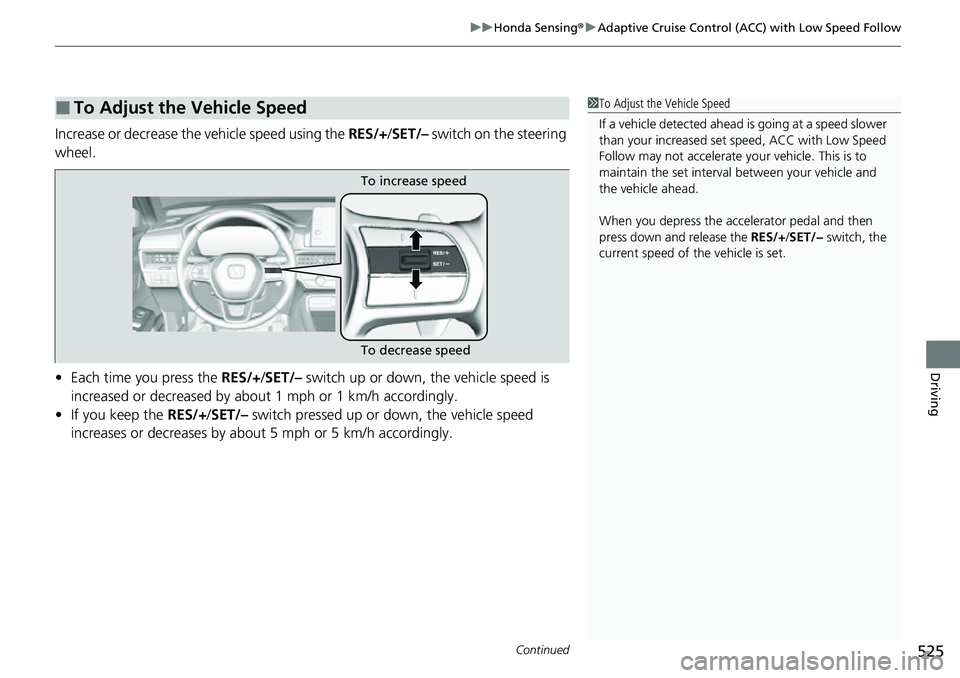
Increase or decrease the vehicle speed using the RES/+/SET/– switch on the steering
wheel.
• Each time you press the RES/+/SET/– switch up or down, the vehicle speed is
increased or decreased by about 1 mph or 1 km/h accordingly.
• If you keep the RES/+/SET/– switch pressed up or down, the vehicle speed
increases or decreases by about 5 mph or 5 km/h accordingly.
■To Adjust the Vehicle Speed1 To Adjust the Vehicle Speed
If a vehicle detected ahead is going at a speed slower
than your increased set speed, ACC with Low Speed
Follow may not accelerate y our vehicle. This is to
maintain the set interval between your vehicle and
the vehicle ahead.
When you depress the accelerator pedal and then
press down and release the RES/+/SET/− switch, the
current speed of the vehicle is set.
To increase speed
To decrease speed
Page 530 of 719
Continued529
uuHonda Sensing ®u Adaptive Cruise Control (ACC) with Low Speed Follow
Driving
■Automatic cancellation
The beeper sounds and a message appears on the driver information interface when
ACC with Low Speed Follow is automatically canceled. Any of these conditions may
cause the ACC with Low Speed Fo llow to automatically cancel:
• Bad weather (rain, fog, snow, etc.)
• When the radar sensor behind the Hond a emblem on the front grille gets dirty.
• The vehicle ahead of yo u cannot be detected.
• An abnormal tire condition is detected, or the tires are skidding.
• Driving on a mountainous road for extended periods, or driving off road.
• Abrupt steering wheel movement.
• When the ABS, VSA ®, CMBS
TM, or Low Speed Braking Control* is activated.
• When the ABS or VSA ® system indicator comes on.
• When the vehicle is stopped on a very steep slope.
• When you manually apply the parking brake.
• When the detected vehicle within the AC C with Low Speed Follow range is too
close to your vehicle.
• When accelerating rapidly.
• The camera behind the rearview mirror, or the area around the camera, including
the windshield, gets dirty.
• The vehicle has repeatedly applied the brakes to maintain the set speed (for
example, you are descending a long slope).
• When the system doesn’t detect any drivi ng actions from the driver for a certain
amount of time while the LKAS is also activated.
• When the Maximum Load Limit is exceeded.
• When passing through an enclosed space, such as tunnel.
• When the parking brake and brake system indicator (amber) comes on.
The ACC with Low Speed Follow automatic ca ncellation can be also triggered by the
following causes. In these cases, the parking brake will be automatically applied.
• The driver’s seat belt is unfastene d when the vehicle is stationary.
• The vehicle stops for more than 10 minutes.
• The power system is turned off.
1To Cancel
The set speed cannot be set or resumed when ACC
with Low Speed Follow has been turned off using the
button. Press the button to activate the
system, then set the desired speed.
* Not available on all models
Page 534 of 719

533
uuHonda Sensing ®u Lane Keeping Assist System (LKAS)
Continued
Driving
Lane Keeping Assist System (LKAS)
Provides steering input to help keep the vehicle in the middle of a detected lane and
provides tactile and visual al erts if the vehicle is detected drifting out of its lane.1Lane Keeping Assist System (LKAS)
Important Safety Reminders
The LKAS is for your convenience only. It is not an
autonomous driving system and always requires
driver attention and control. The system does not
work if you take your hands off the steering wheel or
fail to steer the vehicle.
The LKAS is convenient when it is used on
expressways or freeways.
Do not place objects on the instrument panel.
Objects may reflect on th e windshield and prevent
correct detection of the traffic lanes.
The LKAS only alerts you when lane drift is detected
without a turn signal in use. The LKAS may not detect
all lane markings or lane departures; accuracy will
vary based on weather, speed, and lane marker
condition.
It is always your responsibility to safely operate the
vehicle and avoid collisions.
The LKAS may not work properly or may work
improperly under the certain conditions:
2 LKAS Conditions and Limitations P. 541
You can read about handling information for the
camera equipped with this system. 2 Front Sensor Camera P. 568
When you operate the turn signals to chan ge lanes, the system is suspended, and
resumes after the signals are off.
If you make a lane change without operating the turn signals, the LKAS alerts
activate, and torque is applied to the steering.
■Front Sensor
Camera
Monitors the
lane lines■Tactile and visual alerts
Rapid vibrations on the steering wheel
and a warning display alert you that
the vehicle is drifting out of a detected
lane.
■Steering input assist
The system applies torque to the steering to keep the vehicle between the left
and right lane lines. The applied torque becomes stronger as the vehicle gets
closer to either of the lane lines.
Page 536 of 719
535
uuHonda Sensing ®u Lane Keeping Assist System (LKAS)
Continued
Driving
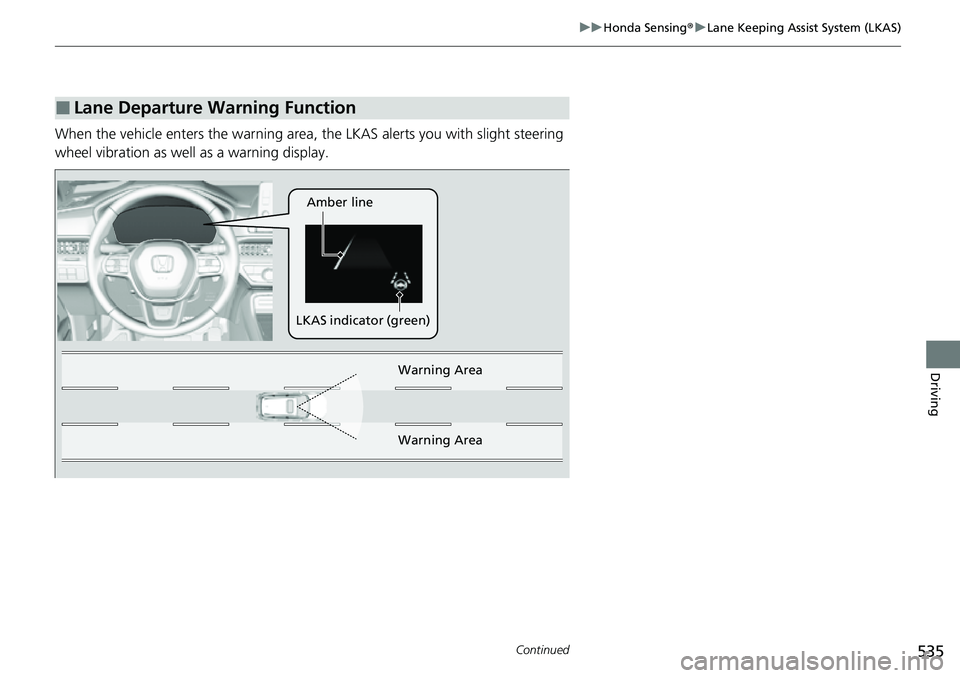
When the vehicle enters the warning area, the LKAS alerts you with slight steering
wheel vibration as well as a warning display.
■Lane Departure Warning Function
LKAS indicator (green) Amber line
Warning Area
Warn
ing Area
Page 541 of 719
540
uuHonda Sensing ®u Lane Keeping Assist System (LKAS)
Driving
■The LKAS may be automa tically suspended when:
• The system fails to detect lane lines.
• The steering wheel is turned quickly.
• You fail to steer the vehicle.
• Driving through a sharp curve.
• Driving at a speed in excess of approximately 94 mph (150 km/h).
• The ABS or VSA ® system engages.
Once these conditions no longer exist, the LKAS automatically resumes.
■The LKAS may be automa tically canceled when:
In the following cases, traffic lane lines may disappear on the gauge, the beeper may
sound, and the LKAS may automatically be canceled:
• The camera temperature gets extremely high.
• The camera behind the rearview mirror, or the area around the camera, including
the windshield, gets dirty.
Page 545 of 719
544
uuHonda Sensing ®u Lane Keeping Assist System (LKAS)
Driving
■Vehicle conditions
• When lighting is weak due to dirt covering the headlight lenses, or there is poor
visibility in a dark place due to th e headlights being improperly adjusted.
• The front of the camera is covered by dirt, fog, rain, mud, wet snow, seals,
accessories, stickers, or film on the windshield.
• Driving at night or in a dark place (e .g., a tunnel) with the headlights off.
• There is residue on the windshie ld from the windshield wipers.
• An abnormal tire or wheel condition (incorre ct sizes, varied sizes or construction,
improperly inflated, etc.).
• The vehicle is tilted due to a heavy load in the cargo area or rear seats.
• The suspension has been modified.
• Tire chains are installed.
• The vehicle is towing a trailer.