2023 FORD EXPLORER oil reset
[x] Cancel search: oil resetPage 10 of 573

Drive Mode Control
What Is Drive Mode Control....................273
How Does Drive Mode Control Work.........................................................................273
Selecting a Drive Mode.............................273
Drive Modes...................................................273
Load Carrying
General Information...................................275
Rear Under Floor Storage........................275
Cargo Nets.....................................................276
Roof Racks and Load Carriers................276
Load Limit.......................................................277
Towing
Towing a Trailer...........................................283
Trailer Sway Control..................................284
Recommended Towing Weights..........284
Essential Towing Checks.........................285
Towing the Vehicle on Four Wheels.....287
Driving Hints
Reduced Engine Performance..............288
Cold Weather Precautions......................288
Breaking-In...................................................288
Driving Economically................................288
Driving Through Shallow Water............289
Floor Mats.....................................................289
Roadside Emergencies
Roadside Assistance..................................291
Hazard Flashers...........................................292
Fuel Shutoff..................................................292
Jump Starting the Vehicle.......................293
Collision, Damage or Fire Event............295
Post-Crash Alert System.........................296
Transporting the Vehicle.........................296
Customer Assistance
Getting the Services You Need.............298
In California (U.S. Only)...........................299
The Better Business Bureau (BBB) AutoLine Program (U.S. Only)....................300
Utilizing the Mediation/ArbitrationProgram (Canada Only).......................301
Getting Assistance Outside the U.S. andCanada........................................................301
Ordering Additional Owner's Literature........................................................................303
Reporting Safety Defects (U.S. Only)........................................................................303
Reporting Safety Defects (Canada Only)........................................................................303
Fuses
Fuse Specification Chart.........................305
Changing a Fuse...........................................313
Maintenance
General Information...................................315
Opening and Closing the Hood..............315
Under Hood Overview - 2.3L EcoBoost™.........................................................................316
Under Hood Overview - 3.0L...................317
Under Hood Overview - 3.3L...................318
Engine Oil Dipstick - 2.3L EcoBoost™.........................................................................319
Engine Oil Dipstick - 3.0L.........................319
Engine Oil Dipstick - 3.3L..........................319
Engine Oil Check..........................................319
Oil Change Indicator Reset.....................320
Changing the Engine Air Filter - 2.3LEcoBoost™................................................321
Changing the Engine Air Filter - 3.0L........................................................................322
Changing the Engine Air Filter - 3.3L....323
Engine Coolant Check..............................324
Automatic Transmission Fluid Check........................................................................328
Brake Fluid Check.......................................328
6
2023 Explorer (CTW) Canada/United States of America, enUSA, Edition date: 202209, First-PrintingTable of Contents
Page 14 of 573

Brake fluid - non petroleumbased
Brake system
Brake system
Cabin air filter
Check fuel cap
Child safety door lock or unlock
Child seat lower anchor
Child seat tether anchor
Cruise control
Do not open when hot
Electric Parking brake
Engine air filter
Engine coolant
Engine coolant temperature
Engine oil
Explosive gas
Fan warning
Fasten seatbelt
Flammable
Front fog lamps
Fuel pump reset
Fuse compartment
Hazard flashers
Headlamp high beams
Headlamps on
Heated rear window
Hill descent control
Horn control
Interior luggage compartmentrelease
Jack
10
2023 Explorer (CTW) Canada/United States of America, enUSA, Edition date: 202209, First-PrintingIntroductionE139209 E67024 E270480 E139223 E139211 E141128 E332905 E139219 E139212 E103308 E67022 E139221 E139228 E71880 E231160 E139214 E75790 E67019 E270968 E163171 E270945 E139231
Page 115 of 573
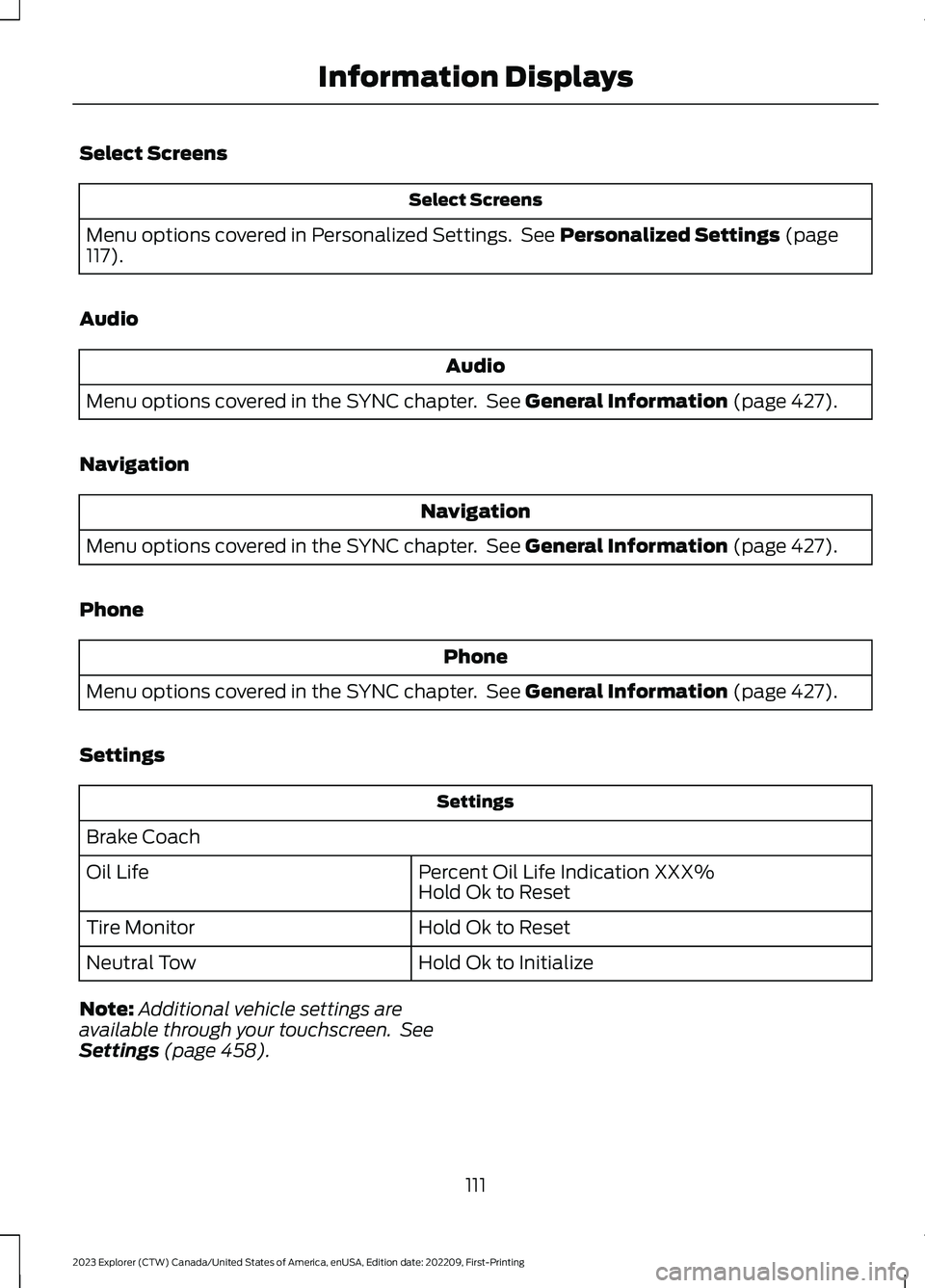
Select Screens
Select Screens
Menu options covered in Personalized Settings. See Personalized Settings (page117).
Audio
Audio
Menu options covered in the SYNC chapter. See General Information (page 427).
Navigation
Navigation
Menu options covered in the SYNC chapter. See General Information (page 427).
Phone
Phone
Menu options covered in the SYNC chapter. See General Information (page 427).
Settings
Settings
Brake Coach
Percent Oil Life Indication XXX%Hold Ok to ResetOil Life
Hold Ok to ResetTire Monitor
Hold Ok to InitializeNeutral Tow
Note:Additional vehicle settings areavailable through your touchscreen. SeeSettings (page 458).
111
2023 Explorer (CTW) Canada/United States of America, enUSA, Edition date: 202209, First-PrintingInformation Displays
Page 118 of 573
Phone
Phone
Menu options covered in the SYNC chapter. See General Information (page 427).
Settings
Settings
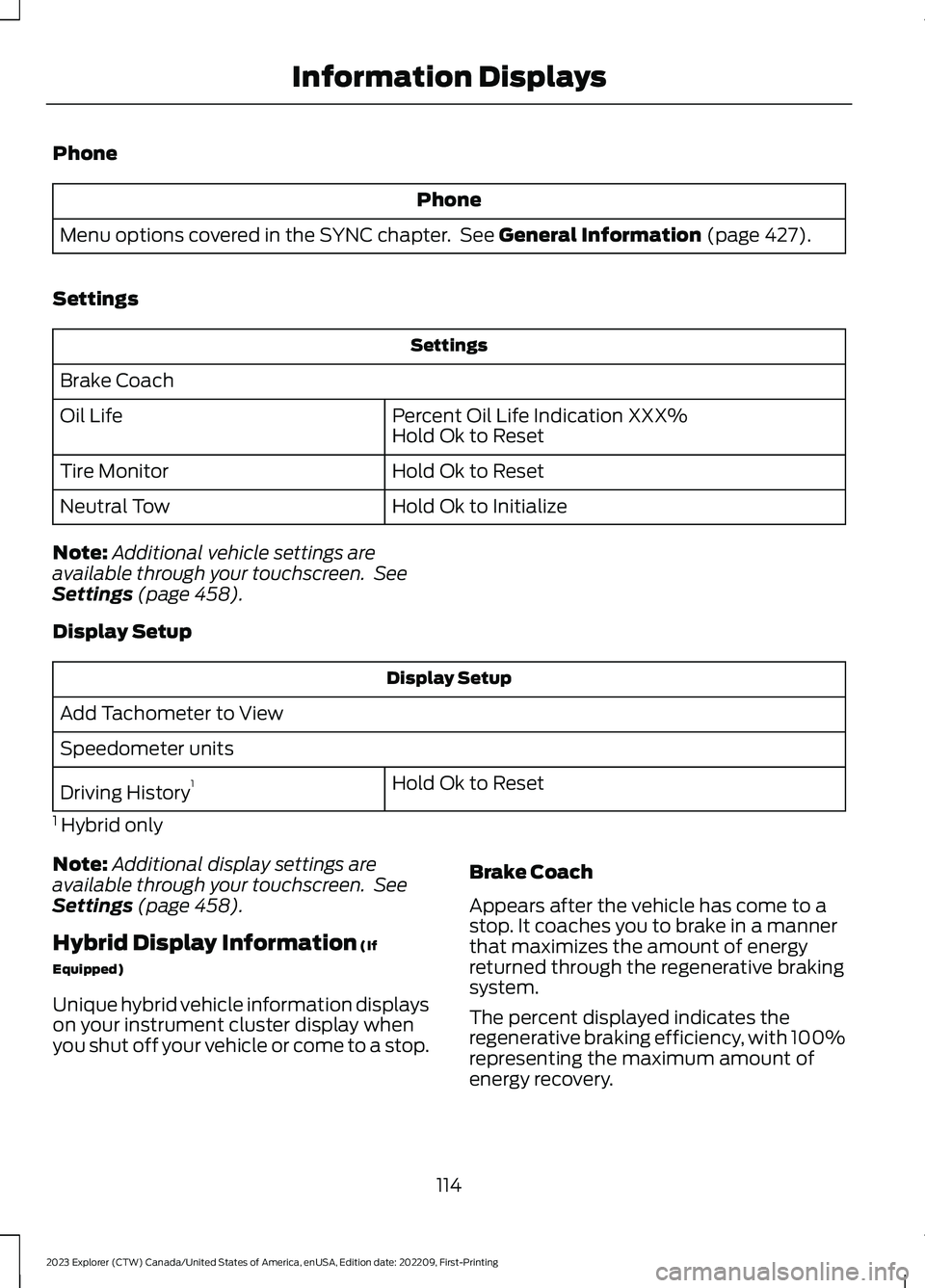
Brake Coach
Percent Oil Life Indication XXX%Hold Ok to ResetOil Life
Hold Ok to ResetTire Monitor
Hold Ok to InitializeNeutral Tow
Note:Additional vehicle settings areavailable through your touchscreen. SeeSettings (page 458).
Display Setup
Display Setup
Add Tachometer to View
Speedometer units
Hold Ok to ResetDriving History1
1 Hybrid only
Note:Additional display settings areavailable through your touchscreen. SeeSettings (page 458).
Hybrid Display Information (If
Equipped)
Unique hybrid vehicle information displayson your instrument cluster display whenyou shut off your vehicle or come to a stop.
Brake Coach
Appears after the vehicle has come to astop. It coaches you to brake in a mannerthat maximizes the amount of energyreturned through the regenerative brakingsystem.
The percent displayed indicates theregenerative braking efficiency, with 100%representing the maximum amount ofenergy recovery.
114
2023 Explorer (CTW) Canada/United States of America, enUSA, Edition date: 202209, First-PrintingInformation Displays
Page 324 of 573

Note:The oil consumption of new enginesreaches its normal level after approximately3,000 mi (5,000 km).
Note:Increases in oil level can occur fromfrequent short trips that do not allow theengine to get to operating temperature, aswell as frequent idling or low speed drivingfor long periods of time.
Note:If oil levels are continuously notedabove the maximum mark, schedule a visitto your authorized dealer.
Adding Engine Oil
WARNING: Do not add engine oilwhen the engine is hot. Failure to followthis instruction could result in personalinjury.
WARNING: Do not remove the fillercap when the engine is running.
Do not use supplemental engine oiladditives because they are unnecessaryand could lead to engine damage that thevehicle warranty may not cover.
1.Clean the area surrounding the engineoil filler cap before you remove it.
2.Remove the engine oil filler cap.
3.Add engine oil that meets ourspecifications. See Capacities andSpecifications (page 384).
4.Reinstall the engine oil filler cap. Turnit clockwise until you feel a strongresistance.
Note:Make sure you install the oil filler capcorrectly.
Note: Do not add oil further than themaximum mark. Oil levels above themaximum mark may cause engine damage.
Note:Immediately soak up any oil spillagewith an absorbent cloth.
OIL CHANGE INDICATOR
RESET
Use the information display controls onthe steering wheel to reset the oil changeindicator.
From the main menu scroll to:
Action and descriptionMessage
Press the right arrow button,then from this menu scrollto the following message.
Settings
Press the right arrow button,then from this menu scrollto the following message.
Vehicle
Press and hold the OKbutton until the instrumentcluster displays thefollowing message.
Hold OK toReset
Reset Successful
When the oil change indic-ator resets the instrumentcluster displays 100%.
Remaining Life
{00}%
If the instrument clusterdisplays one of the followingmessages, repeat theprocess.
Not Reset
Reset Cancelled
320
2023 Explorer (CTW) Canada/United States of America, enUSA, Edition date: 202209, First-PrintingMaintenance
Page 349 of 573
Body
•Wash your vehicle thoroughly toremove dirt, grease, oil, tar or mud fromexterior surfaces, rear-wheel housingand the underside of front fenders.
•Periodically wash your vehicle if it isstored in exposed locations.
•Touch-up exposed or primed metal toprevent rust.
•Cover chrome and stainless steel partswith a thick coat of auto wax to preventdiscoloration. Re-wax as necessarywhen you wash your vehicle.
•Lubricate all hood, door and luggagecompartment hinges and latches witha light grade oil.
•Cover interior trim to prevent fading.
•Keep all rubber parts free from oil andsolvents.
Engine
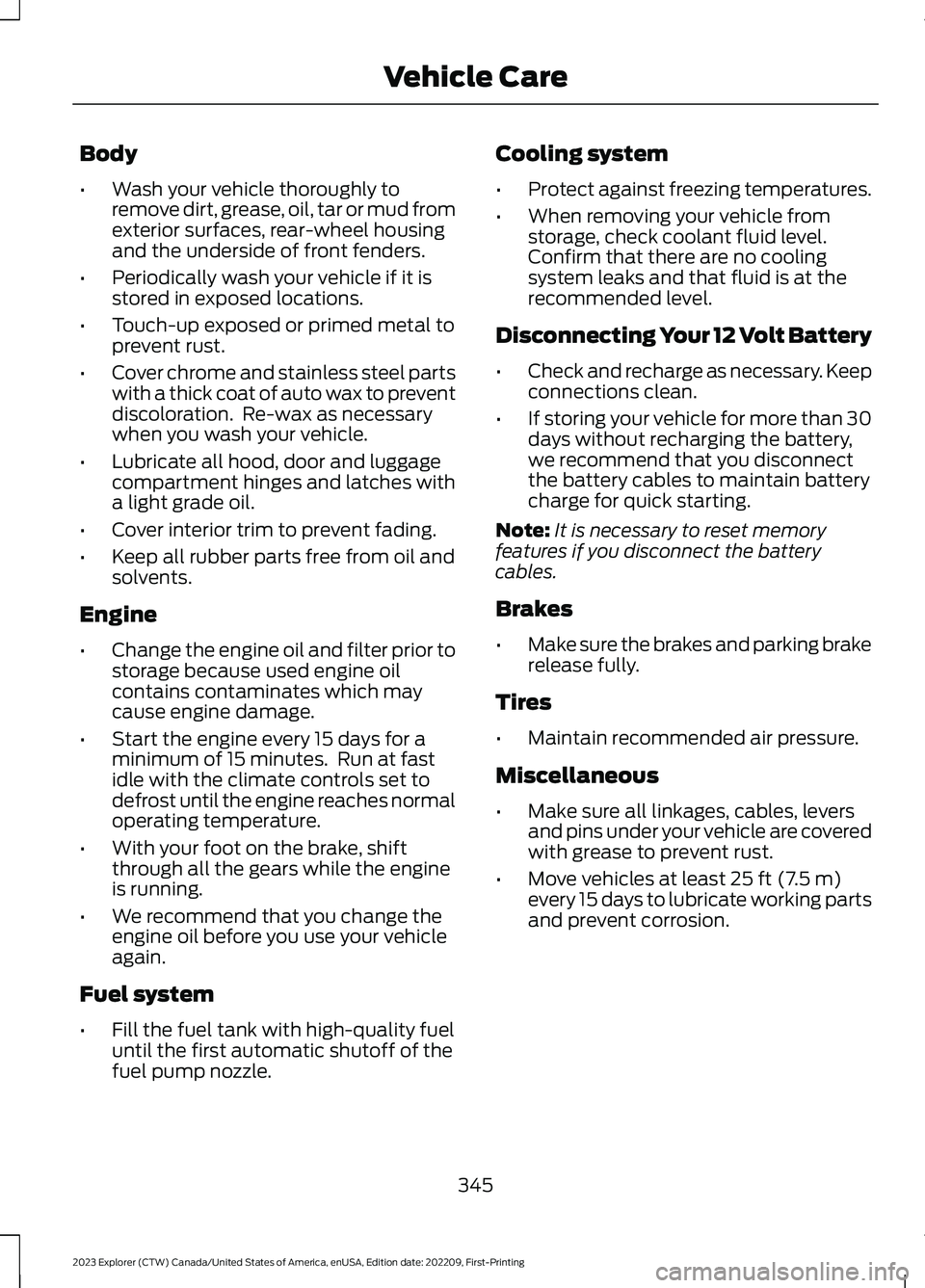
•Change the engine oil and filter prior tostorage because used engine oilcontains contaminates which maycause engine damage.
•Start the engine every 15 days for aminimum of 15 minutes. Run at fastidle with the climate controls set todefrost until the engine reaches normaloperating temperature.
•With your foot on the brake, shiftthrough all the gears while the engineis running.
•We recommend that you change theengine oil before you use your vehicleagain.
Fuel system
•Fill the fuel tank with high-quality fueluntil the first automatic shutoff of thefuel pump nozzle.
Cooling system
•Protect against freezing temperatures.
•When removing your vehicle fromstorage, check coolant fluid level.Confirm that there are no coolingsystem leaks and that fluid is at therecommended level.
Disconnecting Your 12 Volt Battery
•Check and recharge as necessary. Keepconnections clean.
•If storing your vehicle for more than 30days without recharging the battery,we recommend that you disconnectthe battery cables to maintain batterycharge for quick starting.
Note:It is necessary to reset memoryfeatures if you disconnect the batterycables.
Brakes
•Make sure the brakes and parking brakerelease fully.
Tires
•Maintain recommended air pressure.
Miscellaneous
•Make sure all linkages, cables, leversand pins under your vehicle are coveredwith grease to prevent rust.
•Move vehicles at least 25 ft (7.5 m)every 15 days to lubricate working partsand prevent corrosion.
345
2023 Explorer (CTW) Canada/United States of America, enUSA, Edition date: 202209, First-PrintingVehicle Care
Page 481 of 573
Your vehicle can be driven in such a waythat dilutes and increases the level of oilby short trips that do not allow the engineto get to operating temperature, extendedidling, and low speed driving for longperiods of time.
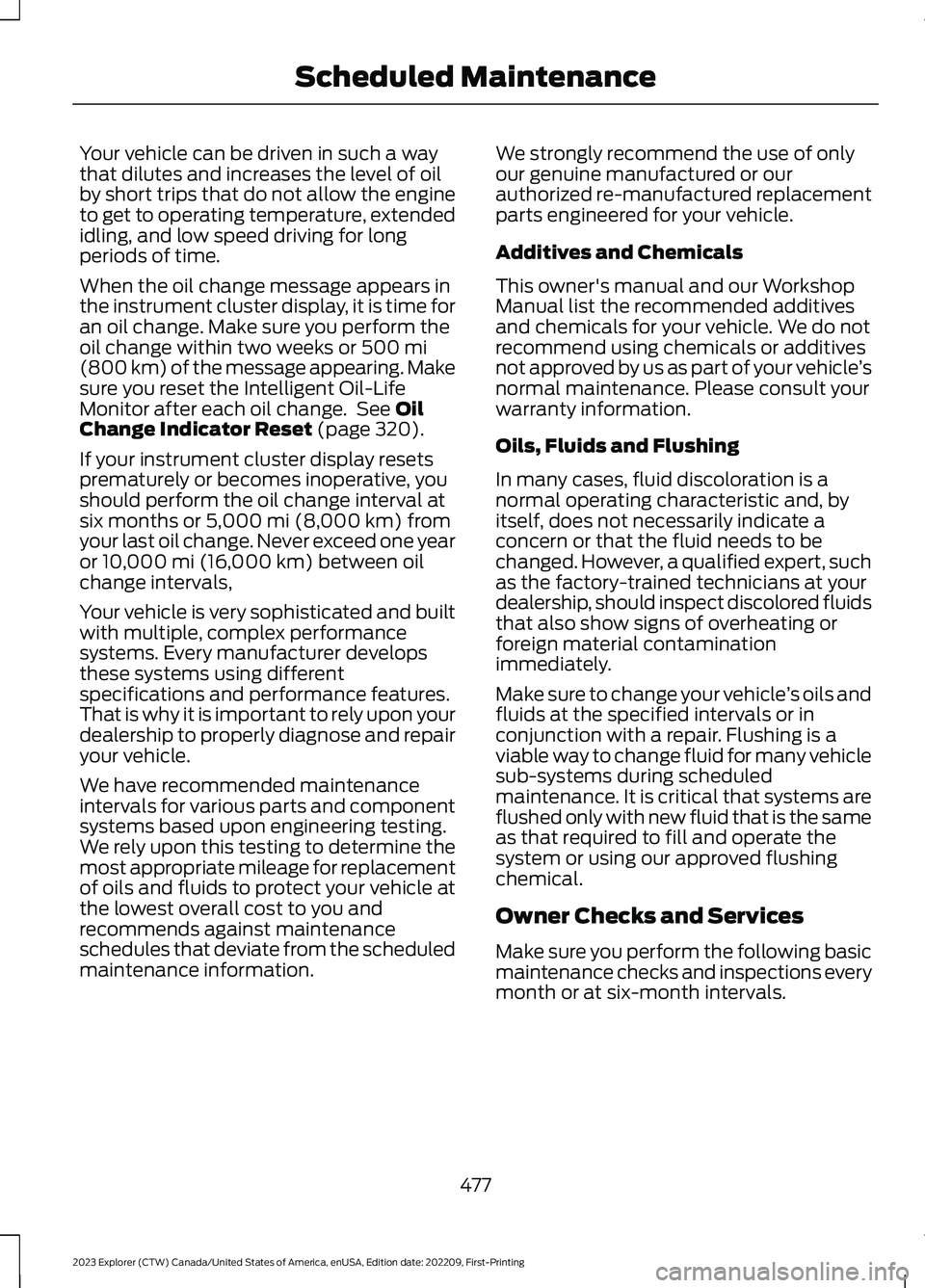
When the oil change message appears inthe instrument cluster display, it is time foran oil change. Make sure you perform theoil change within two weeks or 500 mi(800 km) of the message appearing. Makesure you reset the Intelligent Oil-LifeMonitor after each oil change. See OilChange Indicator Reset (page 320).
If your instrument cluster display resetsprematurely or becomes inoperative, youshould perform the oil change interval atsix months or 5,000 mi (8,000 km) fromyour last oil change. Never exceed one yearor 10,000 mi (16,000 km) between oilchange intervals,
Your vehicle is very sophisticated and builtwith multiple, complex performancesystems. Every manufacturer developsthese systems using differentspecifications and performance features.That is why it is important to rely upon yourdealership to properly diagnose and repairyour vehicle.
We have recommended maintenanceintervals for various parts and componentsystems based upon engineering testing.We rely upon this testing to determine themost appropriate mileage for replacementof oils and fluids to protect your vehicle atthe lowest overall cost to you andrecommends against maintenanceschedules that deviate from the scheduledmaintenance information.
We strongly recommend the use of onlyour genuine manufactured or ourauthorized re-manufactured replacementparts engineered for your vehicle.
Additives and Chemicals
This owner's manual and our WorkshopManual list the recommended additivesand chemicals for your vehicle. We do notrecommend using chemicals or additivesnot approved by us as part of your vehicle’snormal maintenance. Please consult yourwarranty information.
Oils, Fluids and Flushing
In many cases, fluid discoloration is anormal operating characteristic and, byitself, does not necessarily indicate aconcern or that the fluid needs to bechanged. However, a qualified expert, suchas the factory-trained technicians at yourdealership, should inspect discolored fluidsthat also show signs of overheating orforeign material contaminationimmediately.
Make sure to change your vehicle’s oils andfluids at the specified intervals or inconjunction with a repair. Flushing is aviable way to change fluid for many vehiclesub-systems during scheduledmaintenance. It is critical that systems areflushed only with new fluid that is the sameas that required to fill and operate thesystem or using our approved flushingchemical.
Owner Checks and Services
Make sure you perform the following basicmaintenance checks and inspections everymonth or at six-month intervals.
477
2023 Explorer (CTW) Canada/United States of America, enUSA, Edition date: 202209, First-PrintingScheduled Maintenance
Page 485 of 573

At Every Oil Change Interval as Indicated by the Information Display1
Inspect the steering linkage, ball joints, suspension and the tire-rod ends.
Inspect the tires, tire wear and measure the tread depth.
Inspect the wheels and related components for abnormal noise, wear, looseness ordrag.
1 Do not exceed one year or 10,000 mi (16,000 km) between service intervals.2 Reset the Intelligent Oil-Life Monitor after engine oil and filter changes. See Engine OilCheck (page 319).
Brake Fluid Maintenance1
Change the brake fluid.2Every Three Years
1 Perform this maintenance item every three years. Do not exceed the designated timefor the interval.2 Brake fluid servicing requires special equipment available at your authorized dealer.
Other Maintenance Items1
Replace the cabin air filter.Every 20,000 mi(32,000 km)
Replace the engine air filter.Every 30,000 mi(48,000 km)
Change the engine coolant and motor electronics coolant.2At 200,000 mi(322,000 km)
Replace the spark plugs.Every 100,000 mi(160,000 km)
Inspect the accessory drive belt or belts.3Every 100,000 mi(160,000 km)
481
2023 Explorer (CTW) Canada/United States of America, enUSA, Edition date: 202209, First-PrintingScheduled Maintenance