2023 FORD EXPLORER display
[x] Cancel search: displayPage 154 of 573

Lumbar and Bolster ModeMassage Mode
Upper lumbarBack massage intensityadjustmentA
Lumbar decreaseMassage intensity decrease
and off*B
Lower lumbar**Cushion massage intensityadjustmentC
Lumbar increaseMassage intensity increaseD
-On and offE
*The massage feature defaults to analternating massage mode with backmassage intensity adjustment. The lumbarand bolster feature defaults to the middlelumbar mode.**Press C a second time to adjust the backbolster. Press C a third time to adjust thecushion bolster.
You can also adjust this feature throughthe touchscreen. When switched on, thesystem displays directions for you to adjustthe lumbar settings in your seat or to setthe massage function.
MEMORY FUNCTION (IF EQUIPPED)
WARNING: Before activating thememory seat, make sure that the areaimmediately surrounding the seat is clearof obstructions and that all occupantsare clear of moving parts.
WARNING: Do not use the memoryfunction when your vehicle is moving.
This feature recalls the position of thefollowing:
•Driver seat.
•Power mirrors.
•Optional power steering column.
The memory control is on the driver door.
Saving a PreSet Position
1.Switch the ignition on.
2.Adjust the memory features to yourpreferred position.
3.Press and hold the preferred presetbutton until you hear a single tone.
You can save up to three preset memorypositions. You can save a memory presetat any time.
150
2023 Explorer (CTW) Canada/United States of America, enUSA, Edition date: 202209, First-PrintingSeatsE142554
Page 162 of 573
WHAT IS THE REAR
OCCUPANT ALERT SYSTEM
The rear occupant alert system monitorsvehicle conditions and notifies you to checkfor rear seat occupants when you switchthe ignition off.
HOW DOES THE REAR
OCCUPANT ALERT SYSTEM
WORK
The system monitors when rear doors havebeen opened and closed to indicate thepotential presence of an occupant in therear seat.
A message displays in the information andentertainment display screen and anaudible warning sounds when you switchthe ignition off after any of the followingconditions have been met:
•A rear door is opened or closed whilethe ignition is on.
•You switch the ignition on within 15minutes of a rear door opening andclosing.
•You switch the ignition on within 15minutes of the alert having displayedor sounded.
REAR OCCUPANT ALERT
SYSTEM PRECAUTIONS
WARNING: On hot days, thetemperature inside the vehicle can risevery quickly. Exposure of people oranimals to these high temperatures foreven a short time can cause death orserious heat related injuries, includingbrain damage. Small children areparticularly at risk.
WARNING: Do not leave childrenor pets unattended in your vehicle.Failure to follow this instruction couldresult in personal injury or death.
REAR OCCUPANT ALERT
SYSTEM LIMITATIONS
The system does not detect the presenceof objects or passengers in the rear seat.It monitors when rear doors are openedand closed.
Note:It is possible to receive an alert whenthere is no rear seat occupant, but alertconditions are met.
Note:It is possible to receive no alert whenthere is an occupant in the rear seat, if alertconditions are not met. For example, if a rearseat occupant does not enter the vehiclethrough a rear door.
Note:The audible warning does not soundwhen the front door is opened before youswitch the ignition off.
SWITCHING REAR OCCUPANT
ALERT SYSTEM ON AND OFF
1.Press Settings on the touchscreen.
2.Press Vehicle.
3.Switch Rear Occupant Alert on or off.
Note:The default setting is on.
Note:Performing a master reset causes thesystem to switch on again.
Semiannual Reminder (If Equipped)
When you switch the system off, amessage appears every six months as areminder that the system is off. You canswitch the system back on or leave it off.
158
2023 Explorer (CTW) Canada/United States of America, enUSA, Edition date: 202209, First-PrintingRear Occupant Alert System
Page 163 of 573
REAR OCCUPANT ALERT
SYSTEM INDICATORS
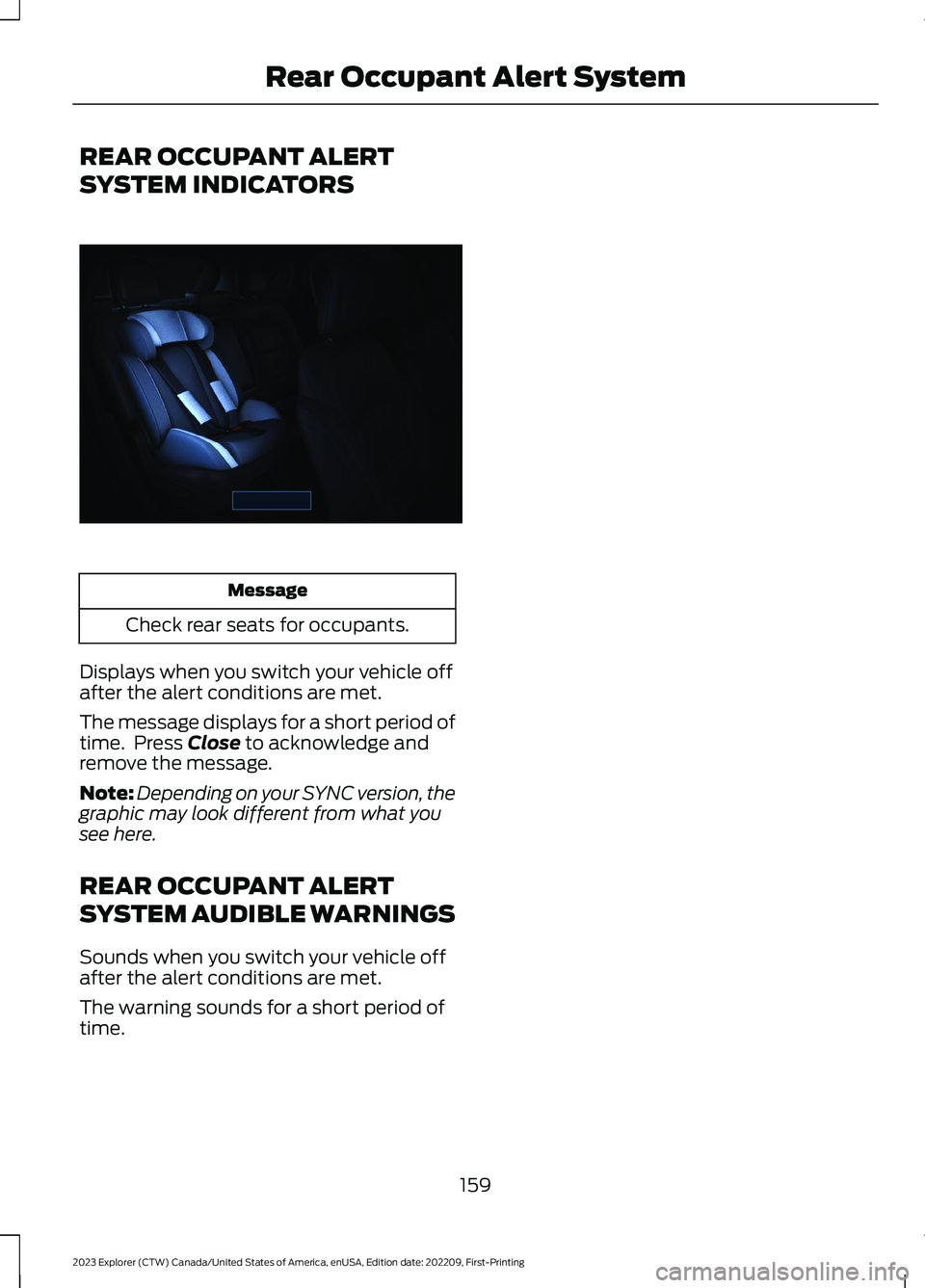
Message
Check rear seats for occupants.
Displays when you switch your vehicle offafter the alert conditions are met.
The message displays for a short period oftime. Press Close to acknowledge andremove the message.
Note:Depending on your SYNC version, thegraphic may look different from what yousee here.
REAR OCCUPANT ALERT
SYSTEM AUDIBLE WARNINGS
Sounds when you switch your vehicle offafter the alert conditions are met.
The warning sounds for a short period oftime.
159
2023 Explorer (CTW) Canada/United States of America, enUSA, Edition date: 202209, First-PrintingRear Occupant Alert SystemE350472
Page 170 of 573

WHAT IS THE WIRELESS
ACCESSORY CHARGER
The wireless accessory charger allows youto charge one compatible Qi wirelesscharging device on the charging area.
WIRELESS ACCESSORY
CHARGER PRECAUTIONS
WARNING: Wireless chargingdevices can affect the operation ofimplanted medical devices, includingcardiac pacemakers. If you have anyimplanted medical devices, werecommend that you consult with yourphysician.
Keep the charging area clean and removeforeign objects prior to charging a device.
Do not place items with a magnetic stripor radio-frequency identification chip, forexample passports, parking tickets,transportation passes or credit cards, nearthe charging area when charging a device.Damage could occur to the magnetic stripor radio-frequency identification chip.
Do not place metal objects, for exampleremote controls, coins and candywrappers, on or near the charging areawhen charging a device. Metal objects mayheat up and degrade the chargingperformance, in addition to causinginterruptions in charging.
Charging could be interrupted, degraded,or could stop if any of the following occur:
•The system detects a foreign object.
•The device is misaligned on thecharging area.
•The device moves on the activecharging area when the vehicle is inmotion.
•The vehicle ambient temperature is toohigh.
•You attempt to charge a non-Qicompatible device on the wirelesscharger.
Note:During charging, the device and thecharger could heat up, this is normal. If thebattery gets hotter than usual, the devicemay stop charging.
LOCATING THE WIRELESS
ACCESSORY CHARGER
The charging area is on thecenter console or in the mediabin below the instrument panel.
CHARGING A WIRELESS
DEVICE
Place the device on the center of thecharging surface with the charging sidedown. The charging stops after your devicereaches a full charge.
You can use the charger when the vehicleis in accessory mode, when the vehicle isrunning, or when SYNC is on.
Displays on the status bar whenwireless charging is in progress.
Note:The charging performance may beaffected if your device is in a case. It may benecessary to remove the case to wirelesslycharge your device.
Note:Software and firmware updates mayaffect device compatibility, including theuse of unofficial software or firmware. Youshould verify charging functionality with yourspecific devices in-vehicle.
166
2023 Explorer (CTW) Canada/United States of America, enUSA, Edition date: 202209, First-PrintingWireless Accessory Charger (If Equipped)E297549 E263583
Page 173 of 573

KEYLESS STARTING (IF EQUIPPED)
Note:The system may not function if theremote control is close to metal objects orelectronic devices, for example keys or a cellphone.
Note:A valid remote control must belocated inside your vehicle to switch theignition on and start your vehicle.
Ignition Modes
The keyless starting system has threemodes:
Off: Turns the ignition off.
•Without applying the brake pedal,press and release the button oncewhen the ignition is in the on mode, orwhen your vehicle is running but is notmoving.
On: All electrical circuits are operationaland the warning lamps and indicatorsilluminate.
•Without applying the brake pedal,press and release the button once.
Start: Starts your vehicle. The engine maynot start when your vehicle starts.
•Press the brake pedal, and then pressthe button for any length of time.
STARTING A GASOLINE
ENGINE
When you start the engine, the idle speedincreases. This helps to warm up theengine. If the engine idle speed does notslow down, have your vehicle checked assoon as possible.
Note: You can crank the engine for a totalof 60 seconds without the engine startingbefore the starting system temporarilydisables. The 60 seconds does not have tobe all at once. For example, if you crank theengine three times for 20 seconds eachtime, without the engine starting, youreached the 60-second time limit. Amessage appears in the information displayalerting you that you exceeded the crankingtime. You cannot attempt to start theengine for at least 15 minutes. After 15minutes, you are limited to a 15-secondengine cranking time. You need to wait 60minutes before you can crank the engine for60 seconds again.
Before starting your vehicle, check thefollowing:
•Make sure all occupants fasten theirseatbelt.
•Make sure the headlamps andelectrical accessories are off.
•Make sure the parking brake is on.
•Make sure the transmission is in park(P).
•Switch the ignition on. For vehicles witha keyless ignition, see the followinginstructions.
Vehicles with an Ignition Key
Note:Do not touch the accelerator pedal.
1.Fully press the brake pedal.
2.Turn the key to the start position tostart your vehicle.
169
2023 Explorer (CTW) Canada/United States of America, enUSA, Edition date: 202209, First-PrintingStarting and Stopping the EngineE357532
Page 175 of 573
Automatic Engine Shutdown
For vehicles with a keyless ignition, thisfeature shuts down the engine if it hasbeen idling for an extended period. Theignition also turns off in order to savebattery power. Before your vehicle shutsdown, a message appears in theinformation display showing a timercounting down from 30 seconds. If you donot intervene within 30 seconds, yourvehicle shuts down. Another messageappears in the information display toinform you that your vehicle has shut downto save fuel. Start your vehicle as younormally do.
Automatic Engine Shutdown Override
You can stop the shutdown, or reset thetimer, at any point before the 30-secondcountdown has expired by doing any of thefollowing:
•You can reset the timer by interactingwith your vehicle, for example pressingthe brake or accelerator pedal.
•You can temporarily switch off theshutdown feature any time the ignitionis on. Use the vehicle settings on yourtouchscreen to switch the 30min MaxIdle on or off. The feature only remainsoff for the current ignition cycle.
•During the 30-second countdown, thesystem prompts you to press OK orRESET to temporarily switch thefeature off for the current ignition cycleonly.
Note:You cannot permanently switch offthe automatic shutdown feature. When youtemporarily switch it off, it turns on at thenext ignition cycle.
Stopping the Engine When YourVehicle is Stationary
Vehicles with an Ignition Key
1.Shift into park (P).
2.Switch the ignition off.
3.Apply the parking brake.
Vehicles with Keyless Start
1.Shift into park (P).
2.Press the push button ignition switch.
3.Apply the parking brake.
Note:The ignition, all electrical circuits andall warning lamps and indicators will beturned off.
Note:If the engine is idling for 30 minutes,the ignition and engine automatically shutdown.
Stopping the Engine When YourVehicle is Moving
WARNING: Switching off theengine when your vehicle is still movingresults in a significant decrease inbraking assistance. Higher effort isrequired to apply the brakes and to stopyour vehicle. A significant decrease insteering assistance could also occur. Thesteering does not lock, but higher effortcould be required to steer your vehicle.When you switch the ignition off, someelectrical circuits, for example airbags,also turn off. If you unintentionally switchthe ignition off, shift into neutral (N) andrestart the engine.
Vehicles with an Ignition Key
1.Switch the ignition off.
2.Shift into neutral and use the brakes tobring your vehicle to a safe stop.
3.Apply the parking brake.
Vehicles with Keyless Start
1.Press and hold the push button ignitionswitch, or press it three times withintwo seconds.
171
2023 Explorer (CTW) Canada/United States of America, enUSA, Edition date: 202209, First-PrintingStarting and Stopping the Engine
Page 177 of 573
Fast Restart
The fast restart feature allows you torestart your vehicle within 20 seconds ofswitching it off, even if it does not detecta valid passive key.
Within 20 seconds of switching yourvehicle off, press the brake pedal and pressthe push button ignition switch. After 20seconds, you can no longer start yourvehicle if it does not detect a valid passivekey.
Once your vehicle starts, it remains runninguntil you press the push button ignitionswitch, even if your vehicle does not detecta valid passive key. You cannot start yourvehicle if the system does not detect avalid passive key within 20 seconds.
Automatic Engine Shutdown
For vehicles with a keyless ignition, thisfeature shuts down the engine if it hasbeen idling for an extended period. Theignition also turns off in order to savebattery power. Before your vehicle shutsdown, a message appears in theinformation display showing a timercounting down from 30 seconds. If you donot intervene within 30 seconds, yourvehicle shuts down. Another messageappears in the information display toinform you that your vehicle has shut downto save fuel. Start your vehicle as younormally do.
Note:Automatic Engine Shutdown may bemore frequent for hybrid vehicles.
Automatic Engine Shutdown Override
Note: You cannot permanently switch offthe automatic shutdown feature. When youswitch it off temporarily, it turns on at thenext ignition cycle.
You can stop the shutdown, or reset thetimer, at any point before the 30-secondcountdown expires by doing any of thefollowing:
•You can reset the timer by interactingwith your vehicle, for example pressingthe brake or accelerator pedal.
•You can temporarily switch off theshutdown feature any time the ignitionis on using the information display. SeeInformation Displays (page 110). Thefeature only remains off for the currentignition cycle.
•During the 30-second countdown, thesystem prompts you to press OK orRESET to temporarily switch thefeature off for the current ignition cycleonly.
Switching Off Your Vehicle WhenIt Is Stationary
1.Put the transmission in park (P).
2.Press the push button ignition switchonce.
3.Apply the parking brake.
Note:This switches off the ignition, warninglamps and indicators.
Switching Off Your Vehicle WhenIt Is Moving
WARNING: Switching off theengine when your vehicle is still movingresults in a significant decrease inbraking assistance. Higher effort isrequired to apply the brakes and to stopyour vehicle. A significant decrease insteering assistance could also occur. Thesteering does not lock, but higher effort
173
2023 Explorer (CTW) Canada/United States of America, enUSA, Edition date: 202209, First-PrintingStarting and Stopping the Engine
Page 180 of 573
AUTO-START-STOP (IF EQUIPPED)
The system helps reduce fuel consumptionby automatically stopping and restartingthe engine when your vehicle has stopped.The engine restarts automatically whenyou release the brake pedal.
In some situations, your vehicle may restartautomatically, for example:
•To maintain interior comfort.
•To recharge the battery.
Note:Power assist steering turns off whenthe engine is off.
Note:If your vehicle is flex fuel capable,Auto-Start-Stop will be inhibited for a shorttime after a refuel event while the systemis verifying the fuel type being used.
WARNING: Apply the parkingbrake, shift into park (P), switch theignition off and remove the key beforeyou leave your vehicle. Failure to followthis instruction could result in personalinjury or death.
WARNING: Apply the parkingbrake, shift into park (P), switch theignition off and remove the key beforeyou open the hood or have any serviceor repair work completed. If you do notswitch the ignition off, the engine couldrestart at any time. Failure to follow thisinstruction could result in personal injuryor death.
WARNING: The system mayrequire the engine to automaticallyrestart when the auto-start-stopindicator illuminates green or flashesamber. Failure to follow this instructioncould result in personal injury.
The Auto-Start-Stop system status isavailable at a glance within the informationdisplay. See Information Displays (page110).
Enabling Auto-Start-Stop
The system automatically enables everytime you start your vehicle if:
•You do not press the Auto-Start-Stopbutton (not illuminated).
•Your vehicle exceeds an initial speedof 3 mph (5 km/h) after you haveinitially started your vehicle.
•You have stopped your vehicle.
•Your foot is on the brake pedal.
•The driver door is closed.
•The interior compartment has cooledor warmed to an acceptable level.
•The front windshield defroster is off.
•You have not turned the steering wheelrapidly or you do not have it at a sharpangle.
•The vehicle is not on a steep roadgrade.
•The battery is within optimal operatingconditions (battery state of charge andtemperature in range).
•The engine coolant is near operatingtemperature.
•Elevation is below about 12,000 ft(3,650 m).
•Ambient temperature is moderate.
•The trailer is not connected.
•If you select Normal, Eco, Snow/Wetor Grass/Gravel/Snow modes.
•You are not in 4H or 4L.
•You have not selected Manual shiftmode.
•Hill descent control is not active.
•You have not selected Tow haul, Sport,Sand or Mud/Rut modes.
176
2023 Explorer (CTW) Canada/United States of America, enUSA, Edition date: 202209, First-PrintingUnique Driving Characteristics