2023 FORD EXPEDITION warning
[x] Cancel search: warningPage 176 of 658
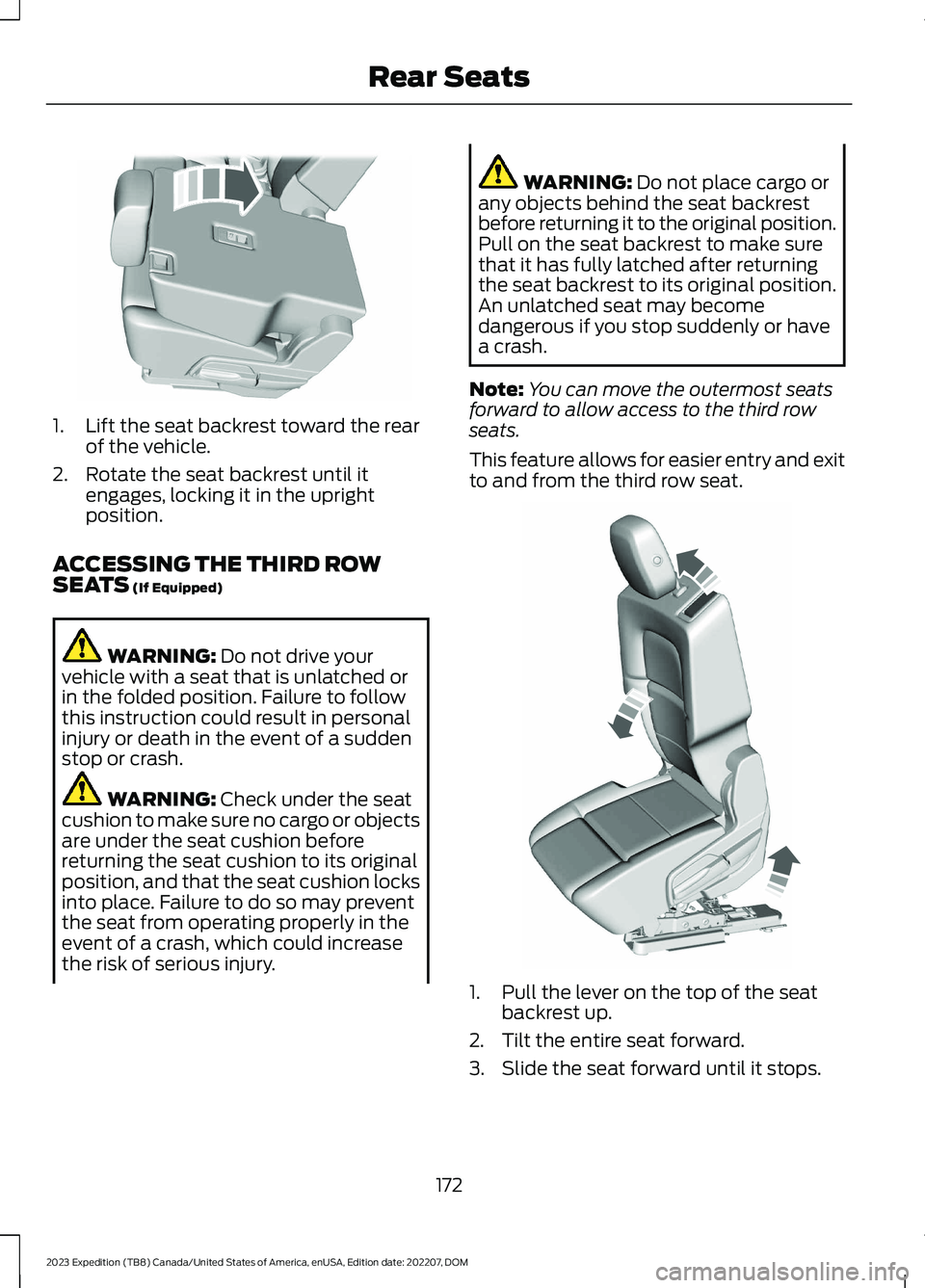
1.Lift the seat backrest toward the rearof the vehicle.
2.Rotate the seat backrest until itengages, locking it in the uprightposition.
ACCESSING THE THIRD ROWSEATS (If Equipped)
WARNING: Do not drive yourvehicle with a seat that is unlatched orin the folded position. Failure to followthis instruction could result in personalinjury or death in the event of a suddenstop or crash.
WARNING: Check under the seatcushion to make sure no cargo or objectsare under the seat cushion beforereturning the seat cushion to its originalposition, and that the seat cushion locksinto place. Failure to do so may preventthe seat from operating properly in theevent of a crash, which could increasethe risk of serious injury.
WARNING: Do not place cargo orany objects behind the seat backrestbefore returning it to the original position.Pull on the seat backrest to make surethat it has fully latched after returningthe seat backrest to its original position.An unlatched seat may becomedangerous if you stop suddenly or havea crash.
Note:You can move the outermost seatsforward to allow access to the third rowseats.
This feature allows for easier entry and exitto and from the third row seat.
1.Pull the lever on the top of the seatbackrest up.
2.Tilt the entire seat forward.
3.Slide the seat forward until it stops.
172
2023 Expedition (TB8) Canada/United States of America, enUSA, Edition date: 202207, DOMRear SeatsE246709 E257686
Page 177 of 658
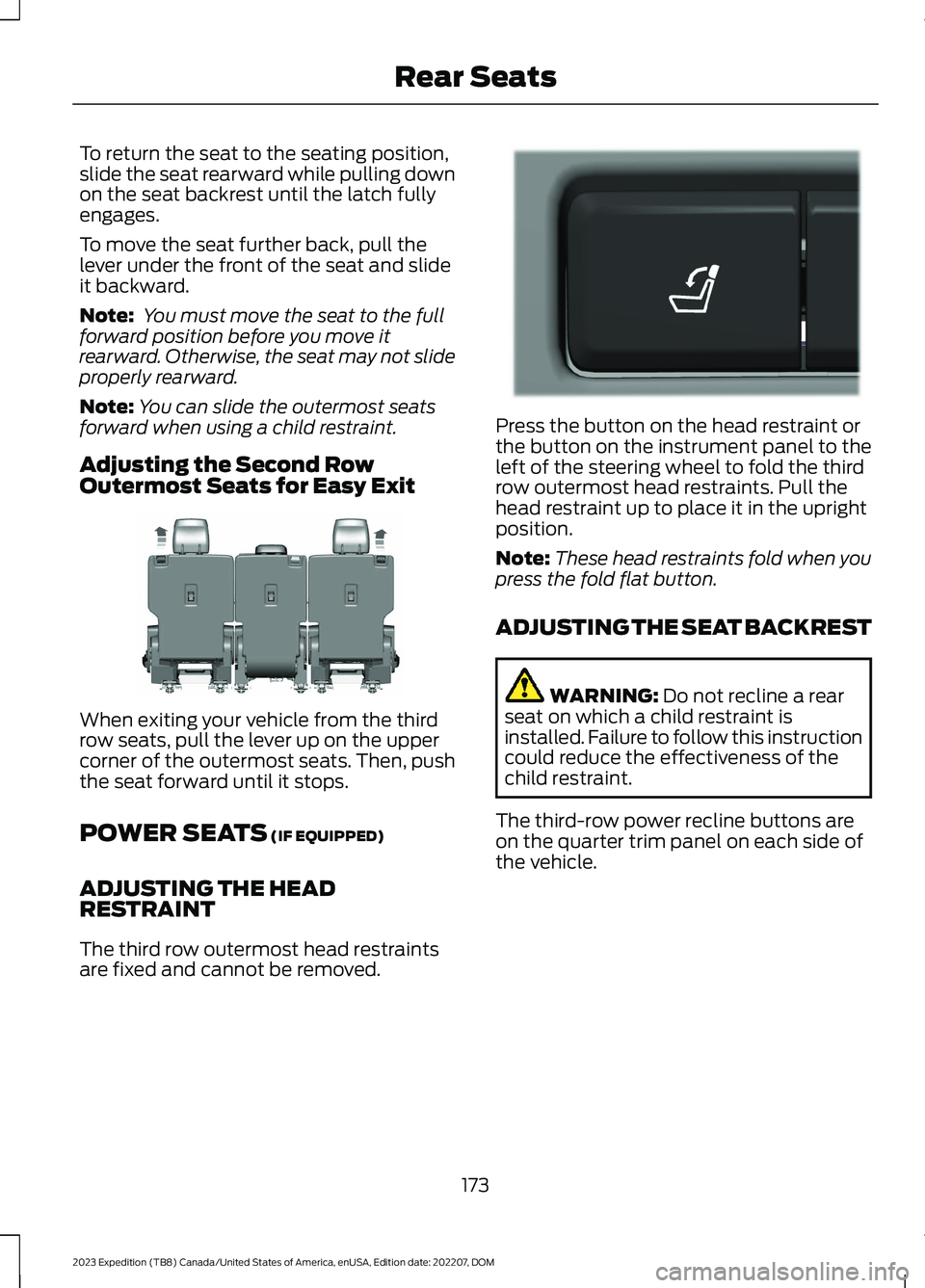
To return the seat to the seating position,slide the seat rearward while pulling downon the seat backrest until the latch fullyengages.
To move the seat further back, pull thelever under the front of the seat and slideit backward.
Note: You must move the seat to the fullforward position before you move itrearward. Otherwise, the seat may not slideproperly rearward.
Note:You can slide the outermost seatsforward when using a child restraint.
Adjusting the Second RowOutermost Seats for Easy Exit
When exiting your vehicle from the thirdrow seats, pull the lever up on the uppercorner of the outermost seats. Then, pushthe seat forward until it stops.
POWER SEATS (IF EQUIPPED)
ADJUSTING THE HEADRESTRAINT
The third row outermost head restraintsare fixed and cannot be removed.
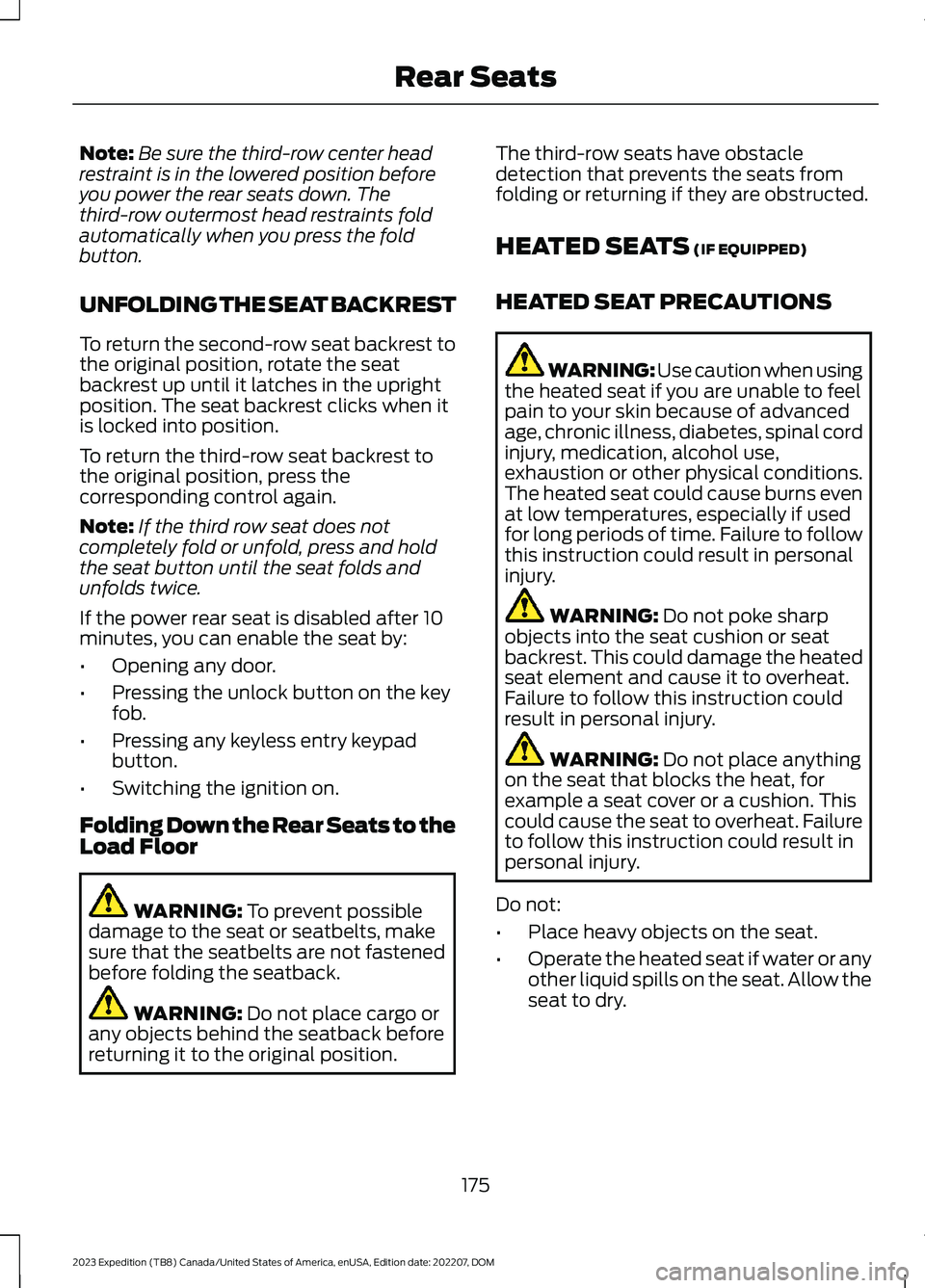
Press the button on the head restraint orthe button on the instrument panel to theleft of the steering wheel to fold the thirdrow outermost head restraints. Pull thehead restraint up to place it in the uprightposition.
Note:These head restraints fold when youpress the fold flat button.
ADJUSTING THE SEAT BACKREST
WARNING: Do not recline a rearseat on which a child restraint isinstalled. Failure to follow this instructioncould reduce the effectiveness of thechild restraint.
The third-row power recline buttons areon the quarter trim panel on each side ofthe vehicle.
173
2023 Expedition (TB8) Canada/United States of America, enUSA, Edition date: 202207, DOMRear SeatsE246708 E272543
Page 179 of 658
Note:Be sure the third-row center headrestraint is in the lowered position beforeyou power the rear seats down. Thethird-row outermost head restraints foldautomatically when you press the foldbutton.
UNFOLDING THE SEAT BACKREST
To return the second-row seat backrest tothe original position, rotate the seatbackrest up until it latches in the uprightposition. The seat backrest clicks when itis locked into position.
To return the third-row seat backrest tothe original position, press thecorresponding control again.
Note:If the third row seat does notcompletely fold or unfold, press and holdthe seat button until the seat folds andunfolds twice.
If the power rear seat is disabled after 10minutes, you can enable the seat by:
•Opening any door.
•Pressing the unlock button on the keyfob.
•Pressing any keyless entry keypadbutton.
•Switching the ignition on.
Folding Down the Rear Seats to theLoad Floor
WARNING: To prevent possibledamage to the seat or seatbelts, makesure that the seatbelts are not fastenedbefore folding the seatback.
WARNING: Do not place cargo orany objects behind the seatback beforereturning it to the original position.
The third-row seats have obstacledetection that prevents the seats fromfolding or returning if they are obstructed.
HEATED SEATS (IF EQUIPPED)
HEATED SEAT PRECAUTIONS
WARNING: Use caution when usingthe heated seat if you are unable to feelpain to your skin because of advancedage, chronic illness, diabetes, spinal cordinjury, medication, alcohol use,exhaustion or other physical conditions.The heated seat could cause burns evenat low temperatures, especially if usedfor long periods of time. Failure to followthis instruction could result in personalinjury.
WARNING: Do not poke sharpobjects into the seat cushion or seatbackrest. This could damage the heatedseat element and cause it to overheat.Failure to follow this instruction couldresult in personal injury.
WARNING: Do not place anythingon the seat that blocks the heat, forexample a seat cover or a cushion. Thiscould cause the seat to overheat. Failureto follow this instruction could result inpersonal injury.
Do not:
•Place heavy objects on the seat.
•Operate the heated seat if water or anyother liquid spills on the seat. Allow theseat to dry.
175
2023 Expedition (TB8) Canada/United States of America, enUSA, Edition date: 202207, DOMRear Seats
Page 181 of 658
WHAT IS THE REAR
OCCUPANT ALERT SYSTEM
The rear occupant alert system monitorsvehicle conditions and notifies you to checkfor rear seat occupants when you switchthe ignition off.
HOW DOES THE REAR
OCCUPANT ALERT SYSTEM
WORK
The system monitors when rear doors havebeen opened and closed to indicate thepotential presence of an occupant in therear seat.
A message displays in the information andentertainment display screen and anaudible warning sounds when you switchthe ignition off after any of the followingconditions have been met:
•A rear door is opened or closed whilethe ignition is on.
•You switch the ignition on within 15minutes of a rear door opening andclosing.
•You switch the ignition on within 15minutes of the alert having displayedor sounded.
REAR OCCUPANT ALERT
SYSTEM PRECAUTIONS
WARNING: On hot days, thetemperature inside the vehicle can risevery quickly. Exposure of people oranimals to these high temperatures foreven a short time can cause death orserious heat related injuries, includingbrain damage. Small children areparticularly at risk.
WARNING: Do not leave childrenor pets unattended in your vehicle.Failure to follow this instruction couldresult in personal injury or death.
REAR OCCUPANT ALERT
SYSTEM LIMITATIONS
The system does not detect the presenceof objects or passengers in the rear seat.It monitors when rear doors are openedand closed.
Note:It is possible to receive an alert whenthere is no rear seat occupant, but alertconditions are met.
Note:It is possible to receive no alert whenthere is an occupant in the rear seat, if alertconditions are not met. For example, if a rearseat occupant does not enter the vehiclethrough a rear door.
Note:The audible warning does not soundwhen the front door is opened before youswitch the ignition off.
SWITCHING REAR OCCUPANT
ALERT SYSTEM ON AND OFF -
VEHICLES WITH: 12 INCH
SCREEN
1.Press Settings on the touchscreen.
2.Press Vehicle.
3.Switch Rear Occupant Alert on or off.
Note:The default setting is on.
Note:Performing a master reset causes thesystem to switch on again.
177
2023 Expedition (TB8) Canada/United States of America, enUSA, Edition date: 202207, DOMRear Occupant Alert System
Page 182 of 658
Semiannual Reminder (If Equipped)
When you switch the system off, amessage appears every six months as areminder that the system is off. You canswitch the system back on or leave it off.
SWITCHING REAR OCCUPANT
ALERT SYSTEM ON AND OFF -
VEHICLES WITH: 15 INCH
SCREEN
1.Access the vehicle drawer on thetouchscreen.
2.Press SETTINGS.
3.Press Vehicle.
4.Switch Rear Occupant Alert on or off.
Note:The default setting is on.
Note:Performing a master reset causes thesystem to switch on again.
Semiannual Reminder (If Equipped)
When you switch the system off, amessage appears every six months as areminder that the system is off. You canswitch the system back on or leave it off.
REAR OCCUPANT ALERT
SYSTEM INDICATORS
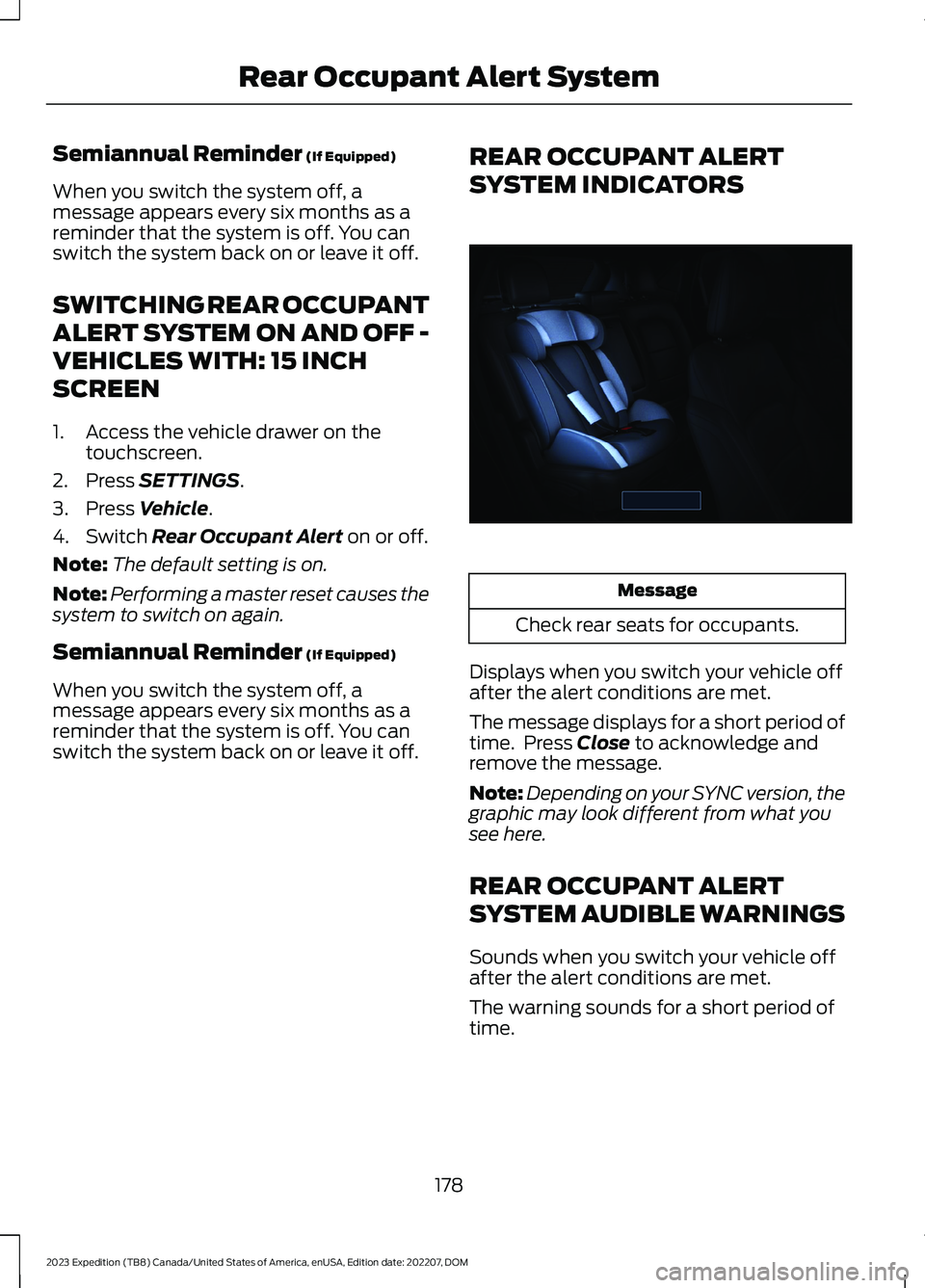
Message
Check rear seats for occupants.
Displays when you switch your vehicle offafter the alert conditions are met.
The message displays for a short period oftime. Press Close to acknowledge andremove the message.
Note:Depending on your SYNC version, thegraphic may look different from what yousee here.
REAR OCCUPANT ALERT
SYSTEM AUDIBLE WARNINGS
Sounds when you switch your vehicle offafter the alert conditions are met.
The warning sounds for a short period oftime.
178
2023 Expedition (TB8) Canada/United States of America, enUSA, Edition date: 202207, DOMRear Occupant Alert SystemE350472
Page 183 of 658

WHAT IS THE MEMORY
FUNCTION
The memory function recalls the positionof these features:
•Driver seat.
•Power mirrors.
•Optional power steering column.
•Optional power adjustable pedals.
MEMORY FUNCTION
PRECAUTIONS
WARNING: Before activating thememory seat, make sure that the areaimmediately surrounding the seat is clearof obstructions and that all occupantsare clear of moving parts.
WARNING: Do not use the memoryfunction when your vehicle is moving.
LOCATING THE MEMORY
FUNCTION BUTTONS
The memory control is on the driver door.
SAVING A PRESET POSITION
1.Adjust the memory features to yourpreferred position.
2.Press and hold the preferred presetbutton until you hear a single tone.
A confirmation message appears in theinformation display.
You can save up to three preset memorypositions at any time.
RECALLING A PRESET
POSITION
Press and release a preset button.
Note:You can recall a preset memoryposition when the ignition is off, or when youplace the transmission in park (P) or neutral(N) if the ignition is on and the vehicle is notmoving.
Note:Pressing any of the preset buttons orany memory feature control during amemory recall cancels the operation.
You can also recall a preset memoryposition by:
•Pressing the unlock button on yourremote control if you linked it to apreset position.
•Unlocking the intelligent driver doorhandle if a linked remote control ispresent.
•Recalling a personal profile in yourSYNC menu.
Using a linked remote control to recall yourmemory position when the ignition is offmoves the seat and steering column to theeasy entry position.
179
2023 Expedition (TB8) Canada/United States of America, enUSA, Edition date: 202207, DOMMemory Function (If Equipped)E142554
Page 185 of 658

GARAGE DOOR OPENER
INTRODUCTION
HomeLink Wireless ControlSystem
The universal garage door opener replacesthe common handheld garage door openerwith a three-button transmitter integratedinto the driver-side sun visor.
How Does The Garage Door OpenerWork
The system includes two primary features,a garage door opener and a platform forremote activation of devices within thehome. You can program garage doors aswell as entry gate operators, securitysystems, entry door locks and home oroffice lighting.
Additional assistance can be found onlineat www.homelink.com/Ford or by callingthe toll-free help line at 1-800-355-3515.
Garage Door Opener Limitations
Canadian radio-frequency laws requiretransmitter signals to time out, or quit,after several seconds – which may not belong enough for HomeLink to pick up thesignal. U.S. gate operators time-out in thesame manner.
GARAGE DOOR OPENER
PRECAUTIONS AND
FREQUENCIES
Garage Door Opener Precautions
WARNING: Do not use the systemwith any garage door opener that doesnot have the safety stop and reversefeature as required by U.S. FederalSafety Standards (this includes anygarage door opener manufacturedbefore April 1, 1982). A garage dooropener which cannot detect an object,signaling the door to stop and reverse,does not meet current federal safetystandards. Using a garage door openerwithout these features increases the riskof serious injury or death.
FCC and RSS-210 Industry CanadaCompliance
WARNING: Changes ormodifications not expressively approvedby the party responsible for compliancecould void the user's authority to operatethe equipment. The term "IC:" before theradio certification number only signifiesthat Industry Canada technicalspecifications were met.
This device complies with Part 15 of theFCC Rules and with RSS-210 of IndustryCanada. Operation is subject to thefollowing two conditions: (1) this devicemay not cause harmful interference, and(2) this device must accept anyinterference received, includinginterference that may cause undesiredoperation.
181
2023 Expedition (TB8) Canada/United States of America, enUSA, Edition date: 202207, DOMGarage Door OpenerE188211
Page 189 of 658
LOCATING THE USB PORTS
Data Transfer USB Ports
The USB ports could be in the followinglocations:
•On the lower instrument panel.
•Inside the center console.
Note: These USB ports can also chargedevices.
Note: Not all USB ports in your vehicle havedata transfer capabilities.
Note: We recommend using only USB-IFcertified cables and adapters. Non-certifiedcables and adapters may not work.
Charge Only USB Ports
The USB ports could be in the followinglocations:
•On the lower instrument panel.
•On the upper instrument panel.
•Inside the media bin.
•Inside the center console.
•On the rear of the center console.
•In the cargo area.
•In the frunk.
PLAYING MEDIA USING THE
USB PORT
WARNING: Driving while distractedcan result in loss of vehicle control, crashand injury. We strongly recommend thatyou use extreme caution when using anydevice that may take your focus off theroad. Your primary responsibility is thesafe operation of your vehicle. Werecommend against the use of anyhand-held device while driving andencourage the use of voice-operatedsystems when possible. Make sure youare aware of all applicable local lawsthat may affect the use of electronicdevices while driving.
Connect your device to a data transfer USBport.
Press the audio button on thefeature bar.
Select Sources.
Select the USB option.
Press to play a track. Press againto pause the track.
Press to skip to the next track.
Press and hold to fast forwardthrough the track.
Press once to return to thebeginning of a track. Repeatedlypress to return to previoustracks.
Press and hold to fast rewind.
CHARGING A DEVICE
Connect your device to the USB port.
185
2023 Expedition (TB8) Canada/United States of America, enUSA, Edition date: 202207, DOMUSB PortsE250655 E263583 E100027