Page 98 of 658
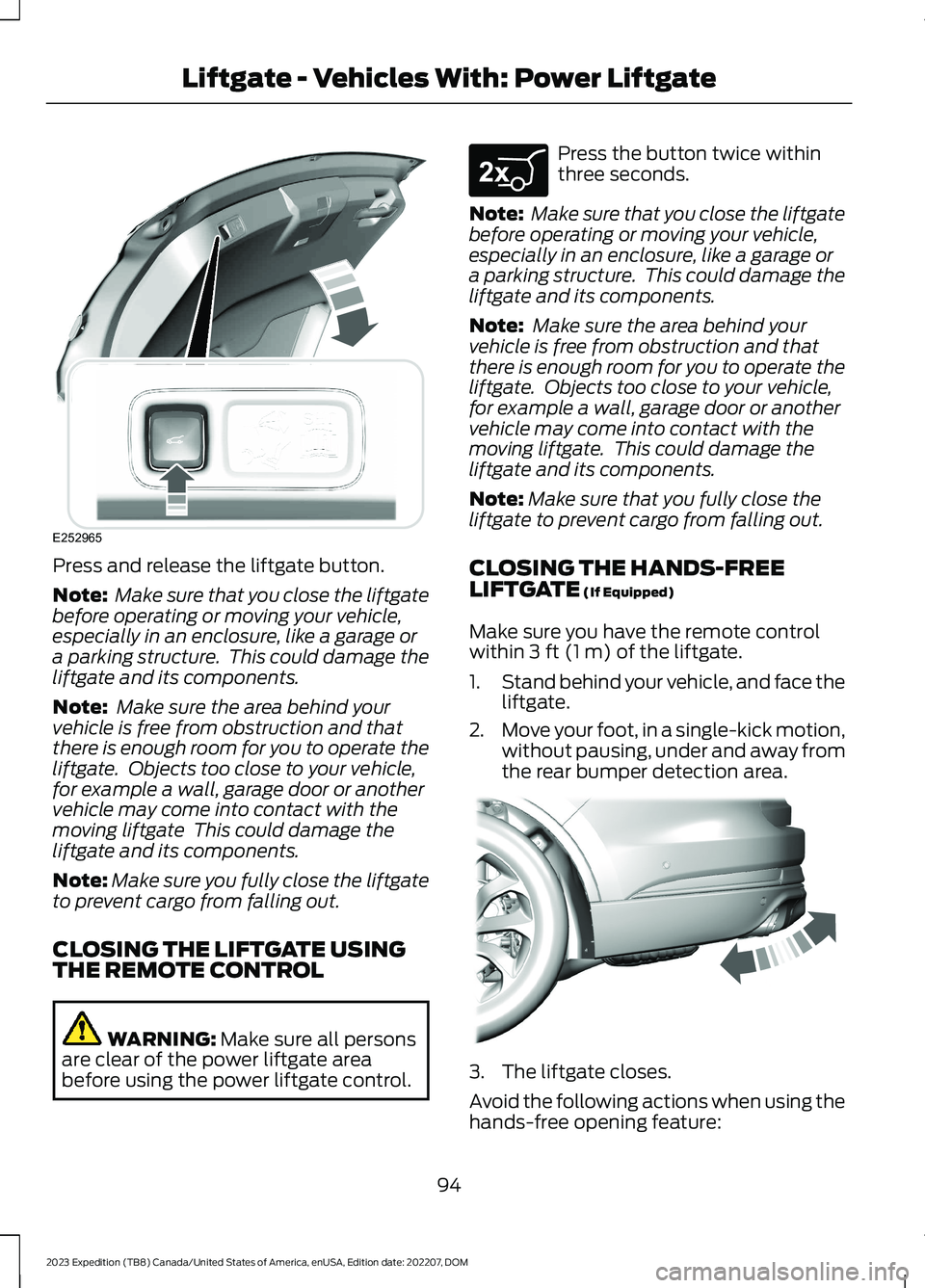
Press and release the liftgate button.
Note: Make sure that you close the liftgatebefore operating or moving your vehicle,especially in an enclosure, like a garage ora parking structure. This could damage theliftgate and its components.
Note: Make sure the area behind yourvehicle is free from obstruction and thatthere is enough room for you to operate theliftgate. Objects too close to your vehicle,for example a wall, garage door or anothervehicle may come into contact with themoving liftgate This could damage theliftgate and its components.
Note:Make sure you fully close the liftgateto prevent cargo from falling out.
CLOSING THE LIFTGATE USINGTHE REMOTE CONTROL
WARNING: Make sure all personsare clear of the power liftgate areabefore using the power liftgate control.
Press the button twice withinthree seconds.
Note: Make sure that you close the liftgatebefore operating or moving your vehicle,especially in an enclosure, like a garage ora parking structure. This could damage theliftgate and its components.
Note: Make sure the area behind yourvehicle is free from obstruction and thatthere is enough room for you to operate theliftgate. Objects too close to your vehicle,for example a wall, garage door or anothervehicle may come into contact with themoving liftgate. This could damage theliftgate and its components.
Note:Make sure that you fully close theliftgate to prevent cargo from falling out.
CLOSING THE HANDS-FREELIFTGATE (If Equipped)
Make sure you have the remote controlwithin 3 ft (1 m) of the liftgate.
1.Stand behind your vehicle, and face theliftgate.
2.Move your foot, in a single-kick motion,without pausing, under and away fromthe rear bumper detection area.
3.The liftgate closes.
Avoid the following actions when using thehands-free opening feature:
94
2023 Expedition (TB8) Canada/United States of America, enUSA, Edition date: 202207, DOMLiftgate - Vehicles With: Power LiftgateE252965 E267940 E300799
Page 100 of 658
OPENING AND CLOSING THE
LIFTGATE WINDOW
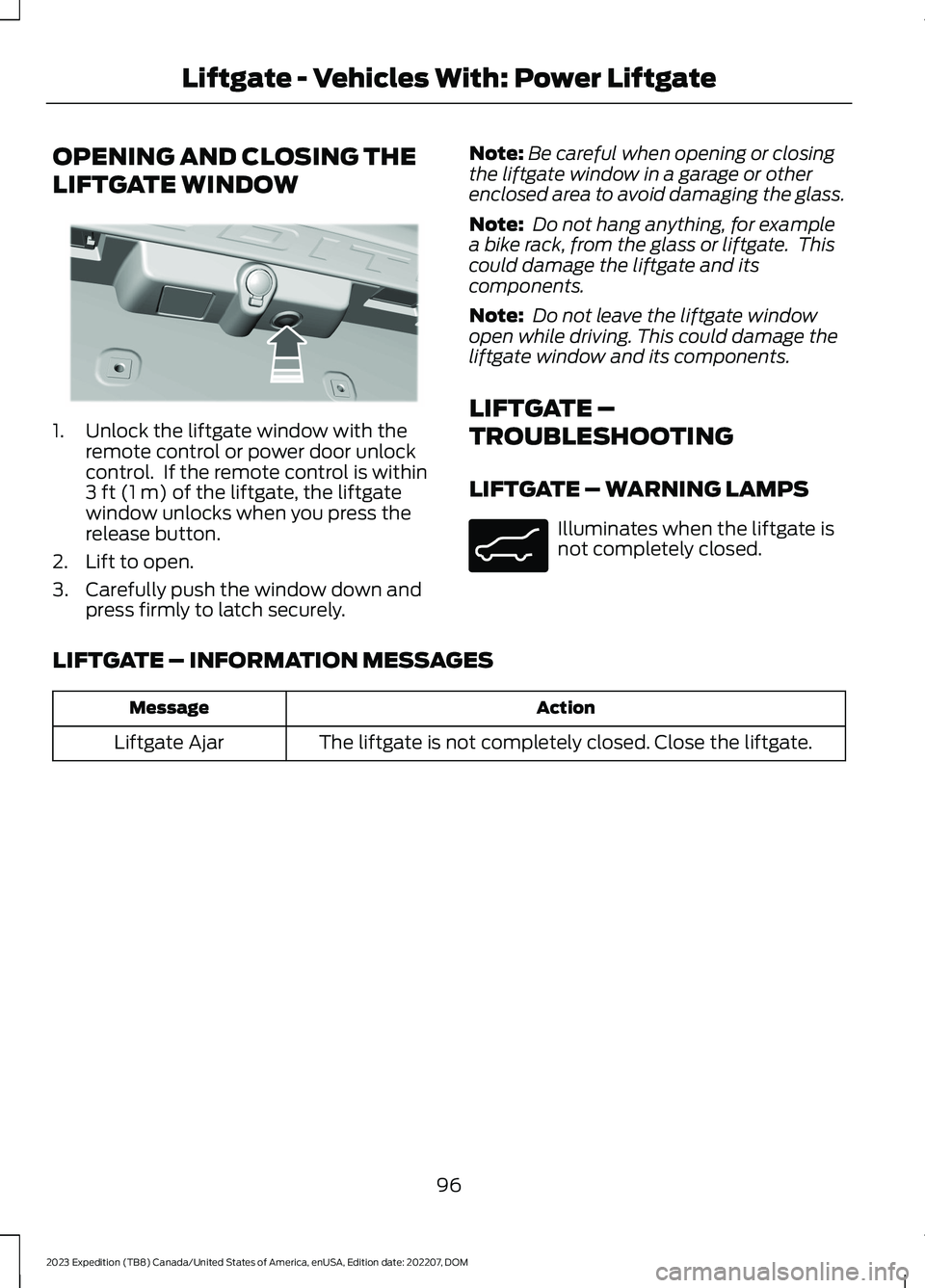
1.Unlock the liftgate window with theremote control or power door unlockcontrol. If the remote control is within3 ft (1 m) of the liftgate, the liftgatewindow unlocks when you press therelease button.
2.Lift to open.
3.Carefully push the window down andpress firmly to latch securely.
Note:Be careful when opening or closingthe liftgate window in a garage or otherenclosed area to avoid damaging the glass.
Note: Do not hang anything, for examplea bike rack, from the glass or liftgate. Thiscould damage the liftgate and itscomponents.
Note: Do not leave the liftgate windowopen while driving. This could damage theliftgate window and its components.
LIFTGATE –
TROUBLESHOOTING
LIFTGATE – WARNING LAMPS
Illuminates when the liftgate isnot completely closed.
LIFTGATE – INFORMATION MESSAGES
ActionMessage
The liftgate is not completely closed. Close the liftgate.Liftgate Ajar
96
2023 Expedition (TB8) Canada/United States of America, enUSA, Edition date: 202207, DOMLiftgate - Vehicles With: Power LiftgateE354249 E162453
Page 102 of 658
OPENING THE LIFTGATE
OPENING THE LIFTGATE FROMOUTSIDE YOUR VEHICLE
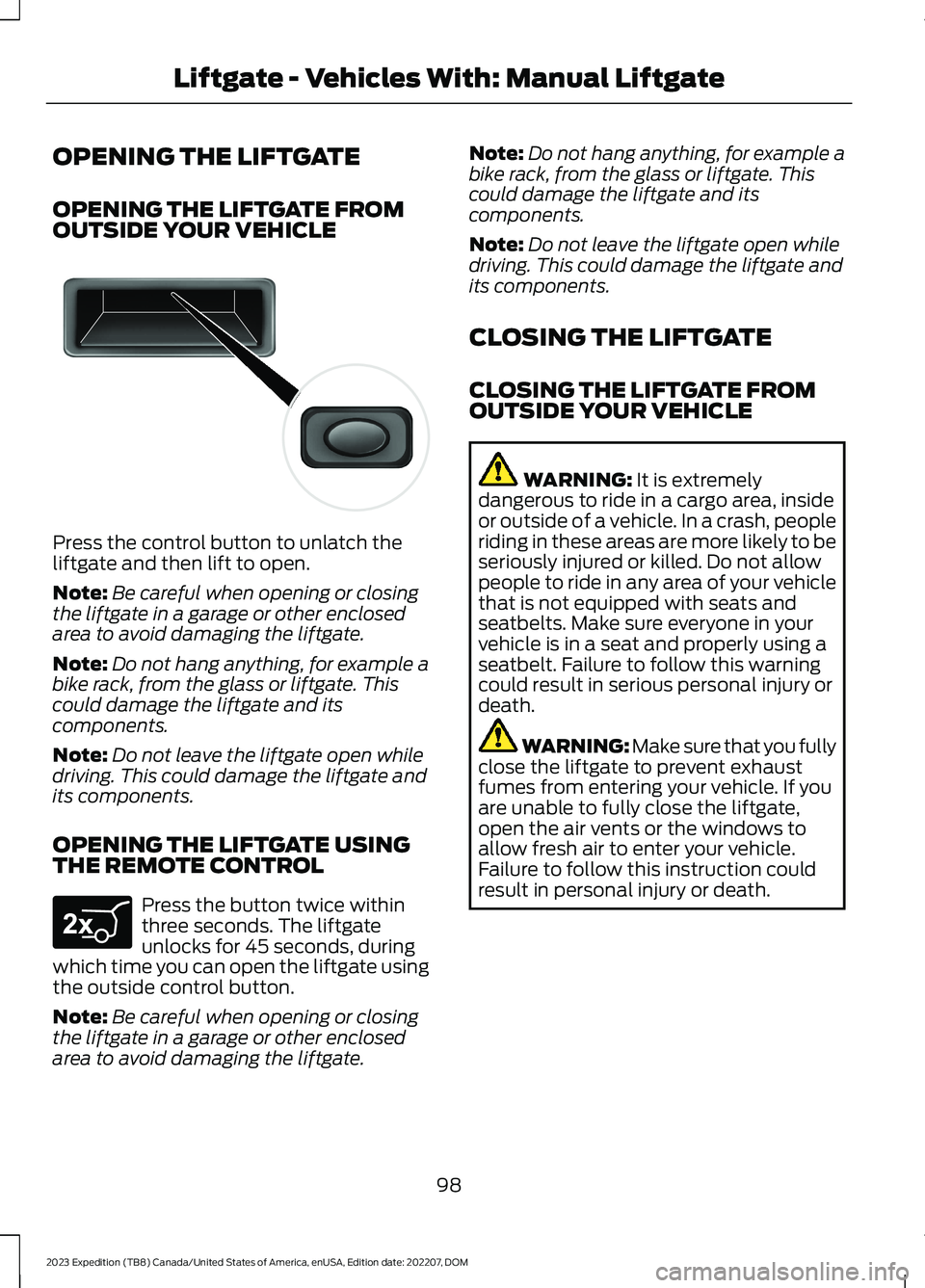
Press the control button to unlatch theliftgate and then lift to open.
Note:Be careful when opening or closingthe liftgate in a garage or other enclosedarea to avoid damaging the liftgate.
Note:Do not hang anything, for example abike rack, from the glass or liftgate. Thiscould damage the liftgate and itscomponents.
Note:Do not leave the liftgate open whiledriving. This could damage the liftgate andits components.
OPENING THE LIFTGATE USINGTHE REMOTE CONTROL
Press the button twice withinthree seconds. The liftgateunlocks for 45 seconds, duringwhich time you can open the liftgate usingthe outside control button.
Note:Be careful when opening or closingthe liftgate in a garage or other enclosedarea to avoid damaging the liftgate.
Note:Do not hang anything, for example abike rack, from the glass or liftgate. Thiscould damage the liftgate and itscomponents.
Note:Do not leave the liftgate open whiledriving. This could damage the liftgate andits components.
CLOSING THE LIFTGATE
CLOSING THE LIFTGATE FROMOUTSIDE YOUR VEHICLE
WARNING: It is extremelydangerous to ride in a cargo area, insideor outside of a vehicle. In a crash, peopleriding in these areas are more likely to beseriously injured or killed. Do not allowpeople to ride in any area of your vehiclethat is not equipped with seats andseatbelts. Make sure everyone in yourvehicle is in a seat and properly using aseatbelt. Failure to follow this warningcould result in serious personal injury ordeath.
WARNING: Make sure that you fullyclose the liftgate to prevent exhaustfumes from entering your vehicle. If youare unable to fully close the liftgate,open the air vents or the windows toallow fresh air to enter your vehicle.Failure to follow this instruction couldresult in personal injury or death.
98
2023 Expedition (TB8) Canada/United States of America, enUSA, Edition date: 202207, DOMLiftgate - Vehicles With: Manual LiftgateE138632 E267940
Page 108 of 658

POWER RUNNING BOARD
PRECAUTIONS
WARNING: In extreme climates,excessive ice buildup may occur, causingthe running boards not to deploy. Makesure that the running boards havedeployed, and have finished movingbefore attempting to step on them. Therunning boards will resume normalfunction once the blockage is cleared.
WARNING: Switch off the runningboards before jacking or placing anyobject under your vehicle. Never placeyour hand between the extended runningboard and your vehicle. A moving runningboard may cause injury.
Do not use the running boards, front andrear hinge assemblies, running boardmotors, or the running board underbodymounts to lift your vehicle when jacking.Use proper jacking points.
The running boards could move slower incold temperatures.
POWER RUNNING BOARD
SETTINGS - VEHICLES WITH:
12 INCH SCREEN
1.Press Features on the touchscreen.
2.Press Running Boards.
3.Press a setting.
Running Boards (Modes)
Off
The power running boards remain stowed,regardless of door position.
Auto
The power running boards deploy whenyou open the door and stow when youclose the door.
Out
The power running boards remaindeployed, regardless of door position.
POWER RUNNING BOARD
SETTINGS - VEHICLES WITH:
15 INCH SCREEN
1.Access the vehicle drawer on thetouchscreen.
2.Press SETTINGS.
3.Press Easy Entry/Exit.
4.Press Power Running Board.
5.Press a setting.
Running Board Modes
Off
The power running boards remain stowed,regardless of door position.
Auto
The power running boards deploy whenyou open the door and stow when youclose the door.
Out
The power running boards remaindeployed, regardless of door position.
104
2023 Expedition (TB8) Canada/United States of America, enUSA, Edition date: 202207, DOMPower Running Boards (If Equipped)
Page 110 of 658
ADJUSTING THE STEERING
WHEEL - VEHICLES WITH:
MANUAL ADJUSTABLE
STEERING COLUMN
WARNING: Do not adjust thesteering wheel when your vehicle ismoving.
Note: Make sure that you are sitting in thecorrect position. See Sitting in the CorrectPosition (page 161).
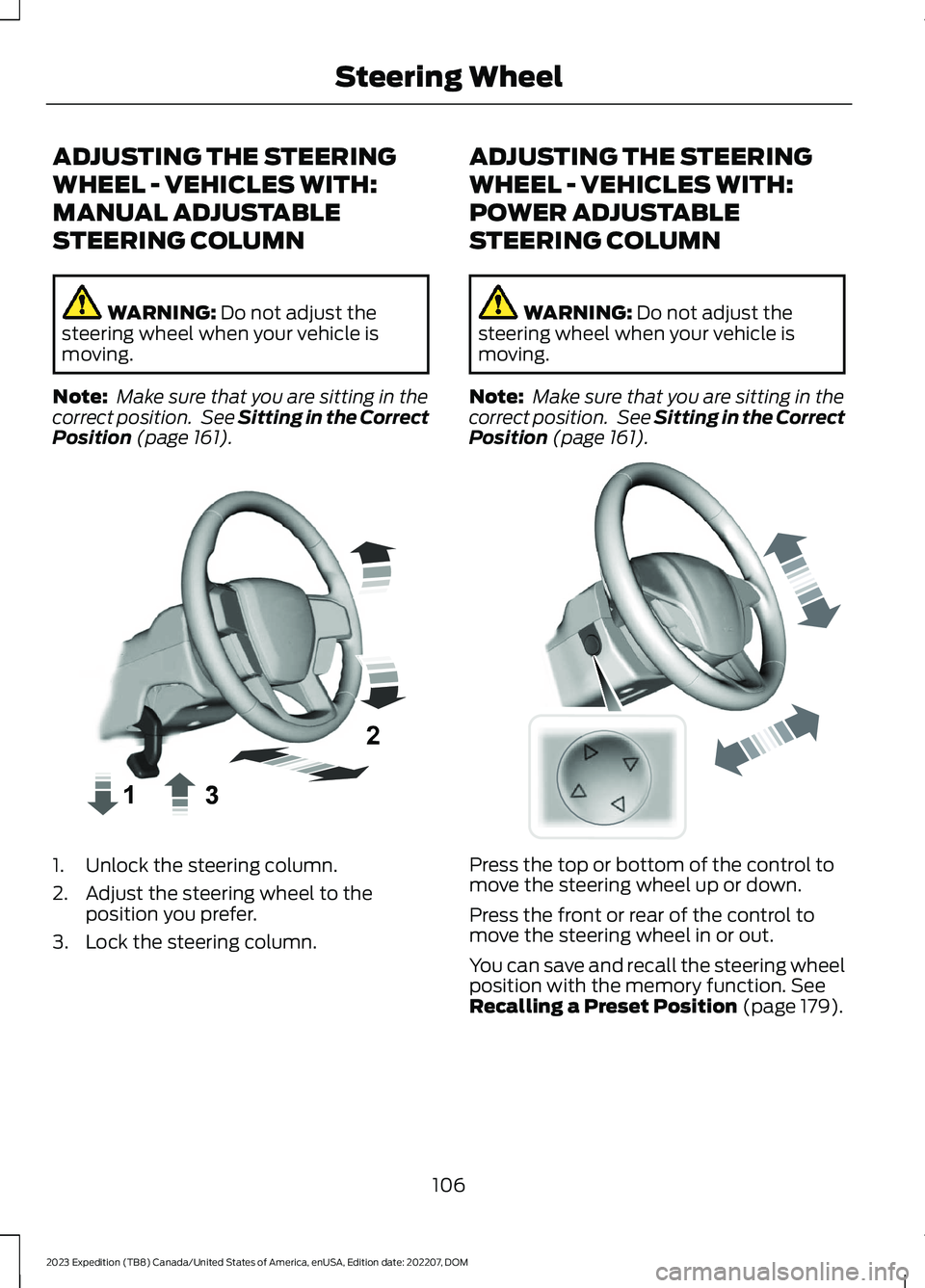
1.Unlock the steering column.
2.Adjust the steering wheel to theposition you prefer.
3.Lock the steering column.
ADJUSTING THE STEERING
WHEEL - VEHICLES WITH:
POWER ADJUSTABLE
STEERING COLUMN
WARNING: Do not adjust thesteering wheel when your vehicle ismoving.
Note: Make sure that you are sitting in thecorrect position. See Sitting in the CorrectPosition (page 161).
Press the top or bottom of the control tomove the steering wheel up or down.
Press the front or rear of the control tomove the steering wheel in or out.
You can save and recall the steering wheelposition with the memory function. SeeRecalling a Preset Position (page 179).
106
2023 Expedition (TB8) Canada/United States of America, enUSA, Edition date: 202207, DOMSteering WheelE359744 E261582
Page 112 of 658
ADJUSTING THE PEDALS
WARNING: Do not use the pedaladjustment controls when the vehicle ismoving. Failure to follow this instructioncould result in personal injury or death.
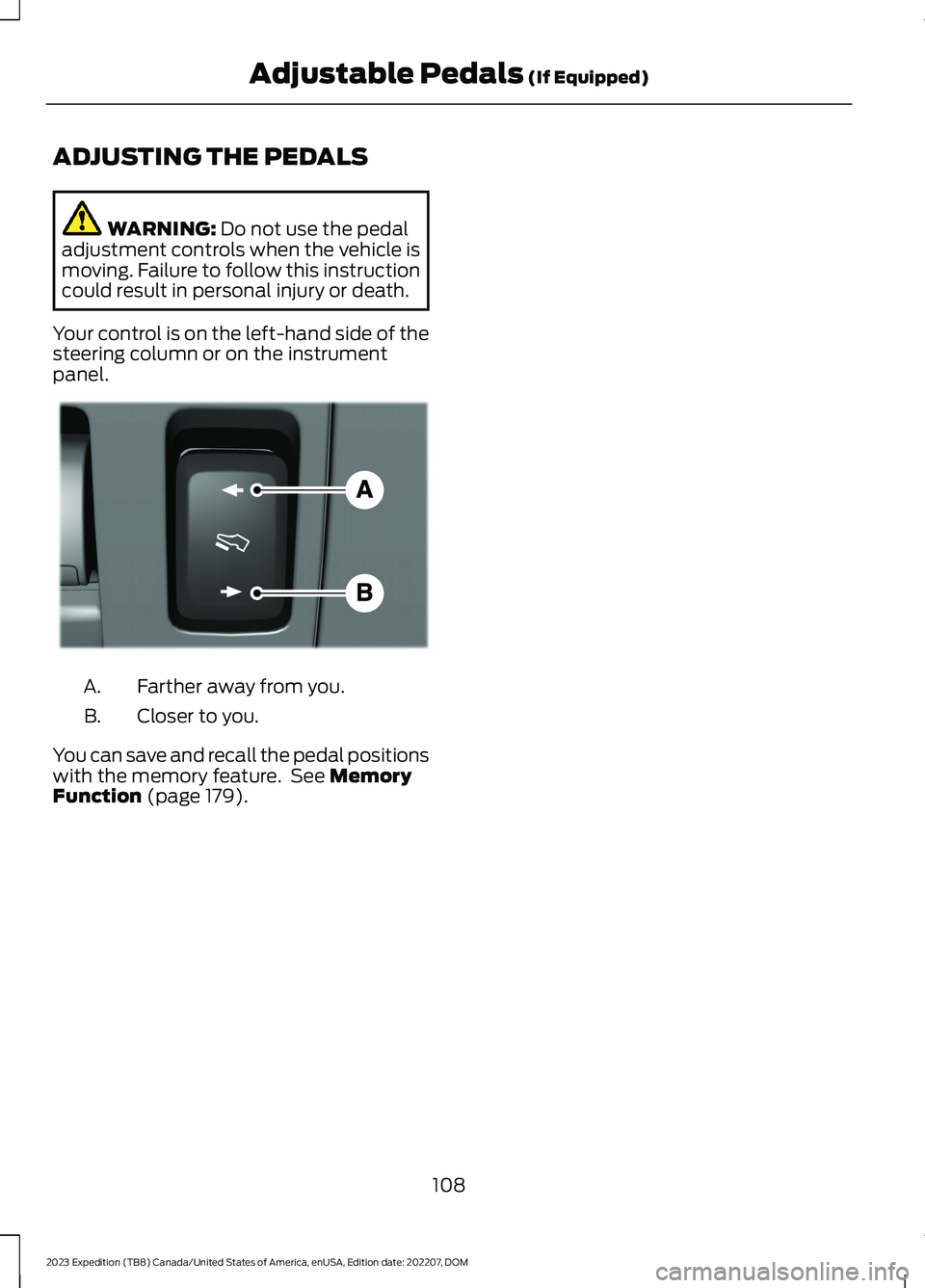
Your control is on the left-hand side of thesteering column or on the instrumentpanel.
Farther away from you.A.
Closer to you.B.
You can save and recall the pedal positionswith the memory feature. See MemoryFunction (page 179).
108
2023 Expedition (TB8) Canada/United States of America, enUSA, Edition date: 202207, DOMAdjustable Pedals (If Equipped)E176213
Page 116 of 658

REPLACING THE REAR WIPER
BLADES
1.Lift the wiper arm.
Note:Do not hold the wiper blade to lift thewiper arm.
2.Remove the wiper blade.
Note:Make sure that the wiper arm doesnot spring back against the glass when thewiper blade is not attached.
3.To install, reverse the removalprocedure.
Note:Make sure that the wiper blade locksinto place.
WASHERS
WASHER PRECAUTIONS
WARNING: If you operate yourvehicle in temperatures below 41°F(5°C), use washer fluid with antifreezeprotection. Failure to use washer fluidwith antifreeze protection in coldweather could result in impairedwindshield vision and increase the riskof injury or accident.
Do not operate the washers when thewasher reservoir is empty. This could causethe washer pump to overheat.
Keep the outside of the windshield clean.The rain sensor is very sensitive and thewipers may operate if dirt, mist or insectshit the windshield.
USING THE WINDSHIELD WASHER
Press and hold the button at theend of the lever to operate thewindshield washer.
Note:A courtesy wipe occurs a short timeafter the wipers stop to clear any remainingwasher fluid when switched on. SeeSwitching the Courtesy Wipe On and Off(page 113).
112
2023 Expedition (TB8) Canada/United States of America, enUSA, Edition date: 202207, DOMWipers and Washers E271380 E311291 E270967
Page 117 of 658
SWITCHING THE COURTESY WIPEON AND OFF - VEHICLES WITH: 12INCH SCREEN
1.Press Settings on the touchscreen.
2.Press Vehicle Settings.
3.Press Wipers.
4.Switch Courtesy Wipe on or off.
SWITCHING THE COURTESY WIPEON AND OFF - VEHICLES WITH: 15INCH SCREEN
1.Access the vehicle drawer on thetouchscreen.
2.Press SETTINGS.
3.Press Vehicle.
4.Press Wipers.
5.Switch Courtesy Wipe on or off.
USING THE REAR WINDOWWASHER
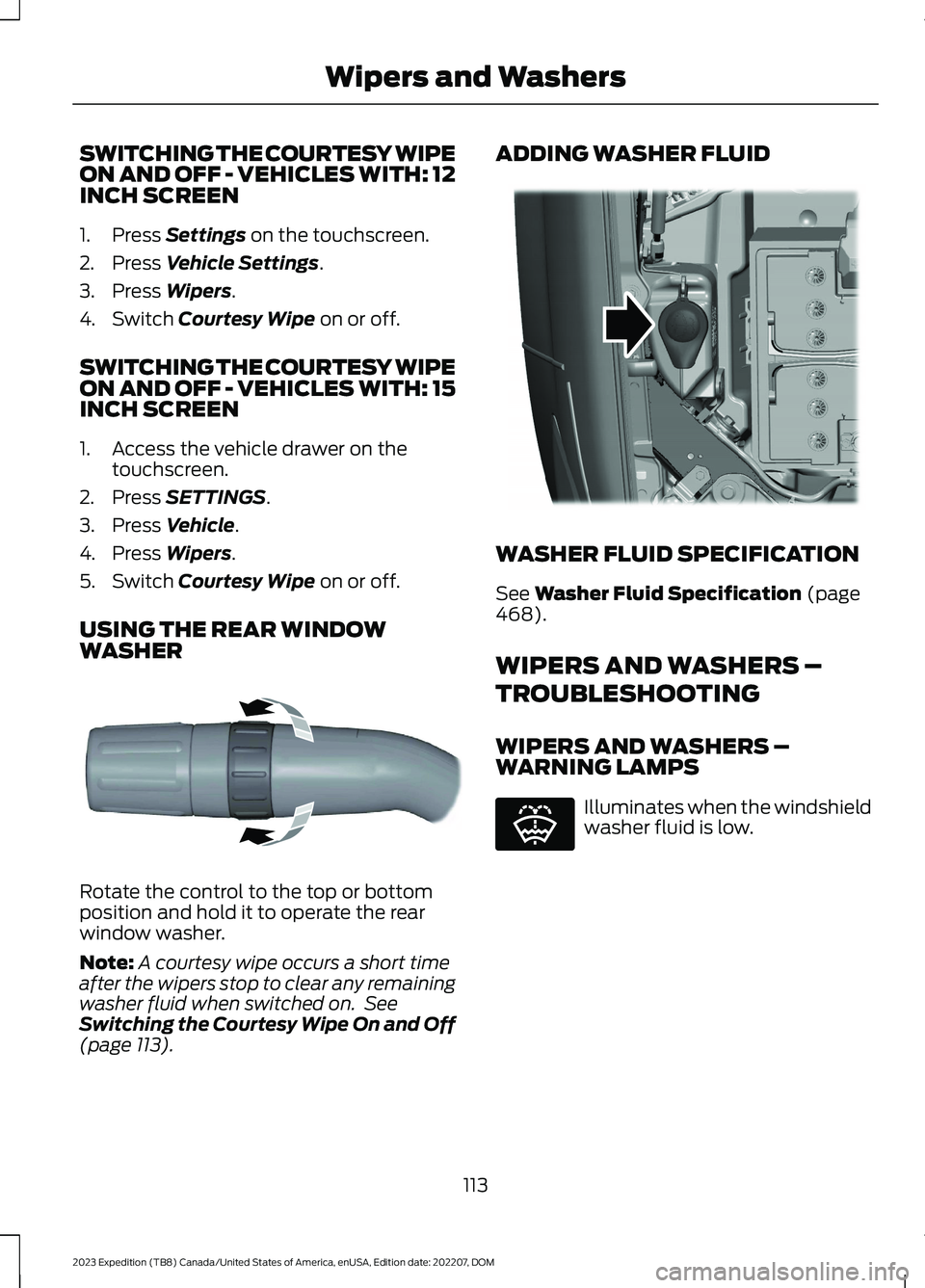
Rotate the control to the top or bottomposition and hold it to operate the rearwindow washer.
Note:A courtesy wipe occurs a short timeafter the wipers stop to clear any remainingwasher fluid when switched on. SeeSwitching the Courtesy Wipe On and Off(page 113).
ADDING WASHER FLUID
WASHER FLUID SPECIFICATION
See Washer Fluid Specification (page468).
WIPERS AND WASHERS –
TROUBLESHOOTING
WIPERS AND WASHERS –WARNING LAMPS
Illuminates when the windshieldwasher fluid is low.
113
2023 Expedition (TB8) Canada/United States of America, enUSA, Edition date: 202207, DOMWipers and WashersE340280 E348204 E132353