2023 FORD EXPEDITION warning
[x] Cancel search: warningPage 134 of 658
ADJUSTING THE EXTERIOR
MIRRORS
WARNING: Do not adjust themirrors when your vehicle is moving. Thiscould result in the loss of control of yourvehicle, serious personal injury or death.
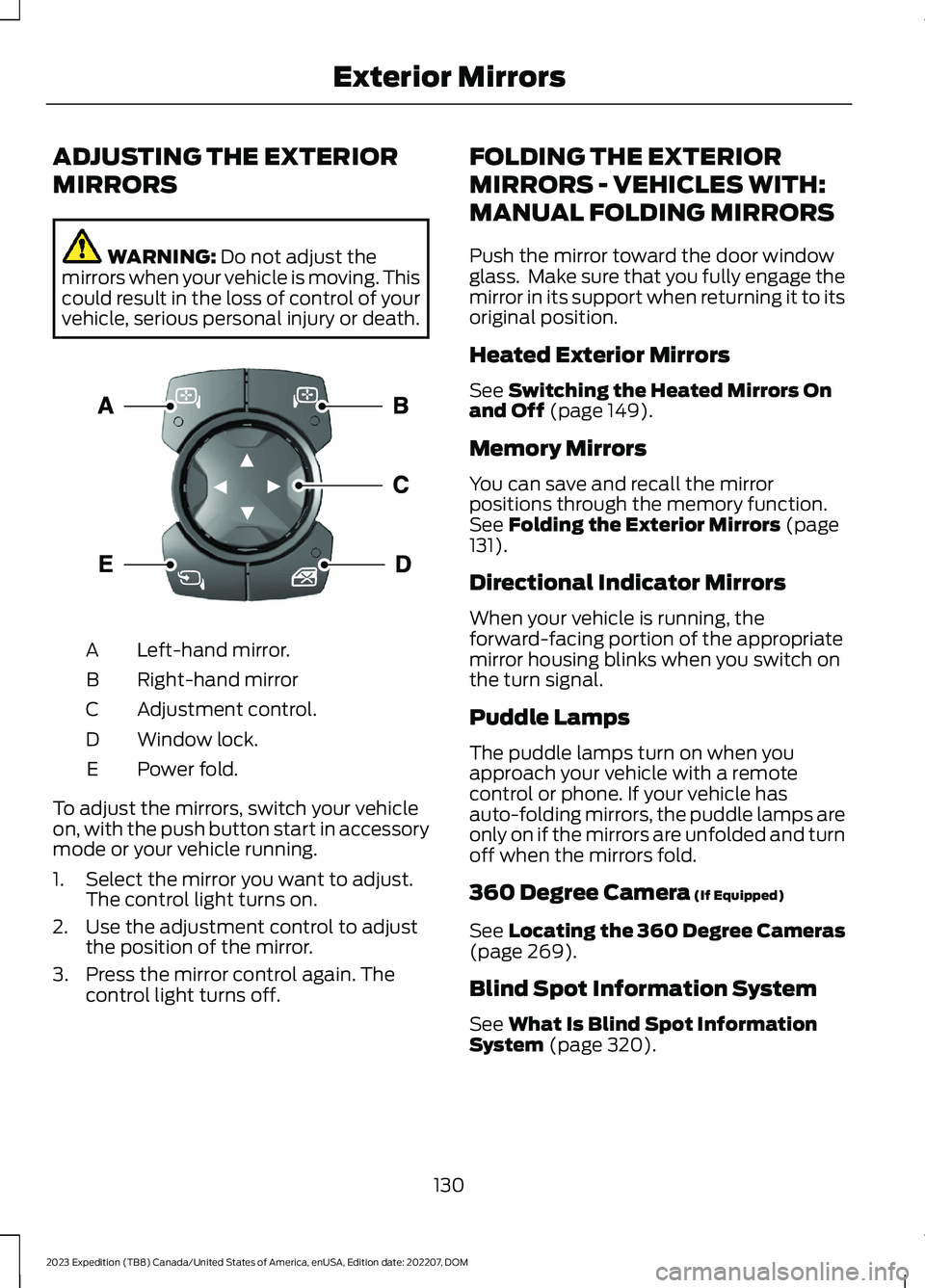
Left-hand mirror.A
Right-hand mirrorB
Adjustment control.C
Window lock.D
Power fold.E
To adjust the mirrors, switch your vehicleon, with the push button start in accessorymode or your vehicle running.
1.Select the mirror you want to adjust.The control light turns on.
2.Use the adjustment control to adjustthe position of the mirror.
3.Press the mirror control again. Thecontrol light turns off.
FOLDING THE EXTERIOR
MIRRORS - VEHICLES WITH:
MANUAL FOLDING MIRRORS
Push the mirror toward the door windowglass. Make sure that you fully engage themirror in its support when returning it to itsoriginal position.
Heated Exterior Mirrors
See Switching the Heated Mirrors Onand Off (page 149).
Memory Mirrors
You can save and recall the mirrorpositions through the memory function.See Folding the Exterior Mirrors (page131).
Directional Indicator Mirrors
When your vehicle is running, theforward-facing portion of the appropriatemirror housing blinks when you switch onthe turn signal.
Puddle Lamps
The puddle lamps turn on when youapproach your vehicle with a remotecontrol or phone. If your vehicle hasauto-folding mirrors, the puddle lamps areonly on if the mirrors are unfolded and turnoff when the mirrors fold.
360 Degree Camera (If Equipped)
See Locating the 360 Degree Cameras(page 269).
Blind Spot Information System
See What Is Blind Spot InformationSystem (page 320).
130
2023 Expedition (TB8) Canada/United States of America, enUSA, Edition date: 202207, DOMExterior MirrorsE369398
Page 136 of 658
OPENING AND CLOSING THE
SUNSHADE
WARNING: Do not leave childrenunattended in your vehicle and do notlet them play with the sun shades.Failure to follow this instruction couldresult in personal injury.
The controls are on the overhead console.
Opening the Sun Shade
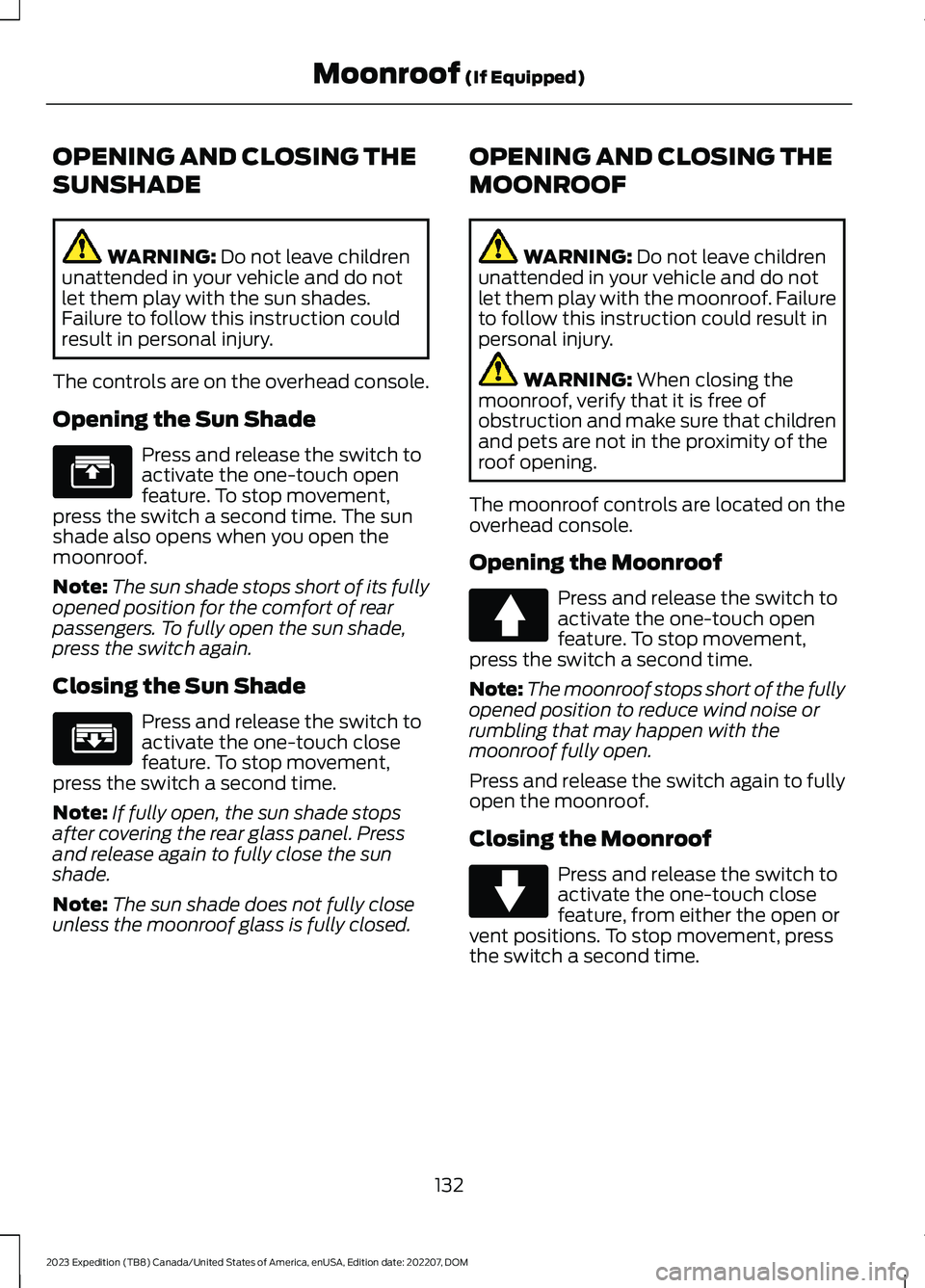
Press and release the switch toactivate the one-touch openfeature. To stop movement,press the switch a second time. The sunshade also opens when you open themoonroof.
Note:The sun shade stops short of its fullyopened position for the comfort of rearpassengers. To fully open the sun shade,press the switch again.
Closing the Sun Shade
Press and release the switch toactivate the one-touch closefeature. To stop movement,press the switch a second time.
Note:If fully open, the sun shade stopsafter covering the rear glass panel. Pressand release again to fully close the sunshade.
Note:The sun shade does not fully closeunless the moonroof glass is fully closed.
OPENING AND CLOSING THE
MOONROOF
WARNING: Do not leave childrenunattended in your vehicle and do notlet them play with the moonroof. Failureto follow this instruction could result inpersonal injury.
WARNING: When closing themoonroof, verify that it is free ofobstruction and make sure that childrenand pets are not in the proximity of theroof opening.
The moonroof controls are located on theoverhead console.
Opening the Moonroof
Press and release the switch toactivate the one-touch openfeature. To stop movement,press the switch a second time.
Note:The moonroof stops short of the fullyopened position to reduce wind noise orrumbling that may happen with themoonroof fully open.
Press and release the switch again to fullyopen the moonroof.
Closing the Moonroof
Press and release the switch toactivate the one-touch closefeature, from either the open orvent positions. To stop movement, pressthe switch a second time.
132
2023 Expedition (TB8) Canada/United States of America, enUSA, Edition date: 202207, DOMMoonroof (If Equipped)E312249 E312250 E340663 E340636
Page 137 of 658
VENTING THE MOONROOF
WARNING: Do not leave childrenunattended in your vehicle and do notlet them play with the moonroof. Failureto follow this instruction could result inpersonal injury.
The moonroof controls are on theoverhead console.
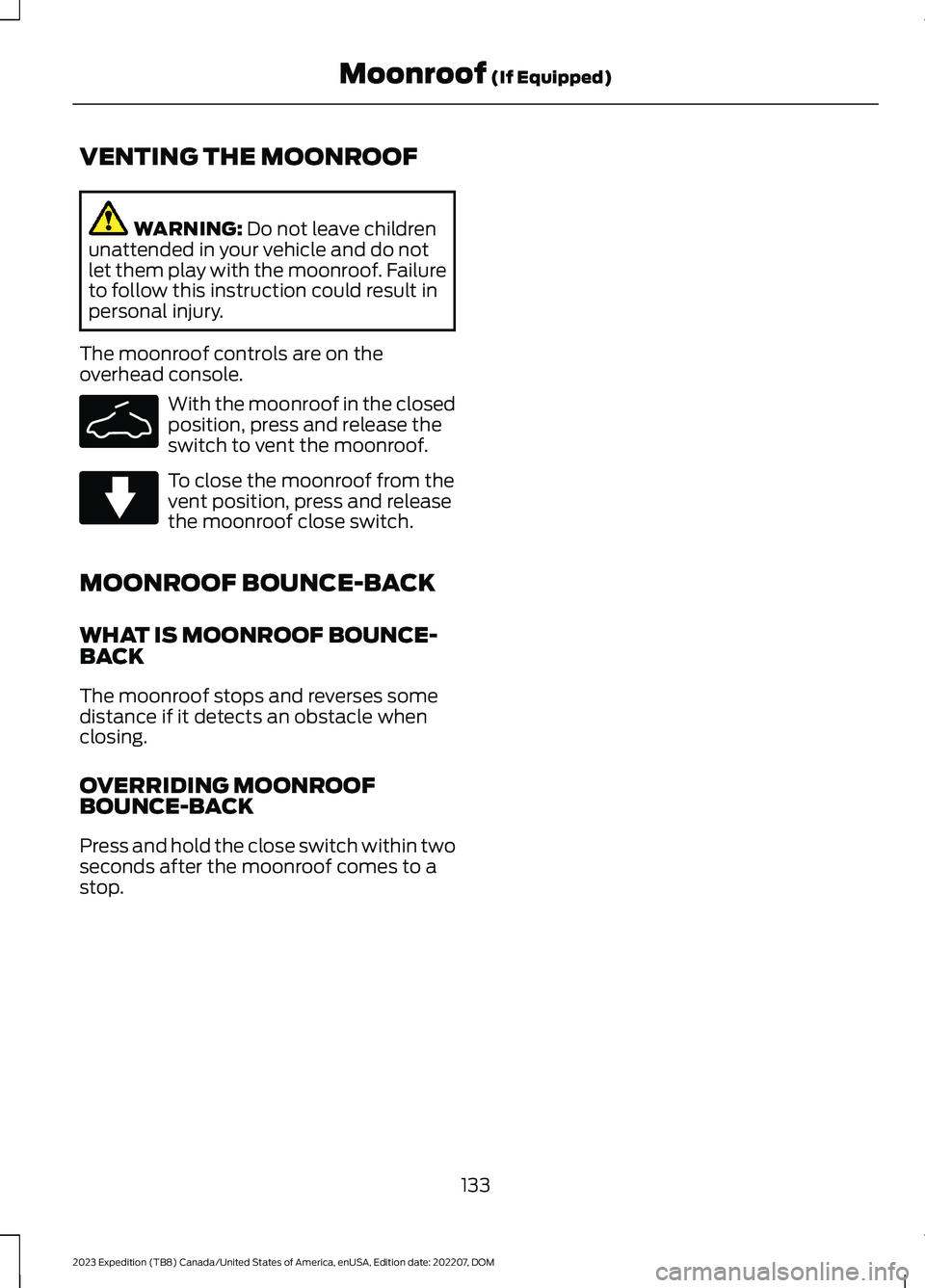
With the moonroof in the closedposition, press and release theswitch to vent the moonroof.
To close the moonroof from thevent position, press and releasethe moonroof close switch.
MOONROOF BOUNCE-BACK
WHAT IS MOONROOF BOUNCE-BACK
The moonroof stops and reverses somedistance if it detects an obstacle whenclosing.
OVERRIDING MOONROOFBOUNCE-BACK
Press and hold the close switch within twoseconds after the moonroof comes to astop.
133
2023 Expedition (TB8) Canada/United States of America, enUSA, Edition date: 202207, DOMMoonroof (If Equipped)E340635 E340636
Page 140 of 658

FUEL GAUGE LIMITATIONS
The fuel gauge may not provide anaccurate reading when your vehicle is onan incline.
LOCATING THE FUEL FILLERDOOR
The arrow adjacent to the fuel pumpsymbol indicates on which side of yourvehicle the fuel filler door is located.
WHAT IS THE LOW FUELREMINDER
A low fuel level reminder displays andsounds when the distance to emptyreaches 75 mi (120 km) to empty forMyKey, and at 50 mi (80 km),25 mi(40 km),12 mi (20 km) and 0 mi (0 km)for all vehicle keys.
Note:The low fuel reminder can appear atdifferent fuel gauge positions depending onfuel economy conditions. This variation isnormal.
WHAT IS DISTANCE TO EMPTY
Indicates the approximate distance yourvehicle can travel on the fuel remaining inthe tank. Changes in driving pattern cancause the value to not only decrease butalso increase or stay constant for periodsof time.
ENGINE COOLANT
TEMPERATURE GAUGE
Indicates the engine coolant temperature.
ENGINE OIL PRESSURE GAUGE
Indicates the engine oil pressure.
Note:This is a configurable gauge.
TRANSMISSION FLUID
TEMPERATURE GAUGE
Indicates the transmission fluidtemperature.
Special operating conditions can causehigher than normal operatingtemperatures. See Special OperatingConditions Scheduled Maintenance(page 545).
Note:This is a configurable gauge.
TURBO BOOST GAUGE -
VEHICLES WITH: 12 INCH
SCREEN
Indicates the amount of manifold airpressure in the engine.
Note:This is a configurable gauge.
WHAT ARE THE INSTRUMENT
CLUSTER WARNING LAMPS
Warning lamps alert you to a vehiclecondition that could become serious.Some lamps illuminate when you startyour vehicle to make sure they work. If anylamps remain on after starting your vehicle,refer to the respective system warninglamp for further information.
INSTRUMENT CLUSTER
WARNING LAMPS
Anti-Lock Brake System
If it illuminates when you aredriving, this indicates amalfunction. Your vehiclecontinues to have normal braking withoutthe anti-lock brake system function. Haveyour vehicle checked as soon as possible.
136
2023 Expedition (TB8) Canada/United States of America, enUSA, Edition date: 202207, DOMInstrument ClusterE67020
Page 142 of 658

Malfunction Indicator Lamp
Illuminates when the ignition ison and the engine is off, this isnormal. If it illuminates when theengine is on this indicates the emissioncontrol system requires service. If it flashes,have your vehicle checked immediately.See Emission Law (page 621). SeeStarting and Stopping the Engine –Warning Lamps (page 199).
WHAT ARE THE INSTRUMENT
CLUSTER INDICATORS
Indicators notify you of various featuresthat are active on your vehicle.
INSTRUMENT CLUSTER
INDICATORS
Adaptive Cruise Control
See Adaptive Cruise Control(page 279).
Automatic High Beam
See Automatic High BeamControl (page 121).
Auto Hold Active
See Auto Hold (page 243).
Auto Hold Unavailable
See Auto Hold (page 243).
Auto-Start-Stop
See Auto-Start-Stop (page202).
Blind Spot Monitor
See Blind Spot InformationSystem (page 320).
BlueCruise
See BlueCruise (page 297).
Cruise Control
See Cruise Control (page 277).
Electronic Limited Slip Differential
See Electronic Limited-SlipDifferential (page 226).
Four-Wheel Drive
See Four-Wheel Drive (page219).
Note:Some indicators appear differentdepending on vehicle options.
Front Airbag
See Airbags (page 56).
138
2023 Expedition (TB8) Canada/United States of America, enUSA, Edition date: 202207, DOMInstrument ClusterE67028 E144524 E146105 E323448 E323449 E121377 E151262 E297977 E332905 E325779 E181778 E181781 E181780 E181779 E67017
Page 144 of 658
USING THE INSTRUMENT
CLUSTER DISPLAY CONTROLS
WARNING: Driving while distractedcan result in loss of vehicle control, crashand injury. We strongly recommend thatyou use extreme caution when using anydevice that may take your focus off theroad. Your primary responsibility is thesafe operation of your vehicle. Werecommend against the use of anyhand-held device while driving andencourage the use of voice-operatedsystems when possible. Make sure youare aware of all applicable local lawsthat may affect the use of electronicdevices while driving.
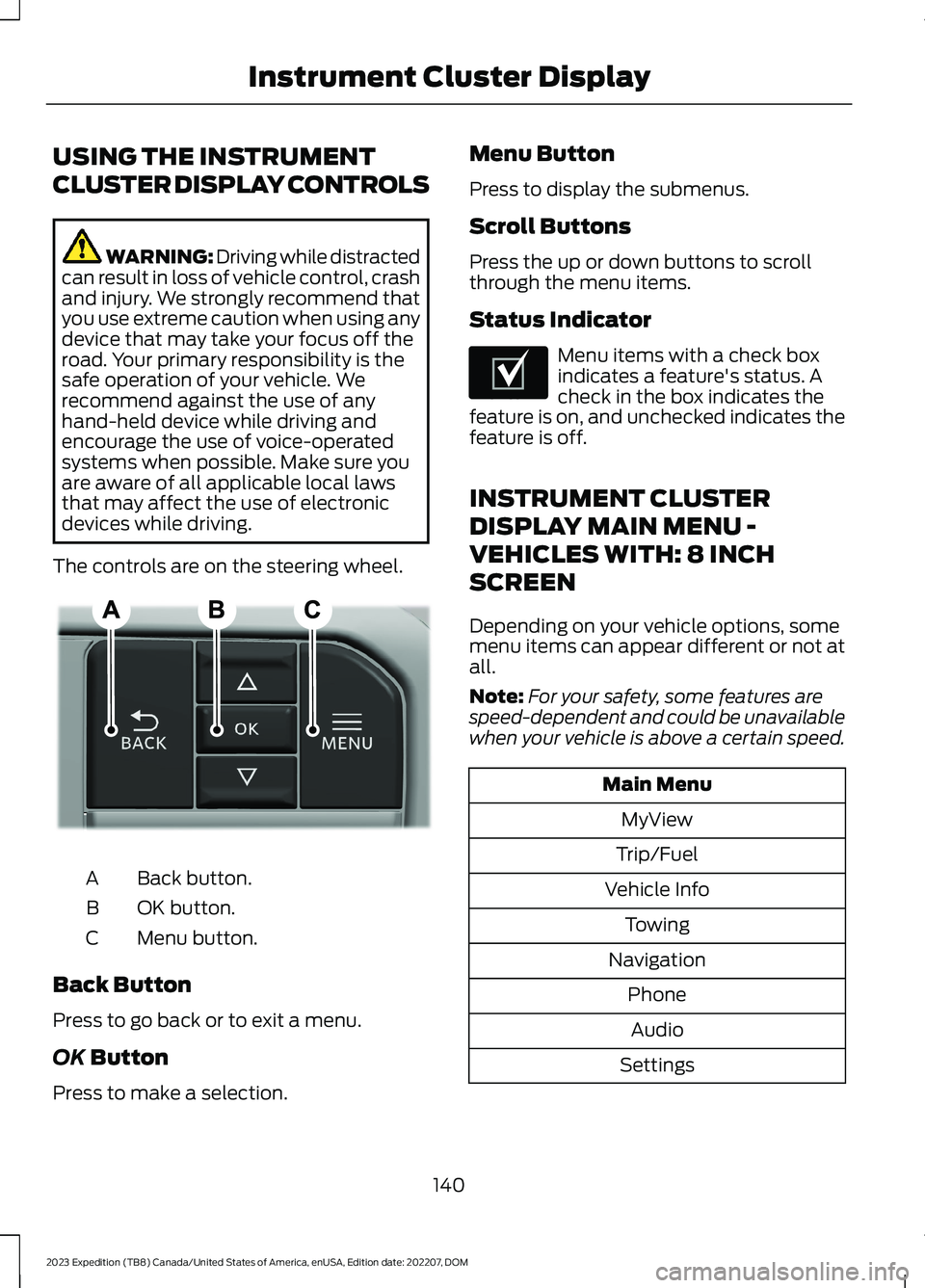
The controls are on the steering wheel.
Back button.A
OK button.B
Menu button.C
Back Button
Press to go back or to exit a menu.
OK Button
Press to make a selection.
Menu Button
Press to display the submenus.
Scroll Buttons
Press the up or down buttons to scrollthrough the menu items.
Status Indicator
Menu items with a check boxindicates a feature's status. Acheck in the box indicates thefeature is on, and unchecked indicates thefeature is off.
INSTRUMENT CLUSTER
DISPLAY MAIN MENU -
VEHICLES WITH: 8 INCH
SCREEN
Depending on your vehicle options, somemenu items can appear different or not atall.
Note:For your safety, some features arespeed-dependent and could be unavailablewhen your vehicle is above a certain speed.
Main Menu
MyView
Trip/Fuel
Vehicle Info
Towing
Navigation
Phone
Audio
Settings
140
2023 Expedition (TB8) Canada/United States of America, enUSA, Edition date: 202207, DOMInstrument Cluster DisplayE309379 E204495
Page 148 of 658
WHAT IS REMOTE START
The system allows you to remotely startyour vehicle and to adjust the interiortemperature according to the settings thatyou chose.
REMOTE START
PRECAUTIONS
WARNING: Do not start the enginein a closed garage or in other enclosedareas. Exhaust fumes are toxic. Alwaysopen the garage door before you startthe engine. Failure to follow thisinstruction could result in personal injuryor death.
WARNING: Do not keep electricaldevices plugged in the power pointwhenever the device is not in use. Powerpoints power up during remote start.
WARNING: Do not keep electricaldevices plugged into the power outletwhenever the device is not in use. Theoutlet provides power when the vehicleis on. Failure to follow this instructioncould result in personal injury.
REMOTE START LIMITATIONS
Remote start does not work under thefollowing conditions:
•The alarm horn is sounding.
•The hood is open.
•The transmission is not in park (P).
•The ignition is on.
•The battery voltage is below theminimum operating voltage.
•Remote start is not enabled.
Note:Do not use remote start if the fuellevel is low.
ENABLING REMOTE START -
VEHICLES WITH: 12 INCH
SCREEN
1.Press Settings on the touchscreen.
2.Press Vehicle.
3.Press Remote Start Setup.
4.Switch Remote Start on or off.
Note:To remote start with FordPass, makesure that the modem is enabled. SeeConnecting FordPass to the Modem(page 475).
ENABLING REMOTE START -
VEHICLES WITH: 15 INCH
SCREEN
1.Access the vehicle drawer on thetouchscreen.
2.Press SETTINGS.
3.Press Vehicle.
4.Press Remote Start Setup.
5.Switch Remote Start on or off.
Note:To remote start with FordPass orPhone as a Key, make sure that the modemis enabled and Phone as a Key is setup. SeeEnabling and Disabling the Modem (page475). See Remote Start Settings (page145).
REMOTELY STARTING AND
STOPPING THE VEHICLE
Remotely Starting the Vehicle
Press the button on the remotecontrol.
144
2023 Expedition (TB8) Canada/United States of America, enUSA, Edition date: 202207, DOMRemote Start (If Equipped)E138623
Page 165 of 658
FRONT SEAT PRECAUTIONS
WARNING: Sitting improperly, outof position or with the seatback reclinedtoo far can take weight off the seatcushion and affect the decision of thepassenger sensing system, resulting inserious injury or death in the event of acrash. Always sit upright against yourseat back, with your feet on the floor.
WARNING: Do not recline the seatbackrest too far as this can cause theoccupant to slide under the seatbelt,resulting in personal injury in the eventof a crash.
WARNING: Do not place objectshigher than the top of the seat backrest.Failure to follow this instruction couldresult in personal injury or death in theevent of a sudden stop or crash.
WARNING: Do not adjust the driverseat or seat backrest when your vehicleis moving. This may result in sudden seatmovement, causing the loss of controlof your vehicle.
SITTING IN THE CORRECT
POSITION
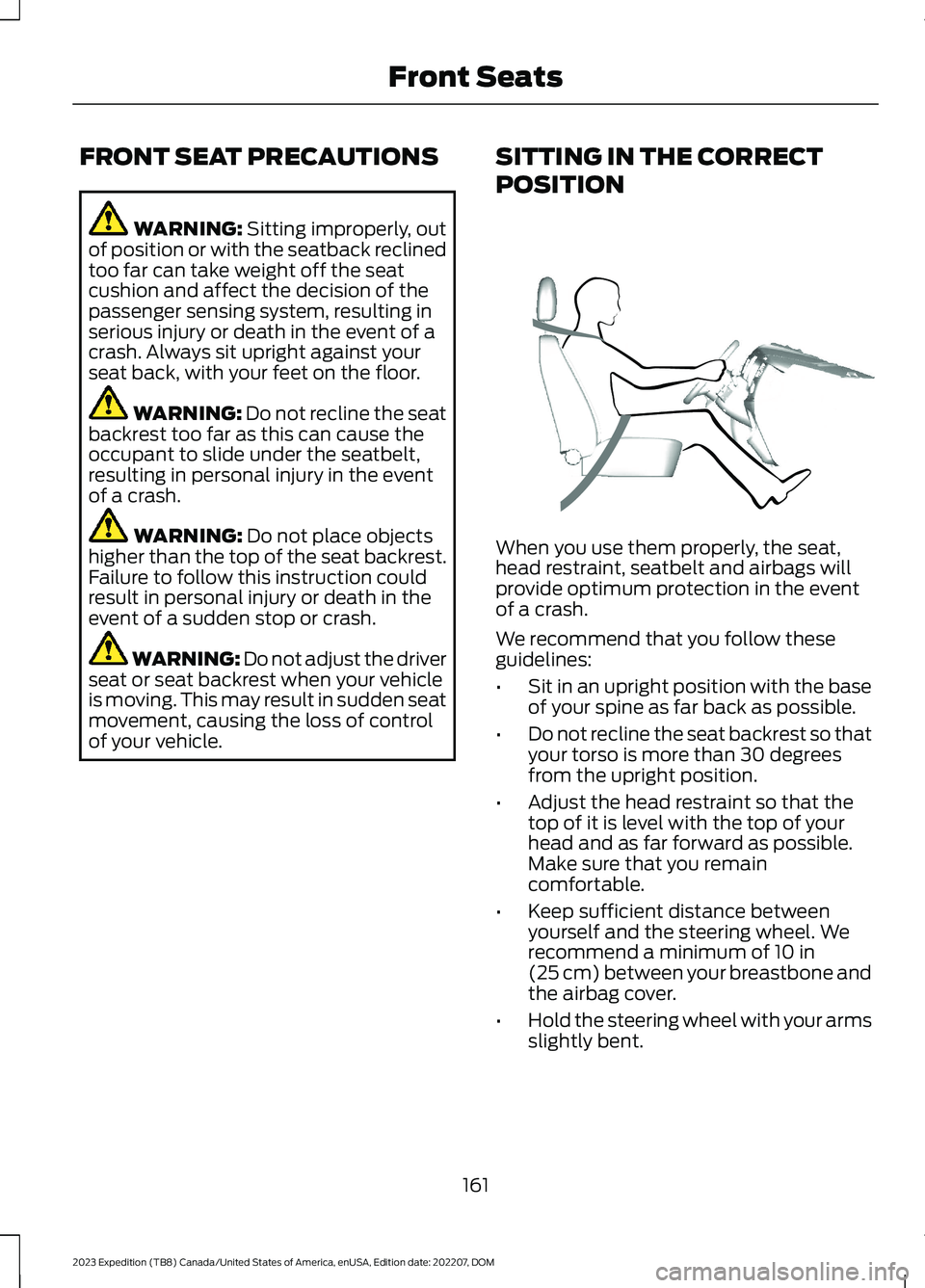
When you use them properly, the seat,head restraint, seatbelt and airbags willprovide optimum protection in the eventof a crash.
We recommend that you follow theseguidelines:
•Sit in an upright position with the baseof your spine as far back as possible.
•Do not recline the seat backrest so thatyour torso is more than 30 degreesfrom the upright position.
•Adjust the head restraint so that thetop of it is level with the top of yourhead and as far forward as possible.Make sure that you remaincomfortable.
•Keep sufficient distance betweenyourself and the steering wheel. Werecommend a minimum of 10 in(25 cm) between your breastbone andthe airbag cover.
•Hold the steering wheel with your armsslightly bent.
161
2023 Expedition (TB8) Canada/United States of America, enUSA, Edition date: 202207, DOMFront SeatsE68595