2022 TOYOTA SUPRA key
[x] Cancel search: keyPage 90 of 498
883-1. CONTROLS
This chapter describes all standard,
country-specific and special equip-
ment available for the model series.
It may therefore describe equip-
ment and functions which are not
installed in your vehicle, for exam-
ple on account of the special equip-
ment selected or the country
specification. This also applies to
safety-relevant functions and sys-
tems. Please comply with the rele-
vant laws and regulations when
using the corresponding functions
and systems.
The delivery specification includes
two remote controls with integrated
keys.
Each remote control contains a
replaceable battery. Replacing the
battery, see page 92.
The button functions can be
assigned, depending on the equip-
ment and the country specifica-
tions. For settings, see page 101.
A driver profile, see page 76, with
personalised settings can be
assigned to a remote control.
To prevent the remote control from
being locked in, take it with you
whenever you leave the vehicle.Opening and closing
Vehicle equipment
Remote control
General
Safety notes
WA R N I N G
The vehicle key has a button cell bat-
tery. Batteries or button cells can be swallowed and lead to serious or fatal
injuries within two hours, for example
due to internal burns or chemical
burns. There is a danger of injury or danger to life. Keep the vehicle key
and batteries out of reach of children.
Immediately seek medical help if there is any suspicion that a battery or
button cell has been swallowed or is
located in any part of the body.
WA R N I N G
Persons remaining in the vehicle or
pets left inside can lock the doors from the inside and lock themselves
in. In this case, the vehicle cannot be
opened from the outside. There is a
danger of injury. Carry the remote control with you so that you can open
the vehicle from the outside.
WA R N I N G
With some country specifications,
unlocking from the inside is only pos-
sible with special knowledge.
There is a risk of injury or danger to
life if persons remain in the vehicle for extended periods and are exposed to
extreme temperatures as a result. Do
not lock the vehicle from the outside when there is someone inside it.
Page 94 of 498
923-1. CONTROLS
Setting the duration, see page 187.
1 Remove the integrated key from
the remote control, see page 94.
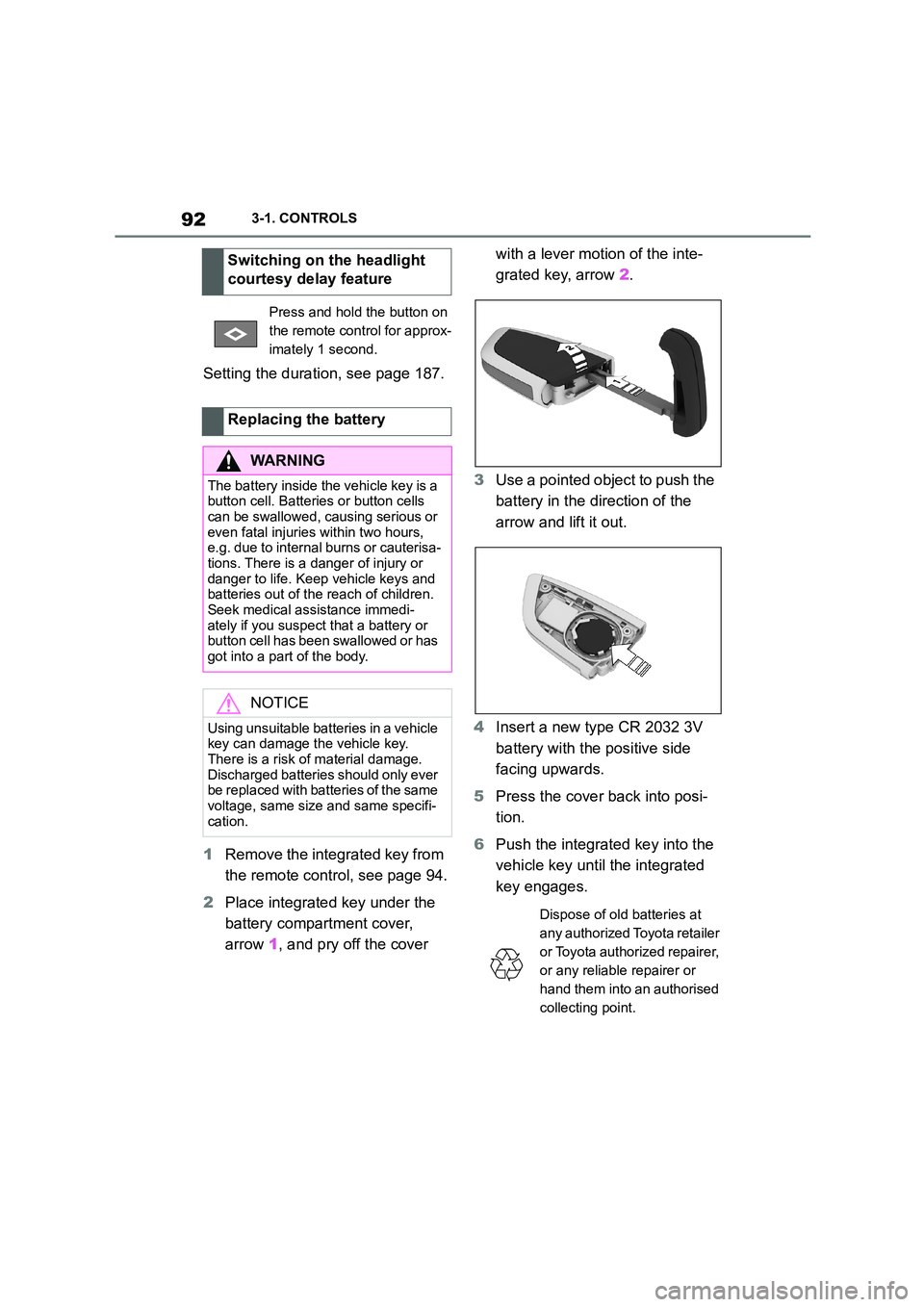
2 Place integrated key under the
battery compartment cover,
arrow 1, and pry off the cover
with a lever motion of the inte-
grated key, arrow 2.
3 Use a pointed object to push the
battery in the direction of the
arrow and lift it out.
4 Insert a new type CR 2032 3V
battery with the positive side
facing upwards.
5 Press the cover back into posi-
tion.
6 Push the integrated key into the
vehicle key until the integrated
key engages.
Switching on the headlight
courtesy delay feature
Press and hold the button on
the remote control for approx-
imately 1 second.
Replacing the battery
WA R N I N G
The battery inside the vehicle key is a button cell. Batteries or button cells
can be swallowed, causing serious or
even fatal injuries within two hours, e.g. due to internal burns or cauterisa-
tions. There is a danger of injury or
danger to life. Keep vehicle keys and batteries out of the reach of children.
Seek medical assistance immedi-
ately if you suspect that a battery or button cell has been swallowed or has
got into a part of the body.
NOTICE
Using unsuitable batteries in a vehicle key can damage the vehicle key.
There is a risk of material damage.
Discharged batteries should only ever be replaced with batteries of the same
voltage, same size and same specifi-
cation.
Dispose of old batteries at
any authorized Toyota retailer
or Toyota authorized repairer,
or any reliable repairer or
hand them into an authorised
collecting point.
Page 95 of 498
93
3
3-1. CONTROLS
CONTROLS
Additional remote controls are
available from any authorized
Toyota retailer or Toyota authorized
repairer, or any reliable repairer.
A lost remote control can be
blocked and replaced by any
authorized Toyota retailer or Toyota
authorized repairer, or any reliable
repairer.
If a driver profile, see page 76, has
been assigned to the lost remote
control, the connection to this
remote control must be removed. A
new remote control can then be
assigned to the driver profile.
A vehicle message, see page 163,
is shown.
It may be difficult for the vehicle to
detect the remote control in some
conditions, including the following:
• The battery of the vehicle key is
discharged. To replace the bat-
tery, see page 92.
• Disruption of the radio link by
transmission masts or other
equipment transmitting powerful
signals.
• Shielding of the remote control
by metallic objects.
Do not transport the remote control
together with metallic objects.
• Disruption of the radio link by
mobile telephones or other elec-
tronic devices in the immediate
vicinity of the remote control.
Do not transport the remote control
together with electronic devices.
• Interference with radio transmis-
sion caused by the charging of
mobile devices, for example a
mobile phone.
• The remote control is located in
the immediate vicinity of the
wireless charging dock. Place
the remote control somewhere
else.
If there is a malfunction, the vehicle
can be unlocked and locked from
the outside with the integrated key,
see page 94.
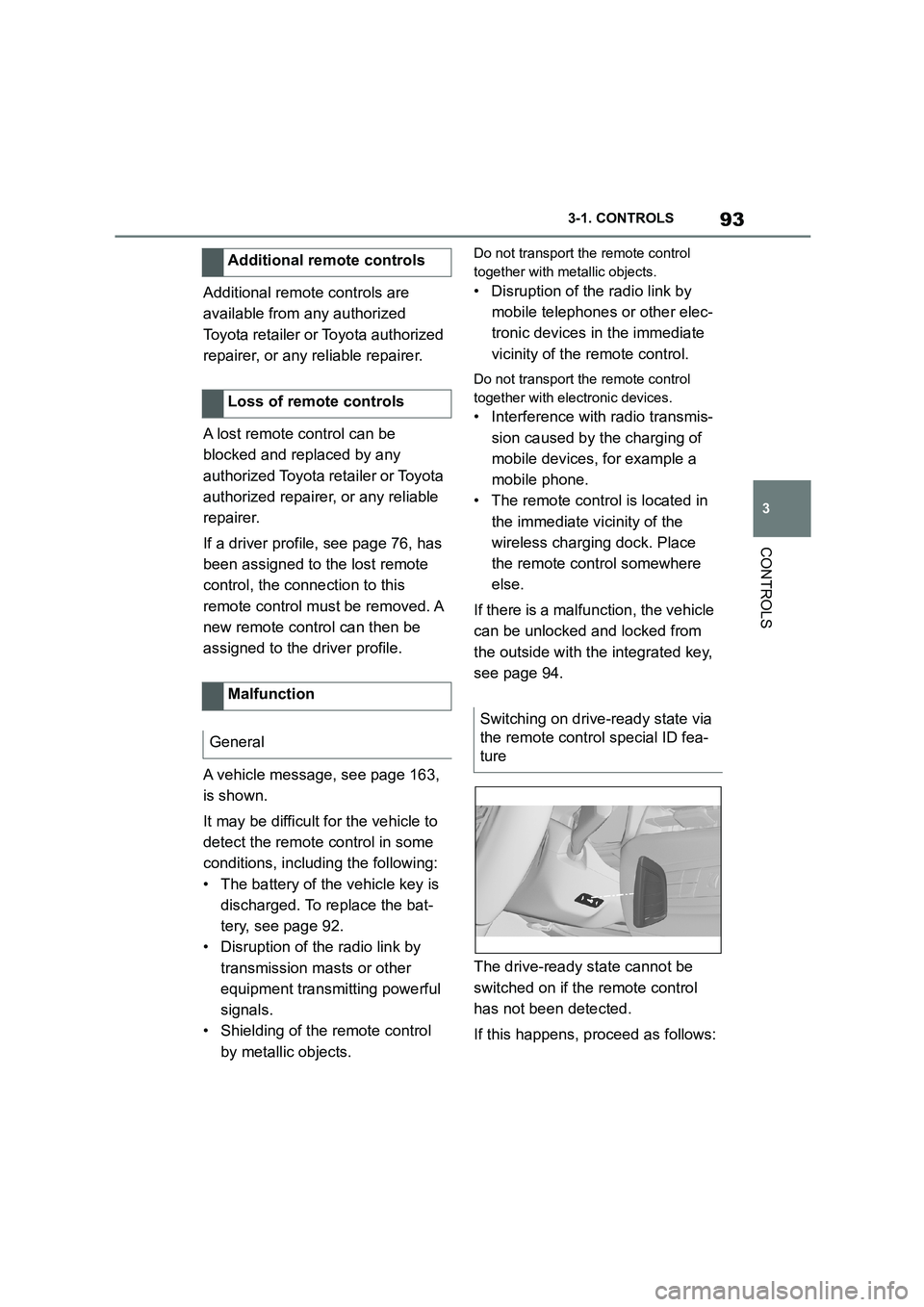
The drive-ready state cannot be
switched on if the remote control
has not been detected.
If this happens, proceed as follows:
Additional remote controls
Loss of remote controls
Malfunction
General
Switching on drive-ready state via
the remote control special ID fea-
ture
Page 96 of 498
943-1. CONTROLS
1Hold the back of the remote
control against the mark on the
steering column. Pay attention
to the display in the instrument
cluster.
2 If the remote control is detected:
Switch on drive-ready state
within 10 seconds.
If the remote control is not
detected, change the position of the
remote control slightly and repeat
the procedure.
What provisions can be made to
enable a vehicle to be opened if the
remote control has accidentally
been locked inside the vehicle?
• The Remote Services of the
Toyota Supra Connect app can
be used to lock and unlock a
vehicle.
This requires an active Toyota Supra
Connect contract and the Toyota Supra
Connect app must be installed on a
smartphone.
• Unlocking of the vehicle can be
requested via the Concierge Ser-
vices.
This requires an active Toyota Supra
Connect contract.
With the integrated key, the driver's
door can be unlocked and locked
without the remote control.
The integrated key also fits in the
glove box.
Use the integrated key to operate
the key switch for front passenger
airbags, see page 202.
Frequently Asked Questions
Integrated key
General
Safety notes
WA R N I N G
With some country specifications,
unlocking from the inside is only pos-
sible with special knowledge.
There is a risk of injury or danger to
life if persons remain in the vehicle for extended periods and are exposed to
extreme temperatures as a result. Do
not lock the vehicle from the outside when there is someone inside it.
NOTICE
The door lock is firmly connected to
the door. The door handle can be moved. Pulling the door handle when
the integrated key is inserted can
damage the paint or the integrated key. There is a danger of damage to
property. Pull out the integrated key
before pulling on the outer door han- dle.
Removing
Page 97 of 498

95
3
3-1. CONTROLS
CONTROLS
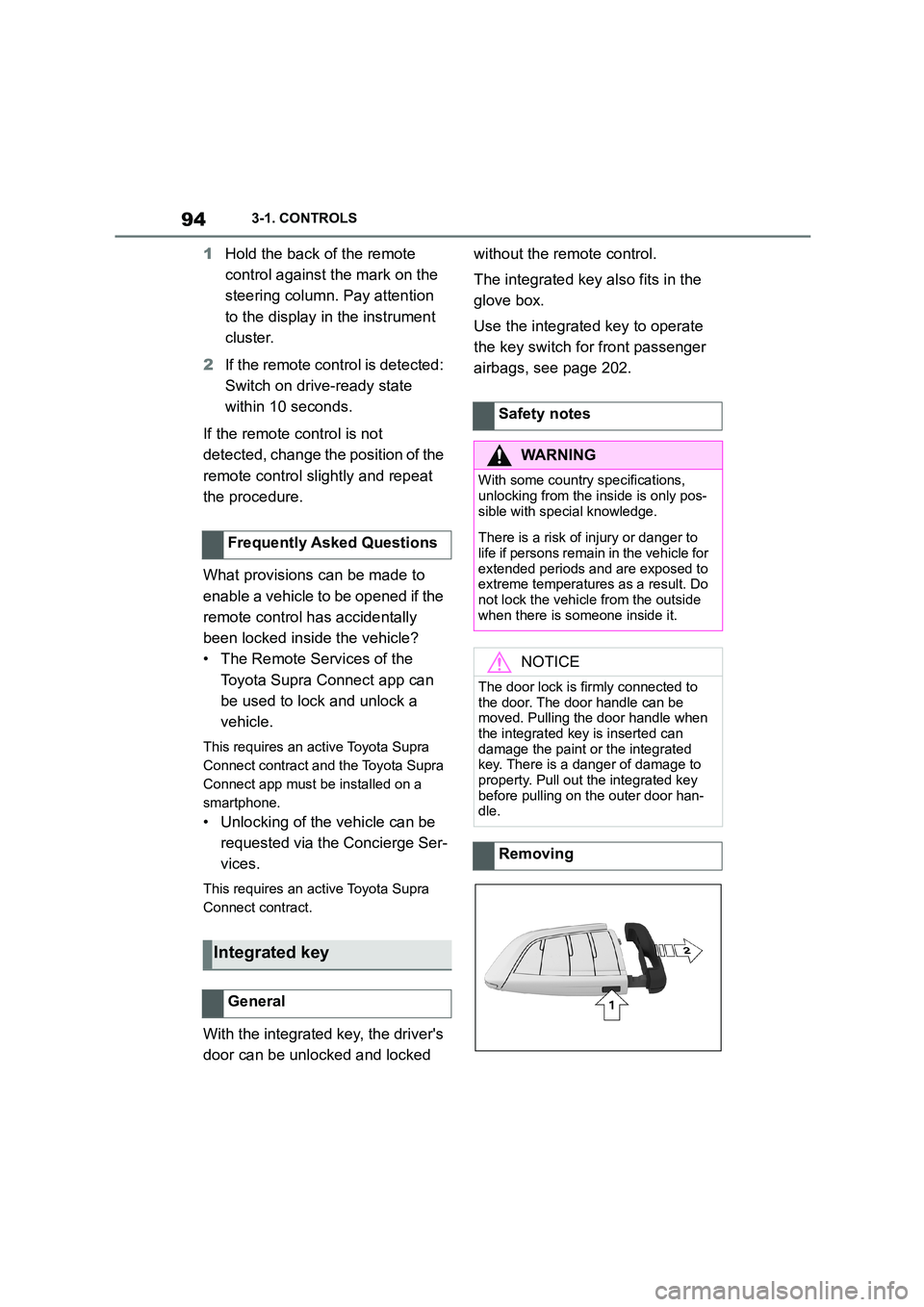
Press the button, arrow 1, and pull
out the integrated key, arrow 2.
1 Pull the door handle outwards
with one hand and hold it.
2 Slide one finger of your other
hand under the cover from
behind and push the cover out-
wards.
Support the cover with your thumb, to
stop it falling out of the door handle.
3 Remove the cover.
4 Unlock or lock the door lock with
the integrated key.
The other doors must be unlocked
or locked from the inside.
The switched-on alarm system is
triggered when the door is opened
after being unlocked via the door
lock.
The alarm system is not switched
on if the vehicle is locked with the
integrated key.
In the event of an accident of suffi-
cient severity, the vehicle is auto-
matically unlocked. The hazard
warning lights and in terior lights illu-
minate.
Unlocking/locking using the
door lock
Alarm system
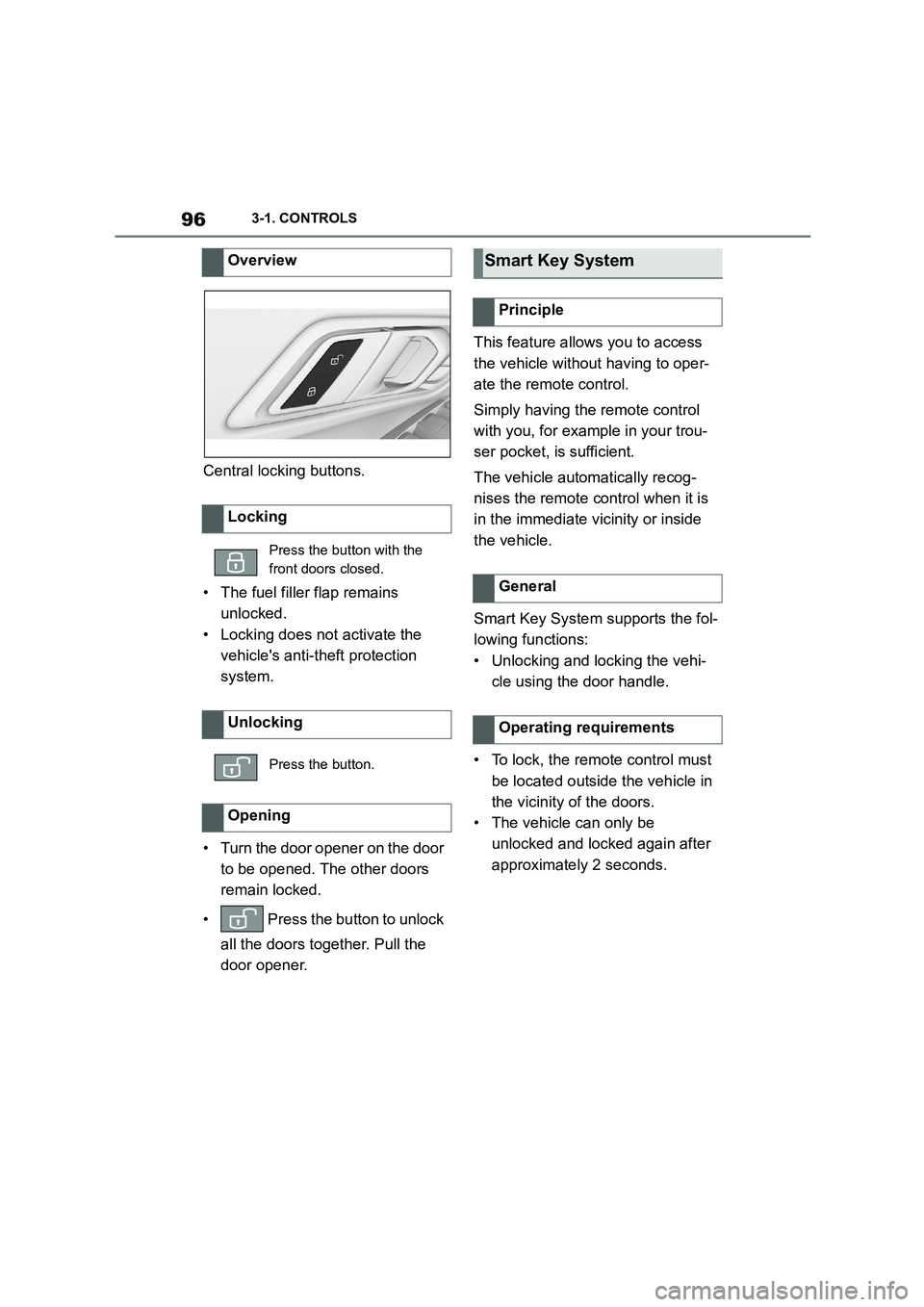
Central locking buttons
General
Page 98 of 498
963-1. CONTROLS
Central locking buttons.
• The fuel filler flap remains
unlocked.
• Locking does not activate the
vehicle's anti-theft protection
system.
• Turn the door opener on the door
to be opened. The other doors
remain locked.
• Press the button to unlock
all the doors together. Pull the
door opener.
This feature allows you to access
the vehicle without having to oper-
ate the remote control.
Simply having the remote control
with you, for example in your trou-
ser pocket, is sufficient.
The vehicle automatically recog-
nises the remote control when it is
in the immediate vicinity or inside
the vehicle.
Smart Key System supports the fol-
lowing functions:
• Unlocking and locking the vehi-
cle using the door handle.
• To lock, the remote control must
be located outside the vehicle in
the vicinity of the doors.
• The vehicle can only be
unlocked and locked again after
approximately 2 seconds.
Overview
Locking
Press the button with the
front doors closed.
Unlocking
Press the button.
Opening
Smart Key System
Principle
General
Operating requirements
Page 99 of 498
97
3
3-1. CONTROLS
CONTROLS
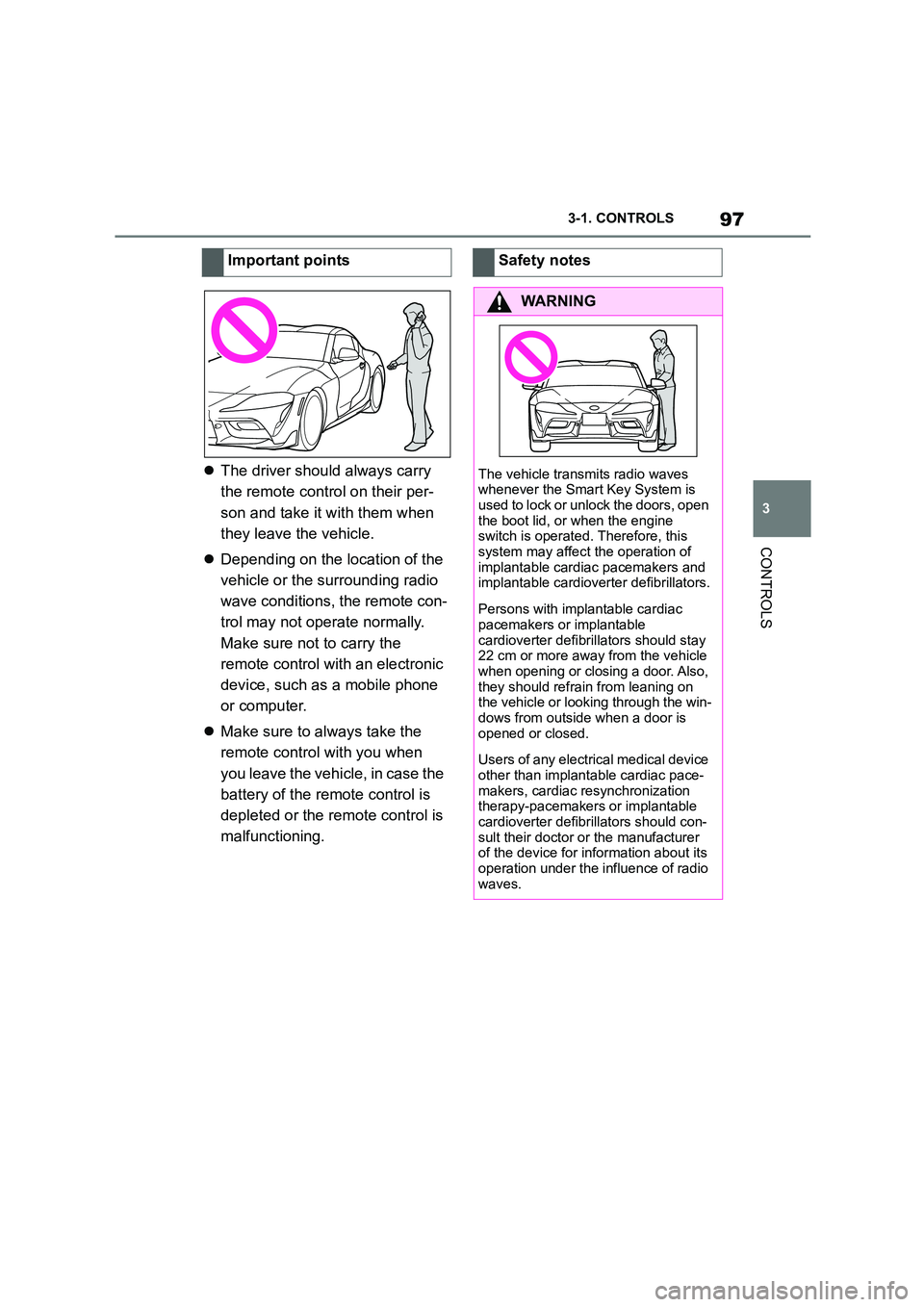
The driver should always carry
the remote control on their per-
son and take it with them when
they leave the vehicle.
Depending on the location of the
vehicle or the surrounding radio
wave conditions, the remote con-
trol may not operate normally.
Make sure not to carry the
remote control with an electronic
device, such as a mobile phone
or computer.
Make sure to always take the
remote control with you when
you leave the vehicle, in case the
battery of the remote control is
depleted or the remote control is
malfunctioning.
Important pointsSafety notes
WA R N I N G
The vehicle transmits radio waves
whenever the Smart Key System is
used to lock or unlock the doors, open the boot lid, or when the engine
switch is operated. Therefore, this
system may affect the operation of implantable cardia c pacemakers and
implantable cardioverter defibrillators.
Persons with implantable cardiac
pacemakers or implantable
cardioverter defibrillators should stay 22 cm or more away from the vehicle
when opening or closing a door. Also,
they should refrain from leaning on the vehicle or looking through the win-
dows from outside when a door is
opened or closed.
Users of any electrical medical device
other than implantable cardiac pace- makers, cardiac re synchronization
therapy-pacemakers or implantable
cardioverter defibrillators should con- sult their doctor or the manufacturer
of the device for information about its
operation under the influence of radio waves.
Page 100 of 498
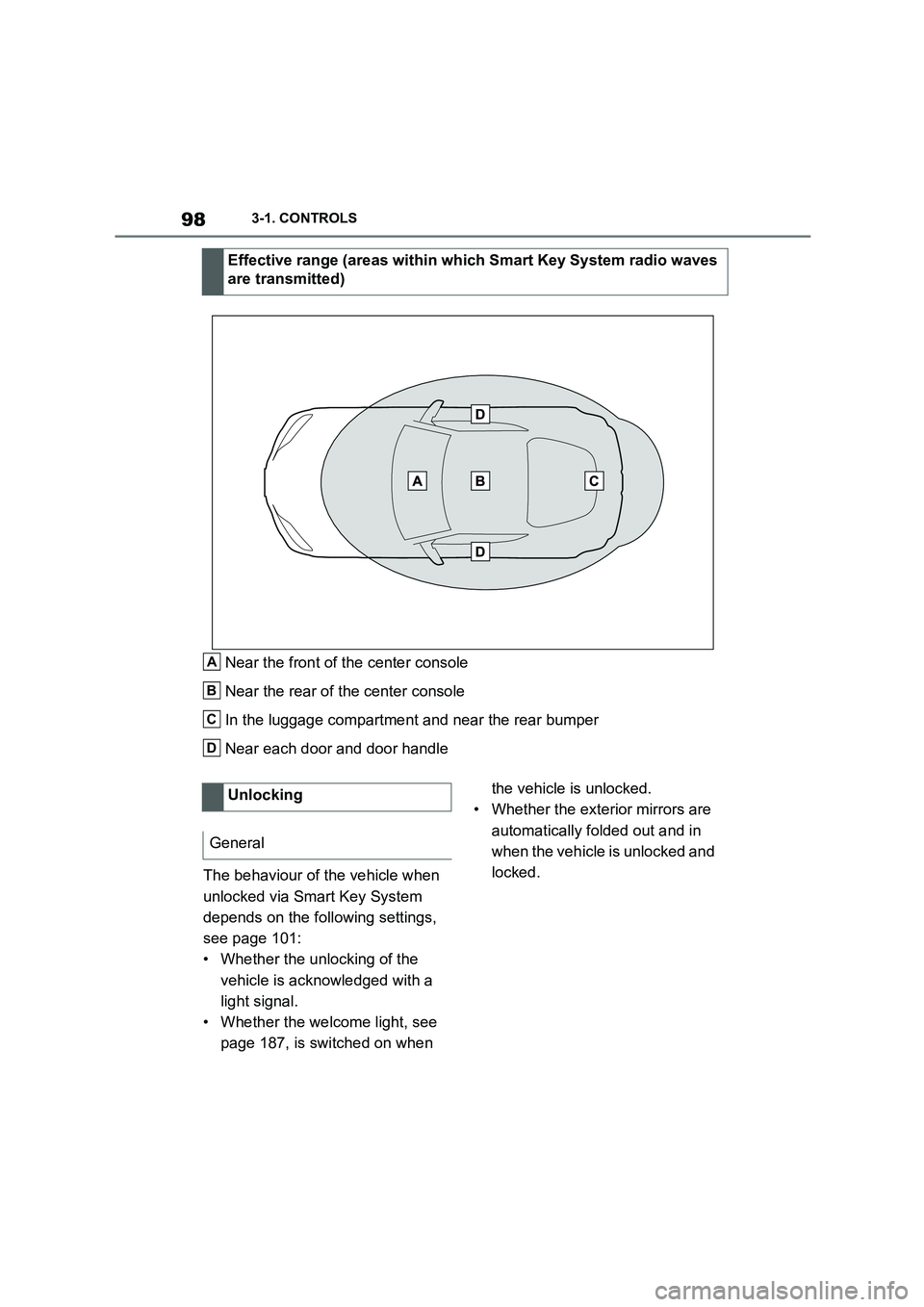
983-1. CONTROLS
Near the front of the center console
Near the rear of the center console
In the luggage compartment and near the rear bumper
Near each door and door handle
The behaviour of the vehicle when
unlocked via Smart Key System
depends on the following settings,
see page 101:
• Whether the unlocking of the
vehicle is acknowledged with a
light signal.
• Whether the welcome light, see
page 187, is switched on when
the vehicle is unlocked.
• Whether the exterior mirrors are
automatically folded out and in
when the vehicle is unlocked and
locked.
Effective range (areas within which Smart Key System radio waves
are transmitted)
A
B
C
D
Unlocking
General