2022 MAZDA MODEL MX-30 EV brake light
[x] Cancel search: brake lightPage 289 of 547

The obstruction is soft such as a
hanging curtain or snow stuck to a
vehicle.
The obstruction is shaped
irregularly.
The obstruction is extremely close.When any of the following
conditions is met, the rearward
detection function may not operate
normally.
Snow, ice, or mud adheres to the
area around a rear ultrasonic
sensor.
The vehicle posture is unstable due
to sudden operation of the steering
wheel, accelerator pedal, or brake
pedal.
There is another obstruction near
one obstruction.
During inclement weather such as
rain, fog , and snow.
High or low humidity.High or low temperatures.Strong winds.The path of travel is not flat.Heavy luggage is loaded in the
luggage compartment or on the
rear seat and the vehicle is tilted.
Objects such as a wireless antenna,
fog light, or illuminated license
plate is installed near a rear
ultrasonic sensor.
The orientation of a rear ultrasonic
sensor has deviated for reasons
such as a collision.
The vehicle is a ffected by other
sound waves such as the horn,
engine noise, or rear ultrasonic
sensor of another vehicle.
When any of the following
conditions is met, the rearward
detection function may operate.
Reversing towards a steep
ascending slope.
There are grating, wheel blocks, a
road curb, or a bump.
There is a hanging curtain or
railroad crossing gate.
Reversing near objects such as
foliage, barriers, vehicles, walls, or
fences.
The vehicle is driven on rough
roads such as in areas where there
is grass and foliage or o ff-road.
When reversing through low gates,
narrow gates, car washing
machines, tunnels, or into a
mechanical parking garage.
A towing bar is installed or a trailer
is connected.
If the system performs brake control
and the vehicle is stopped, the
system will continue to hold the
brakes for a brief time unless there is
an operation performed by the
driver.
Collision warning
If there is the possibility of your vehicle
colliding with a vehicle approaching
from the rear on the left or right, or
from the rear while you are driving in
reverse, a warning sound is activated
continuously and a warning is
displayed on the multi-information
display and the active driving display.
Multi-information display
1. “BRAKE!” message is displayed
Active driving display
When Driving
i-ACTIVSENSE
4-140
MX -30_8JD4-EA -21G_Edition2_new 2021-5-18 14:38:07
Page 290 of 547

1. “BRAKE!” message is displayed
NOTE
During brake control, the collision
warning sound is activated
intermittently.
Rear crossing
The Rear Crossing detection function is
designed to reduce the damage in the
event of a collision with a vehicle
approaching from the rear sides while
driving in reverse.
The Rear Crossing detection function
detects approaching vehicles using the
rear side radar sensors. If there is the
possibility of your vehicle colliding with
a vehicle approaching from the rear
sides while you are driving in reverse,
you are noti fied of possible danger by
a warning sound and a warning
indication on the display.
Furthermore, if the possibility of a
collision increases, brake control is
performed to reduce damage in the
event of a collision.
WARNING
Always check the surrounding area
visually when reversing the vehicle:
The operation of the Rear Crossing
detection function has certain
limitations. Therefore, the function
might not operate or it might be
delayed even if there is a vehicle
passing through the rear of your
vehicle. Always make it your
responsibility as a driver to check the
rear.
Do not rely completely on the Rear
Crossing detection function:
The Rear Crossing detection function
operates on vehicles while you are
driving in reverse. It will not operate on
walls, pedestrians, or animals.
Operation conditions
The Rear Crossing detection function
operates when all of the following
conditions are met.
The EV system is operating.The SBS is on.The selector lever is in the R position.The vehicle speed is about 10 km/h
(6.2 mph) or slower.
The vehicle speed of an approaching
vehicle is about 3 km/h (2 mph) or
faster.
There is no problem with the DSC.
NOTE
When any of the following
conditions is met, the i-ACTIVSENSE
warning indication/warning light is
turned on and the system operation
is stopped. If the i-ACTIVSENSE
warning indication/warning light
remains on, have the vehicle
inspected by an Authorized Mazda
Dealer as soon as possible.
There is a problem with the
system.
A large deviation in the installation
position of a rear side radar sensor
on the vehicle has occurred.
Snow, ice, or mud is adhering
around a rear side radar sensor.
The temperature around a rear side
radar sensor is high.
Driving on snow-covered roads for
long periods.
The lead-acid battery voltage has
decreased.
When Driving
i-ACTIVSENSE
4-141
MX -30_8JD4-EA -21G_Edition2_new 2021-5-18 14:38:07
Page 292 of 547
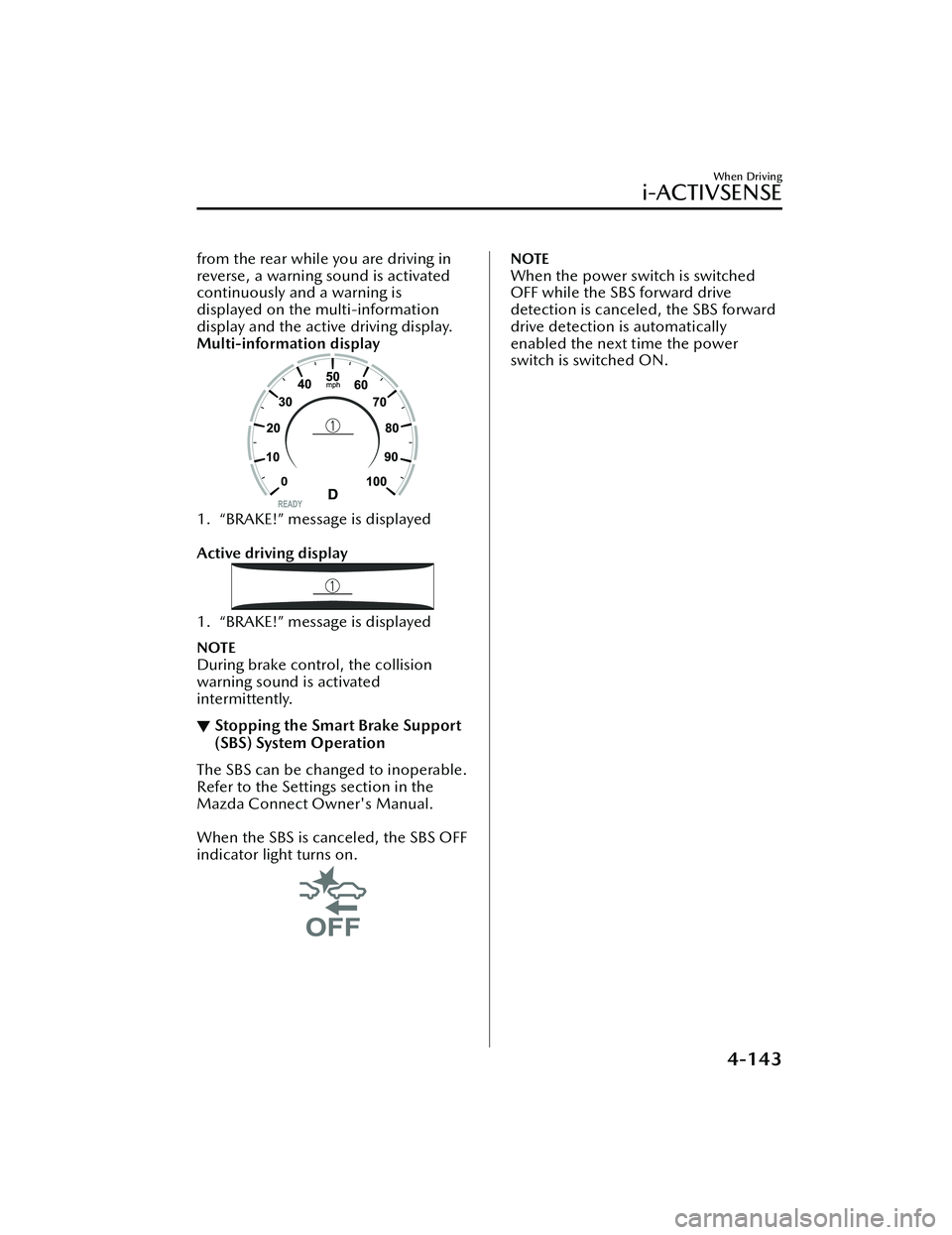
from the rear while you are driving in
reverse, a warning sound is activated
continuously and a warning is
displayed on the multi-information
display and the active driving display.
Multi-information display
1. “BRAKE!” message is displayed
Active driving display
1. “BRAKE!” message is displayed
NOTE
During brake control, the collision
warning sound is activated
intermittently.
▼Stopping the Smart Brake Support
(SBS) System Operation
The SBS can be changed to inoperable.
Refer to the Settings section in the
Mazda Connect Owner's Manual.
When the SBS is canceled, the SBS OFF
indicator light turns on.
NOTE
When the power switch is switched
OFF while the SBS forward drive
detection is canceled, the SBS forward
drive detection is automatically
enabled the next time the power
switch is switched ON.
When Driving
i-ACTIVSENSE
4-143
MX
-30_8JD4-EA -21G_Edition2_new 2021-5-18 14:38:07
Page 328 of 547

Slightly depress the brake pedal.Press the CANCEL switch.
If the RES switch is pressed when the
vehicle speed is 30 km/h (19 mph) or
higher, the system reverts to the
previously set speed.
NOTE
If any of the fo llowing conditions
occur, the cruise control system is
temporarily canceled.
Even when the brake pedal is
slightly depressed.
The DSC is operating.There is a problem in the system.Any of the doors is opened.The driver's seat belt is unfastened.The parking brake is applied.The selector lever is in the P, N, or
R position.
When the cruise control system is
temporarily canceled by even one of
the applicable cancel conditions, the
speed cannot be re-set.
▼ To D e a c t i v a t e
Press the cruise switch again.
When Driving
Cruise Control
4-179
MX
-30_8JD4-EA -21G_Edition2_new 2021-5-18 14:38:07
Page 348 of 547

NOTE
When the power switch is switched OFF, the system status before it was turned off
is maintained. For example, if the power switch is switched OFF while the parking
sensor is activated, the system will be activated when the power switch is switched
ON the next time.
The system may not operate normally under the following conditions:
Mud, ice, or snow is adhering to the sensor area (Returns to normal operation
when removed).
The sensor area is frozen (Returns to normal operation when the ice is thawed).The sensor is covered by a hand.The sensor is excessively shocked.The vehicle is excessively tilted.Under extremely hot or cold weather conditions.The vehicle is driven on bumps, inclines, gravel, grating, or grass covered roads.Anything which generates ultrasonic wave s such as another vehicle's horn, the
engine sound of a motorcycle, the air brake sound of a large-sized vehicle, or
another vehicle's sensors approaches the vehicle.
The vehicle is driven in heavy rain or in road conditions causing water-splash.A commercially-available fender pole or an antenna for a radio transmitter is
installed to the vehicle.
The vehicle is moving towards a tall or square curbstone, or a steep grade.An obstruction is too close to the sensor.The vehicle is moving towards an uneven wall or stairs.There are multiple obstructions.The vehicle is driven in a place with low ceilings.Obstructions under the bumper cannot be detected. Obstructions which are
lower than the sensor or thin may not be detected even though they were
detected once.
The following types of obstructions may not be detected:
Thin objects such as wire, rope or polesThings which absorb sonic waves easily such as cotton or snowAngular shaped objectsVery tall objects, and those which are wide at the topSmall, short objectsAlways have the system inspected at an Authorized Mazda Dealer if any shock is
applied to the bumpers, even in a minor accident. If the sensors are deviated, they
cannot detect obstructions.
The system may have a malfunction if a sound is not activated or the detection
indication is not displayed even when th e parking sensor OFF switch is pressed
and the parking sensor is operable. Have your vehicle inspected by an Authorized
Mazda Dealer.
The system may have a malfunction if the indicator light does not turn on even
when the parking sensor OFF switch is turned on. Have your vehicle inspected by
an Authorized Mazda Dealer.
When Driving
Pa r k i n g S e n s o r Sys te m
4-199
MX -30_8JD4-EA -21G_Edition2_new 2021-5-18 14:38:07
Page 351 of 547

If the switch is pressed again, the
parking sensor becomes operational
and the indicator light turns off.
1. Indicator light
NOTE
The detection indicator and buzzer
of the front ultrasonic sensors/front
corner ultrasonic sensors do not
operate when the selector lever is in
the P position.
The detection indicator and buzzer
sound do not activate when the
parking brake is applied.
▼ Obstruction Detection Indication
The position of a sensor which has
detected an obstruction is indicated.
The gauge illuminates in
different areas
depending on the distance to an
obstruction detected by the sensor.
As the vehicle approaches closer to an
obstruction, the zone in the gauge
closer to the vehicle illuminates.
Without 360°view monitor
1. Front ultrasonic sensor gauge*
2. Right front corner ultrasonic sensor
gauge*
3. Right rear corner ultrasonic sensorgauge/Right rear side ultrasonic
sensor gauge
*
4. Rear ultrasonic sensor gauge
5. Left rear corner ultrasonic sensorgauge/Left rear side ultrasonic
sensor gauge
*
6. Left front corner ultrasonic sensor
gauge*
With 360°view monitor
1. Front ultrasonic sensor gauge
2. Right front corner ultrasonic sensorgauge
3. Right rear corner ultrasonic sensor gauge/Right rear side ultrasonic
sensor gauge
*
4. Rear ultrasonic sensor gauge
When Driving
Pa r k i n g S e n s o r Sys te m
4-202*Some models.
MX -30_8JD4-EA -21G_Edition2_new 2021-5-18 14:38:07
Page 402 of 547

6Maintenance and Care
How to keep your Mazda in top condition.
Essential Information................. 6-2 Introduction.......................... 6-2
Scheduled Maintenance............ 6-4 Scheduled Maintenance......... 6-4
Owner Maintenance................. 6-7 Owner Maintenance
Precautions........................... 6-7
Hood.................................... 6-8
Motor Compartment
Overview............................ 6-10
Coolant.............................. 6-11
Brake Fluid.......................... 6-12
Washer Fluid....................... 6-13
Lubrication system............... 6-14
Wiper Blades....................... 6-14
Lead-acid Battery................. 6-19
Key Battery Replacement...... 6-21
Tires.................................... 6-23
Light Bulbs...........................6-26
Fuses.................................. 6-27
Appearance Care.................... 6-34 Exterior Care....................... 6-34
Interior Care........................ 6-40
6-1
MX-30_8JD4-EA -21G_Edition2_new 2021-5-18 14:38:07
Page 405 of 547

Scheduled Maintenance
▼Scheduled Maintenance (U.S.A.)
Vehicles utilizing the vehicle status monitor feature:
The vehicle status monitor feature alerts you of maintenance needs by turning on the
wrench indicator light or displaying a message in the instrument panel, or both.
Every maintenance must be done when the display/wrench indication comes on.
The display/wrench indication will come
on before reaching the maximum interval
of 16,000 km (10,000 miles), or 12 mont hs (after the previous maintenance).
Refer to the Information section in the Mazda Connect Owner's Manual. Please
contact an Authorized Mazda Dealer if necessary.
Reset Service Interval when the maintenance was performed regardless of the mes-
sage/wrench indicator light display.
USA Residents
Maintenance Item Number of times, maintenance was performed.
12345678
ELECTRIC VEHICLE SYSTEM
Coolant level IIIIIIII
Coolant
*1Replace at first 192,000 km (120,000 miles) or 180
months; after that, every 96,000 km (60,000 miles) or 60 months.
OTHER THAN ENGINE AND ELECTRIC VEHICLE SYSTEM
Brake lines, hoses and connections I I I I
Brake and clutch fl uid level IIIIIIII
Brake fluid RRR R
Disc brakes IIIIIIII
Steering operation and linkages III I
Front and rear suspension, ball joints and
wheel bearing axial play IIII
Driveshaft dust boot III I
Bolts and nuts on chassis and body TT TT
Cabin air filter Replace every 48,000 km (30,000 miles) or 24 months.
Tire rotation Rotate every 16,000 km (10,000 miles).
Tire in flation pressure and tire wear
*2IIIIIIII
Emergency flat tire repair kit (if equipped)
*3Inspect annually.
Function of all lights IIIIIIII
Chart symbols:
I: Inspect: Inspect and clean, repair, adjust, fill up, or replace if necessary.
Maintenance and Care
Scheduled Maintenance
6-4
MX -30_8JD4-EA -21G_Edition2_new 2021-5-18 14:38:07