Page 218 of 350
IN CASE OF EMERGENCY 215
3. Rotate the wheel wrench handle counterclockwise untilthe spare tire is on the ground with enough cable slack to
allow you to pull it out from under the vehicle.
Lowering The Spare Tire
NOTE:
The winch mechanism is designed for use with the winch
extension only. Use of an air wrench or other power tools is
not recommended and can damage the winch. 4. Pull the spare tire out from under the vehicle to gain
access to the spare tire retainer.
Spare Tire
6
2020_RAM_PROMASTER_CITY_OM_USA=GUID-7B6A7FCA-79B0-423F-95C5-ED2A949C3D13=1=en=.book Page 215
Page 228 of 350
IN CASE OF EMERGENCY 225
3. Position the tire vertically and lay the mounted adapteron the inner part of the rim, using the supplied bolts
fasten the wheel to the adapter using the bolt install
wrench.
Alloy Wheel Mounting
4. Tighten the bolts with the wrench handle. 5. Rotate the winch mechanism clockwise until the wheel is
properly stowed under the vehicle and until the wench
makes three audible noises.
6. Reach underneath and shake tire by hand to confirm that it is secure. The tire should not move. If the tire is still
loose and/or three audible noises are not heard, place
and secure damaged wheel into the vehicle and seek
dealer assistance for the winch mechanism.
This is for temporary use only.
6
2020_RAM_PROMASTER_CITY_OM_USA=GUID-7B6A7FCA-79B0-423F-95C5-ED2A949C3D13=1=en=.book Page 225
Page 229 of 350

226 IN CASE OF EMERGENCY
Vehicles Equipped With Wheel Covers
1. Mount the road tire on the axle.
2. To ease the installation process for steel wheels withwheel covers, install two wheel bolts on the wheel. Install
the wheel bolts with the threaded end of the bolt toward
the wheel. Lightly tighten the wheel bolts.
Tire And Wheel Cover Or Center Cap 3. Align the valve notch in the wheel cover with the valve
stem on the wheel. Install the cover by hand, snapping the
cover over the two wheel bolts. Do not use a hammer or
excessive force to install the cover.
4. Install the remaining wheel bolts with the threaded end of the wheel bolt toward the wheel. Lightly tighten the
wheel bolts.
5. Lower the vehicle to the ground by turning the jack handle counterclockwise.
1 — Valve Stem
2 — Valve Notch
3 — Wheel Bolt
4 — Wheel Cover
5 — Road Wheel
WARNING!
To avoid the risk of forcing the vehicle off the jack, do
not fully tighten the wheel bolts until the vehicle has
been lowered. Failure to follow this warning may result
in serious injury.
2020_RAM_PROMASTER_CITY_OM_USA=GUID-7B6A7FCA-79B0-423F-95C5-ED2A949C3D13=1=en=.book Page 226
Page 310 of 350
MULTIMEDIA 307
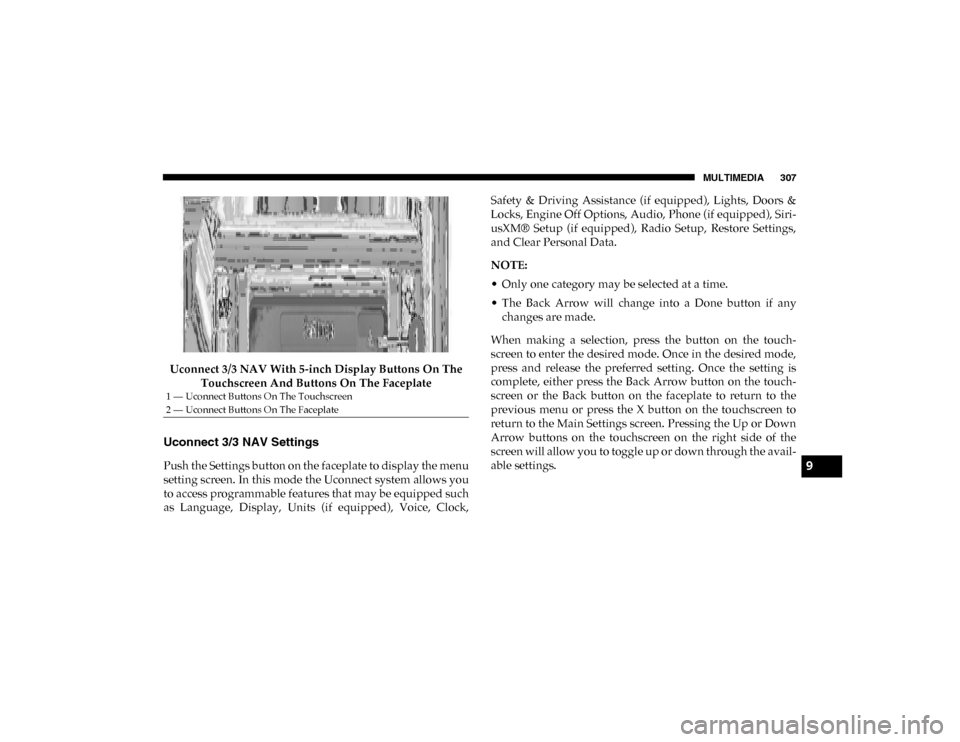
Uconnect 3/3 NAV With 5-inch Display Buttons On The Touchscreen And Buttons On The Faceplate
Uconnect 3/3 NAV Settings
Push the Settings button on the faceplate to display the menu
setting screen. In this mode the Uconnect system allows you
to access programmable features that may be equipped such
as Language, Display, Units (if equipped), Voice, Clock, Safety & Driving Assistance (if equipped), Lights, Doors &
Locks, Engine Off Options, Audio, Phone (if equipped), Siri
-
usXM® Setup (if equipped), Radio Setup, Restore Settings,
and Clear Personal Data.
NOTE:
• Only one category may be selected at a time.
• The Back Arrow will change into a Done button if any changes are made.
When making a selection, press the button on the touch -
screen to enter the desired mode. Once in the desired mode,
press and release the preferred setting. Once the setting is
complete, either press the Back Arrow button on the touch -
screen or the Back button on the faceplate to return to the
previous menu or press the X button on the touchscreen to
return to the Main Settings screen. Pressing the Up or Down
Arrow buttons on the touchscreen on the right side of the
screen will allow you to toggle up or down through the avail -
able settings.
1 — Uconnect Buttons On The Touchscreen
2 — Uconnect Buttons On The Faceplate
9
2020_RAM_PROMASTER_CITY_OM_USA=GUID-7B6A7FCA-79B0-423F-95C5-ED2A949C3D13=1=en=.book Page 307
Page 313 of 350
310 MULTIMEDIA
Clock & Date
After pressing the Clock & Date button on the touchscreen, the following settings will be available:Setting Name Selectable Options
Set Time And Format — If Equipped 12 hrs
24 hrs AMPM
Show Time Status — If Equipped On
Off
Set Date DayMonth Year
NOTE:
By selecting this setting, the day, month, and year can be updated. The selectable days range from 1–31 (depending on
month). The selectable months consist of Jan/Feb/March/April/May/June/July/Aug/Sept/Oct/Nov/Dec. You can also
set the hours and minutes on the clock. Sync Time — If Equipped On
Off
NOTE:
When this setting is selected, the time will set automatically based upon GPS location.
2020_RAM_PROMASTER_CITY_OM_USA=GUID-7B6A7FCA-79B0-423F-95C5-ED2A949C3D13=1=en=.book Page 310
Page 319 of 350
316 MULTIMEDIA
Restore Settings — If Equipped
After pressing the Restore Settings button on the touchscreen, the following settings will be available:
Clear Personal Data
After pressing the Clear Personal Data button on the touchscreen, the following settings will be available:Setting Name
Selectable Options
Restore Settings YesNo
NOTE:
When this feature is selected, it will reset the Display, Clock, Audio, and Radio Settings to their default settings. Once the
settings are restored, a pop-up appears stating "settings reset to default." Press the okay button on the touchscreen to exit.
Setting Name Selectable Options
Clear Personal Data YesNo
NOTE:
When this feature is selected, it will remove personal data including Bluetooth® devices and presets.
2020_RAM_PROMASTER_CITY_OM_USA=GUID-7B6A7FCA-79B0-423F-95C5-ED2A949C3D13=1=en=.book Page 316


