2019 TOYOTA SUPRA sensor
[x] Cancel search: sensorPage 202 of 456
202
Supra Owner's Manual3-1. CONTROLS
Braking can be discontinued either
by depressing the accelerator pedal
or by actively moving the steering
wheel.
The detection of objects may be
limited. Take into account the
detection range limits and the func-
tional limitations.
The system reacts to pedestrians
and cyclists if your own speed is
below approx. 85 km/h, 53 mph.
The detection ability of the system
is limited.
As a result, the system may fail to
give warnings or may give warnings
late.
It is possible that the following are
not detected, for example:
Partially concealed pedestrians.
Pedestrians who are not detected as such, because of the
viewing angle or outline.
Pedestrians outside the detec-
tion range.
Pedestrians less than approxi-
mately 80 cm, 32 in tall.
The system may have limited func-
tionality in some situations, for
example:
In thick fog, wet conditions or
snow.
On sharp bends.
If vehicle stability control sys-
tems are deactivated, for exam-
ple VSC OFF.
If the field of view of the camera
or the windscreen in front of the
rear-view mirror is soiled or cov-
ered.
If the camera has overheated
due to excessively high tempera-
tures and has been temporarily
deactivated.
Depending on the equipment
version: if the radar sensors are
soiled or covered.
Up to 10 seconds after starting
the engine using the start/stop
button.
During the camera calibration
process immediately after vehi-
cle delivery.
When there is sustained glare
due to oncoming light, for exam- System limits
Safety note
WARNING
The system may not respond at all, or
may respond too late, incorrectly or
without justification due to limits of the
system. There is a danger of acci-
dents or damage to property.
Observe the information on the sys-
tem limits and intervene actively if
necessary.
Upper speed limit
Detection range
Functional limitations
Page 208 of 456
208
Supra Owner's Manual3-1. CONTROLS
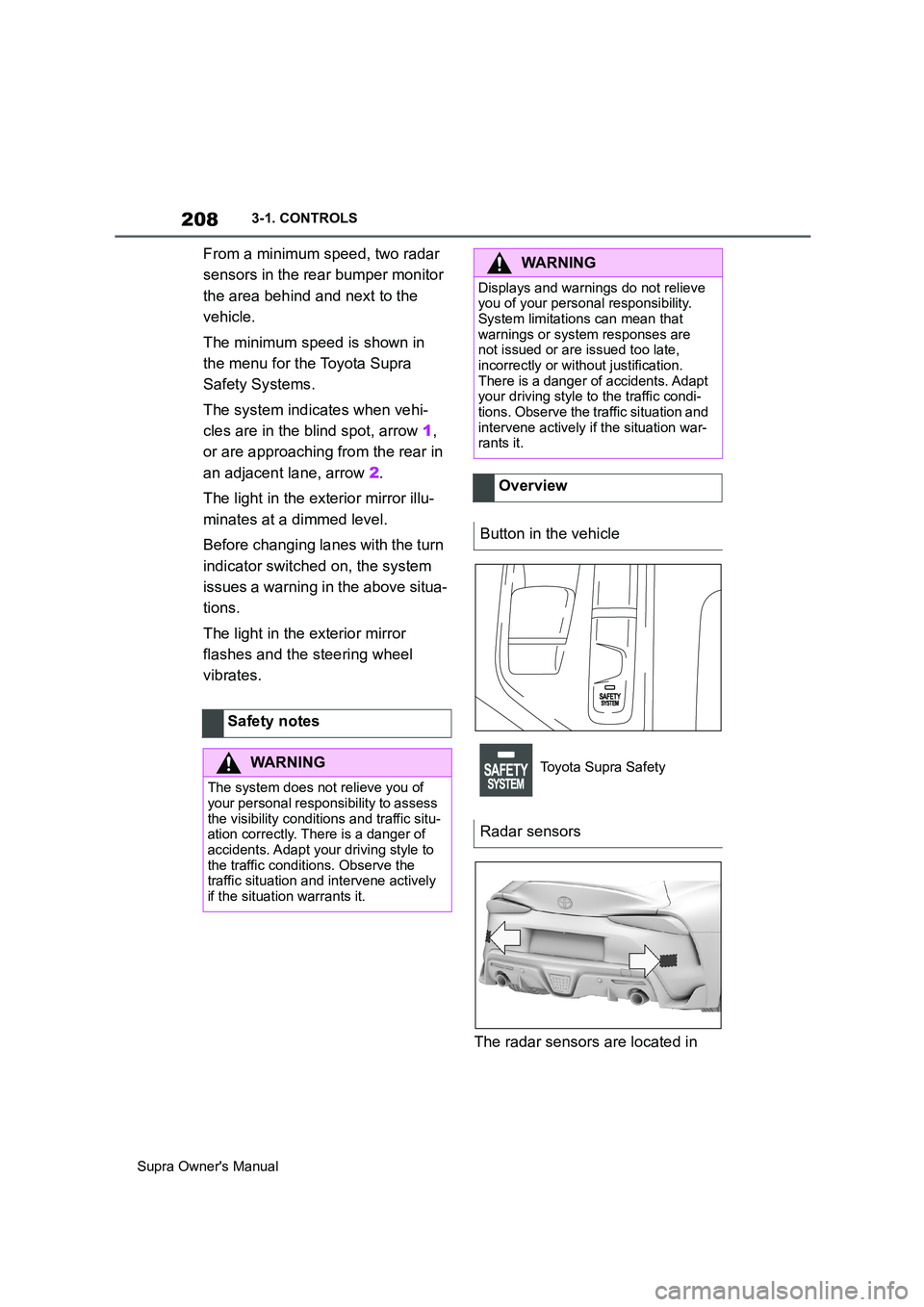
From a minimum speed, two radar
sensors in the rear bumper monitor
the area behind and next to the
vehicle.
The minimum speed is shown in
the menu for the Toyota Supra
Safety Systems.
The system indicates when vehi-
cles are in the blind spot, arrow 1,
or are approaching from the rear in
an adjacent lane, arrow 2.
The light in the exterior mirror illu-
minates at a dimmed level.
Before changing lanes with the turn
indicator switched on, the system
issues a warning in the above situa-
tions.
The light in the exterior mirror
flashes and the steering wheel
vibrates.
The radar sensors are located in Safety notes
WARNING
The system does not relieve you of
your personal responsibility to assess
the visibility conditions and traffic situ-
ation correctly. There is a danger of
accidents. Adapt your driving style to
the traffic conditions. Observe the
traffic situation and intervene actively
if the situation warrants it.
WARNING
Displays and warnings do not relieve
you of your personal responsibility.
System limitations can mean that
warnings or system responses are
not issued or are issued too late,
incorrectly or without justification.
There is a danger of accidents. Adapt
your driving style to the traffic condi-
tions. Observe the traffic situation and
intervene actively if the situation war-
rants it.
Overview
Button in the vehicle
Toyota Supra Safety
Radar sensors
Page 209 of 456
209
3
Supra Owner's Manual3-1. CONTROLS
CONTROLS
the rear bumper.
Keep the bumpers clean and unob-
structed in the area of the radar
sensors.
The Blind spot monitor is reacti-
vated automatically at the start of a
journey if the function was switched
on the last time the engine was
stopped.
The menu for the Toyota Supra
Safety Systems is shown.
If all Toyota Supra Safety Systems
were switched off, all systems are
now switched on.
"Customise Settings": depending
on the equipment, the Toyota Supra
Safety Systems can be configured
individually. The individual settings
are activated and saved for the cur-
rently used driver profile. As soon
as a setting is changed in the
menu, all settings in the menu are
activated.
The setting switches between the following:
"ALL ON": all Toyota Supra Safety
Systems are switched on. Basic
settings are activated for the
sub-functions.
"Customise": the Toyota Supra
Safety Systems are switched on
according to the individual settings.
Some Toyota Supra Safety Sys-
tems cannot be switched off individ-
ually.
All Toyota Supra Safety Systems
are switched off.
Via Toyota Supra Command:
1"My Vehicle"
2"Vehicle settings"
3"Toyota Supra Safety" Switching on/off
Switching on automatically
Switching on/off manually
Press the button.
Press the button repeatedly.
Press and hold the button.
ButtonStatus
Indicator illuminates
green: all Toyota Supra
Safety Systems are
switched on.
Indicator illuminates
orange: some Toyota
Supra Safety Systems are
switched off or are cur-
rently not available.
Indicator does not illumi-
nate: all Toyota Supra
Safety Systems are
switched off.
Setting the warning time
Page 211 of 456
211
3
Supra Owner's Manual3-1. CONTROLS
CONTROLS
155 mph, the system once again
responds according to the setting.
The system may have limited func-
tionality in the following situations,
for example:
If the speed of the approaching
vehicle is significantly higher
than the driver's own speed.
In thick fog, wet conditions or
snow.
On sharp bends or narrow roads.
If the bumper is dirty, iced up or
covered, for example by stickers.
When a projecting load is being
transported.
A vehicle message is displayed in
the event of limited functionality.
Depending on the selected setting
for warnings, for example the warn-
ing time, it is possible for more
warnings to be displayed. As a
result, there may be an increased
number of premature warnings
about critical situations.
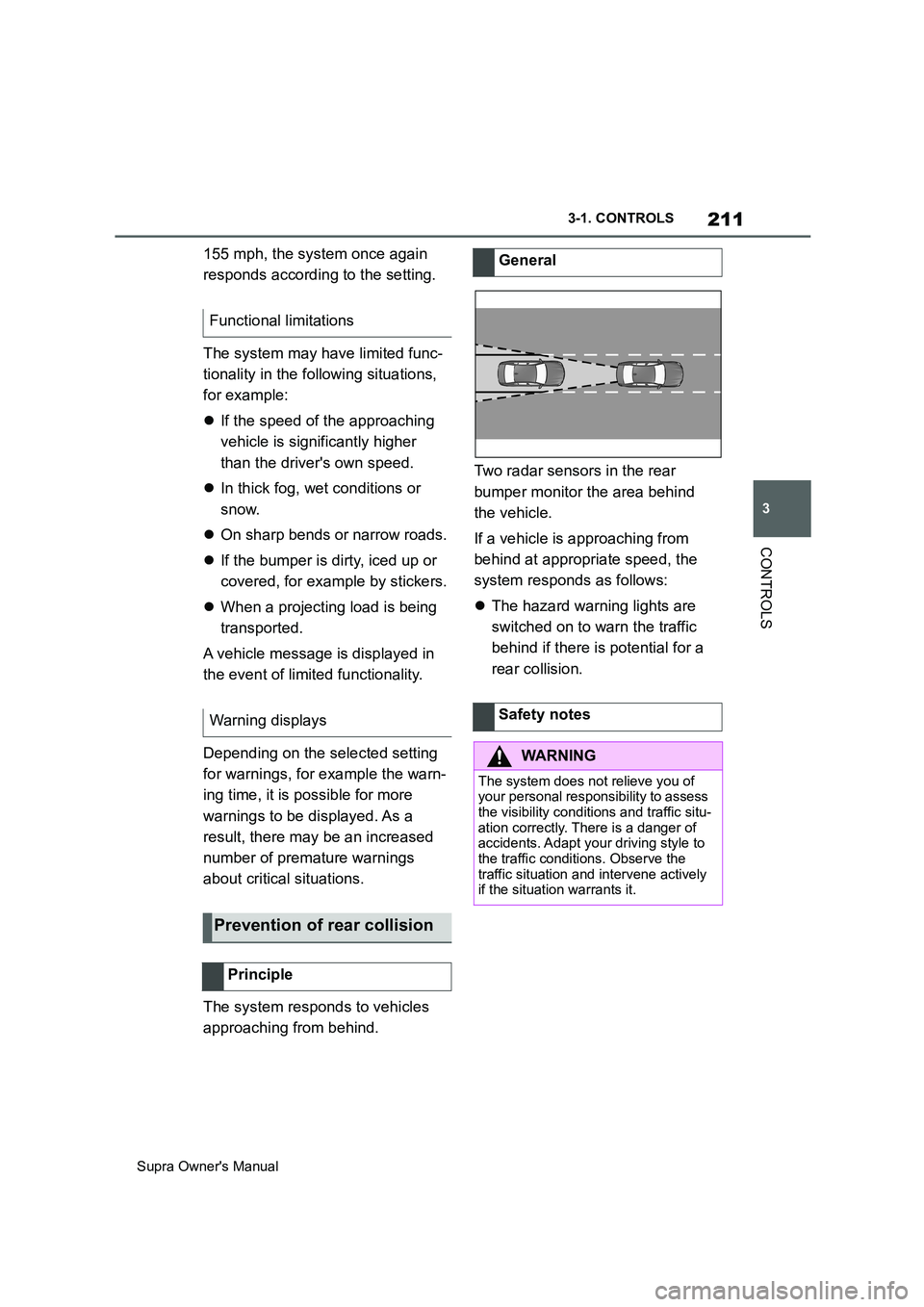
The system responds to vehicles
approaching from behind.Two radar sensors in the rear
bumper monitor the area behind
the vehicle.
If a vehicle is approaching from
behind at appropriate speed, the
system responds as follows:
The hazard warning lights are
switched on to warn the traffic
behind if there is potential for a
rear collision. Functional limitations
Warning displays
Prevention of rear collision
Principle
General
Safety notes
WARNING
The system does not relieve you of
your personal responsibility to assess
the visibility conditions and traffic situ-
ation correctly. There is a danger of
accidents. Adapt your driving style to
the traffic conditions. Observe the
traffic situation and intervene actively
if the situation warrants it.
Page 212 of 456
212
Supra Owner's Manual3-1. CONTROLS
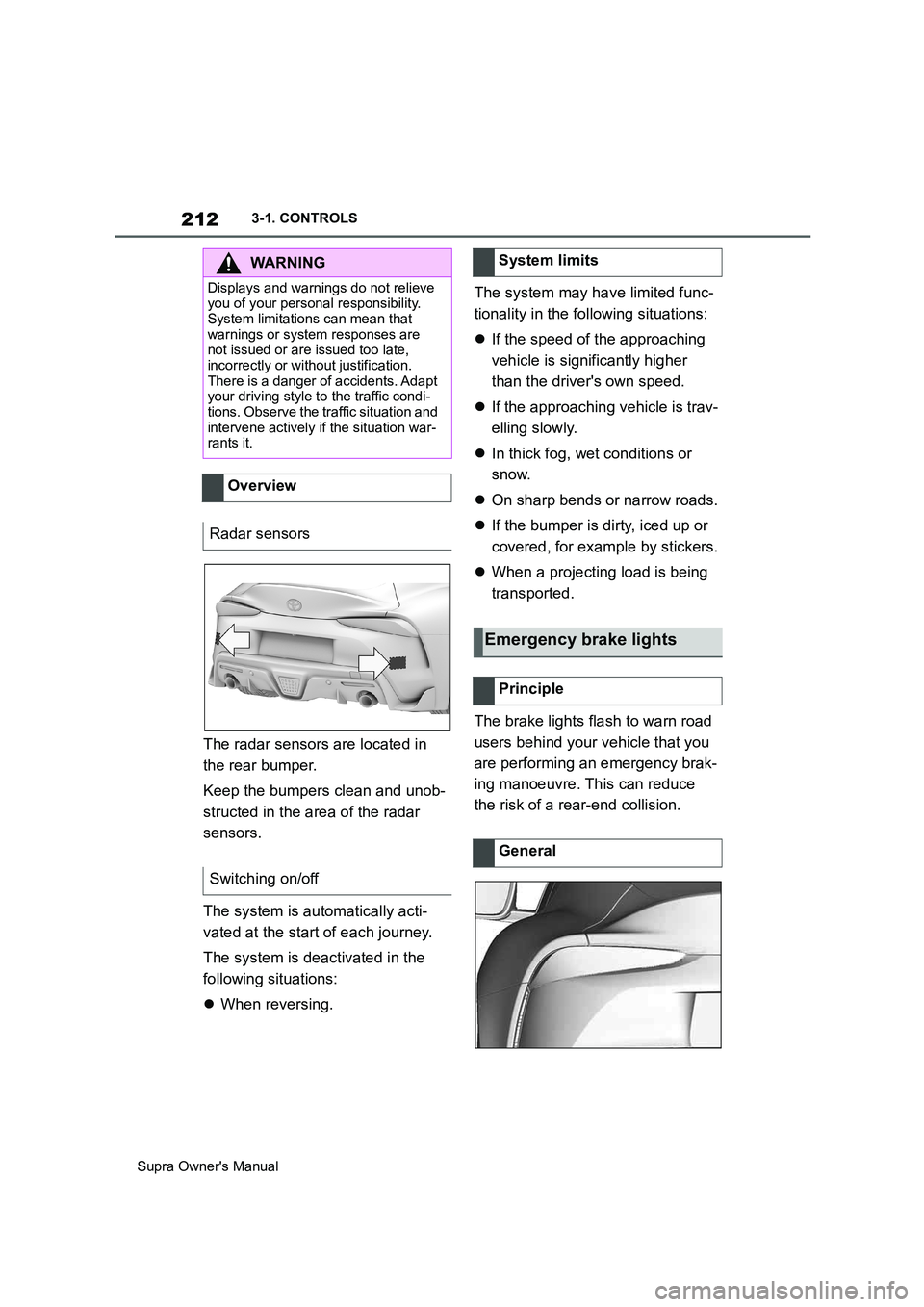
The radar sensors are located in
the rear bumper.
Keep the bumpers clean and unob-
structed in the area of the radar
sensors.
The system is automatically acti-
vated at the start of each journey.
The system is deactivated in the
following situations:
When reversing.The system may have limited func-
tionality in the following situations:
If the speed of the approaching
vehicle is significantly higher
than the driver's own speed.
If the approaching vehicle is trav-
elling slowly.
In thick fog, wet conditions or
snow.
On sharp bends or narrow roads.
If the bumper is dirty, iced up or
covered, for example by stickers.
When a projecting load is being
transported.
The brake lights flash to warn road
users behind your vehicle that you
are performing an emergency brak-
ing manoeuvre. This can reduce
the risk of a rear-end collision.
WARNING
Displays and warnings do not relieve
you of your personal responsibility.
System limitations can mean that
warnings or system responses are
not issued or are issued too late,
incorrectly or without justification.
There is a danger of accidents. Adapt
your driving style to the traffic condi-
tions. Observe the traffic situation and
intervene actively if the situation war-
rants it.
Overview
Radar sensors
Switching on/off
System limits
Emergency brake lights
Principle
General
Page 225 of 456
225
3
Supra Owner's Manual3-1. CONTROLS
CONTROLS
saved speed is not excessively
large. Otherwise, there may be
inadvertent braking or acceleration.
Cruise Control is resumed with the
saved values.
The saved speed value is deleted
and can no longer be called up in
the following instances:
When the system is switched off.
When drive-ready state is
switched off.
With the corresponding equipment,
the set speed limit is displayed digi-
tally for a short time.
Some information from the system
can also be shown in the Head-Up
Display.The desired speed is also main-
tained on a downhill stretch. The
vehicle may drive slower than the
desired speed on uphill gradients if
the engine power is not sufficient.
This system allows you to set a
desired speed and a desired dis-
tance from the vehicle in front,
using the buttons on the steering
wheel.
When the road ahead is clear, the
system maintains the desired
speed by braking or accelerating
the vehicle automatically, as
required.
If there is a vehicle driving in front,
the system adapts your own vehicle
speed in order to maintain the set
distance from the vehicle ahead.
The speed is adapted as far as the
given situation allows.
A radar sensor is fitted in the front
bumper and a camera on the
rear-view mirror for detecting vehi-
While the system is inter-
rupted, press the button.
Displays in the instrument
cluster
Indicator lamp
Green indicator lamp: the
system is active.
Grey indicator lamp: the
system is interrupted.
No indicator lamp: the sys-
tem is switched off.
Status display
Displays in the Head-Up Dis-
play
The symbol is displayed
when the desired speed set
has been reached.
System limits
Adaptive Cruise Control
with Stop & Go ACC
Principle
General
Page 227 of 456
227
3
Supra Owner's Manual3-1. CONTROLS
CONTROLS
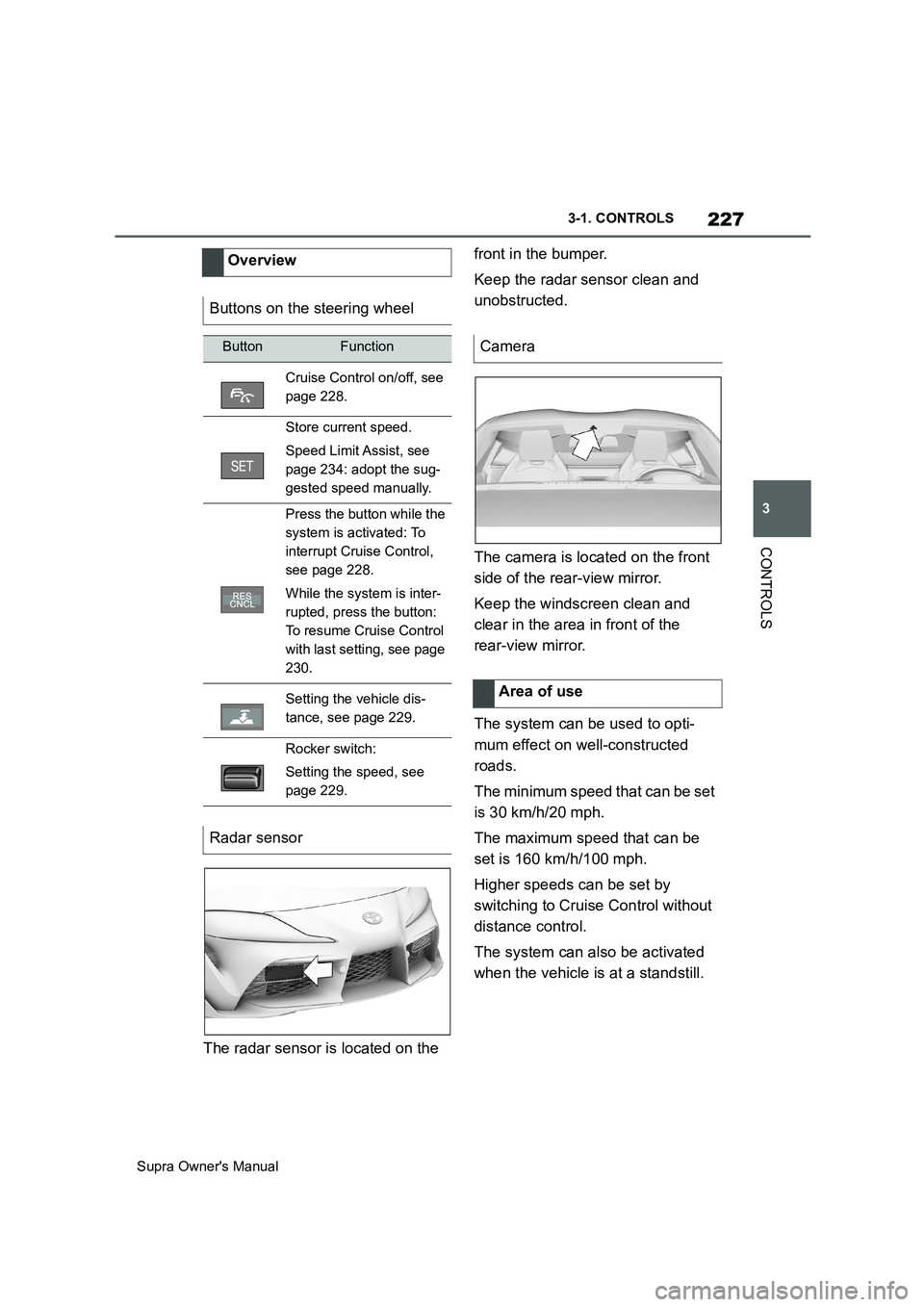
The radar sensor is located on the front in the bumper.
Keep the radar sensor clean and
unobstructed.
The camera is located on the front
side of the rear-view mirror.
Keep the windscreen clean and
clear in the area in front of the
rear-view mirror.
The system can be used to opti-
mum effect on well-constructed
roads.
The minimum speed that can be set
is 30 km/h/20 mph.
The maximum speed that can be
set is 160 km/h/100 mph.
Higher speeds can be set by
switching to Cruise Control without
distance control.
The system can also be activated
when the vehicle is at a standstill. Overview
Buttons on the steering wheel
ButtonFunction
Cruise Control on/off, see
page 228.
Store current speed.
Speed Limit Assist, see
page 234: adopt the sug-
gested speed manually.
Press the button while the
system is activated: To
interrupt Cruise Control,
see page 228.
While the system is inter-
rupted, press the button:
To resume Cruise Control
with last setting, see page
230.
Setting the vehicle dis-
tance, see page 229.
Rocker switch:
Setting the speed, see
page 229.
Radar sensor
Camera
Area of use
Page 234 of 456
234
Supra Owner's Manual3-1. CONTROLS
road.
In such cases, depress the acceler-
ator pedal.
The following restrictions may apply
if the weather or lighting conditions
are unfavourable:
Impaired detection of vehicles.
Brief interruptions when vehicles
have already been detected.
Examples of unfavourable weather
or lighting conditions:
Wet roads.
Snowfall.
Slush.
Fog.
Oncoming light.
Pay attention when driving and
respond to the prevailing traffic con-
ditions. If necessary, intervene
actively, for example by braking,
steering or manoeuvring.
The desired speed is also main-
tained on a downhill stretch. The
vehicle may drive slower than the
desired speed on uphill gradients if
the engine power is not sufficient.The system cannot be activated if
the radar sensor is not correctly
aligned, for example following park-
ing damage.
A vehicle message is displayed if
the system has failed.
Have the system checked by any
authorized Toyota retailer or Toyota
authorized repairer, or any reliable
repairer.
The system may have limited func-
tionality if the radar sensor detec-
tion range is partially covered, for
example by the number plate
holder.
The function for detecting and
responding to stationary vehicles
when approaching may be limited
in the following situation:
During the camera calibration
process immediately after vehi-
cle delivery.
Failure or soiling of the camera.
A vehicle message is shown.
When the systems in the vehicle
(Speed Limit Info, for example) Weather
Engine powerMalfunction
Radar sensor
Camera
Speed Limit Assist
Principle