Page 41 of 456
41
3
Supra Owner's Manual3-1. CONTROLS
CONTROLS
Automatic driving lights
control P.171
Automatic high-beamP.174
Low-beam headlights
P. 1 7 3
Instrument lighting P.177
Right parking light P.173
Left parking light P.173
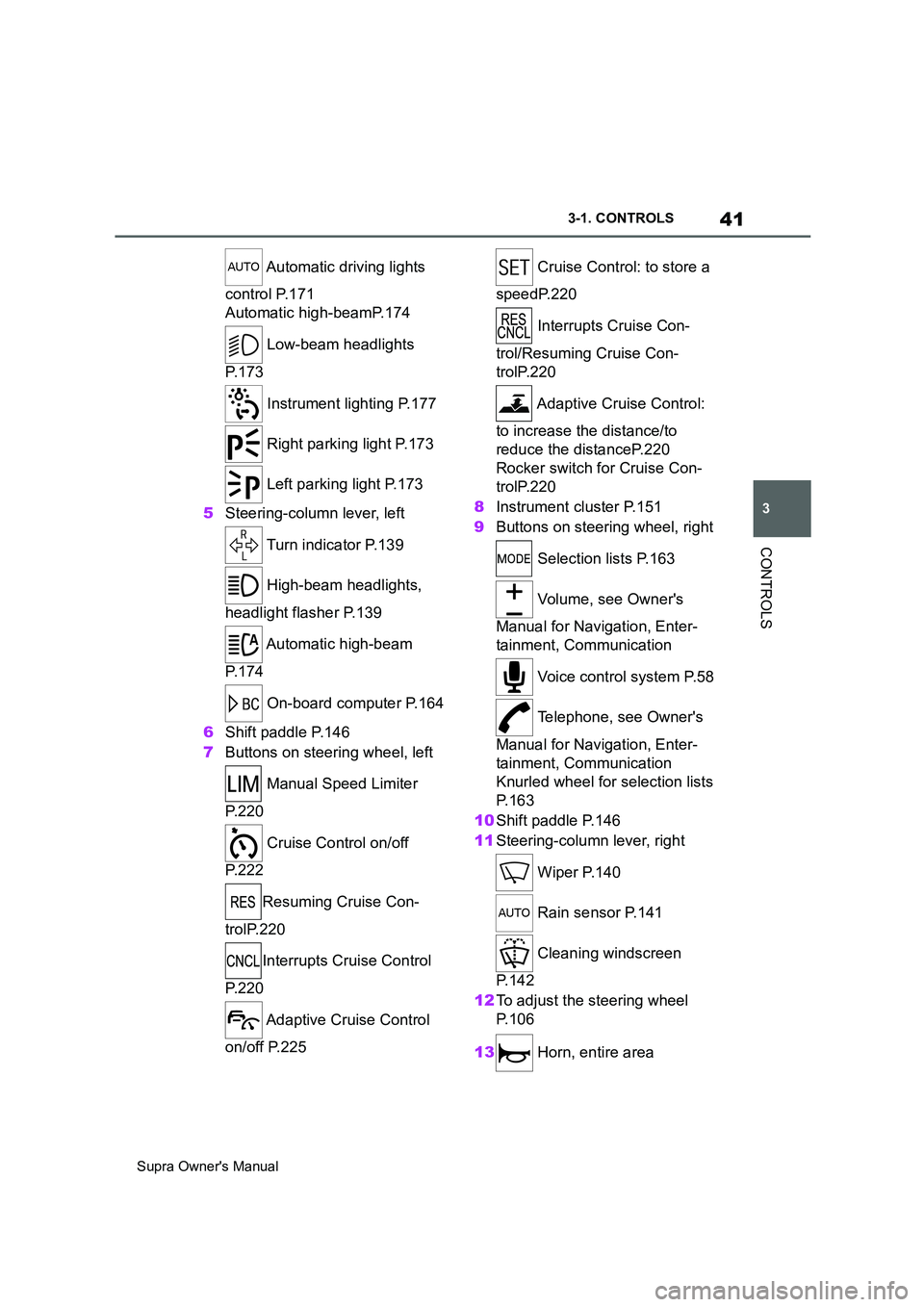
5Steering-column lever, left
Turn indicator P.139
High-beam headlights,
headlight flasher P.139
Automatic high-beam
P. 1 7 4
On-board computer P.164
6Shift paddle P.146
7Buttons on steering wheel, left
Manual Speed Limiter
P. 2 2 0
Cruise Control on/off
P. 2 2 2
Resuming Cruise Con-
trolP.220
Interrupts Cruise Control
P. 2 2 0
Adaptive Cruise Control
on/off P.225 Cruise Control: to store a
speedP.220
Interrupts Cruise Con-
trol/Resuming Cruise Con-
trolP.220
Adaptive Cruise Control:
to increase the distance/to
reduce the distanceP.220
Rocker switch for Cruise Con-
trolP.220
8Instrument cluster P.151
9Buttons on steering wheel, right
Selection lists P.163
Volume, see Owner's
Manual for Navigation, Enter-
tainment, Communication
Voice control system P.58
Telephone, see Owner's
Manual for Navigation, Enter-
tainment, Communication
Knurled wheel for selection lists
P. 1 6 3
10Shift paddle P.146
11Steering-column lever, right
Wiper P.140
Rain sensor P.141
Cleaning windscreen
P. 1 4 2
12To adjust the steering wheel
P. 1 0 6
13 Horn, entire area
Page 42 of 456
42
Supra Owner's Manual3-1. CONTROLS
14 To release the bonnet
P. 3 0 615 Unlocking the boot lid P.77
1Control Display P.50
2 Hazard warning lights
P. 3 3 6
3Ventilation P.255
4Glove box P.260
5Radio/multimedia, see Owner's
Manual for Navigation, Enter-
tainment, Communication
6Automatic air conditioning P.250
7Controller with buttons P.50,
P. 5 1
8 Sport mode switch P.149
SPORT drive mode
Toyota Supra Safety P.191 Auto Start/Stop P.134
Parking Sensors P.236
Rear-view camera P.242
Crossing traffic warning P.246
Park Assistant P.236
Vehicle Stability Control,
VSC P.216
9 Parking brake P.137
10Automatic transmission selector
lever P.143
11 To switch drive-ready
state on/off P.134
Around the centre console
1
4
23
5
6
7
89
10
11
Page 87 of 456
87
3
Supra Owner's Manual3-1. CONTROLS
CONTROLS
are also restored if the vehicle is
used in the intervening period by
someone with a different remote
control.
Changes to settings are saved
automatically in the currently used
driver profile.
If a different driver profile is
selected via Toyota Supra Com-
mand, the settings saved there are
automatically applied. The new
driver profile is allocated to the
remote control currently used.
A guest profile is also available
which is not allocated to any remote
control. It can be used to perform
settings on the vehicle without
changing the personal driver pro-
files.
To ensure that the correct driver
profile can be set, the system must
be able to allocate the detected
remote control uniquely to the
driver.
This is ensured if the following con-
ditions are met:
• The driver is only carrying their
own remote control.
• The driver unlocks the vehicle.
• The driver enters the vehicle
through the driver's door.
The name of the currently used
driver profile is displayed when the Control Display is switched on.
Select a driver profile, see page 88.
As soon as the engine is started or
any button pressed, the display
selected last is shown on the Con-
trol Display.
To cancel the welcome screen via
Toyota Supra Command: "OK"
Settings for the following systems
and functions are saved in the cur-
rently used driver profile. Which
settings can be saved depends on
the country and equipment.
• Unlocking and locking.
•Lights.
• Air conditioning.
• Radio.
• Instrument cluster.
• Favourites buttons.
• Volumes, sound.
• Control Display.
• Navigation.
• Parking Sensors.
• Rear-view camera.
• Head-Up Display.
•Sport mode switch.
• Seat position, exterior mirror
position
The positions set via the seat memory
and the last position set are saved.
• Cruise Control.
• Toyota Supra Safety. Operating requirements
Currently used driver profile
Settings
Page 92 of 456
92
Supra Owner's Manual3-1. CONTROLS
The alarm system is triggered on
opening a door if the door has been
unlocked using the integrated key
in the door lock.
Stopping the alarm, see page 93.
The boot lid can be opened even
with the alarm system switched on.
On closing the boot lid, it is locked
again and monitored, as long as the
doors are locked. The hazard warn-
ing lights flash once.
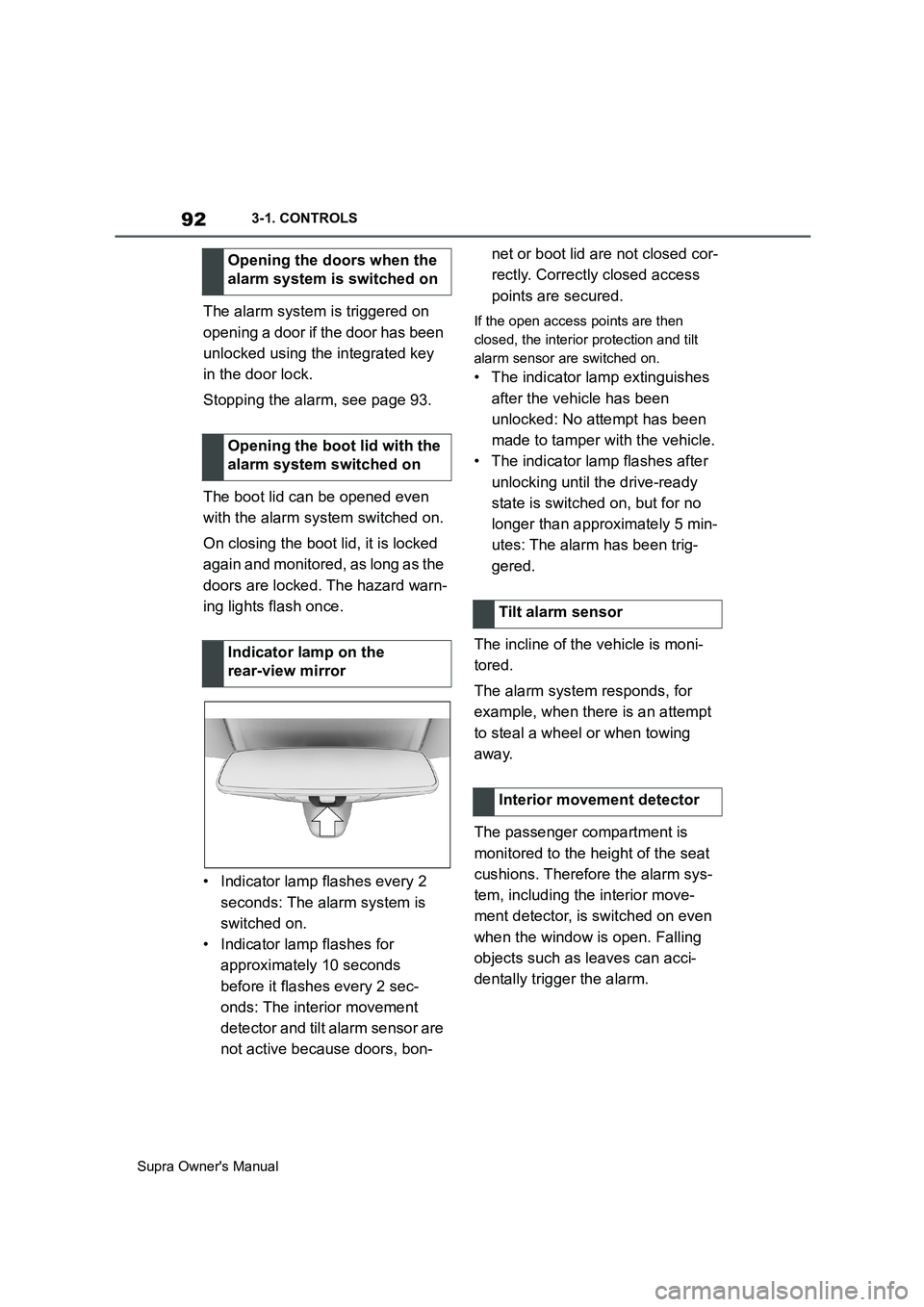
• Indicator lamp flashes every 2
seconds: The alarm system is
switched on.
• Indicator lamp flashes for
approximately 10 seconds
before it flashes every 2 sec-
onds: The interior movement
detector and tilt alarm sensor are
not active because doors, bon-net or boot lid are not closed cor-
rectly. Correctly closed access
points are secured.If the open access points are then
closed, the interior protection and tilt
alarm sensor are switched on.
• The indicator lamp extinguishes
after the vehicle has been
unlocked: No attempt has been
made to tamper with the vehicle.
• The indicator lamp flashes after
unlocking until the drive-ready
state is switched on, but for no
longer than approximately 5 min-
utes: The alarm has been trig-
gered.
The incline of the vehicle is moni-
tored.
The alarm system responds, for
example, when there is an attempt
to steal a wheel or when towing
away.
The passenger compartment is
monitored to the height of the seat
cushions. Therefore the alarm sys-
tem, including the interior move-
ment detector, is switched on even
when the window is open. Falling
objects such as leaves can acci-
dentally trigger the alarm. Opening the doors when the
alarm system is switched on
Opening the boot lid with the
alarm system switched on
Indicator lamp on the
rear-view mirror
Tilt alarm sensor
Interior movement detector
Page 93 of 456
93
3
Supra Owner's Manual3-1. CONTROLS
CONTROLS
The tilt alarm sensor and the inte-
rior movement detector may trigger
an alarm without any unauthorised
activity taking place.
Possible situations for an unwanted
alarm:
• In washing bays or car washes.
• In two-level garages.
• During transport via motorail, car
ferry or trailer.
• When there are pets in the vehi-
cle.
• When the vehicle is locked after
starting to refuel.
The tilt alarm sensor and interior
protection can be switched off for
such situations.
The indicator lamp illuminates for
approximately 2 seconds and then
flashes again.
The tilt alarm sensor and the inte-
rior movement detector are
switched off until the next time the
vehicle is locked.• Unlock the vehicle with the
remote control, if necessary
using the special ID feature of
the remote control, see page 78.
• With Smart Key System: fully
grasp the door handle on either
the driver's door or the front pas-
senger door while carrying the
remote control. Avoiding false alarms
General
Switching off the tilt alarm sensor
and interior movement detector
As soon as the vehicle is
locked, press the button on
the remote control within 10
seconds.
Stopping the alarm
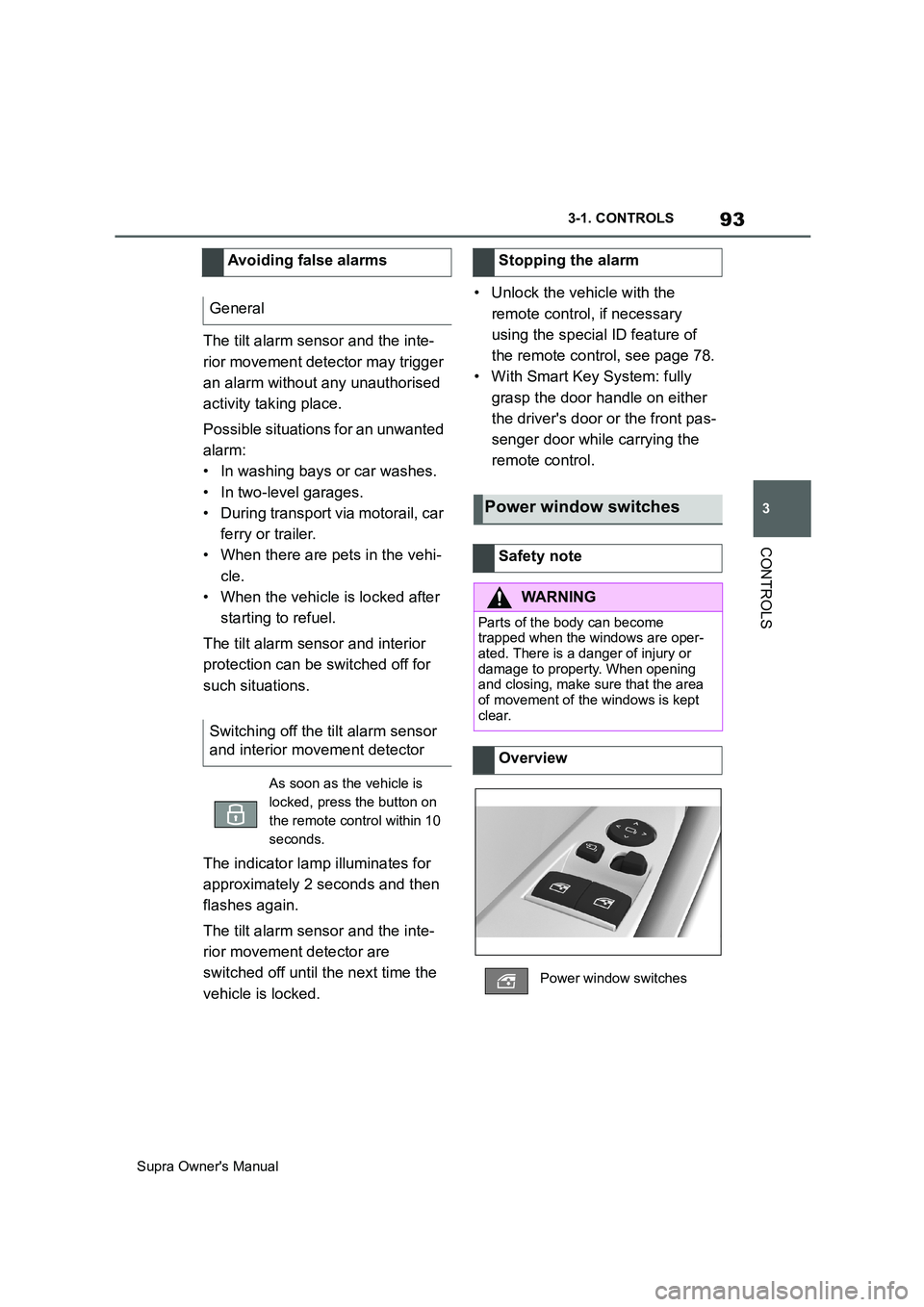
Power window switches
Safety note
WARNING
Parts of the body can become
trapped when the windows are oper-
ated. There is a danger of injury or
damage to property. When opening
and closing, make sure that the area
of movement of the windows is kept
clear.
Overview
Power window switches
Page 140 of 456
140
Supra Owner's Manual3-1. CONTROLS
back.
1High-beam headlights on, arrow
1.
The high-beam headlights are illumi-
nated when the low-beam headlights
are switched on.
2High-beam headlights off/head-
light flasher, arrow 2.
Do not use the wipers on a dry
windscreen, otherwise the wiper
blades will wear or become dam-
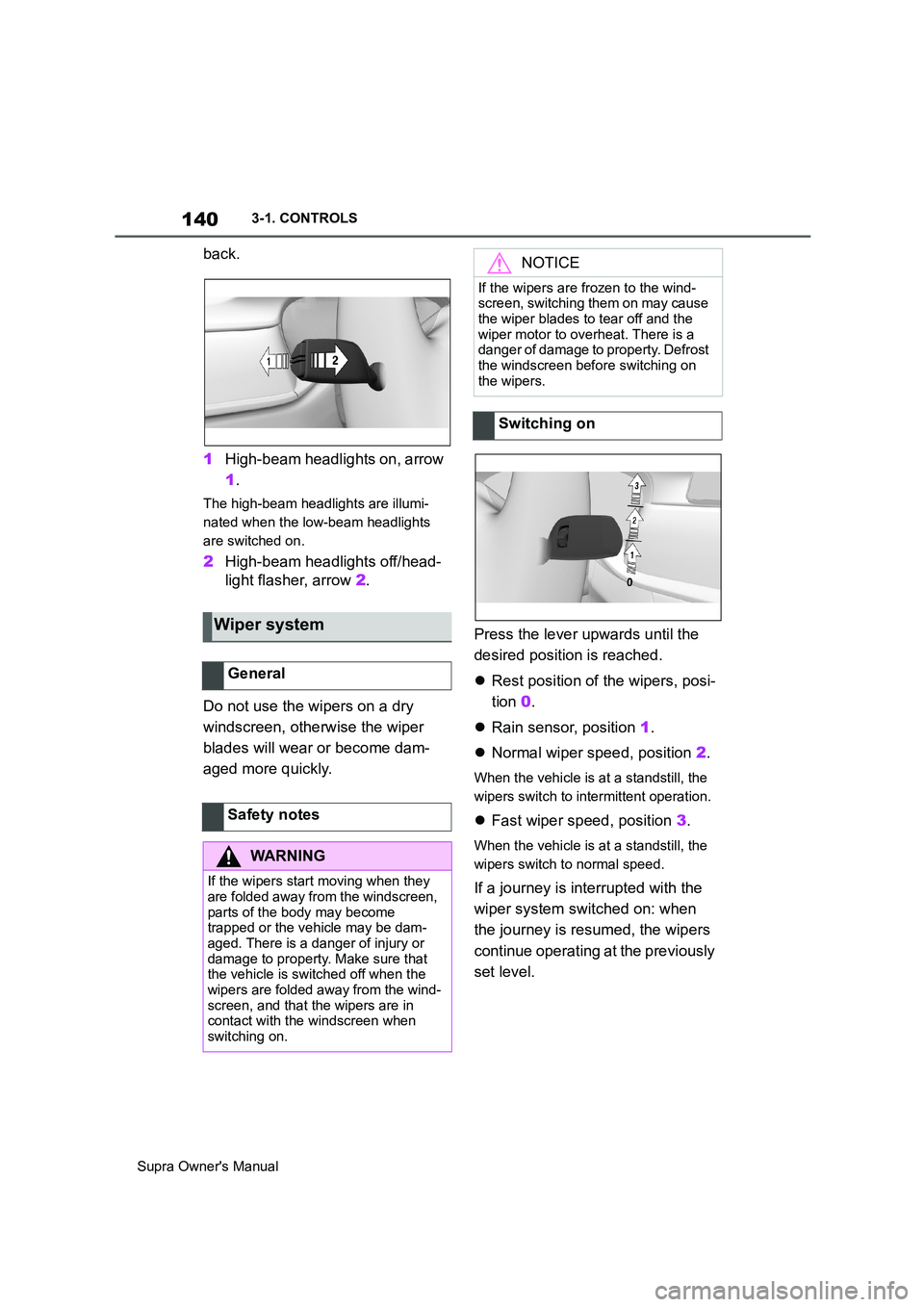
aged more quickly.Press the lever upwards until the
desired position is reached.
Rest position of the wipers, posi-
tion 0.
Rain sensor, position 1.
Normal wiper speed, position 2.
When the vehicle is at a standstill, the
wipers switch to intermittent operation.
Fast wiper speed, position 3.
When the vehicle is at a standstill, the
wipers switch to normal speed.
If a journey is interrupted with the
wiper system switched on: when
the journey is resumed, the wipers
continue operating at the previously
set level.
Wiper system
General
Safety notes
WARNING
If the wipers start moving when they
are folded away from the windscreen,
parts of the body may become
trapped or the vehicle may be dam-
aged. There is a danger of injury or
damage to property. Make sure that
the vehicle is switched off when the
wipers are folded away from the wind-
screen, and that the wipers are in
contact with the windscreen when
switching on.
NOTICE
If the wipers are frozen to the wind-
screen, switching them on may cause
the wiper blades to tear off and the
wiper motor to overheat. There is a
danger of damage to property. Defrost
the windscreen before switching on
the wipers.
Switching on
Page 141 of 456
141
3
Supra Owner's Manual3-1. CONTROLS
CONTROLS
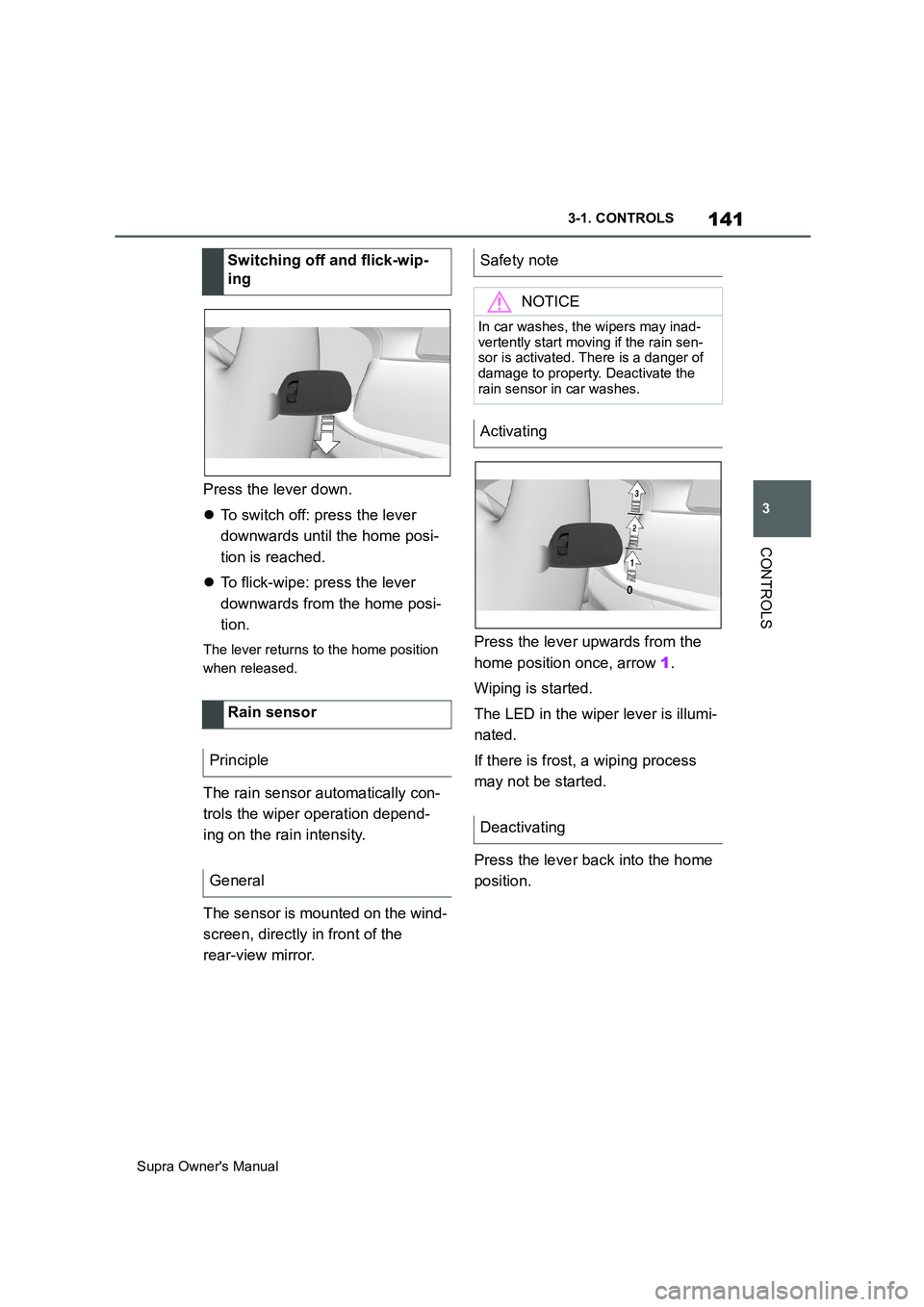
Press the lever down.
To switch off: press the lever
downwards until the home posi-
tion is reached.
To flick-wipe: press the lever
downwards from the home posi-
tion.
The lever returns to the home position
when released.
The rain sensor automatically con-
trols the wiper operation depend-
ing on the rain intensity.
The sensor is mounted on the wind-
screen, directly in front of the
rear-view mirror.Press the lever upwards from the
home position once, arrow 1.
Wiping is started.
The LED in the wiper lever is illumi-
nated.
If there is frost, a wiping process
may not be started.
Press the lever back into the home
position. Switching off and flick-wip-
ing
Rain sensor
Principle
General
Safety note
NOTICE
In car washes, the wipers may inad-
vertently start moving if the rain sen-
sor is activated. There is a danger of
damage to property. Deactivate the
rain sensor in car washes.
Activating
Deactivating
Page 142 of 456
142
Supra Owner's Manual3-1. CONTROLS
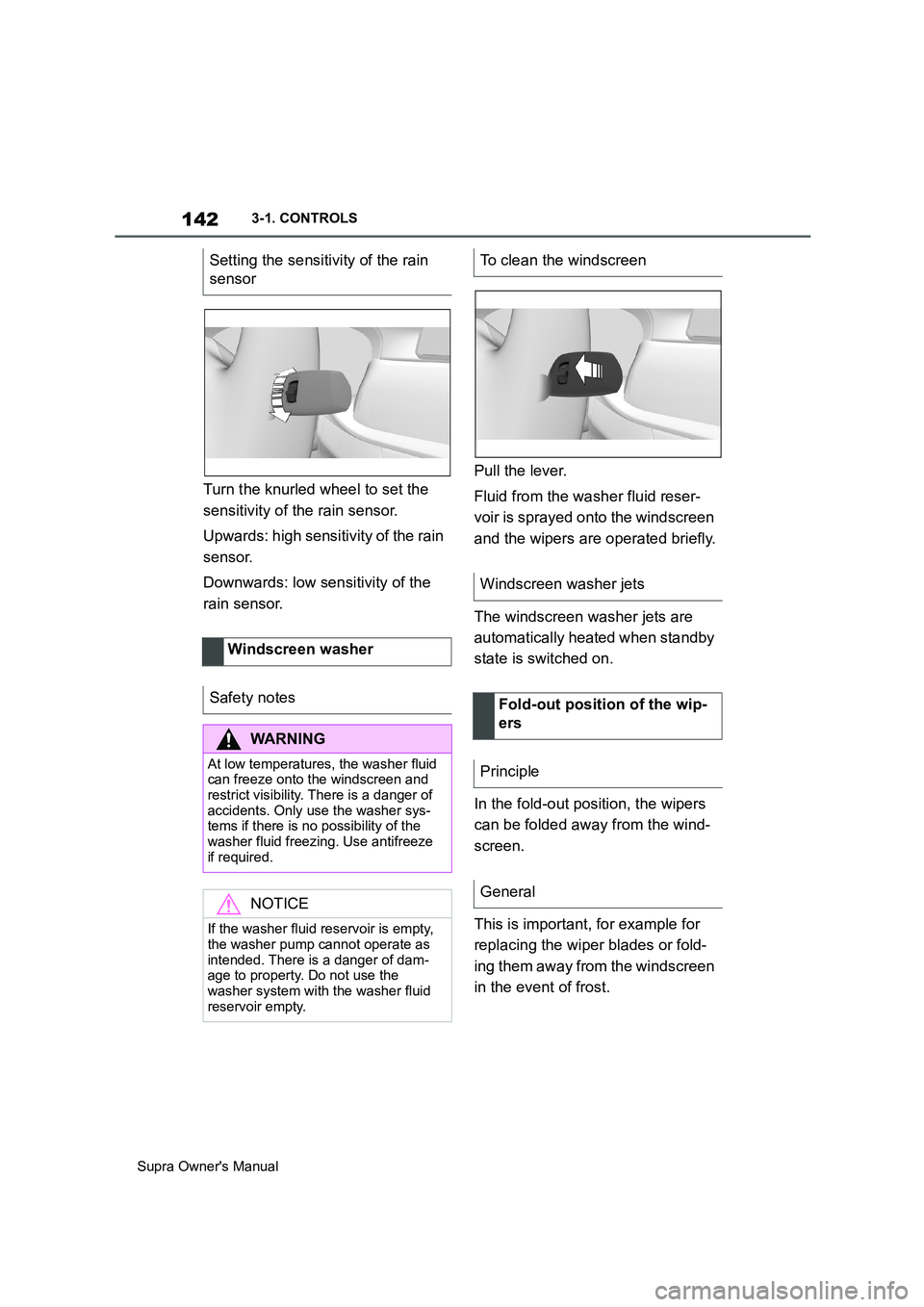
Turn the knurled wheel to set the
sensitivity of the rain sensor.
Upwards: high sensitivity of the rain
sensor.
Downwards: low sensitivity of the
rain sensor.Pull the lever.
Fluid from the washer fluid reser-
voir is sprayed onto the windscreen
and the wipers are operated briefly.
The windscreen washer jets are
automatically heated when standby
state is switched on.
In the fold-out position, the wipers
can be folded away from the wind-
screen.
This is important, for example for
replacing the wiper blades or fold-
ing them away from the windscreen
in the event of frost. Setting the sensitivity of the rain
sensor
Windscreen washer
Safety notes
WARNING
At low temperatures, the washer fluid
can freeze onto the windscreen and
restrict visibility. There is a danger of
accidents. Only use the washer sys-
tems if there is no possibility of the
washer fluid freezing. Use antifreeze
if required.
NOTICE
If the washer fluid reservoir is empty,
the washer pump cannot operate as
intended. There is a danger of dam-
age to property. Do not use the
washer system with the washer fluid
reservoir empty.
To clean the windscreen
Windscreen washer jets
Fold-out position of the wip-
ers
Principle
General