2019 TOYOTA SUPRA sensor
[x] Cancel search: sensorPage 245 of 456
245
3
Supra Owner's Manual3-1. CONTROLS
CONTROLS
one turning circle line is displayed.
■Parking with the help of driv-
ing path and turning circle
lines
1Position the vehicle so that the
red turning circle line is within
the boundaries of the parking
space.
2Turn the steering wheel so that
the green driving path line cov-
ers the corresponding turning
circle line.
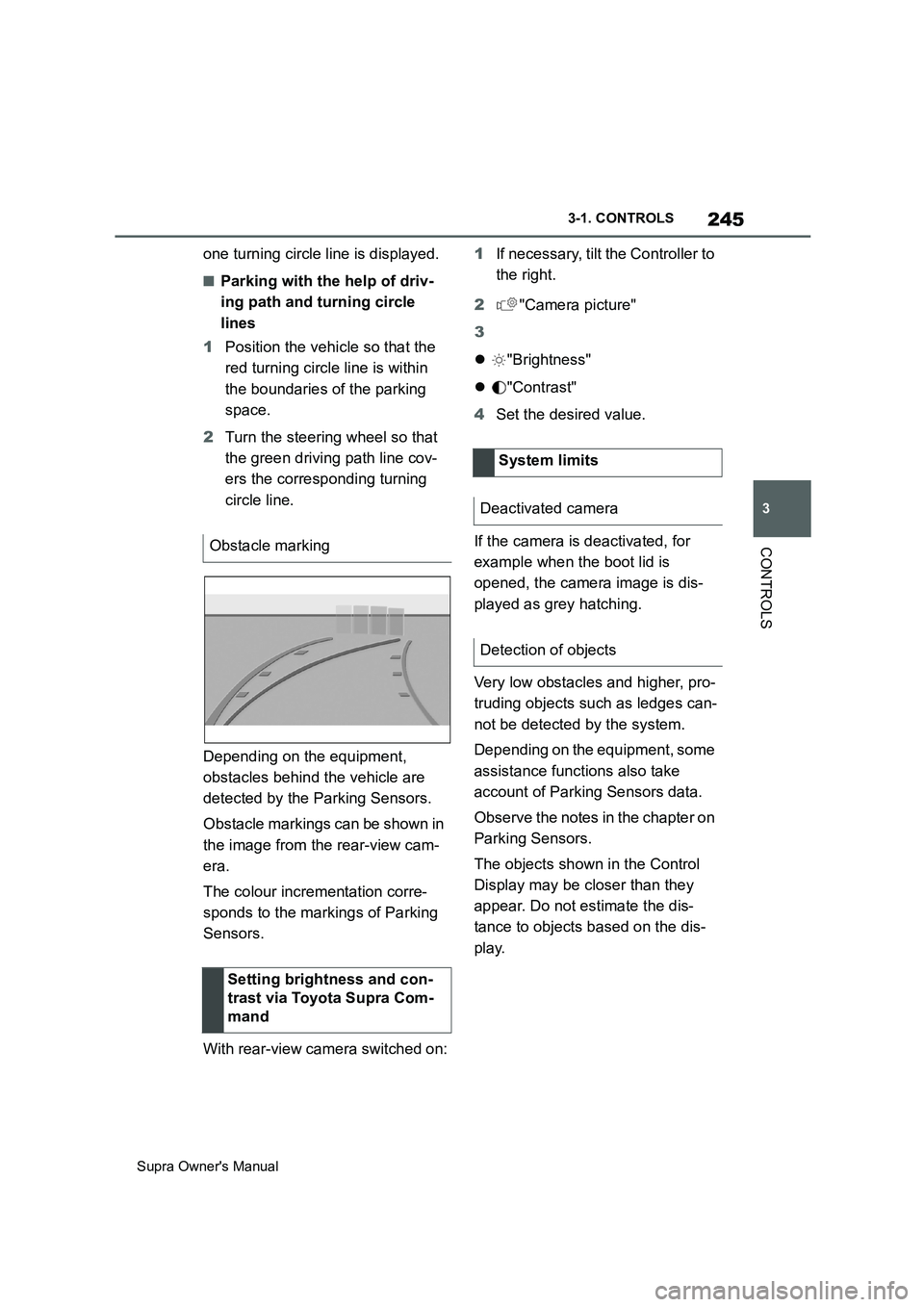
Depending on the equipment,
obstacles behind the vehicle are
detected by the Parking Sensors.
Obstacle markings can be shown in
the image from the rear-view cam-
era.
The colour incrementation corre-
sponds to the markings of Parking
Sensors.
With rear-view camera switched on:1If necessary, tilt the Controller to
the right.
2"Camera picture"
3
"Brightness"
"Contrast"
4Set the desired value.
If the camera is deactivated, for
example when the boot lid is
opened, the camera image is dis-
played as grey hatching.
Very low obstacles and higher, pro-
truding objects such as ledges can-
not be detected by the system.
Depending on the equipment, some
assistance functions also take
account of Parking Sensors data.
Observe the notes in the chapter on
Parking Sensors.
The objects shown in the Control
Display may be closer than they
appear. Do not estimate the dis-
tance to objects based on the dis-
play. Obstacle marking
Setting brightness and con-
trast via Toyota Supra Com-
mand
System limits
Deactivated camera
Detection of objects
Page 246 of 456
246
Supra Owner's Manual3-1. CONTROLS
At blind exits or when reversing out
of perpendicular parking spaces,
the system detects other road
users approaching from the side
earlier than is possible from the
driver's seat.
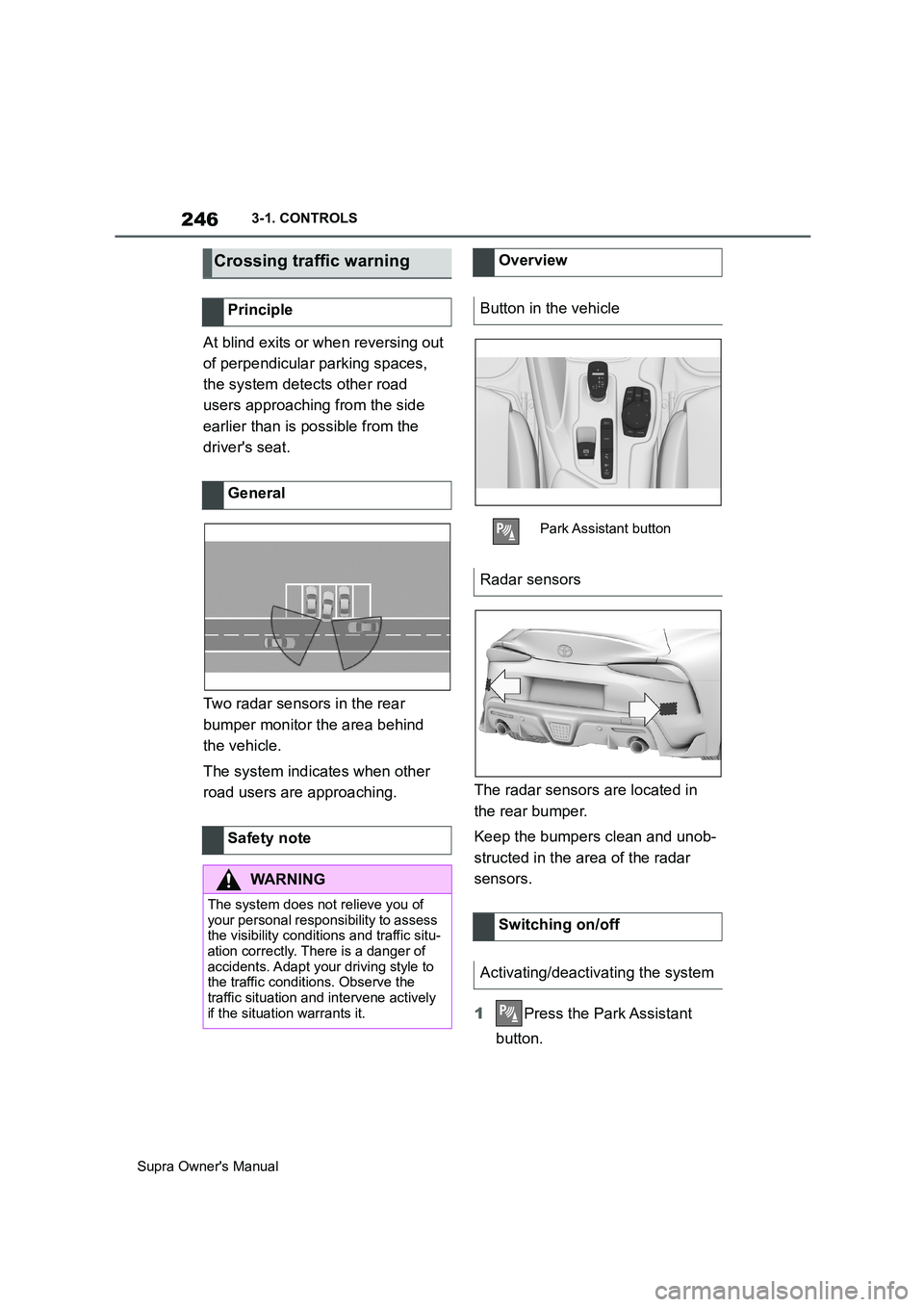
Two radar sensors in the rear
bumper monitor the area behind
the vehicle.
The system indicates when other
road users are approaching.The radar sensors are located in
the rear bumper.
Keep the bumpers clean and unob-
structed in the area of the radar
sensors.
1Press the Park Assistant
button.
Crossing traffic warning
Principle
General
Safety note
WARNING
The system does not relieve you of
your personal responsibility to assess
the visibility conditions and traffic situ-
ation correctly. There is a danger of
accidents. Adapt your driving style to
the traffic conditions. Observe the
traffic situation and intervene actively
if the situation warrants it.
Overview
Button in the vehicle
Park Assistant button
Radar sensors
Switching on/off
Activating/deactivating the system
Page 247 of 456
247
3
Supra Owner's Manual3-1. CONTROLS
CONTROLS
2Tilt the Controller to the right.
3"Settings"
4"Cross-traffic alert"
5"Cross-traffic alert"
Or via Toyota Supra Command:
1"My vehicle"
2"Vehicle settings"
3"Parking"
4"Cross-traffic alert"
5"Cross-traffic alert"
If the system was activated on the
Control Display, it is switched on
automatically as soon as Parking
Sensors or Panorama View is
active and a gear is engaged.
The system is switched on at the
rear when reverse gear is engaged.
The system switches off automati-
cally in the following situations:
If walking speed is exceeded.
When a certain distance is
exceeded.
During active parking with the
Park Assistant.
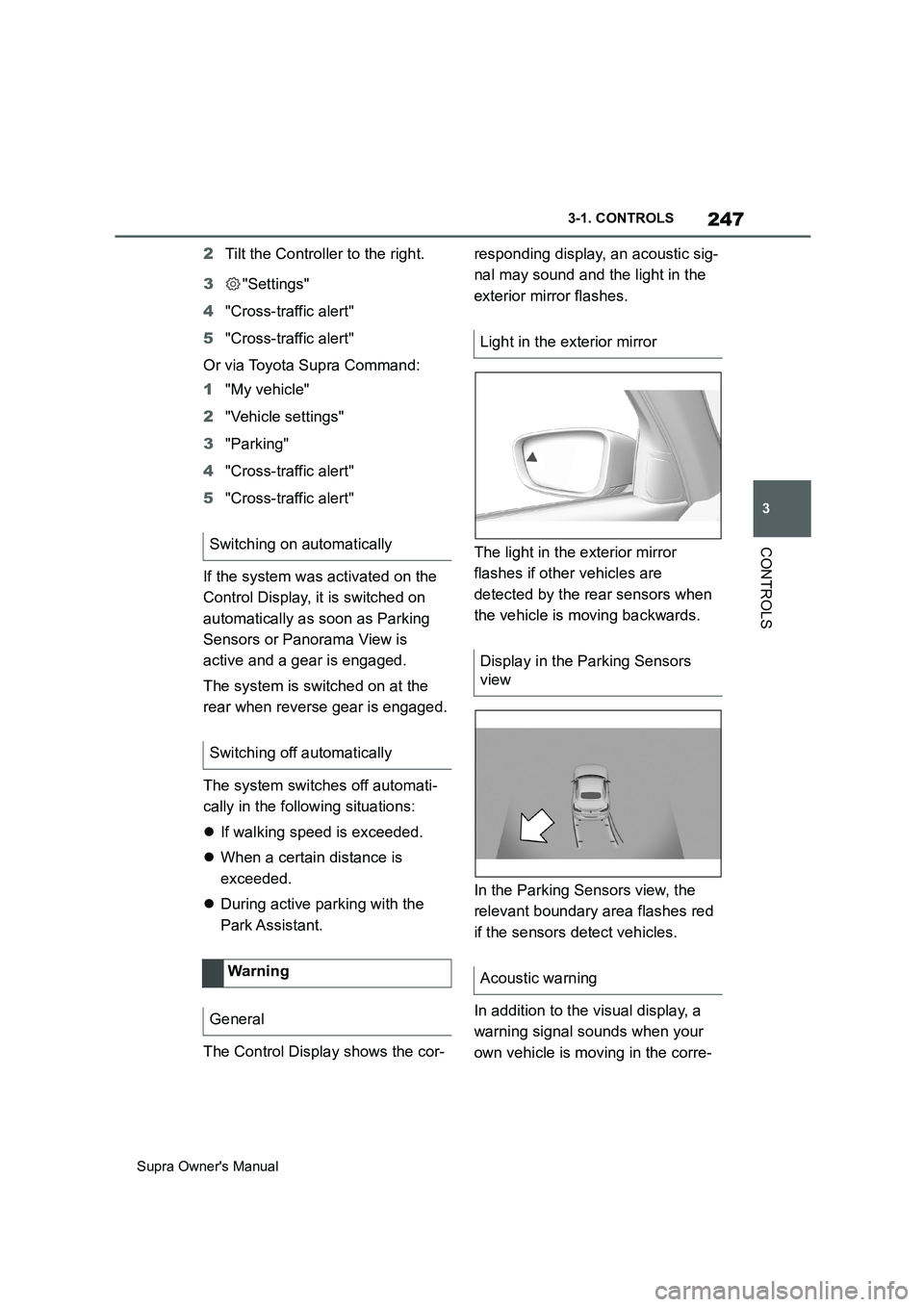
The Control Display shows the cor-responding display, an acoustic sig-
nal may sound and the light in the
exterior mirror flashes.
The light in the exterior mirror
flashes if other vehicles are
detected by the rear sensors when
the vehicle is moving backwards.
In the Parking Sensors view, the
relevant boundary area flashes red
if the sensors detect vehicles.
In addition to the visual display, a
warning signal sounds when your
own vehicle is moving in the corre- Switching on automatically
Switching off automatically
Wa rning
General
Light in the exterior mirror
Display in the Parking Sensors
view
Acoustic warning
Page 248 of 456
248
Supra Owner's Manual3-1. CONTROLS
sponding direction.
The system may have limited func-
tionality in the following situations:
If the approaching vehicle is trav-
elling very fast.
In thick fog, wet conditions or
snow.
On sharp bends.
If the bumper is dirty, iced up or
covered, for example by stickers.
When a projecting load is being
transported.
If crossing objects are moving
very slowly.
If there are other objects in the
field of view of the sensors that
conceal the crossing traffic.This chapter describes all standard,
country-specific and special equip-
ment available for the model series.
It may therefore describe equip-
ment and functions which are not
installed in your vehicle, for exam-
ple on account of the optional
equipment selected or the country
specification. This also applies to
safety-relevant functions and sys-
tems. Please comply with the rele-
vant laws and regulations when
using the corresponding functions
and systems.
The Adaptive variable suspension
is a controllable sports suspension.
The system reduces unwanted
vehicle movements when a
dynamic driving style is used or
when driving on uneven roads.
Depending on the road conditions
and the driving style, this enhances
driving dynamics and driving com-
fort.
The system offers various damper
configurations. System limitsDriving comfort
Vehicle equipment
Adaptive variable suspen-
sion
Principle
General
Page 253 of 456
253
3
Supra Owner's Manual3-1. CONTROLS
CONTROLS
body and into the footwell.
The cooling function, see page 251,
is switched on automatically in the
AUTO programme.
The AUTO programme is automati-
cally switched off when the air dis-
tribution is set manually.
If the air outside the vehicle has an
unpleasant odour or contains pol-
lutants, the supply to the interior of
the vehicle can be shut off. The air
inside the vehicle is then recircu-
lated.
The LED is illuminated when the
recirculated-air mode is switched
on.
When the left LED is illuminated:
Automatic recirculated air mode
If the pollution sensor detects pollutants
in the outside air, the air mode is auto-
matically changed from outside air
mode to recirculated air mode.
When the right LED is illuminated:
Recirculated air mode
The air in the cabin is continuously
recirculated.
The recirculated-air mode automat-ically switches off after a given time
depending on the ambient condi-
tions, to avoid condensation.
Continuous recirculated-air mode
deteriorates the air quality in the
interior and condensation on the
windows increases.
If there is condensation, shut down
recirculated-air mode or remove the
condensation, see page 254.
The air flow for air conditioning can
be set manually.
To be able to adjust the air flow
manually, first switch off the AUTO
programme.
Selected air flow is shown on the
climate display.
In order to protect the battery the
air flow rate is reduced, if neces-
sary. Recirculated-air mode
Principle
Operation
Press the button repeat-
edly to call up an operating
mode.
To adjust the air flow manu-
ally
Principle
General
Operation
Press left or right side of
button: reduce or increase
air flow.
Page 290 of 456
290
Supra Owner's Manual5-1. MOBILITY
ble.
Tire chains cannot be mounted.
Snow tires should be used instead.
The system monitors the tyre infla-
tion pressure in the four fitted tyres.
The system warns if the tyre infla-
tion pressure in one or more tyres
has fallen.
Sensors in the tyre valves measure
the tyre inflation pressure and tyre
temperature.
The system detects the fitted tyres
automatically. The system shows
the preset specified pressures on
the Control Display and compares
them to the current tyre inflation
pressures.
If tyres are fitted which are not
listed on the tyre inflation pressure
labels in the vehicle, see page 278, for example tyres with special
approval, the system must be
actively reset. The current tyre
inflation pressures are then
accepted as the specified values.
To operate the system, also please
comply with the other information
and notes in the chapter Tyre infla-
tion pressure, see page 278.
The following requirements must be
met for the system, otherwise relia-
ble signalling of a loss of tyre infla-
tion pressure is not ensured:
• After each tyre or wheel change,
the system has detected the fit-
ted tyres, updated the relevant
information and, after a short
journey, shown it on the Control
Display.
If the system does not detect the tyres
Snow chains
Selecting tire chains
NOTICE
■Driving with tire chains
Do not fit tire chains. Tire chains may
damage the vehicle body and sus-
pension, and adversely affect driving
performance.
Tyre Pressure Monitor (TPM)
Principle
General
Safety note
WARNING
The display showing the specified
tyre inflation pressures does not
replace the tyre inflation pressure
information on the vehicle. If incorrect
data has been entered into the tyre
settings, the specified tyre inflation
pressures will also be incorrect. As a
result, reliable signalling of a loss of
tyre inflation pressure can no longer
be guaranteed. There is a danger of
injury and damage to property. Make
sure that the tyre sizes of the fitted
tyres are displayed correctly and that
they match the specifications on the
tyres and the tyre inflation pressure
information.
Operating requirements
Page 315 of 456
315
5
Supra Owner's Manual5-1. MOBILITY
MOBILITY
This chapter describes all standard,
country-specific and special equip-
ment available for the model series.
It may therefore describe equip-
ment and functions which are not
installed in your vehicle, for exam-
ple on account of the optional
equipment selected or the country
specification. This also applies to
safety-relevant functions and sys-
tems. Please comply with the rele-
vant laws and regulations when
using the corresponding functions
and systems.
The maintenance system indicates
what maintenance measures are
required and thereby assists in
maintaining the road safety and
operational safety of the vehicle.
The exact work required and the
maintenance intervals may vary
depending on the country specifica-
tions. Replacement work, spare
parts, operating materials and wear
materials are calculated sepa-
rately. Additional information is
available from a Service Partner of
the manufacturer or another quali-
fied Service Partner or a specialist
workshop.Sensors and special algorithms
monitor the conditions in which the
vehicle is used. CBS uses this
information to determine the main-
tenance requirement.
The system thus enables the scope
of the maintenance work to be
adapted to the individual usage
profile.
Information on service require-
ments, see page 159, can be
shown on the Control Display.
Periods when the vehicle is out of
use with its battery disconnected
are not taken into account.
In such cases, have any
time-dependent maintenance pro-
cedures, for example for the brake
fluid and, where applicable, the
engine oil and microfilter/activated
charcoal filter, updated by a Service
Partner of the manufacturer or
another qualified Service Partner or
a specialist workshop.
Maintenance
Vehicle equipment
Maintenance System
Condition Based Service
CBS
Principle
General
Periods out of use
Page 341 of 456
341
5
Supra Owner's Manual5-1. MOBILITY
MOBILITY
tional.
In certain circumstances, for exam-
ple deployment of the airbags, an
emergency call may be placed
automatically immediately after an
accident of corresponding severity.
An automatic emergency call is not
influenced by pressing the SOS
button.
If an emergency call is triggered,
other signal tones and audio
sources are set to mute, for exam-
ple Parking Sensors.
1Tap on cover flap.
2Press and hold the SOS button
until the LED in the button area
is illuminated green.
The LED is illuminated green
when the emergency call has
been activated.
If a cancellation request is displayed on
the Control Display, the emergency call
can be cancelled.
If the situation permits, wait in the vehi-
cle until voice contact has been estab-
lished.
The LED flashes green when the
connection to the emergency
number has been established.
In the case of an emergency call, data
is sent to the public rescue coordination
centre in order to decide what rescue
measures are required. The data may include, for example, the current posi-
tion of the vehicle, if this can be deter-
mined.
Even if you can no longer hear the res-
cue coordination centre through the
loudspeakers, the rescue coordination
centre may still be able to hear you
speak.
The rescue coordination centre
ends the emergency call.
When the drive-ready state is
switched on, the LED in the emer-
gency call button area illuminates
for approx. 2 seconds to indicate
that the emergency call system is
ready for operation.
■General
The operational readiness of the
emergency call system can be
checked. During the check, do not
activate any other functions. If
applicable, comply with any addi-
tional instructions regarding the
procedure via the vehicle loud-
speakers.
Toyota Supra Connect functions
might not be available for a specific
time following the check.
■Requirements
Vehicle is stationary for at least 1
minute.
Standby state is switched on.
No other services are active. Automatic triggering
Manual triggering
Operational readiness
Checking operational readiness