2019 TOYOTA SUPRA display
[x] Cancel search: displayPage 244 of 456
244
Supra Owner's Manual3-1. CONTROLS
Keep the detection area of the
camera clear. Projecting loads or
carrier systems that are not con-
nected to a trailer socket can
restrict the detection area of the
camera.
A number of assistance functions
can be active simultaneously.
The assistance functions can be
activated manually.
1If necessary, tilt the Controller to
the right.
2With the corresponding equip-
ment: "Camera picture"
3
"Parking guide lines".
Driving path lines and turning circle
lines are shown, see page
244.
"Obstacle marking."
Depending on the equipment, the
obstacles detected by Parking Sensors
are displayed, see page
245, by mark-
ings.
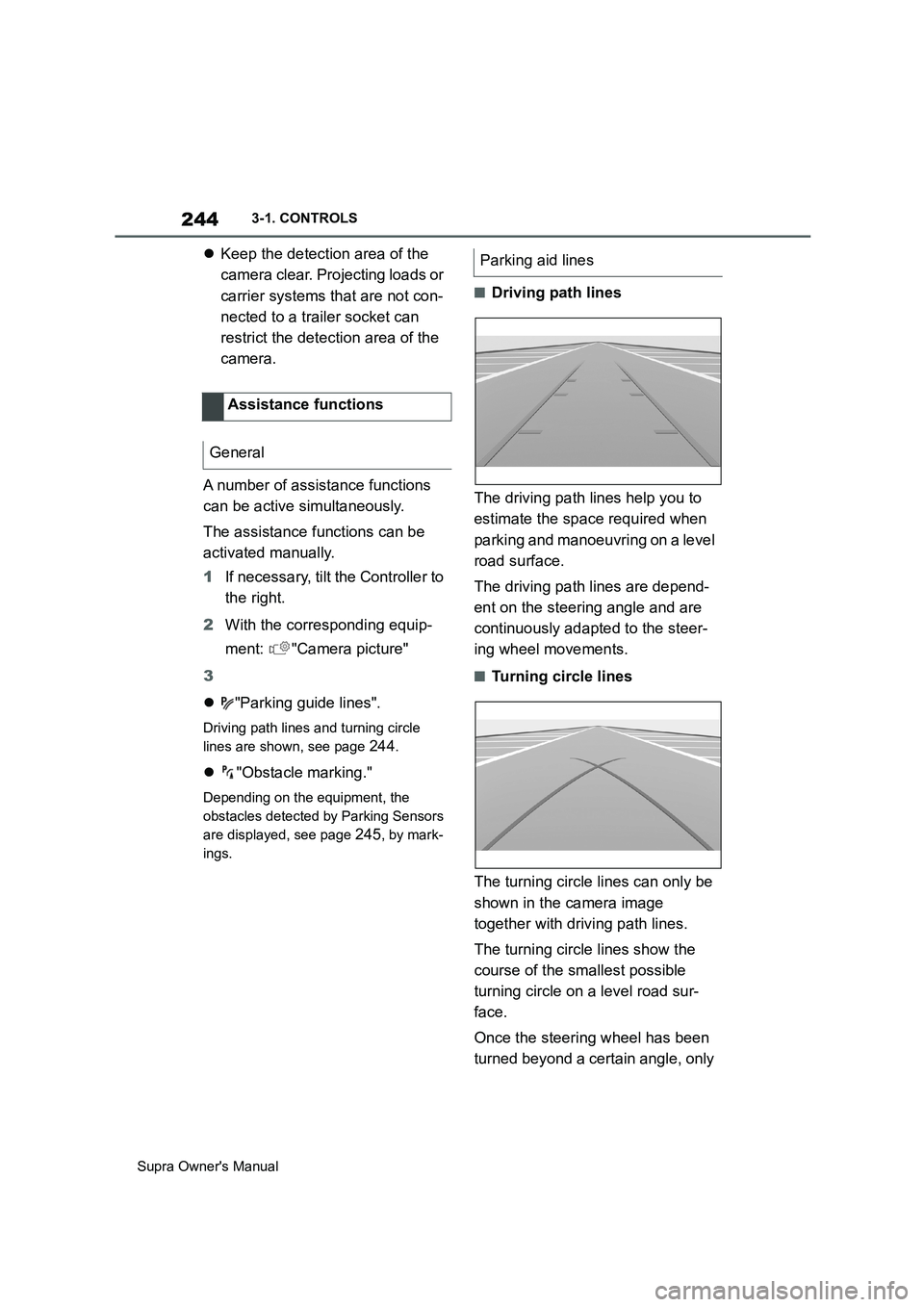
■Driving path lines
The driving path lines help you to
estimate the space required when
parking and manoeuvring on a level
road surface.
The driving path lines are depend-
ent on the steering angle and are
continuously adapted to the steer-
ing wheel movements.
■Turning circle lines
The turning circle lines can only be
shown in the camera image
together with driving path lines.
The turning circle lines show the
course of the smallest possible
turning circle on a level road sur-
face.
Once the steering wheel has been
turned beyond a certain angle, only Assistance functions
General
Parking aid lines
Page 245 of 456
245
3
Supra Owner's Manual3-1. CONTROLS
CONTROLS
one turning circle line is displayed.
■Parking with the help of driv-
ing path and turning circle
lines
1Position the vehicle so that the
red turning circle line is within
the boundaries of the parking
space.
2Turn the steering wheel so that
the green driving path line cov-
ers the corresponding turning
circle line.
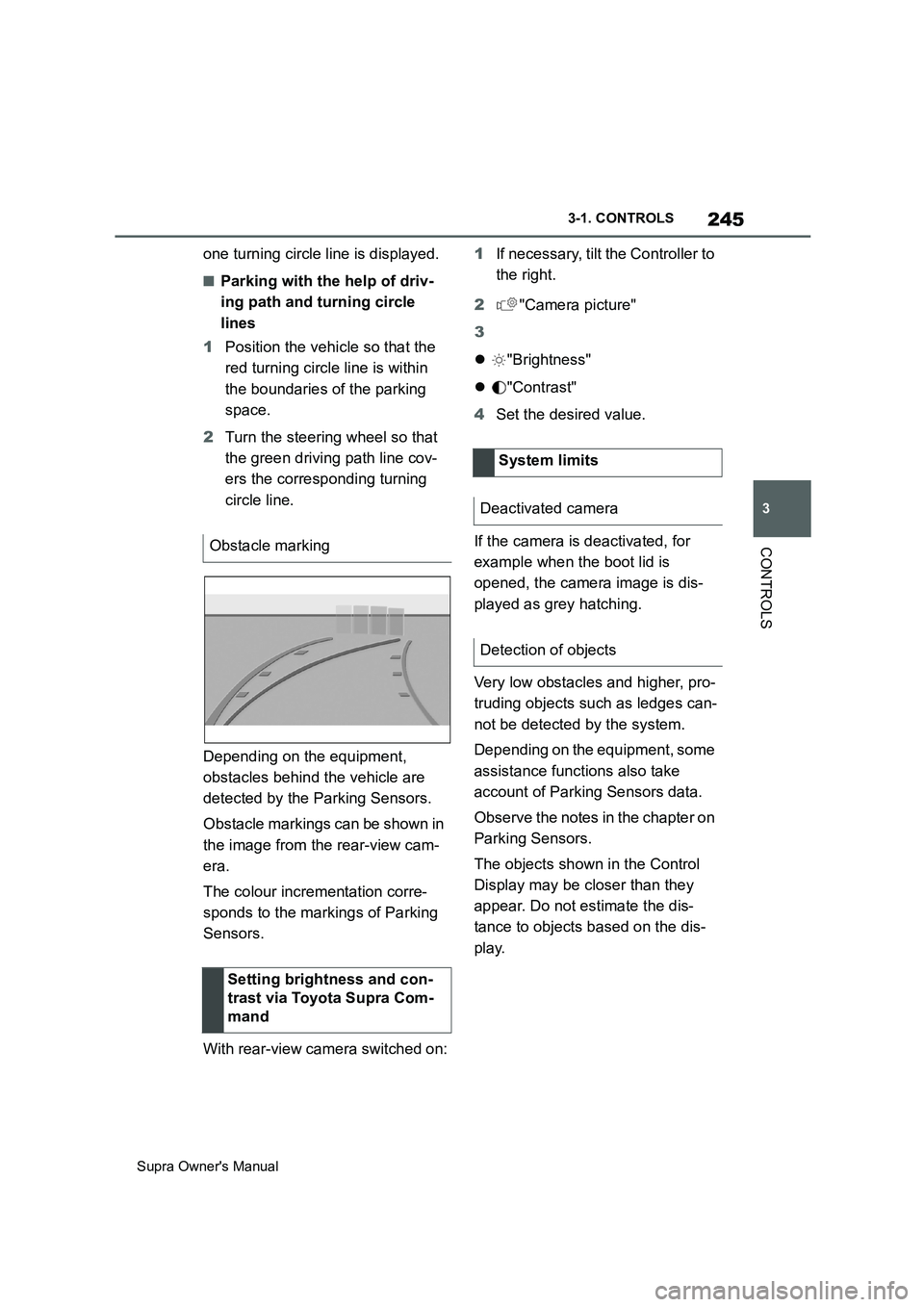
Depending on the equipment,
obstacles behind the vehicle are
detected by the Parking Sensors.
Obstacle markings can be shown in
the image from the rear-view cam-
era.
The colour incrementation corre-
sponds to the markings of Parking
Sensors.
With rear-view camera switched on:1If necessary, tilt the Controller to
the right.
2"Camera picture"
3
"Brightness"
"Contrast"
4Set the desired value.
If the camera is deactivated, for
example when the boot lid is
opened, the camera image is dis-
played as grey hatching.
Very low obstacles and higher, pro-
truding objects such as ledges can-
not be detected by the system.
Depending on the equipment, some
assistance functions also take
account of Parking Sensors data.
Observe the notes in the chapter on
Parking Sensors.
The objects shown in the Control
Display may be closer than they
appear. Do not estimate the dis-
tance to objects based on the dis-
play. Obstacle marking
Setting brightness and con-
trast via Toyota Supra Com-
mand
System limits
Deactivated camera
Detection of objects
Page 247 of 456
247
3
Supra Owner's Manual3-1. CONTROLS
CONTROLS
2Tilt the Controller to the right.
3"Settings"
4"Cross-traffic alert"
5"Cross-traffic alert"
Or via Toyota Supra Command:
1"My vehicle"
2"Vehicle settings"
3"Parking"
4"Cross-traffic alert"
5"Cross-traffic alert"
If the system was activated on the
Control Display, it is switched on
automatically as soon as Parking
Sensors or Panorama View is
active and a gear is engaged.
The system is switched on at the
rear when reverse gear is engaged.
The system switches off automati-
cally in the following situations:
If walking speed is exceeded.
When a certain distance is
exceeded.
During active parking with the
Park Assistant.
The Control Display shows the cor-responding display, an acoustic sig-
nal may sound and the light in the
exterior mirror flashes.
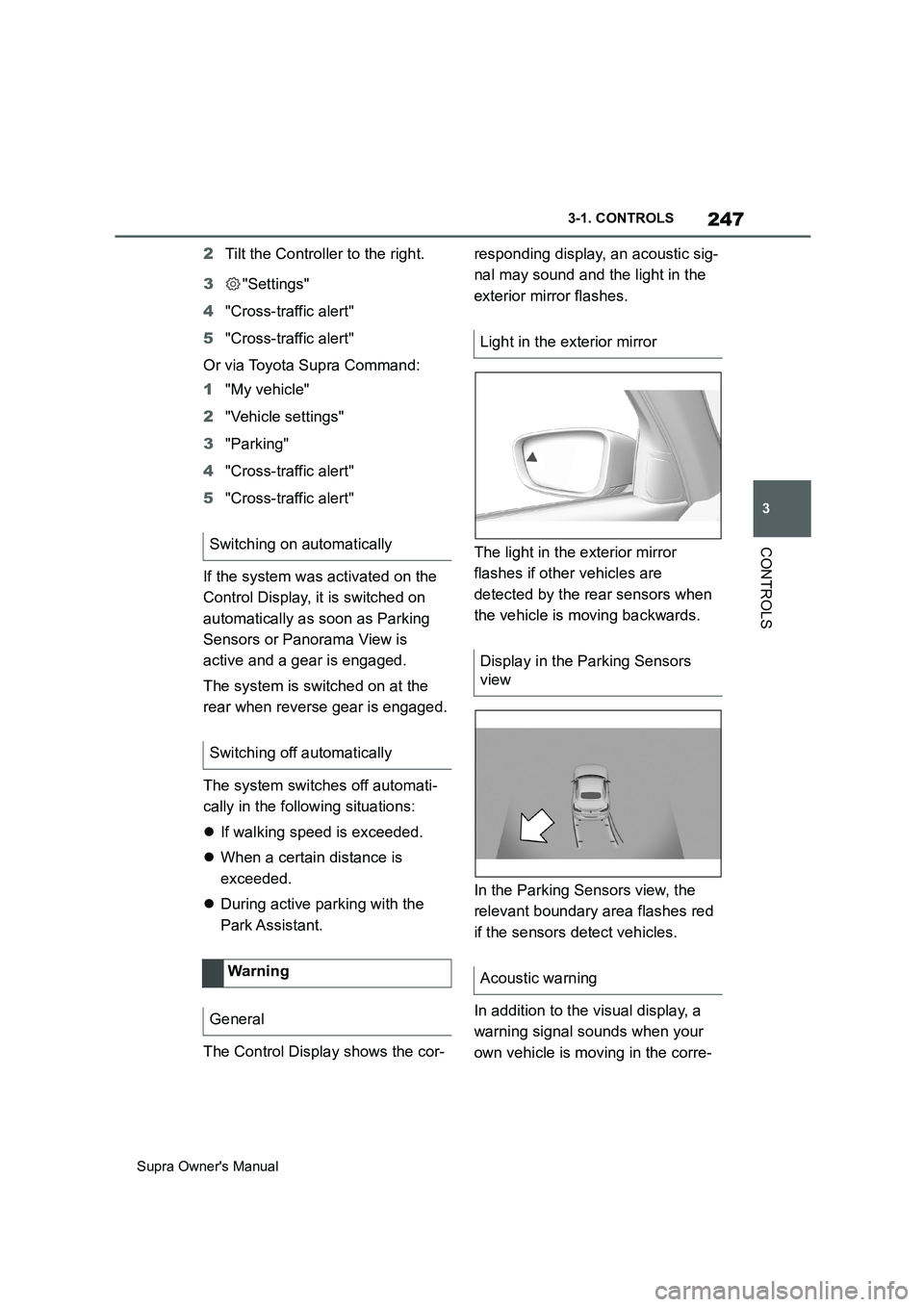
The light in the exterior mirror
flashes if other vehicles are
detected by the rear sensors when
the vehicle is moving backwards.
In the Parking Sensors view, the
relevant boundary area flashes red
if the sensors detect vehicles.
In addition to the visual display, a
warning signal sounds when your
own vehicle is moving in the corre- Switching on automatically
Switching off automatically
Wa rning
General
Light in the exterior mirror
Display in the Parking Sensors
view
Acoustic warning
Page 253 of 456
253
3
Supra Owner's Manual3-1. CONTROLS
CONTROLS
body and into the footwell.
The cooling function, see page 251,
is switched on automatically in the
AUTO programme.
The AUTO programme is automati-
cally switched off when the air dis-
tribution is set manually.
If the air outside the vehicle has an
unpleasant odour or contains pol-
lutants, the supply to the interior of
the vehicle can be shut off. The air
inside the vehicle is then recircu-
lated.
The LED is illuminated when the
recirculated-air mode is switched
on.
When the left LED is illuminated:
Automatic recirculated air mode
If the pollution sensor detects pollutants
in the outside air, the air mode is auto-
matically changed from outside air
mode to recirculated air mode.
When the right LED is illuminated:
Recirculated air mode
The air in the cabin is continuously
recirculated.
The recirculated-air mode automat-ically switches off after a given time
depending on the ambient condi-
tions, to avoid condensation.
Continuous recirculated-air mode
deteriorates the air quality in the
interior and condensation on the
windows increases.
If there is condensation, shut down
recirculated-air mode or remove the
condensation, see page 254.
The air flow for air conditioning can
be set manually.
To be able to adjust the air flow
manually, first switch off the AUTO
programme.
Selected air flow is shown on the
climate display.
In order to protect the battery the
air flow rate is reduced, if neces-
sary. Recirculated-air mode
Principle
Operation
Press the button repeat-
edly to call up an operating
mode.
To adjust the air flow manu-
ally
Principle
General
Operation
Press left or right side of
button: reduce or increase
air flow.
Page 254 of 456
254
Supra Owner's Manual3-1. CONTROLS
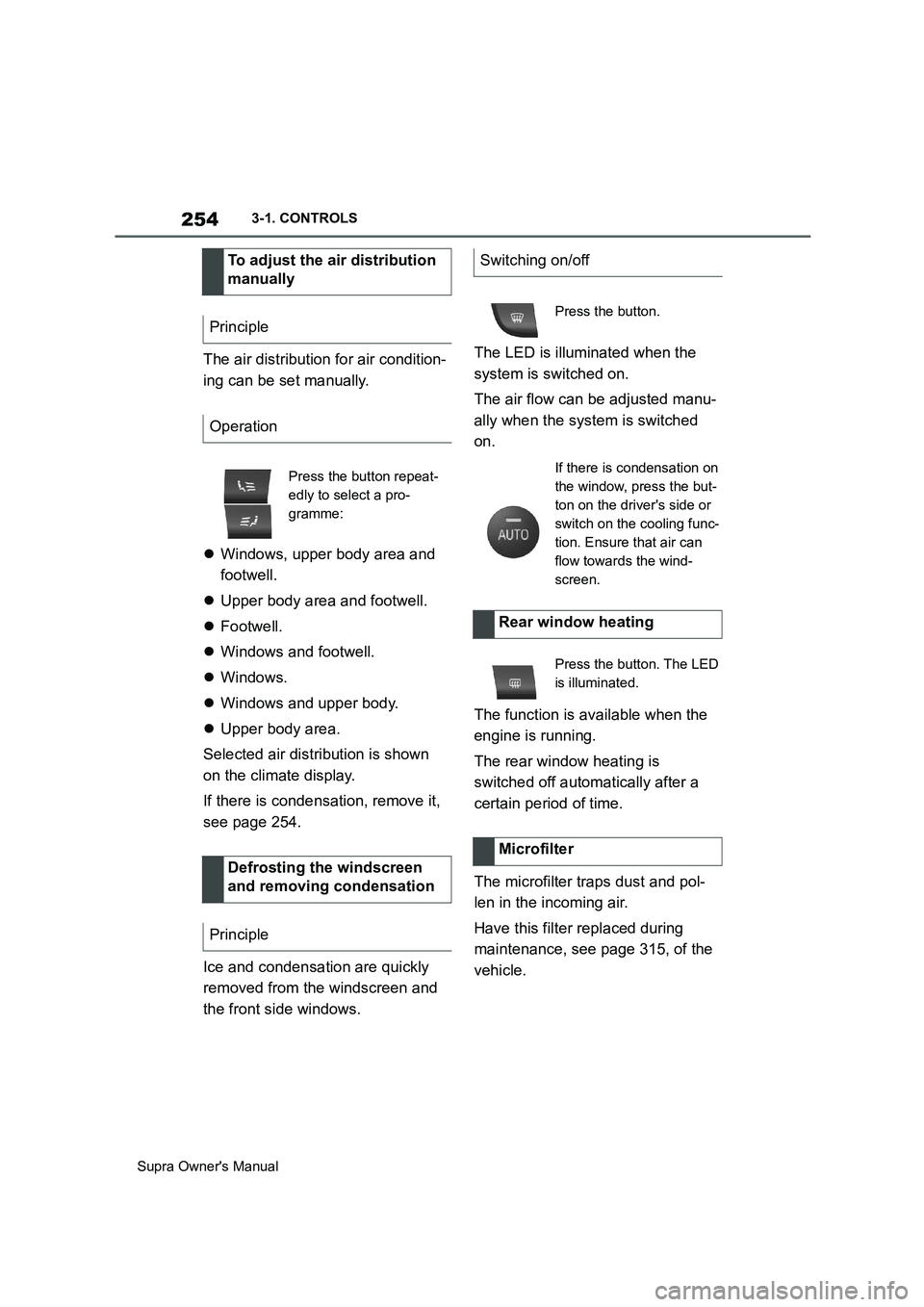
The air distribution for air condition-
ing can be set manually.
Windows, upper body area and
footwell.
Upper body area and footwell.
Footwell.
Windows and footwell.
Windows.
Windows and upper body.
Upper body area.
Selected air distribution is shown
on the climate display.
If there is condensation, remove it,
see page 254.
Ice and condensation are quickly
removed from the windscreen and
the front side windows.The LED is illuminated when the
system is switched on.
The air flow can be adjusted manu-
ally when the system is switched
on.
The function is available when the
engine is running.
The rear window heating is
switched off automatically after a
certain period of time.
The microfilter traps dust and pol-
len in the incoming air.
Have this filter replaced during
maintenance, see page 315, of the
vehicle. To adjust the air distribution
manually
Principle
Operation
Press the button repeat-
edly to select a pro-
gramme:
Defrosting the windscreen
and removing condensation
Principle
Switching on/off
Press the button.
If there is condensation on
the window, press the but-
ton on the driver's side or
switch on the cooling func-
tion. Ensure that air can
flow towards the wind-
screen.
Rear window heating
Press the button. The LED
is illuminated.
Microfilter
Page 256 of 456
256
Supra Owner's Manual3-1. CONTROLS
tery. As a result, the maximum
activation time is restricted to protect
the battery. After the engine is started
or after driving a short distance, the
system will be available again.
Ensure that the date and time
are set correctly in the vehicle.
Open the side nozzles to allow
the air to enter the passenger
compartment.
The system can be switched on or
off in various ways.
The system switches off automati-
cally after a certain period of time. It
continues to run for a short time
after it has been switched off.
If the vehicle is in standby state, the
independent ventilation can be
switched on or off via the buttons of
the automatic air conditioning.
Press any button, except:
Rear window heating.
Seat heating.
Menu.
The system switches off after leav-
ing and locking the vehicle.
1"My Vehicle" 2"Vehicle settings"
3"Climate comfort"
4"Auxiliary ventilation"
5"Activate now"
To ensure a pleasant interior tem-
perature in the vehicle at the start
of the journey, it is possible to set
different departure times.
One-off departure time: the time
can be set.
System is switched on once.
Departure time with day of the
week: time and day of the week
can be set.
The system is switched on in good time
before the set departure time on the
required days of the week.
The departure time is preselected
in two steps:
Set departure times.
Activate departure time. Switching on/off directly
General
Using the button
Via Toyota Supra Command
Display
SymbolDescription
Symbol on the climate dis-
play.
Flashing: independent
ventilation is switched on.
Departure time
Principle
Page 257 of 456
257
3
Supra Owner's Manual3-1. CONTROLS
CONTROLS
■Via Toyota Supra Command
1"My vehicle"
2"Vehicle settings"
3"Climate comfort"
4"Auxiliary ventilation"
5Select the required departure
time.
6Setting the departure time.
7Select the day of the week if
necessary.
■Operating requirements
If a departure time is to control
when the independent ventilation is
switched on, the relevant depar-
ture time must be activated first.
■Via Toyota Supra Command
1"My vehicle"
2"Vehicle settings"
3"Climate comfort"
4"Auxiliary ventilation"
5"For departure time"
6Activate the required departure
time.
The symbol on the climate dis-
play signals that a departure time
has been activated.This chapter describes all standard,
country-specific and special equip-
ment available for the model series.
It may therefore describe equip-
ment and functions which are not
installed in your vehicle, for exam-
ple on account of the optional
equipment selected or the country
specification. This also applies to
safety-relevant functions and sys-
tems. Please comply with the rele-
vant laws and regulations when
using the corresponding functions
and systems.
Fold the sun visor downwards or
upwards.
A vanity mirror is situated in the sun
visor behind a cover. The mirror
light switches on when the cover is
opened.
The cigarette lighter attachment
can be used as a socket for electri- Setting the departure time
Activating the departure time
Display
Interior equipment
Vehicle equipment
Sun visor
Glare protection
Vanity mirror
Power sockets
Principle
Page 268 of 456
268
Supra Owner's Manual4-1. DRIVING HINTS
Noise, for example caused by
the radiator fan running, even
some minutes after stopping the
engine.
It is normal for the radiator fan to
keep running for several minutes,
even after short trips.
Various driver profiles ensure that
the exhaust gas particle filter is
self-cleaning. If, in addition to the
self-cleaning function, the exhaust
gas particle filter needs to be
actively cleaned while driving, a
vehicle message is displayed.
Proceed as follows the next time
you drive outside of built-up areas
for around 30 minutes:
Deactivate Cruise Control sys-
tems.
Take your foot off the accelerator
repeatedly and allow the vehicle
to roll in overrun mode, see page
273.
If possible, drive at alternating
speeds.Cleaning the exhaust gas
particle filter while drivingRadio signals
WARNING
Certain vehicle functions may be
affected by interference from high-fre-
quency radio signals. Such signals
originate from various transmitter sys-
tems, for example, from air traffic bea-
cons or relay stations for mobile
telecommunications.
We recommend you consult any
authorized Toyota retailer or Toyota
authorized repairer, or any reliable
repairer should you experience any
difficulties in this regard.
Mobile communication in the
vehicle
WARNING
There is a possibility of reciprocal
interference between the vehicle elec-
tronics and mobile radio devices.
Radiation is generated when mobile
radio devices are transmitting. There
is a danger of injury or damage to
property. If possible, only use mobile
radio devices, for example mobile
telephones, in the interior if they are
connected directly to an external
antenna in order to eliminate recipro-
cal interference and to dissipate the
radiation from vehicle's interior.