2019 TOYOTA SUPRA display
[x] Cancel search: displayPage 322 of 456

322
Supra Owner's Manual5-1. MOBILITY
CHASSIS AND BODY
4Brake padsReplace when the brake warning light
appears.-
5Brake fluidFirst replace at 36 months, then replace at every 24
months.
6
Horn, headlight flash-
ers and hazard warn-
ing flashers
II36
7Interior lightingII36
8BlowerII36
9Lighting systemII36
10Seat beltsII36
11Wiper and window
washer systemII36
12
Tire settings in the
central information
display (CID)
II36
13Tires (If necessary,
emergency wheel)II36
14Mobility SetII36
15
Warning triangle,
high-visibility jacket
and first-aid kit
II36
16
Washer fluid for the
window washer sys-
tem
II36
17Coolant level and
coolant compositionII36
18Brake lines and the
brake line connectionsII36
SERVICE INTER-
VA L :ODOMETER READING
MONTHS(Odometer read-
ing or months,
whichever comes
first.)x1000
km20406080100120
x1000
miles122436486072
Page 324 of 456
324
Supra Owner's Manual5-1. MOBILITY
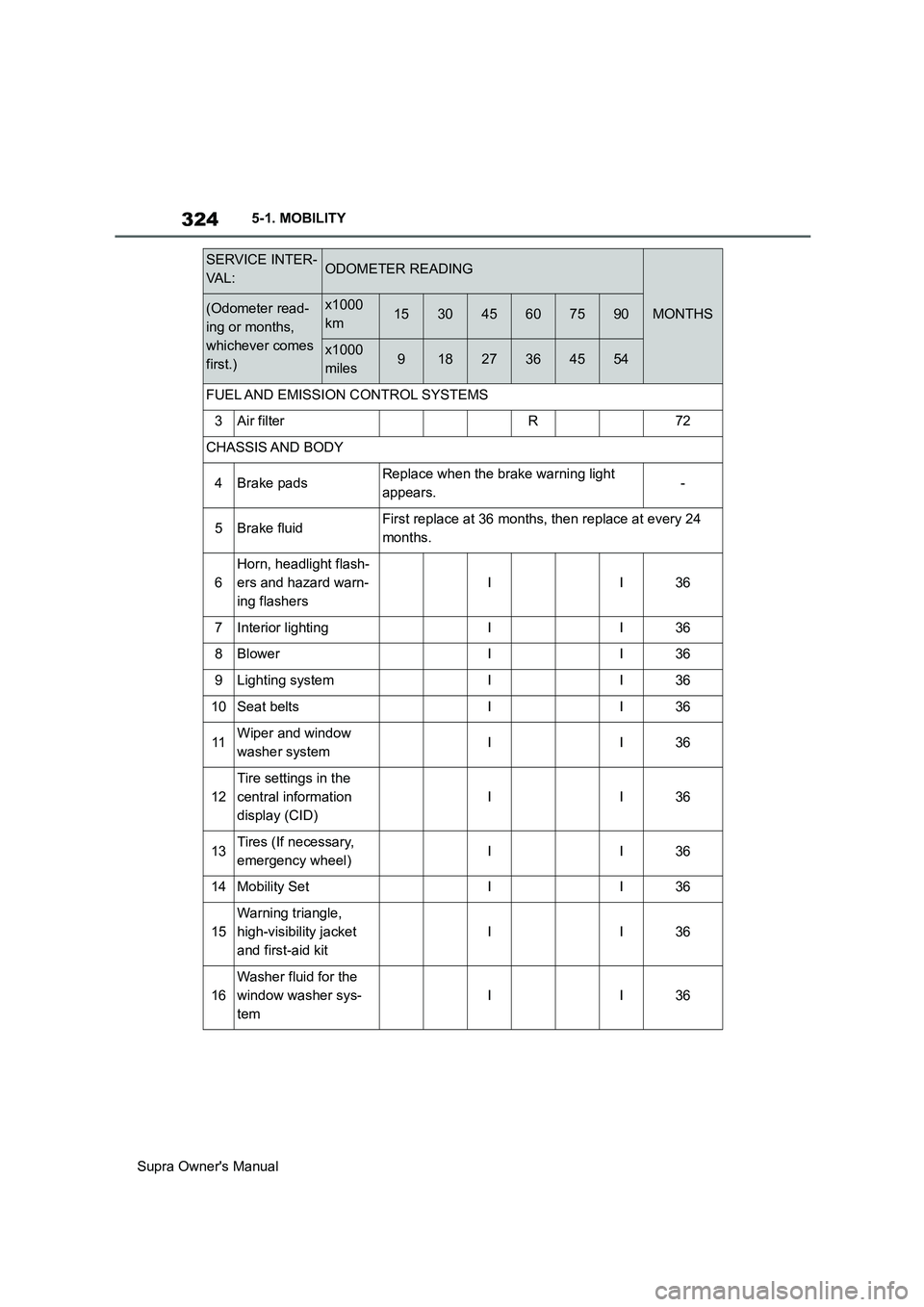
FUEL AND EMISSION CONTROL SYSTEMS
3Air filterR72
CHASSIS AND BODY
4Brake padsReplace when the brake warning light
appears.-
5Brake fluidFirst replace at 36 months, then replace at every 24
months.
6
Horn, headlight flash-
ers and hazard warn-
ing flashers
II36
7Interior lightingII36
8BlowerII36
9Lighting systemII36
10Seat beltsII36
11Wiper and window
washer systemII36
12
Tire settings in the
central information
display (CID)
II36
13Tires (If necessary,
emergency wheel)II36
14Mobility SetII36
15
Warning triangle,
high-visibility jacket
and first-aid kit
II36
16
Washer fluid for the
window washer sys-
tem
II36
SERVICE INTER-
VA L :ODOMETER READING
MONTHS(Odometer read-
ing or months,
whichever comes
first.)x1000
km153045607590
x1000
miles91827364554
Page 334 of 456
334
Supra Owner's Manual5-1. MOBILITY
WARNING
If a warning light illuminates or
flashes, or a warning message is dis-
played, immediately stop the vehicle
in a safe place. Do not open the hood
to inspect the engine, as doing so
may lead to serious injury, such as
steam burns. If a warning message is
displayed, perform the necessary pro-
cedures according to the displayed
message or explanation in the
owner’s manual.
These warning messages indicate
that a malfunction has occurred in a
system or function of the vehicle. If
you continue to drive the vehicle, the
engine may stop suddenly, possibly
leading to an accident. Also, even if
no warning lights are illuminated or
messages are displayed, if any
abnormal sounds, smells or vibrations
are detected, or of the engine stops
suddenly, refrain from opening the
hood to inspect the engine and con-
sult an authorized Toyota retailer or
Toyota authorized repairer, or any reli-
able repairer.
WARNING
If you hear a loud noise or feel some-
thing impact the underside of the
vehicle while driving, immediately
stop the vehicle in a safe place.
After stopping the vehicle in a safe
place, check the underside of the
vehicle for any leaking brake fluid, oil
or fuel. If any fluid is leaking, stop
driving immediately and have the
vehicle inspected by an authorized
Toyota retailer or Toyota authorized
repairer, or any reliable repairer.
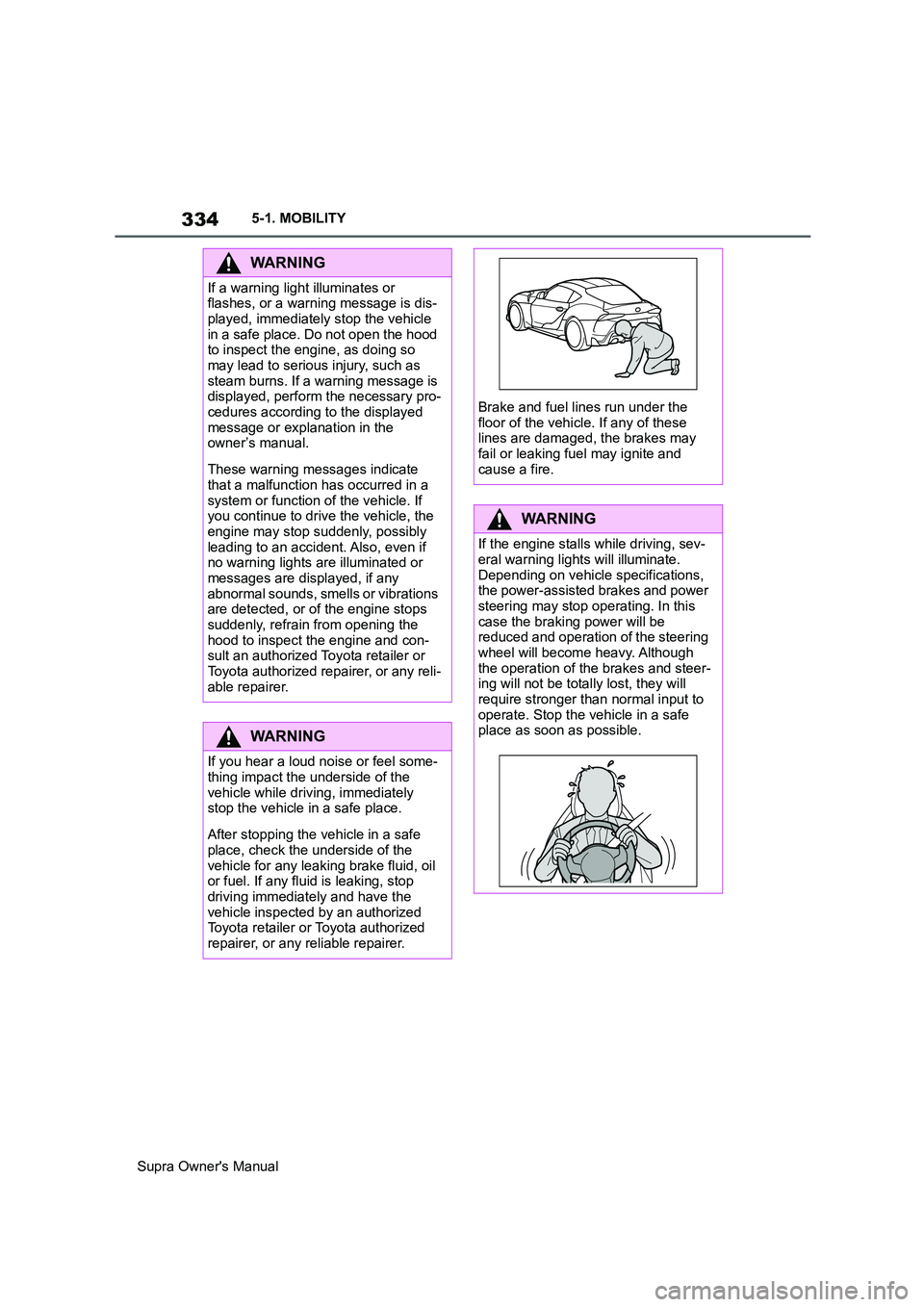
Brake and fuel lines run under the
floor of the vehicle. If any of these
lines are damaged, the brakes may
fail or leaking fuel may ignite and
cause a fire.
WARNING
If the engine stalls while driving, sev-
eral warning lights will illuminate.
Depending on vehicle specifications,
the power-assisted brakes and power
steering may stop operating. In this
case the braking power will be
reduced and operation of the steering
wheel will become heavy. Although
the operation of the brakes and steer-
ing will not be totally lost, they will
require stronger than normal input to
operate. Stop the vehicle in a safe
place as soon as possible.
Page 338 of 456

338
Supra Owner's Manual5-1. MOBILITY
2Press and hold the SOS button
until the LED in the button area
is illuminated green.
The LED is illuminated green
when the emergency call has
been activated.
If a cancellation request is displayed on
the Control Display, the emergency call
can be cancelled.
If the situation permits, wait in the vehi-
cle until voice contact has been estab-
lished.
The LED flashes green when the
connection to the emergency
number has been established.
In the case of an emergency call, data
is sent to the public rescue coordination
centre in order to decide what rescue
measures are required. The data may
include, for example, the current posi-
tion of the vehicle, if this can be deter-
mined.
Information about data transfer and
saving, see page
12.
Even if you can no longer hear the res-
cue coordination centre through the
loudspeakers, the rescue coordination
centre may still be able to hear you
speak.
The rescue coordination centre
ends the emergency call.
The emergency call function may
be impaired.
The LED in the emergency call but-
ton area illuminates for approx. 30
seconds. A vehicle message is shown.
Have a check performed by an any
authorized Toyota retailer or Toyota
authorized repairer, or any reliable
repairer.
The system can be used to trigger
an emergency call automatically or
manually in emergency situations.
Press the SOS button in an emer-
gency only.
The automatic emergency call sys-
tem establishes a connection with
the Toyota emergency call centre.
Even if no emergency call through
Toyota emergency call centre is
possible, in some cases an emer-
gency call may still be established
to a public emergency call number.
This depends on factors such as
the specific mobile telephone net-
work and the national regulations.
For technical reasons, it might not
be possible to make an emergency
call in highly adverse conditions.
Malfunction
Automatic emergency call
Principle
General
Page 339 of 456
339
5
Supra Owner's Manual5-1. MOBILITY
MOBILITY
Standby state is switched on.
Activated Toyota Supra Connect
contract.
Emergency call system is func-
tional.
The SIM card integrated in the
vehicle is activated.
In certain circumstances, for exam-
ple deployment of the airbags, an
emergency call may be placed
automatically immediately after an
accident of corresponding severity.
An automatic emergency call is not
influenced by pressing the SOS
button.
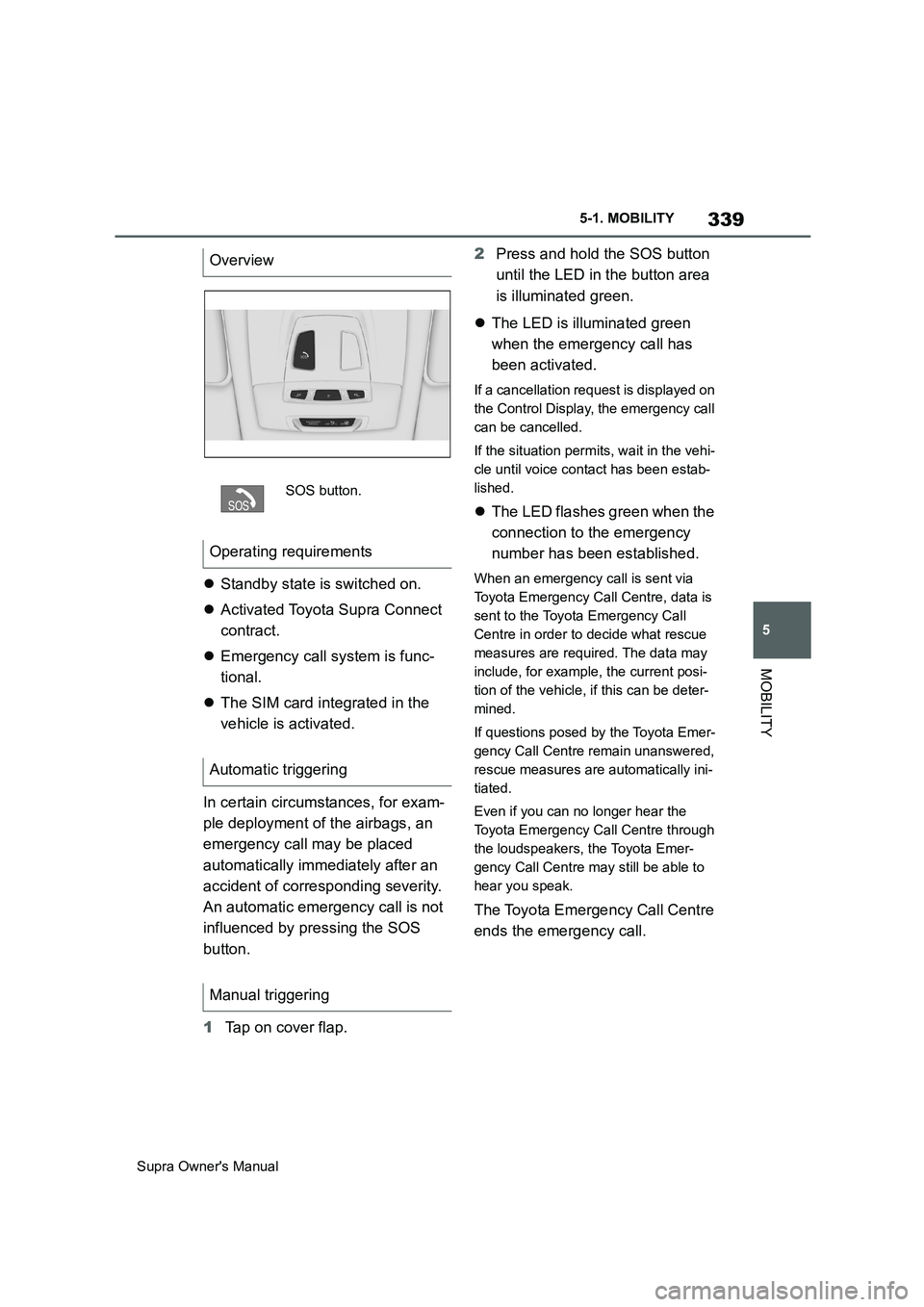
1Tap on cover flap.2Press and hold the SOS button
until the LED in the button area
is illuminated green.
The LED is illuminated green
when the emergency call has
been activated.
If a cancellation request is displayed on
the Control Display, the emergency call
can be cancelled.
If the situation permits, wait in the vehi-
cle until voice contact has been estab-
lished.
The LED flashes green when the
connection to the emergency
number has been established.
When an emergency call is sent via
Toyota Emergency Call Centre, data is
sent to the Toyota Emergency Call
Centre in order to decide what rescue
measures are required. The data may
include, for example, the current posi-
tion of the vehicle, if this can be deter-
mined.
If questions posed by the Toyota Emer-
gency Call Centre remain unanswered,
rescue measures are automatically ini-
tiated.
Even if you can no longer hear the
Toyota Emergency Call Centre through
the loudspeakers, the Toyota Emer-
gency Call Centre may still be able to
hear you speak.
The Toyota Emergency Call Centre
ends the emergency call. Overview
SOS button.
Operating requirements
Automatic triggering
Manual triggering
Page 341 of 456
341
5
Supra Owner's Manual5-1. MOBILITY
MOBILITY
tional.
In certain circumstances, for exam-
ple deployment of the airbags, an
emergency call may be placed
automatically immediately after an
accident of corresponding severity.
An automatic emergency call is not
influenced by pressing the SOS
button.
If an emergency call is triggered,
other signal tones and audio
sources are set to mute, for exam-
ple Parking Sensors.
1Tap on cover flap.
2Press and hold the SOS button
until the LED in the button area
is illuminated green.
The LED is illuminated green
when the emergency call has
been activated.
If a cancellation request is displayed on
the Control Display, the emergency call
can be cancelled.
If the situation permits, wait in the vehi-
cle until voice contact has been estab-
lished.
The LED flashes green when the
connection to the emergency
number has been established.
In the case of an emergency call, data
is sent to the public rescue coordination
centre in order to decide what rescue
measures are required. The data may include, for example, the current posi-
tion of the vehicle, if this can be deter-
mined.
Even if you can no longer hear the res-
cue coordination centre through the
loudspeakers, the rescue coordination
centre may still be able to hear you
speak.
The rescue coordination centre
ends the emergency call.
When the drive-ready state is
switched on, the LED in the emer-
gency call button area illuminates
for approx. 2 seconds to indicate
that the emergency call system is
ready for operation.
■General
The operational readiness of the
emergency call system can be
checked. During the check, do not
activate any other functions. If
applicable, comply with any addi-
tional instructions regarding the
procedure via the vehicle loud-
speakers.
Toyota Supra Connect functions
might not be available for a specific
time following the check.
■Requirements
Vehicle is stationary for at least 1
minute.
Standby state is switched on.
No other services are active. Automatic triggering
Manual triggering
Operational readiness
Checking operational readiness
Page 342 of 456
342
Supra Owner's Manual5-1. MOBILITY
Low-beam headlights switched
off in switch position
■Using the light switch
Make sure that the low-beam head-
lights are not switched on, for
example by the automatic driving
lights control. Therefore, perform
the check when there is sufficient
ambient brightness.
1Light switch, turn from setting
2Press SOS button. The compo-
nents of the system, for example
the microphone, are checked in
a specific sequence.
LED in the SOS button is illumi-
nated briefly, the system is func-
tional.
LED on the SOS button flashes;
the system could not be checked
successfully. Check the opera-
tional readiness once again
under the changed conditions.
If the emergency call does not work
even after a renewed system test,
have the system checked by an any
authorized Toyota retailer or Toyota
authorized repairer, or any reliable
repairer.
■Via Toyota Supra Command
1"My vehicle"
2 Press the button.
3"Emergency call test"
4"Start emergency call test"
5"Start system test"
The self-test of the system is started; follow the instructions on
the Control Display.
If the system has not been suc-
cessfully checked, check the opera-
tional readiness once again under
changed conditions.
If the emergency call does not work
even after a renewed system test,
have the system checked by an any
authorized Toyota retailer or Toyota
authorized repairer, or any reliable
repairer.
The emergency call function may
be impaired.
The LED in the emergency call but-
ton area illuminates for approx. 30
seconds. A vehicle message is
shown.
Have a check performed by any
authorized Toyota retailer or Toyota
authorized repairer, or any reliable
repairer.
The fire extinguisher can be used to
put out vehicle fires.
Malfunction
Fire extinguisher
Principle
Page 354 of 456
354
Supra Owner's Manual5-1. MOBILITY
Clean with a clean, anti-static
microfibre cloth.
Clean the protective glass of the
Head-Up Display, see page 168,
with a microfibre cloth and commer-
cially available dishwashing liquid.
Special measures need to be taken
if putting the vehicle out of use for
longer than three months. Addi-
tional information is available from
any authorized Toyota retailer or
Toyota authorized repairer, or any
reliable repairer.Displays, screens and protective
glass of the Head-Up Display
NOTICE
Chemical cleaners, moisture or fluids
of all kinds can damage the surface of
displays and screens. There is a dan-
ger of damage to property. Clean with
a clean, anti-static microfibre cloth.
NOTICE
The surfaces of displays can be dam-
aged due to improper cleaning. There
is a danger of damage to property.
Avoid applying excessive pressure
and do not use abrasive materials.
Laying up the vehicle