2019 MERCEDES-BENZ SPRINTER fog light
[x] Cancel search: fog lightPage 171 of 354
Re
ar view camera Fu
nction of there ar view camera If
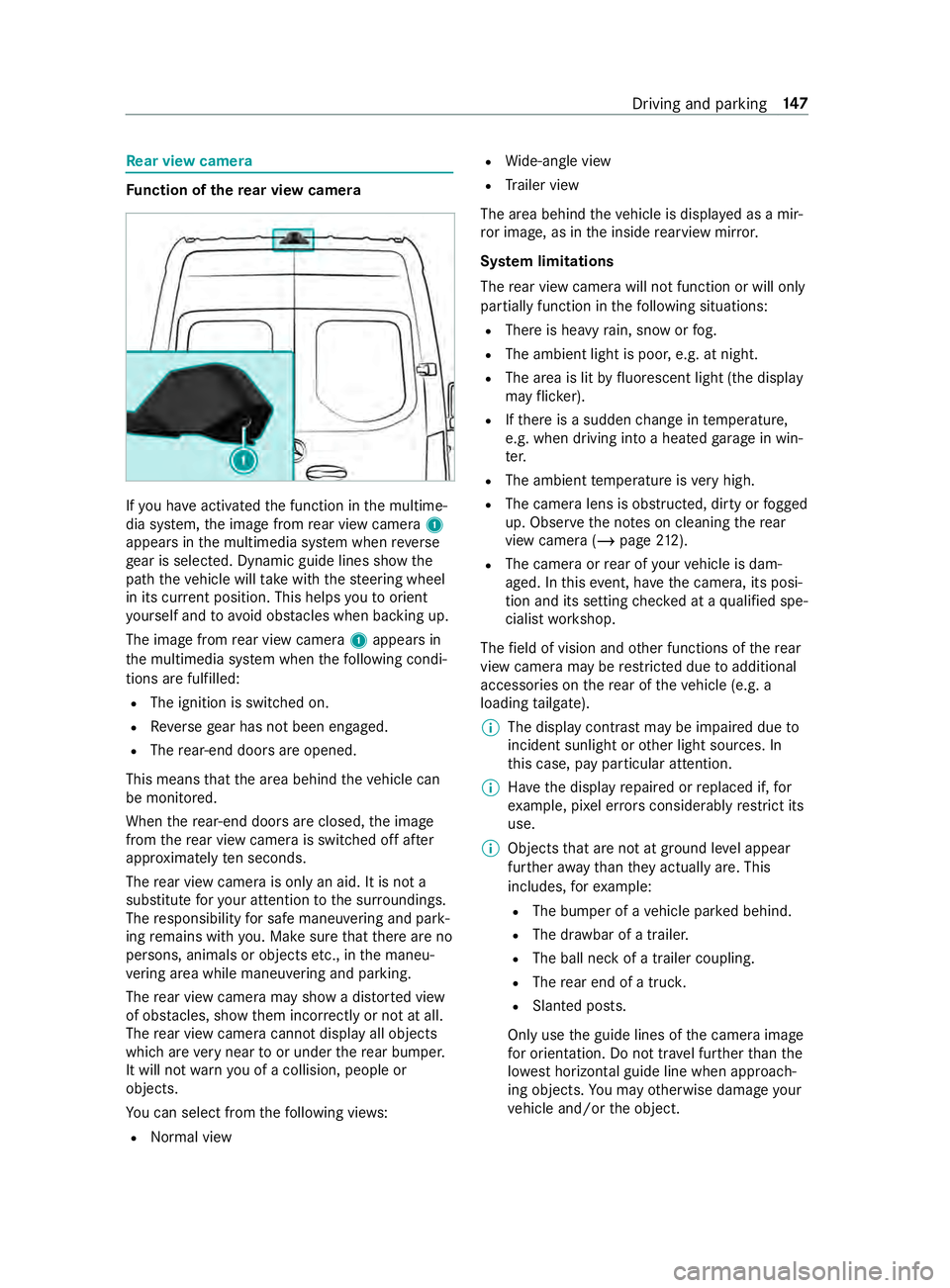
yo u ha veactivated the function in the multime‐
dia sy stem, the image from rear view camera 1
appears in the multimedia sy stem when reve rse
ge ar is selec ted. Dynamic guide lines show the
path theve hicle will take with thesteering wheel
in its cur rent position. This helps youto orient
yo urself and toavo id obs tacles when ba cking up.
The image from rear view camera 1appears in
th e multimedia sy stem when thefo llowing condi‐
tions are fulfilled:
R The ignition is switched on.
R Reversege ar has not been engaged.
R The rear-end doors are opened.
This means that the area behind theve hicle can
be monitored.
When there ar-end doors are closed, the image
from there ar view camera is swit ched off af ter
appr oximately ten seconds.
The rear view camera is only an aid. It is not a
substitute foryo ur attention tothe sur roundings.
The responsibility for safe maneu vering and pa rk‐
ing remains with you. Make sure that there are no
persons, animals or objects etc., in the maneu‐
ve ring area while maneuvering and pa rking.
The rear view camera may show a dis torted view
of obs tacles, show them incor rectly or not at all.
The rear view camera cannot display all objects
which are very near toor under there ar bumper.
It will not warnyou of a collision, people or
objects.
Yo u can select from thefo llowing vie ws:
R Norma l view R
Wide-angle view
R Trailer view
The area behind theve hicle is displa yed as a mir‐
ro r image, as in the inside rearview mir ror.
Sy stem limitations
The rear view camera will not function or will only
partially function in thefo llowing situations:
R There is heavy rain, snow or fog.
R The ambient light is poor, e.g. at night.
R The area is lit byfluorescent light (the displ ay
may flic ke r).
R Ifth ere is a sudden change in temp erature,
e.g. when driving into a heated garage in win‐
te r.
R The ambient temp erature is very high.
R The camera lens is obstructed, dirty or fogged
up. Obser vethe no tes on cleaning there ar
view camera (/ page212).
R The camera or rear of your vehicle is dam‐
aged. In this event, ha vethe camera, its posi‐
tion and its setting checked at a qualified spe‐
cialist workshop.
The field of vision and other functions of there ar
view camera may be restricted due toadditional
accesso ries on there ar of theve hicle (e.g. a
loading tailgate).
% The display contrast may be impaired due
to
incident sunlight or other light sources. In
th is case, pay particular attention.
% Ha
ve the display repaired or replaced if, for
ex ample, pixel er rors considerably restrict its
use.
% Objects that are not at ground le vel appear
fur ther aw ay than they actually are. This
includes, forex ample:
R The bumper of a vehicle par ked behind.
R The dr awbar of a trailer.
R The ball neck of a trailer coupling.
R The rear end of a truc k.
R Slanted posts.
Only use the guide lines of the camera image
fo r orientation. Do not tr avel fur ther than the
lo west horizontal guide line when approach‐
ing objects. You may otherwise damage your
ve hicle and/or the object. Driving and parking
147
Page 174 of 354

In trailer mode,
the guide lines are shown at
th e le vel of the trailer hitch.
Vi ew of trailer (if trailer hit chis installed) Vi
ew of trailer (if trailer hitch is ins talled)
1 Yellow guide line, locating aid
2 Red guide line at a dis tance of appr oximately
1. 0 in (0.3 m) from the ball head of the trailer
hitch
3 Ball head of the trailer hitch
Side view of the mir ror came ras
The sides of theve hicle can be seen in this vie w. 1
Lane indicating thero ute theve hicle will take
with thesteering wheel in its cur rent position
2 Yellow warning display of Parking Assist
PA RKTRONIC: obstacles at a dis tance of
appr oximately 3.3 ft(1.0 m) or less
3 Your vehicle from abo ve
4 Marker of the wheel contact points
5 Guide line of extern al vehicle dimensions
with outside mir rors folded out
If th e dis tance tothe object lessens, the color of
wa rning display 2changes.
Sy stem failure
If th ere is no operational readiness, thefo llowing
message appears in the multimedia sy stem: Sy
stem limitations
The 360° Camera will not function or will only
partially function in thefo llowing situations:
R The front doors are open.
R The side mir rors are folded in.
R There is heavy rain, snow or fog.
R The ambient light is poor, e.g. at night.
R The area is lit byfluorescent light (the displ ay
may flic ke r).
R Ifth ere is a sudden change in temp erature,
e.g. when driving into a heated garage in win‐
te r.
R The ambient temp erature is very high.
R The camera lens is obstructed, dirty or fogged
up.
R Cameras, or vehicle components in which the
came ras are ins talled, are damaged. In this
eve nt, ha vethe cameras, their positions and
th eir setting checked at a qualified specialist
wo rkshop.
Do not use the 360° Camera under such circum‐
st ances. You could otherwise injure others or col‐
lide with objects when parking theve hicle.
On vehicles with height-adjus table suspension or
if th eve hicle is car rying a heavy load, leaving the
st andard height can result in inaccuracies in the
guide lines and in the display of thege nerated
ima ges, depending on tech nical conditions.
The field of vision and other functions of the cam‐
era sy stem may be restricted due toadditional
attachments on theve hicle (e.g. loading tailgate).
% The contrast of
the display may be impaired
by abrupt direct sunlight or by other light
sources, e.g. when driving out of a garage . In
th is case, pay particular attention.
% Ha
ve the display repaired or replaced if, for
ex ample, pixel er rors considerably restrict its
use. 15 0
Driving and pa rking
Page 177 of 354

sequently enters
the monitoring range di rectly
next toyour vehicle, thewa rning lamp in the out‐
side mir ror lights up red.
% When a trailer is connected,
thera dar sen‐
sor's field of vision may be impaired, thereby
making limited monitoring possible. Alw ays
pay careful attention tothe tra ffic situation
and maintain a safe dis tance at the side of
th eve hicle.
If a vehicle is de tected close to yourvehicle in the
lateral monitoring range and you swit chon the
turn signal indica tor in the cor responding direc‐
tion, a warning tone sounds. The redwa rning
lamp in the outside mir rorflashes. If the turn sig‐
nal indicator remains switched on, all other
de tected vehicles are indicated only bytheflash‐
ing of there dwa rning lamp.
If yo uove rtake a vehicle quickl y,no warning is
given.
Exit warning
The exitwa rning is an additional function of Blind
Spot Assist and warnsve hicle occupants when
leaving theve hicle about any approaching vehi‐
cles. &
WARNING Risk of accident despite exit
wa rning
The exitwa rning reacts nei ther tostationary
objects nor tovehicles approaching you at a
great lydif fere nt speed.
As a result, theex itwa rning cannot warndriv‐
ers in these situations. #
Always pay particular attention tothe
traf fic situation when opening the doors
and make sure there is suf ficient clear‐
ance. %
An
exitwa rning is not issued for sliding doors
and rear-end doors. Overview
When theve hicle is
st ationar y,an object
is de tected from
behind in the monitor‐
ing range. Display in outside mir‐
ror
When theve hicle is
st ationar y,a door on
th ere leva nt side of
th eve hicle is opened.
An object which is
close to yourvehicle
is de tected in the
monitoring range. Vi
sual and audible
wa rning %
This additional function is only
available when
Blind Spot Assist is activated and up to a
maximum of thre e minutes af terth e ignition
has been switched off. The end of theav aila‐
bility of theex itwa rning function is indicated
by a series of flashes in the outside mir ror.
The exitwa rning function is only an aid and is no
substitute forth e attentiveness of theve hicle
occupants. Responsibility alw ays lies with the
ve hicle occupants when opening doors and leav‐
ing theve hicle.
Sy stem limitations
Blind Spot Assist and theex itwa rning function
may be limited in thefo llowing situations:
R ifth ere is dirt on the sensors or the sensors
are obscured
R ifth ere is poor visibility, e.g. due tofog, heavy
ra in, snow or spr ay
R if nar rowvehicles are within the monitoring
ra nge, e.g. bicycles
% St
ationary or slowly moving objects are not
displa yed.
Wa rnings may be issued in er ror when driving
close tocrash ba rriers or similar solid lane bor‐
ders. Warnings may be inter rupte d when driving
alongside long vehicles, forex ample truc ks,fo r a
prolonged time.
Blind Spot Assist is not operational when reve rse
ge ar is engaged.
The exitwa rning function may be limited in the
fo llowing situations:
R when the sensor is bloc kedby adjacent vehi‐
cles in nar rowparking spaces
R when people are approaching Driving and parking
15 3
Page 179 of 354
Lane
Keeping Assist and Active Lane Keeping
Assist Fu
nctions of Lane Keeping Assist Lane
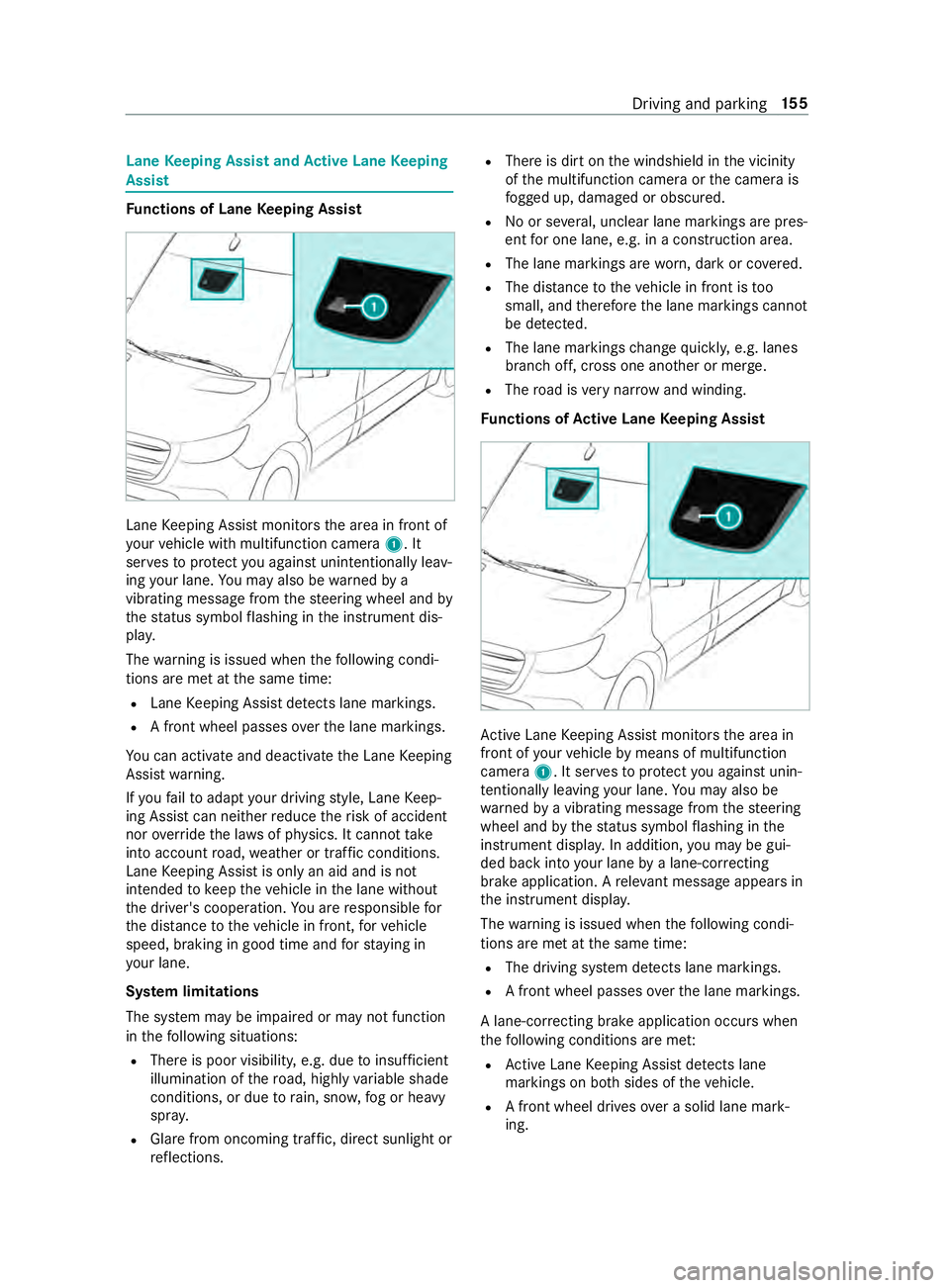
Keeping Assist monitors the area in front of
yo ur vehicle with multifunction camera 1. It
ser vesto protect you against unin tentionally le av‐
ing your lane. You may also be warned by a
vibrating messa gefrom thesteering wheel and by
th est atus symbol flashing in the instrument dis‐
pla y.
The warning is issued when thefo llowing condi‐
tions are met at the same time:
R Lane Keeping Assist de tects lane markings.
R A front wheel passes overth e lane markings.
Yo u can activate and deactivate the Lane Keeping
Assist warning.
If yo ufa ilto adapt your driving style, Lane Keep‐
ing Assist can neither reduce therisk of accident
nor override the la wsof ph ysics. It cannot take
into account road, weather or traf fic conditions.
Lane Keeping Assist is only an aid and is not
intended tokeep theve hicle in the lane without
th e driver's cooperation. You are responsible for
th e dis tance totheve hicle in front, forve hicle
speed, braking in good time and forst ay ing in
yo ur lane.
Sy stem limitations
The sy stem may be impaired or may not function
in thefo llowing situations:
R There is poor visibilit y,e.g. due toinsuf ficient
illumination of thero ad, highly variable shade
conditions, or due torain, sno w,fog or heavy
spr ay.
R Glare from oncoming traf fic, direct sunlight or
re flections. R
There is dirt on the windshield in the vicinity
of the multifunction camera or the camera is
fo gged up, damaged or obscured.
R No or se veral, unclear lane markings are pres‐
ent for one lane, e.g. in a construction area.
R The lane markings are worn, dark or co vered.
R The dis tance totheve hicle in front is too
small, and therefore the lane markings cann ot
be de tected.
R The lane markings change quickl y,e.g. lanes
branch off, cross one ano ther or mer ge.
R The road is very nar row and winding.
Fu nctions of Active Lane Keeping Assist Ac
tive Lane Keeping Assist monitors the area in
front of your vehicle bymeans of multifunction
camera 1. It ser vesto protect you against unin‐
te ntionally le aving your lane. You may also be
wa rned bya vibrating message from thesteering
wheel and bythest atus symbol flashing in the
instrument displa y.In addition, you may be gui‐
ded back into your lane bya lane-cor recting
brake application. A releva nt messa geappears in
th e instrument displa y.
The warning is issued when thefo llowing condi‐
tions are met at the same time:
R The driving sy stem de tects lane markings.
R A front wheel passes overth e lane markings.
A lane-cor recting brake application occu rswhen
th efo llowing conditions are me t:
R Active Lane Keeping Assist de tects lane
markings on bo thsides of theve hicle.
R A front wheel drives over a solid lane mark‐
ing. Driving and parking
15 5
Page 180 of 354
A
releva nt messa geappears in the instrument
displa y.
The brake application is available in the speed
ra nge between appr oximately 40 mph (60 km/h)
and 100mp h (160 km/h).
Yo u can either deactivate theAc tive Lane Keep‐
ing Assist warning or switch off the sy stem com‐
ple tely.
If yo ufa ilto adapt your driving style, Ac tive Lane
Ke eping Assist can neither reduce therisk of an
accident nor override the la wsof ph ysics. It can‐
not take into account road, weather or traf fic
conditions. The driving sy stem is an aid for when
yo u unin tentionally le aveor cross the lane and
not a sy stem for automatically keeping tothe
lane. You are responsible forth e dis tance tothe
ve hicle in front, forve hicle speed, braking in good
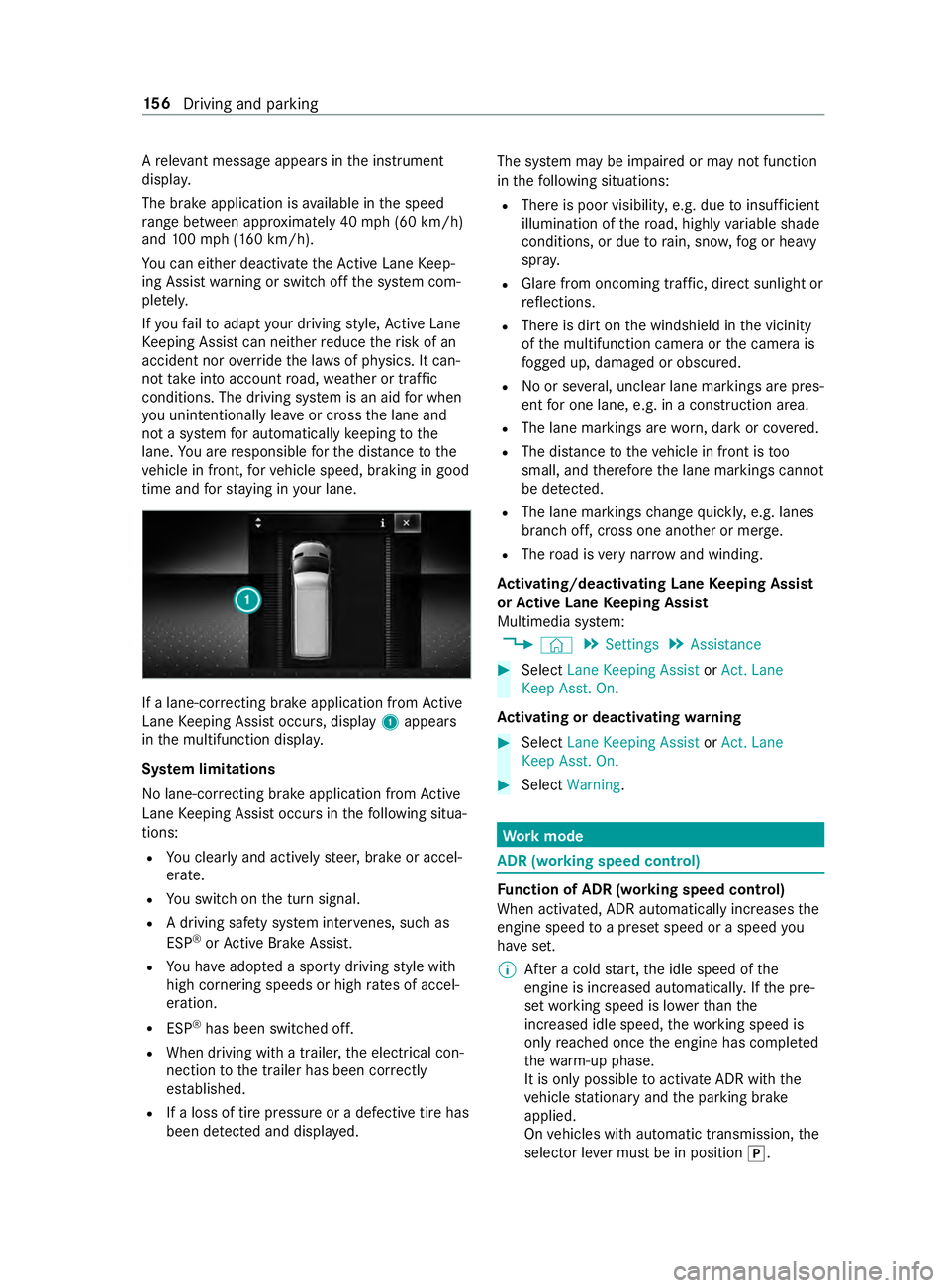
time and forst ay ing in your lane. If a lane-cor
recting brake application from Active
Lane Keeping Assist occurs, display 1appears
in the multifunction displa y.
Sy stem limitations
No lane-cor recting brake application from Active
Lane Keeping Assist occurs in thefo llowing situa‐
tions:
R You clearly and actively steer, brake or accel‐
erate.
R You swit chon the turn signal.
R A driving saf ety sy stem inter venes, su chas
ESP ®
or Active Brake Assi st.
R You ha veadop ted a sporty driving style with
high cornering speeds or high rates of accel‐
eration.
R ESP ®
has been switched off.
R When driving with a trailer, the electrical con‐
nection tothe trailer has been cor rectly
es tab lished.
R If a loss of tire pressure or a defective tire has
been de tected and displa yed. The sy
stem may be impaired or may not function
in thefo llowing situations:
R There is poor visibilit y,e.g. due toinsuf ficient
illumination of thero ad, highly variable shade
conditions, or due torain, sno w,fog or heavy
spr ay.
R Glare from oncoming traf fic, direct sunlight or
re flections.
R There is dirt on the windshield in the vicinity
of the multifunction camera or the camera is
fo gged up, damaged or obscured.
R No or se veral, unclear lane markings are pres‐
ent for one lane, e.g. in a construction area.
R The lane markings are worn, dark or co vered.
R The dis tance totheve hicle in front is too
small, and therefore the lane markings cann ot
be de tected.
R The lane markings change quickl y,e.g. lanes
branch off, cross one ano ther or mer ge.
R The road is very nar row and winding.
Ac tivating/deactivating Lane Keeping Assist
or Active Lane Keeping Assist
Multimedia sy stem:
4 © 5
Settings 5
Assistance #
Select Lane Keeping Assist orAct. Lane
Keep Asst. On.
Ac tivating or deactivating warning #
Select Lane Keeping Assist orAct. Lane
Keep Asst. On. #
Select Warning. Wo
rkmode ADR (working speed control)
Fu
nction of ADR (working speed control)
When activated, ADR automatically increases the
engine speed toa preset speed or a speed you
ha ve set.
% Af
ter a cold start, the idle speed of the
engine is increased automaticall y.Ifth e pre‐
set working speed is lo werth an the
inc reased idle speed, thewo rking speed is
only reached once the engine has comple ted
th ewa rm-up phase.
It is only possible toactivate ADR with the
ve hicle stationary and the parking brake
applied.
On vehicles with automatic transmission, the
selector le ver must be in position 005D. 15 6
Driving and pa rking
Page 319 of 354
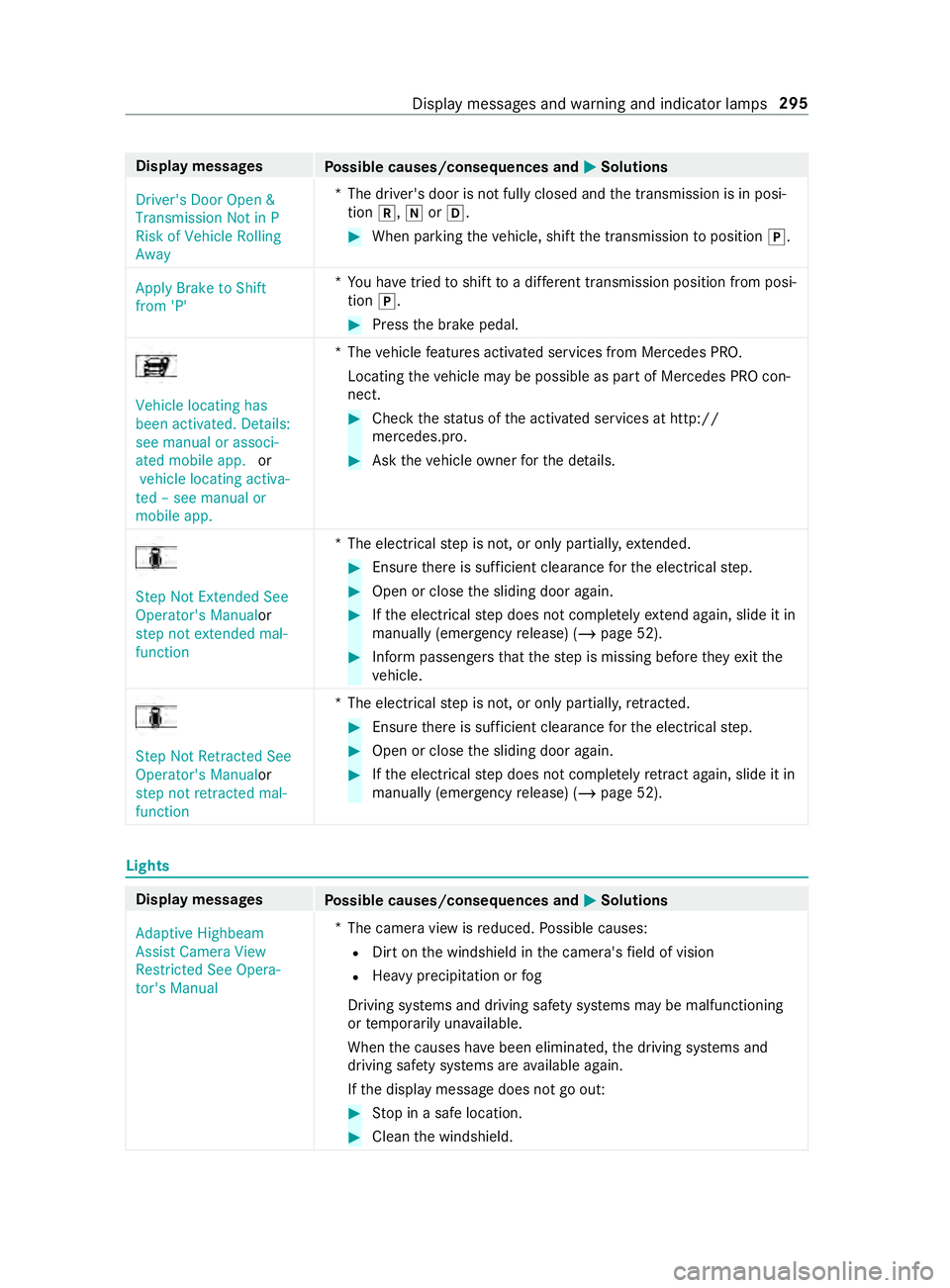
Display messages
Possible causes/consequences and 0050 0050Solutions
Driver's Door Open &
Transmission Not in P
Risk of Vehicle Rolling
Away *T
he driver's door is not fully closed and the transmission is in posi‐
tion 005E,005Cor005B. #
When parking theve hicle, shift the transmission toposition 005D.
Apply Brake to Shift
from 'P' *Y
ou ha vetried toshift toa dif fere nt transmission position from posi‐
tion 005D. #
Press the brake pedal. Vehicle locating has
been activated. Details:
see manual or associ-
ated mobile app.
or
vehicle locating activa-
ted – see manual or
mobile app. *T
hevehicle features activated services from Mercedes PRO.
Locating theve hicle may be possible as part of Mercedes PRO con‐
nect. #
Check thest atus of the activated services at http://
mercedes.pro. #
Ask theve hicle owner forth e de tails. Step Not Extended See
Operator's Manual
or
step not extended mal-
function *T
he electrical step is not, or only partially, extended. #
Ensu rethere is suf ficient clea rance forth e electrical step. #
Open or close the sliding door again. #
Ifth e electrical step does not comple tely ex tend again, slide it in
manually (emergency release) (/ page 52). #
Inform passen gers that thestep is missing before they exitthe
ve hicle. Step Not Retracted See
Operator's Manualor
step not retracted mal-
function *T
he electrical step is not, or only partially, retracted. #
Ensu rethere is suf ficient clea rance forth e electrical step. #
Open or close the sliding door again. #
Ifth e electrical step does not comple tely retract again, slide it in
manually (emergency release) (/ page 52). Lights
Display messa
ges
Possible causes/consequences and 0050 0050Solutions
Adaptive Highbeam
Assist Camera View
Restricted See Opera-
tor's Manual *
The camera view is reduced. Possible causes:
R Dirt on the windshield in the camera's field of vision
R Heavy precipitation or fog
Driving sy stems and driving saf ety sy stems may be malfunctioning
or temp orarily una vailable.
When the causes ha vebeen eliminated, the driving sy stems and
driving saf ety sy stems are available again.
If th e display message does not go out: #
Stop in a safe location. #
Clean the windshield. Display messages and
warning and indicator lamps 295
Page 320 of 354

Display messages
Possible causes/consequences and 0050 0050Solutions
Adaptive Highbeam
Assist Currently Unavail-
able See Operator's Man-
ual *A
daptive Highbeam Assist is temp orarily una vailable.
The sy stem limits ha vebeen reached (/ page81). #
Continue driving.
When the causes ha vebeen eliminated, the sy stem will be avail‐
able again. The display message Adaptive Highbeam Assist Now
Available appears.
Adaptive Highbeam
Assist Inoperative *A
daptive Highbeam Assist is malfunctioning. #
Visit a qualified specialist workshop.
0049
Switch On Headlamps *Y
ou are driving without a low beam. #
Turn the light switch toposition 0058.
or #
Turn the light switch tothe0058 position.
0049
Switch Off Lights *Y
ou are leaving theve hicle and the light is still switched on. #
Turn the light switch toposition 0058.
0049
Auto Lamp Function
Inoperative *T
he light sensor is malfunctioning. #
Visit a qualified specialist workshop.
0049
Malfunction See Opera-
tor’s Manual *T
heexterior lighting is malfunctioning. #
Visit a qualified specialist workshop.
Ve hicles with trailer hitch: a fuse may ha veblown. #
Stop in accordance with the tra ffic conditions. #
Check the fuses, and replace them if necessary(/ page 228).
0049
Check Left Low
Beam (exa mp le) *T
he bulb in question is faulty. #
Visit a qualified specialist workshop.
or #
Check whe ther changing the bulb is permitted. Indicator and
warning lamps Overview of
warning and indicator lamps When
the ignition is switched on, many sy stems
per form a self-test. Some warning and indicator
lamps may switch on or flash temp orarily during
th is time. This behavior is no cause for alarm.
These warning and indicator lamps only signal a
malfunction if they light up or flash, once the
engine has been star ted or theve hicle is in oper‐
ation. Wa
rning and indicator lamps:
0058 Low beam (/
page 79)
0060 Pa
rking light (/ page 79)
0057 High beam (/
page 80)
003E003D Tu
rn signal (/ page 80)
005E Re
ar fog light (/ page 79)
00E9 Saf
ety belt not fastened
(/ page 302)
0027 and
004D USA: Brakes (red) (/
page 297)296
Display messages and warning and indicator lamps
Page 333 of 354
Changing bulbs
...................................... .83
High beam .......................................... 84
Indicator (front) .................................. 84
Interior lamps (rear compartment) ..... 88
License plate lamp ............................ .86
Light bulb types haloge n headlamps ..84
Low beam ........................................... 84
No tes .................................................83
Ta il lamp bulb types (Cargo Van
and Passenger Van) ............................ 85
Ta il lamp bulb types (chassis) ............ .87
Tu rn signal light (rear) (chassis) ..........87
Changing lamps see Changing bulbs
Changing owner ...................................... 21
Cha racteristics of the tire .................. .245
Charging Battery .............................................. 219
Mobile phone (wireless) ..................... 77
Child saf ety lock (doors) ........................ 39
Child seat front-passenger seat (no tes) .............. 38
front-passenger seat (rear ward-
fa cing/for ward-facing) ....................... 38
LA TC H-type (ISOFIX) (ins talling) ........ .36
LA TC H-type (ISOFIX) (no tes) ............... 36
No tes on the safe transpor tation of
ch ildren .............................................. 34
Re arwa rd-facing child restra int sys‐
te m (Information) .............................. .38
To pTe ther ...........................................37
Child ren
No tes on safe transpor tation .............. 34
Special seat belt retractor .................. 35
Ci ga rette lighter ..................................... 75
Cleaning see Care
Cleaning water drain valve of the air
intake box ............................................ .208
Climate control Activating/deactivating ...................... 95
Ad justing rear-compartment heat‐
ing ...................................................... 96
Air distribution settings ...................... 97
automatically controlling (rear
passenger compartment) .................. .97
Au xilia ryheating ................................. 99
Cargo compartment ventilation ........ 102
Clearing fogged up windo ws............... 97
Control panel for 3-zone auto matic
clima tecontrol ................................... 95 Control panel
for dual-zone auto‐
matic clima tecontrol .......................... 94
Controlling automatically .................... 96
Hot- wate r auxilia ryheater ................1 00
Re frigerant ........................................ 271
Setting the air distribution .................. 97
Switching ai r-re circulation mode
on/off ................................................ 98
Switching synchronization function
on/off (control panel) ......................... 97
Switching the A/C function on/off ....96
Switching there ar wind ow
defros ter on/off ................................. 98
Switching the windshield heater
on/off ................................................ 98
Ve ntilating theve hicle (con veni‐
ence opening) ..................................... 54
Ve ntilation nozzles at front ................. 98
Ve ntilation nozzles in thero of ............ 99
Ve ntilation nozzles, rear passenger
compartment .................................... .99
Cockpit (o verview) .................................. .6
Combination switch see High beam
see High-beam flasher
see Indicator
Compu ter
see On-board computer
Contacts ................................................ 185
Calling up ........................................ .185
Deleting ............................................ 185
Downloading (from mobile phone) .... 185
Information .......................................1 85
Making a call ................................... .185
Na me form at .................................... 185
Con venience closing .............................. 54
Con venience opening ............................. 54
Con versions ............................................ 19
Coolant Filling capacities .............................. .270
Coolant (engine) Che cking le vel .................................. 206
No tes ............................................... 269
Copyright License ............................................... 27
Tr ademar ks......................................... 27
Cornering light ...................................... .80
Crosswind Assist Function/no tes ................................ 13 8
Cruise control ...................................... .141
Ac tivating ......................................... 14 2 Index
309